
Prizmo Remix
Scannen und Verarbeiten automatisieren

Mac
Version 1.0.1
macOS 14.0 oder neuer
70.7 MB
23 Sprachen
Überfordert Sie der Versuch, Papierstapel in organisierte digitale Dateien umzuwandeln? Belege vom Handy, Rechnungen vom Scanner und endlose Dokumentenstapel summieren sich schnell. Prizmo Remix übernimmt den gesamten Prozess für Sie. Die App scannt, erkennt Texte, ordnet Dateien und automatisiert Workflows mit leistungsstarken Tools für ein natives Mac-Erlebnis.
Texte aus Bildern sofort per OCR extrahieren
Seiten bearbeiten, drehen und Metadaten pflegen
Automatisch verarbeiten, benennen und ordnen
KI-Tagging für eine blitzschnelle Suche
Prizmo Remix-Funktionen
Automatisieren Sie Scannen und Verarbeitung
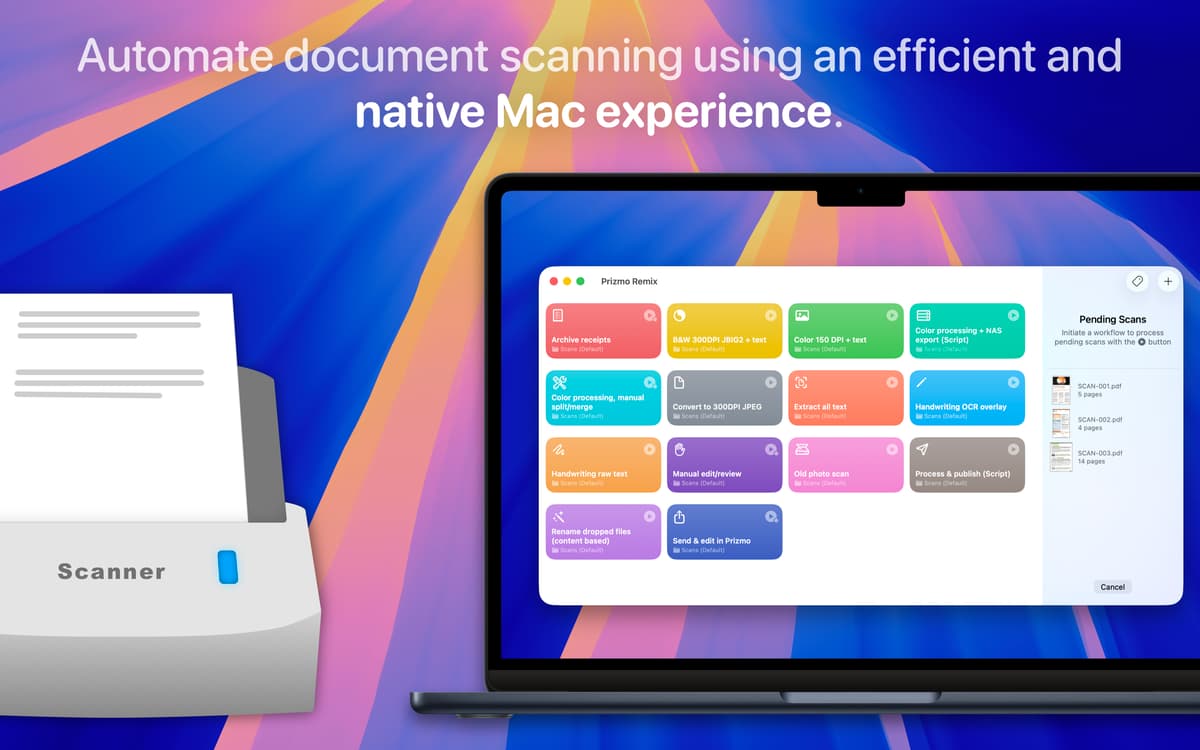
Die manuelle Bearbeitung Ihrer Scans wie Skalieren, Zusammenfügen oder Umbenennen kostet viel Zeit. Mit Prizmo Remix erstellen Sie eigene Workflows, um all das mit einem Klick zu erledigen. Legen Sie die Regeln einmal fest und die App verarbeitet Ihre Scans direkt vom Gerät. Sie passt Farben an, extrahiert Texte, benennt Dateien um und vieles mehr.
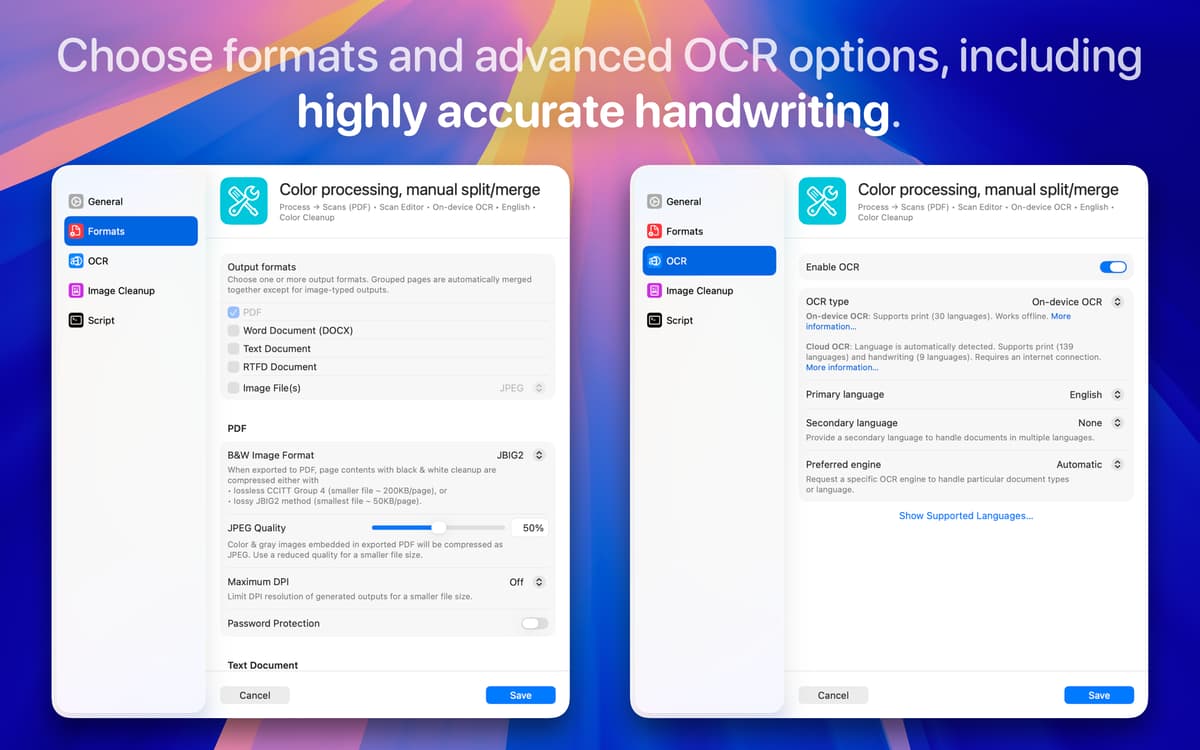
Verwenden Sie OCR, um Bilder in bearbeitbaren Text umzuwandeln
Haben Sie schon mal einen Beleg oder eine Buchseite fotografiert und hätten den Text gerne bearbeitet oder durchsucht? Mit Prizmo ist das ganz einfach. Die OCR-Technologie erkennt den Text in Ihren Fotos und Scans – egal, ob es sich um eine handschriftliche Notiz, eine gedruckte Rechnung oder ein Poster handelt – und wandelt ihn in digitalen Text um, den Sie bearbeiten, kopieren oder durchsuchen können.
Dokumente mühelos prüfen und ordnen
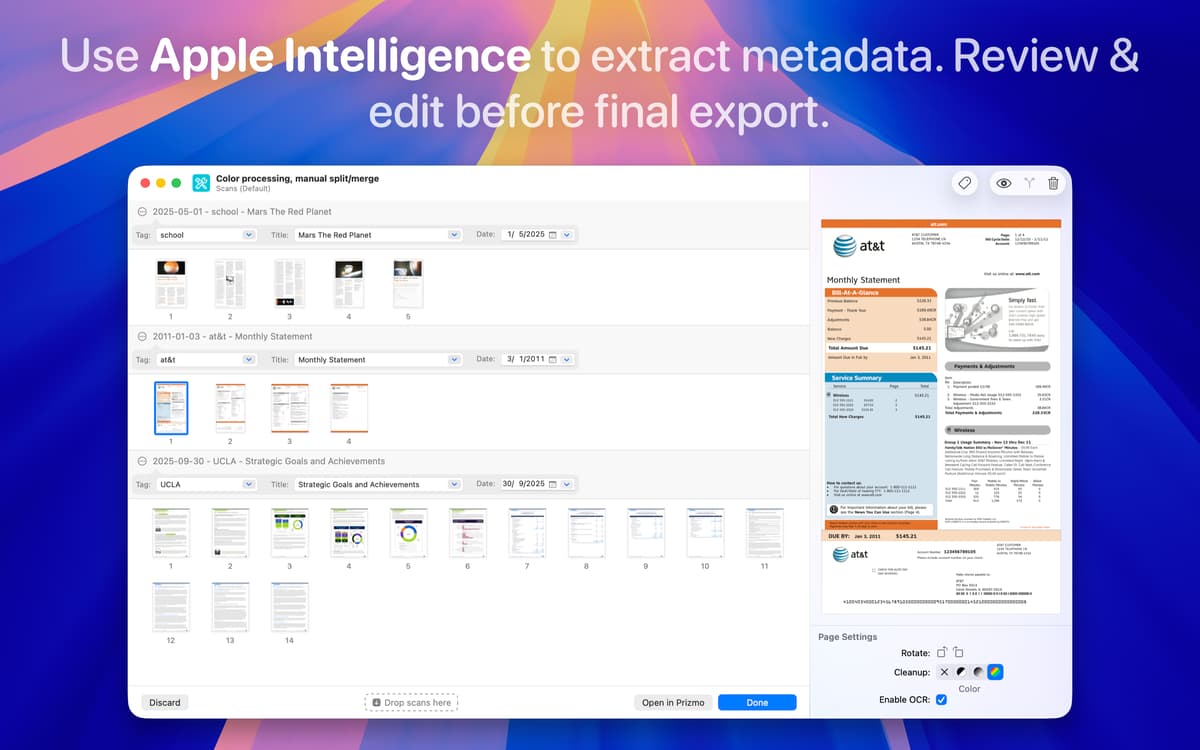
Bevor Sie fertig sind, können Sie Ihre Scans im Editor öffnen. Dort lassen sich Seiten verschieben, Bilder drehen, Fehler korrigieren und Details aktualisieren. Wenn etwas nicht passt, ordnen Sie die Seiten einfach neu, löschen oder kombinieren Sie diese. So stellen Sie sicher, dass alles perfekt ist, bevor Sie die Dateien speichern oder teilen.
Dokumente mit KI organisieren
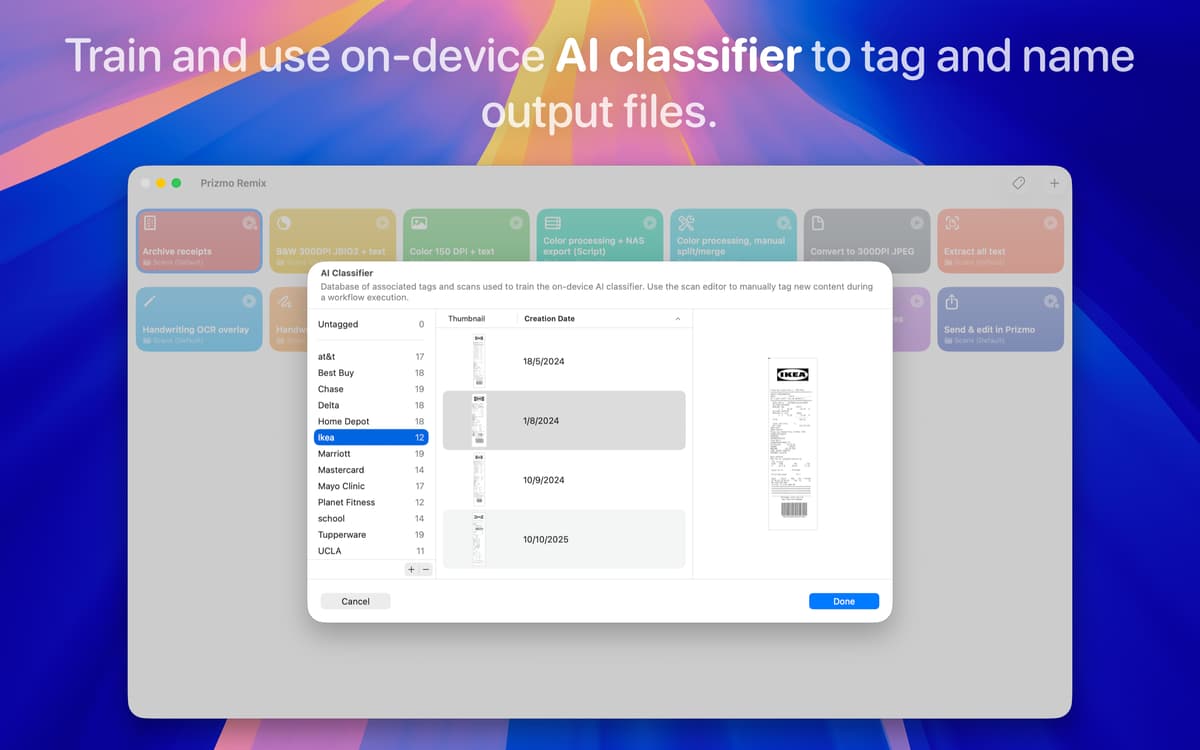
Manchmal ist es schwer, Dokumente und Dateien zu sortieren oder wiederzufinden. Der KI-Klassifikator von Prizmo hilft Ihnen beim automatischen Taggen und Sortieren Ihrer Dokumente. Er erkennt Datum, Titel oder Dokumenttyp und erstellt Tags basierend auf Ihren Beispielen. So bleiben Ihre Dateien perfekt organisiert und jederzeit auffindbar.
Bewertungen und Rezensionen
Prizmo Remix
•
28 Bewertungen
Tom
4. März 2026
App-Version: 1.0.1
Tolle App. Bin sehr zufrieden
Steffen Rufenach
16. Jan. 2026
App-Version: 1.0
I tried to rename pdf files but no matter what I do, the names never relefect the content but only look like this: scan-2026-01-16-155
Andrew
11. Dez. 2025
App-Version: 1.0
Amazing. Works with my scanner and streamlines scanning. Love it!
Erhalten Sie Hunderte von Apps mit Membership
Werden Sie Setapp Member und nutzen Sie mit nur einem Abonnement hunderte genialer Apps.
Testen Sie 7 Tage kostenlos, im Anschluss nur eine einfach monatliche Gebühr.
Setapp auf dem Mac installieren
Erkunden Sie Apps für Mac, iOS und Web. Finden Sie einfache Möglichkeiten für die Bewältigung täglicher Aufgaben.

Die gesuchte App finden
In Setapp wartet eine wunderbare App auf Sie. Installieren Sie sie mit einem Klick.

Prizmo Remix
Abonnement wählen
Eine App oder mehr mit der Setapp Membership. Holen Sie sich Apps, so wie Sie es möchten.

Erhalten Sie Hunderte von Apps mit Membership
Werden Sie Setapp Member und nutzen Sie mit nur einem Abonnement hunderte genialer Apps.
Testen Sie 7 Tage kostenlos, im Anschluss nur eine einfach monatliche Gebühr.
1
Setapp auf dem Mac installieren
Erkunden Sie Apps für Mac, iOS und Web. Finden Sie einfache Möglichkeiten für die Bewältigung täglicher Aufgaben.
2
Die gesuchte App finden
In Setapp wartet eine wunderbare App auf Sie. Installieren Sie sie mit einem Klick.
Prizmo Remix
3
Abonnement wählen
Eine App oder mehr mit der Setapp Membership. Holen Sie sich Apps, so wie Sie es möchten.
Die besten Apps
Von Planung und Routineaufgaben bis hin zu kreativen Tätigkeiten und Programmieren – mit den Apps von Setapp sind Sie bestens für Aufgaben gerüstet.

TypingMind
KI-Chat mit alternativer UI
Text erzeugen oder zusammenfassen
Prompt-Bibliothek nutzen
KI

Spark Mail
E-Mails verwalten
KI

CleanMyMac
Datenmüll entfernen

Bartender
Menüleiste anpassen

CleanShot X
Vielseitige Bildschirmfotos aufnehmen

Luminar Neo
Fotos bearbeiten
KI

ClearVPN
Sichere Verbindung herstellen

Craft
Mit Dokumenten arbeiten
KI
Prizmo Remix
Scannen und Verarbeiten automatisieren