RAW to HEIC
Turn RAW photos into HEIC
Mac
Version 2.14
macOS 15.0 oder neuer
18 MB
1 Sprachen
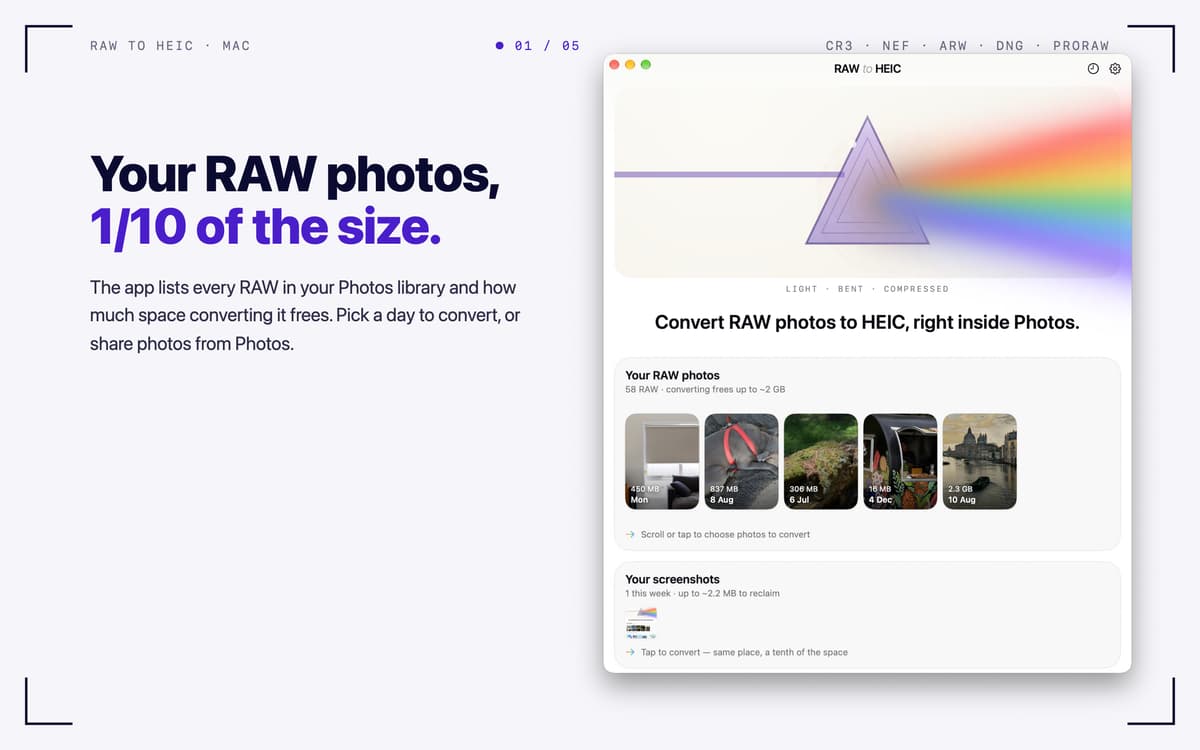
RAW to HEIC — RAW photo converter for Mac. It turns camera RAW files and iPhone ProRAW into HEIC, the format Apple Photos uses natively. You keep the look of your photos and often win back 70–90% of the storage. Convert right from Photos, Finder, or the app window, and your lens details, albums, edits, and HDR come along. You decide what happens to the originals, and everything stays on your Mac.
Free up storage after a big shoot
Convert iPhone ProRAW right in Photos
Keep HDR and metadata intact
Batch-convert RAW files from any camera
RAW to HEIC-Funktionen
Convert where you already work
Select RAWs in Photos, share them to RAW to HEIC, and the converted HEICs land back in your library, in the same albums. In Finder, share files or drop them on the app window, and each HEIC is saved next to its original. You can also pick photos from your library with one click.
Keep what matters
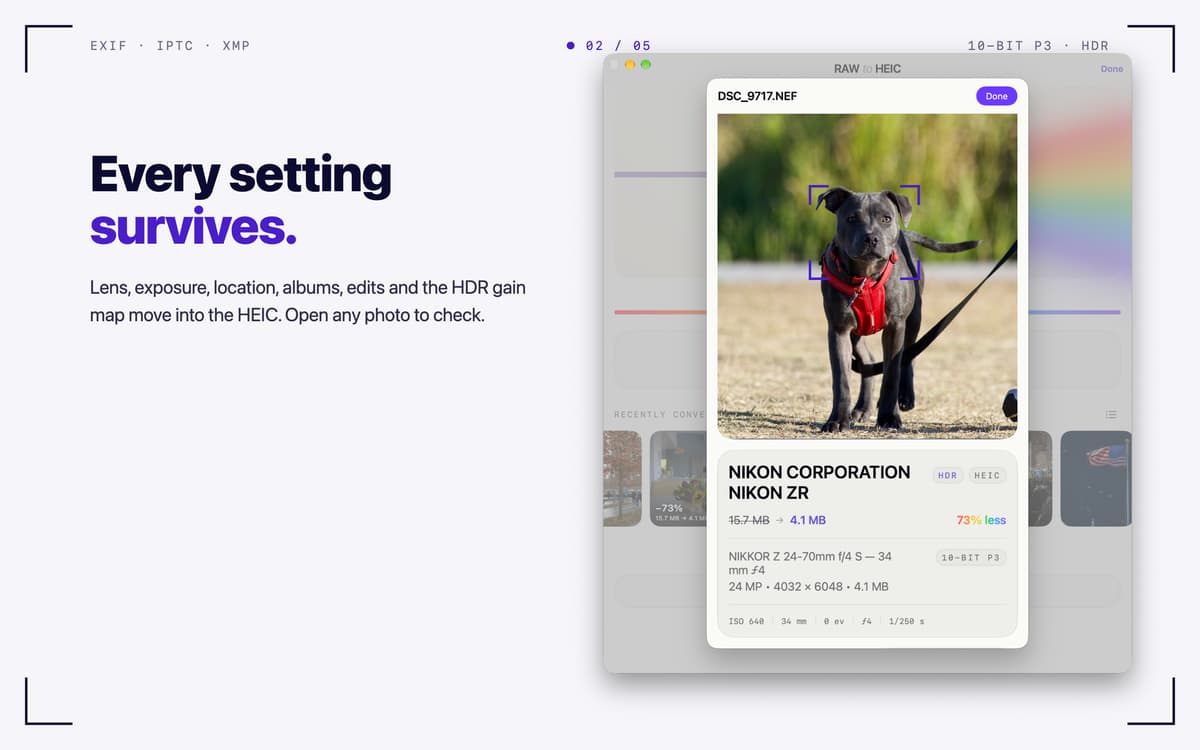
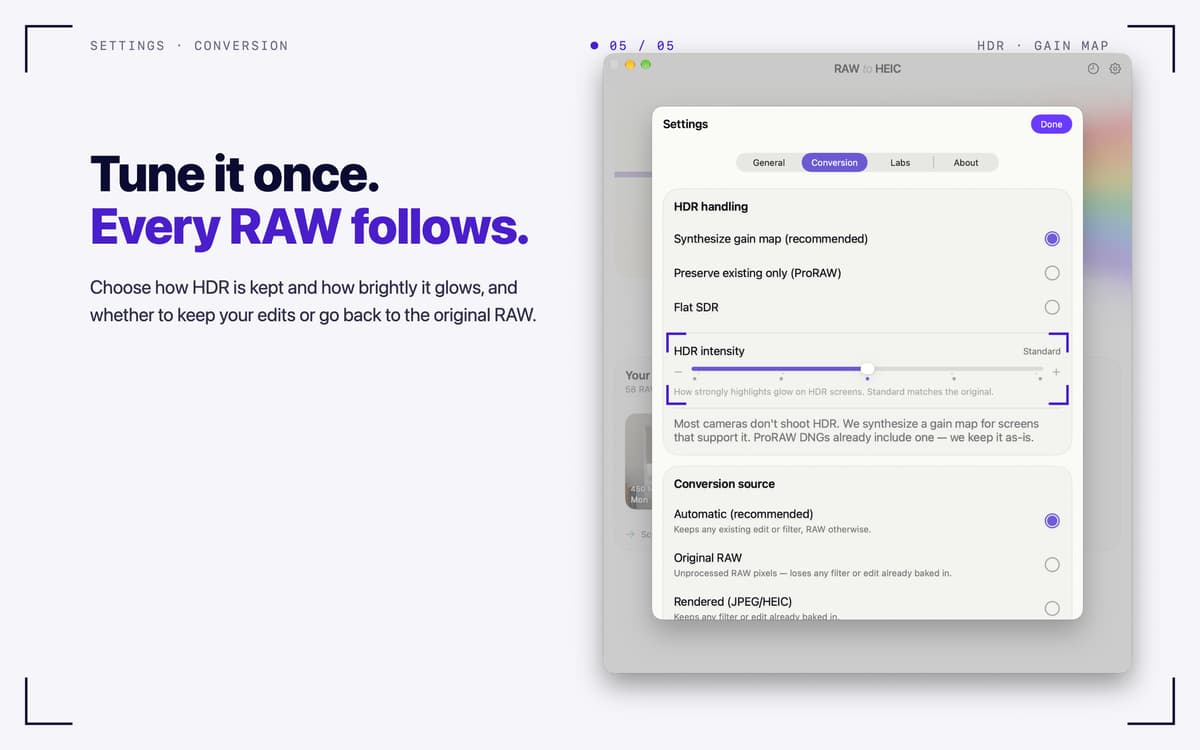
Lens, exposure, date, and location (EXIF, IPTC, XMP) carry over into the HEIC. Your albums and edits in Photos stay put. HDR photos stay HDR, thanks to a gain map in the ISO standard that Photos and macOS display. Output is 10-bit Display P3.
Your originals, your call
After conversion, delete the RAWs (macOS always asks first), move them to an archive folder, or keep them. A RAW is only removed once its HEIC is safely in your library and verified. Files you dropped in are never deleted.
Built for big shoots
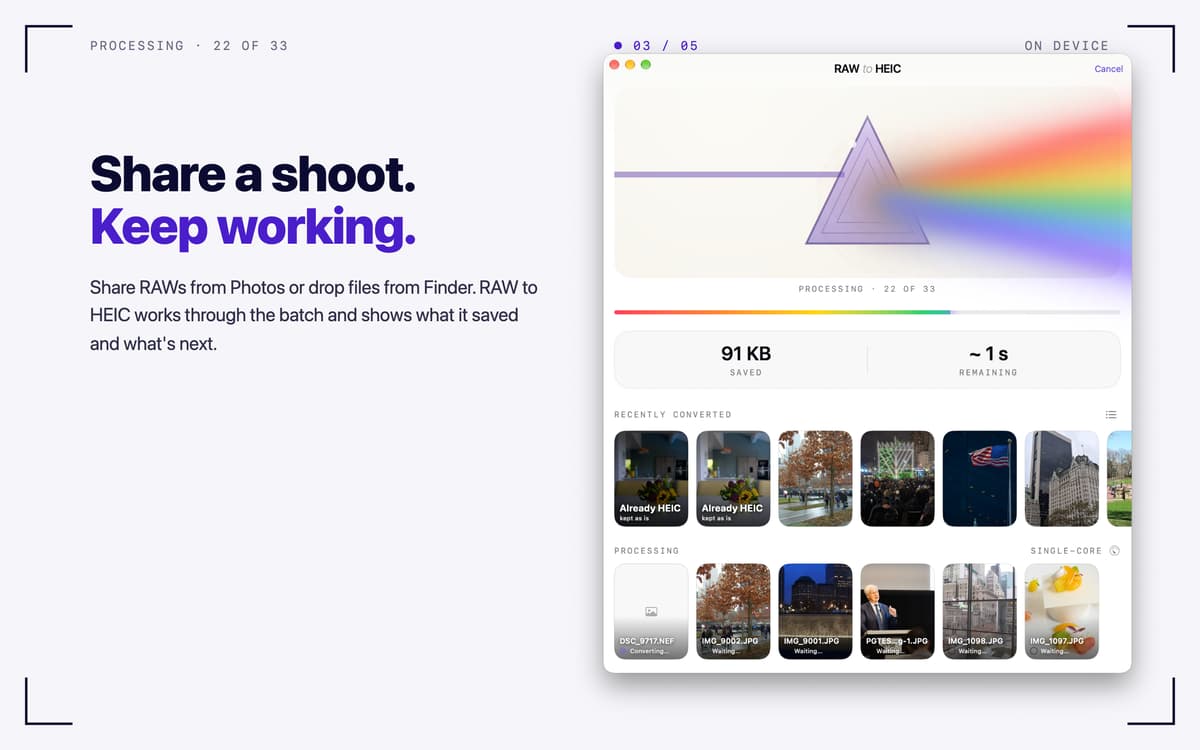
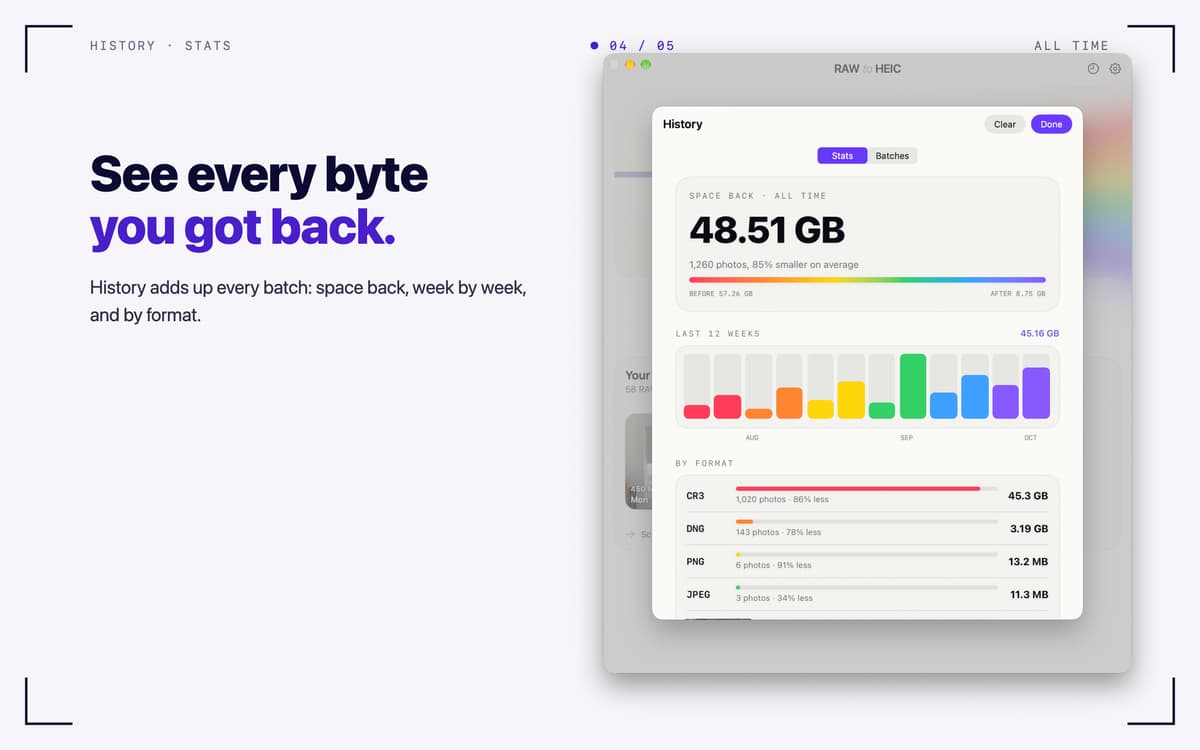
Turbo Mode converts several photos at once on Apple silicon. Keep working while it runs, and check progress in the menu bar. History lists every batch, and Stats show how much space you got back, week by week and by format.
Works with the files you have
Canon CR3/CR2, Sony ARW, Nikon NEF, Fujifilm RAF, Adobe DNG, iPhone ProRAW, and other RAW formats macOS can read. It also handles JPEG, PNG, TIFF, and HEIC.
Private by design
Everything runs on your Mac. No accounts, no analytics, no uploads.
Erhalten Sie Hunderte von Apps mit Membership
Werden Sie Setapp Member und nutzen Sie mit nur einem Abonnement hunderte genialer Apps.
Testen Sie 7 Tage kostenlos, im Anschluss nur eine einfach monatliche Gebühr.
Setapp auf dem Mac installieren
Erkunden Sie Apps für Mac, iOS und Web. Finden Sie einfache Möglichkeiten für die Bewältigung täglicher Aufgaben.

Die gesuchte App finden
In Setapp wartet eine wunderbare App auf Sie. Installieren Sie sie mit einem Klick.

RAW to HEIC
Abonnement wählen
Eine App oder mehr mit der Setapp Membership. Holen Sie sich Apps, so wie Sie es möchten.

Erhalten Sie Hunderte von Apps mit Membership
Werden Sie Setapp Member und nutzen Sie mit nur einem Abonnement hunderte genialer Apps.
Testen Sie 7 Tage kostenlos, im Anschluss nur eine einfach monatliche Gebühr.
1
Setapp auf dem Mac installieren
Erkunden Sie Apps für Mac, iOS und Web. Finden Sie einfache Möglichkeiten für die Bewältigung täglicher Aufgaben.
2
Die gesuchte App finden
In Setapp wartet eine wunderbare App auf Sie. Installieren Sie sie mit einem Klick.
RAW to HEIC
3
Abonnement wählen
Eine App oder mehr mit der Setapp Membership. Holen Sie sich Apps, so wie Sie es möchten.
Die besten Apps
Von Planung und Routineaufgaben bis hin zu kreativen Tätigkeiten und Programmieren – mit den Apps von Setapp sind Sie bestens für Aufgaben gerüstet.

TypingMind
KI-Chat mit alternativer UI
Text erzeugen oder zusammenfassen
Prompt-Bibliothek nutzen
KI

Spark Mail
E-Mails verwalten
KI

CleanMyMac
Datenmüll entfernen

Bartender
Menüleiste anpassen

CleanShot X
Vielseitige Bildschirmfotos aufnehmen

Luminar Neo
Fotos bearbeiten
KI

ClearVPN
Sichere Verbindung herstellen

Craft
Mit Dokumenten arbeiten
KI
RAW to HEIC
Turn RAW photos into HEIC