
SaneClip
Private clipboard history


Mac
Version 2.3.19
macOS 14.0 oder neuer
16 MB
9 Sprachen
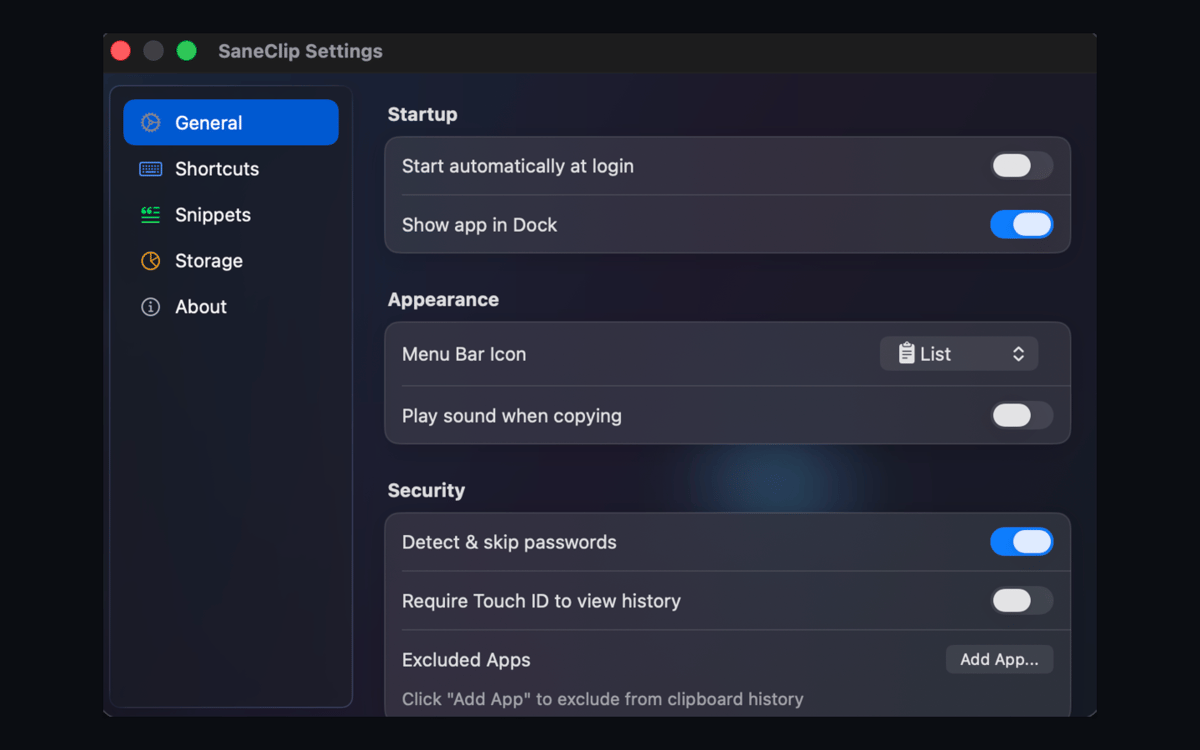
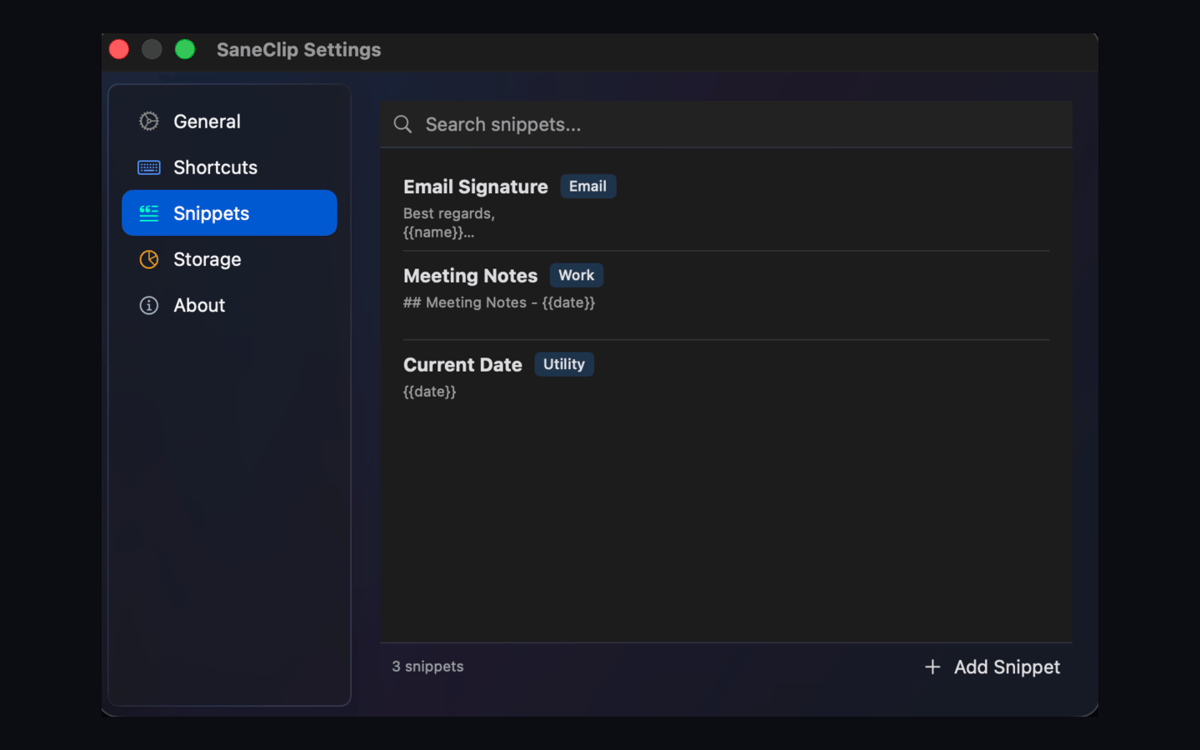
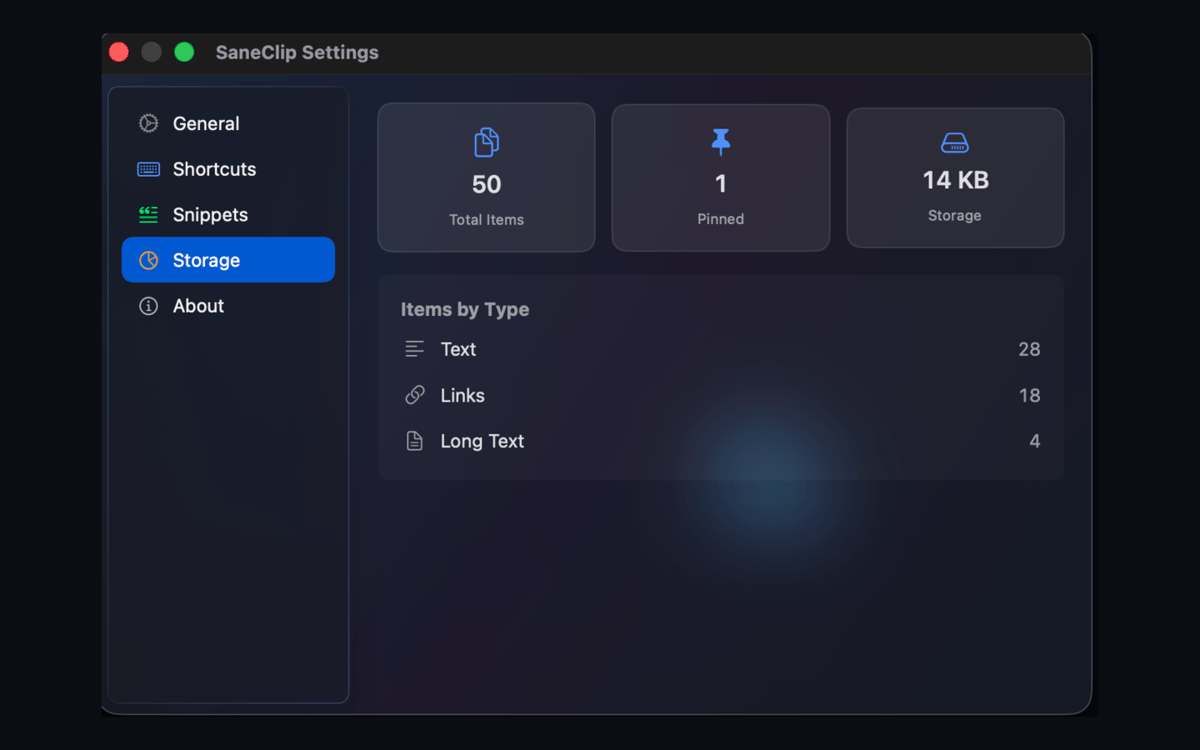
SaneClip is a privacy-first clipboard manager for Mac. Clipboard history stays on your device by default, clipboard contents are never sent to SaneApps servers, and optional iCloud sync uses your own iCloud, not a SaneApps sync server. Search copied text and images, protect history with Touch ID or a password, capture OCR text, and clean links without spying on your clipboard.
Search copied text privately
Lock history with Touch ID
Capture searchable screenshots
Strip tracking from links
SaneClip-Funktionen
Your clipboard, your business
SaneClip keeps your clipboard history local by default. Nothing gets sent to SaneApps servers — not a single character. If you want to sync between devices, it goes through your own iCloud account. Your clips stay yours.
Lock it down
Protect your clipboard history the way you'd protect any sensitive data. SaneClip supports Touch ID, encrypted storage, and auto-purge rules. It can also detect sensitive content and exclude your clipboard from password manager suggestions — so nothing slips through.
Search everything you've copied
Find any clip by content, source app, pinned status, or image text. SaneClip indexes OCR sidecars alongside your regular history, so that number you copied from a PDF three days ago? Still right there when you need it.
Screenshot to searchable text
Capture a screenshot directly into your clipboard history and SaneClip will recognize the text inside it. Next time you need to reuse something from a screenshot, just search for it — no retyping, no squinting at images.
Paste cleaner, smarter
Copied something with a trail of tracking junk attached? SaneClip strips UTM parameters and other trackers from URLs, converts rich text to plain, formats JSON, adjusts casing, and clears stray whitespace — all before you paste.
Paste Stack for repetitive work
Queue up multiple clips and paste them in sequence with Paste Stack. Works in FIFO or LIFO order, so filling out forms, processing batch data, or moving content across apps becomes a lot less tedious.
Erhalten Sie Hunderte von Apps mit Membership
Werden Sie Setapp Member und nutzen Sie mit nur einem Abonnement hunderte genialer Apps.
Testen Sie 7 Tage kostenlos, im Anschluss nur eine einfach monatliche Gebühr.
Setapp auf dem Mac installieren
Erkunden Sie Apps für Mac, iOS und Web. Finden Sie einfache Möglichkeiten für die Bewältigung täglicher Aufgaben.

Die gesuchte App finden
In Setapp wartet eine wunderbare App auf Sie. Installieren Sie sie mit einem Klick.

SaneClip
Abonnement wählen
Eine App oder mehr mit der Setapp Membership. Holen Sie sich Apps, so wie Sie es möchten.

Erhalten Sie Hunderte von Apps mit Membership
Werden Sie Setapp Member und nutzen Sie mit nur einem Abonnement hunderte genialer Apps.
Testen Sie 7 Tage kostenlos, im Anschluss nur eine einfach monatliche Gebühr.
1
Setapp auf dem Mac installieren
Erkunden Sie Apps für Mac, iOS und Web. Finden Sie einfache Möglichkeiten für die Bewältigung täglicher Aufgaben.
2
Die gesuchte App finden
In Setapp wartet eine wunderbare App auf Sie. Installieren Sie sie mit einem Klick.
SaneClip
3
Abonnement wählen
Eine App oder mehr mit der Setapp Membership. Holen Sie sich Apps, so wie Sie es möchten.
Die besten Apps
Von Planung und Routineaufgaben bis hin zu kreativen Tätigkeiten und Programmieren – mit den Apps von Setapp sind Sie bestens für Aufgaben gerüstet.

TypingMind
KI-Chat mit alternativer UI
Text erzeugen oder zusammenfassen
Prompt-Bibliothek nutzen
KI

Spark Mail
E-Mails verwalten
KI

CleanMyMac
Datenmüll entfernen

Bartender
Menüleiste anpassen

CleanShot X
Vielseitige Bildschirmfotos aufnehmen

Luminar Neo
Fotos bearbeiten
KI

ClearVPN
Sichere Verbindung herstellen

Craft
Mit Dokumenten arbeiten
KI
SaneClip
Private clipboard history