
SmashTunes
Ihre Musik, immer im Blick
Mac
Version 5.12.1
macOS 13.5 oder neuer
27.1 MB
3 Sprachen
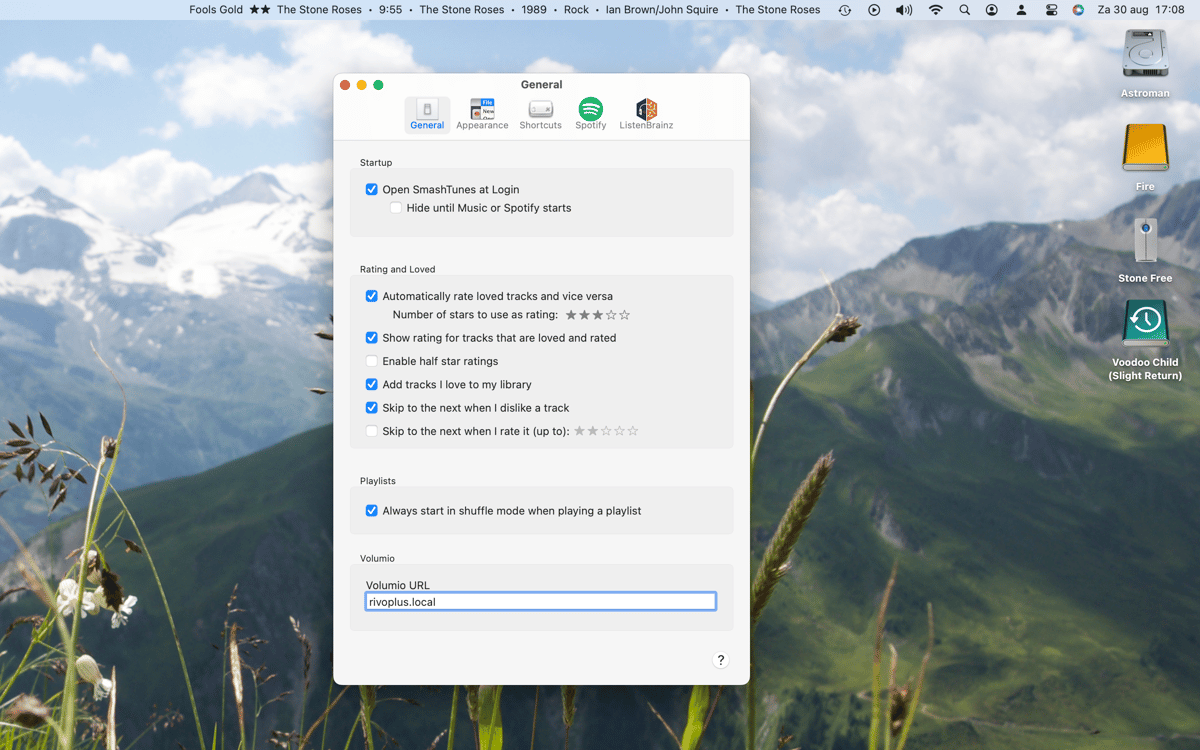
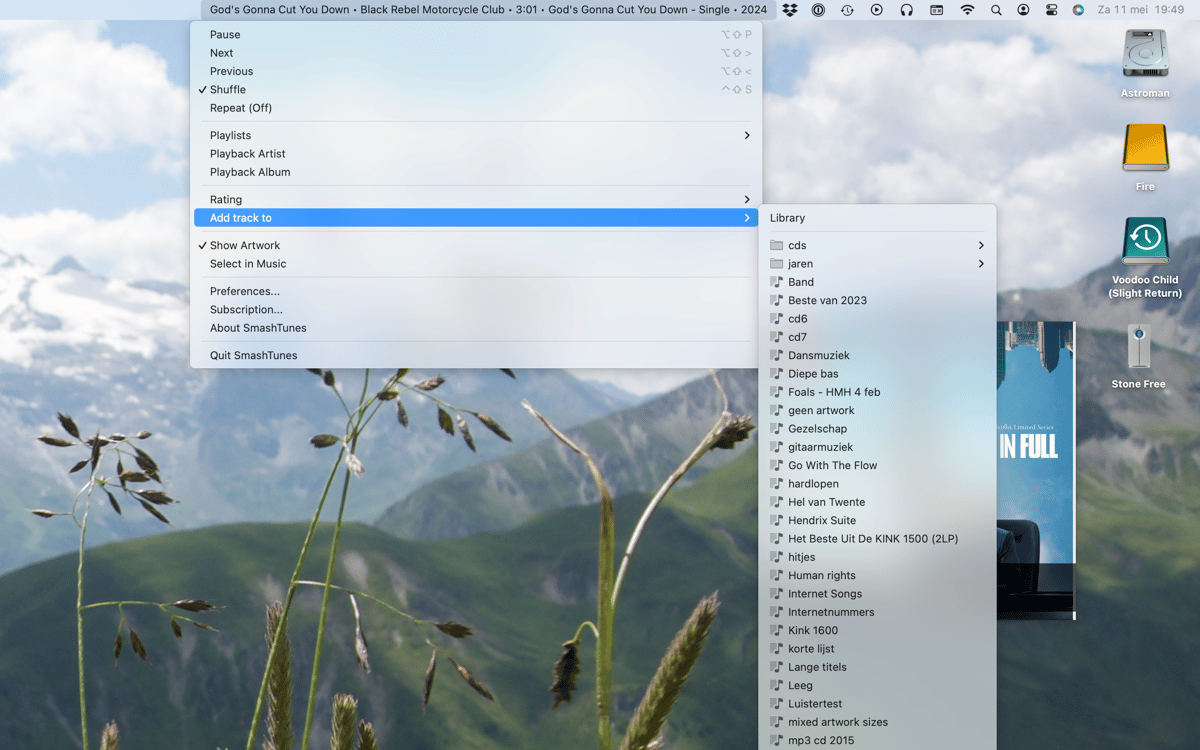
SmashTunes ist ein Musikplayer für die Menüleiste auf dem Mac. SmashTunes zeigt den aktuell gespielten Titel von Spotify oder Apple Music direkt in Ihrer Menüleiste an – Sie wählen, welche Informationen angezeigt werden und wie viel Platz diese einnehmen dürfen. Steuern Sie die Wiedergabe, speichern Sie Songs in Ihrer Bibliothek und verwalten Sie Wiedergabelisten – ganz ohne Unterbrechung. Außerdem unterstützt es ListenBrainz-Scrobbling und enthält ein Desktop-Widget, das Albumcover und Titeldetails anzeigt.
Auf einen Blick sehen, was gerade läuft
Musik steuern, ohne die App zu wechseln
Titel in der Bibliothek oder Playlist speichern
Übertragen Sie Ihre Höraktivität an ListenBrainz
SmashTunes-Funktionen
Wissen Sie immer, was gerade läuft
SmashTunes zeigt den aktuellen Titel direkt in der Menüleiste an, sodass Sie nie zwischen Apps wechseln müssen, um zu sehen, was gerade läuft. Es funktioniert sowohl mit Spotify als auch mit Apple Music und passt sich dem verfügbaren Platz an. Wählen Sie genau aus, welche Trackdetails angezeigt werden – Titel, Interpret, Album – und lassen Sie SmashTunes sich unauffällig in Ihren Workflow einfügen.
Steuern Sie die Wiedergabe von überall aus
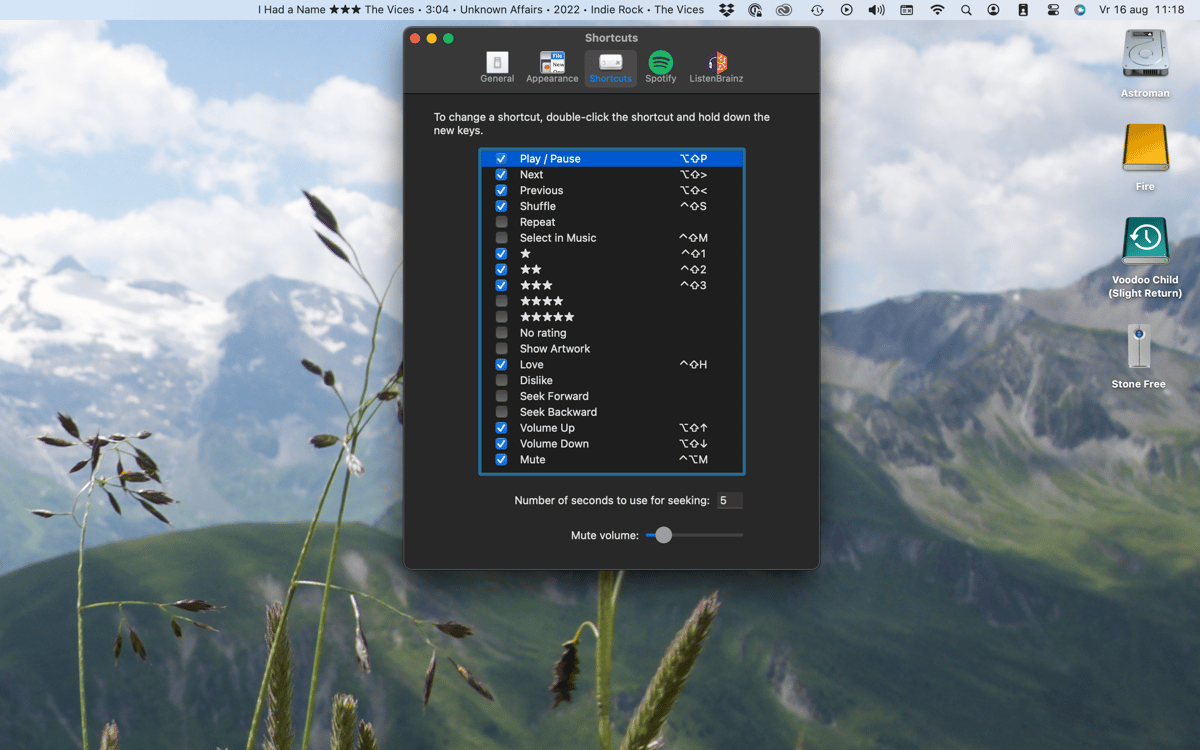
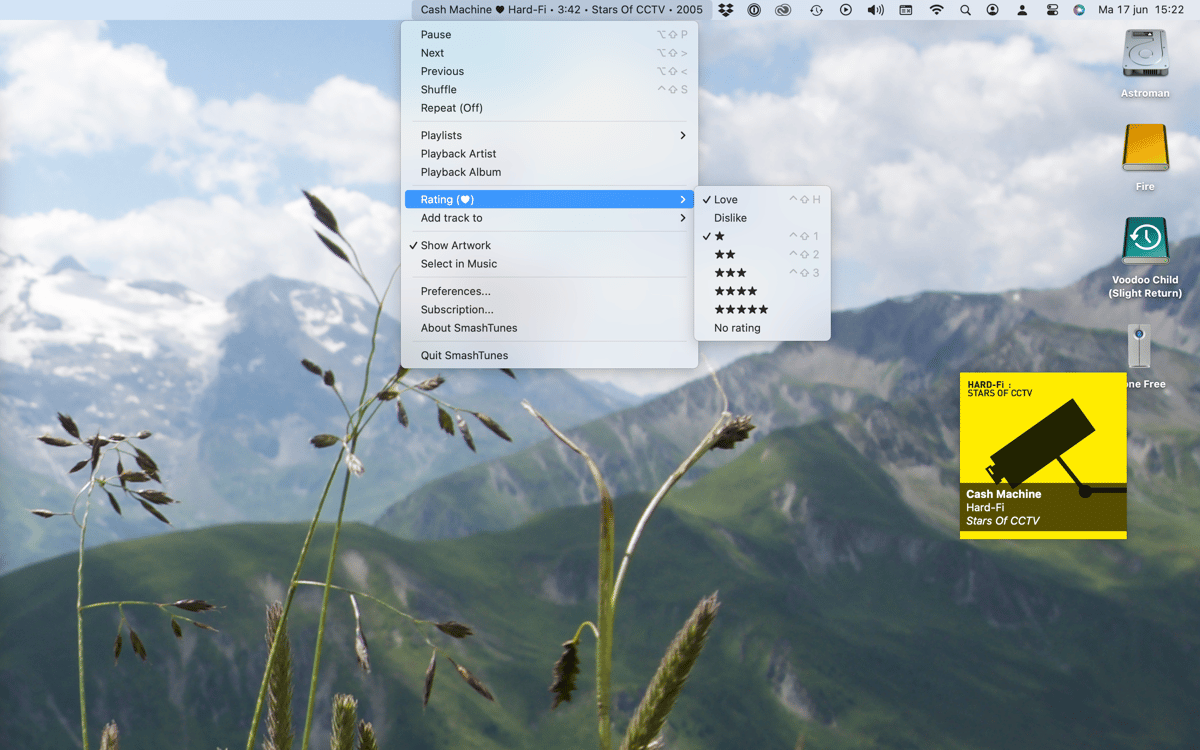
Überspringen, pausieren oder zurückspulen – ohne Spotify oder Music zu öffnen. SmashTunes bietet Ihnen vollständige Wiedergabesteuerung direkt aus der Menüleiste. Arbeiten Sie lieber nur mit der Tastatur? Richten Sie vollständig anpassbare Tastenkombinationen ein und erledigen Sie alles, ohne die Maus zu berühren.
Tracks sofort speichern
Hörst du etwas, das dir gefällt? Fügen Sie es direkt über die Menüleiste Ihrer Bibliothek oder einer Playlist hinzu. Kein Umschalten zum Player, kein Suchen des Titels, kein Durchforsten von Menüs – SmashTunes hält alles nur einen Klick entfernt.
Scrobble zu ListenBrainz
SmashTunes ist mit ListenBrainz integriert, sodass Ihr Hörverlauf automatisch aufgezeichnet wird – ganz nebenbei. Egal, ob Sie Ihre Musikgewohnheiten verfolgen oder einfach festhalten möchten, was Sie zuletzt gehört haben – das alles läuft automatisch im Hintergrund.
Desktop-Widget mit Grafik
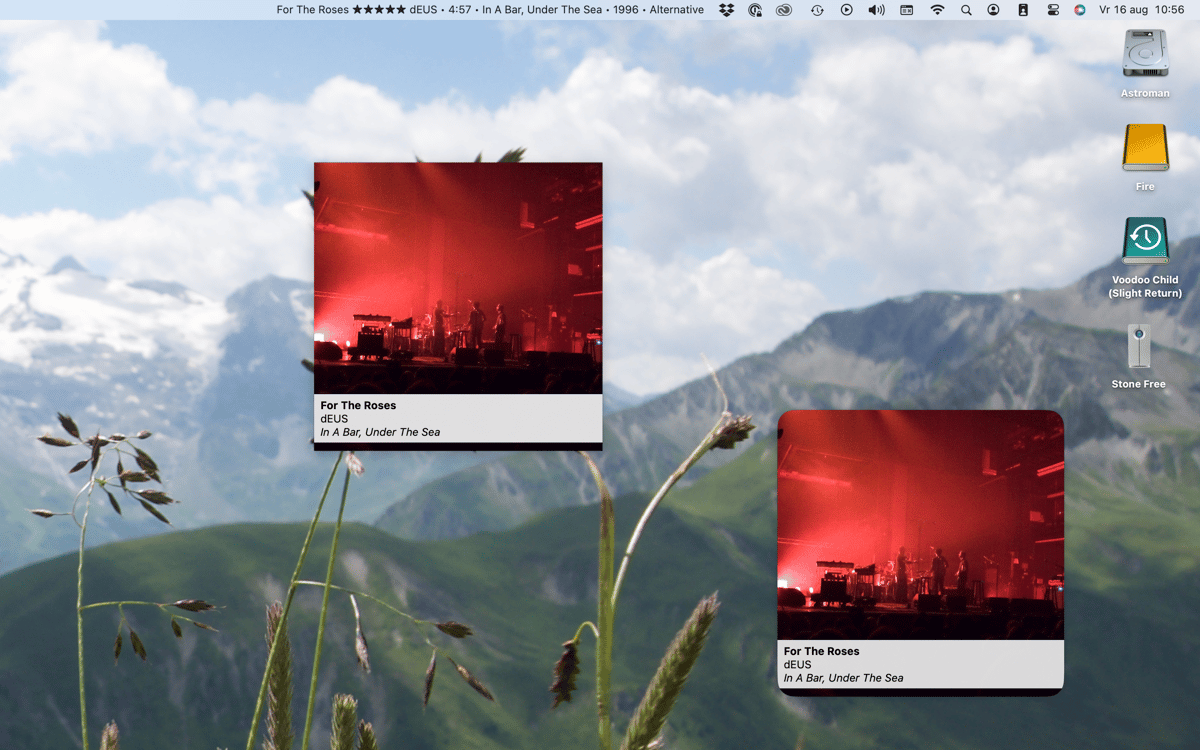
SmashTunes enthält ein natives macOS-Desktop-Widget, das das Albumcover und die Titelinformationen des aktuell wiedergegebenen Titels anzeigt. Eine übersichtliche Ansicht auf einen Blick, die auf jedem Desktop-Setup gut funktioniert – ganz ohne zusätzliche Klicks.
Erhalten Sie Hunderte von Apps mit Membership
Werden Sie Setapp Member und nutzen Sie mit nur einem Abonnement hunderte genialer Apps.
Testen Sie 7 Tage kostenlos, im Anschluss nur eine einfach monatliche Gebühr.
Setapp auf dem Mac installieren
Erkunden Sie Apps für Mac, iOS und Web. Finden Sie einfache Möglichkeiten für die Bewältigung täglicher Aufgaben.

Die gesuchte App finden
In Setapp wartet eine wunderbare App auf Sie. Installieren Sie sie mit einem Klick.

SmashTunes
Abonnement wählen
Eine App oder mehr mit der Setapp Membership. Holen Sie sich Apps, so wie Sie es möchten.

Erhalten Sie Hunderte von Apps mit Membership
Werden Sie Setapp Member und nutzen Sie mit nur einem Abonnement hunderte genialer Apps.
Testen Sie 7 Tage kostenlos, im Anschluss nur eine einfach monatliche Gebühr.
1
Setapp auf dem Mac installieren
Erkunden Sie Apps für Mac, iOS und Web. Finden Sie einfache Möglichkeiten für die Bewältigung täglicher Aufgaben.
2
Die gesuchte App finden
In Setapp wartet eine wunderbare App auf Sie. Installieren Sie sie mit einem Klick.
SmashTunes
3
Abonnement wählen
Eine App oder mehr mit der Setapp Membership. Holen Sie sich Apps, so wie Sie es möchten.
Die besten Apps
Von Planung und Routineaufgaben bis hin zu kreativen Tätigkeiten und Programmieren – mit den Apps von Setapp sind Sie bestens für Aufgaben gerüstet.

TypingMind
KI-Chat mit alternativer UI
Text erzeugen oder zusammenfassen
Prompt-Bibliothek nutzen
KI

Spark Mail
E-Mails verwalten
KI

CleanMyMac
Datenmüll entfernen

Bartender
Menüleiste anpassen

CleanShot X
Vielseitige Bildschirmfotos aufnehmen

Luminar Neo
Fotos bearbeiten
KI

ClearVPN
Sichere Verbindung herstellen

Craft
Mit Dokumenten arbeiten
KI
SmashTunes
Ihre Musik, immer im Blick