SmoothDroid
Move Android files by USB
Mac
Version 1.1.1
macOS 12.0 oder neuer
19 MB
1 Sprachen
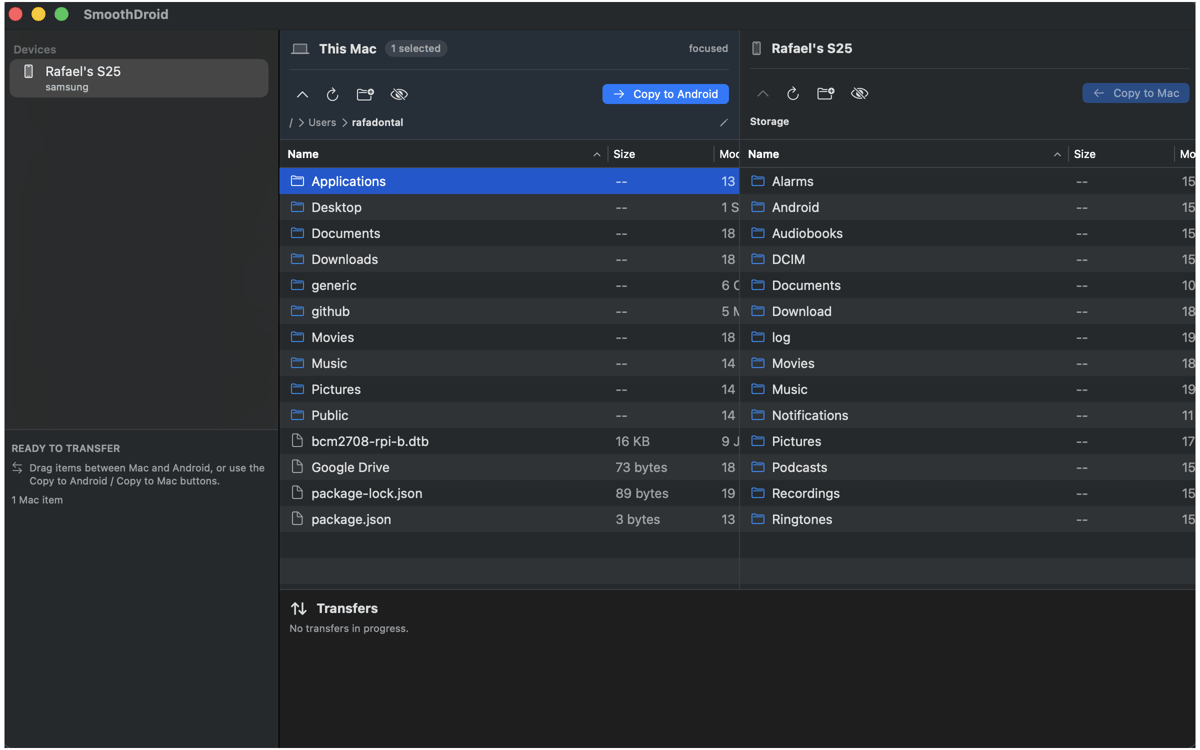
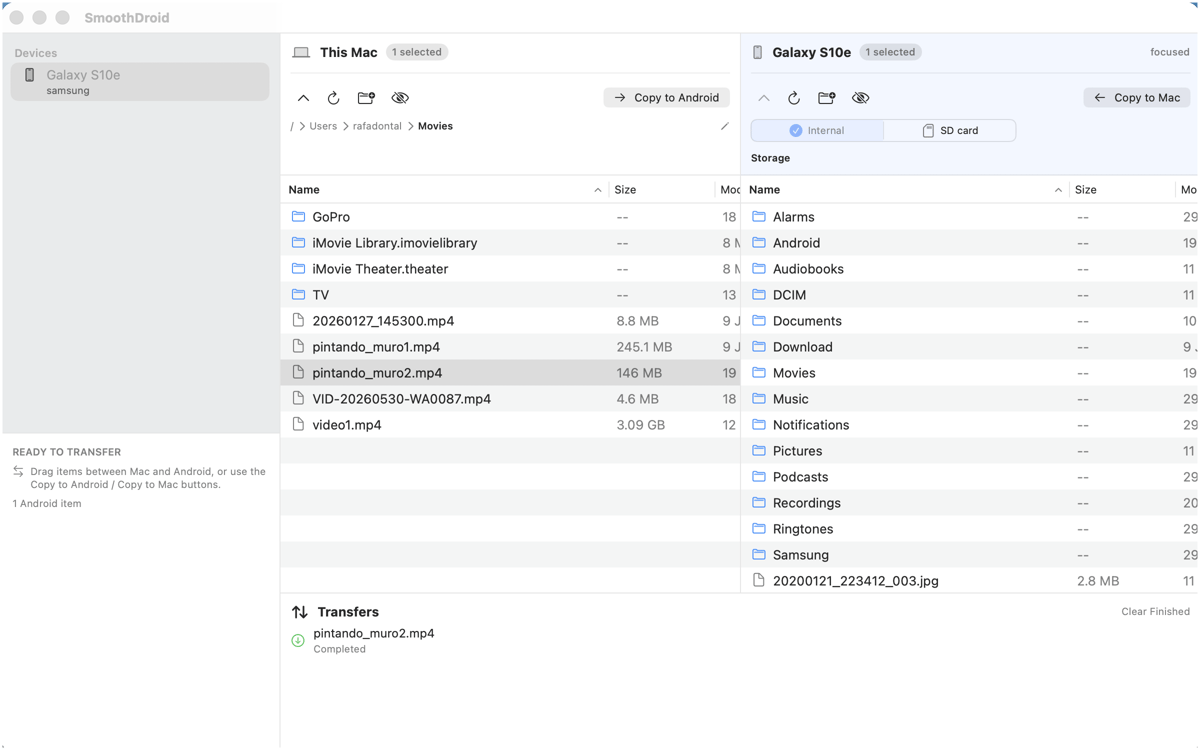
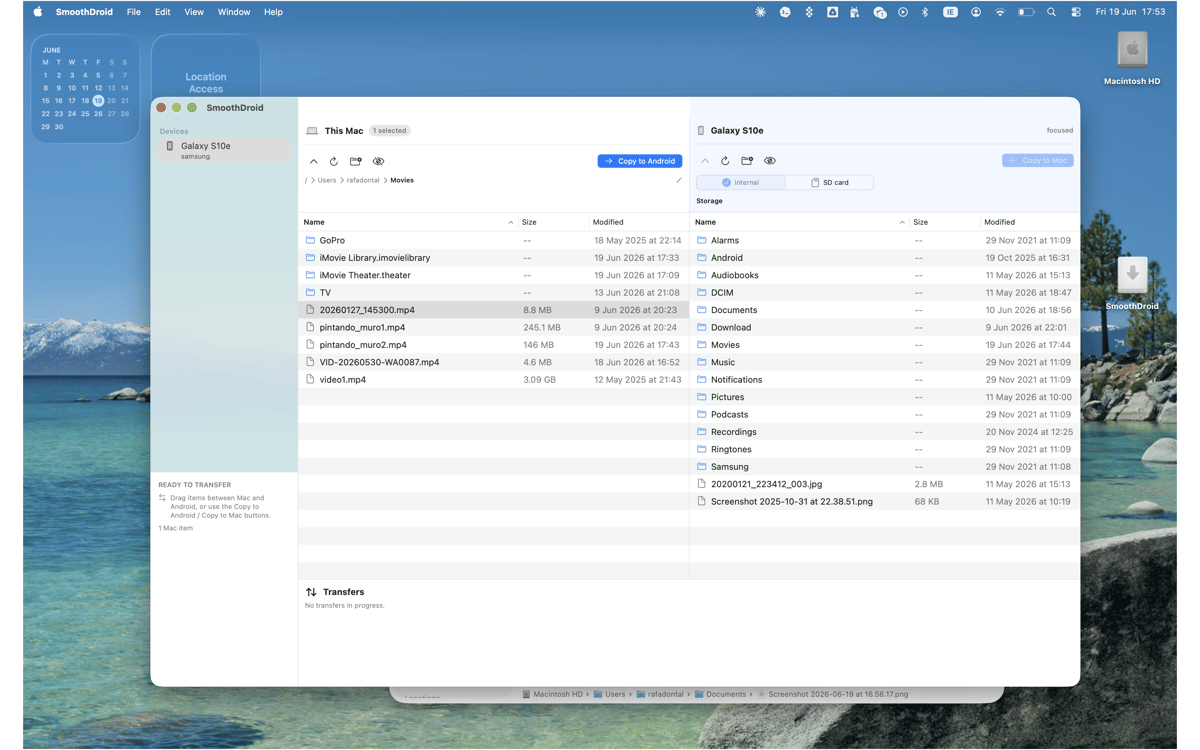
SmoothDroid — Android file transfer app for Mac. Move files and folders between macOS and Android over USB/MTP, with your Mac and phone shown side by side. Drag, copy, rename, delete, and create folders simply and easily without sending anything to the cloud. If another Mac app gets in the way, SmoothDroid gives clear recovery steps, because “try again later” isn’t a plan.
Move photos and videos to Mac
Send files to Android by USB
Copy whole folders both ways
Spot common MTP blockers
SmoothDroid-Funktionen
Transfer files both ways
Copy photos, videos, music, APKs, downloads, and folders from Android to Mac or Mac to Android smoothly. It’s direct USB transfer, so your files don’t take a scenic route through a cloud account.
Browse side by side
See your Mac on one side and your Android storage on the other. Open folders, switch storage locations, and move what you need from one focused window.
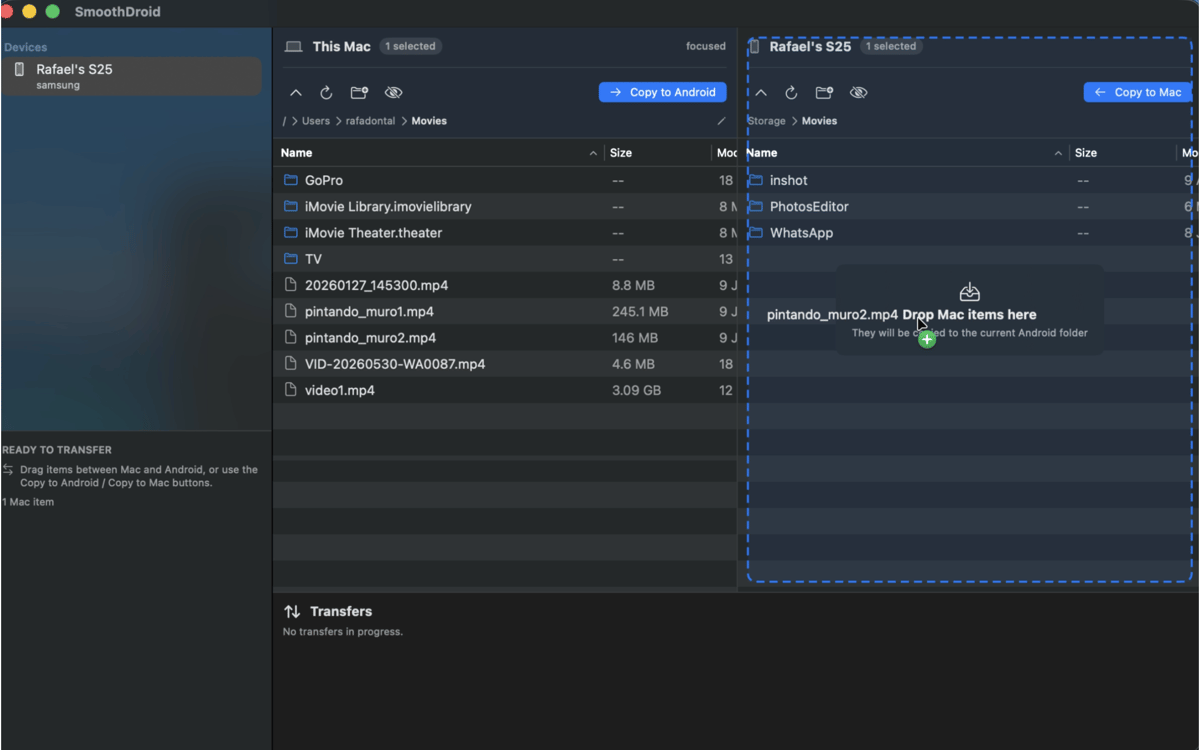
Drag, drop, done
Drag files and folders between panes, or use copy and paste if that’s more your rhythm. SmoothDroid handles whole-folder transfers too, so big camera rolls don’t need babysitting.
Manage Android storage
Create folders, rename files, delete old items, and tidy up your Android device without opening another tool. Small file chores, neatly contained.
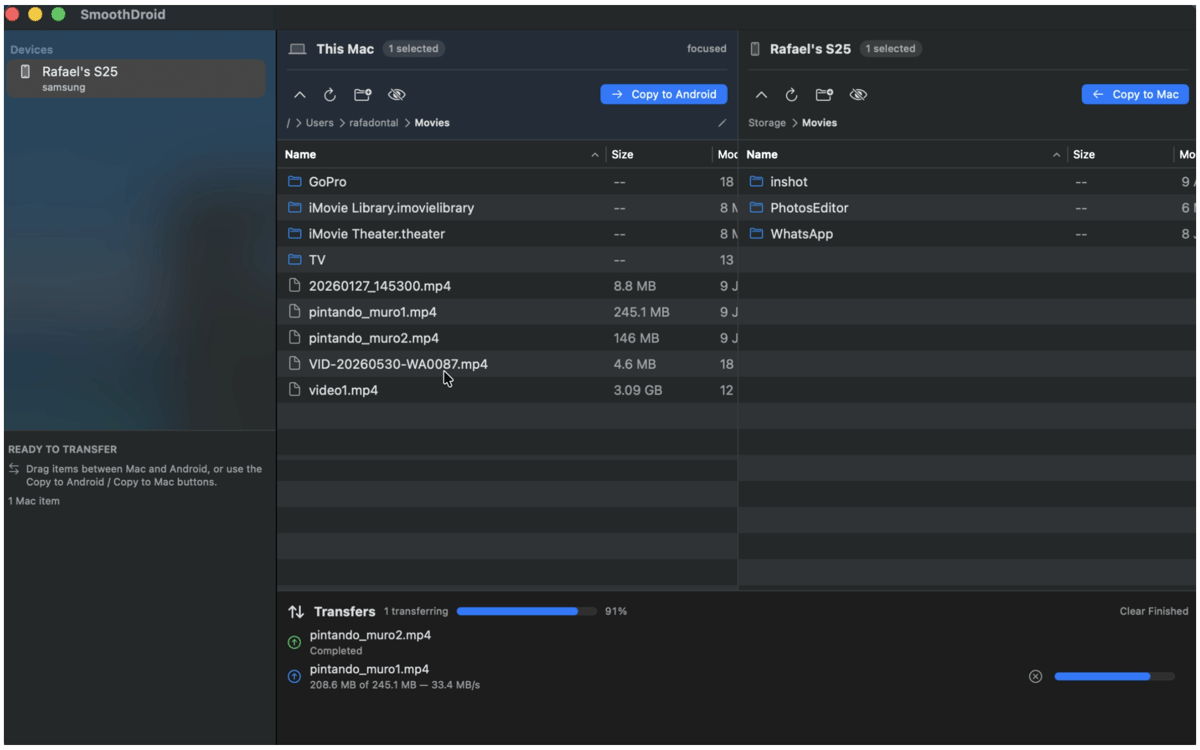
Track every transfer
See active transfers, file names, progress, and errors in plain view. You’ll know what’s moving, what finished, and what needs attention.
Get past MTP hiccups
macOS and other transfer apps can sometimes grab the USB connection first. SmoothDroid detects common blockers and points you to practical recovery steps.
Erhalten Sie Hunderte von Apps mit Membership
Werden Sie Setapp Member und nutzen Sie mit nur einem Abonnement hunderte genialer Apps.
Testen Sie 7 Tage kostenlos, im Anschluss nur eine einfach monatliche Gebühr.
Setapp auf dem Mac installieren
Erkunden Sie Apps für Mac, iOS und Web. Finden Sie einfache Möglichkeiten für die Bewältigung täglicher Aufgaben.

Die gesuchte App finden
In Setapp wartet eine wunderbare App auf Sie. Installieren Sie sie mit einem Klick.

SmoothDroid
Abonnement wählen
Eine App oder mehr mit der Setapp Membership. Holen Sie sich Apps, so wie Sie es möchten.

Erhalten Sie Hunderte von Apps mit Membership
Werden Sie Setapp Member und nutzen Sie mit nur einem Abonnement hunderte genialer Apps.
Testen Sie 7 Tage kostenlos, im Anschluss nur eine einfach monatliche Gebühr.
1
Setapp auf dem Mac installieren
Erkunden Sie Apps für Mac, iOS und Web. Finden Sie einfache Möglichkeiten für die Bewältigung täglicher Aufgaben.
2
Die gesuchte App finden
In Setapp wartet eine wunderbare App auf Sie. Installieren Sie sie mit einem Klick.
SmoothDroid
3
Abonnement wählen
Eine App oder mehr mit der Setapp Membership. Holen Sie sich Apps, so wie Sie es möchten.
Die besten Apps
Von Planung und Routineaufgaben bis hin zu kreativen Tätigkeiten und Programmieren – mit den Apps von Setapp sind Sie bestens für Aufgaben gerüstet.

TypingMind
KI-Chat mit alternativer UI
Text erzeugen oder zusammenfassen
Prompt-Bibliothek nutzen
KI

Spark Mail
E-Mails verwalten
KI

CleanMyMac
Datenmüll entfernen

Bartender
Menüleiste anpassen

CleanShot X
Vielseitige Bildschirmfotos aufnehmen

Luminar Neo
Fotos bearbeiten
KI

ClearVPN
Sichere Verbindung herstellen

Craft
Mit Dokumenten arbeiten
KI
SmoothDroid
Move Android files by USB