
SwiftShip Previews
Ship App Store videos fast
Mac
Version 1.0
macOS 13.0 oder neuer
25.3 MB
1 Sprachen
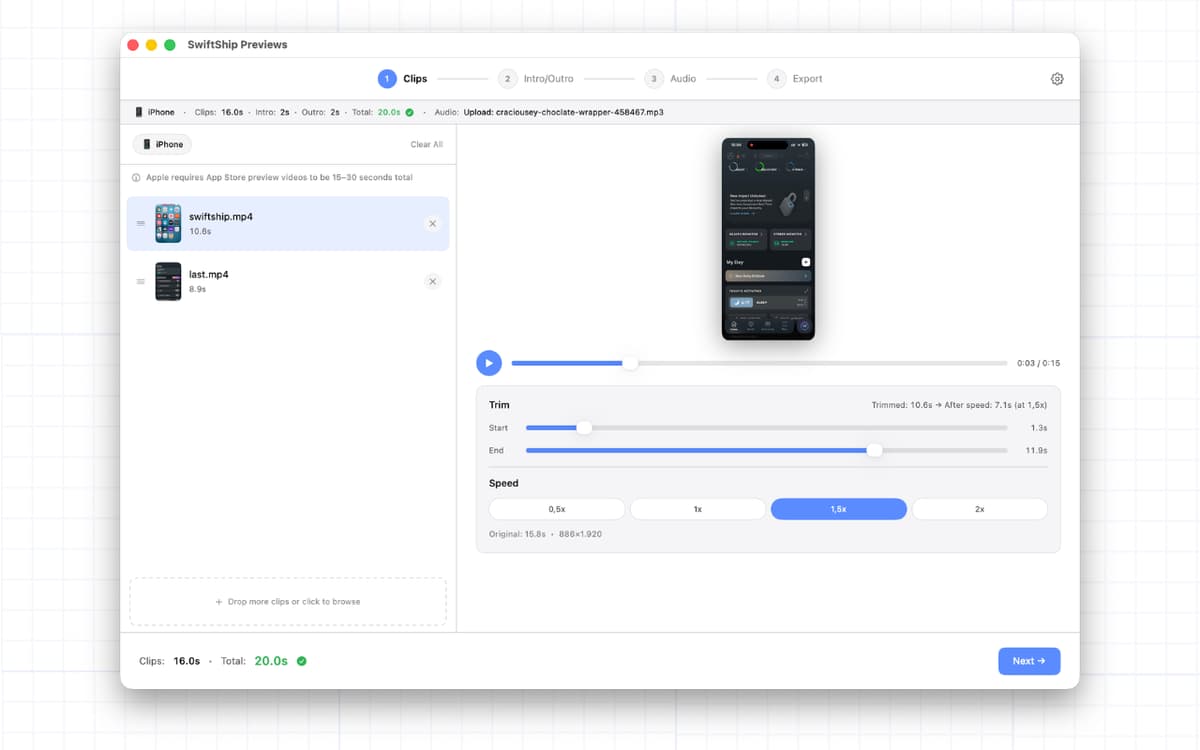
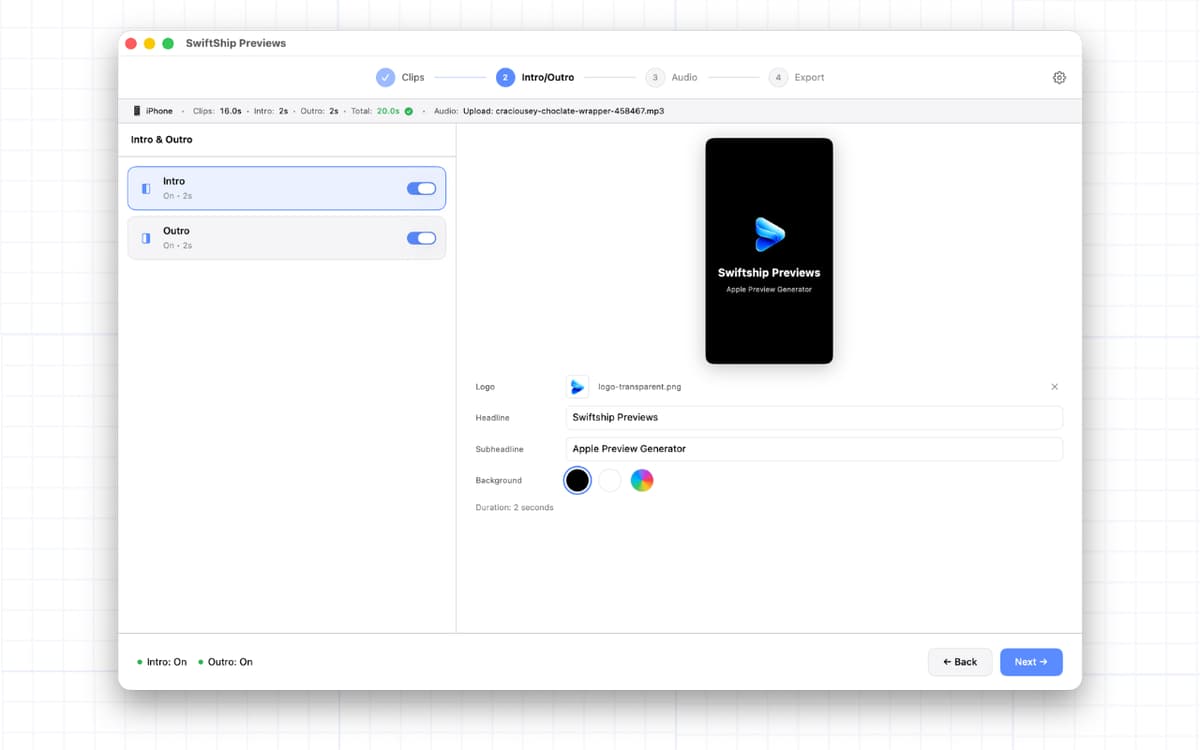
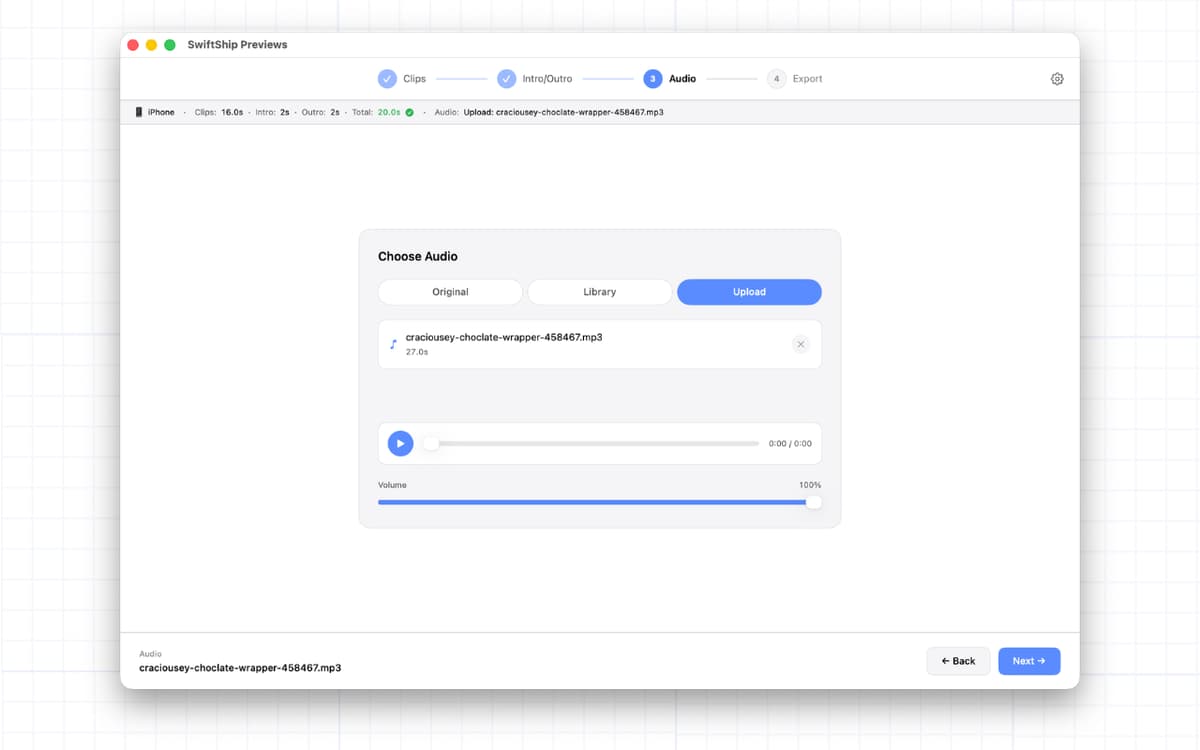
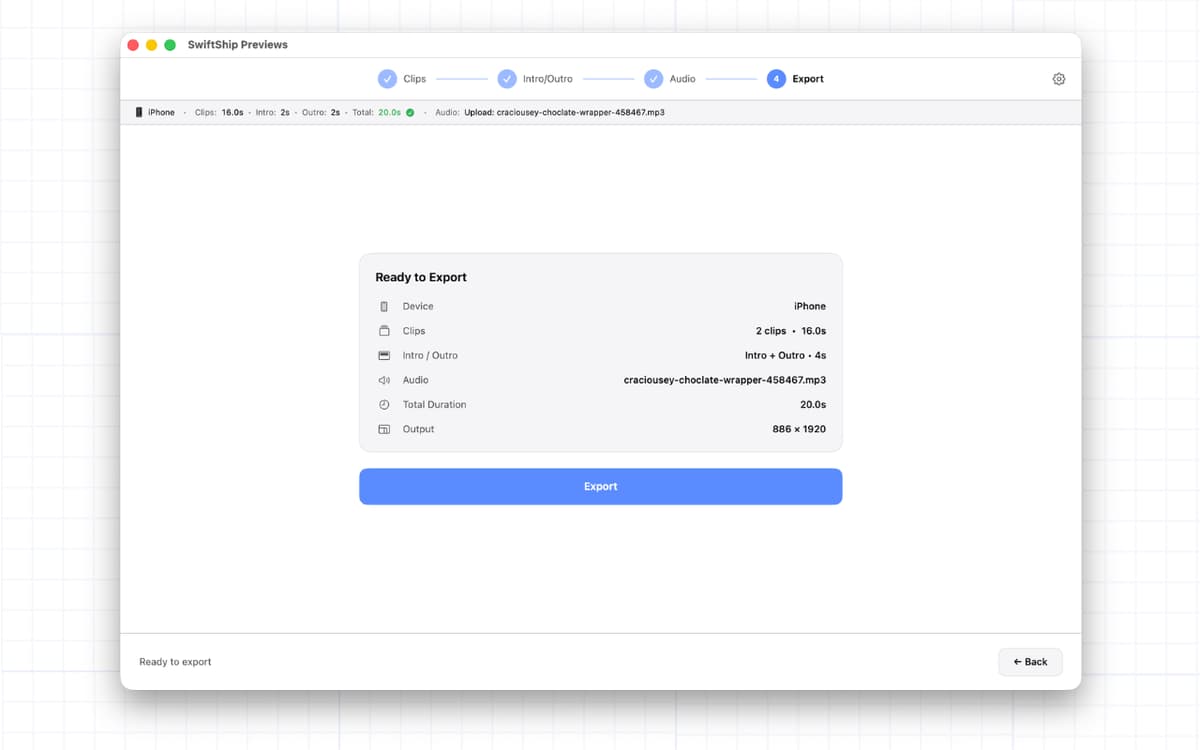
SwiftShip Previews — App Store preview video maker for Mac. Drop your iPhone or iPad screen recordings in, trim them, add an intro and outro, pick a track from the built-in library — and export a video that passes App Store review on the first try. Every spec App Store Connect requires (the right resolution, codec, color profile, and that silent AAC track Apple quietly demands) is handled for you. No iMovie wrestling matches. No FFmpeg commands. No cloud upload. Just a finished preview video, ready to ship.
Turn screen recordings into previews
Add branded intros and outros
Export Apple-compliant video specs
Ship your app page without the guesswork
SwiftShip Previews-Funktionen
Drop, trim, done
Drag your iPhone or iPad screen recordings right into SwiftShip Previews. Trim them, reorder them, speed them up — whatever your story needs.
Intros and outros
Add a clean intro slide with your logo and headline. Add an outro to close it out. Customize colors, text, and duration in a few clicks.
Music without the legal headache
Pick from a built-in royalty-free library, drop in your own track, or skip the audio altogether. Either way, your export gets the silent AAC track Apple secretly requires.
Apple-compliant on the first try
886x1920 for iPhone. 1200x1600 for iPad. H.264 Main 4.0, no B-frames, AAC stereo, and BT.709 color. SwiftShip Previews handles every spec App Store Connect cares about, so you don't have to.
Everything stays on your Mac
Everything is processed locally on your Mac. Your screen recordings never leave your device. No cloud uploads. No account creation.
Built by someone who's been there
Made by an indie iOS developer who's shipped 50+ apps and lost hours fighting Apple's video specs. Now you don't have to.
Erhalten Sie Hunderte von Apps mit Membership
Werden Sie Setapp Member und nutzen Sie mit nur einem Abonnement hunderte genialer Apps.
Testen Sie 7 Tage kostenlos, im Anschluss nur eine einfach monatliche Gebühr.
Setapp auf dem Mac installieren
Erkunden Sie Apps für Mac, iOS und Web. Finden Sie einfache Möglichkeiten für die Bewältigung täglicher Aufgaben.

Die gesuchte App finden
In Setapp wartet eine wunderbare App auf Sie. Installieren Sie sie mit einem Klick.

SwiftShip Previews
Abonnement wählen
Eine App oder mehr mit der Setapp Membership. Holen Sie sich Apps, so wie Sie es möchten.

Erhalten Sie Hunderte von Apps mit Membership
Werden Sie Setapp Member und nutzen Sie mit nur einem Abonnement hunderte genialer Apps.
Testen Sie 7 Tage kostenlos, im Anschluss nur eine einfach monatliche Gebühr.
1
Setapp auf dem Mac installieren
Erkunden Sie Apps für Mac, iOS und Web. Finden Sie einfache Möglichkeiten für die Bewältigung täglicher Aufgaben.
2
Die gesuchte App finden
In Setapp wartet eine wunderbare App auf Sie. Installieren Sie sie mit einem Klick.
SwiftShip Previews
3
Abonnement wählen
Eine App oder mehr mit der Setapp Membership. Holen Sie sich Apps, so wie Sie es möchten.
Die besten Apps
Von Planung und Routineaufgaben bis hin zu kreativen Tätigkeiten und Programmieren – mit den Apps von Setapp sind Sie bestens für Aufgaben gerüstet.

TypingMind
KI-Chat mit alternativer UI
Text erzeugen oder zusammenfassen
Prompt-Bibliothek nutzen
KI

Spark Mail
E-Mails verwalten
KI

CleanMyMac
Datenmüll entfernen

Bartender
Menüleiste anpassen

CleanShot X
Vielseitige Bildschirmfotos aufnehmen

Luminar Neo
Fotos bearbeiten
KI

ClearVPN
Sichere Verbindung herstellen

Craft
Mit Dokumenten arbeiten
KI
SwiftShip Previews
Ship App Store videos fast