Tintd
Automatische Ordnersymbole für Ihren Mac
Mac
Version 2.0.0
macOS 14.0 oder neuer
55.8 MB
11 Sprachen
Alle Ihre Mac-Ordner sehen gleich aus, und sie einzeln mit benutzerdefinierten Symbolen zu organisieren ist mühsam. Tintd löst dieses Problem, indem es automatisch Symbole und Farben basierend auf Ordnernamen zuweist. Erstellen Sie einen Ordner namens „Rechnungen „Urlaub 2026 Es läuft einfach im Hintergrund – keine App zu öffnen, nichts zu konfigurieren. Wenn Sie mehr Kontrolle wünschen, klicken Sie mit der rechten Maustaste auf einen beliebigen Ordner oder öffnen Sie den vollständigen Editor mit über 11.000 Symbolen und Emojis. Alles läuft lokal auf Ihrem Mac – keine Cloud, keine KI-Dienste, vollständig privat.
Icons automatisch nach Ordnername setzen
Neue Ordner direkt beim Erstellen stylen
Ordner mit einem Klick farbkodieren
Stapelweise Dutzende Ordner stylen
Tintd-Funktionen
Symbole, die sich selbst
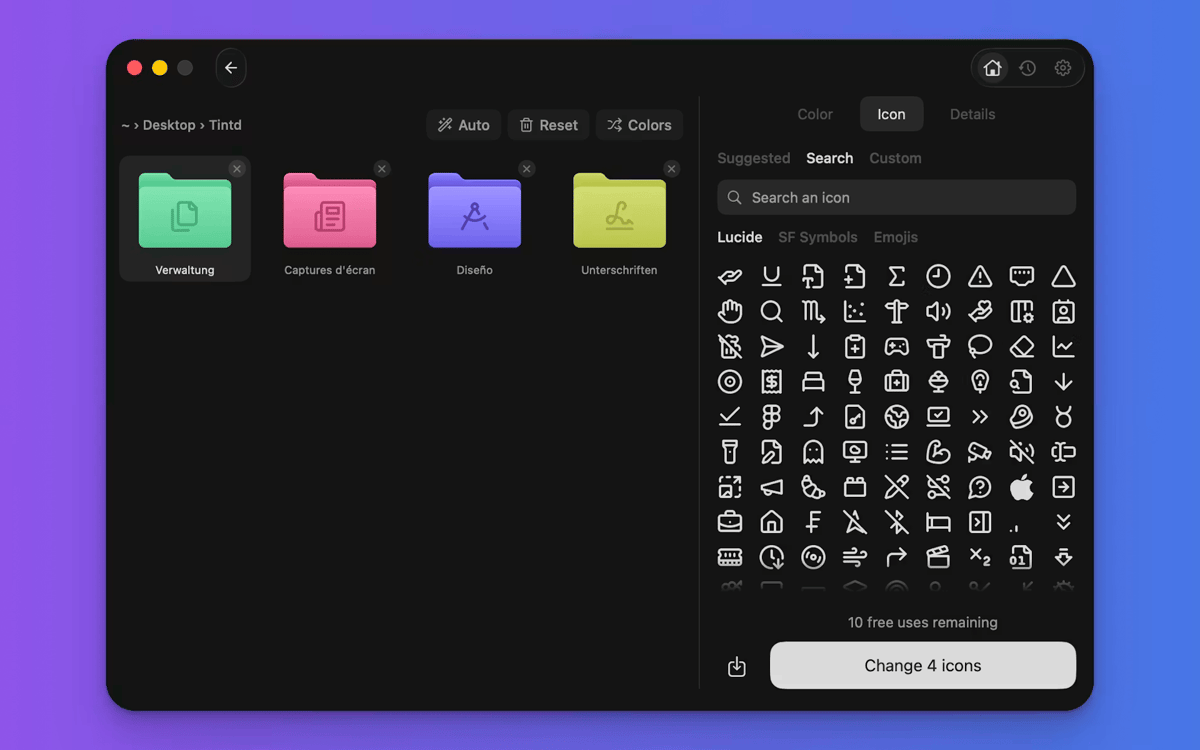
Das macht Tintd einzigartig. Es liest Ihren Ordnernamen, gleicht ihn mit über 11.000 Symbolen ab und wählt das passende aus – sofort und offline. "Screenshots" bekommt eine Kamera. „Musik“ erhält eine Anmerkung. Sie durchsuchen nicht, Sie ziehen nicht, Sie denken nicht darüber nach. Funktioniert einfach in 11 Sprachen, sogar gemischt im selben Ordner.
Neue Ordner, sofort angepasst
Aktivieren Sie Folder Watcher und Tintd arbeitet im Hintergrund. Jeder neue Ordner, den Sie erstellen, erhält sofort ein passendes Symbol und eine passende Farbe, sobald er im Finder erscheint. Ihre Ordner bleiben organisiert, während Ihr Dateisystem wächst – ohne dass Sie einen Finger rühren müssen.
Klicken Sie mit der rechten Maustaste auf einen beliebigen Ordner
Sie haben bereits Ordner, die eine Auffrischung benötigen? Klicken Sie mit der rechten Maustaste auf eine Datei im Finder, und Tintd erstellt mit einem einzigen Klick ein intelligentes Symbol dafür. Sie müssen die App nicht öffnen oder Ihren Arbeitsablauf unterbrechen.
Vollständig individuell anpassen, wann Sie möchten
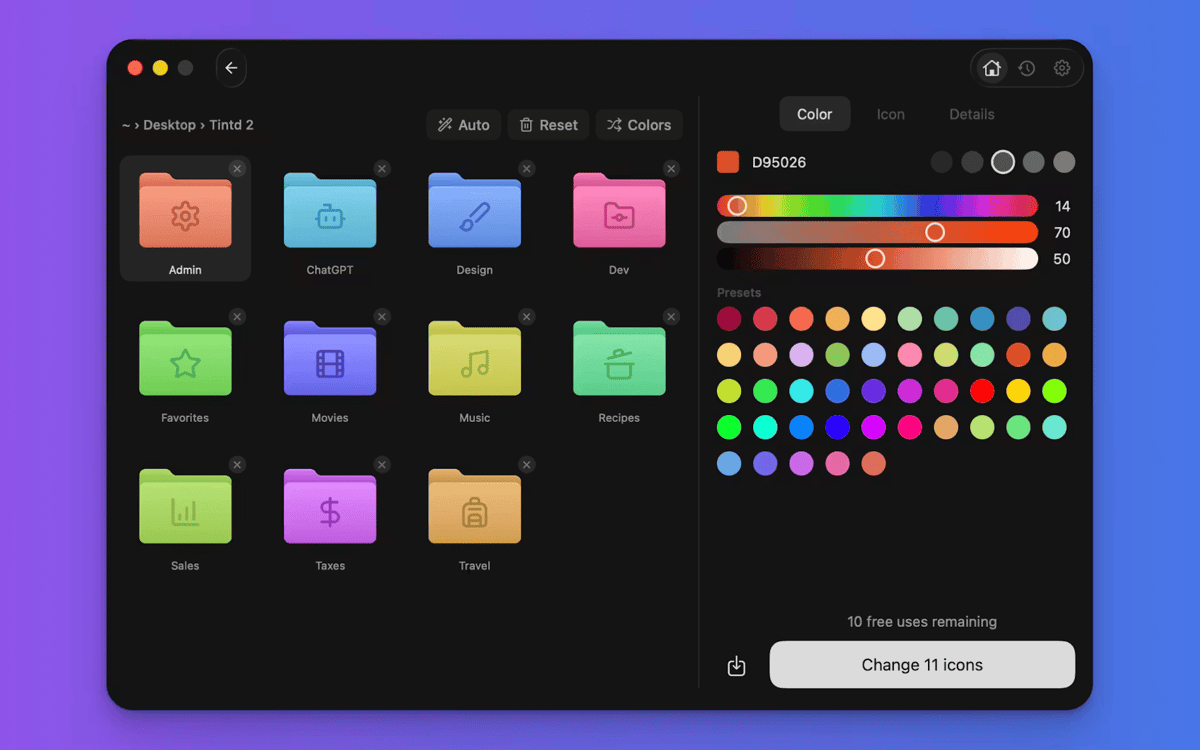
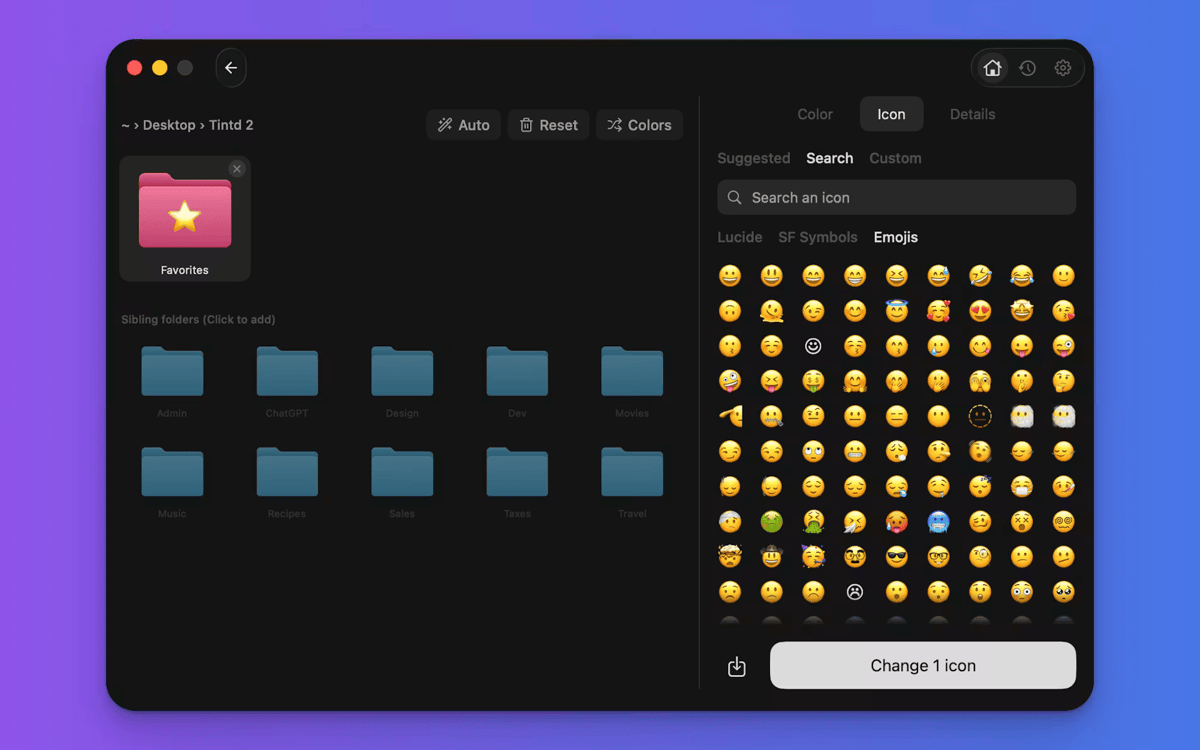
Tintd zwingt Sie nicht in den Automatikmodus. Öffnen Sie jeden beliebigen Ordner im Editor, um Ihre eigene Farbe zu wählen, aus über 11.000 Symbolen und Emojis auszuwählen, eigene Bilder zu importieren oder Overlays zu skalieren und umzufärben. Jedes von Ihnen erstellte Symbol wird in Ihrem Verlauf gespeichert, sodass Sie es schnell wiederverwenden können.
Stapelweises Bearbeiten von Ordnern schnell
Wählen Sie mehrere Ordner aus und gestalten Sie alle gleichzeitig. Farben zufällig auswählen, ein Symbol auf alle anwenden oder Smart Icon jedem Ordner sein eigenes zuweisen lassen. Ideal, um einen Projektordner einzurichten oder den Schreibtisch auf einmal aufzuräumen.
Intelligente Farben, die konstant bleiben
Die Smart Color-Funktion von Tintd betrachtet die Ordner rund um den Ordner, den Sie gerade gestalten, und wählt eine Farbe aus, die eine Lücke im Farbkreis füllt. Das Ergebnis wirkt durchdacht und stimmig – auch wenn Sie es nicht geplant haben.
Erhalten Sie Hunderte von Apps mit Membership
Werden Sie Setapp Member und nutzen Sie mit nur einem Abonnement hunderte genialer Apps.
Testen Sie 7 Tage kostenlos, im Anschluss nur eine einfach monatliche Gebühr.
Setapp auf dem Mac installieren
Erkunden Sie Apps für Mac, iOS und Web. Finden Sie einfache Möglichkeiten für die Bewältigung täglicher Aufgaben.

Die gesuchte App finden
In Setapp wartet eine wunderbare App auf Sie. Installieren Sie sie mit einem Klick.

Tintd
Abonnement wählen
Eine App oder mehr mit der Setapp Membership. Holen Sie sich Apps, so wie Sie es möchten.

Erhalten Sie Hunderte von Apps mit Membership
Werden Sie Setapp Member und nutzen Sie mit nur einem Abonnement hunderte genialer Apps.
Testen Sie 7 Tage kostenlos, im Anschluss nur eine einfach monatliche Gebühr.
1
Setapp auf dem Mac installieren
Erkunden Sie Apps für Mac, iOS und Web. Finden Sie einfache Möglichkeiten für die Bewältigung täglicher Aufgaben.
2
Die gesuchte App finden
In Setapp wartet eine wunderbare App auf Sie. Installieren Sie sie mit einem Klick.
Tintd
3
Abonnement wählen
Eine App oder mehr mit der Setapp Membership. Holen Sie sich Apps, so wie Sie es möchten.
Die besten Apps
Von Planung und Routineaufgaben bis hin zu kreativen Tätigkeiten und Programmieren – mit den Apps von Setapp sind Sie bestens für Aufgaben gerüstet.

TypingMind
KI-Chat mit alternativer UI
Text erzeugen oder zusammenfassen
Prompt-Bibliothek nutzen
KI

Spark Mail
E-Mails verwalten
KI

CleanMyMac
Datenmüll entfernen

Bartender
Menüleiste anpassen

CleanShot X
Vielseitige Bildschirmfotos aufnehmen

Luminar Neo
Fotos bearbeiten
KI

ClearVPN
Sichere Verbindung herstellen

Craft
Mit Dokumenten arbeiten
KI
Tintd
Automatische Ordnersymbole für Ihren Mac