TranscribeX
Audio & Video in Text umwandeln]
Mac
Version 10.3
macOS 14.6 oder neuer
267.9 MB
1 Sprachen
Audio- und Videodateien enthalten oft wertvolle Informationen, doch die manuelle Abschrift kostet viel Zeit und stört Ihren Workflow. TranscribeX wandelt Ihre Aufnahmen in Sekundenschnelle in sauberen, editierbaren Text um, sodass Sie sich ganz auf das Denken und Gestalten konzentrieren können. Alles läuft lokal auf Ihrem Mac ab – das ist extrem schnell, präzise und absolut sicher.
Aufnahmen in präzisen Text umwandeln
Transkripte in über 100 Sprachen erstellen
Zusammenfassungen mit moderner KI
Maximale Privatsphäre direkt auf Ihrem Mac
TranscribeX-Funktionen
Transkribieren Sie Audio- und Videodateien mit höchster Genauigkeit
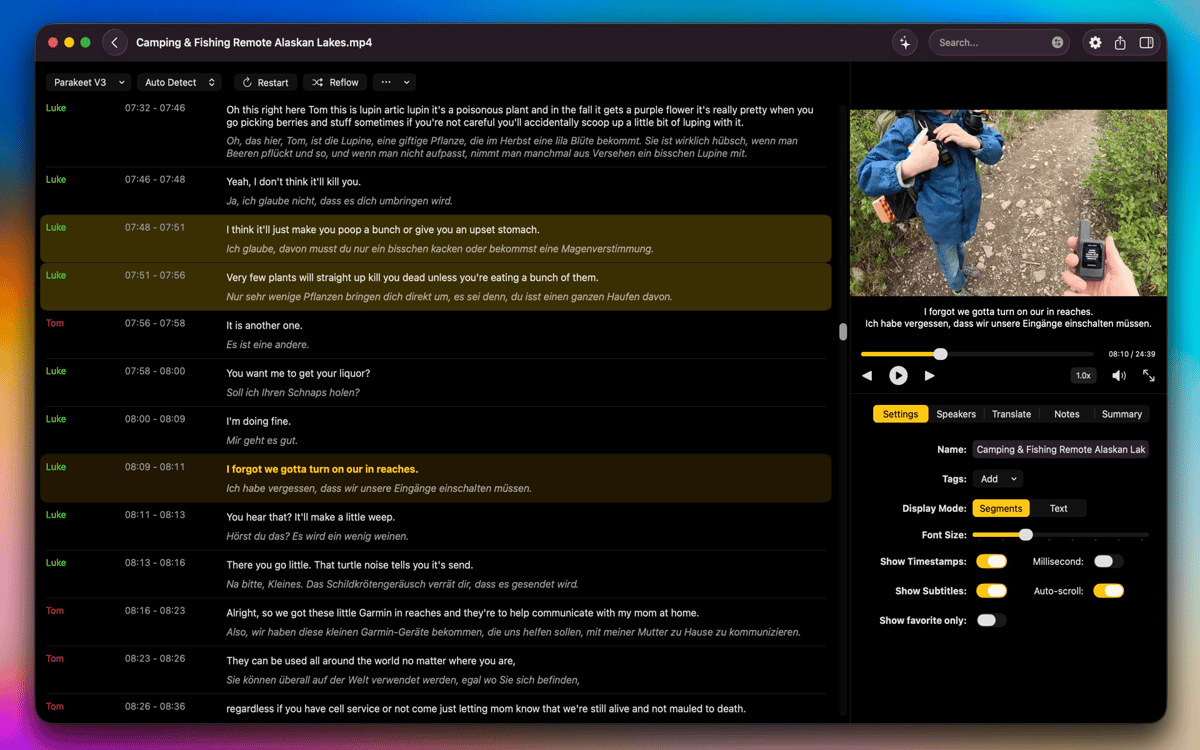
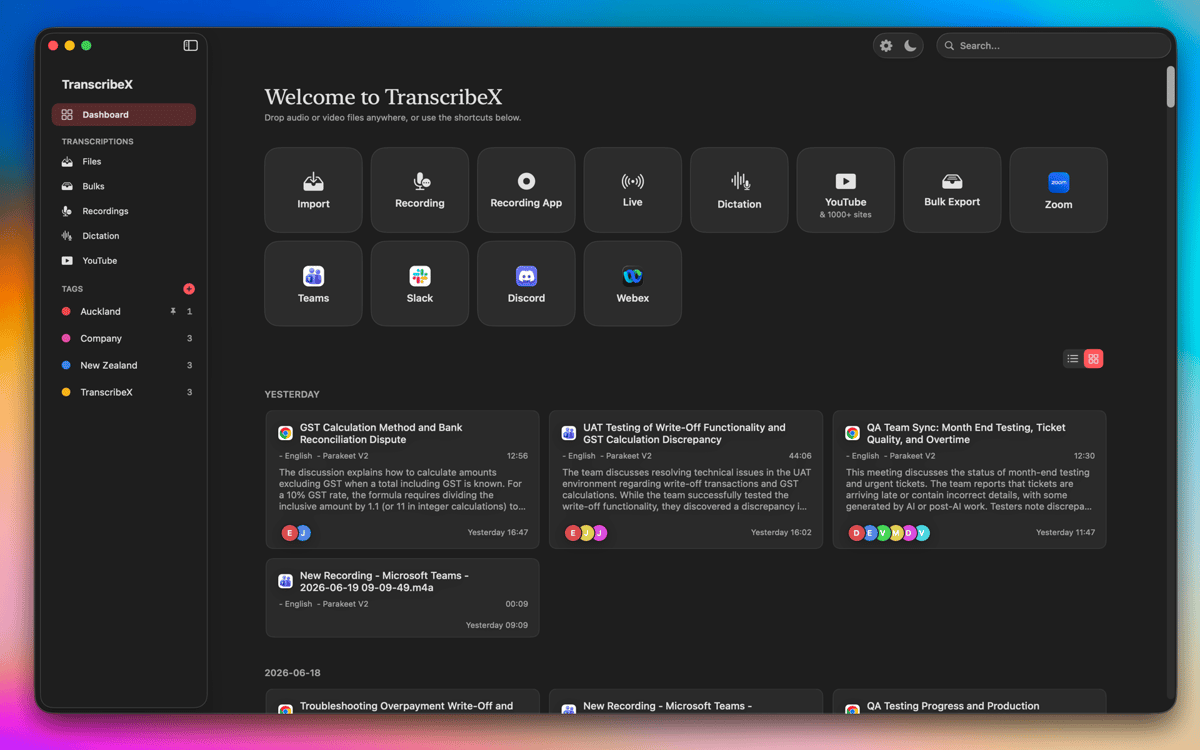
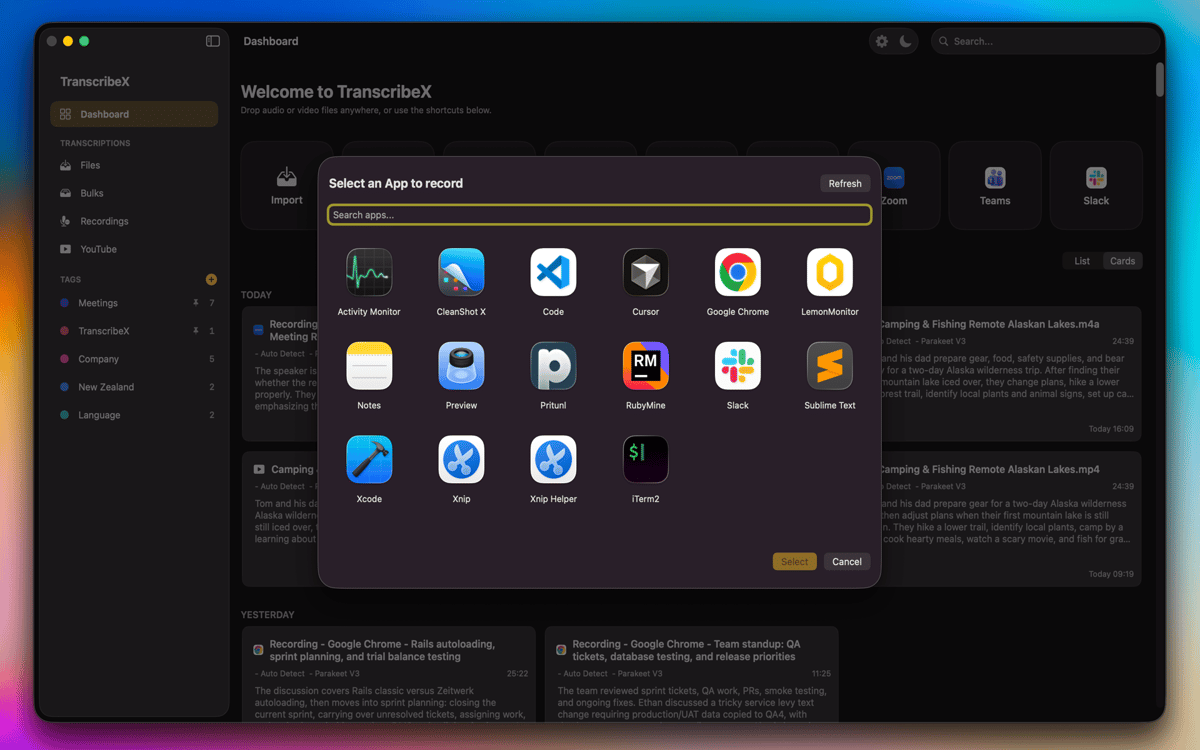
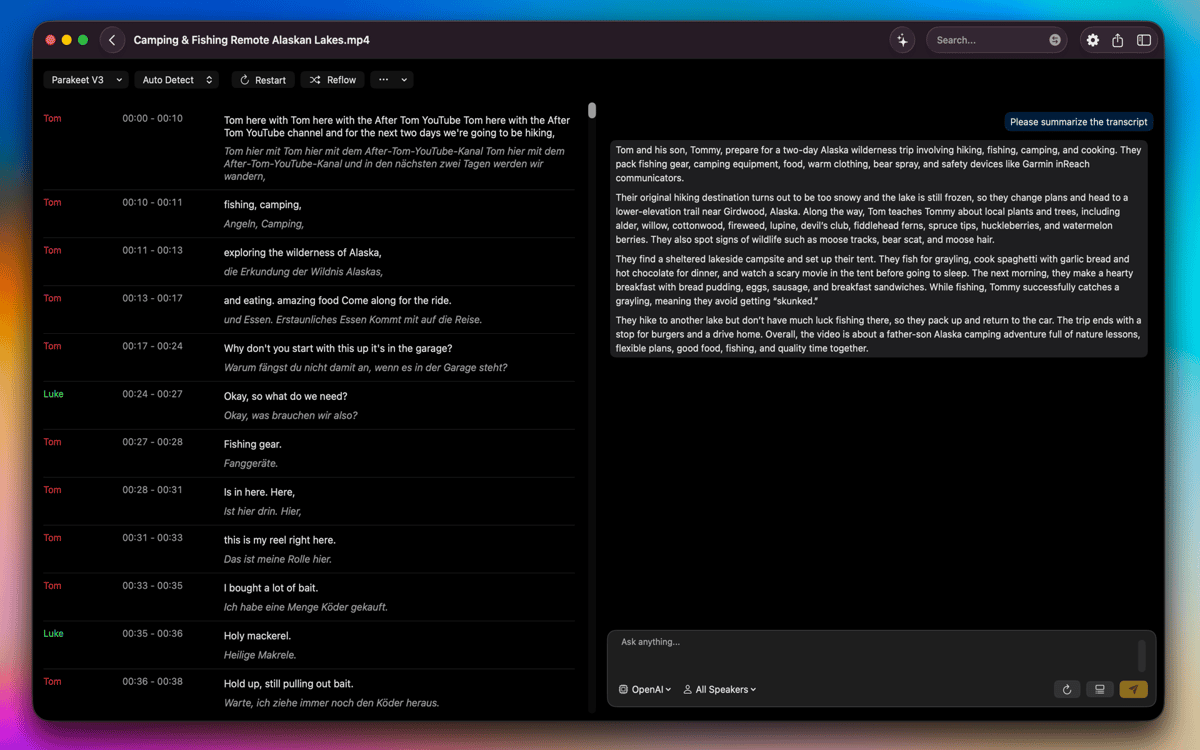
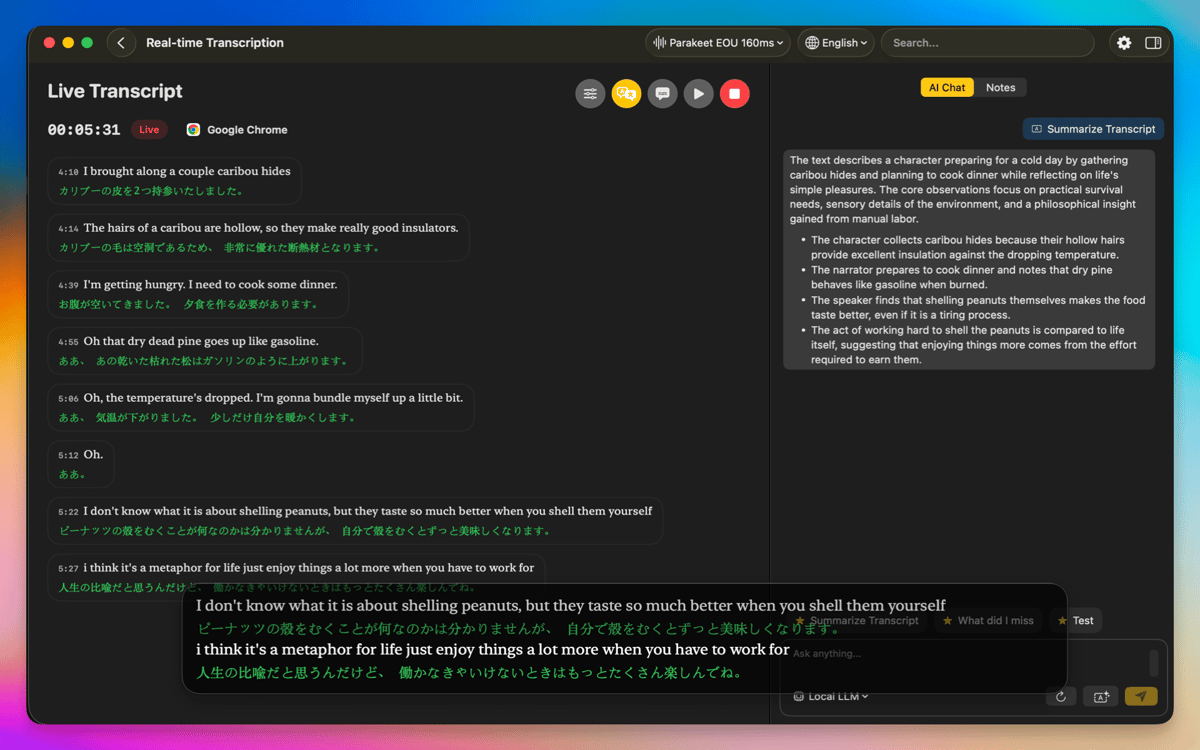
Mit TranscribeX verwandeln Sie Ihre Aufnahmen dank OpenAI Whisper, Parakeet und Apple Intelligence mühelos in präzise Transkripte. Importieren Sie Dateien einfach per Drag-and-Drop oder nehmen Sie Audio direkt über Ihr Mikrofon auf. Sogar Tonspuren aus Apps wie Zoom oder Google Meet lassen sich problemlos erfassen. Bei größeren Projekten können Sie mehrere Dateien gleichzeitig transkribieren, was Zeit spart und einen reibungslosen Arbeitsablauf gewährleistet.
Übersetzen, zusammenfassen und Arbeitsabläufe optimieren
Mit den integrierten Übersetzungstools (Apple Translate und DeepL) können Sie Transkripte in mehrere Sprachen übersetzen. Für einen schnellen Überblick über lange Aufnahmen können Sie mit ChatGPT oder Gemini KI-Zusammenfassungen erstellen, indem Sie Ihren eigenen API-Schlüssel nutzen. Zudem bietet TranscribeX vordefinierte Prompts, die Ihnen dabei helfen, Ihre Arbeitsprozesse zusätzlich zu beschleunigen.
Bearbeiten Sie Transkripte mit Profi-Tools
Sobald Ihr Transkript fertig ist, können Sie Segmente teilen, zusammenfügen oder die Namen der Sprecher individuell anpassen. Korrigieren Sie Zeitstempel manuell für eine perfekte Synchronisation oder nutzen Sie das wortgenaue Text-Following während der Wiedergabe. Die automatische Sprechererkennung identifiziert und benennt dabei verschiedene Stimmen ganz von selbst.
Lokal arbeiten: Sicher und leistungsstark Sämtliche Transkriptions
Übersetzungsprozesse finden direkt auf Ihrem Mac statt, sodass keine privaten Daten Ihr Gerät verlassen. Die GPU-Beschleunigung sorgt dabei für eine schnelle Performance, selbst bei langen oder komplexen Aufnahmen. TranscribeX unterstützt zahlreiche Formate und bietet flexible Ansichten für effizientes Arbeiten. Alles ist darauf ausgelegt, Ihnen ein störungsfreies, sicheres und effizientes Arbeiten zu ermöglichen.
Bewertungen und Rezensionen
TranscribeX
•
110 Bewertungen
Tobias
7. Okt. 2026
App-Version: 10.3
Crashed on first use
Antwort vom Entwickler
7. Okt. 2026
Hey, could you send us the crash report please? [email protected]
Angela
21. Sept. 2026
App-Version: 10.2
Works as described! I just use it for transcribing a video every week for YouTube captioning and it has worked great!
Michael
31. Aug. 2026
App-Version: 9.3
Praktische Diktierhilfe. Funktioniert besser als die Diktierfunktion von Apple.
Erhalten Sie Hunderte von Apps mit Membership
Werden Sie Setapp Member und nutzen Sie mit nur einem Abonnement hunderte genialer Apps.
Testen Sie 7 Tage kostenlos, im Anschluss nur eine einfach monatliche Gebühr.
Setapp auf dem Mac installieren
Erkunden Sie Apps für Mac, iOS und Web. Finden Sie einfache Möglichkeiten für die Bewältigung täglicher Aufgaben.

Die gesuchte App finden
In Setapp wartet eine wunderbare App auf Sie. Installieren Sie sie mit einem Klick.

TranscribeX
Abonnement wählen
Eine App oder mehr mit der Setapp Membership. Holen Sie sich Apps, so wie Sie es möchten.

Erhalten Sie Hunderte von Apps mit Membership
Werden Sie Setapp Member und nutzen Sie mit nur einem Abonnement hunderte genialer Apps.
Testen Sie 7 Tage kostenlos, im Anschluss nur eine einfach monatliche Gebühr.
1
Setapp auf dem Mac installieren
Erkunden Sie Apps für Mac, iOS und Web. Finden Sie einfache Möglichkeiten für die Bewältigung täglicher Aufgaben.
2
Die gesuchte App finden
In Setapp wartet eine wunderbare App auf Sie. Installieren Sie sie mit einem Klick.
TranscribeX
3
Abonnement wählen
Eine App oder mehr mit der Setapp Membership. Holen Sie sich Apps, so wie Sie es möchten.
Die besten Apps
Von Planung und Routineaufgaben bis hin zu kreativen Tätigkeiten und Programmieren – mit den Apps von Setapp sind Sie bestens für Aufgaben gerüstet.

TypingMind
KI-Chat mit alternativer UI
Text erzeugen oder zusammenfassen
Prompt-Bibliothek nutzen
KI

Spark Mail
E-Mails verwalten
KI

CleanMyMac
Datenmüll entfernen

Bartender
Menüleiste anpassen

CleanShot X
Vielseitige Bildschirmfotos aufnehmen

Luminar Neo
Fotos bearbeiten
KI

ClearVPN
Sichere Verbindung herstellen

Craft
Mit Dokumenten arbeiten
KI
TranscribeX
Audio & Video in Text umwandeln]