USB Connection Information
Schluss mit dem Rätselraten. Beginne zu verstehen.

Mac
Version 26.41
macOS 14.0 oder neuer
17.9 MB
22 Sprachen
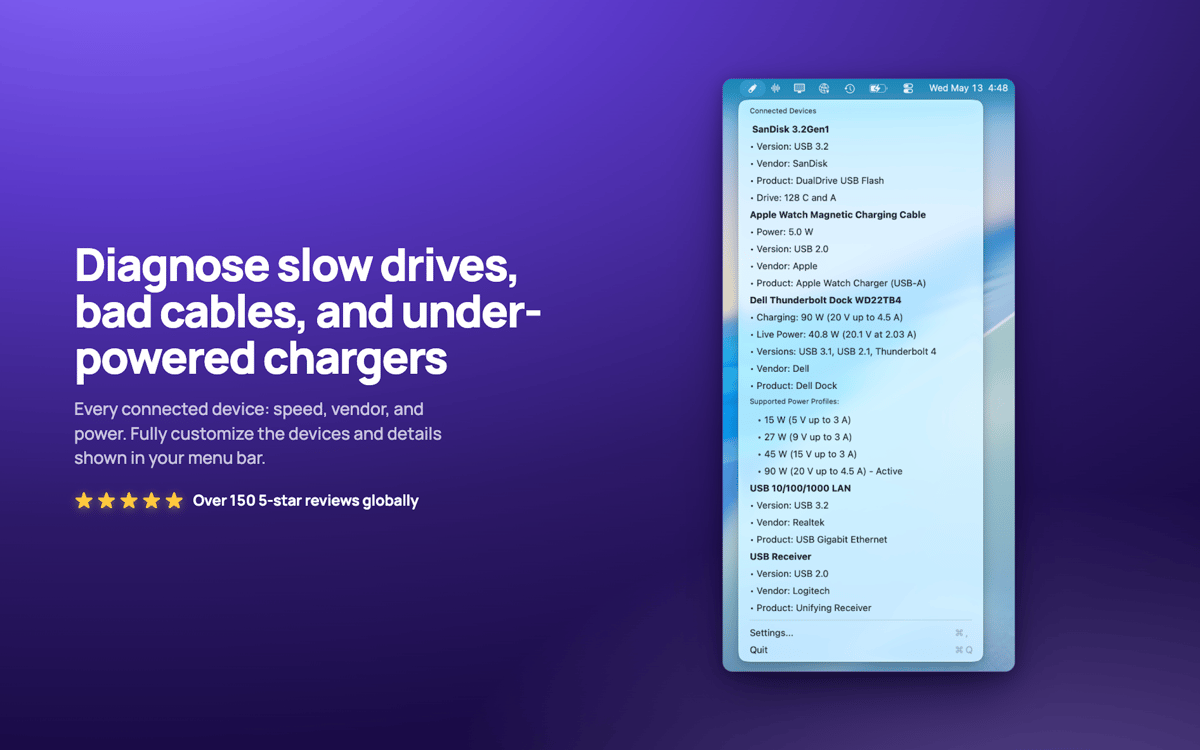
USB Connection Information – USB- und Thunderbolt-Monitor für Mac. Es befindet sich in Ihrer Menüleiste und zeigt die tatsächlich ausgehandelte Geschwindigkeit jedes angeschlossenen Geräts an, sodass Sie sofort wissen, wann ein „10-Gbit/s Prüfen Sie Live-Ladeleistung, Stromverbrauch der Geräte und welche Laufwerke zu welchen Geräten gehören. Schluss mit dem Rätselraten, ob Ihr Dock gedrosselt wird oder das Kabel die Schwachstelle ist.
USB-Geschwindigkeiten auf einen Blick prüfen
Live-Ladeleistung und Stromverbrauch anzeigen
Gedrosselte Kabel sofort erkennen
Laufwerke den Geräten in Finder zuordnen
USB Connection Information-Funktionen
Echte Geschwindigkeitsüberprüfung
Sehen Sie die tatsächlich ausgehandelte Geschwindigkeit aller Verbindungen, von USB 1.0 über USB 3.2 bis hin zu Thunderbolt 1–3. Spezifikationen lügen. Ihr Mac kann das nicht.
Eine Menüleiste, die zu dir passt
Schnelle Antworten auf Ihre USB-Fragen. Nur Symbol, Geräteanzahl, Ladeleistung oder Geschwindigkeit anzeigen. Ganz nach Ihren Arbeitsgewohnheiten.
Live-Ladegerät-Einblicke
Überwachen Sie Wattzahl, Spannung, PD-Version und unterstützte Leistungsprofile Ihres MacBook-Ladegeräts in Echtzeit.
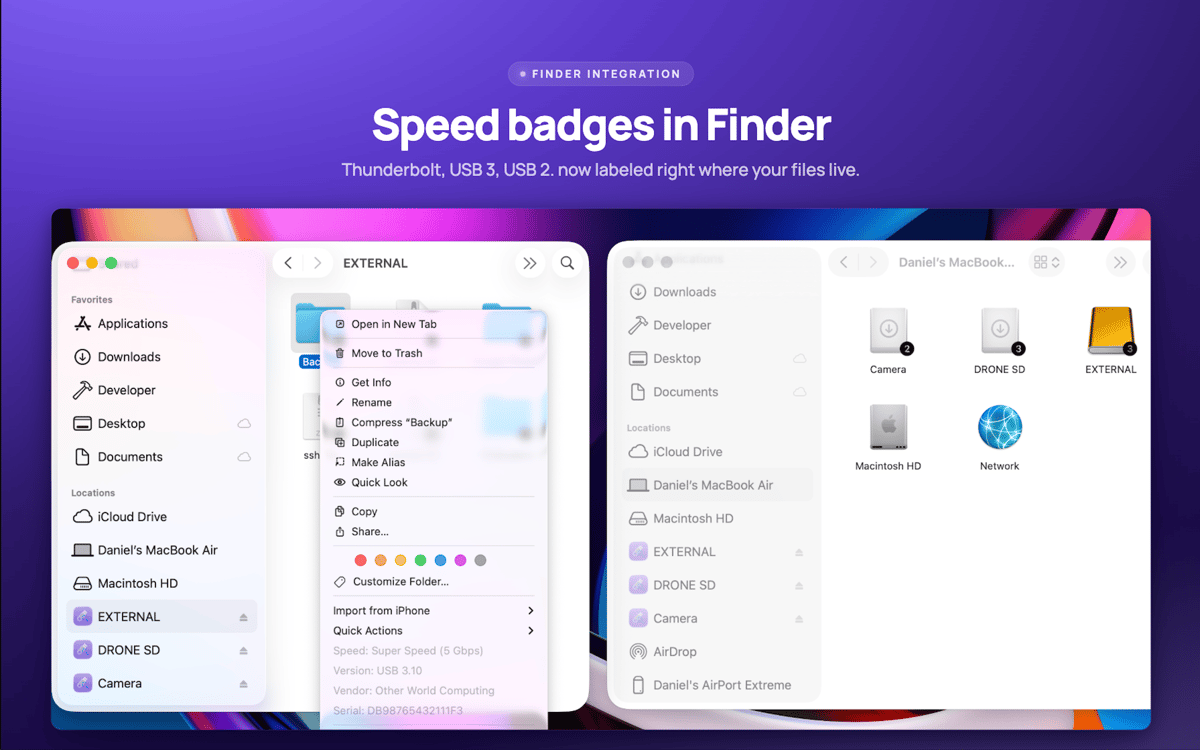
Finder-Laufwerksabzeichen
Die Verbindungsgeschwindigkeit wird direkt auf Ihren Laufwerksymbolen im Finder angezeigt. Rechtsklick auf beliebiges Laufwerk für sofortige Gerätedetails.
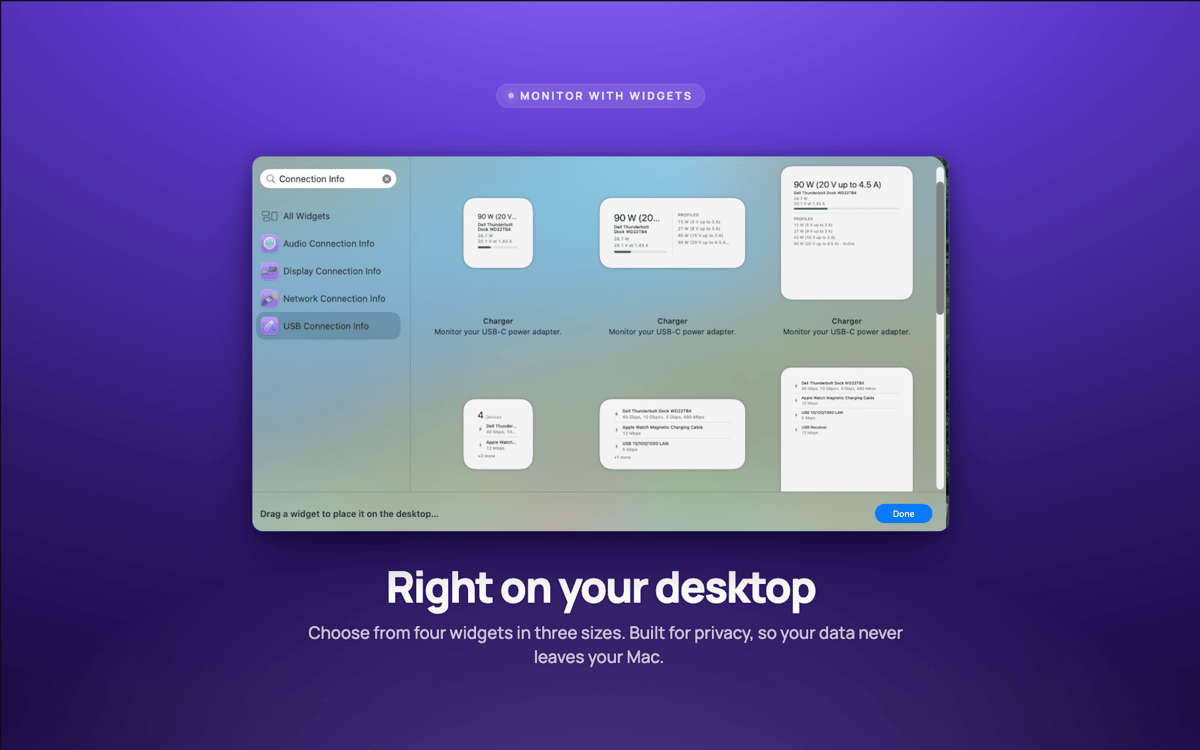
Desktop-Widgets
Kleine, mittlere und große Widgets behalten Ihre Verbindungen im Auge, ohne dass Sie etwas öffnen müssen.
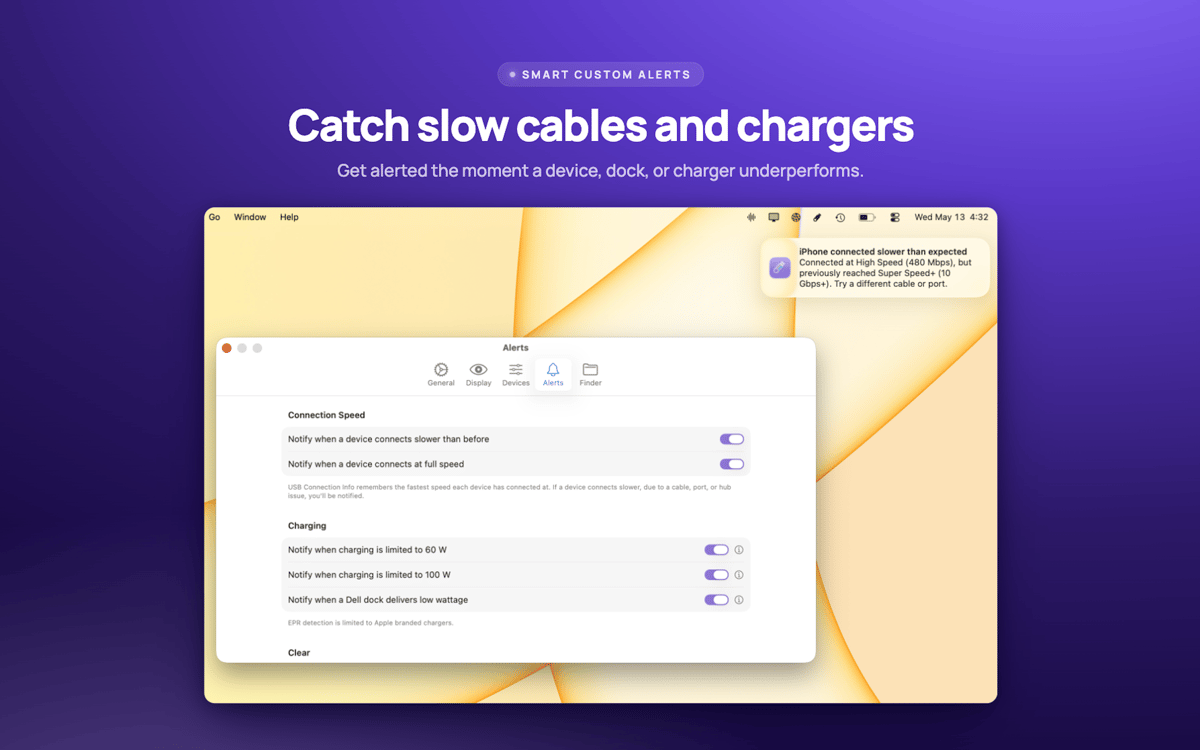
Geschwindigkeitswarnungen
Werden Sie sofort benachrichtigt, wenn ein Gerät langsamer arbeitet als es sollte – meist ein Zeichen dafür, dass das Kabel der Schuldige ist.
Bewertungen und Rezensionen
USB Connection Information
•
3 Bewertungen
Pelle Wessman
5. Juni 2026
App-Version: 26.33
Excellent app that surfaces real useful information and has a really responsive and enthusiastic creator who replies real quick to feature requests and feedback!
Erhalten Sie Hunderte von Apps mit Membership
Werden Sie Setapp Member und nutzen Sie mit nur einem Abonnement hunderte genialer Apps.
Testen Sie 7 Tage kostenlos, im Anschluss nur eine einfach monatliche Gebühr.
Setapp auf dem Mac installieren
Erkunden Sie Apps für Mac, iOS und Web. Finden Sie einfache Möglichkeiten für die Bewältigung täglicher Aufgaben.

Die gesuchte App finden
In Setapp wartet eine wunderbare App auf Sie. Installieren Sie sie mit einem Klick.

USB Connection Information
Abonnement wählen
Eine App oder mehr mit der Setapp Membership. Holen Sie sich Apps, so wie Sie es möchten.

Erhalten Sie Hunderte von Apps mit Membership
Werden Sie Setapp Member und nutzen Sie mit nur einem Abonnement hunderte genialer Apps.
Testen Sie 7 Tage kostenlos, im Anschluss nur eine einfach monatliche Gebühr.
1
Setapp auf dem Mac installieren
Erkunden Sie Apps für Mac, iOS und Web. Finden Sie einfache Möglichkeiten für die Bewältigung täglicher Aufgaben.
2
Die gesuchte App finden
In Setapp wartet eine wunderbare App auf Sie. Installieren Sie sie mit einem Klick.
USB Connection Information
3
Abonnement wählen
Eine App oder mehr mit der Setapp Membership. Holen Sie sich Apps, so wie Sie es möchten.
Die besten Apps
Von Planung und Routineaufgaben bis hin zu kreativen Tätigkeiten und Programmieren – mit den Apps von Setapp sind Sie bestens für Aufgaben gerüstet.

TypingMind
KI-Chat mit alternativer UI
Text erzeugen oder zusammenfassen
Prompt-Bibliothek nutzen
KI

Spark Mail
E-Mails verwalten
KI

CleanMyMac
Datenmüll entfernen

Bartender
Menüleiste anpassen

CleanShot X
Vielseitige Bildschirmfotos aufnehmen

Luminar Neo
Fotos bearbeiten
KI

ClearVPN
Sichere Verbindung herstellen

Craft
Mit Dokumenten arbeiten
KI
USB Connection Information
Schluss mit dem Rätselraten. Beginne zu verstehen.