
Vexel
Beliebiger Text. Jede Stimme.
Mac
Version 1.5.0
macOS 15.0 oder neuer
27 MB
8 Sprachen
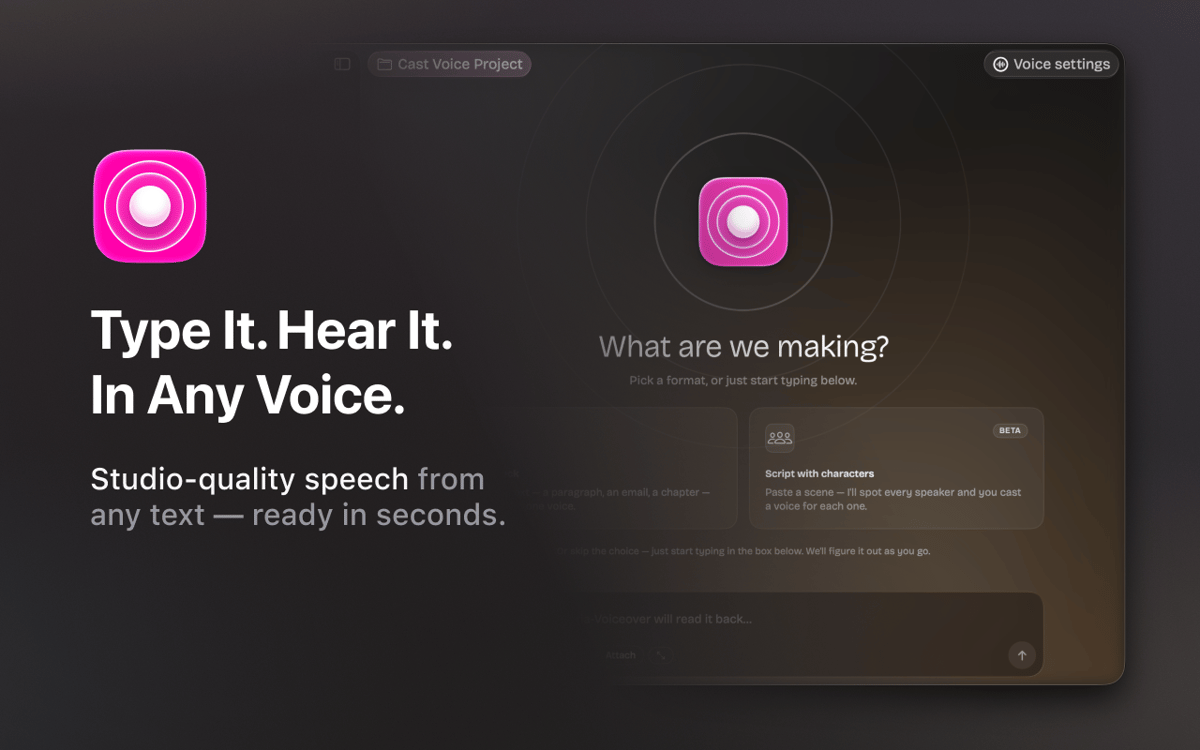
Vexel ist eine Text-to-Speech-App für den Mac – entwickelt für Autorinnen und Autoren, Podcaster, Sprecher und alle, die mit dem gesprochenen Wort arbeiten. Geben Sie Ihr Skript ein, wählen Sie eine Stimme aus, und erhalten Sie in Sekunden Audio in Studioqualität. Mit Respeecher-Technologie bietet Vexel über 22 professionelle Stimmen in mehreren Sprachen. Benötigen Sie eine Szene mit mehreren Sprechern? Fügen Sie ein Skript ein, und Vexel erkennt alle Charaktere automatisch – Sie müssen nur noch jedem eine Stimme zuweisen. Organisieren Sie Ihre Arbeit in Projekten, passen Sie Sprachstil und Tonfall an und exportieren Sie WAV-Audio, ohne die App zu verlassen.
Skripte sofort in vertontes Audio umwandeln
Jedem Charakter eine eigene Stimme zuweisen
Jede Stimme vor der Generierung vorhören
Saubere WAV-Dateien mit einem Klick exportieren
Vexel-Funktionen
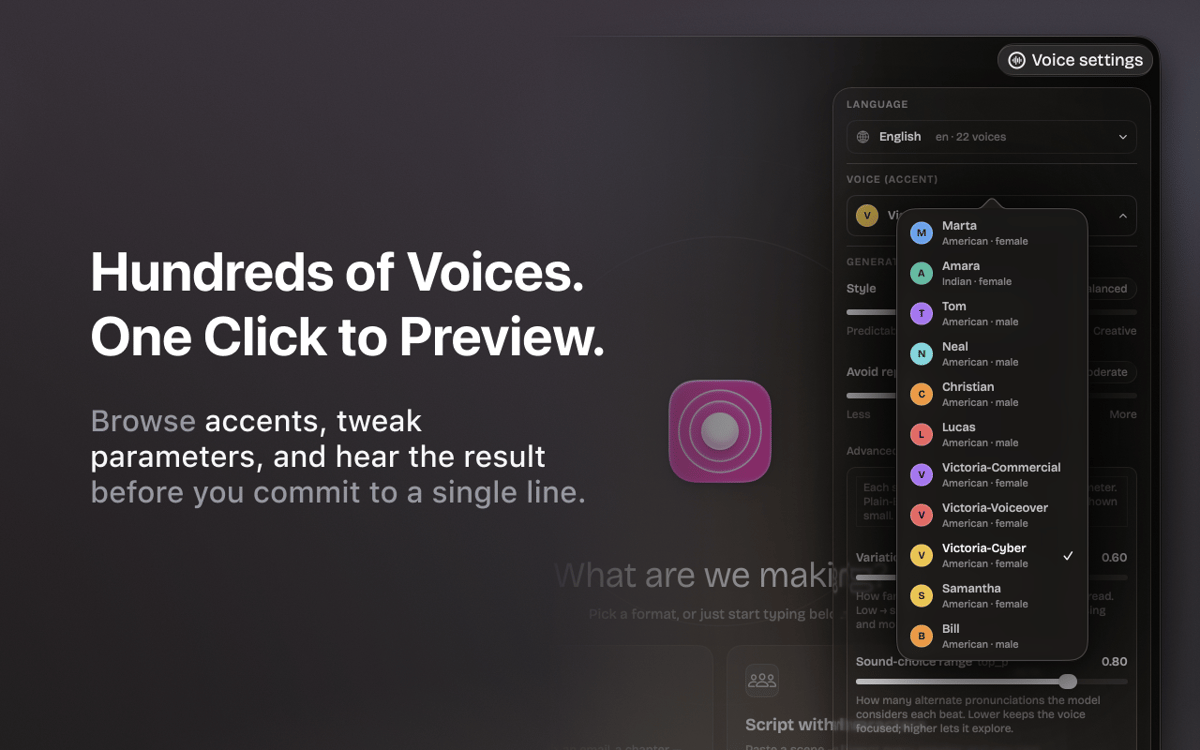
Natürliche, professionelle Stimmen
Über 22 Stimmen in Studioqualität auf Englisch und Ukrainisch. Angetrieben von Respeecher-Technologie – derselben Engine, die auch in professionellen Produktionen zum Einsatz kommt.
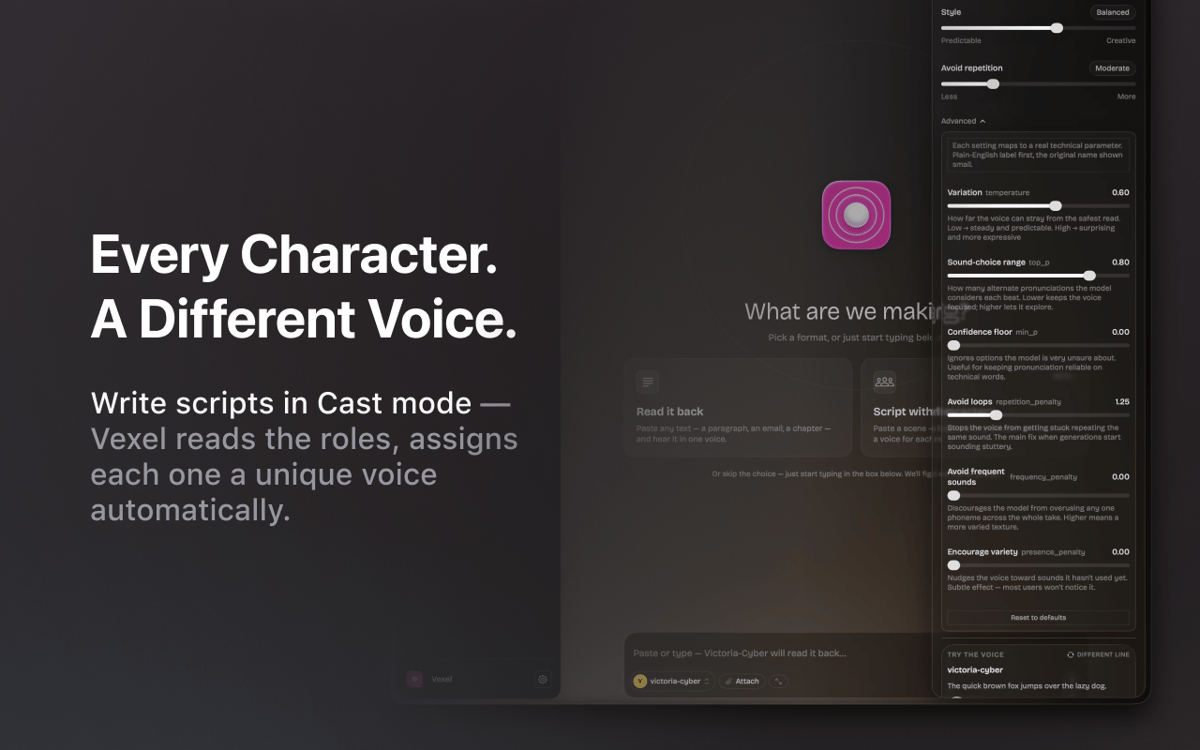
Skripte mit mehreren Sprechern
Fügen Sie einen Dialog ein, und Vexel erkennt alle Sprecher automatisch. Weisen Sie jeder Figur eine andere Stimme zu und generieren Sie die gesamte Szene auf einmal.
Stimmtuner
Passen Sie Ihren Stil von vorhersehbar zu ausdrucksstark an, stellen Sie die Wiederholungsvermeidung ein und verfeinern Sie den Text so lange, bis er sich genau richtig anfühlt.
Probieren Sie es aus, bevor Sie generieren
Testen Sie jede Stimme anhand einer Beispielzeile, bevor Sie sie für den vollständigen Durchlauf verwenden. Keine Überraschungen, keine verschwendeten Takes.
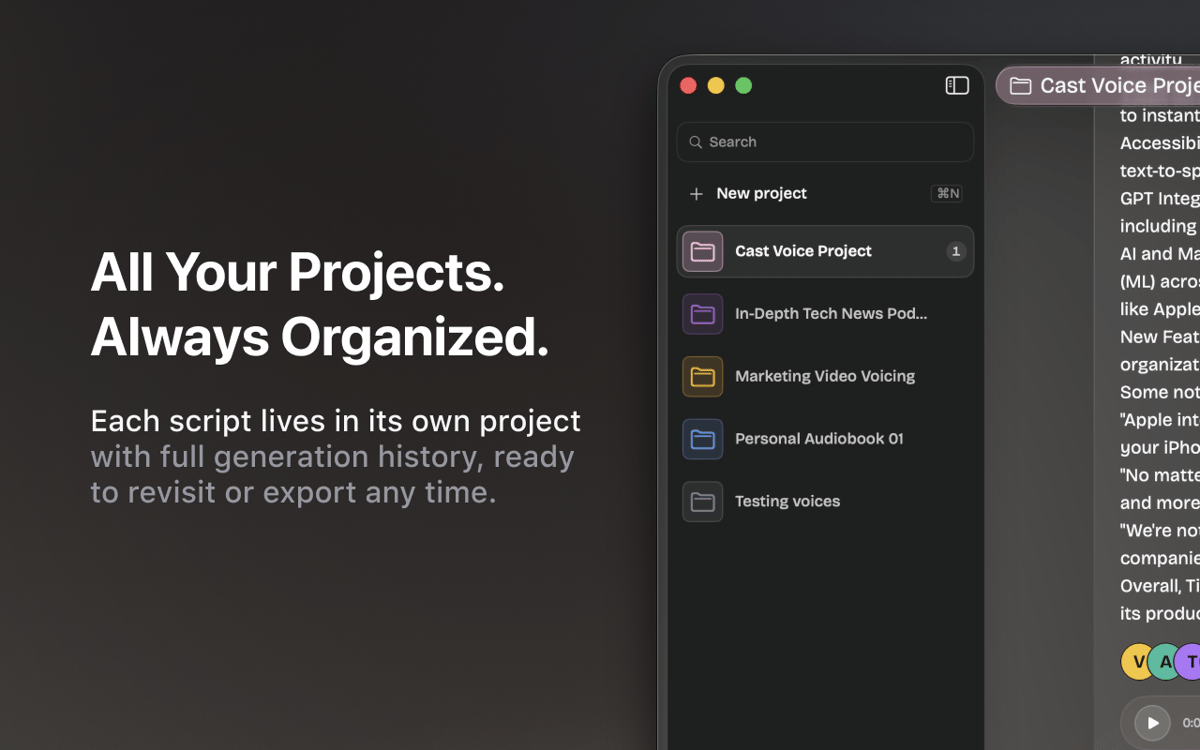
Projektarbeitsbereich
Jedes Skript hat sein eigenes Projekt mit vollständiger Generierungshistorie. Wechseln Sie zwischen Podcasts, Erzählungen und Entwürfen, ohne Ihre Stelle zu verlieren.
Trimmen und exportieren
Generiertes Audio zuschneiden, saubere WAV-Dateien exportieren und direkt in Ihren Workflow integrieren – keine zusätzlichen Tools erforderlich.
Bewertungen und Rezensionen
Vexel
•
7 Bewertungen
Andrii R.
6. Okt. 2026
App-Version: 1.5.0
I really like this app! Helped a lot in making a nice audiobook
Antwort vom Entwickler
7. Okt. 2026
Thank you for your feedback, Andrii! We're glad to hear that you liked Vexel. There's more to come in upcoming updates.
Abdel
27. Sept. 2026
App-Version: 1.5.0
Ne propose pas de langues en ligne en français, uniquement Arabe, Allemand, Anglais, Portugais et Ukrainien. Dommage. Les voix synthètiques locales sont bien trop robotiques et datées, inutilisables sauf si vous voulez faire des blagues en copiant la voix de Siri...
Antwort vom Entwickler
29. Sept. 2026
Hello, Abdel! Thank you for your honest feedback. Right now, we're working to expand the library of available voices, including more reliable, human-sounding options. Please stay tuned for our updates.
Sean
21. Sept. 2026
App-Version: 1.5.0
Really nice App. If I could use a local model or use my own AI subscriptions it would be useful. But I'm not purchasing AI credits through Setapp, that's ridiculous to me.
Antwort vom Entwickler
22. Sept. 2026
Thank you for the kind words and for the honest feedback! Good news: support for local models is coming in one of the next updates of the app. We're also looking into letting you connect your models. To make sure we cover what you actually use, could you drop us a line at [email protected] and tell us which models or providers you'd like to connect? That would help us a lot. Thanks again for using the app!
Erhalten Sie Hunderte von Apps mit Membership
Werden Sie Setapp Member und nutzen Sie mit nur einem Abonnement hunderte genialer Apps.
Testen Sie 7 Tage kostenlos, im Anschluss nur eine einfach monatliche Gebühr.
Setapp auf dem Mac installieren
Erkunden Sie Apps für Mac, iOS und Web. Finden Sie einfache Möglichkeiten für die Bewältigung täglicher Aufgaben.

Die gesuchte App finden
In Setapp wartet eine wunderbare App auf Sie. Installieren Sie sie mit einem Klick.

Vexel
Abonnement wählen
Eine App oder mehr mit der Setapp Membership. Holen Sie sich Apps, so wie Sie es möchten.

Erhalten Sie Hunderte von Apps mit Membership
Werden Sie Setapp Member und nutzen Sie mit nur einem Abonnement hunderte genialer Apps.
Testen Sie 7 Tage kostenlos, im Anschluss nur eine einfach monatliche Gebühr.
1
Setapp auf dem Mac installieren
Erkunden Sie Apps für Mac, iOS und Web. Finden Sie einfache Möglichkeiten für die Bewältigung täglicher Aufgaben.
2
Die gesuchte App finden
In Setapp wartet eine wunderbare App auf Sie. Installieren Sie sie mit einem Klick.
Vexel
3
Abonnement wählen
Eine App oder mehr mit der Setapp Membership. Holen Sie sich Apps, so wie Sie es möchten.
Die besten Apps
Von Planung und Routineaufgaben bis hin zu kreativen Tätigkeiten und Programmieren – mit den Apps von Setapp sind Sie bestens für Aufgaben gerüstet.

TypingMind
KI-Chat mit alternativer UI
Text erzeugen oder zusammenfassen
Prompt-Bibliothek nutzen
KI

Spark Mail
E-Mails verwalten
KI

CleanMyMac
Datenmüll entfernen

Bartender
Menüleiste anpassen

CleanShot X
Vielseitige Bildschirmfotos aufnehmen

Luminar Neo
Fotos bearbeiten
KI

ClearVPN
Sichere Verbindung herstellen

Craft
Mit Dokumenten arbeiten
KI
Vexel
Beliebiger Text. Jede Stimme.