
WhoPays
Kosten teilen. Kein Drama.
Mac, iOS, Web
Version 1.0.0
macOS 11.0 oder neuer
561.5 MB
1 Sprachen
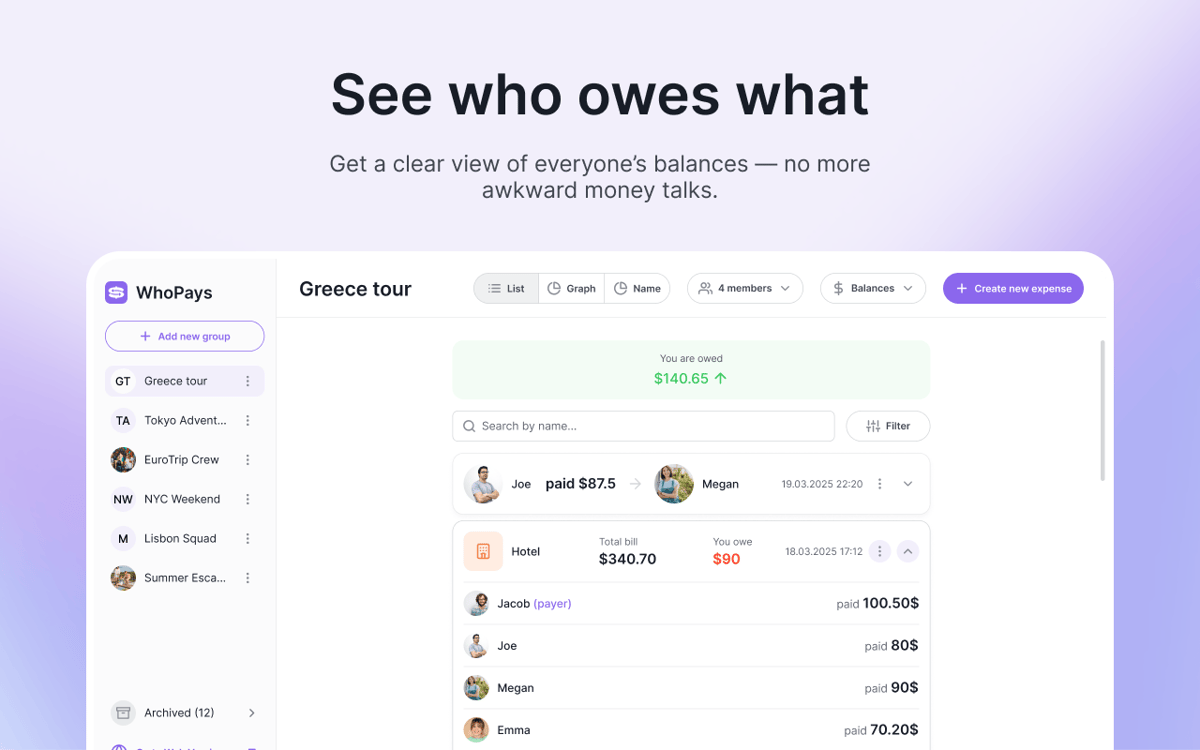
WhoPays ist ein App zum Verfolgen von Gruppenausgaben für Mac, iOS und Web. Es hilft Ihnen, gemeinsame Kosten aufzuteilen, Mitglieder zu verwalten und Echtzeit-Salden übersichtlich an einem Ort zu verfolgen. Eine praktische Lösung für Reisen, Wohngemeinschaften, Paare und alle anderen Situationen, in denen sich Ausgaben schnell summieren. Ausgaben manuell hinzufügen, Belege mit KI scannen oder aus Sprachnotizen erstellen.
Reisekosten schnell aufteilen
Gemeinsame Rechnungen in Gruppen verwalten
Belege mit KI scannen
Ausgaben per Spracheingabe hinzufügen
WhoPays-Funktionen
Gemeinsame Ausgaben im Blick – ohne Chaos
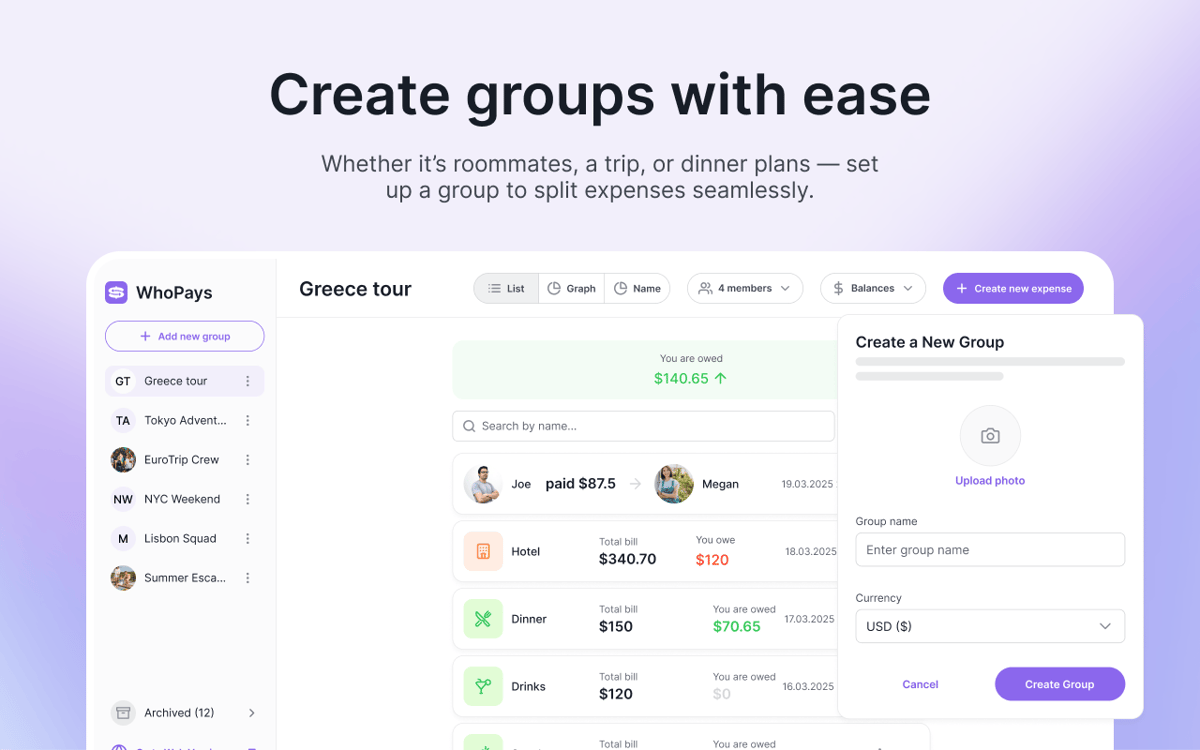
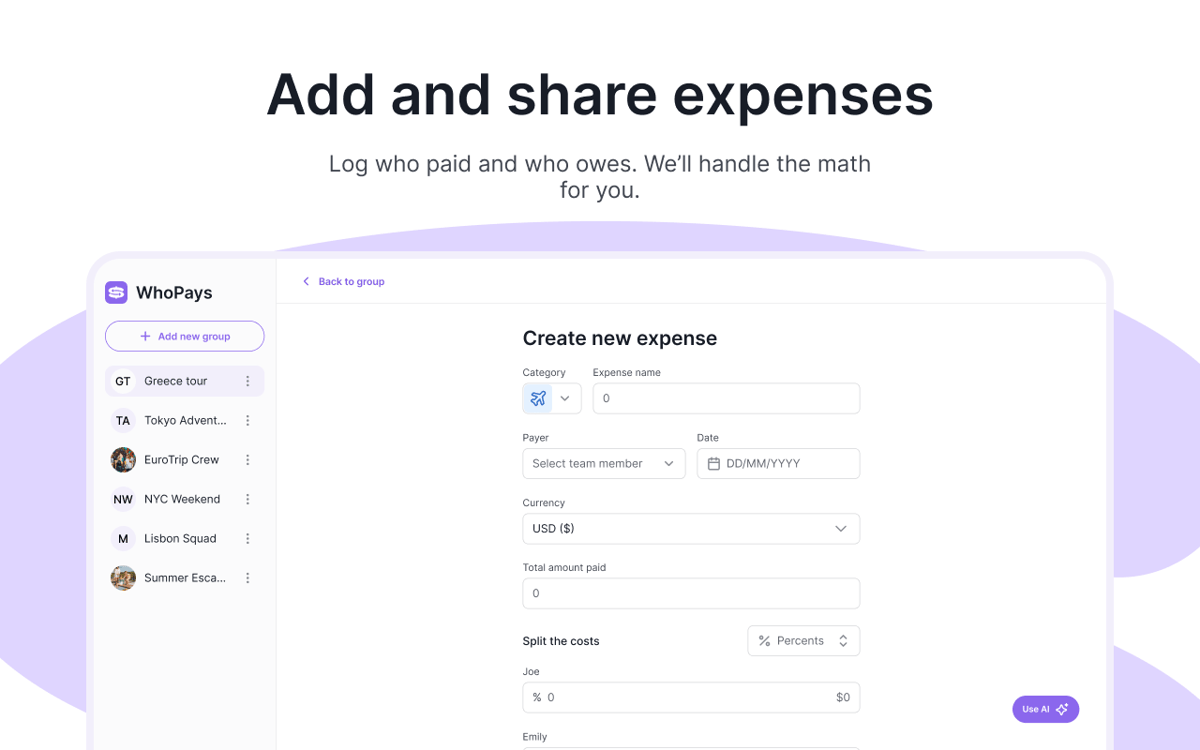
Ausgaben in einer Gruppe hinzufügen, bearbeiten und löschen. Notizen und Dateien anhängen, wenn Details wichtig sind. Wenn es Zeit ist, abzurechnen, gleichen Sie offene Beträge mit wenigen Klicks aus.
Belege mit KI scannen
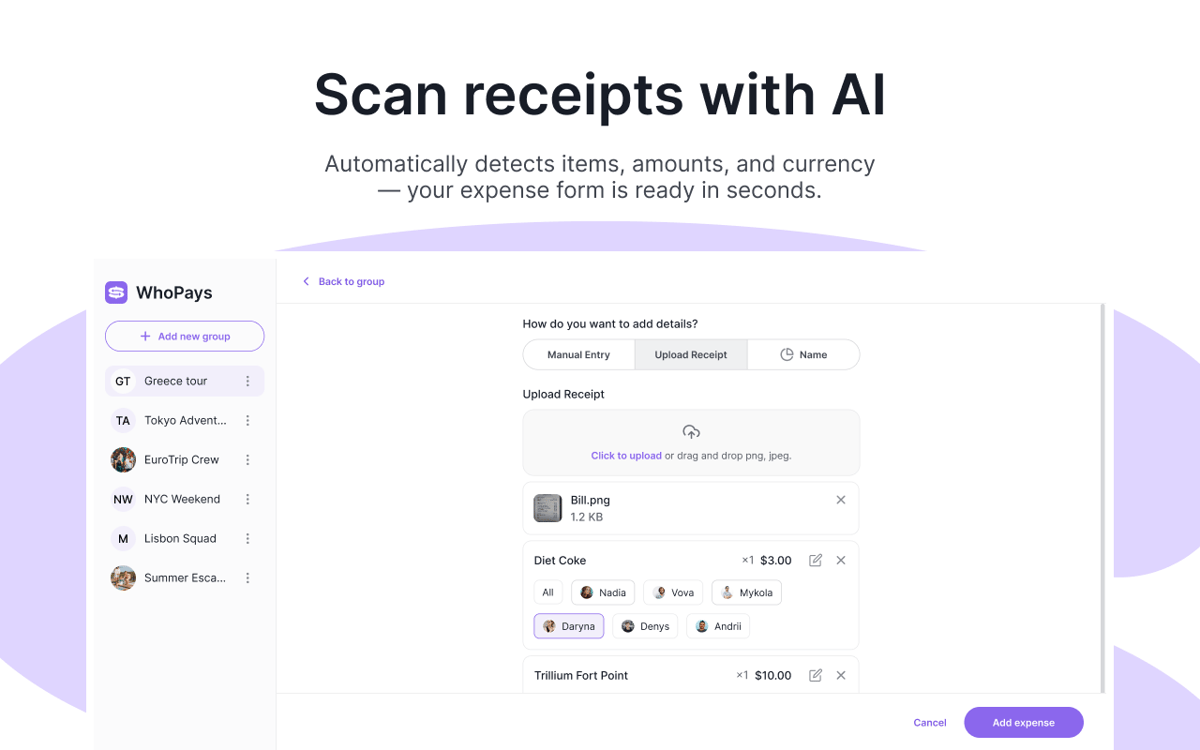
Fotografieren Sie einen Kassenbon und lassen Sie WhoPays die einzelnen Positionen automatisch erkennen. Die App erkennt außerdem die Währung und speichert das ursprüngliche Belegbild zusammen mit der Ausgabe.
Ausgaben per Spracheingabe erfassen
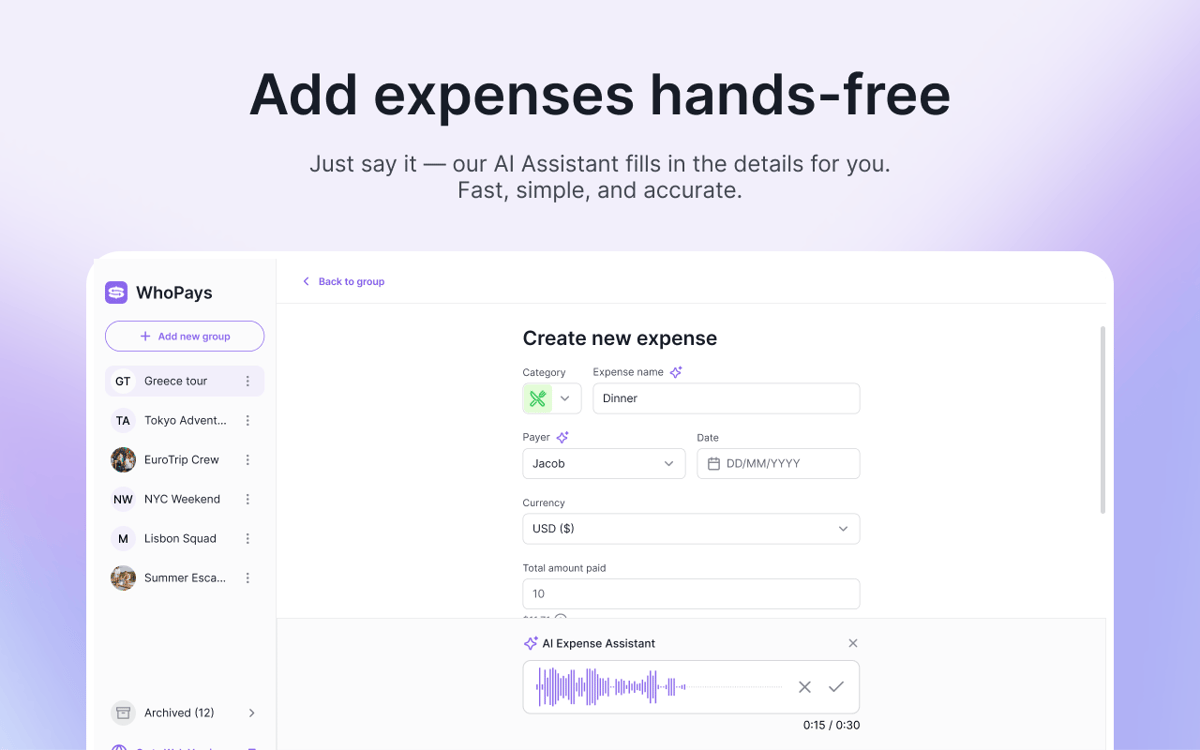
Keine Lust, alles einzutippen? Nehmen Sie stattdessen eine Sprachnotiz auf. WhoPays kann Kategorie, Name, Datum, Währung, Zahler und Teilnahmebeträge einer Ausgabe erkennen.
Kontostände, Statistiken und Verlauf auf einen Blick
Prüfen Sie Kontostände in Echtzeit, zeigen Sie Gesamtsummen nach Kategorie an und sehen Sie Aufschlüsselungen pro Mitglied. Jede Änderung wird in einer Zeitleiste gespeichert, sodass Sie Bearbeitungen, Einladungen, Abrechnungen und Löschungen jederzeit nachverfolgen können.
Alle auf dem gleichen Stand halten
Erstellen Sie Gruppen, laden Sie Mitglieder ein, entfernen Sie diese bei Bedarf und teilen Sie Einladungslinks. Die Teilnahme ist per E-Mail-Einladung oder über einen direkten Link möglich, was die Einrichtung angenehm einfach macht.
Kosten in 150+ Währungen aufteilen
Legen Sie eine Gruppenwährung fest und erfassen Sie Ausgaben oder Abrechnungen in jeder beliebigen Währung. WhoPays rechnet sie automatisch um, sodass alle Zahlen auf einen Blick nachvollziehbar sind – ganz ohne lästiges Kopfrechnen.
Bewertungen und Rezensionen
WhoPays
•
8 Bewertungen
Christian Saborio
30. Aug. 2026
App-Version: 1.0.0
Love it - a very likely replacement for Splitwise. Only feature I’d like that’s not there is to export to PDF to share to people, but overall, a fantastic app.
Mykola
3. Juni 2026
App-Version: 1.1.0
Great app, with a much better design than Splitwise. I like the AI adding, which saves tons of time.
Nadiia
2. Juni 2026
App-Version: 1.0.0
Really good app! It helps me split bills with my friends. We often order lunch at work, and one person pays for everyone, so this app makes it easy to share the costs.
Erhalten Sie Hunderte von Apps mit Membership
Werden Sie Setapp Member und nutzen Sie mit nur einem Abonnement hunderte genialer Apps.
Testen Sie 7 Tage kostenlos, im Anschluss nur eine einfach monatliche Gebühr.
Setapp auf dem Mac installieren
Erkunden Sie Apps für Mac, iOS und Web. Finden Sie einfache Möglichkeiten für die Bewältigung täglicher Aufgaben.

Die gesuchte App finden
In Setapp wartet eine wunderbare App auf Sie. Installieren Sie sie mit einem Klick.

WhoPays
Abonnement wählen
Eine App oder mehr mit der Setapp Membership. Holen Sie sich Apps, so wie Sie es möchten.

Erhalten Sie Hunderte von Apps mit Membership
Werden Sie Setapp Member und nutzen Sie mit nur einem Abonnement hunderte genialer Apps.
Testen Sie 7 Tage kostenlos, im Anschluss nur eine einfach monatliche Gebühr.
1
Setapp auf dem Mac installieren
Erkunden Sie Apps für Mac, iOS und Web. Finden Sie einfache Möglichkeiten für die Bewältigung täglicher Aufgaben.
2
Die gesuchte App finden
In Setapp wartet eine wunderbare App auf Sie. Installieren Sie sie mit einem Klick.
WhoPays
3
Abonnement wählen
Eine App oder mehr mit der Setapp Membership. Holen Sie sich Apps, so wie Sie es möchten.
Die besten Apps
Von Planung und Routineaufgaben bis hin zu kreativen Tätigkeiten und Programmieren – mit den Apps von Setapp sind Sie bestens für Aufgaben gerüstet.

TypingMind
KI-Chat mit alternativer UI
Text erzeugen oder zusammenfassen
Prompt-Bibliothek nutzen
KI

Spark Mail
E-Mails verwalten
KI

CleanMyMac
Datenmüll entfernen

Bartender
Menüleiste anpassen

CleanShot X
Vielseitige Bildschirmfotos aufnehmen

Luminar Neo
Fotos bearbeiten
KI

ClearVPN
Sichere Verbindung herstellen

Craft
Mit Dokumenten arbeiten
KI
WhoPays
Kosten teilen. Kein Drama.