
Wifilicious
Kenne dein WLAN
Mac
Version 2.0.1
macOS 15.0 oder neuer
21.7 MB
12 Sprachen
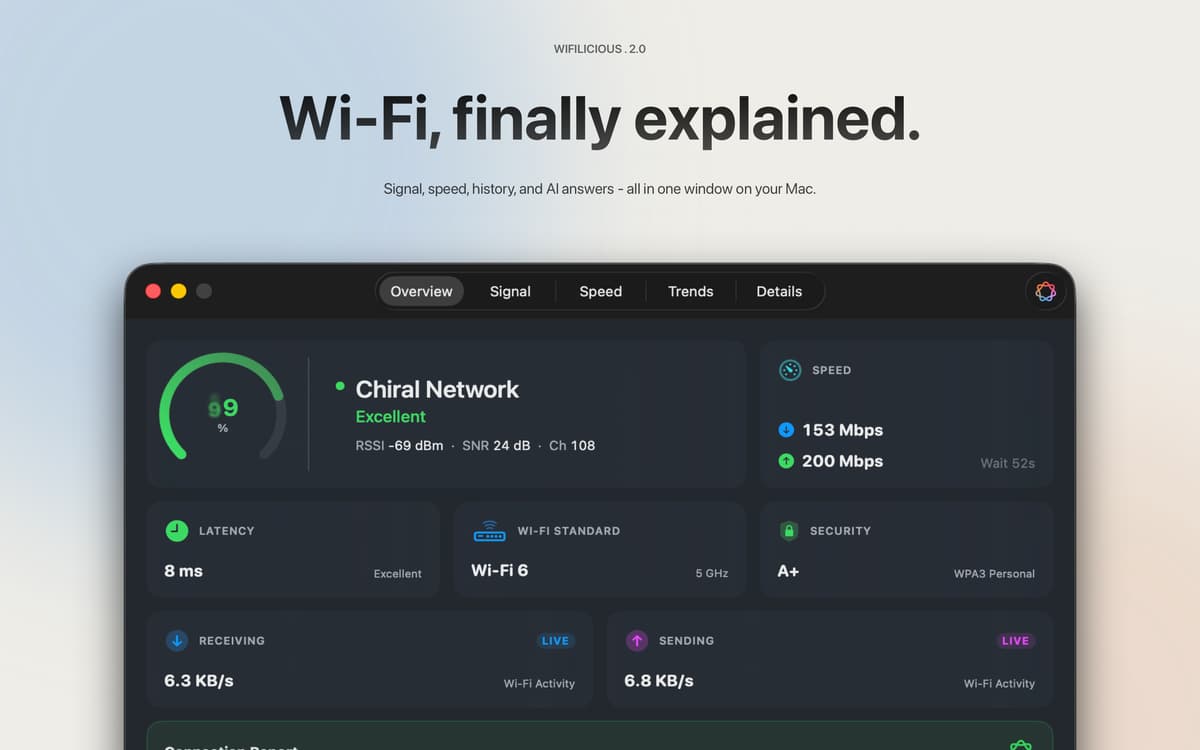
Wifilicious ist ein WLAN-Analyzer für Mac. Es zeigt Ihnen alles über Ihre aktuelle Verbindung – Signalstärke, Latenz, Durchsatz, Sicherheit und DNS-Timing – wird alle zwei Sekunden aktualisiert. Führen Sie einen Geschwindigkeitstest durch, durchstöbern Sie zwei Wochen Verlauf oder fragen Sie einfach Apple Intelligence, was vor sich geht. Alle Berechnungen erfolgen auf Ihrem Mac. Nichts verlässt es.
WLAN langsam oder instabil schnell diagnostizieren
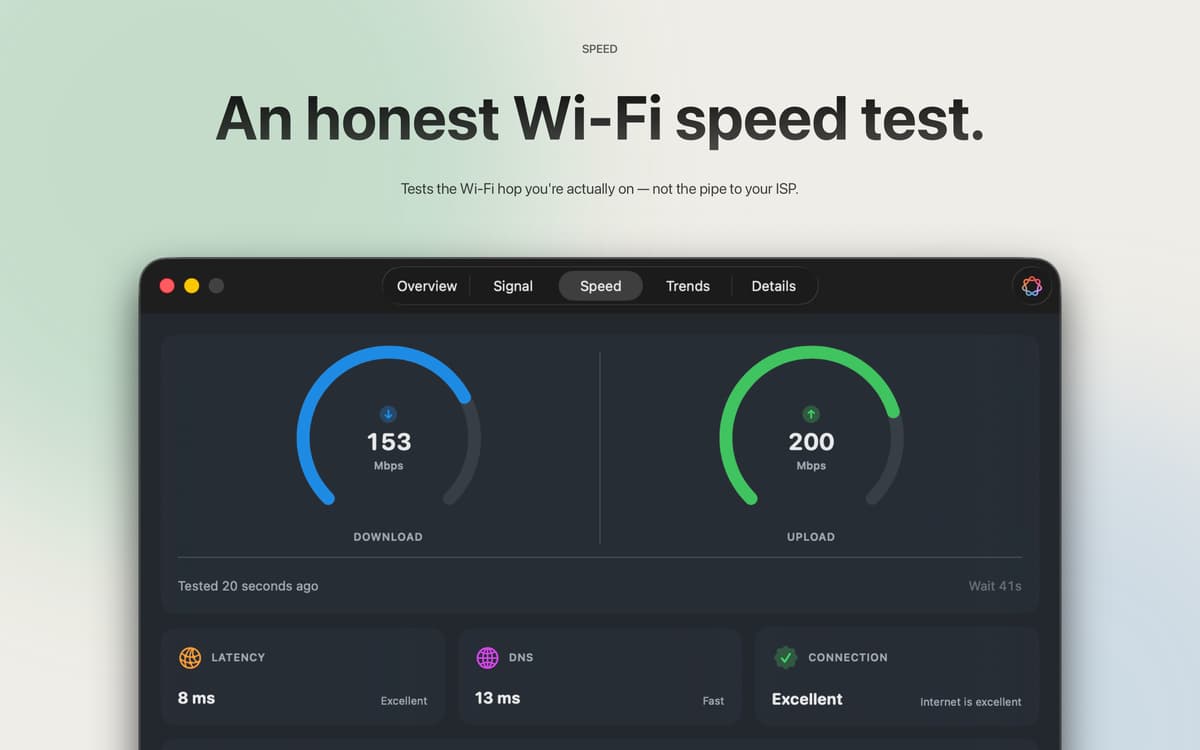
Testen Sie echte Geschwindigkeiten im WLAN
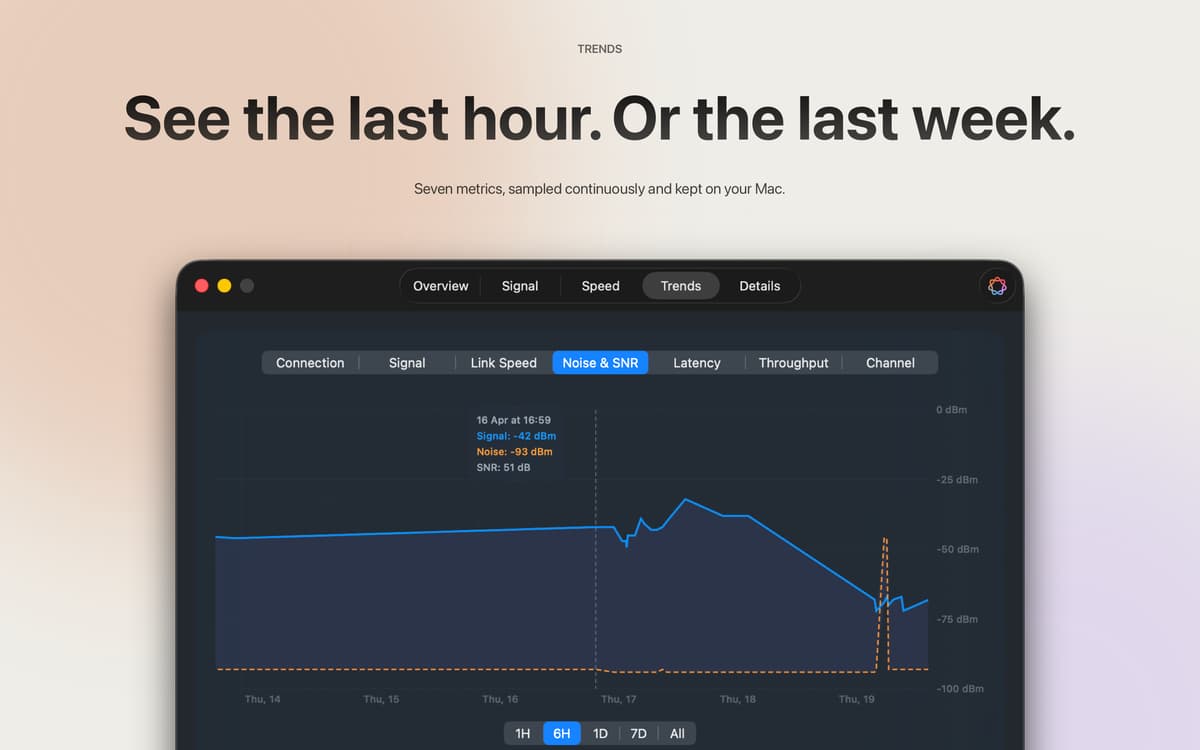
Verfolgen Sie Signaltrends über Stunden und Tage
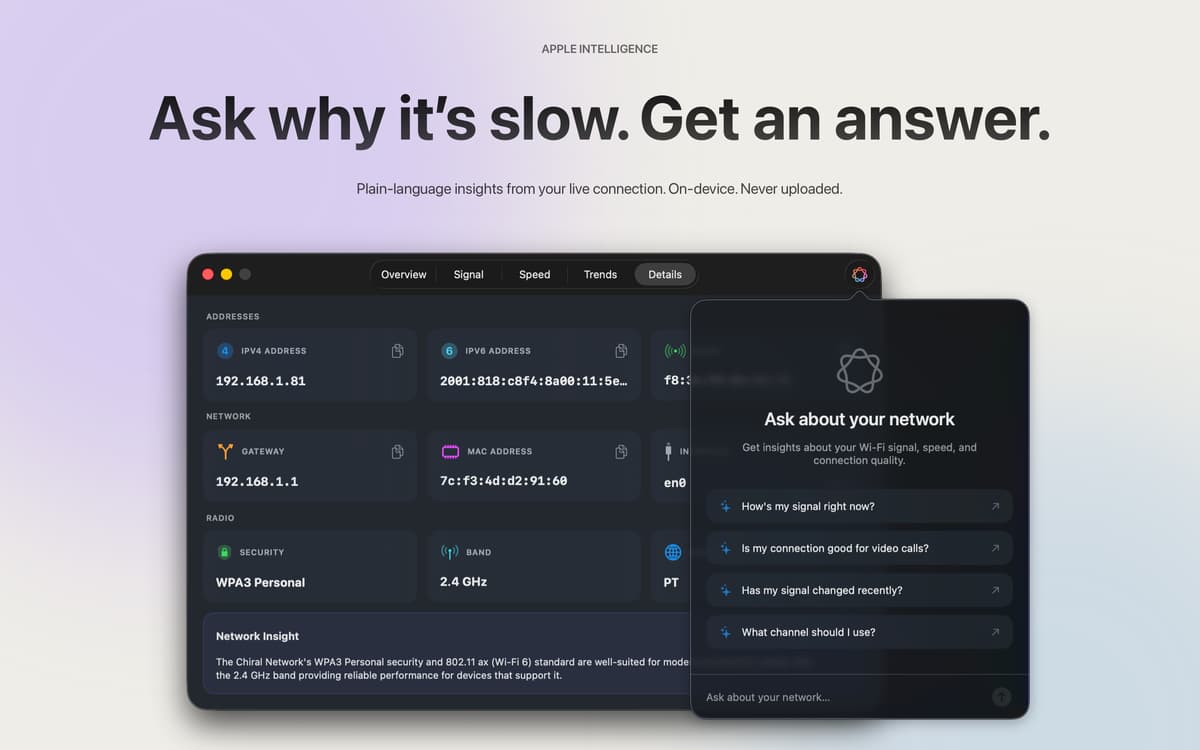
Frag die KI, warum deine Verbindung seltsam wirkt
Wifilicious-Funktionen
Das Gesamtbild auf einen Blick
Signalqualität, Sicherheitsstandard, Live-Durchsatz, Latenz und DNS-Timing – alles in einem Dashboard, das alle zwei Sekunden aktualisiert wird. Die Messwerte, die Ihr Mac im Stillen gesammelt hat, endlich an einem Ort, wo Sie sie einsehen können.
Geschwindigkeitstests, die tatsächlich Ihr WLAN testen
Die meisten Geschwindigkeitstests messen die Leitung Ihres Internetanbieters. Diese Funktion misst die WLAN-Verbindung zwischen Ihrem Mac und Ihrem Router – hier liegt normalerweise das Problem. Drei Stichproben, Medianwert, kein Account erforderlich. Verbraucht etwa 9 MB Download und 5 MB Upload pro Durchlauf, sodass Sie jederzeit testen können, wenn etwas nicht stimmt, ohne sich Gedanken zu machen.
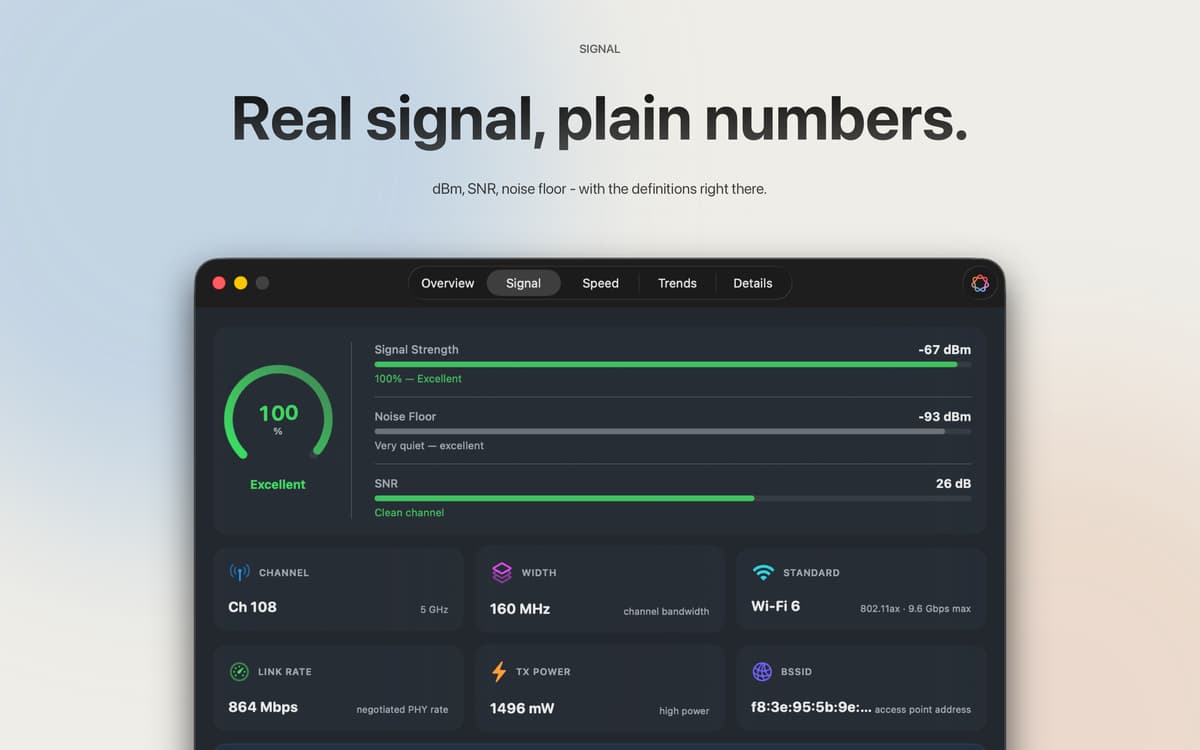
Die Rohzahlen, erklärt
RSSI in dBm, Signal-Rausch-Verhältnis, Sendeleistung, Kanalbreite, PHY-Modus – alles auf einen Blick. Alle Felder sind kopierbar. Jede Kennzahl wird mit einer verständlichen Erklärung geliefert, sodass Sie kein Netzwerktechnikstudium benötigen, um zu verstehen, was Sie betrachten.
Zwei Wochen Geschichte
Signalstärke, Verbindungsgeschwindigkeit, Rauschen, SNR, Latenz, Durchsatz und Kanal – alle fünf Minuten erfasst und 14 Tage lang gespeichert. Gehen Sie eine Stunde, einen Tag oder die vollen zwei Wochen zurück, um genau zu sehen, wann die Probleme aufgetreten sind. Jede Probe bleibt auf Ihrem Mac.
Apple Intelligence, basierend auf Ihren echten Daten
Unter macOS 26 und höher liest Apple Intelligence Ihre Live-Verbindungsdaten und antwortet wie ein Freund, der sich wirklich mit Netzwerken auskennt. Fragen Sie „Ist das für einen Videoanruf geeignet? Auf dem Gerät, in Ihrer Sprache, niemals hochgeladen.
Menüleiste, Dashboard oder beides
Eine schnelle Signalanzeige in der Menüleiste übernimmt die „Ist gerade alles in Ordnung? Das vollständige Dashboard übernimmt alle weiteren Aufgaben. Sechs Icon-Stile, benutzerdefinierte Signalfarben – Sie entscheiden, was angezeigt wird und wie.
Erhalten Sie Hunderte von Apps mit Membership
Werden Sie Setapp Member und nutzen Sie mit nur einem Abonnement hunderte genialer Apps.
Testen Sie 7 Tage kostenlos, im Anschluss nur eine einfach monatliche Gebühr.
Setapp auf dem Mac installieren
Erkunden Sie Apps für Mac, iOS und Web. Finden Sie einfache Möglichkeiten für die Bewältigung täglicher Aufgaben.

Die gesuchte App finden
In Setapp wartet eine wunderbare App auf Sie. Installieren Sie sie mit einem Klick.

Wifilicious
Abonnement wählen
Eine App oder mehr mit der Setapp Membership. Holen Sie sich Apps, so wie Sie es möchten.

Erhalten Sie Hunderte von Apps mit Membership
Werden Sie Setapp Member und nutzen Sie mit nur einem Abonnement hunderte genialer Apps.
Testen Sie 7 Tage kostenlos, im Anschluss nur eine einfach monatliche Gebühr.
1
Setapp auf dem Mac installieren
Erkunden Sie Apps für Mac, iOS und Web. Finden Sie einfache Möglichkeiten für die Bewältigung täglicher Aufgaben.
2
Die gesuchte App finden
In Setapp wartet eine wunderbare App auf Sie. Installieren Sie sie mit einem Klick.
Wifilicious
3
Abonnement wählen
Eine App oder mehr mit der Setapp Membership. Holen Sie sich Apps, so wie Sie es möchten.
Die besten Apps
Von Planung und Routineaufgaben bis hin zu kreativen Tätigkeiten und Programmieren – mit den Apps von Setapp sind Sie bestens für Aufgaben gerüstet.

TypingMind
KI-Chat mit alternativer UI
Text erzeugen oder zusammenfassen
Prompt-Bibliothek nutzen
KI

Spark Mail
E-Mails verwalten
KI

CleanMyMac
Datenmüll entfernen

Bartender
Menüleiste anpassen

CleanShot X
Vielseitige Bildschirmfotos aufnehmen

Luminar Neo
Fotos bearbeiten
KI

ClearVPN
Sichere Verbindung herstellen

Craft
Mit Dokumenten arbeiten
KI
Wifilicious
Kenne dein WLAN