
WinPin
Windows that stay put

Mac
Version 1.3.5
macOS 15.0 oder neuer
17.6 MB
1 Sprachen
WinPin is a window manager for Mac that remembers where your windows belong. Reconnect a monitor, wake your Mac, or change your setup, and WinPin puts every window back. Tile windows into tidy layouts, save workspaces for focused work, and jump between windows in seconds. No dragging, no rebuilding your setup.
Bring your layout back after docking
Tile windows in halves, thirds, or sixths
Focus on one task, hide the rest
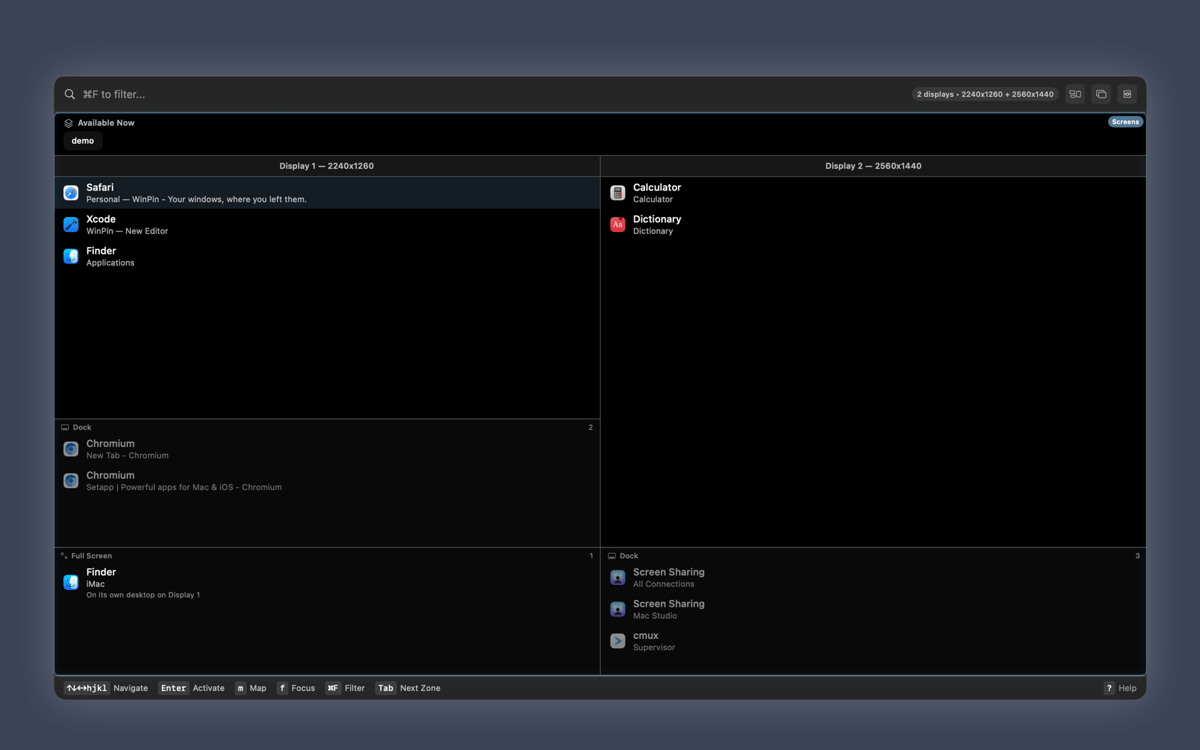
Jump to any window with fuzzy search
WinPin-Funktionen
Layouts that remember themselves
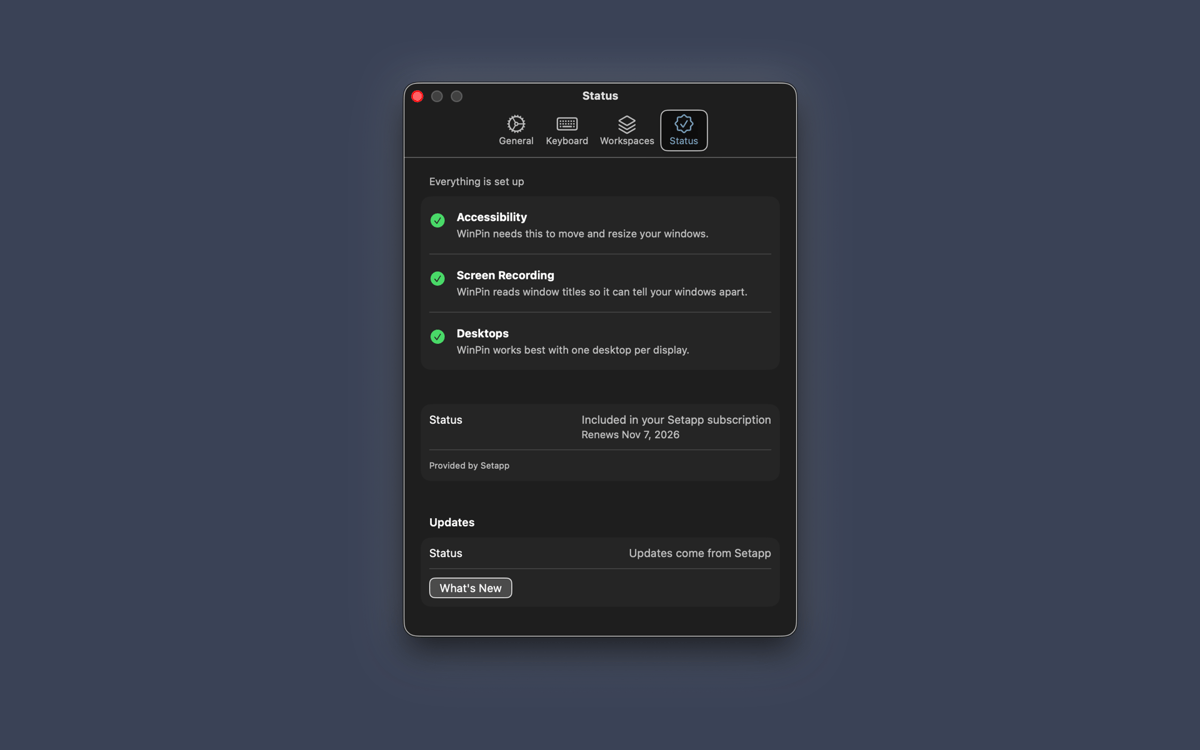
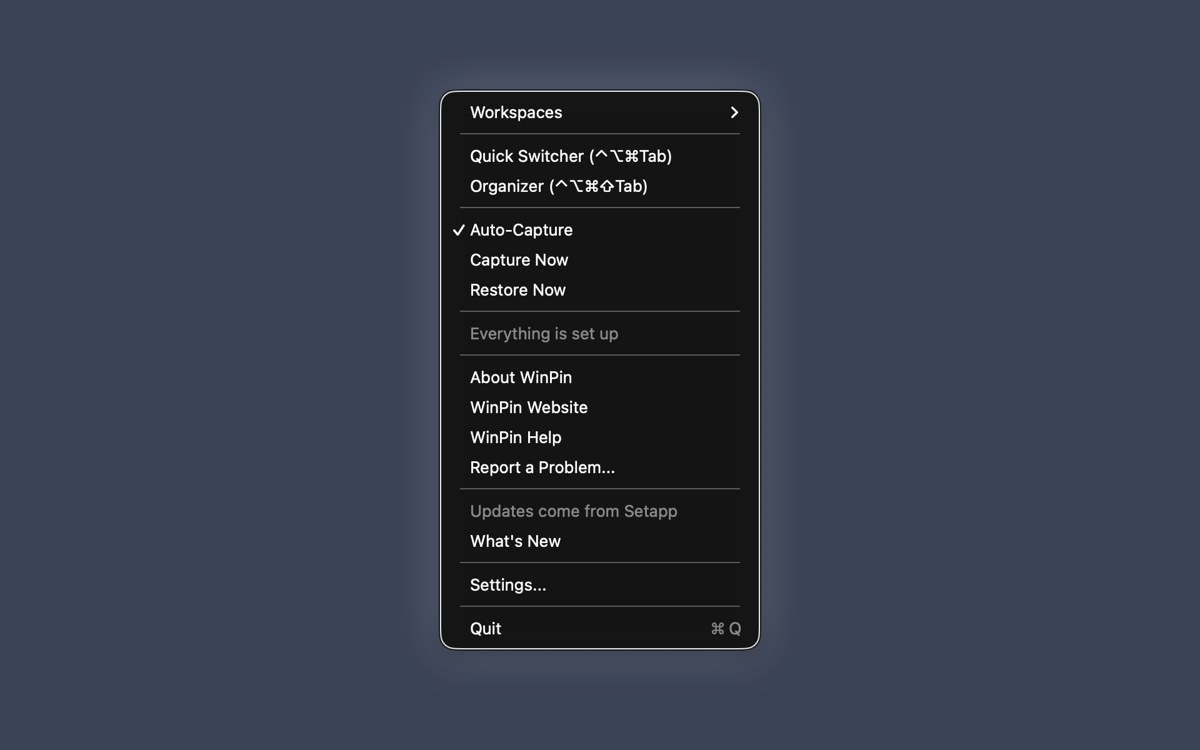
WinPin runs quietly in the menu bar and tracks every window's position, size, and display. When you reconnect a monitor or wake your Mac, everything goes back where it was. Each display setup keeps its own layout, so your desk and your laptop-only days never clash. If WinPin needs a permission from macOS, the Status tab shows what's missing and walks you through it.
38 tile layouts
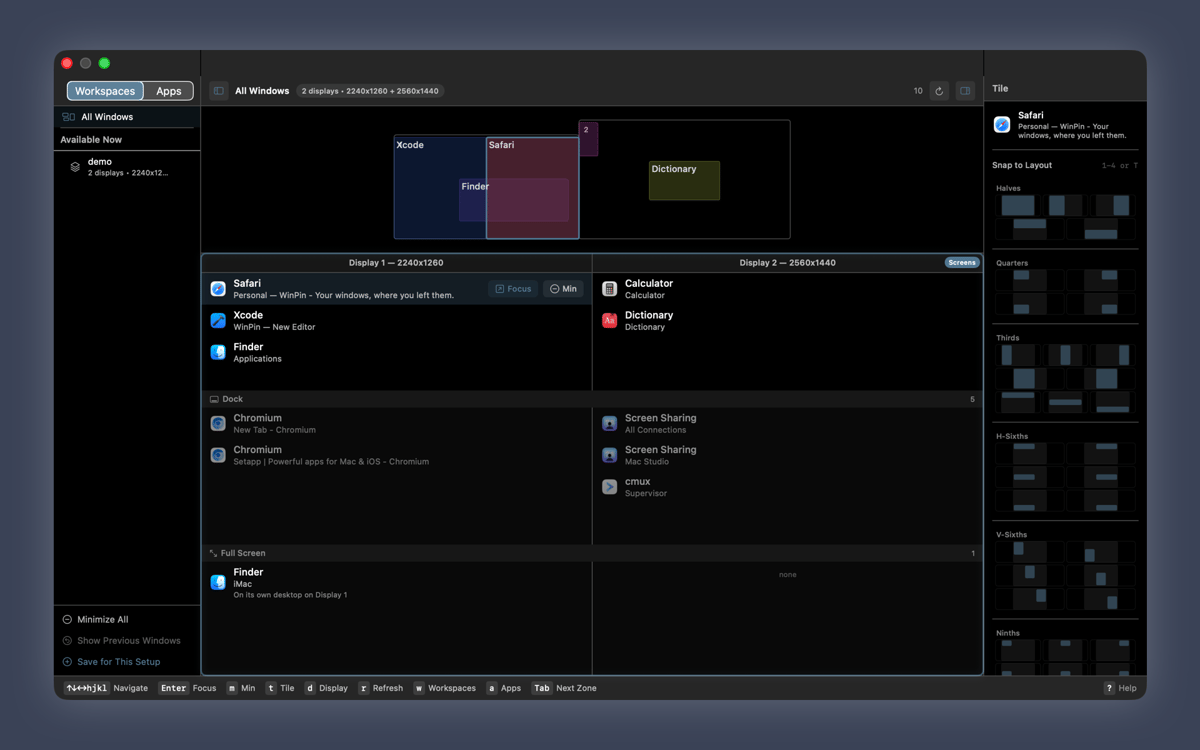
Pick from halves, quarters, thirds, sixths, and ninths. Hover over any window's minimize button and a tile picker pops up. Click a layout and the window snaps right in.
Organizer
See every window on every display in one bird's-eye view. Drag and drop windows between screens, or do it all from the keyboard. Have an app's windows scattered everywhere? Gather and Tile pulls them onto a single display.
Workspaces
Save the windows for a task, then bring them back with one key while everything else is put away. Need the rest of your windows? Press Mod+Z and they're back. WinPin also tells you which workspaces fit your current display setup.
Quick Switcher
Type a few letters and jump to any window. Fuzzy search finds the one you want, even if you only remember part of its name.
Focus Mask
Dim everything except the window you're working in. Your other windows stay right where they are, just a bit quieter.
Erhalten Sie Hunderte von Apps mit Membership
Werden Sie Setapp Member und nutzen Sie mit nur einem Abonnement hunderte genialer Apps.
Testen Sie 7 Tage kostenlos, im Anschluss nur eine einfach monatliche Gebühr.
Setapp auf dem Mac installieren
Erkunden Sie Apps für Mac, iOS und Web. Finden Sie einfache Möglichkeiten für die Bewältigung täglicher Aufgaben.

Die gesuchte App finden
In Setapp wartet eine wunderbare App auf Sie. Installieren Sie sie mit einem Klick.

WinPin
Abonnement wählen
Eine App oder mehr mit der Setapp Membership. Holen Sie sich Apps, so wie Sie es möchten.

Erhalten Sie Hunderte von Apps mit Membership
Werden Sie Setapp Member und nutzen Sie mit nur einem Abonnement hunderte genialer Apps.
Testen Sie 7 Tage kostenlos, im Anschluss nur eine einfach monatliche Gebühr.
1
Setapp auf dem Mac installieren
Erkunden Sie Apps für Mac, iOS und Web. Finden Sie einfache Möglichkeiten für die Bewältigung täglicher Aufgaben.
2
Die gesuchte App finden
In Setapp wartet eine wunderbare App auf Sie. Installieren Sie sie mit einem Klick.
WinPin
3
Abonnement wählen
Eine App oder mehr mit der Setapp Membership. Holen Sie sich Apps, so wie Sie es möchten.
Die besten Apps
Von Planung und Routineaufgaben bis hin zu kreativen Tätigkeiten und Programmieren – mit den Apps von Setapp sind Sie bestens für Aufgaben gerüstet.

TypingMind
KI-Chat mit alternativer UI
Text erzeugen oder zusammenfassen
Prompt-Bibliothek nutzen
KI

Spark Mail
E-Mails verwalten
KI

CleanMyMac
Datenmüll entfernen

Bartender
Menüleiste anpassen

CleanShot X
Vielseitige Bildschirmfotos aufnehmen

Luminar Neo
Fotos bearbeiten
KI

ClearVPN
Sichere Verbindung herstellen

Craft
Mit Dokumenten arbeiten
KI
WinPin
Windows that stay put