Great for Mac, iPhone, and iPad
Your Apple devices serve you better when they integrate together. Use these apps across your Mac, iPhone, and iPad to work smarter.
Enjoy these apps on all your devices
Spark Mail: Manage all emails in one place
Spark Mail brings all your email accounts together and syncs them across your devices. The app helps you focus on important emails and quickly clear the rest. You can snooze emails, save time with templates, and set follow-up reminders.
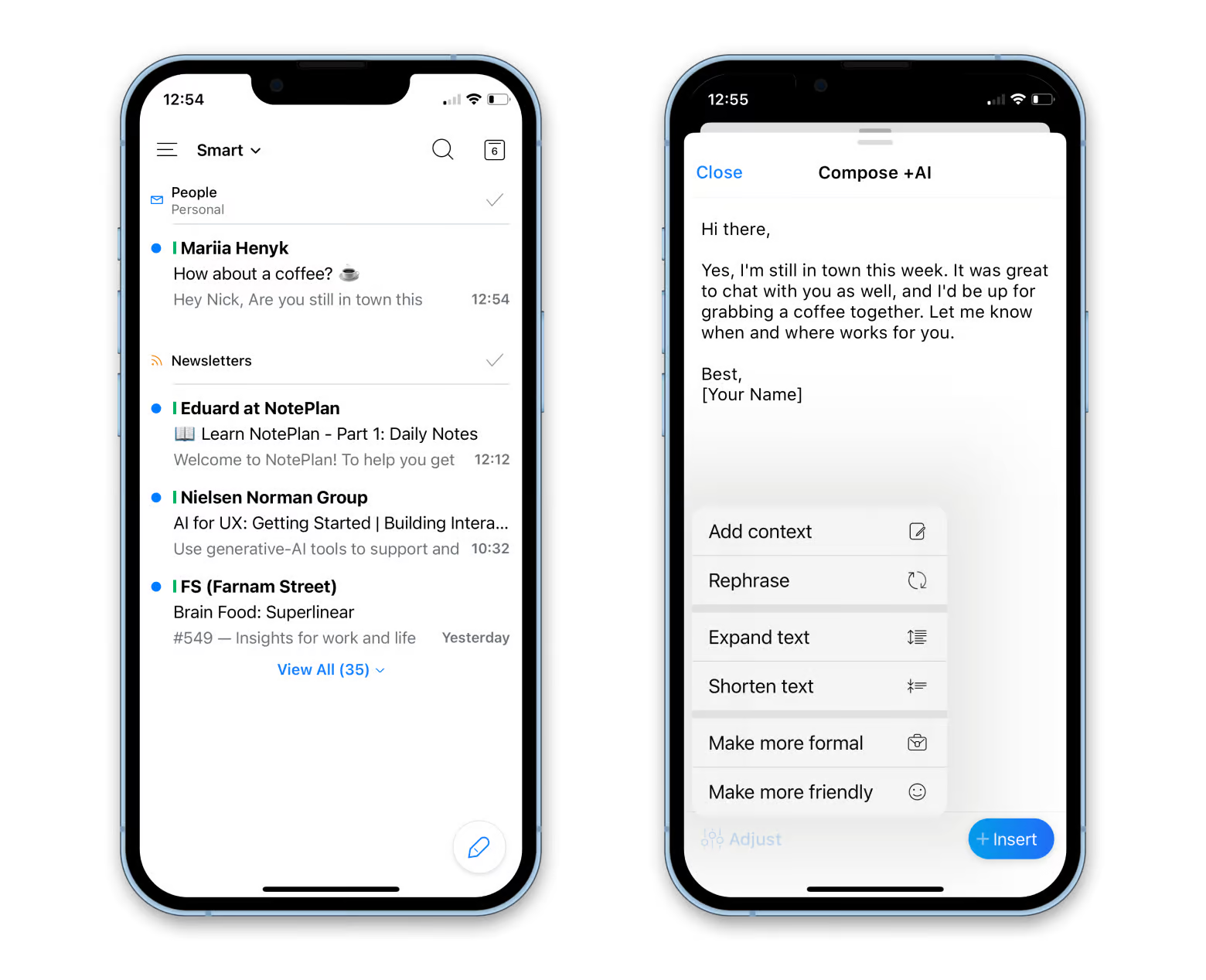 No time for typing an email reply from your phone? Use AI tools to generate messages, edit your drafts, and quickly reply to emails. Spark Mail can also summarize long email threads for you.
NotePlan: Get more organized
No need to jump between your notes and calendar — manage them in one place with NotePlan. Jot down a note or task with a deadline, and it automatically appears in your calendar. The app works across devices, so your notes are always in sync.
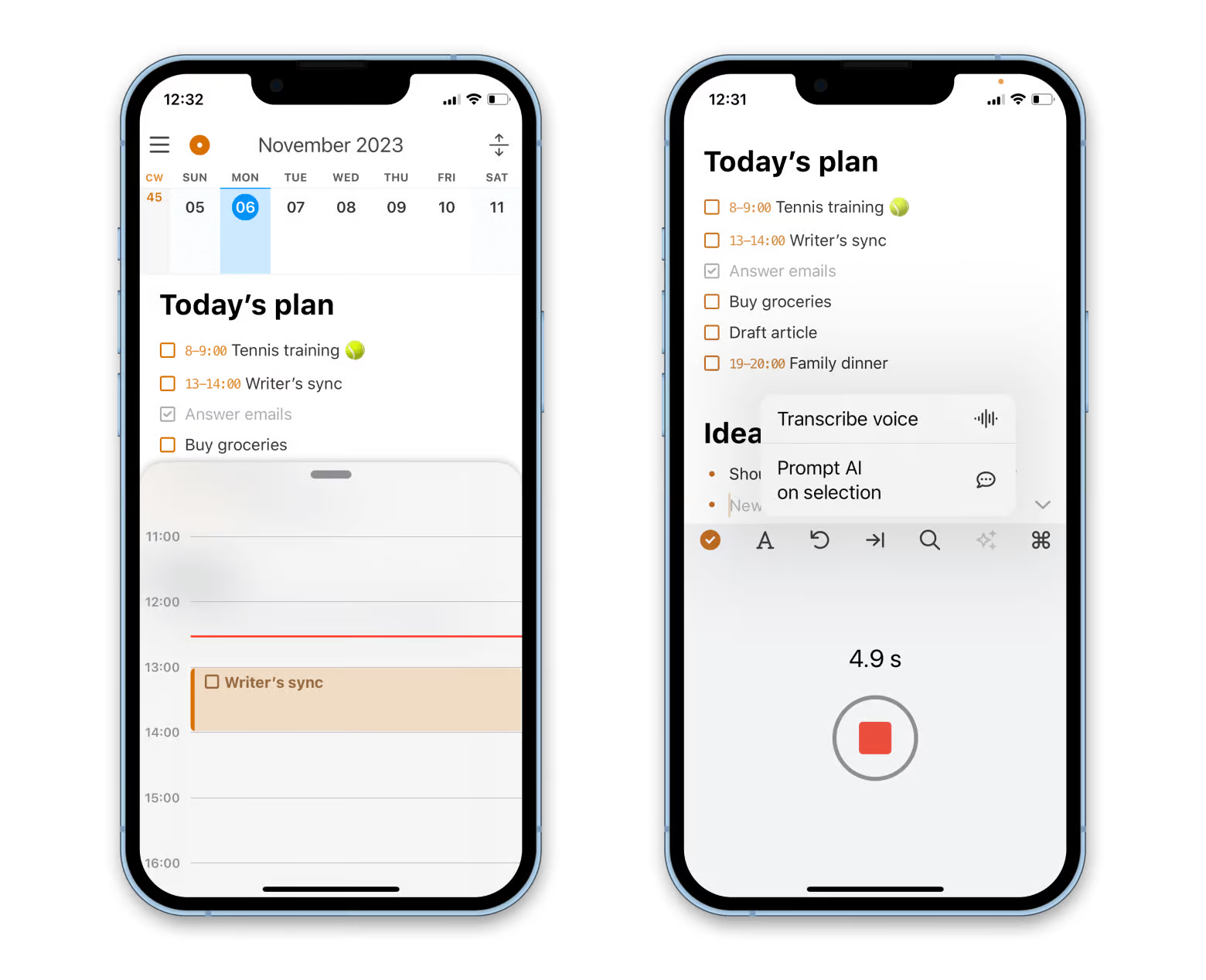
You don't even have to type those notes — just speak, and NotePlan transcribes your voice using AI. This is a huge time-saver, especially for a small iPhone screen.
Elephas: Speed up your writing with AI
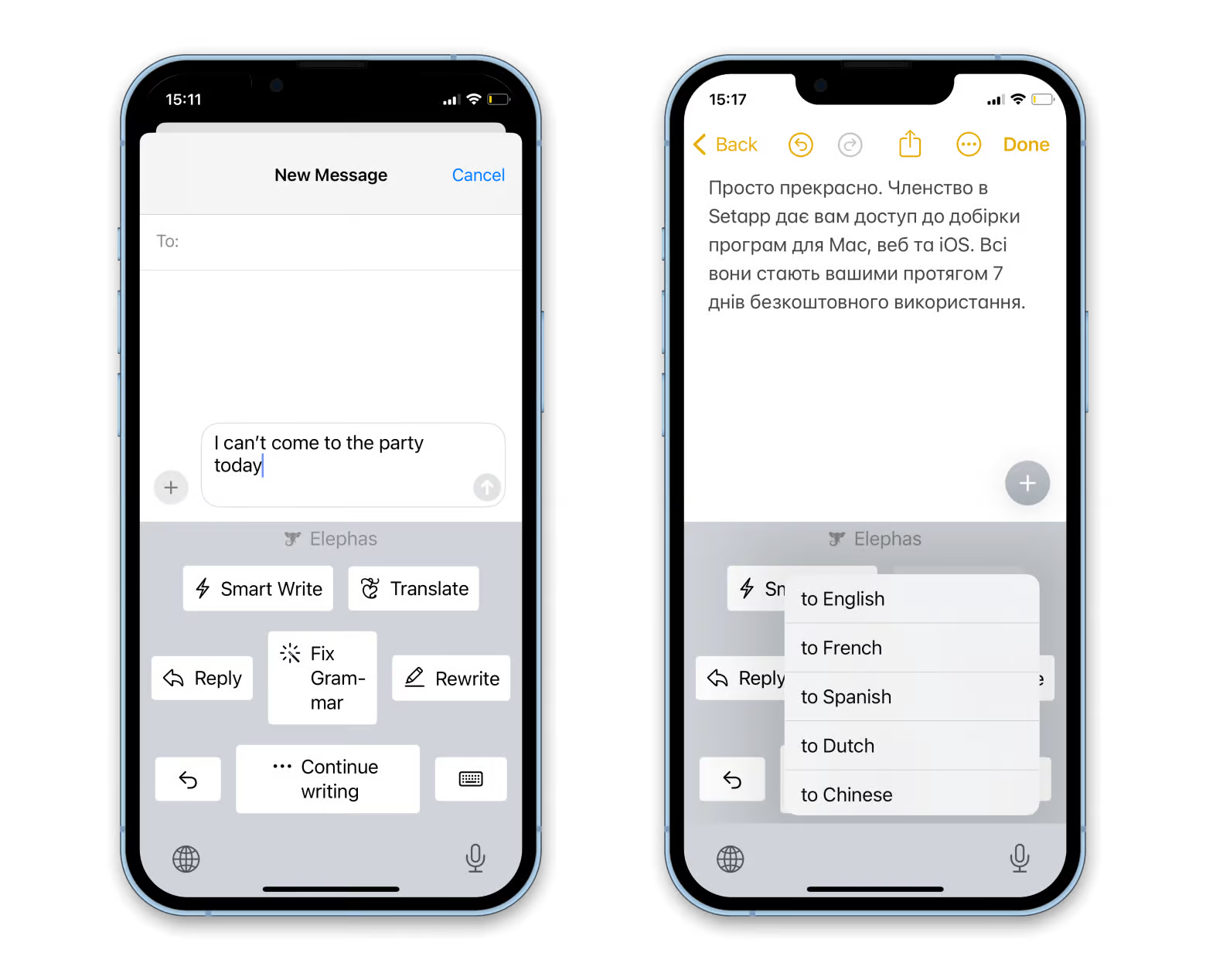
Elephas is an AI writing assistant that works across all apps on your Mac, from Google Docs to Mail. On iOS, Elephas adds AI features to your keyboard, so you can generate, rewrite, and translate the text wherever you type.
Session: Enjoy the true productivity
Struggling with procrastination? Session can help you get things done. This Pomodoro timer blocks distracting apps and websites on your Mac to help you focus. On iOS, Session shows the timer on your Lock Screen — that's a great reminder to get back to work when you pick up your device.
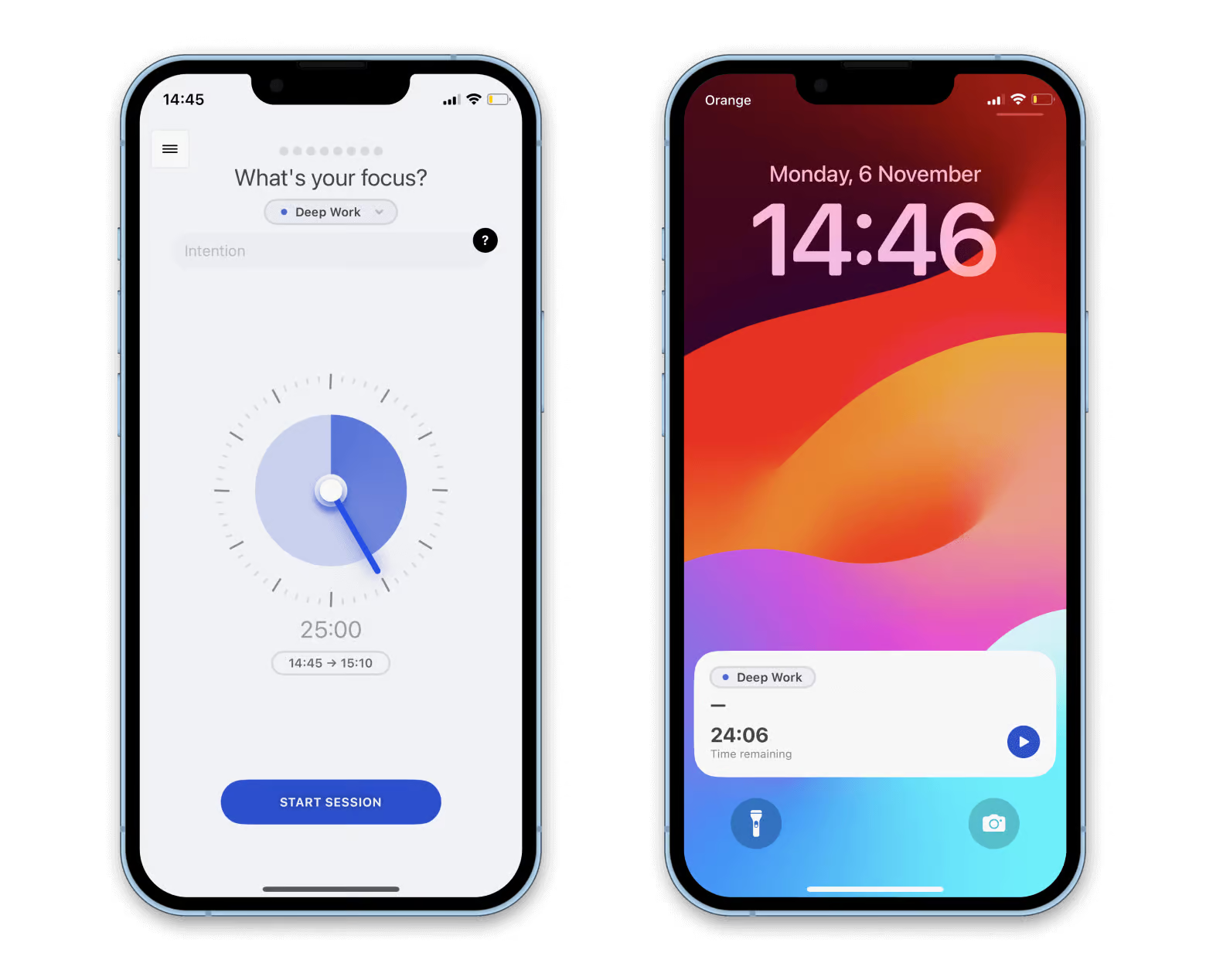
We also love Session for the incredible amount of insights it collects regarding your productivity. Make sure to check the trends and spot your productivity blockers.
SnapMotion: Capture images from videos
Taking a perfect shot can be tricky, especially with moving objects (think cats or ocean waves). Here's a workaround: Shoot a video and extract the right image using SnapMotion.
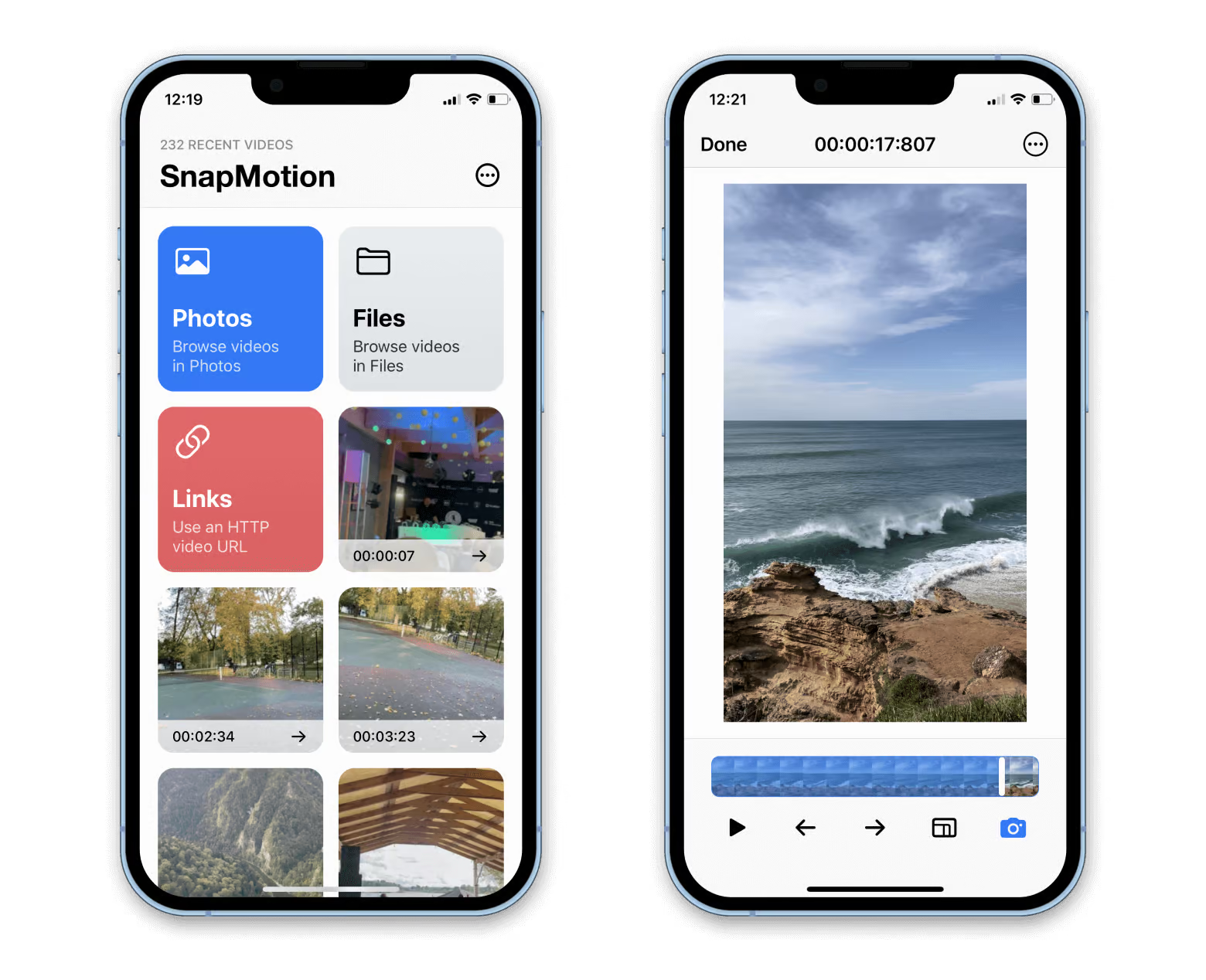 You're probably shooting videos on your iPhone, so you can use SnapMotion right there — just open a desired video from the Photos app.
ClearVPN: Browse the web securely
Whether you want to stay safe while on public Wi-Fi or access geo-restricted content, take ClearVPN with you. This intuitive VPN works across Mac, iPhone, and iPad and lets you change your virtual location with a click (or tap).
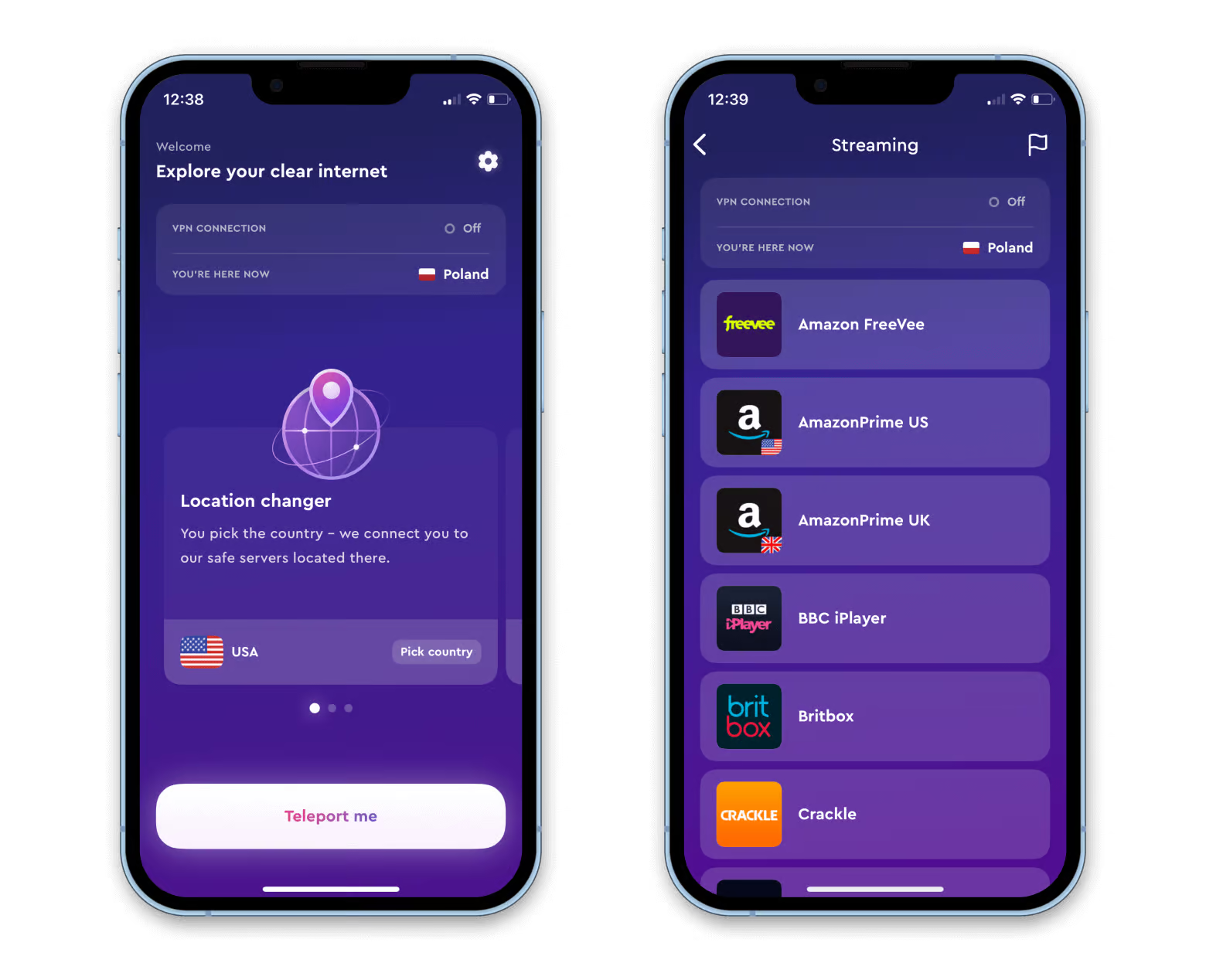 ClearVPN also offers three security modes depending on your goal — higher protection or fewer restrictions.
Step Two: Add an extra security level
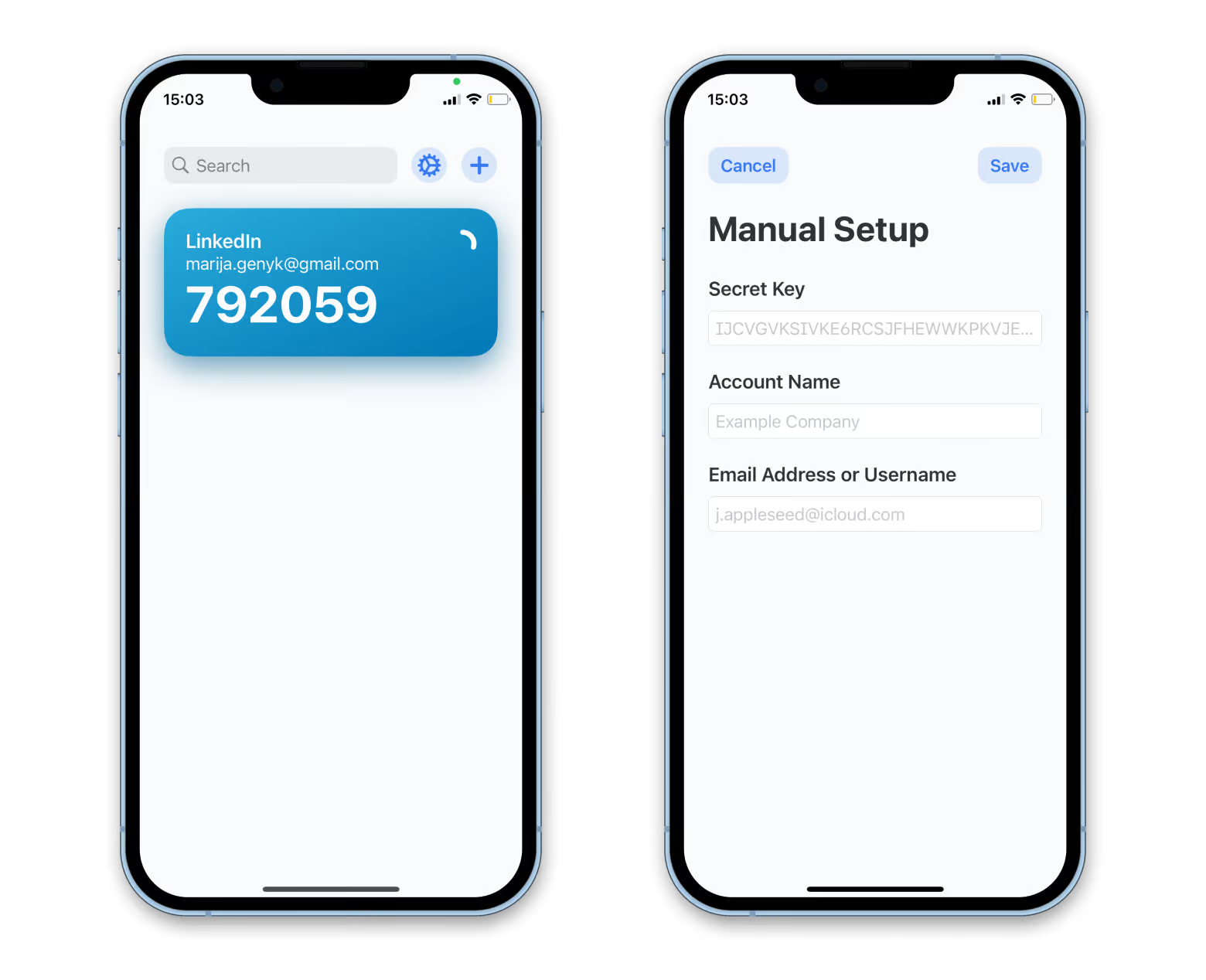
Protect your online accounts with two-step authentication — this is a lifesaver if someone cracks your password. Use Step Two to generate and copy verification codes with ease. The app works both on Mac and iOS and supports many online accounts, including Google, Amazon, and Facebook.
Dropshare: Get additional storage
One app, every cloud storage. Dropshare gives you a common space for storing all your essential screen captures and files, including the ones you keep in the cloud.
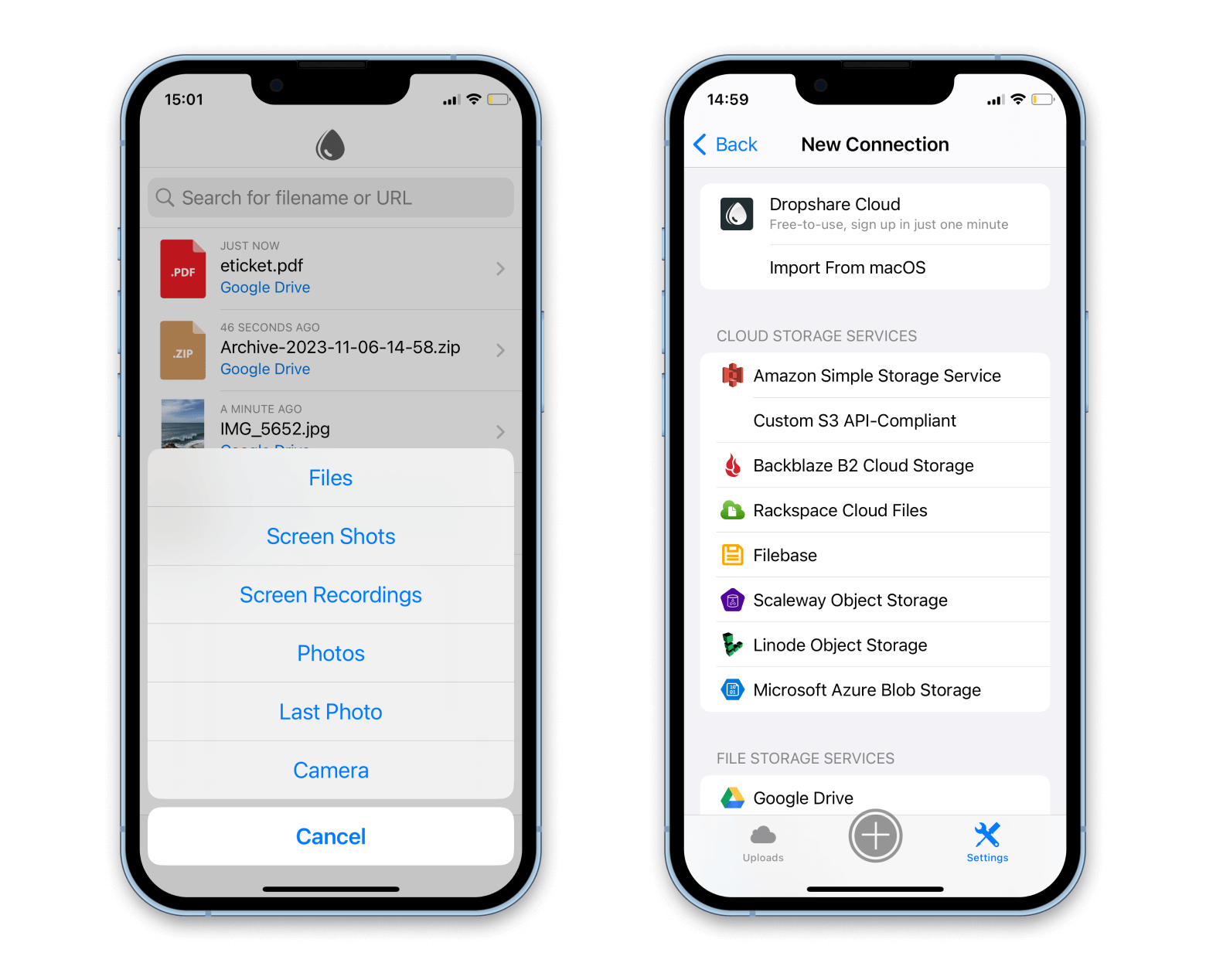
Why Dropshare is powerful:
- Access your past uploads on the go. Your iOS app will sync with the desktop one, showing the complete history of your file uploads on iPhone and iPad.
- Save iPhone storage. Not only can you save files to the storage accounts you already use, but Setappians also get 20 GB of complimentary storage from Dropshare — for all your screenshots, photos, and files.
Explore more iOS apps
Setapp features a few dozen iPhone and iPad apps in its collection. To find them all, open the All Apps page and click iOS Apps. Note: You need a "Power User" or "Mac + iOS" plan to use iOS apps on Setapp.
Hope this how-to will help you solve tasks faster, and enjoy solving them, too! Check out more how-tos picked for you below.