Marketplace Membership
My Setapp

Time to share!

Share this link with a friend. Once they start their paid Setapp subscription, you’ll both get a free month.

Learn more
Setapp logo
Home Marketplace Membership How it works Solve with AI+ Pricing Blog About Setapp
My Setapp

Level up your iOS 17

Four apps to make it even better

Have you updated to iOS 17 already? We're really enjoying NameDrop and enhanced interactive widgets. And here are some ideas on how to make iOS 17 even better with Setapp apps.

Apps to get on iOS 17
Manage emails with interactive widgets

Spark Mail has a collection of handy email and calendar widgets. On iOS 17, some of them become interactive, so you can delete or mark emails as done right from the Home Screen. This is a great way to clean up your inbox without even opening the app.
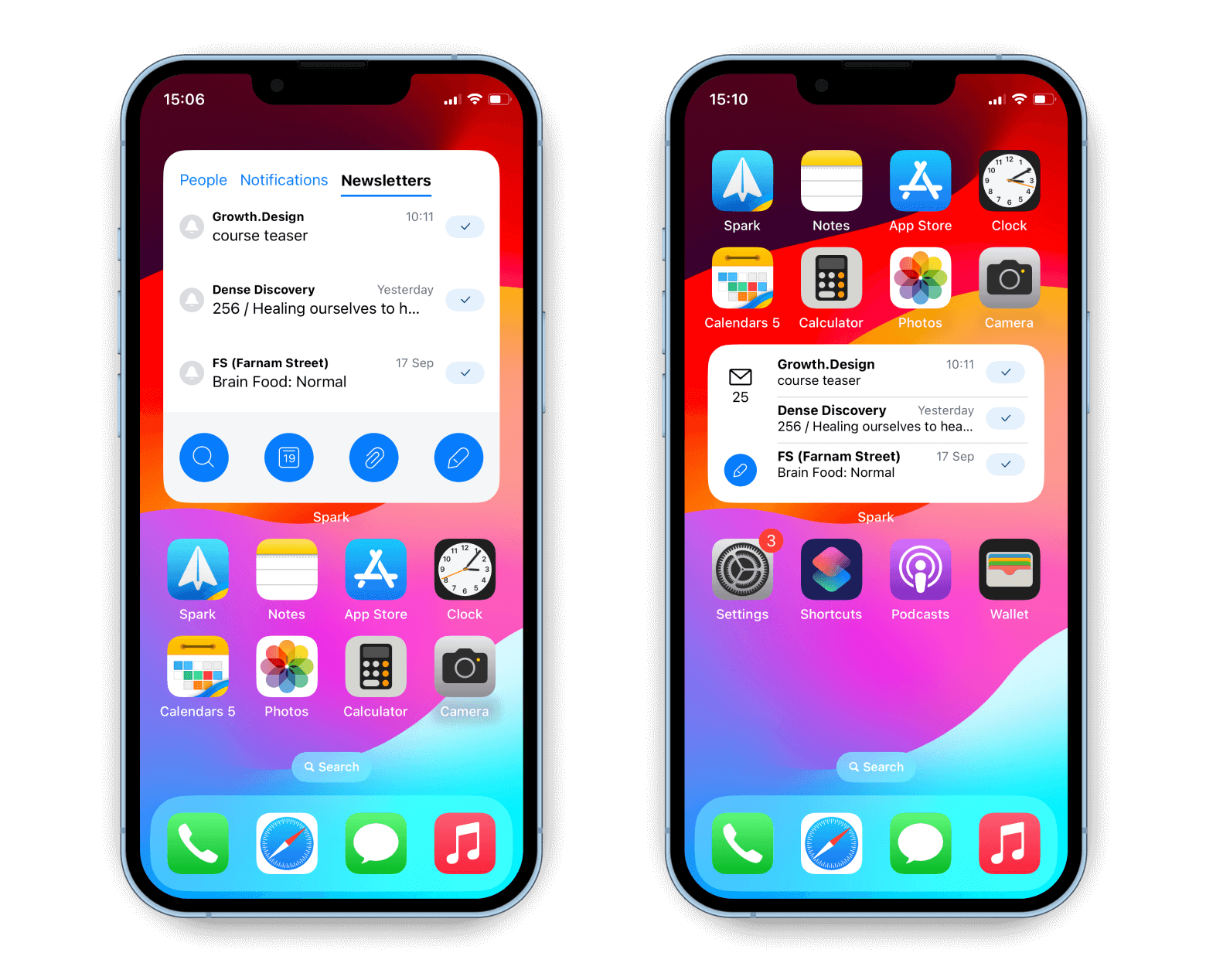
Tip: Long-tap on a widget to edit it. For example, you can choose to display emails only from a specific account.

Customize your widgets even more

Widget lovers and customizers, give Launcher a try. This ridiculously powerful app lets you craft your own widgets for Home Screen and Lock Screen. You can do many things right from a widget, from messaging a friend to playing your favorite playlist.
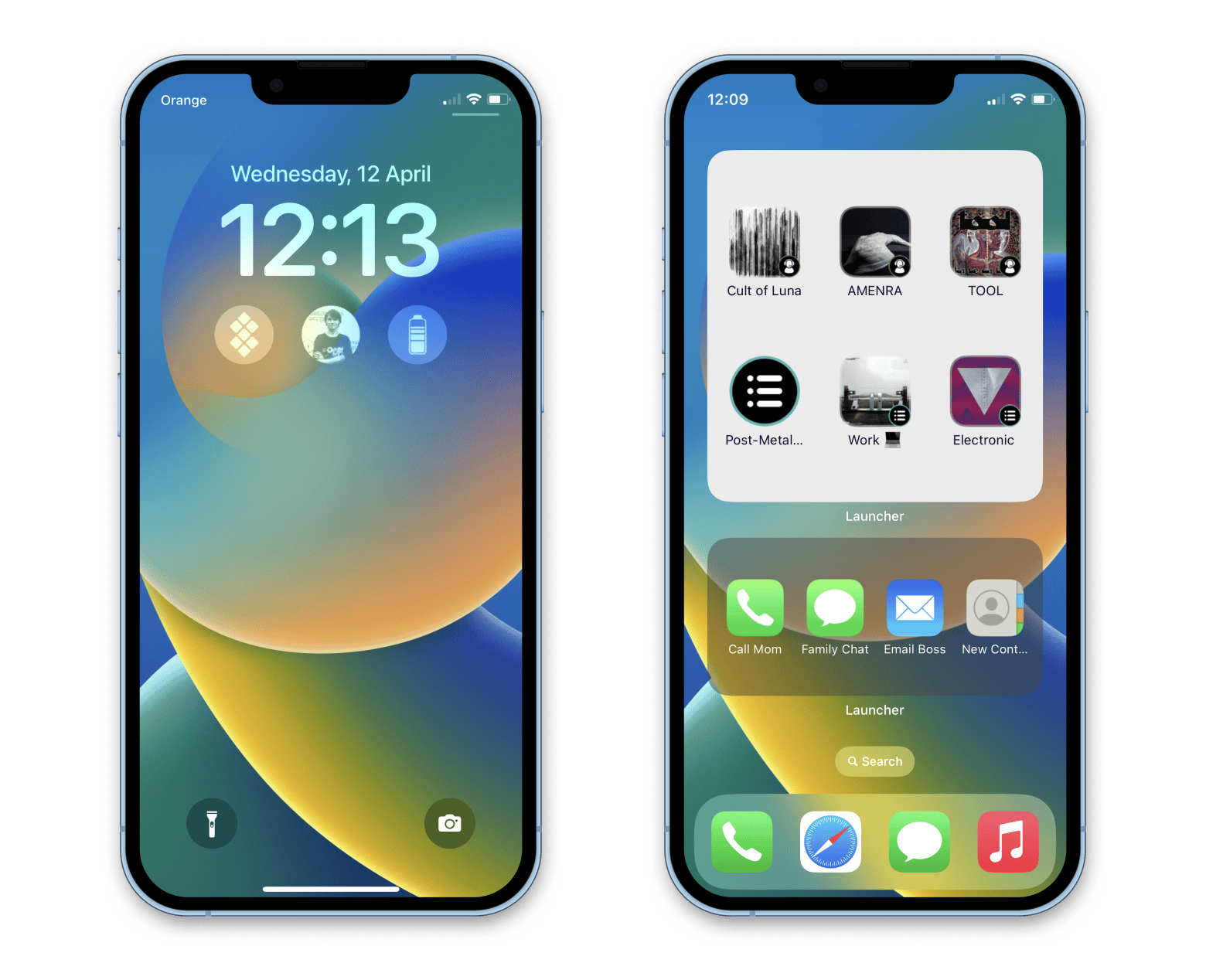
Tweak background color and even customize widget icons based on your location or time of the day. It's time to get creative!

Give journaling a try

Apple promises to add a built-in Journal app "later this year." But why wait if you have Diarly? Reflect on your day, capture precious memories, and throw in notes and photos — Diarly is a perfect place for your digital journal.
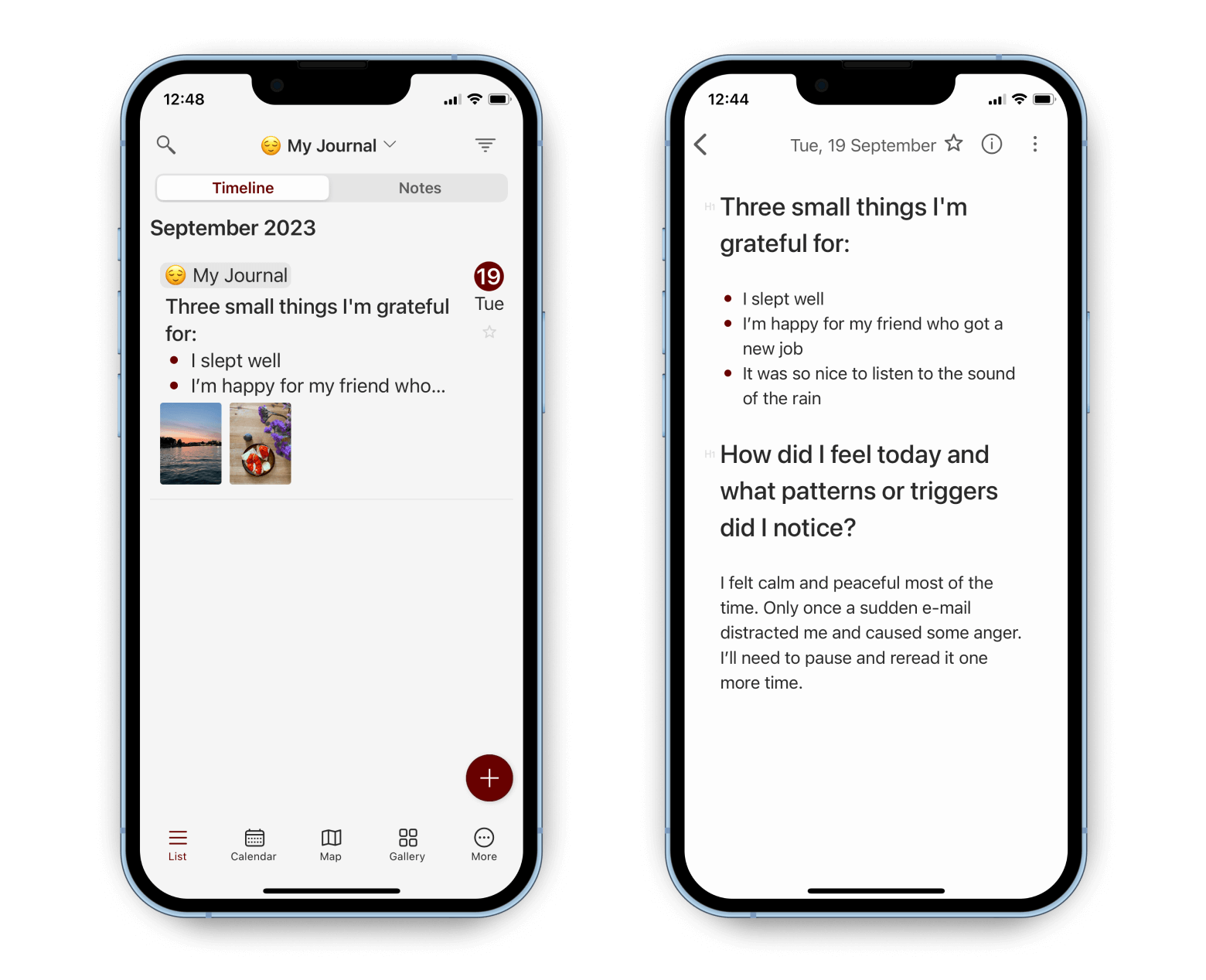
Don't know where to start? Use built-in prompts like "Three things I'm grateful for today" to start writing. 

Take care of your mental health

The built-in Health app now lets you log your mood and emotions. This helps you identify patterns and things that impact your well-being. Once you know yourself better, try UpLife. Curated by professional psychologists, the app brings 100+ guided sessions, meditations, and courses for mental health.
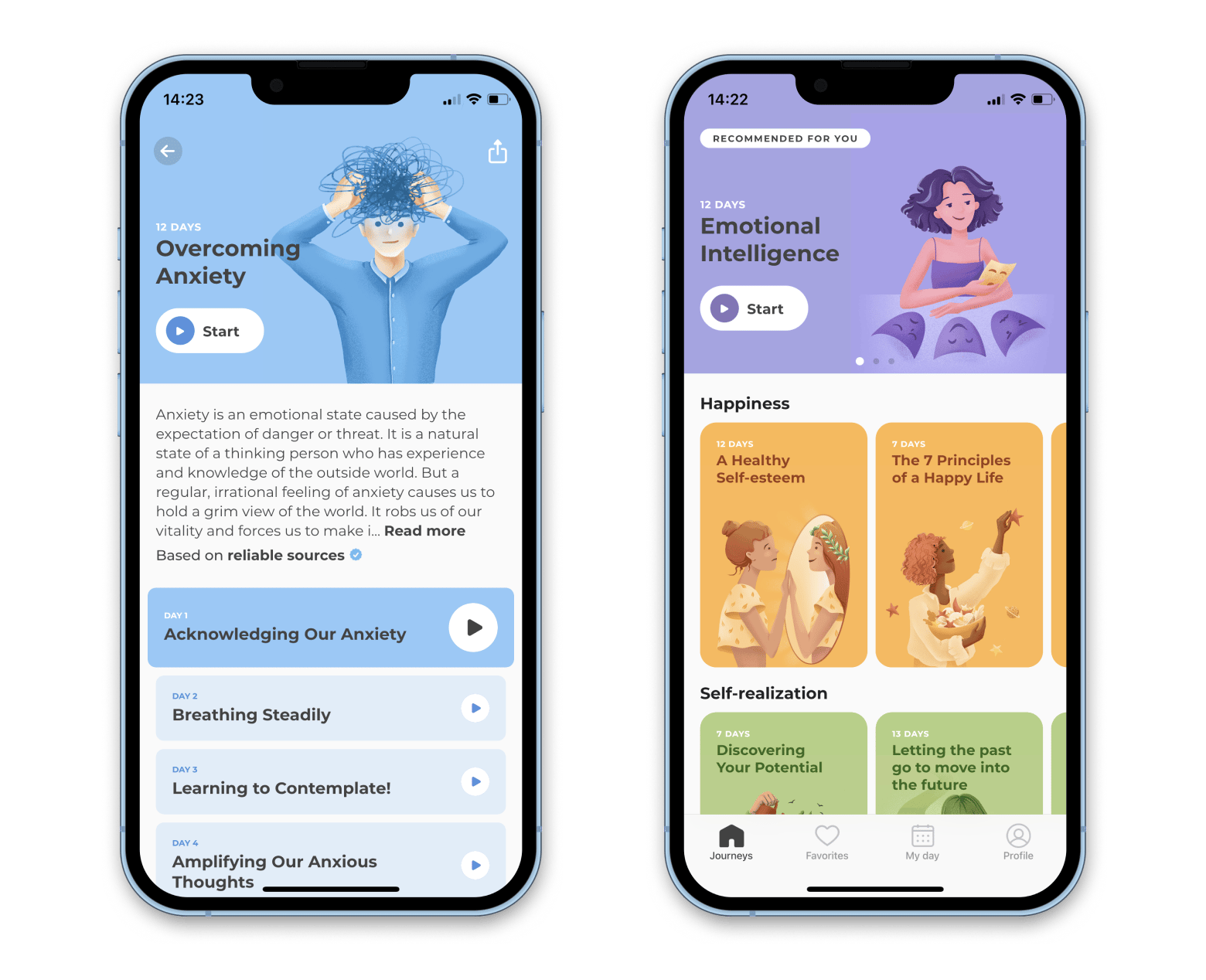
Select your goal — like reducing anxiety or improving emotional intelligence — and UpLife creates a personalized program for you.

Hope this how-to will help you solve tasks faster, and enjoy solving them, too! Check out more how-tos picked for you below.


More reads for you

Get ready for macOS Sonoma
Things to do before upgrading macOS
Essential iPhone and iPad apps
Here’s how to get them from Setapp
Setapp logo

Company

  • Home
  • All apps
  • How it works
  • Pricing
  • About Setapp
  • Download Setapp
  • Getting started with Setapp
  • Uninstall Setapp

Helpful

  • Support
  • Trust center
  • Join as a developer
  • Setapp reviews
  • Affiliate program
  • Blog

Inside the blog

  • Editorial process
  • How we evaluate apps
  • Human writing
  • Write for us

Best apps

  • VPN for Mac
  • YouTube downloader for Mac
  • Screen recorder for Mac
  • Recovery software for Mac
  • Password manager for Mac
  • Video editing software for Mac
  • Note–taking app for Mac
  • Terminal for Mac
  • Calendar app for Mac
  • Remote desktop for Mac
  • Cloud backup for Mac
  • Screenshot tool for Mac
  • Antivirus for Mac
  • Browser for Mac

Our best content

  • All macOS versions
  • All iOS versions
  • MacBook generations in order
  • iPhone releases in order
  • iPad generations in order
  • AirPods generations in order

How to's

  • View clipboard history on Mac
  • Change folder icon or color on Mac
  • Recover deleted iPhone photos
  • Access unrecognized external drive
  • Access your Mac remotely
  • Use recovery mode on Mac
  • View and kill processes on Mac
  • Stop Mac from sleeping
  • Check MacBook temperature
  • Fix frozen Mac
  • Reset iPhone
  • Reset iPad

Our tools

  • Apple serial number
  • iPhone serial number
  • Mac serial number
  • iPad serial number
  • AirPods serial number
  • Apple Watch serial number
  • Apple warranty number
  • Mac warranty checker
  • iPad warranty checker
  • HEIC to JPG
  • HEIC to PNG
  • HEIC to PDF
  • GPTs for Mac

Updates from our team, written with love

Love is coming your way, soon. This doesn’t look right, please try again. Try once more, our server fell asleep for a bit.
I agree to receive emails from Setapp as per this Privacy Notice.
Please select the checkbox to continue.
Need help? Terms of Use Privacy Notice
© 2026 MacPaw Way Ltd., 25 Serifou, Allure Center 11, Office No. 11-12, 2nd Floor, 3046 Zakaki, Limassol, Cyprus
Sweet, let’s get you started
or sign in with
Apple icon
Google icon
Create a strong password
Come up with a unique password for your Setapp account:
  • 8 characters minimum.
  • At least 1 uppercase letter.
  • At least 1 lowercase letter.
What should we call you?
Continue with new account:
Captcha is required