Marketplace Membership
Sign in Try free
Setapp logo
Home Marketplace Membership How it works Solve with AI+ Pricing Blog About Setapp
Sign in

Make internet downloads faster

The wait is not fun 

It’s crazy how much we rely on internet speed. This became particularly evident in the era of video calls, when people say “your screen is frozen” at least three times a day. Here are five simple ways to boost your internet speed. 

Check your network 

The first thing that hampers internet speed is some kind of network problem. Troubleshooting WiFi sounds like something that only a qualified professional can do. But guess what, 80% of network problems can be fixed by you. With the help of good apps, that is. 

WiFi Explorer can check for network conflicts, signal overlaps, and signal-to-noise ratio — the most common network issues. And if you maximize the signal v noise, for example, you can seriously boost signal performance.


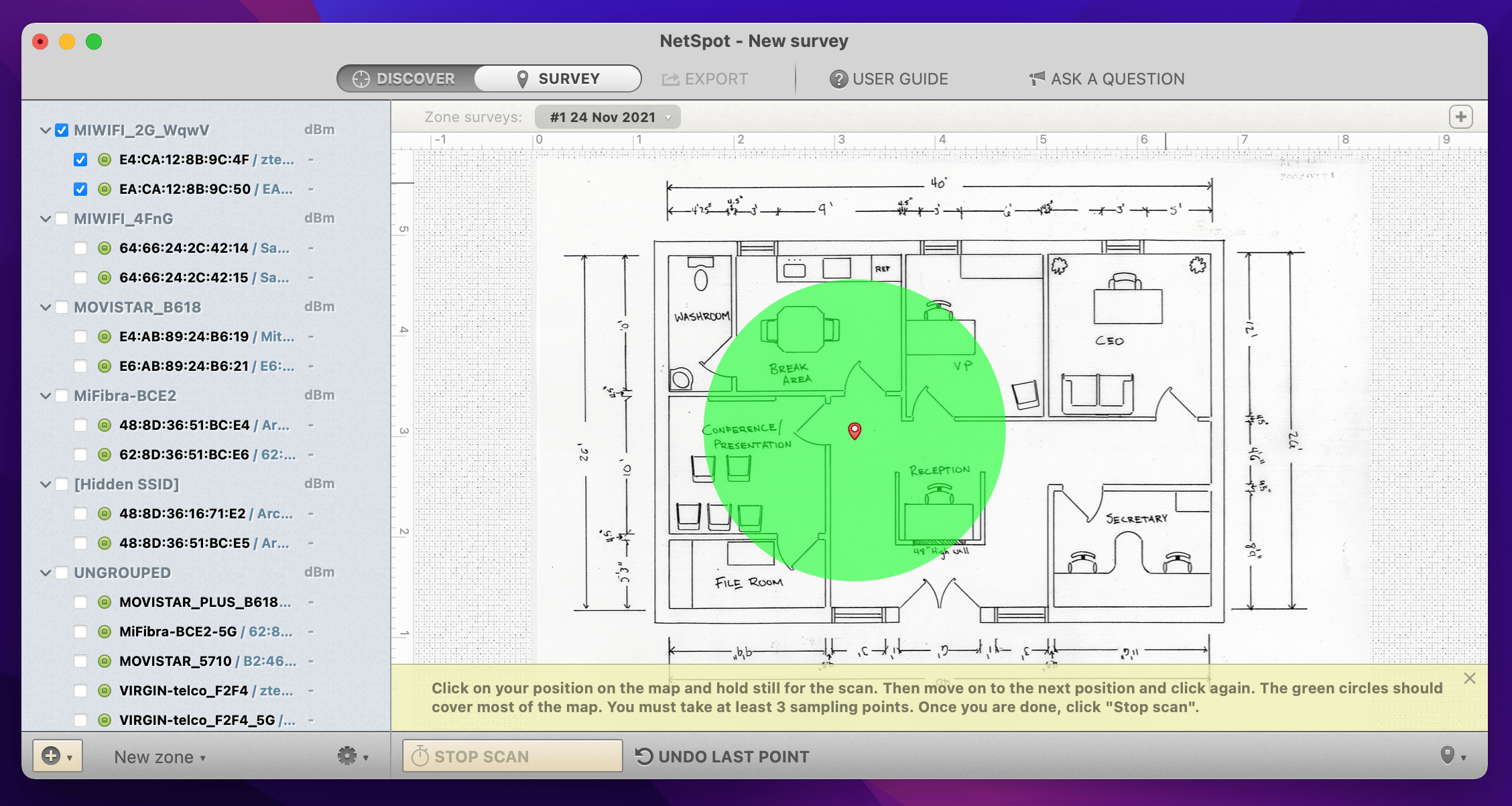
NetSpot will help check for dead spots — the spots in your room where the WiFi signal is extremely slow or non-existent. Based on NetSpot insights, you can move your WiFi router to a place with the best network signal, and therefore increase the internet speed. 
Run a speed test 

It’s fair to say that anything above 100 Mbps is considered good internet speed. However, it totally depends on what you want to do. For example, if you’re downloading a movie, you need a good download speed. But if you’re having a video call, upload speed is essential. 

CleanMyMac X can run speed tests on your network and show whether this speed is good enough for whatever you intend to do on Mac. 


Disable bandwidth-hogging apps

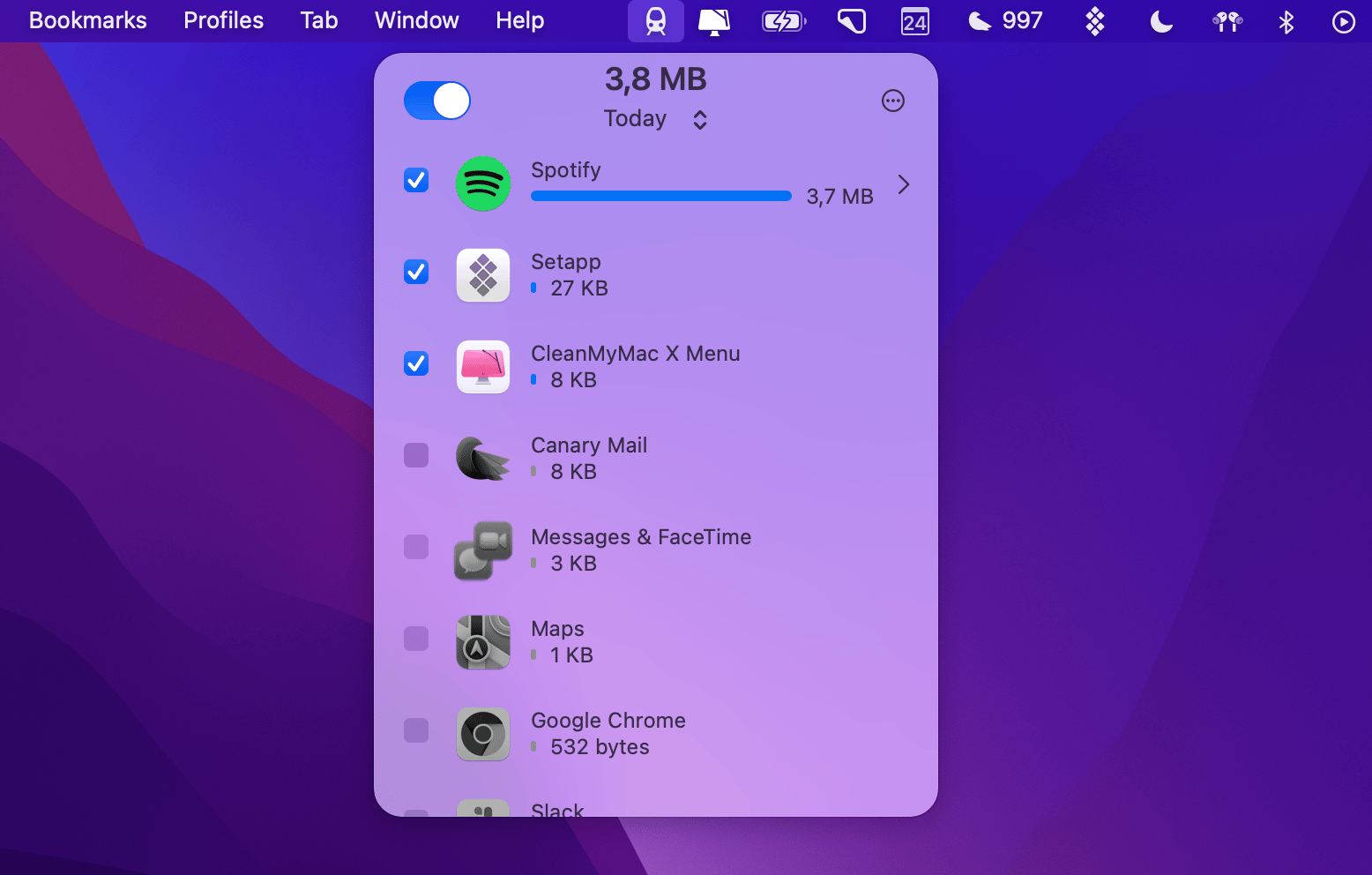
Whatever the internet speed, you can still speed up downloads with TripMode. It’s an app that essentially helps save internet data when you’re on mobile or expensive hotspots. You can use it to control bandwidth consumption by app. For example, if you want to speed up the download process in Spotify, you can reserve bandwidth for Spotify only. 
Achieve 20x better speed with Folx

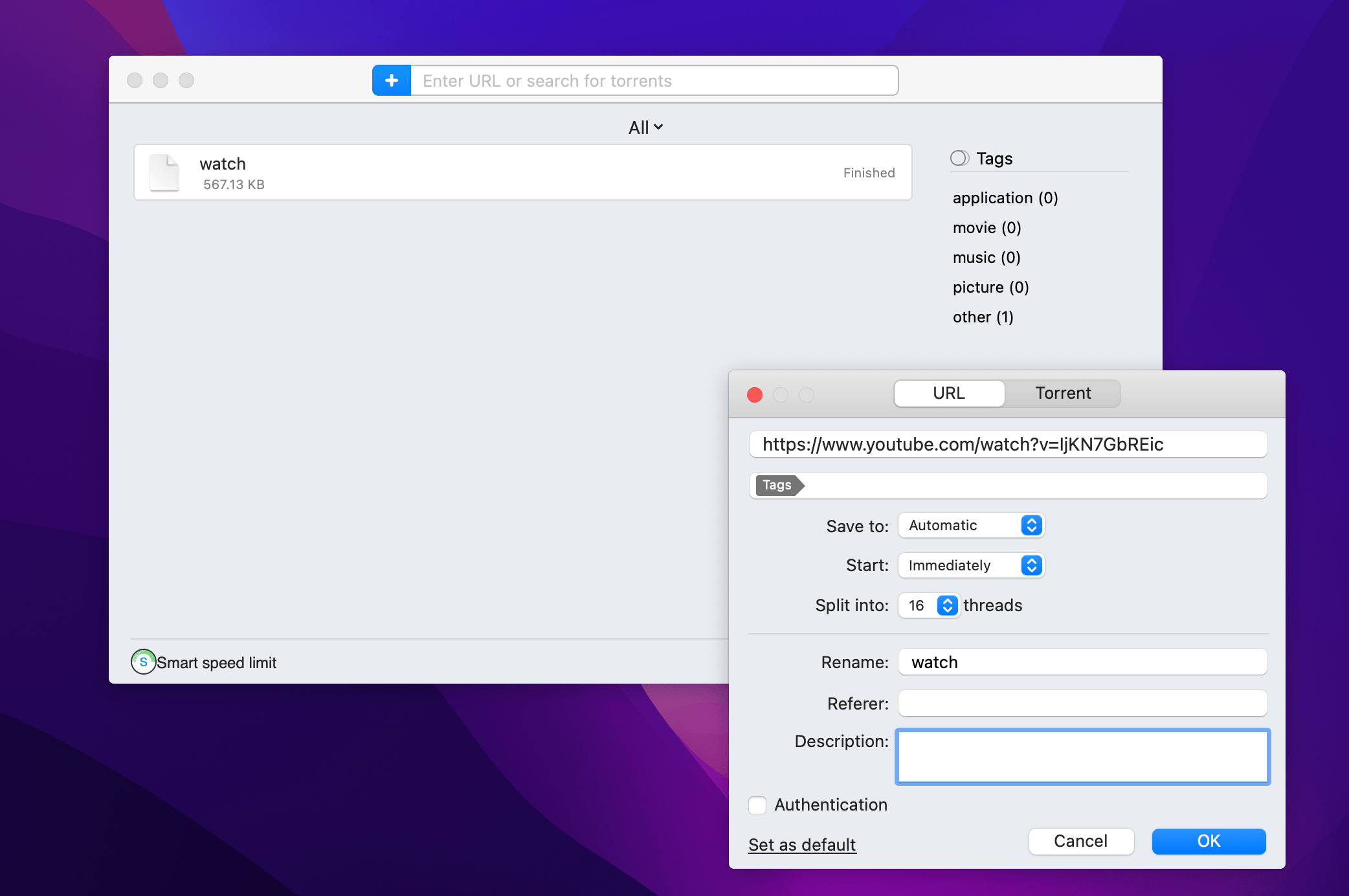
If you’re downloading videos, songs, or torrent files, speed up the process with Folx. It’s the fastest media downloader we know of. Folx’s superpower is that it can split downloads in up to 20 different streams, all running in parallel. This is how you download a video 20x times faster than with any other downloader. 
Speed up browser downloads 

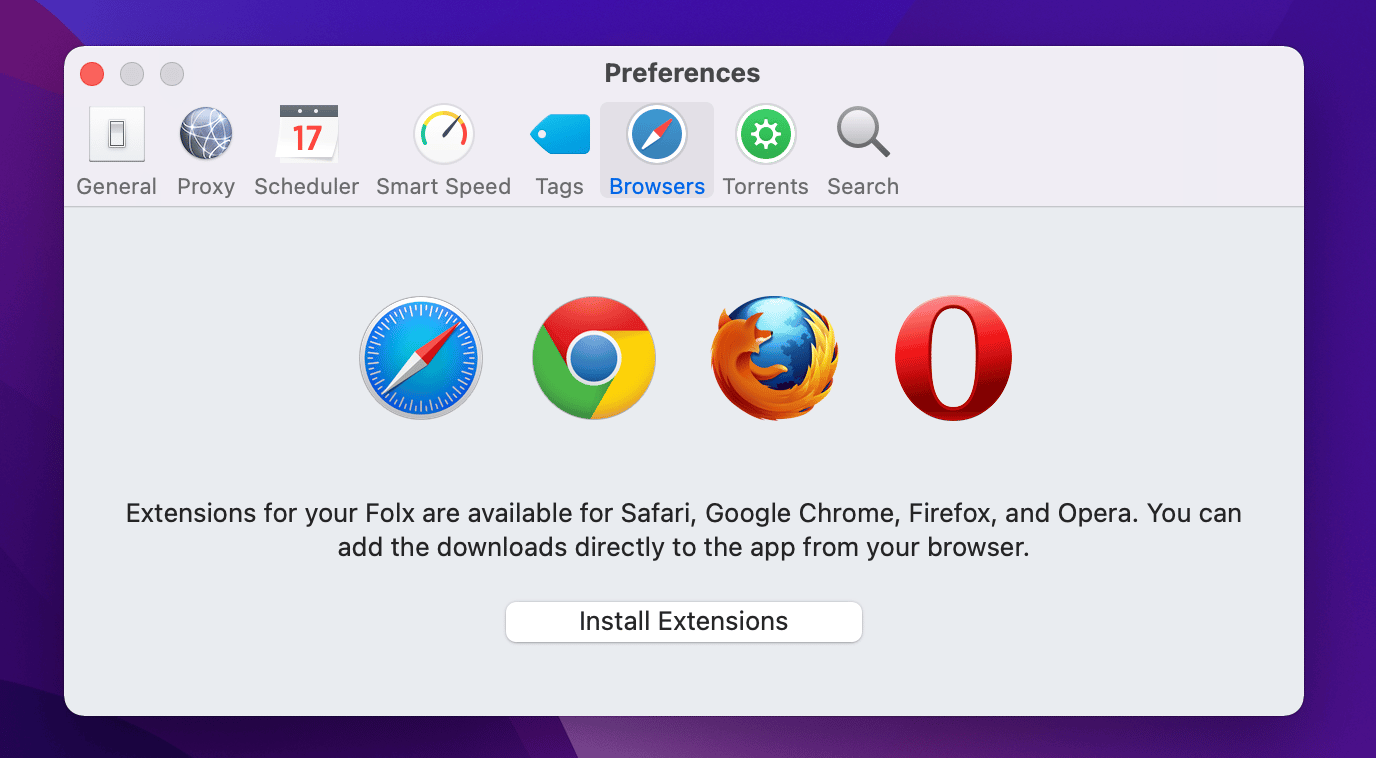
Downloading in Chrome or any other browser? Here’s a trick: send your downloads directly to Folx through a browser extension. You’ll certainly speed things up. Folx has extensions for all major browsers, which you can install from the app’s Preferences > Browsers. 
Hope this use case will help you solve tasks faster, and enjoy solving them, too! Check out more use cases picked for you below. 

More reads for you

Improve audio on Mac
Your Mac’s max volume is not max
A faster way to take notes
Typing notes? Forget that
Setapp logo
Company
  • Home
  • All apps
  • How it works
  • Pricing
  • About Setapp
  • Download Setapp
  • Getting started with Setapp
  • Uninstall Setapp
  • Legal
Helpful
  • Support
  • Trust center
  • Join as a developer
  • Setapp reviews
  • Affiliate program
  • Blog
Inside the blog
  • Editorial process
  • How we evaluate apps
  • Human writing
  • Write for us
Best apps
  • VPN for Mac
  • YouTube downloader for Mac
  • Screen recorder for Mac
  • Recovery software for Mac
  • Password manager for Mac
  • Video editing software for Mac
  • Note–taking app for Mac
  • Terminal for Mac
  • Calendar app for Mac
  • Remote desktop for Mac
  • Cloud backup for Mac
  • Screenshot tool for Mac
  • Antivirus for Mac
  • Browser for Mac
Our best content
  • Setapp guide for LLMs
  • All macOS versions
  • All iOS versions
  • MacBook generations in order
  • iPhone releases in order
  • iPad generations in order
  • AirPods generations in order
How to's
  • View clipboard history on Mac
  • Change folder icon or color on Mac
  • Recover deleted iPhone photos
  • Access unrecognized external drive
  • Access your Mac remotely
  • Use recovery mode on Mac
  • View and kill processes on Mac
  • Stop Mac from sleeping
  • Check MacBook temperature
  • Fix frozen Mac
  • Reset iPhone
  • Reset iPad
Our tools
  • Apple serial number
  • iPhone serial number
  • Mac serial number
  • iPad serial number
  • AirPods serial number
  • Apple Watch serial number
  • Apple warranty number
  • Mac warranty checker
  • iPad warranty checker
  • HEIC to JPG
  • HEIC to PNG
  • HEIC to PDF
  • GPTs for Mac

Updates from our team, written with love

Love is coming your way, soon. This doesn’t look right, please try again. Try once more, our server fell asleep for a bit.
I agree to receive emails from Setapp as per this Privacy Notice.
Please select the checkbox to continue.
Need help? Terms of Use Privacy Notice
© 2026 MacPaw Way Ltd., 25 Serifou, Allure Center 11, Office No. 11-12, 2nd Floor, 3046 Zakaki, Limassol, Cyprus
Sweet, let’s get you started
or sign in with
Apple icon
Google icon
Create a strong password
Come up with a unique password for your Setapp account:
  • 8 characters minimum.
  • At least 1 uppercase letter.
  • At least 1 lowercase letter.
What should we call you?
Continue with new account:
Captcha is required