Will Stage Manager change your Mac?
The biggest hit of this year’s WWDC is Stage Manager, a new tool for organizing windows on Mac. While it’s definitely a huge improvement, Setapp has the apps that let you boost your window management flow without waiting for macOS 13.
Stage Manager alternative pack
Stage Manager as the new multitasking interface
Stage Manager is a tool that organizes windows by groups and puts the groups off to the left side of the screen. You can click any window’s thumbnails to put it at the center of your screen.
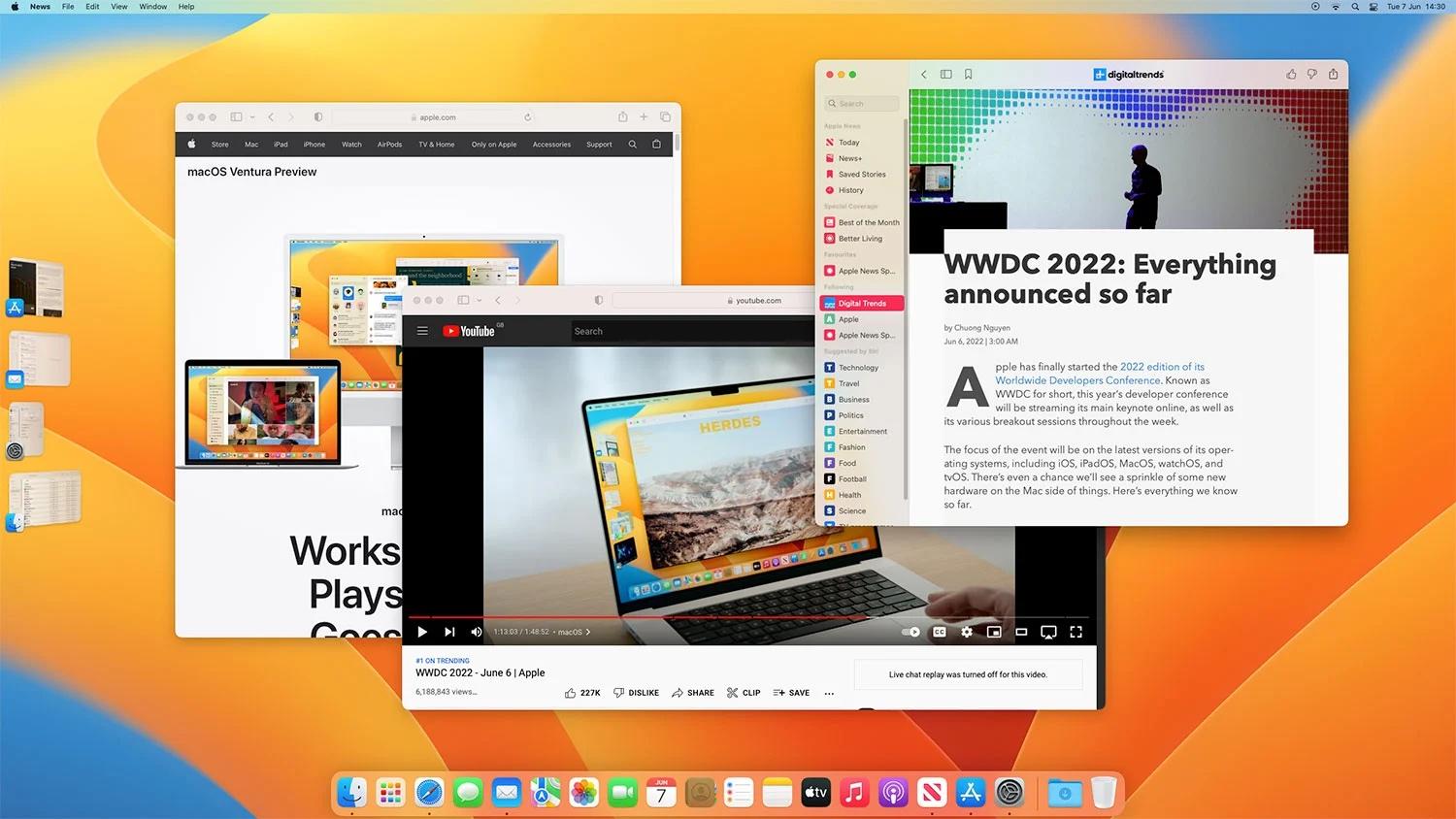
Although we’re excited to try out Stage Manager, we must mention the limitations it has:
You can only activate it via Control Center
You can’t quit apps in Stage Manager
You can’t access your desktop files when Stage Manager is on
Resizing windows is still a problem.
Try custom window layouts
Stage Manager is great when you work with one app window at a time, but when you open up a group of windows, they’ll still overlap and pretty much take random positions on the screen.
Mosaic is an app that lets you create custom layouts and apply them to all your open windows, so they are resized and aligned automatically, in accordance with the layout.
Once you try it out, you’ll discover a new way to multitask. Plus, your screen will look just immaculate.
Get a file shelf
Stage Manager is focused on apps, but you can always take a file-first approach with Yoink. It’s an app that lets you drag and drop files to a “shelf” located on the side of your screen. From there, you can open any file in your select app.
Maybe we just needed better Mission Control?
Some people say Stage Manager is very similar to Spaces, virtual desktops you can enter through Mission Control. And they are right — both Spaces and Stage Manager let you put app windows into separate groups. There’s one caveat though.
Mission Control misses the “Close” button. While it seems like a minor thing, organizing windows by spaces is really tough when you can’t close windows from the Mission Control view. This is why we recommend Mission Control Plus.
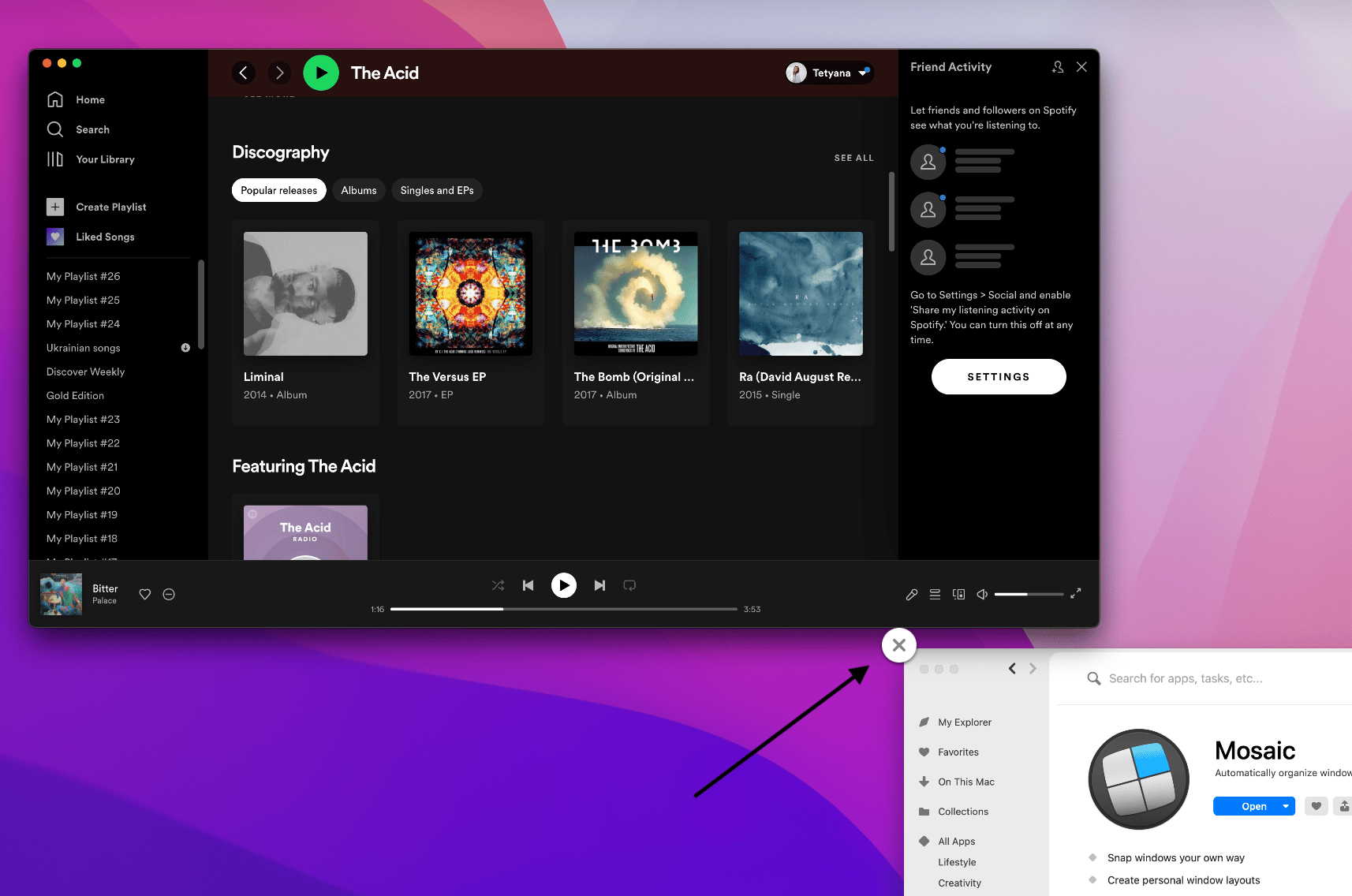
The utility doesn’t interfere with your flow in any way, it just adds the “X” button to windows in Mission Control. So it’s super easy to declutter each of your workspaces.
By the way, Stage Manager won’t let you quit apps from their thumbnails. So if you decide to switch to this new Ventura tool, well… we just hope someone develops Stage Manager Plus.
Take it one workspace at a time
We know, it kind of contradicts the idea of multitasking, but if you don’t find it productive to work on many things at once, try Workspaces. It lets you put together apps, files, emails, and even websites into one group — which is more than Stage Manager can do — and open the whole group with one click.
Hope this use case will help you solve tasks faster, and enjoy solving them, too! Check out more use cases picked for you below.