- GoodNotes and Notability are the two leading handwriting and note-taking apps for iPad and Mac, but they serve meaningfully different workflows.
- GoodNotes excels for visual thinkers who need infinite canvas whiteboards, multi-modal input, and document creation across teams.
- Notability leads for students and professionals who want AI-powered study tools like automatic transcription, smart summaries, quizzes, and flashcards built from their notes.
- For writers and researchers who work primarily on Mac, Setapp alternatives like Ulysses, Elephas, and MonsterWriter offer compelling native experiences.
- Instead of paying for multiple writing and note-taking tools separately, try Setapp free for 7 days and build your complete writing workflow.
Both GoodNotes and Notability have been battling for the top spot in Apple's App Store for years. If you've researched note-taking apps, you've almost certainly hit this debate: Notability vs GoodNotes — which is better?
The honest answer is that it depends on how you take notes and what you need your notes to do after you take them. GoodNotes leans toward creation and organization; Notability leans toward comprehension and studying. This comparison breaks down the meaningful differences so you can make a clear choice, and points out where other tools may serve you better.
GoodNotes vs Notability: Feature and pricing comparison
Before moving on to a detailed overview of both note-taking apps, I have compiled their main features in a comparison table.
Feature | GoodNotes | Notability |
Platform | iOS, iPadOS, Mac, Web, Windows, Android | iOS, iPadOS, Mac, Web, Windows, Android (beta) |
Handwriting support | Yes | Yes |
Typed notes | Yes | Yes |
Audio recording | Yes | Yes, with real-time transcription |
AI transcription/summaries | Yes | Yes |
Study tools | Limited | Quizzes, flashcards, Smart Notes |
PDF annotation | Yes | Yes |
Whiteboard / infinite canvas | Yes | No |
Real-time collaboration | Yes | Coming soon |
Free tier | Up to 3 files | Unlimited notes |
Paid plan starts at | $11.99/year | $7.99/month |
AI add-on | $9.99/year (AI Pass) | Included in subscription |
Overview of GoodNotes
GoodNotes has evolved from a straightforward handwriting app into an AI-powered creative canvas. The core experience centers on capturing ideas in whatever form they arrive, handwritten, typed, drawn, or spoken, and making that content searchable and collaborative across teams.
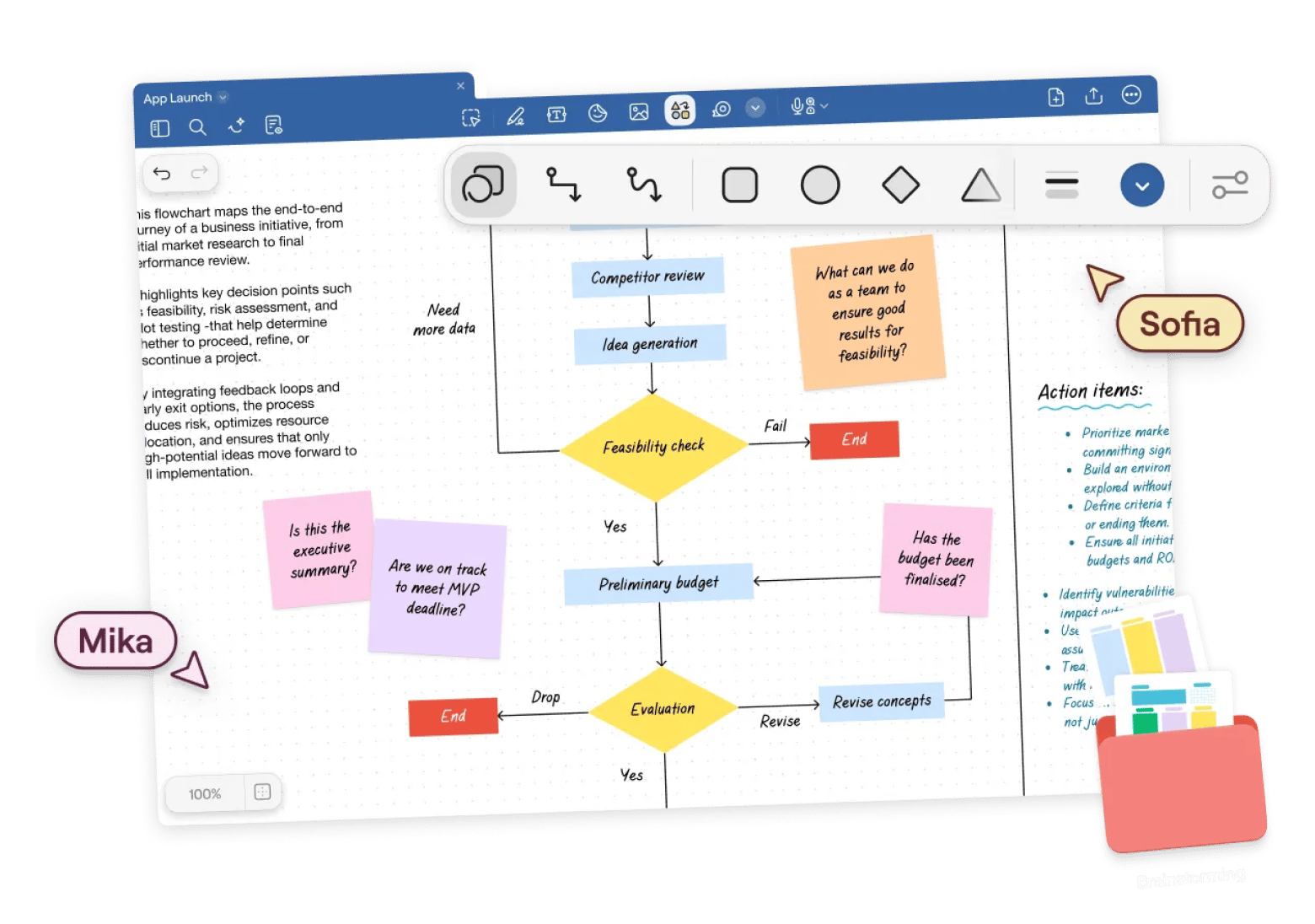
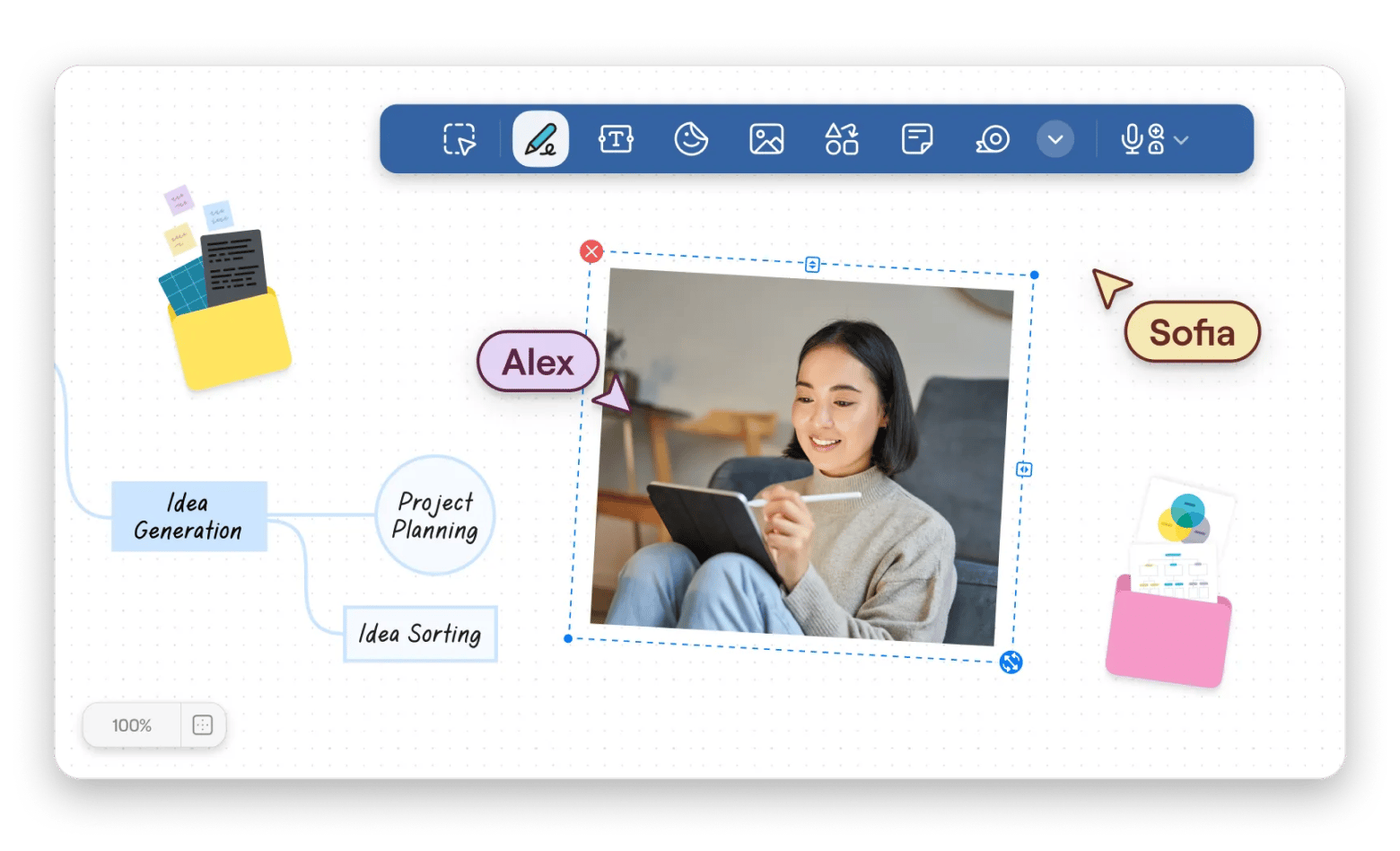
Back in college, what I liked most about GoodNotes was that it supported handwriting with pens and highlighters, typing, drawing, and audio recording all on the same page. I could write notes by hand, then add printed info from the teacher, and have structured info.
Source: GoodNotes
Now at work, I use the whiteboard feature. It's convenient for brainstorming sessions, and it's one of GoodNotes' clearest differentiators from Notability, which uses standard page-based layouts.
Source: GoodNotes
Audio Notes Record meetings, lectures, or voice memos with automatic transcription and AI-powered summaries, keeping audio linked to the notes taken during the session.
For $9.99/month, you can get the AI Pass add-on, which unlocks features such as generating templates and content drafts, extracting key insights from brainstorm sessions, refining writing, and creating structured outputs like timelines or tables from freeform content.
“I have used Goodnotes for years. Never had a problem and what I love is that my handwriting is searchable and the recording feature coupled with writing notes. Just a really well designed app all the way around”, shares a Reddit community member.
Best features:
- Unlimited canvas whiteboard for visual brainstorming
- Handwriting search across all documents, PDFs, and images
- Multi-modal input: write, type, draw, and record in one place
- AI-powered content generation, templates, and summaries (with AI Pass)
- Real-time collaboration across any device
- Cross-platform: iPad, iPhone, Mac, Windows, Web, Android
Pricing:
- Free
- Paid: From $11.99/year + $9.99/month for AI Pass
Overview of Notability
Notability's headline feature converts notes, PDFs, and recordings into Smart Notes — structured summaries that capture key points without requiring any manual effort. Whether content was handwritten, typed, or recorded, the AI processes it into a readable overview.
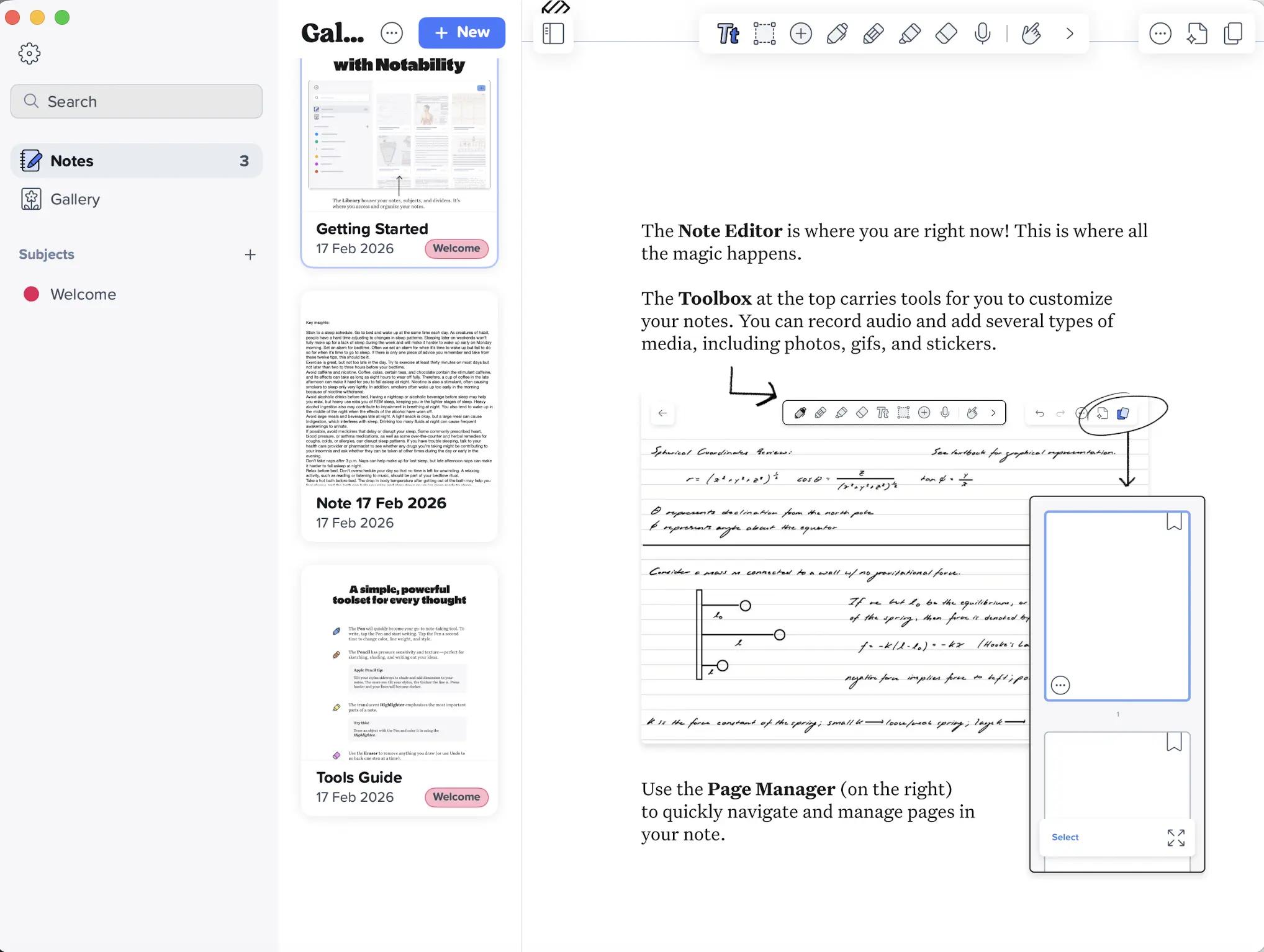
Sometimes I use Notability on calls, because this app captures and summarizes content in real time, allowing me to focus on the conversation itself.
Notability has advanced AI study tools. The app turns notes into personalized tests and flashcards for spaced repetition learning. The app's chat feature allows users to ask questions directly about their notes, receiving explanations and answers without leaving the document.
Need to make PDF annotations and markups for your research papers, textbooks, or work documents? Just import the file and mark them up with handwriting, highlights, comments, and drawings.
“I like Notability better because my handwriting looks much better compared to Goodnotes. Also, the UI is very minimal and I love seamless mode!” shares a Reddit user.
Notes are seamlessly synced across all connected devices via Notability Cloud, and the free plan includes unlimited notes and full syncing. By the way, that’s a more attractive free offering than GoodNotes.
Best features at a glance:
- AI-powered Smart Notes: automatic summaries from any input type
- Real-time transcription during lectures and meetings
- Personalized quizzes and flashcards from your own notes
- In-app chat to interrogate your notes with questions
- Unlimited free notes with Notability Cloud sync
- PDF annotation with math and handwriting conversion
Pricing:
- Free
- Paid: From $7.99/month (includes AI study features)
GoodNotes vs Notability: Pros and cons
Both note-taking apps are effective tools. However, each has its drawbacks. I tested both myself, read user reviews, and compiled my insights below.
GoodNotes pros and cons
Pros | Cons |
Infinite canvas whiteboard for visual and creative thinking | Free tier limited to three files |
Cross-platform support, including Windows and Android | AI features require a separate paid add-on (AI Pass) |
More flexible layout and document creation options | Study-specific tools are less developed than Notability |
Real-time collaboration available |
|
Lower annual cost on paid plan |
|
Notability pros and cons
Pros | Cons |
More generous free tier | Live collaboration still rolling out |
Better AI study tools | Monthly pricing can be more expensive long-term |
Real-time transcription | Less suitable for visual brainstorming and whiteboard workflows |
Simpler interface |
|
What Mac-first note-takers should consider instead
GoodNotes and Notability are primarily designed around iPad and Apple Pencil input. For Mac users who work primarily with text, native Mac note-taking and writing apps from Setapp often provide a better-suited experience.
My go-to tool for writing is Ulysses. Where GoodNotes organizes notes in notebooks, and Notability builds study materials, Ulysses builds finished documents. It handles everything from drafts to final export in multiple formats including PDF, ePub, and Word.

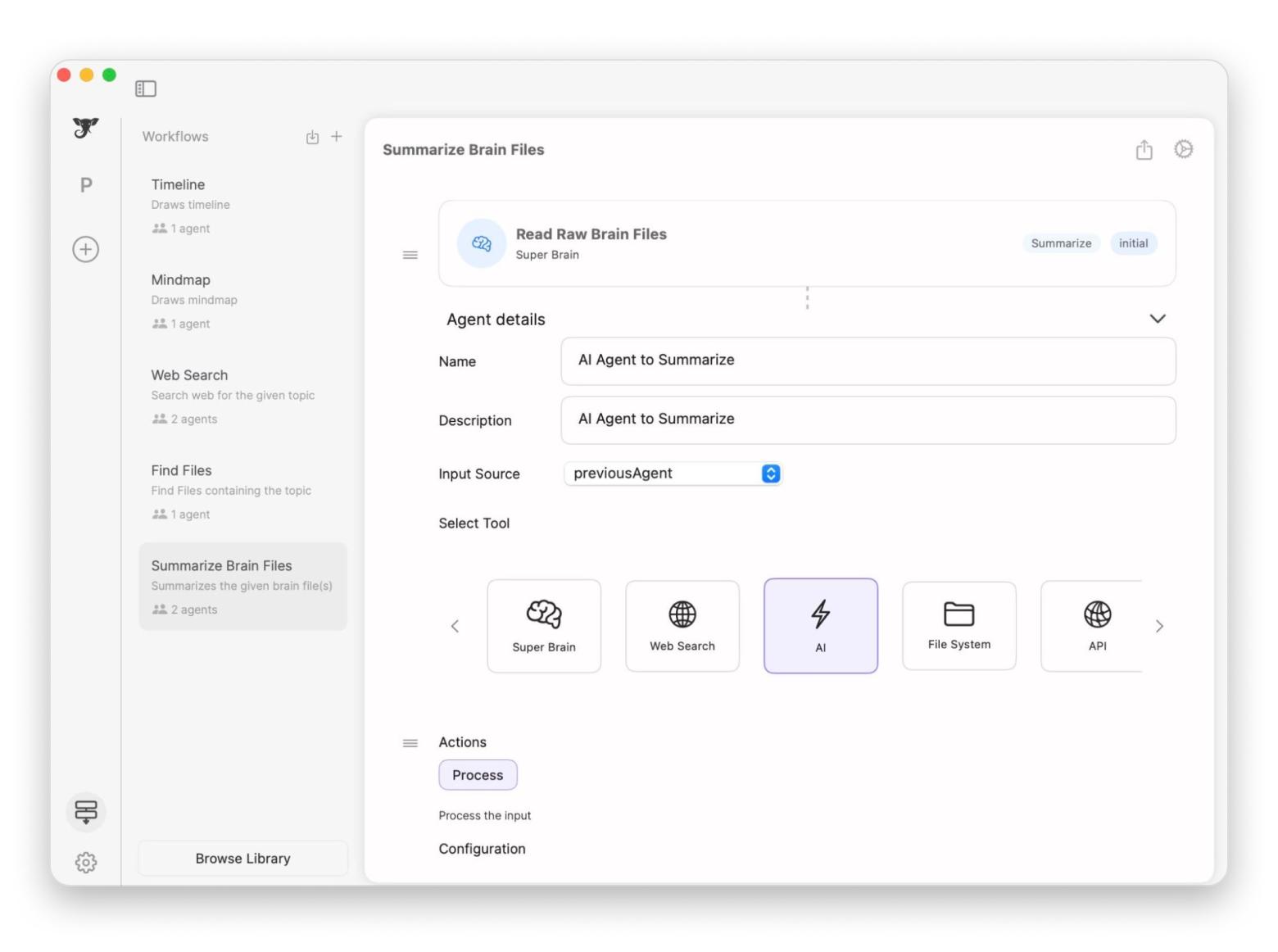
If you work with a large number of documents, take a look at Elephas. I like that you can create dedicated knowledge bases, then communicate with them and get insights in seconds. With AI assistant, you can compose emails, summarize lengthy documents, generate key points for presentations, proofread your text, or create catchy headlines. It's not just a note-taking app, it's a full-fledged writing assistant.
MonsterWriter combines a clean writing interface with formatting support for academic and professional documents. Particularly useful for students and researchers who need structured long-form writing without the complexity of Word or Pages.
All these apps are available in Setapp for a single subscription price, along with 250+ other tools for your productive and creative work.
To sum up: GoodNotes vs Notability — which is better?
The right choice comes down to what you need notes for.
GoodNotes suits designers, project managers, and creative professionals who think visually. Notability is the best option for students, academics, or professionals who need to learn from notes rather than capture them actively.
If you primarily work on a Mac with text-heavy workflows, consider Ulysses from Setapp. Elephas is ideal for working with large documents and volumes of information, and MonsterWriter will make your academic writing much easier.
Try Setapp free for 7 days and build your complete writing and productivity workflow.
FAQ
Is GoodNotes better than Notability in 2026?
GoodNotes is better for visual creators, collaborative teams, and users who need cross-platform access including Windows and Android. Notability is better for students and professionals who need AI-powered study tools like real-time transcription, automatic summaries, quizzes, and flashcards.
Is Notability free?
Notability offers a free tier that includes unlimited notes, cloud sync across devices, audio recording, and all editing tools. AI-powered study features require a paid subscription starting at $7.99/month.
Is GoodNotes free?
GoodNotes has a free tier limited to three files with a 5MB import size. All drawing and annotation tools are available, but the limit makes it suitable only for evaluation rather than regular use. Paid plans start at $11.99/year, with AI features available via a separate $9.99/month AI Pass add-on.
What are the best GoodNotes and Notability alternatives for Mac?
For Mac-first workflows, Setapp offers strong alternatives. Ulysses is the leading long-form writing app for Mac and iPhone, covering articles, books, and documentation. Elephas serves as a personal writing assistant. MonsterWriter provides a focused academic and professional writing environment. All are included in Setapp's subscription alongside 250+ other apps.






 Best solution
 Best solution