Evenlight
Steuere die Helligkeit deiner App
Mac
Version 1.2.12
macOS 14 oder neuer
41.4 MB
1 Sprachen
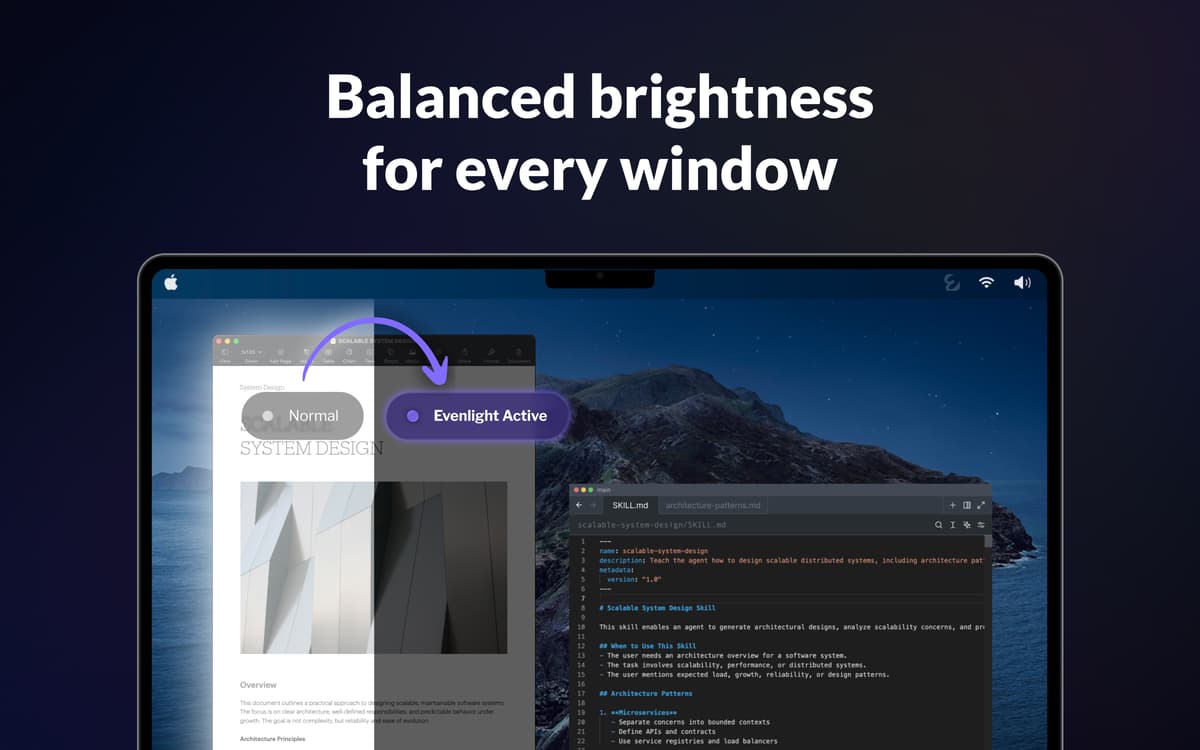
Du öffnest Slack – blendend weiß. Wechselst zum Code-Editor – plötzlich dunkel. Zurück zu einem Google Doc – wieder weiß. Wenn du das hundertmal am Tag machst, sind deine Augen bis zum Nachmittag völlig erschöpft. Evenlight läuft leise im Hintergrund und gleicht die Helligkeit zwischen den Fenstern aus, sodass sich jeder Wechsel natürlich anfühlt und nicht abrupt.
Helligkeit über alle Fenster anpassen
Augenbelastung bei langen Sessions reduzieren
Steigere Produktivität und geistige Klarheit
Lege einen Dimmzeitplan für deinen Arbeitstag fest
Evenlight-Funktionen
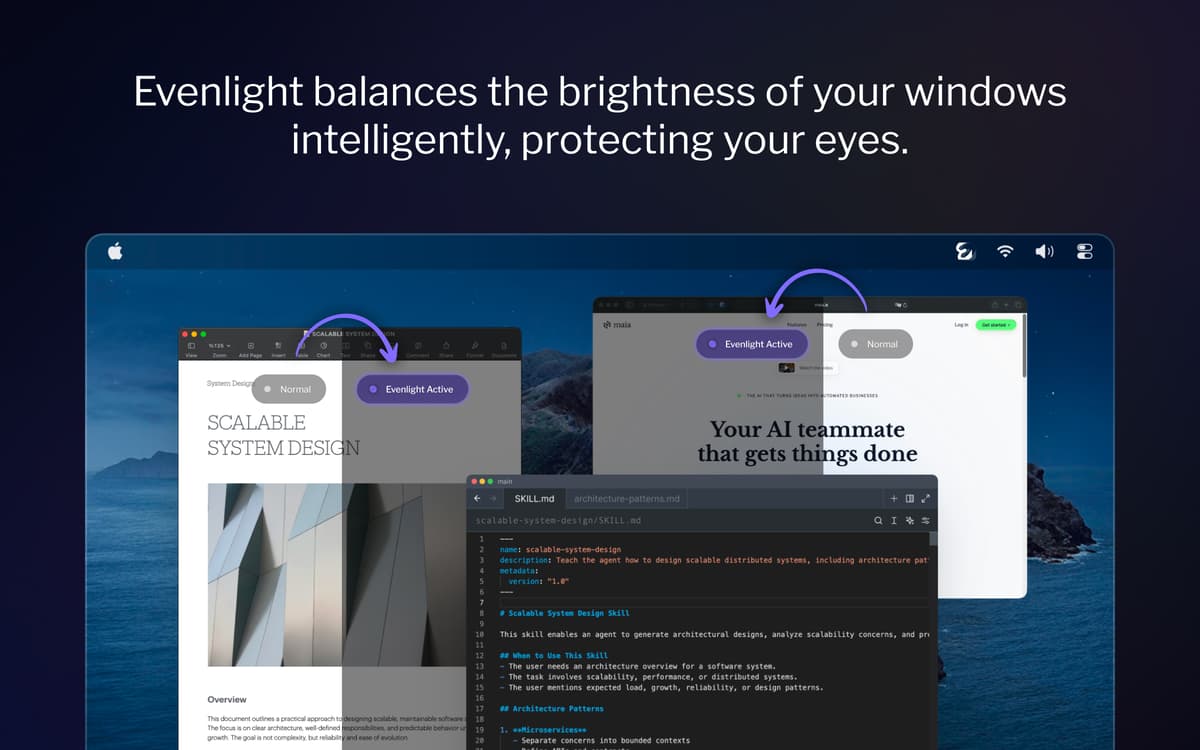
Gleiche die Helligkeit zwischen jedem offenen Fenster aus
Gleiche die Helligkeit zwischen jedem offenen Fenster aus Jedes Mal, wenn du zwischen einer dunklen und einer hellen App wechselst, müssen sich deine Augen neu anpassen. Evenlight glättet diese Übergänge intelligent – über all deine Monitore hinweg – sodass der Kontrast nicht mehr ins Auge fällt.
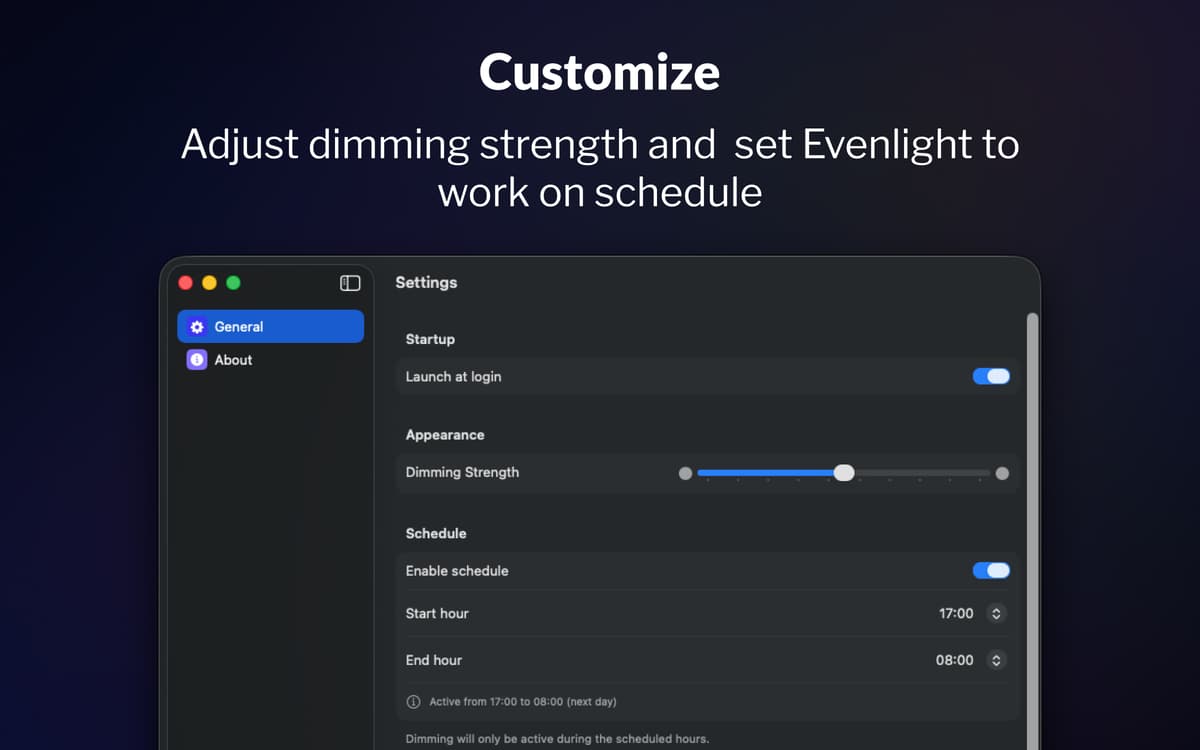
Lege einen Zeitplan fürs Dimmen über deinen Tag fest
Die meisten Menschen vergessen, ihre Bildschirmhelligkeit anzupassen, bis ihre Augen bereits müde sind. Mit der Zeitplanfunktion von Evenlight entscheidest du genau, wann das Dimmen beginnt und wann es endet. Lege deine Startzeit und Endzeit fest und die App passt sich deinem Ablauf an.
Passe die Einstellungen jederzeit direkt über die Menüleiste an
Mit Evenlight kannst du die Dimmstärke jederzeit mit einem einfachen Schieberegler feinabstimmen, sodass du die Intensität je nach Bedarf deiner Augen erhöhen oder verringern kannst. Wenn du für eine Weile volle Helligkeit brauchst, kannst du das Dimmen sofort pausieren oder eine temporäre Unterbrechung für einen bestimmten Zeitraum einstellen. Die App ist immer über die Menüleiste erreichbar, sodass Anpassungen nur Sekunden dauern und deinen Arbeitsablauf nie unterbrechen.
Bewertungen und Rezensionen
Evenlight
•
33 Bewertungen
Shrikant Meena
17. Mai 2026
App-Version: 1.2.0
Not a quality app, the dimming mask keeps slipping with bright window visible when moved across screen
Antwort vom Entwickler
17. Mai 2026
Hi Shrikant, thank you for your feedback. It is the best macOS allows, so the quality is on Apple's part, but thank you for the comment.
Randy
2. Apr. 2026
App-Version: 1.1.5
This is a very useful utility! I would like to have an option to either disable it for blacklisted apps, or enable it only for whitelisted apps. I want to be able to manage this so that it does not affect watching movies or gaming.
Jeremy Weathers
2. Apr. 2026
App-Version: 1.1.5
This doesn’t work at all, and in fact is worse, with the menu bar and dock in light mode. The developer acknowledged that they are unable to modify the menu bar or dock brightness at least with macOS Tahoe.
Erhalten Sie Hunderte von Apps mit Membership
Werden Sie Setapp Member und nutzen Sie mit nur einem Abonnement hunderte genialer Apps.
Testen Sie 7 Tage kostenlos, im Anschluss nur eine einfach monatliche Gebühr.
Setapp auf dem Mac installieren
Erkunden Sie Apps für Mac, iOS und Web. Finden Sie einfache Möglichkeiten für die Bewältigung täglicher Aufgaben.

Die gesuchte App finden
In Setapp wartet eine wunderbare App auf Sie. Installieren Sie sie mit einem Klick.

Evenlight
Abonnement wählen
Eine App oder mehr mit der Setapp Membership. Holen Sie sich Apps, so wie Sie es möchten.

Erhalten Sie Hunderte von Apps mit Membership
Werden Sie Setapp Member und nutzen Sie mit nur einem Abonnement hunderte genialer Apps.
Testen Sie 7 Tage kostenlos, im Anschluss nur eine einfach monatliche Gebühr.
1
Setapp auf dem Mac installieren
Erkunden Sie Apps für Mac, iOS und Web. Finden Sie einfache Möglichkeiten für die Bewältigung täglicher Aufgaben.
2
Die gesuchte App finden
In Setapp wartet eine wunderbare App auf Sie. Installieren Sie sie mit einem Klick.
Evenlight
3
Abonnement wählen
Eine App oder mehr mit der Setapp Membership. Holen Sie sich Apps, so wie Sie es möchten.
Die besten Apps
Von Planung und Routineaufgaben bis hin zu kreativen Tätigkeiten und Programmieren – mit den Apps von Setapp sind Sie bestens für Aufgaben gerüstet.

TypingMind
KI-Chat mit alternativer UI
Text erzeugen oder zusammenfassen
Prompt-Bibliothek nutzen
KI

Spark Mail
E-Mails verwalten
KI

CleanMyMac
Datenmüll entfernen

Bartender
Menüleiste anpassen

CleanShot X
Vielseitige Bildschirmfotos aufnehmen

Luminar Neo
Fotos bearbeiten
KI

ClearVPN
Sichere Verbindung herstellen

Craft
Mit Dokumenten arbeiten
KI
Evenlight
Steuere die Helligkeit deiner App