Strongbox
Passwörter sicher speichern


Mac, iOS
Version 1.64.2
macOS 12.0 oder neuer
153.3 MB
17 Sprachen
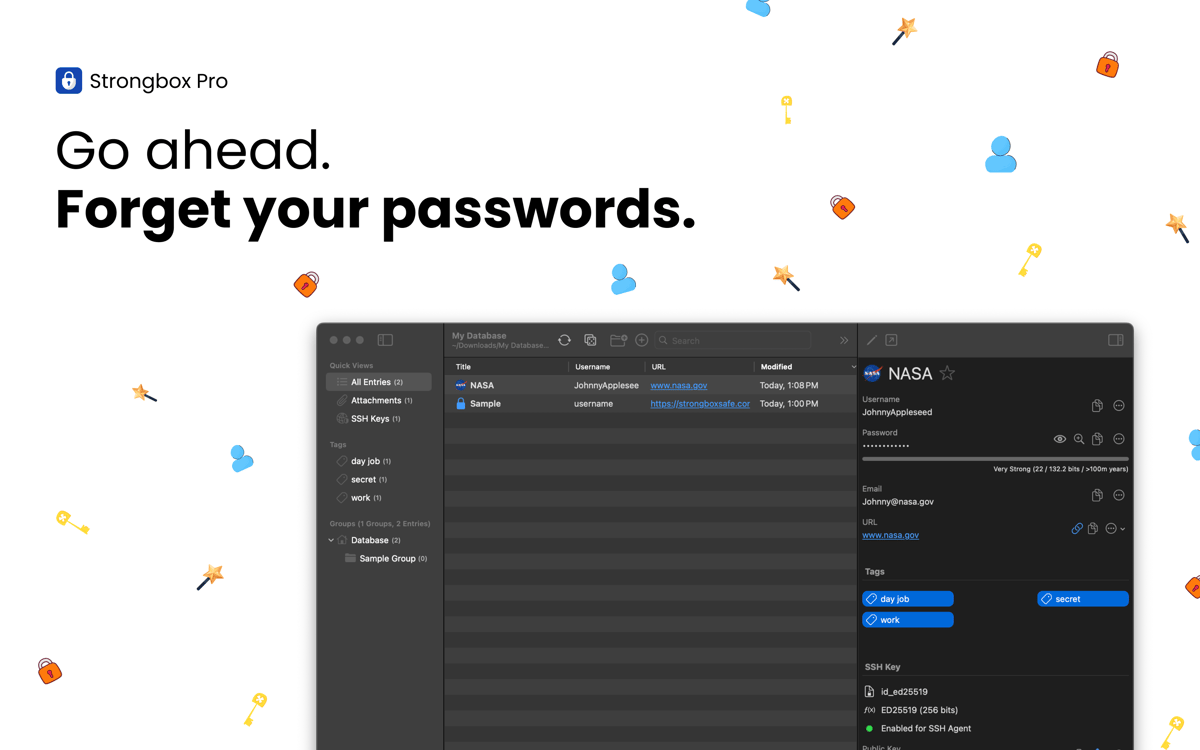
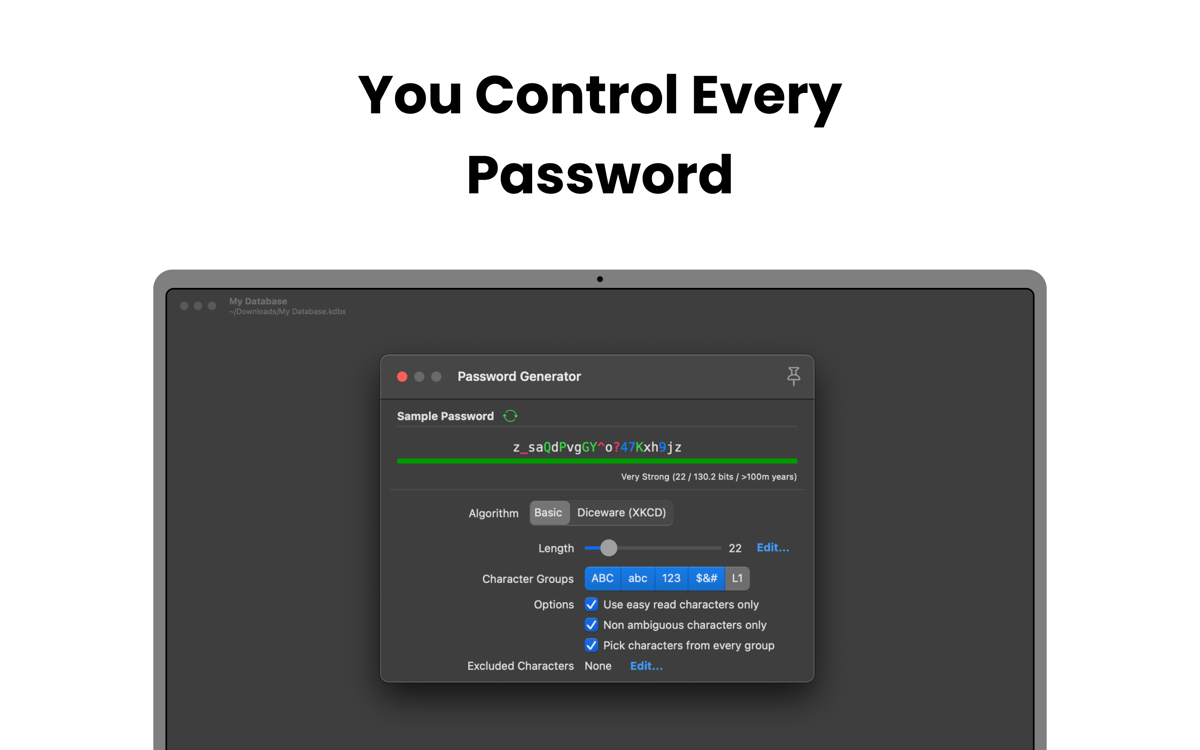
Strongbox verwahrt Ihre Passwörter, Bankdaten, Wiederherstellungsschlüssel und privaten Notizen sicher in einer vollverschlüsselten KeePass-Datenbank. Erstellen Sie mehrere Tresore, fügen Sie benutzerdefinierte Felder hinzu oder generieren Sie starke Passwörter. Dank der tiefen Integration in das Apple-Ökosystem nutzt die App Face ID, Touch ID und AutoFill nahtlos. So greifen Sie auf Ihrem iPhone, iPad und Mac schneller und sicherer auf Ihre Informationen zu.
Passwörter & sensible Daten sicher verwahren
Schwache & doppelte Passwörter korrigieren
Warnungen bei kompromittierten Passwörtern
Tresore auf allen Geräten synchronisieren
Strongbox-Funktionen
Schützen Sie Ihre Daten mit erstklassiger Verschlüsselung
Alle Ihre sensiblen Daten sind durch moderne Kryptografie geschützt, die speziell gegen Hacking-Versuche entwickelt wurde. Standardmäßig nutzt Strongbox AES-256, doch Sie können auch TwoFish oder ChaCha20 wählen. Dank GPU-resistenter Argon2-Schlüsselableitung und YubiKey-Support bleiben Ihre Daten sicher. Dies gilt selbst dann, wenn Ihre Geräte verloren gehen oder gestohlen werden.
Synchronisieren Sie Ihre Tresore
Strongbox hält Ihre Datenbank auf allen Geräten aktuell und führt Änderungen aus verschiedenen Quellen zusammen. So gehen keine Updates verloren und Konflikte werden vermieden. Zudem wird ein Backup Ihres Tresors erstellt. Das gibt Ihnen die Gewissheit, dass Ihre Daten stets sicher und für Sie verfügbar sind.
Organisieren und durchsuchen Sie Ihren Tresor
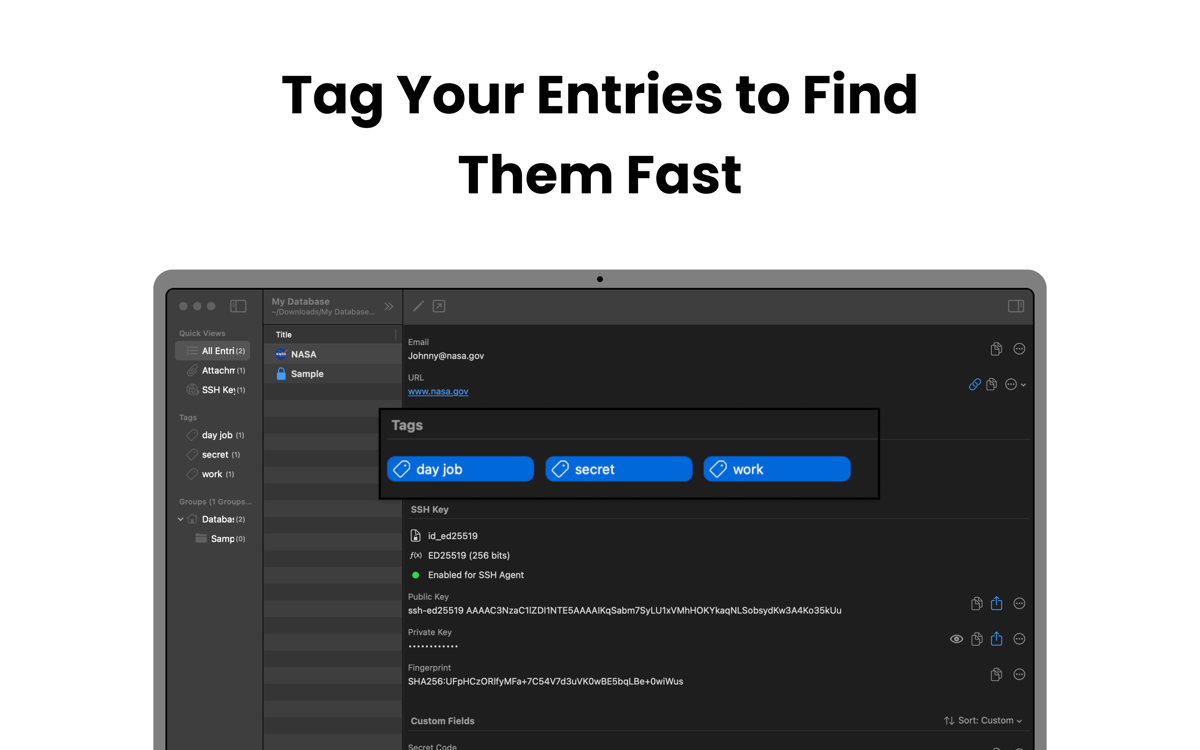
Mit Strongbox gruppieren Sie Einträge in Ordnern, fügen Tags wie „Familie“ oder „Arbeit“ hinzu und markieren Favoriten. Fügen Sie Markdown-Notizen hinzu und lassen Sie sich Website-Favicons anzeigen. So bleibt Ihr Tresor strukturiert, übersichtlich und lässt sich intuitiv bedienen.
Stärken Sie schwache und doppelte Passwörter
Scannen Sie Ihren Tresor, um schwache, kurze oder mehrfach verwendete Passwörter aufzuspüren. Strongbox hilft Ihnen dabei, diese zu aktualisieren oder sicherere Alternativen zu generieren. So senken Sie effektiv das Risiko für Hackerangriffe.
Benachrichtigungen bei Datenlecks
Strongbox gleicht Ihre Passwörter über „Have I Been Pwned“ mit bekannten Datenlecks ab. Falls ein Passwort in einem Leck auftaucht, warnt Sie die App sofort und zeigt die betroffenen Konten an. So können Sie Ihre Zugangsdaten rechtzeitig aktualisieren. Verhindern Sie unbefugte Zugriffe, bevor echter Schaden entsteht.
Bewertungen und Rezensionen
Strongbox
•
66 Bewertungen
Benedikt Otto
7. Juli 2026
App-Version: 1.64.2
Intalled the app and tried to import browser passwords. The app would not read any of the exported .csv files from neither Safar, Firefox, nor Chrome. The Documentation said to edit the first line in the file manually, as to make it match the requirements for the app (which is already completely ridiculous). But what’s even more criminal is that I wasn’t even able to do it. Plus I had help from google Gemini to fix the Problem and it still didn’t work. I wont trust my passwords to an app from developers who can’t fix a issue as simple as a browser import… Big NOPE from me.
Mike Harris
6. Juli 2026
App-Version: 1.64.2
Great interface and usability. I like the way it integrates so cleanly with apple password management. I also like that you are 100% in control of your own data.
Isabelle Louche
3. Juli 2026
App-Version: 1.64.2
Très bonne application, facile a utiliser
Erhalten Sie Hunderte von Apps mit Membership
Werden Sie Setapp Member und nutzen Sie mit nur einem Abonnement hunderte genialer Apps.
Testen Sie 7 Tage kostenlos, im Anschluss nur eine einfach monatliche Gebühr.
Setapp auf dem Mac installieren
Erkunden Sie Apps für Mac, iOS und Web. Finden Sie einfache Möglichkeiten für die Bewältigung täglicher Aufgaben.

Die gesuchte App finden
In Setapp wartet eine wunderbare App auf Sie. Installieren Sie sie mit einem Klick.

Strongbox
Abonnement wählen
Eine App oder mehr mit der Setapp Membership. Holen Sie sich Apps, so wie Sie es möchten.

Erhalten Sie Hunderte von Apps mit Membership
Werden Sie Setapp Member und nutzen Sie mit nur einem Abonnement hunderte genialer Apps.
Testen Sie 7 Tage kostenlos, im Anschluss nur eine einfach monatliche Gebühr.
1
Setapp auf dem Mac installieren
Erkunden Sie Apps für Mac, iOS und Web. Finden Sie einfache Möglichkeiten für die Bewältigung täglicher Aufgaben.
2
Die gesuchte App finden
In Setapp wartet eine wunderbare App auf Sie. Installieren Sie sie mit einem Klick.
Strongbox
3
Abonnement wählen
Eine App oder mehr mit der Setapp Membership. Holen Sie sich Apps, so wie Sie es möchten.
Die besten Apps
Von Planung und Routineaufgaben bis hin zu kreativen Tätigkeiten und Programmieren – mit den Apps von Setapp sind Sie bestens für Aufgaben gerüstet.

TypingMind
KI-Chat mit alternativer UI
Text erzeugen oder zusammenfassen
Prompt-Bibliothek nutzen
KI

Spark Mail
E-Mails verwalten
KI

CleanMyMac
Datenmüll entfernen

Bartender
Menüleiste anpassen

CleanShot X
Vielseitige Bildschirmfotos aufnehmen

Luminar Neo
Fotos bearbeiten
KI

ClearVPN
Sichere Verbindung herstellen

Craft
Mit Dokumenten arbeiten
KI
Strongbox
Passwörter sicher speichern