Pick by where you write:Eney works in Mail, Slack, and Notes, QuillBot paraphrases in the browser and its macOS app, and Write with Siri comes with macOS 27 on compatible Macs.
Wordtune’s limits: the Basic and Advanced plans cap rewrites at 10 and 30 per day, and there is no Mac app or Safari extension.
Free options: QuillBot’s free plan paraphrases up to 125 words at a time, and Write with Siri is included with macOS 27, though Apple lists it as a beta.
Eney trial:Eney includes a 14-day trial with 10,000 AI credits, then requires an AI credits subscription.
Try more apps on Setapp:Setapp Membership gives you 300+ apps for Mac, iOS, and web, with a 7-day free trial.
The best Wordtune alternative for Mac depends on where you write. Eney checks wording in Mail, Slack, and Notes, QuillBot paraphrases in the browser and its macOS app, and Write with Siri comes with macOS 27 on compatible Macs.
Wordtune does a good job of recognizing grammar errors and suggesting better word choices. It can make a phrase more casual, formal, shorter, or easier to read.
But if you use it throughout the day, you’ll quickly run into the free and Advanced plan limits. You also can’t use it in Mail, Slack, or Notes, since it only works in the browser. I’ve tested several Wordtune alternatives, and I’ll show you seven that make rewriting easier on a Mac.
What Wordtune does and where it falls short on Mac
Wordtune falls short on Mac because it has no desktop app and no Safari extension, and its Basic and Advanced plans cap rewrites at 10 and 30 per day
Here’s where the tool works well:
Sentence rewrites – You get alternative versions that preserve the original point.
Tone adjustments – It offers casual and formal options to suit context.
Shorten and expand – It trims wordy sentences or adds details where a thought feels incomplete.
Browser integration – It has Chrome and Firefox browser add-ons.
But not everything is on the plus side:
10 or 30 rewrite caps on the Basic (free) and Advanced tiers, respectively.
Browser-first tool (no desktop app).
No Safari browser extension.
Cloud processing only.
Price:
Free plan (Basic)
$13.99 USD/month or $6.99 USD/month (billed annually) for Advanced
$19.99 USD/month or $9.99 USD/month (billed annually) for Unlimited
How we picked the alternatives
To pick the best Wordtune alternatives, we focused on the same task of rewriting and polishing individual sentences, not just fixing spelling and grammar mistakes.
We then narrowed down to:
Rewriting ability – How well it can rephrase a sentence.
Mac compatibility – If it works on native Mac apps beyond the browser.
Usage limits – The number of free rewrites you get per plan.
Privacy – Whether text is processed on your device or sent to a cloud service.
To evaluate these consistently, we used the same five sentences with each rewriting tool. One was wordy, one too casual for a client, one unclear, one with non-native word order, and one that was too long.
Mail, Word, Slack, Notes, browser, and other Mac text fields
Based on user prompt
14-day trial, 10,000 AI credits
Primarily on-device; cloud
$14.99/month for 10,000 credits
Rewriting anywhere on Mac
QuillBot
Browser, macOS app, Word
Nine modes with Premium
Up to 125 words per paraphrase
Cloud
$8.33/month, billed annually
Free paraphrasing
Grammarly
Desktop overlay, browser add-on
Tone detector, sentence rewrites with Pro
100 AI prompts/month
Cloud
$12/month, billed annually
Rewrites with explanations
Write with Siri
Supported native apps
Friendly, Professional, Concise
No usage limits
Primarily on-device
Free
Free native rewriting
Hemingway Editor Plus
Web editor
Readability-focused adjustments
Free trial
Cloud
$8.33/month, billed annually
Simplifying dense text
ChatGPT (macOS app)
Separate macOS app
Based on user prompt
Free access with limits
Cloud
Free, Plus at $20/month
Flexible rewriting
Notion AI
Inside Notion pages and workspace
Several editing and rewriting instructions
Limited AI responses
Cloud
$20/member/month for Business
Notion-heavy teams
All prices are in USD and correct as of November 2026.
Eney Spell — best Wordtune alternative for Mac
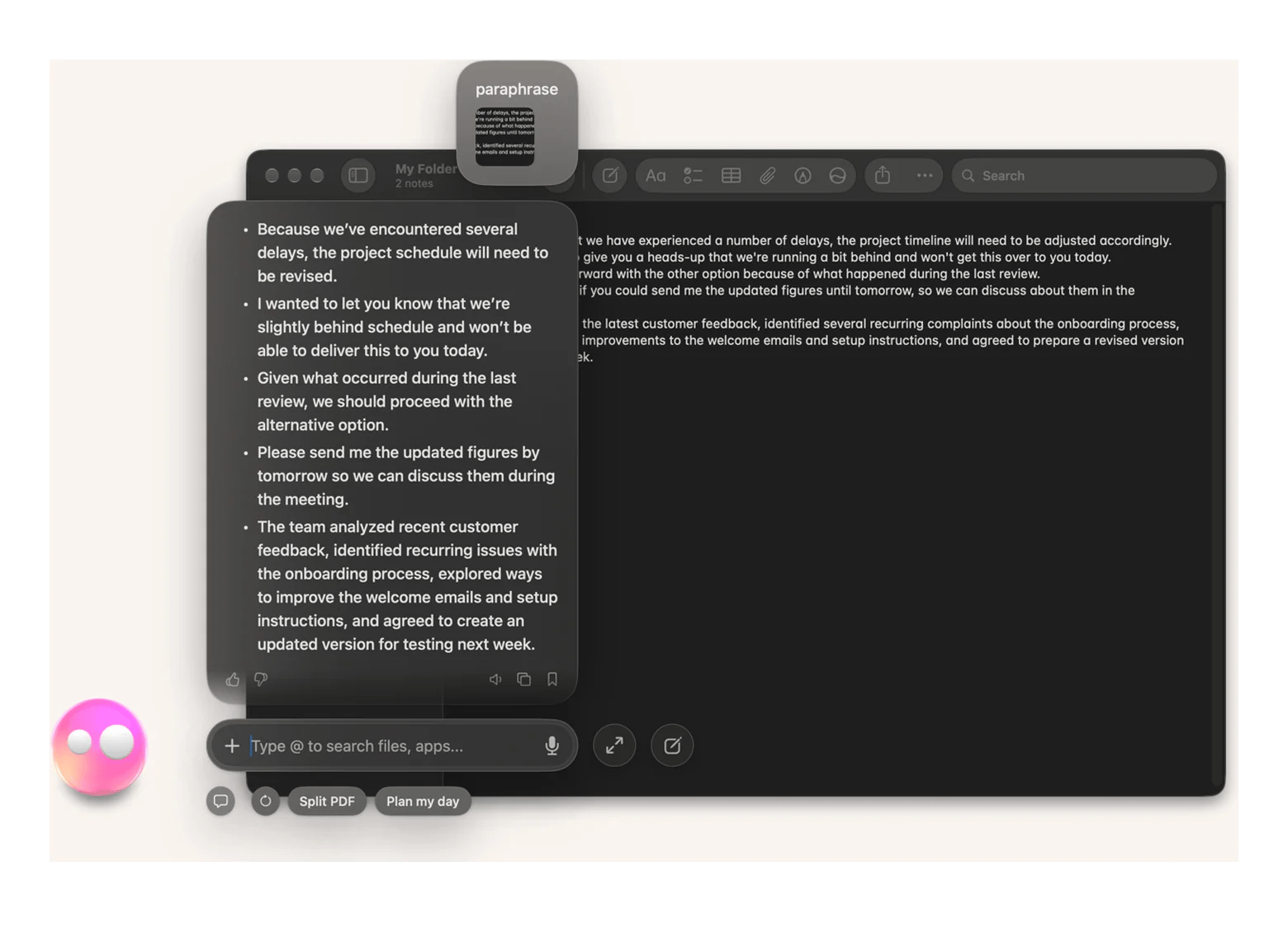
Eney Spell by Eney is the best Wordtune alternative because it can rewrite text in any Mac app, not just the browser. The feature fixes spelling, grammar, and wording right in Mail, Word, Slack, Notes, or your browser using local AI. When you want to rewrite a sentence or use it in HTML-based writing apps like Google Docs, you can use Eney Wand to process the text.
It’s better than Wordtune in three main ways:
Where it works – It works across Mac apps, so you don’t need to move windows or switch apps between tasks. Wordtune only works in the browser.
Usage limits – Wordtune offers daily rewrite allowances on its lower plans. Eney Spell is free, while Eney Wand (full Eney use) comes with a 14-day free trial and 10,000 credits. Continued use depends on credits.
Processing – Eney Spell processes text primarily on-device via MacPaw's own AI stack. Wordtune relies purely on cloud AI.
Here’s how to use Eney Spell:
Open the app where you are writing.
Press ⌃⌃ on your keyboard.
Use Eney Spell’s inline suggestions to review and apply corrections.
You can allow Eney Spell to check text automatically by going to Eney > Settings > Eney Spell > Check > As I Write.
To use Eney Wand to rewrite sentences:
Press ⌥W on Mac.
Select the text and write a short prompt.
Copy the polished text.
Pros
Works across Mac apps.
Checks spelling, grammar, and wording as you write.
Corrects text in one click without switching apps.
Cons
Requires macOS 15 or later and an Apple Silicon Mac.
Continued use after the trial requires credits.
QuillBot: best for paraphrasing and exploring different phrasings
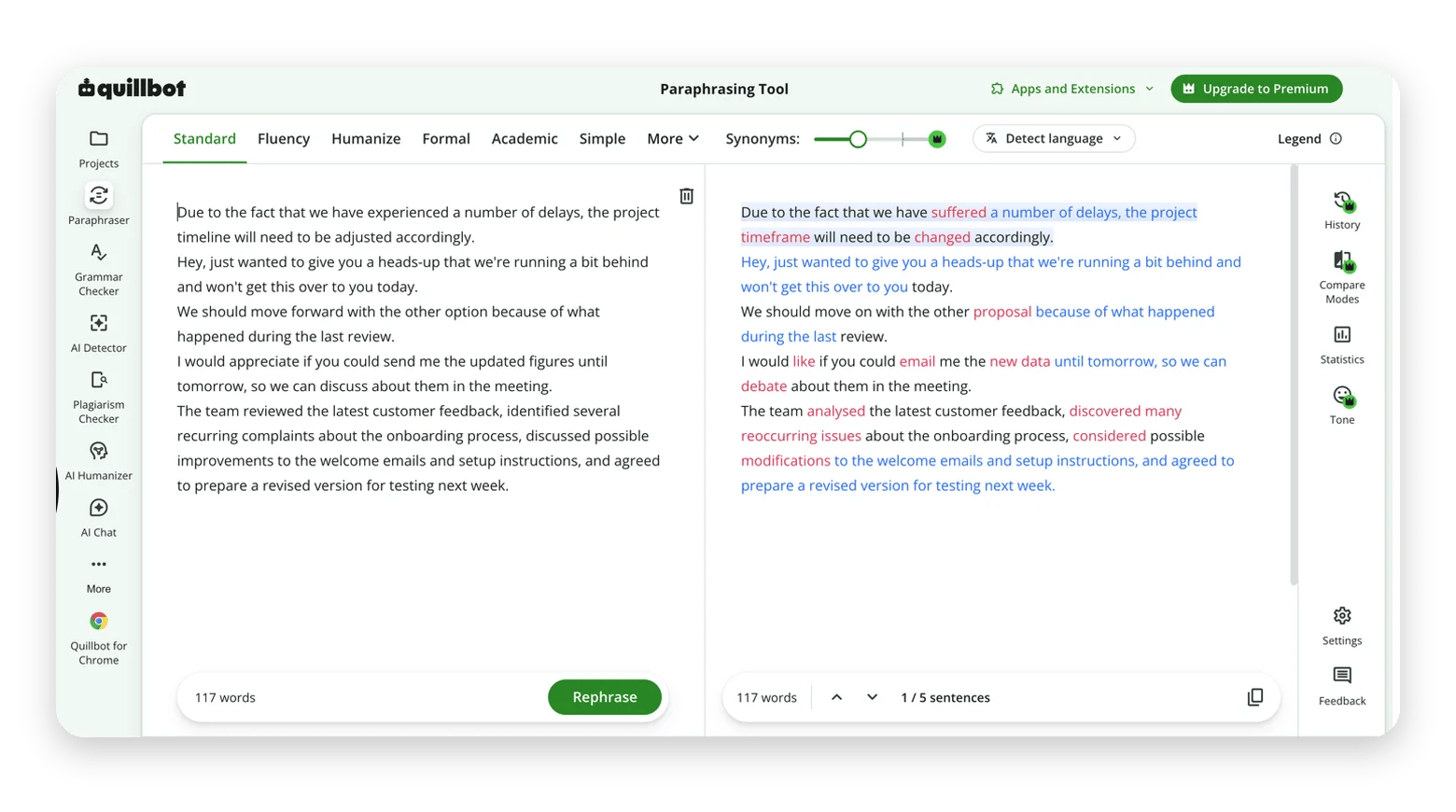
QuillBot is closer to Wordtune as an AI rewriter for Mac because it also works primarily on the web and offers a browser extension. Its paraphrasing tool effectively improves sentences and lets users choose the tone.
All processing happens in the cloud, and your data is used for AI training unless you adjust controls.
Pros
Multiple paraphrasing tones and styles.
The free plan allows unlimited paraphrasing
Extension for both Chrome and Safari.
Cons
Free plan restricts paraphrasing to 125 words
No Mac app for use with native apps.
Uses cloud processing.
Price
Free plan available.
Premium starts at $19.965 USD month-to-month, or $8.33/month with annual billing.
Write with Siri: best free option built into macOS
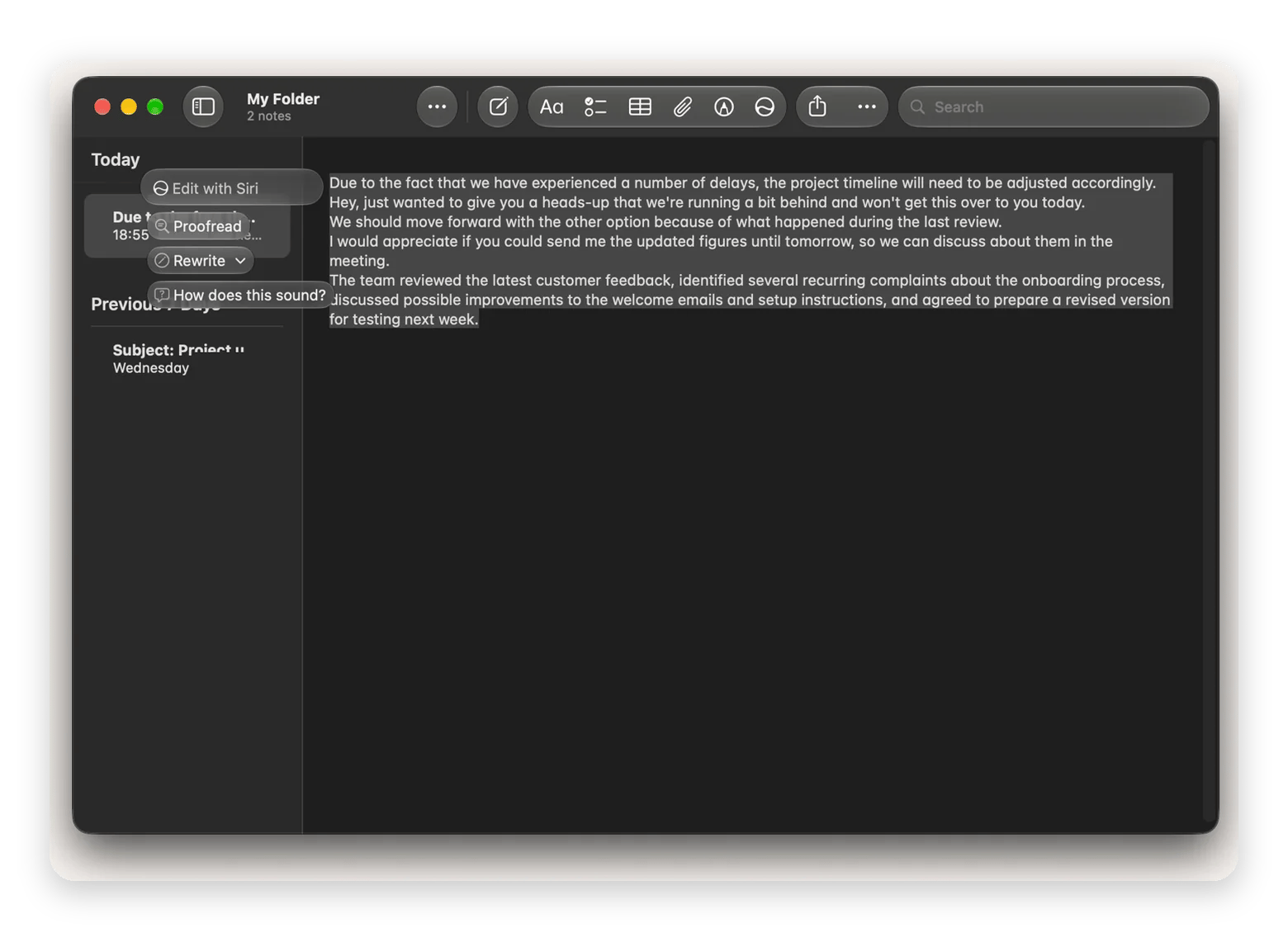
Apple offers a free native proofreading option through Writing Tools or the new Siri AI if you’ve upgraded to macOS 27. To use the service, select your text in a supported app like Notes or Safari > Right-click> Writing Tools. On macOS 27, selecting text shows a Siri pop-up, and clicking the icon opens a contextual menu.
The service uses local AI processing, but compatibility is limited. You also need an Apple Silicon Mac.
Pros
Free with macOS on compatible Macs.
Offers multiple rewrite options.
Offline AI processing.
Cons
Requires an Apple Silicon Mac and a supported macOS version.
Availability varies between third-party apps.
Fewer controls for rewriting than dedicated tools.
Price
Free with a compatible Mac and supported macOS version.
Grammarly: best for rewriting with grammar and clarity feedback
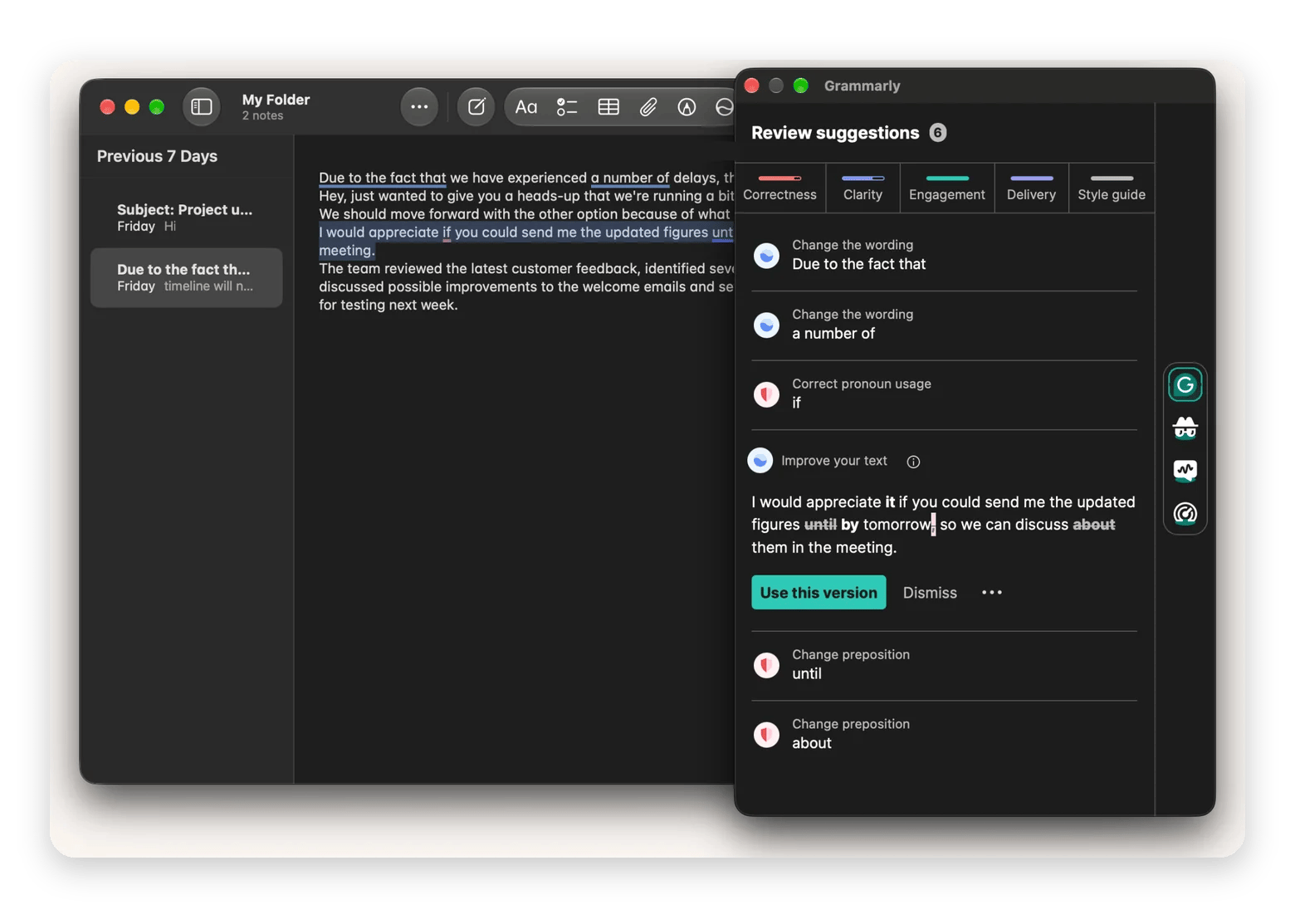
Grammarly is one of the best Wordtune alternatives because it goes beyond correcting spelling and grammar to offer full sentence-by-sentence rewrites. You can use the web editor, a browser extension, or the Grammarly desktop app to get writing suggestions in supported apps.
The free plan helps, but it’s limited to basic fixes and 100 AI prompts per month. Its premium plan is also the most expensive in this roundup, and processing is also done in the cloud.
Pros
Checks grammar, spelling, and punctuation.
Offers sentence rewrites, clarity suggestions, and tone feedback.
Works through browser extensions and a desktop Mac app.
Cons
Full-sentence rewrites require a subscription.
Free AI prompts are limited to 100 per month.
Uses cloud processing.
Price
Free plan available.
Pro starts at $30 USD/month or $12 USD/month with annual billing.
Hemingway Editor Plus: best for simplifying dense writing
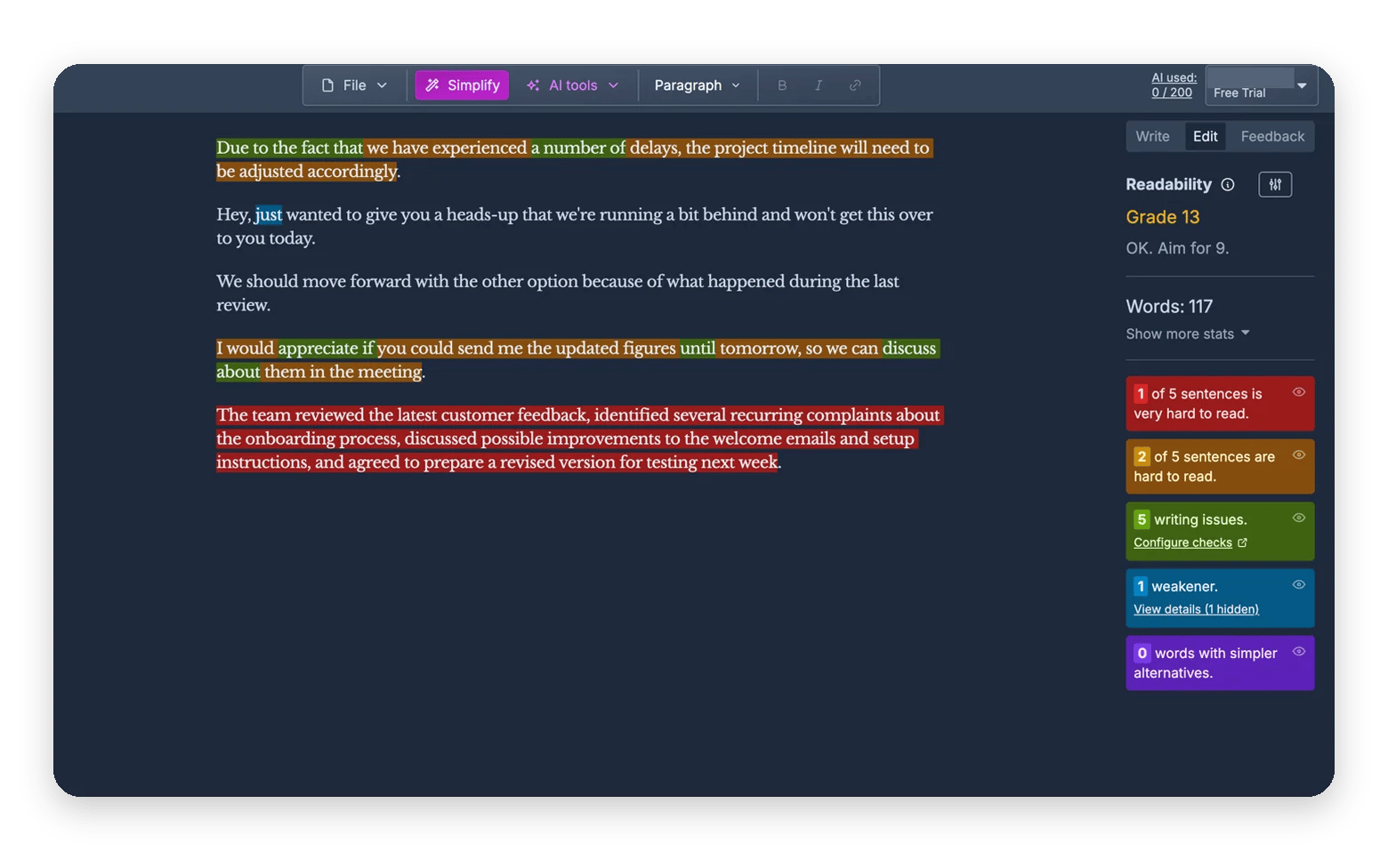
Hemingway Editor Plus helps make complex write-ups clearer and easier to read. It highlights difficult words, complicated sentences, grammar issues, and phrases that could be simpler. It also has an AI tool that lets you rewrite a sentence or paragraph to polish it or change its tone.
Hemingway Editor Plus doesn’t have a browser extension or desktop app, it’s only available as a web editor. All processing is done in the cloud.
Pros
Highlights difficult/wordy sentences and suggests ways to simplify them.
Offers AI-powered sentence rewrites.
Offers AI and non-AI rewrites
Cons
No browser extension or desktop app
AI rewriting requires a paid Plus plan.
Uses cloud processing for AI features.
Price
Free version.
Editor Plus starts at $8.33 USD/month with annual billing.
ChatGPT: best for flexible, prompt-based rewriting
ChatGPT offers more flexible rewriting than dedicated editing tools. You can paste a sentence and ask for a specific change, whether that’s simple proofreading or rewriting in a different tone. The Mac app makes the process easier through the floating ChatGPT window, which you can trigger with Option + Space.
The rewriting happens inside the main app, so you’ll need to copy the polished text.
Pros
Rewrites sentences based on detailed instructions.
Lets you specify audience, tone, and writing purpose.
Can explain its edits and offer several alternatives.
Cons
You need to copy text between ChatGPT and other Mac apps.
Free usage is subject to limits.
Uses cloud processing.
Price:
Free plan available.
ChatGPT Plus costs $20 USD/month.
Notion AI: best for rewriting within a Notion workspace
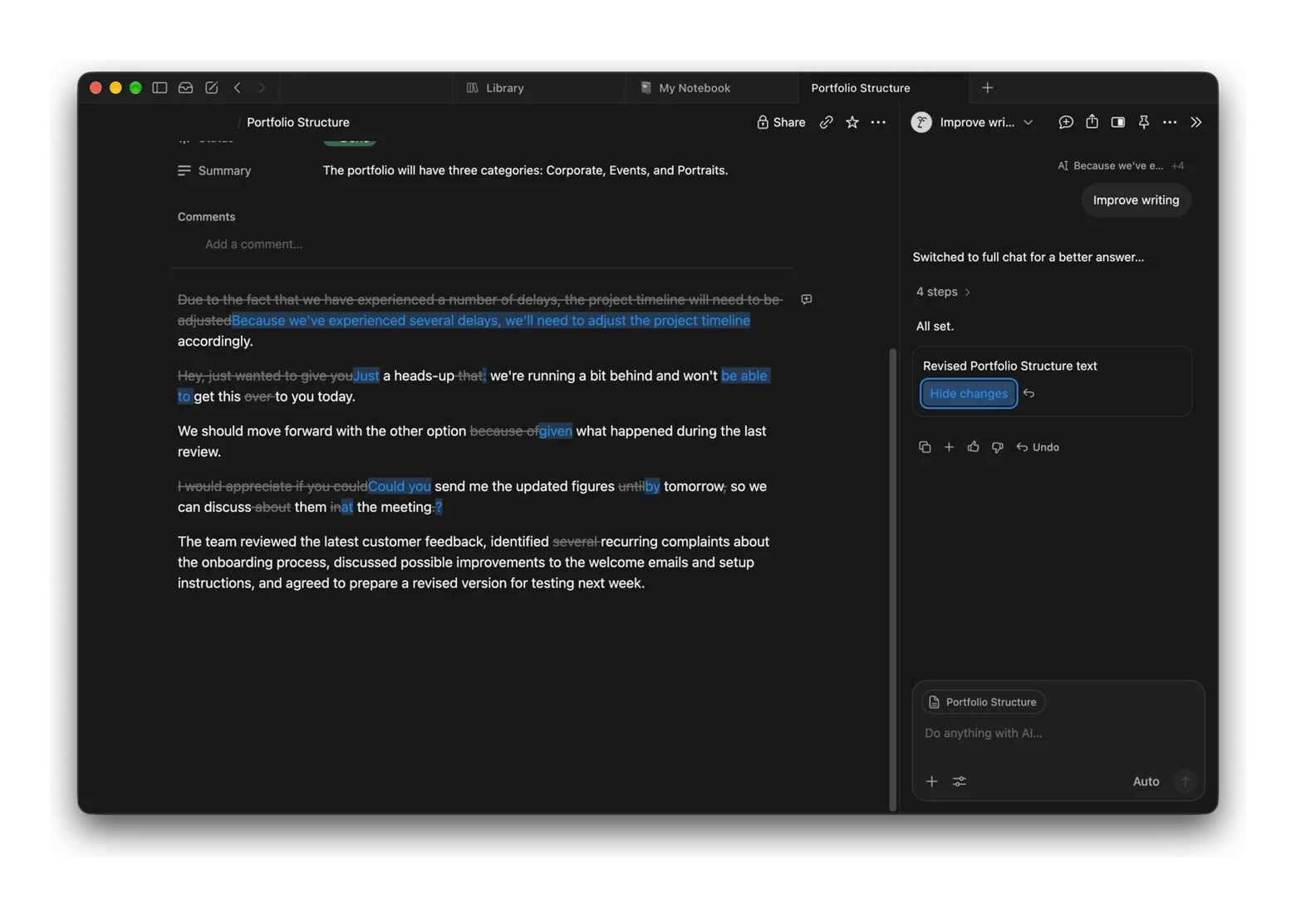
Notion AI adds rewriting and editing tools directly into Notion pages. When you select text, you get a floating option to Improve, Proofread, or Edit with AI (your own request). It’s quite useful in polishing meeting notes, project updates, and internal documentation.
The only main issue is that it’s restricted to Notion, so you’ll still need an editor for your browser and other Mac apps.
Pros
Rewrites and polishes text directly inside Notion pages.
Offers tone, length, and clarity adjustments.
Fits naturally into Notion-based team workflows.
Cons
Rewriting is limited to the Notion workspace.
Complimentary AI responses on Free and Plus are limited.
Uses cloud processing.
Price
Free to try with up to 20 AI requests for the workspace.
Included in the Business plan from $20 USD per member/month.
Tools people call Wordtune alternatives that aren't
Some tools are often confused as Wordtune alternatives, but they serve a different purpose:
Jasper – It’s a marketing-focused AI platform that helps create campaign copy, blog posts, product descriptions, and other long-form content.
Copy.ai – It generates marketing and sales content, including campaign assets, emails, and social posts.
Rytr – It’s an AI generation tool used to draft blog posts, social media captions, or emails from scratch using prompts or templates.
These tools can help during creation, but they aren’t direct Wordtune substitutes if you mainly want to polish sentences you’ve already written.
Which Wordtune alternative should you choose?
The best Wordtune alternative depends on where you write and how often. Here’s a quick way to decide:
Need to rewrite text in Mail, Slack, or Notes → Eney Spell
Want free paraphrasing in your browser → QuillBot
Prefer a free, native Mac option → Write with Siri
Eney Spell works across Mac apps. You can try it, along with the full AI assistant, during Eney’s 14-day trial.
QuillBot is the best free Wordtune alternative if you want to paraphrase in your browser. Its free plan doesn’t restrict the number of requests, but it’s limited to 125 words at a time using Standard and Fluency modes. Apple Writing Tools are another free option, but compatible apps are limited.
Does Wordtune have a Mac app?
Wordtune doesn’t have a Mac app; its main workflow is browser-based. The options are a web editor and a browser extension for Chrome and Firefox.
Which Wordtune alternative works inside Slack and Apple Mail?
Eney Spell by Eney is the Wordtune alternative that works inside Slack, Apple Mail, and other Mac-native apps. It checks spelling, grammar, and wording as you write or on-demand, with in-line suggestions. Eney Wand extends this to paraphrasing in the browser and any other app.
Can Eney Spell change the tone of a sentence as Wordtune does?
Eney Spell by Eney checks and improves spelling, grammar, and minor wording mistakes as you write. To rephrase statements, use Eney Wand to pick text on any screen and rephrase it based on your instructions.
Is QuillBot or Wordtune better for rewriting?
QuillBot and Wordtune can rephrase sentences while preserving the original meaning, but they specialize in different things. QuillBot offers several modes for rewriting the entire text, while Wordtune focuses more on sentence rewrites, tone adjustments, and shortening or expanding text.






 Best solution
 Best solution