#1. Best all-rounder: Snapseed — 25+ tools including healing, curves, selective adjustments, and RAW support. Free.
#2. For social content creation: Picsart.
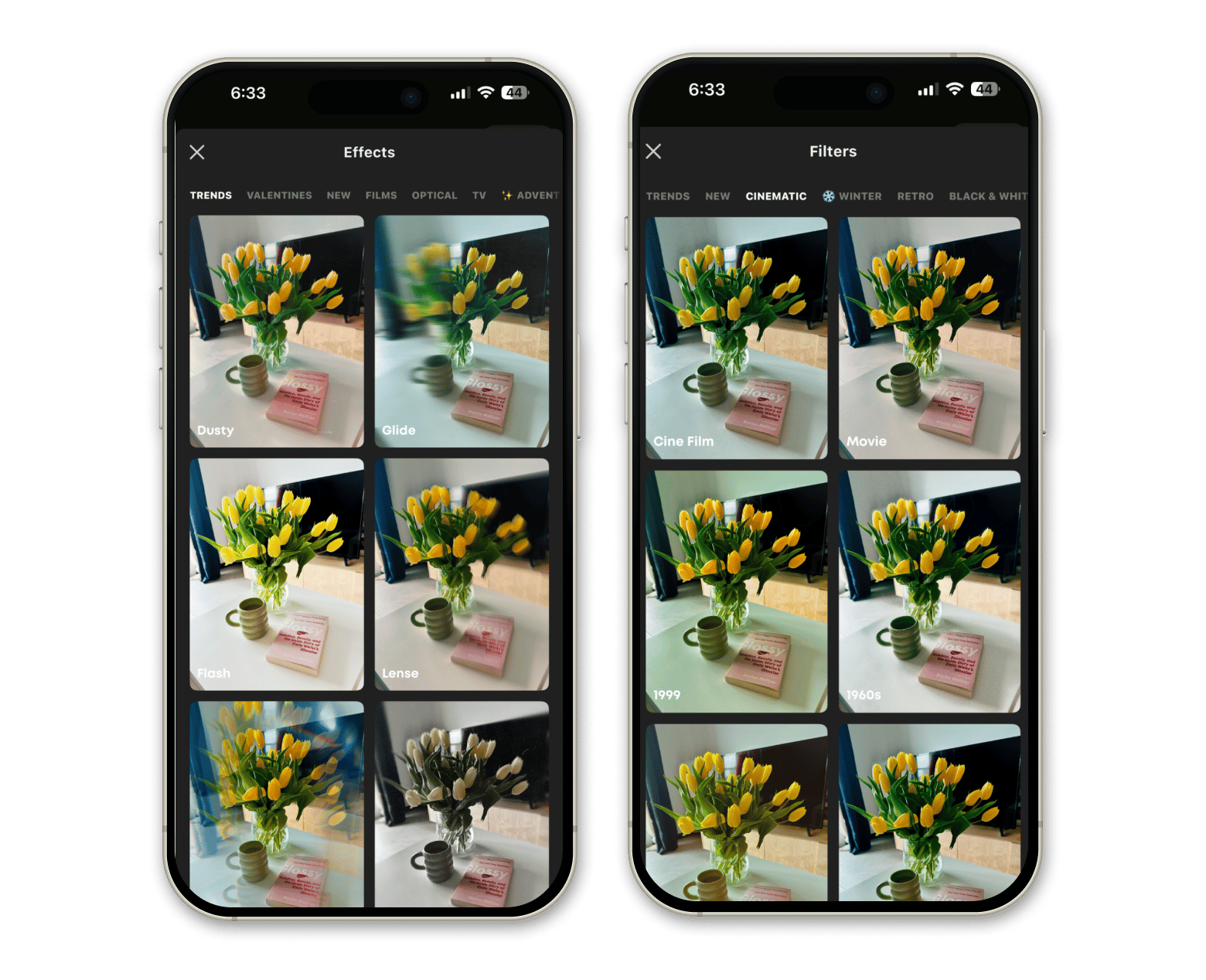
#3. For trendy social media effects: Prequel.
Remove outtakes in one go. CleanMy®Phone sorts duplicate, blurry, and outdated photos into folders, so you can clear them out with a single tap. Try the app free for 7 days on Setapp.
I take way too many photos. Every cafe outing, every golden hour walk, every meal that's clearly going on Instagram — all documented. So when I say I've tested every free photo editing app for iPhone worth testing, I mean it. Here's what I found.
Best free photo editing apps for iPhone: side-by-side comparison
Not every app is built for the same person. A travel photographer needs different tools than someone making Reels. Here's a quick reference before we get into the details:
App
Best for
Key Strengths
Price
Snapseed
Versatile everyday editing
25+ tools, no watermarks
Free
VSCO
Film-inspired aesthetics
Iconic film presets + creative community
Free or $8/month
Lightroom
AI edits & RAW support
Batch editing, Generative Remove, sync
Free or $4.99/month
Picsart
Creative & social content
AI tools, background removal, templates
Free or $10/month
Prequel
Trendy social media effects
800+ effects, fast video editing
Free or $4.99/week
Now let's get into the real talk on each one.
Snapseed: Best all-in-one free photo editor for iPhone
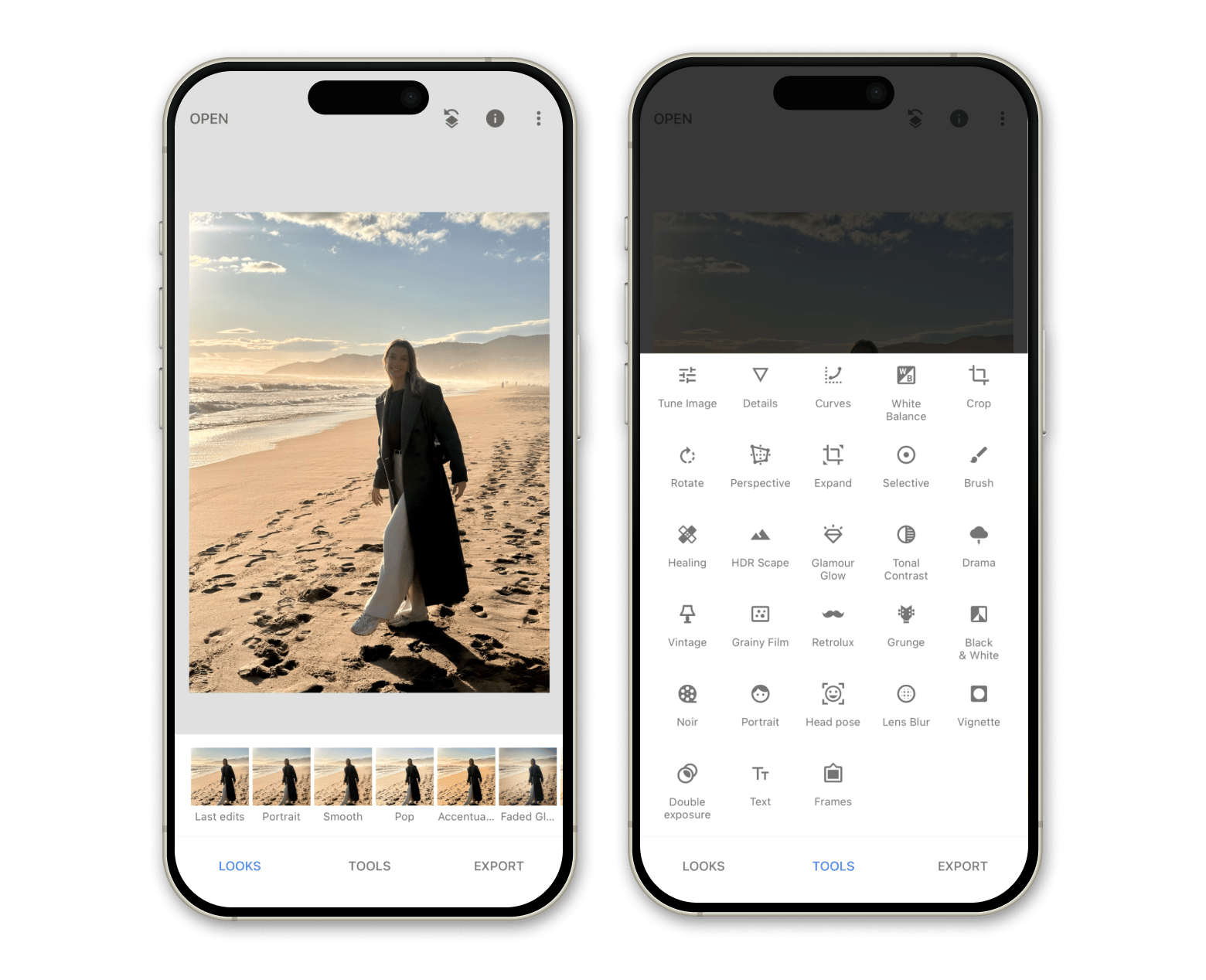
If I had to keep just one app on my phone forever, Snapseed would probably win. Developed by Google, it's completely free — no ads, no watermarks, no paywalled features. Just editing.
The depth of tools is honestly impressive. We're talking 25+ tools including selective adjustments, curves, healing, HDR, perspective correction, and a double exposure mode. It also opens RAW files, which puts it ahead of most paid competitors.
One thing I keep coming back to: the 'Looks' system, where you save your own editing styles and apply them to new photos in one tap. Not as aesthetically polished as VSCO presets, but for workflow efficiency, it's excellent.
"It works pretty good for me when I want to quickly edit a photo I took with my phone and upload it to IG where quality doesnt matter that much. It does have quite a few cool settings to play around with, but certainly not as many as LR which i prefer for editing"
However, users also agree that Snapseed is more suitable for basic editing and loses out to Lightroom in terms of advanced editing features.
“Snapseed is usually 'good enough' but it of course depends on what you are looking to do. LR is more sophisticated editing capabilities and many functions are paywalled to a subscription. I prefer Snapseed for quick edits even though I have a PS/LR subscription”, shares a Reddit community member.
Best features:
25+ tools including Healing, Selective, Curves, Perspective, and HDR Scape
Save personal 'Looks' and apply to new photos instantly
Selective filter brush for precise local adjustments
Face Enhance and Face Pose for portrait work
Double Exposure mode for creative blending
Pros:
Completely free
Non-destructive editing throughout
Works well even on older iPhone models
Cons:
Beginners need time to get used to the interface
Price: Free
VSCO: Best for film-inspired aesthetics
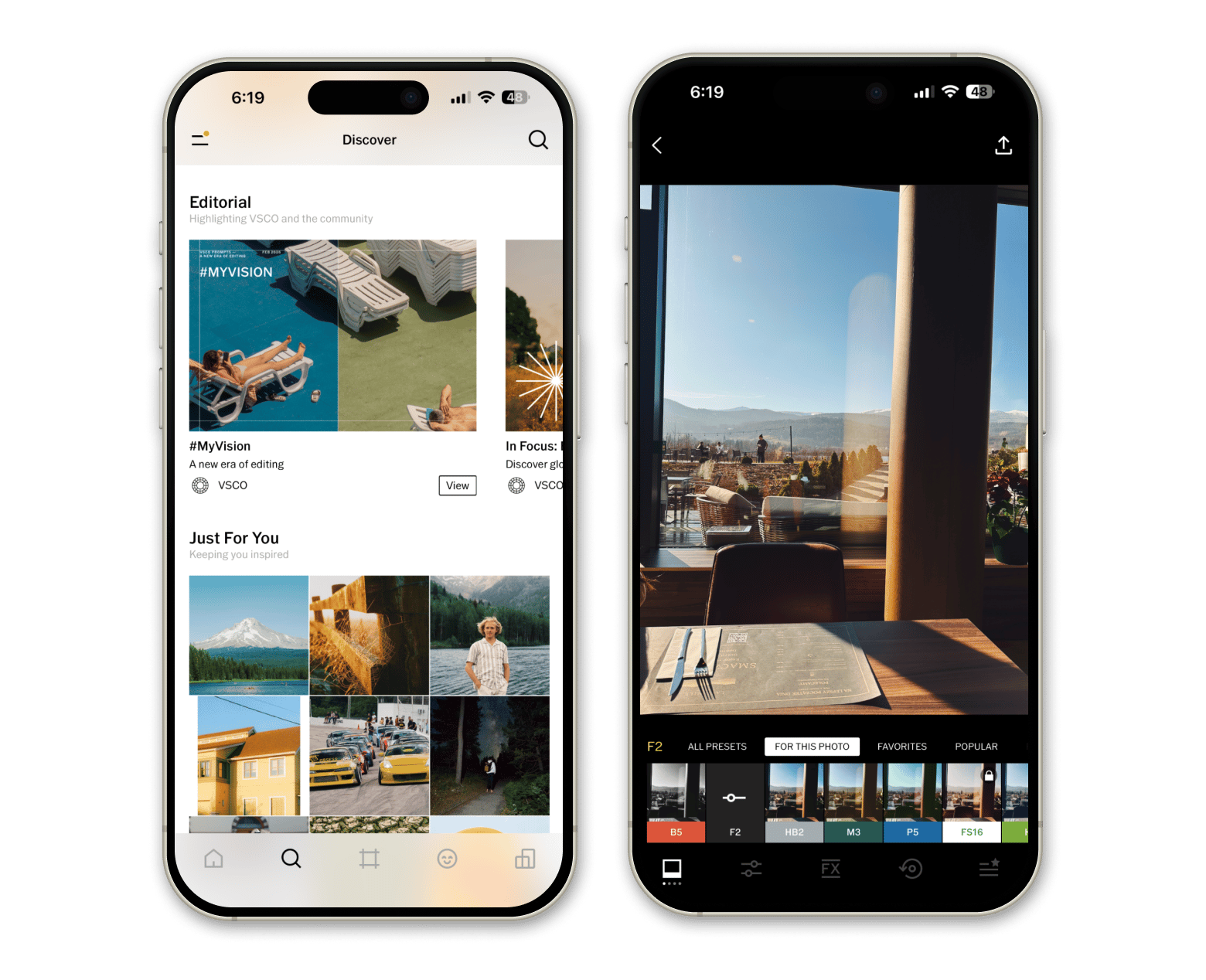
VSCO is the editing app that basically defined a whole visual aesthetic. Those warm, slightly faded, analog-film tones you see everywhere? VSCO presets are probably behind most of them.
The free version gives you 15 presets and all the standard adjustments: exposure, contrast, crop, and white balance. Enough to get the feel. But the real value is in the paid membership, which unlocks 200+ presets, AI tools, Canvas for mood boards, and VSCO Sites for portfolio building.
AI Lab tools: Remove (object removal), Upscale, prompt-based editing
VSCO Capture app for shooting with live filters and manual controls
Non-destructive editing with precise sliders
VSCO Canvas for mood boards
Community discovery feed for creative inspiration
Pros:
Film presets are genuinely beautiful and hard to replicate elsewhere
Clean, minimalist interface
Strong community for creative inspiration
Available on iOS, Android, and web
Cons:
Free tier is limited to 15 presets
AI tools are membership-only
Price: Free or from $8/month
Lightroom: Best free photo editor for iPhone with AI tools and batch editing
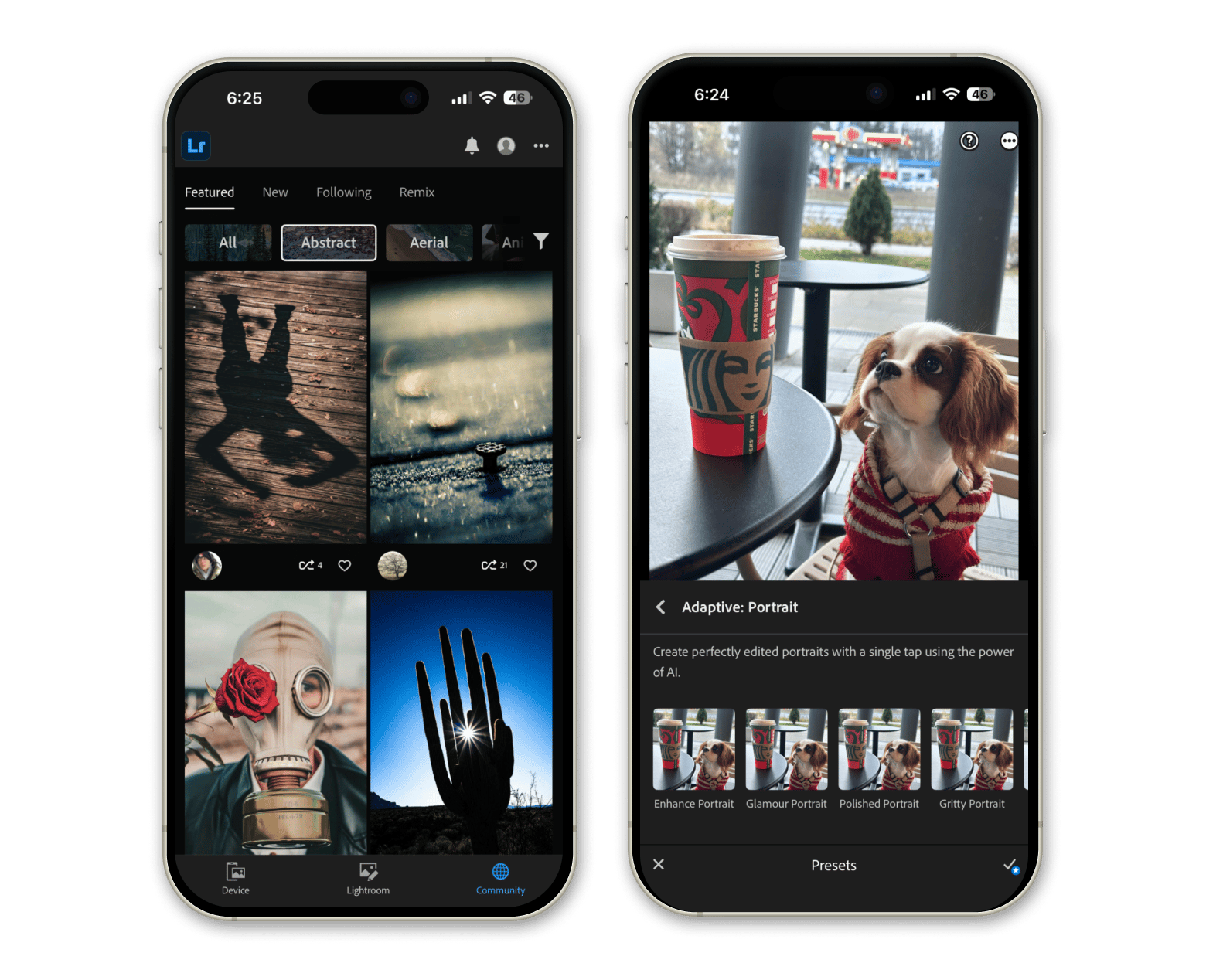
Adobe Lightroom has turned its free mobile app into something genuinely useful — not just a teaser for the desktop version. The free tier includes AI-powered Quick Actions, Adaptive Presets, background blur, Generative Remove (an AI object eraser), and video editing tools.
What makes Lightroom worth using even for casual photographers is batch editing. Shoot an entire travel day or event and apply the same adjustments across every photo in seconds. Combined with RAW support and seamless device sync, it's a remarkably complete free package.
“It’s the best mobile photo editing app IMO. Everything I post to my Instagram is edited in Lightroom mobile then when someone wants to purchase a print I go onto my computer and basically edit the RAW to look the same”,shares a Reddit user.
Best features:
AI Quick Actions for instant, photo-specific edit suggestions
Adaptive Presets that adjust to each photo's content
Generative Remove for AI-powered object removal
Background blur for professional bokeh effect
Batch editing for consistent looks across shoots
RAW file support with full tonal control
Pros:
AI features that genuinely improve photo quality
Syncs seamlessly across iPhone, iPad, and Mac
Community presets from creators worldwide
Video editing tools included in the free tier
Cons:
Some AI features are paywalled
Can feel overwhelming for quick edits
Price: Free or from $4.99/month
Picsart: Best for creative designs and social media content
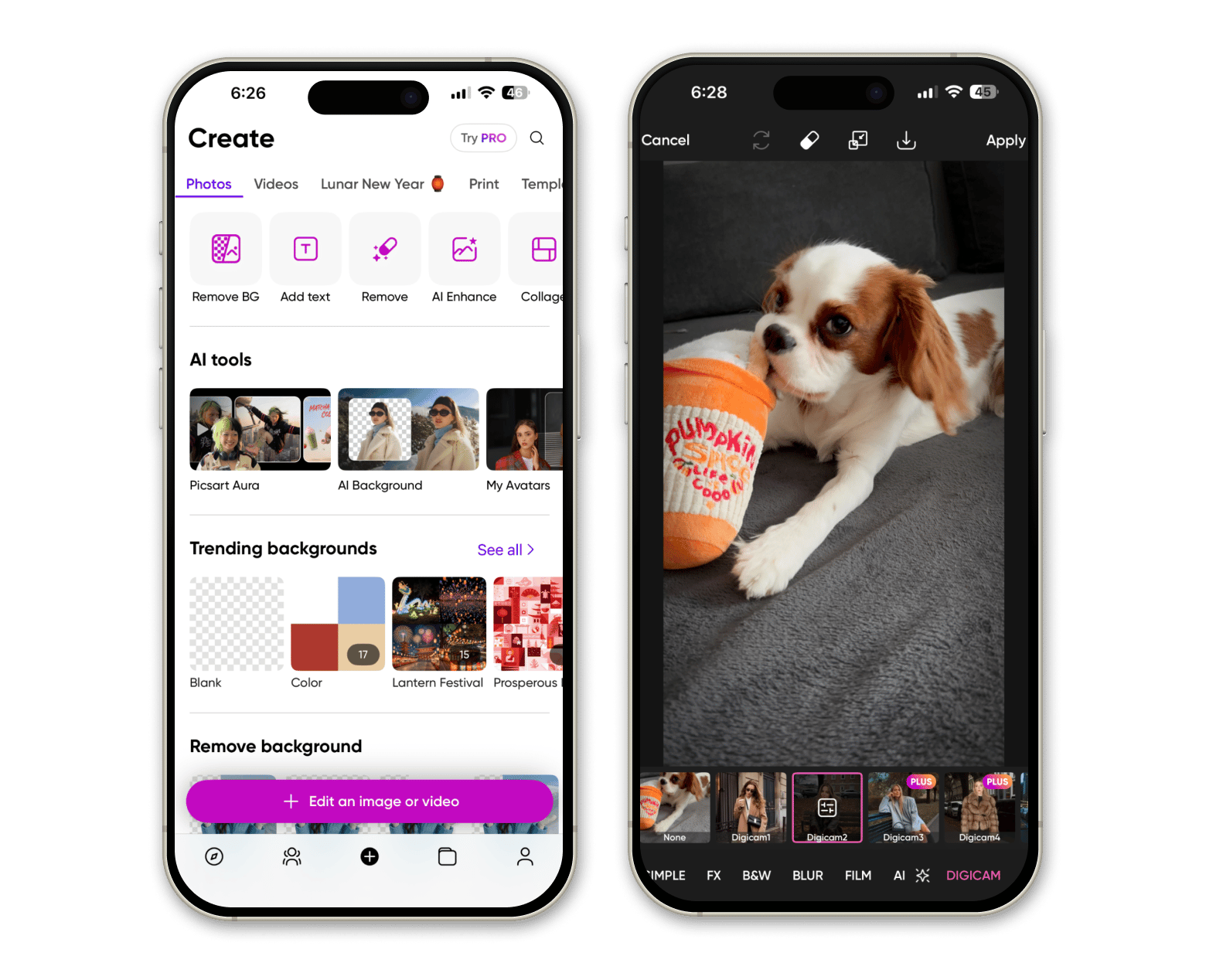
Picsart is less a photo editor and more an all-in-one creative design studio. Yes, you can edit photos, but you can also remove backgrounds, make collages, generate AI art, build Stories, and create branded content.
For anyone creating content across multiple platforms, Picsart is one of the most versatile free tools available. The AI background remover alone is worth downloading. AI Replace, AI Expand, and AI Enhance are genuinely useful rather than gimmicky.
The free tier is generous but shows limits for heavy users. Paid plans unlock premium templates, more AI tools, and extra storage.
Best features:
AI Background Remover with Smart Background replacement
AI Replace for face swaps, hair color changes, and selfie edits
AI Expand to extend image boundaries with matching content
60+ million stickers plus custom sticker creator
Video editor for TikTok, Reels, and Stories
Template library for social posts, logos, and business cards
Pros:
Incredibly versatile — covers photo editing, design, and video
AI tools are creative and practical, not just novelty
Huge template and sticker library
Great for multi-platform content creators
Cons:
Best AI features require paid subscription
Less suited for traditional photography editing
Price: Free or from $10/month
Prequel: Best for trendy aesthetic effects and video content
Prequel is unashamedly about one thing: making your content look cool with the least effort. The app is built around effects — 800+ options including the VHS, D3D, DISCO, and PRISM effects you've definitely seen on social media.
Where it stands out is short-form video. It handles Reels and TikTok edits really well, with music, text, stickers, and effects that feel current and on-trend. For creators who want quick aesthetic edits without spending hours in a timeline, it's one of the most efficient options.
The free version gives you a solid subset of effects. But honestly, if you find yourself using Prequel regularly, the Gold subscription earns its keep — the effect library is what makes the app worth using.
Best features:
800+ effects and filters including VHS, D3D, DISCO, and PRISM
One-tap templates for aesthetic videos
3D moving pictures with the D3D feature
30+ custom fonts for text overlays
Music, sticker, and intro effect integration
Pros:
Effect library is genuinely impressive
Photo and video editing in one app
Very fast for creating polished social media content
Free version is actually usable
Cons:
Subscription fee feels pricey
Price: Free or from $4.99/week
To sum up: Which free photo editing app for iPhone is the best?
For free iPhone editing, Snapseed is the strongest all-rounder: the most tools, zero cost, no strings attached. VSCO is the right choice if you want that specific film aesthetic and enjoy a curated photography community. Lightroom makes the most sense if you're shooting RAW or need AI tools and batch editing. Picsart wins for multi-platform content creation, and Prequel is unbeatable for fast, trendy social media edits.
When editing moves to Mac, Setapp gives you access to TouchRetouch, CameraBag Pro, Luminar Neo, and 250+ other apps for one subscription. Try free for 7 days and build a workflow that handles everything from quick iPhone snaps to professional-grade photo editing.
FAQ
What is the best free photo editing app for iPhone?
Snapseed is the best free photo editing app for iPhone overall. It offers 25+ tools, RAW file support, zero ads, and no watermarks — completely free with no subscription needed.
Is Lightroom free on iPhone?
Yes, Adobe Lightroom has a genuinely useful free tier on iPhone that includes AI-powered editing tools, RAW support, batch editing, and video editing. Advanced features like expanded cloud storage and the full desktop experience require a paid Creative Cloud subscription.
Which iPhone photo editor is best for social media content?
Picsart and Prequel are both built for social-first content. Picsart is better if you create content across multiple platforms and need design tools, AI features, and templates. Prequel is better if you want fast, trendy video effects for TikTok and Reels specifically. CapCut is also worth trying for social media, especially for more complex video editing.
Are there good photo editors for Mac that work with my iPhone photos?
Luminar Neo, CameraBag Pro, and TouchRetouch from Setapp (a 7-day trial is available with Setapp Membership) are all excellent Mac photo editors that integrate directly with Photos — so your iPhone library is immediately accessible. All three are available on Setapp, a subscription platform with 250+ Mac apps.
Can I use Luminar Neo on multiple Macs with Setapp?
Yes, it depends on the Setapp plan you choose. You can access Luminar Neo on:
1 Mac — with the Mac plan of Setapp Membership.
Up to 4 Macs — with the Power User plan of Setapp Membership.
1, 2, 3, 4, or 5 Macs — if you subscribe to Luminar Neo only via the Setapp Marketplace (click the "Buy now" button on the app page).
Powerful apps live on Setapp
Ditch defaults and discover new gems on one app platform.






 Top-rated on Setapp
 Top-rated on Setapp