Grammarly costs up to $30/month — and it's not the only capable grammar checker for Mac anymore.
LanguageTool is the closest like-for-like swap: system-wide Mac checking, 30+ languages, and a solid free tier.
ProWritingAid goes far deeper on style, tone, and readability — ideal for bloggers, authors, and long-form writers.
Hemingway Editor is the best pick if clarity and readability are your main concern, not grammar.
Elephas, Ulysses, and TypingMind — available on Setapp — give Mac writers grammar, style, and AI assistance in one subscription instead of stacking separate tools.
All Setapp apps mentioned here are included in one subscription. Try Setapp free for 7 days, cancel anytime.
I write every day. Articles, blog posts, research notes, emails — text is pretty much my entire job. And like most writers, I ended up on Grammarly because everyone else was on Grammarly. It works, it's familiar, and it's everywhere.
But I'm also the kind of writer who can't help experimenting. Every few months I find myself wondering whether the tool I'm paying for is actually the best one for the job or just the most familiar one. When Grammarly's premium renewal landed in my inbox at $30/month, that question felt a lot more pressing than usual.
So I spent several weeks testing Grammarly alternatives. Not as a reviewer ticking feature boxes, but as a writer who actually needed to get work done. I used each tool in my real workflow — drafting articles, editing research-heavy pieces, proofreading on deadline and paid attention to what genuinely helped versus what just looked good in a comparison table.
Here's my honest take.
Best Grammarly alternatives for Mac: Quick comparison
Before diving into the details, here's a quick overview of all seven tools. I've focused on the features that actually matter for Mac writers: how well each app integrates with your workflow, what it does best, and what it costs.
LanguageTool: Best like-for-like Grammarly alternative for Mac
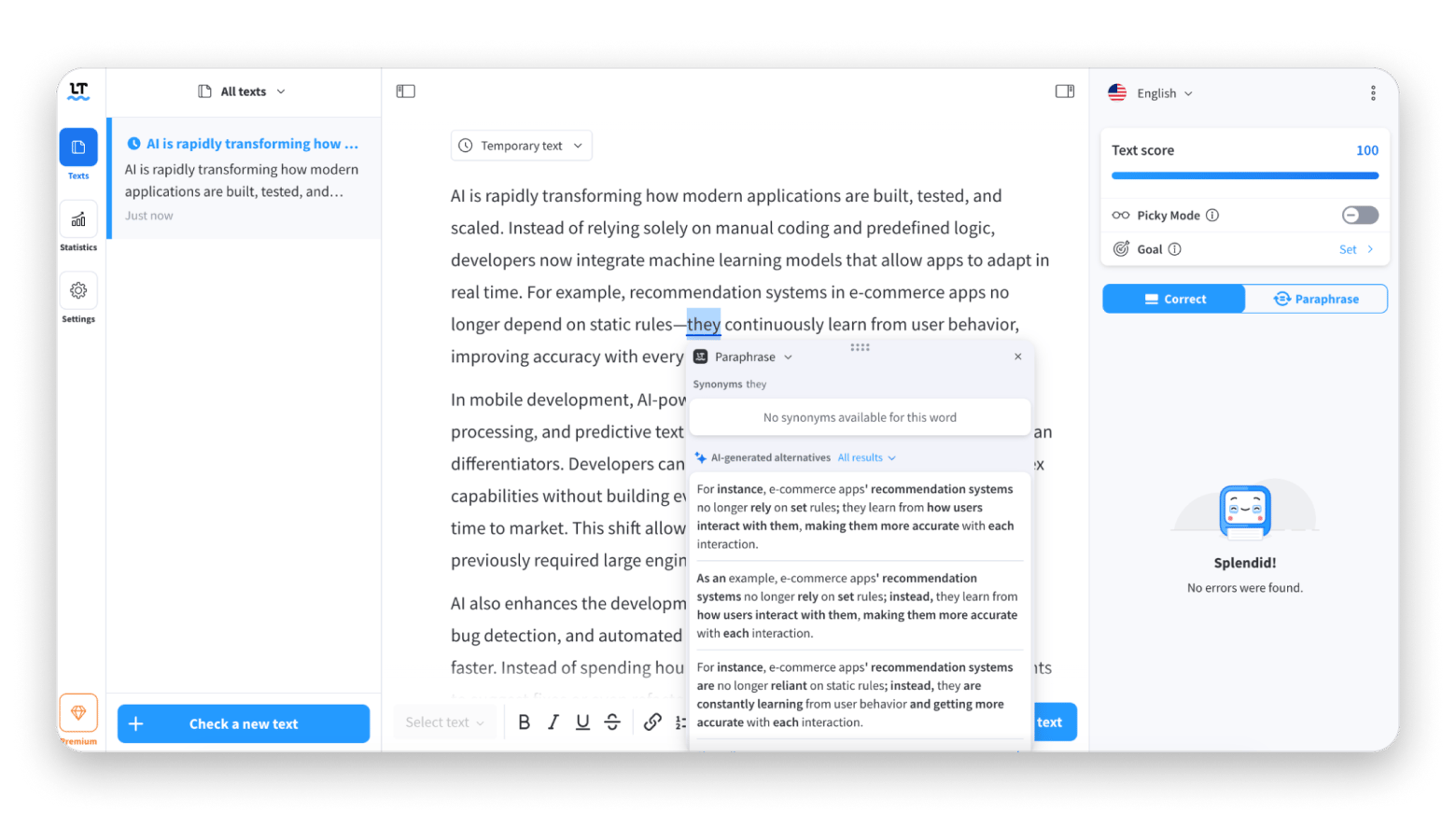
LanguageTool is the alternative that comes up most consistently when writers discuss leaving Grammarly — and for good reason. It covers the same core ground (grammar, spelling, punctuation, style suggestions) while adding support for over 30 languages, which Grammarly doesn't match.
One meaningful difference from Grammarly: LanguageTool lets you set the language per document rather than globally, which matters if you switch between English variants (US, UK, Australian) or write in multiple languages.
Best features
Grammar, spelling, and style checking across 30+ languages
Browser extensions for Chrome, Firefox, and Safari
Custom dictionary and personal rule sets to match your style guide
Privacy-focused option: self-hosted version available for sensitive documents
Pros
Even a free tier is very useful
Great multilingual support
Less expensive than Grammarly
Cons
Style suggestions are less nuanced than Grammarly
Desktop app integration can be inconsistent across some Mac apps
No Mac-native app with full offline support
Price: Free or from $24.90/month.
ProWritingAid: Best Grammarly alternative for long-form writers
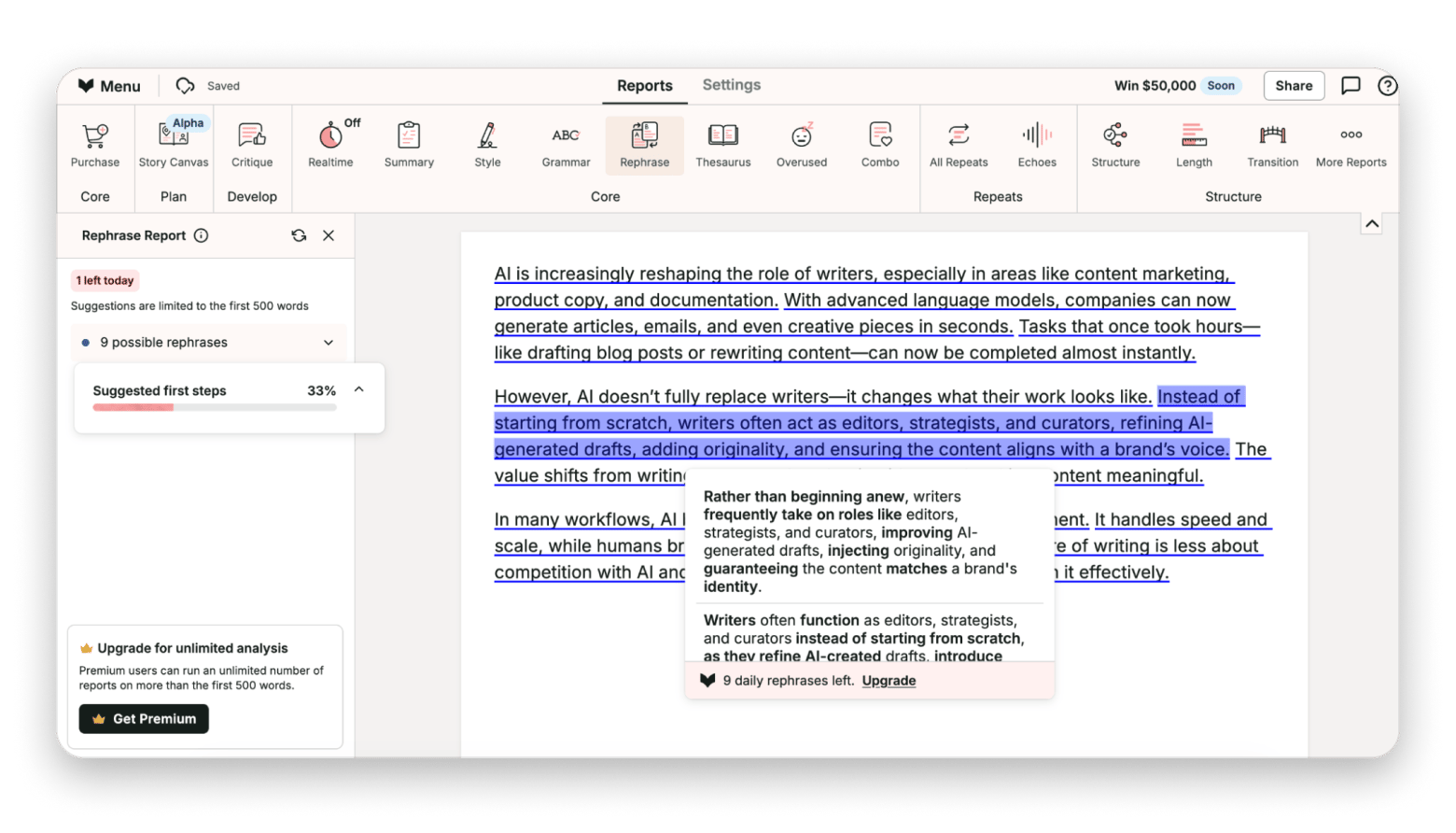
Bloggers, authors, and content professionals consistently rank ProWritingAid as the strongest alternative for long-form work. Where Grammarly gives you a flag and a quick fix, ProWritingAid explains why a sentence isn't working and gives you options to improve it. That difference matters when you're writing 2,000-word articles or longer.
“No tool will ever replace a human editor, of course, but for the price point, authors on a budget will serve themselves well to use PWA or similar rather than simply trying to do it themselves and hope for the best. I can call it the Budget Editor. It's thorough enough to gloss up your work so that it looks like care was taken in writing it”, says a Reddit user.
Best features
20+ in-depth writing reports covering style, readability, pacing, and structure
Genre-specific suggestions — fiction, business, academic, and blog writing all get different guidance
Integrations with Google Docs, Microsoft Word (Windows), Scrivener, and most major browsers
Pros
Deepest style analysis of any tool on this list
Great for long-form writing
Less expensive than Grammarly annually
Cons
Interface takes time to learn; more complex than Grammarly
Price: Free or from $30/month.
Hemingway Editor: Best Grammarly alternative for clarity and readability
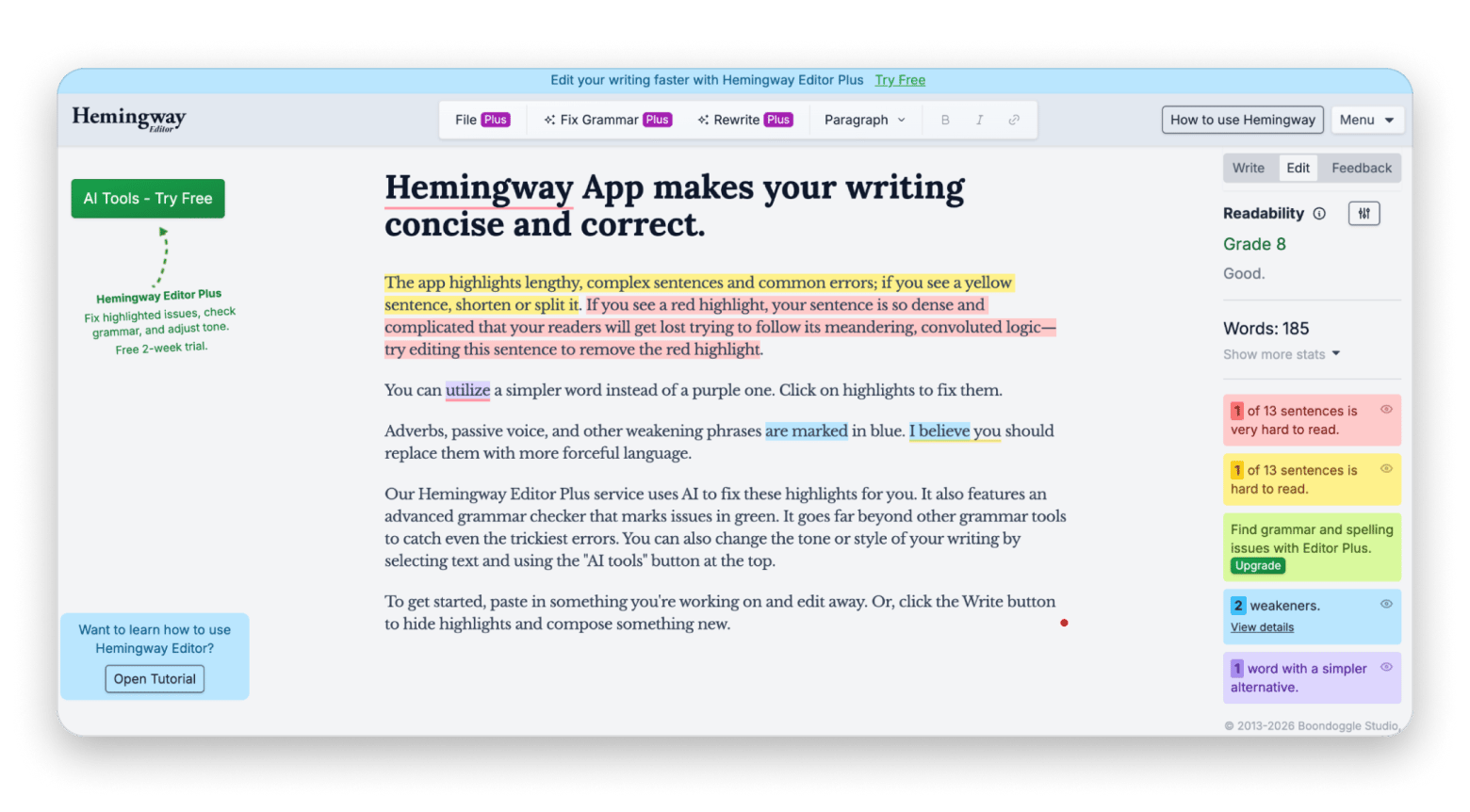
Hemingway Editor takes a completely different approach to writing feedback. Rather than flagging grammar errors, it focuses on readability, identifying complex sentences, passive voice, adverbs, and dense phrasing that make your writing harder to follow.
The highlight system is immediately intuitive: yellow for long sentences, red for very long ones, blue for passive voice, green for adverbs, and purple for complex words with simpler alternatives. There's no login, no subscription for the desktop version, and no cloud sync — your text stays on your machine.
Best features
Readability grade scoring — targets your writing to a specific reading level
Color-coded highlight system for different types of clarity issues
Passive voice detection and adverb flagging
Word count, reading time, and writing statistics
Pros
Solves a problem Grammarly largely ignores: clarity and concision
Offline Mac app with no data leaving your machine
Immediately usable with no learning curve
Cons
Not a grammar checker — needs to be used alongside another tool
No real-time checking within other apps
AI features are limited compared to more recent tools
Price: Free, or from $10/month. $19.99 one-time purchase for the desktop app (doesn’t include new AI features).
Elephas: Best AI-powered writing assistant for Mac
Elephas is an AI writing assistant that works across your entire Mac, not just in a browser or a single supported app. Through its Super Command shortcut, it's accessible in Safari, Mail, Slack, Notes, and virtually any other Mac application.
The core difference from Grammarly is intent. Where Grammarly focuses on correcting what you've written, Elephas helps you write better from the start. It can proofread, rewrite, summarize, and generate content. But the most useful feature for writers is the custom tone of voice, which you train by pasting examples of your own writing. Once configured, its suggestions sound like you, not like generic AI output.
Here’s what Lokesh Kapoor, digital content creator and founder of the DroidCrunch blog, says about Elephas:
“Real-time suggestions have noticeably improved both my writing quality and speed. I spend less time editing and second-guessing every word. It feels like having an editor by my side, but without the interruptions.”
Best features
System-wide AI writing assistance via Super Command — works in any Mac app
Custom tone of voice trained on your own writing samples
Proofread, rewrite, summarize, and generate content from a single interface
Knowledge base mode: chat with your documents, PDFs, and research notes
Pros
Personal tone training makes AI suggestions sound authentic
Replaces multiple tools: grammar checker, AI assistant, research tool
Grammar correction and style improvement across all your applications
Cons
Requires some initial setup to get the most from tone training and knowledge bases
Price: Available on Setapp alongside 250+ other Mac apps.
Tip: Grammarly checks what you wrote. Elephas helps you write better — across every Mac app. Works in Safari, Mail, Slack, and Notes via one shortcut. Try Elephas Free
Ulysses: Best Grammarly alternative for Mac-first bloggers
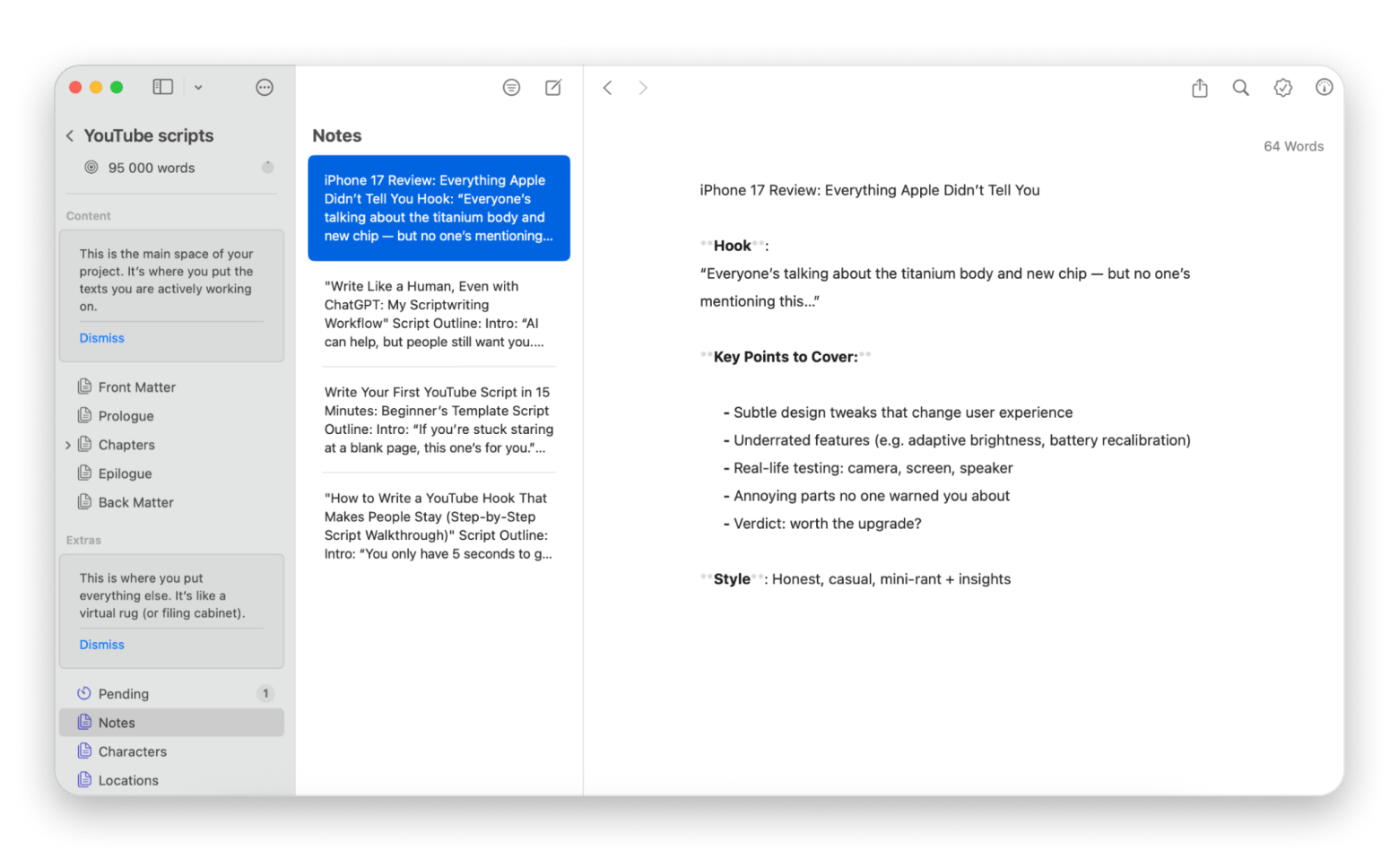
For Mac bloggers and long-form writers, the workflow Ulysses enables is often more valuable than a grammar checker. It includes a built-in proofreader, goal tracking (word count, reading time, character count), and seamless export to WordPress, Medium, Ghost, and other publishing platforms.
It won't replace a dedicated grammar checker for deep error detection, but for writers who find themselves constantly switching between writing apps, note apps, and Grammarly, Ulysses consolidates a lot of that into one clean native Mac environment.
“I tried Ulysses to make the writing less distractive, and it became a game-changer for me. Now, when I need to focus on my assignments, the interface transforms into a clean, distraction-free canvas. No more notification pop-ups or cluttered toolbars — just my thoughts flowing onto the page”, Stefan-Radu Gogolan, video editor, digital marketing specialist.
Best features
Built-in proofreader with grammar and style suggestions
Distraction-free writing mode with configurable themes
Writing goals and statistics: word count, character count, reading time
Direct publishing to WordPress, Medium, and other platforms
Unified library: all drafts, notes, and finished pieces in one place
Export to PDF, ePub, Word, HTML, and more
Pros
Fast, reliable, no browser dependency
Replaces both a writing app and a basic grammar checker for many workflows
Best publishing workflow integration of any app on this list
Cons
Grammar checking is basic compared to dedicated tools
Price: Available on Setapp alongside 250+ other Mac apps.
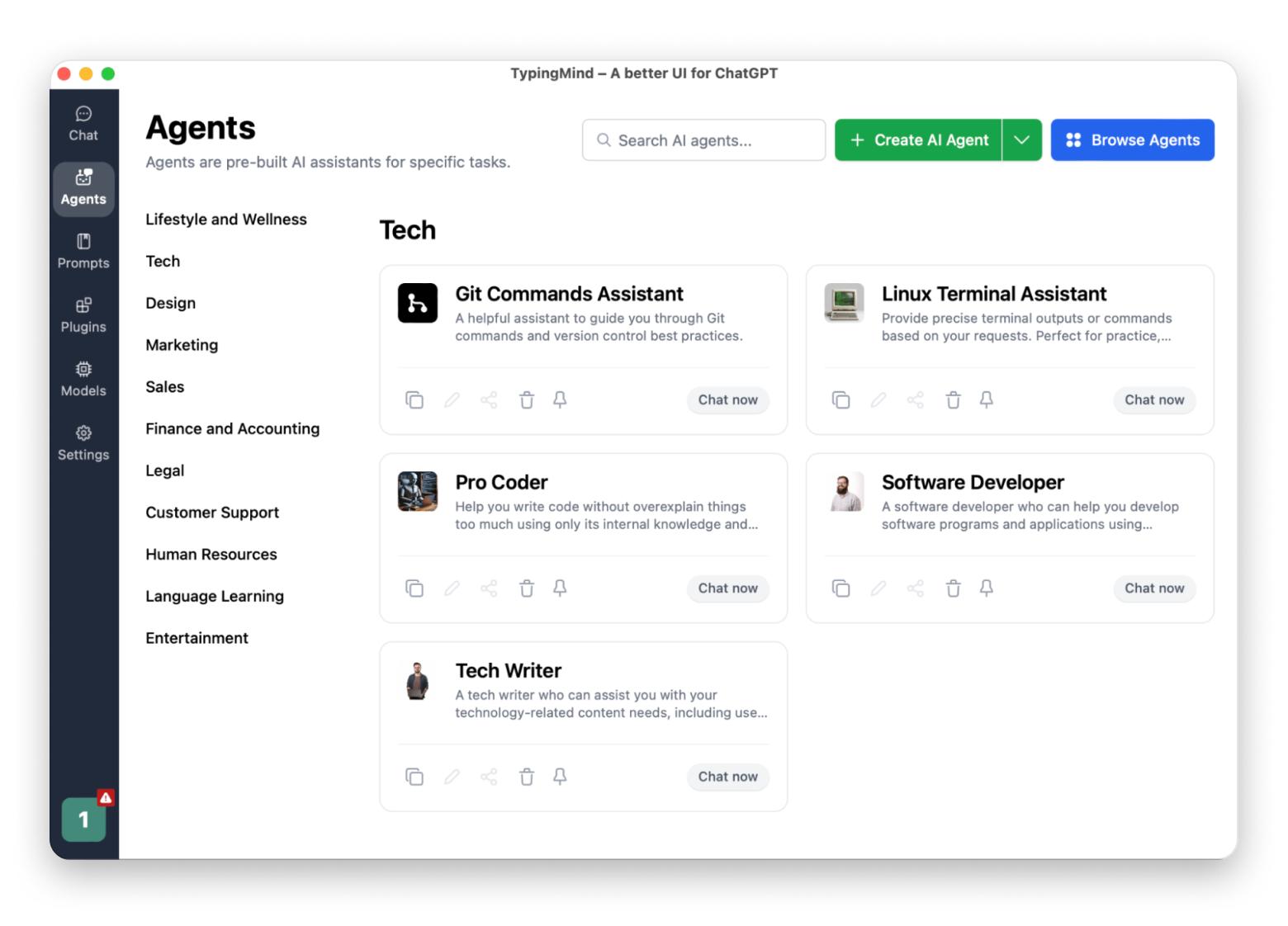
TypingMind: Best Grammarly alternative for AI-assisted editing
TypingMind is a Mac app that wraps multiple large language models — GPT-4, Claude, Gemini, Perplexity — in a single clean interface. For writers, this means access to AI-powered editing that outpaces what Grammarly's AI layer offers, without being locked into a single model's strengths and limitations.
The practical use case for Grammarly users is straightforward: paste your draft into TypingMind, apply a pre-built proofreading or rewriting prompt, and get suggestions from your preferred model. Unlike Grammarly, it doesn't integrate into other apps in real time.
Best features
Access to multiple AI models in one app: GPT-4, Claude, Gemini, Perplexity, and more
160+ ready-made prompt templates including proofreading, rewriting, and style improvement
Document chat: upload a draft and ask the AI specific questions about it
Prompt library for reusable editing and writing workflows
Pros
Access to multiple AI models
Far more capable than Grammarly for complex rewrites
Custom AI characters for specific tasks (e.g., a dedicated blog editor persona)
Cons
Requires manual copy-paste workflow for editing existing documents
Price: Available on Setapp alongside 250+ other Mac apps.
TextSoap: Best Grammarly alternative for editors and high-volume text work
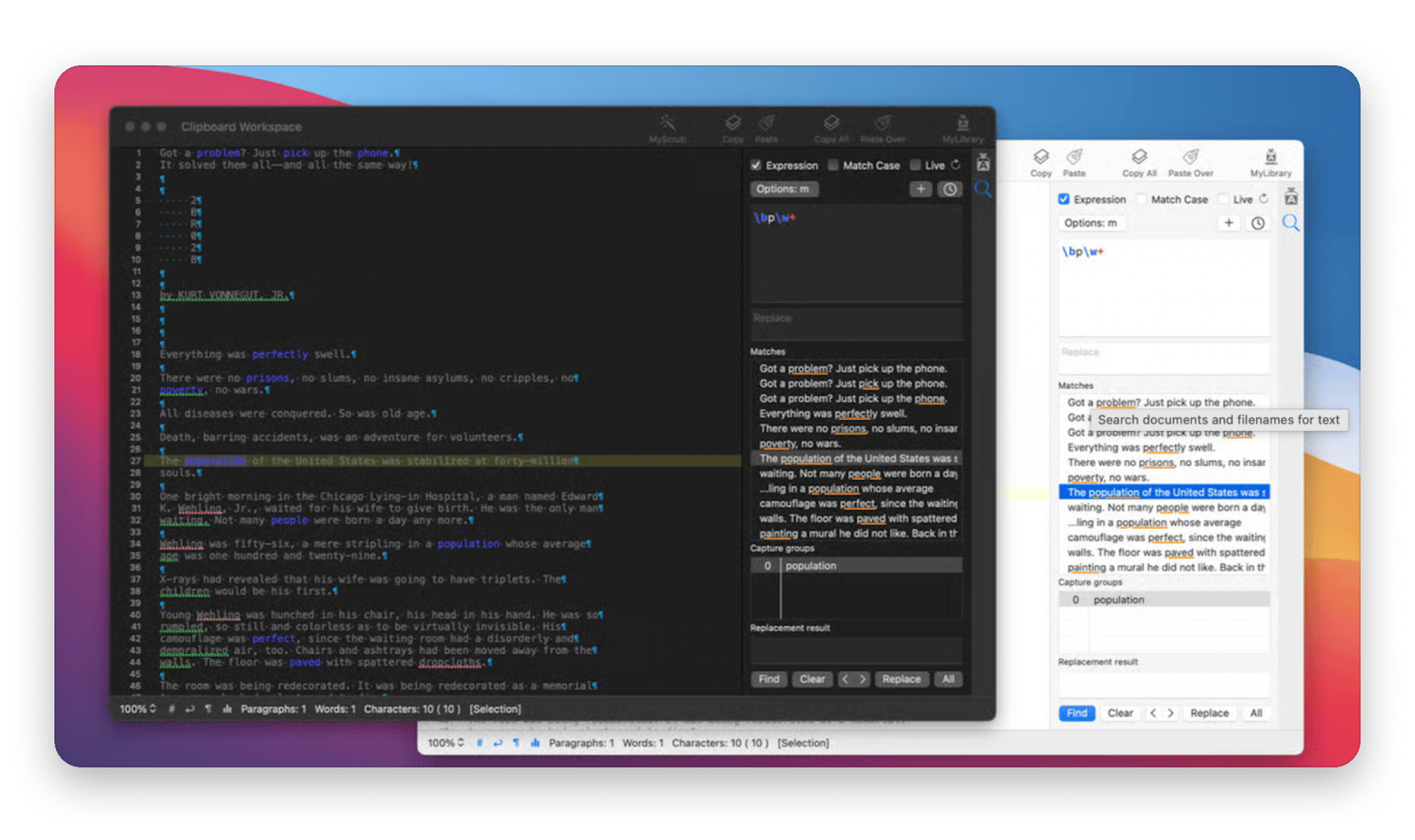
With over 100 built-in text cleaners, TextSoap automates tasks like removing extra spaces, fixing improper capitalization, stripping hidden characters, normalizing quotation marks, and dozens of other formatting and consistency issues that appear constantly in edited documents.
Best features
100+ built-in text cleaners for formatting, capitalization, whitespace, and character issues
Custom cleaner editor — script your own solutions for recurring document problems
Global menu integration: works directly inside Word, Pages, Mail, and other Mac apps
Batch processing for applying cleanup across multiple documents at once
Regular expression support for power users needing precise pattern matching
Pros
Solves text cleanup problems that no grammar checker addresses
Exceptional for editors, legal teams, and anyone managing large document volumes
Works system-wide via the global menu
Cons
Less useful for casual writers who don't process high volumes of text
Price: Available on Setapp alongside 250+ other Mac apps.
Choosing the right Grammarly alternative for your Mac workflow
After testing all seven, my honest answer is: most writers don't need just one tool, but rather the right combination.
LanguageTool or ProWritingAid for grammar and style, Hemingway for a clarity pass, and something like Elephas or Ulysses to tie it all together inside a native Mac workflow.
The good news is you don't have to pay for each separately. Elephas, Ulysses, TypingMind, and TextSoap are all included in Setapp — one subscription, 250+ apps, free for 7 days, cancel anytime.
FAQs
What is the best free Grammarly alternative for Mac?
LanguageTool offers the strongest free tier of any Grammarly alternative. It covers grammar, spelling, and basic style checking across more than 30 languages, works in Safari and Chrome, and doesn't require a credit card to use. The free version has limits on advanced suggestions, but it's useful as a daily writing tool without any cost.
What Grammarly alternatives work on Mac system-wide?
LanguageTool works across most Mac apps through its browser extensions and has broader application support than most alternatives. Elephas, available on Setapp, provides system-wide AI writing assistance through a keyboard shortcut that works in any Mac application — including Safari, Mail, Slack, and Notes — making it the strongest option for writers who want help beyond the browser.
Can I get multiple Grammarly alternatives without paying for each separately?
Yes. Setapp includes Elephas, Ulysses, TypingMind, and TextSoap alongside 250+ other Mac and iOS apps for one price. Rather than maintaining separate subscriptions to a grammar checker, an AI writing tool, and a writing environment, Setapp covers all of them — with a 7-day free trial to test everything before committing.
Powerful apps live on Setapp
Ditch defaults and discover new gems on one app platform.






 Best solution
 Best solution