OBS Studio is free and powerful — but not simple. It has no built-in editor, no official support, and a steep setup curve. If that's why you're looking for an alternative, there are better fits depending on what you actually do.
CleanShot X is the easiest switch for Mac screen recording. It captures your screen with audio, lets you annotate and trim right after you stop recording, and gets out of your way. Perfect for product demos and quick tutorials.
Filmage Editor is the pick if you want to record and edit in one place. It handles screen, camera, and even iPhone screen recording, then drops you straight into a full editing timeline.
The right alternative depends on what frustrates you about OBS. Need live streaming with remote guests? StreamYard. Serious live events on a Mac? Wirecast. Simple recording + sharing? ScreenPal. Guided streaming on Apple silicon? PRISM Live Studio.
OBS is powerful — but most Mac creators don't need all of it. CleanShot X and Filmage Editor are both on Setapp — try them alongside 250+ other Mac apps, free for 7 days. Cancel before Day 7 — $0 charged.
The best OBS Studio alternatives for Mac are CleanShot X, Filmage Editor, Camtasia, StreamYard, and more.
OBS Studio is a free, open-source app for video recording and live streaming on Mac, Windows, and Linux. Users use it for its superior performance and extensive customization options, such as scene management.
But OBS Studio alternatives remain a popular search on the web:
Some are looking for simpler workflows with clean recording and fast streaming (no complex features or setups).
Others want more guided “in-house” editing, after the recording is complete (no built-in editing in OBS Studio).
It's open source, and there’s no official support. So, for tech troubleshooting, you can rely only on forums.
To find the best OBS Studio alternatives, I used the GPT Alternative Finder and listed 12 tools that can beat OBS.
Top OBS Studio alternatives for Mac (Detailed comparisons)
OBS Studio is still the most flexible studio for many creators. But if your priority is built-in editing or more broadcast-style production tools, these alternatives can fit better.
To make the decision easier, here’s a Mac-focused comparison table first:
CleanShot X: Best for screen recording, lightweight workflows, and built-in editing
Best for users who need:
Fast screen captures
Product demos
Tutorial videos
Lightweight recording without OBS complexity
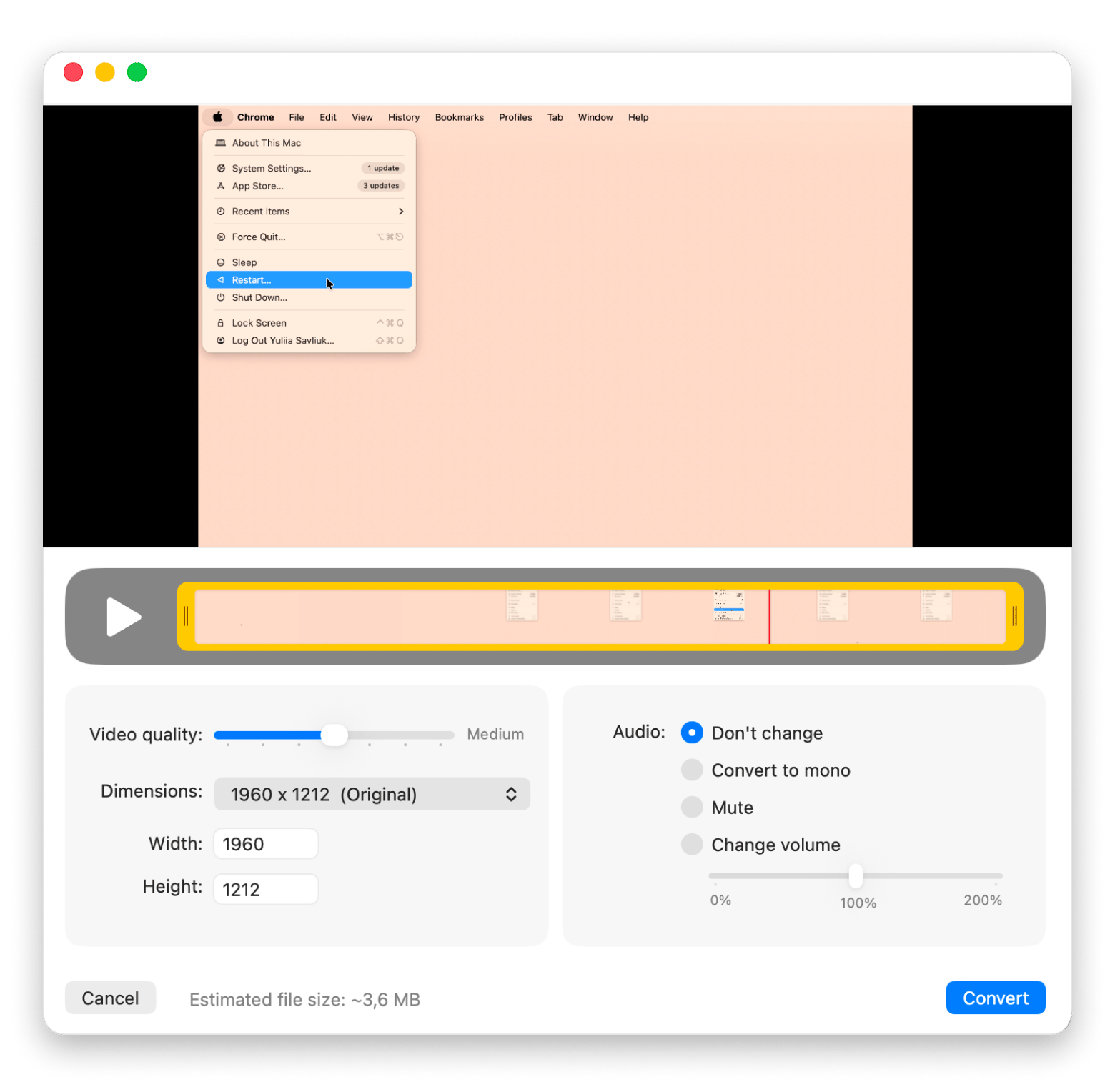
CleanShot X is one of the best screen recorders for Mac, and a good alternative. It has a simple interface and zero learning curve. It can record the screen with audio capture (either your voice or computer audio), and you can edit the recording right after you finish it.
The setup is simple, too. When you click Record Screen, you can preset your video based on the outcome you need. It includes resolution, audio settings, and even click highlighting. Also, you can go to advanced settings and set your video to 4K and even choose the “Do Not Disturb” feature, so when you record, you’re sure notifications won’t distract you.
But if you forgot to set the video quality or want to tweak the audio, you can still do this in the editing mode:
Differences with OBS Studio:
CleanShot X is focused on productivity and tutorials rather than livestream broadcasting.
There’s no advanced scene system or plug-in ecosystem.
Filmage Editor: Recording + live camera + editing workflows for creators
Best for users who need:
Course creation
Video editing
Interview recordings
Presentation videos
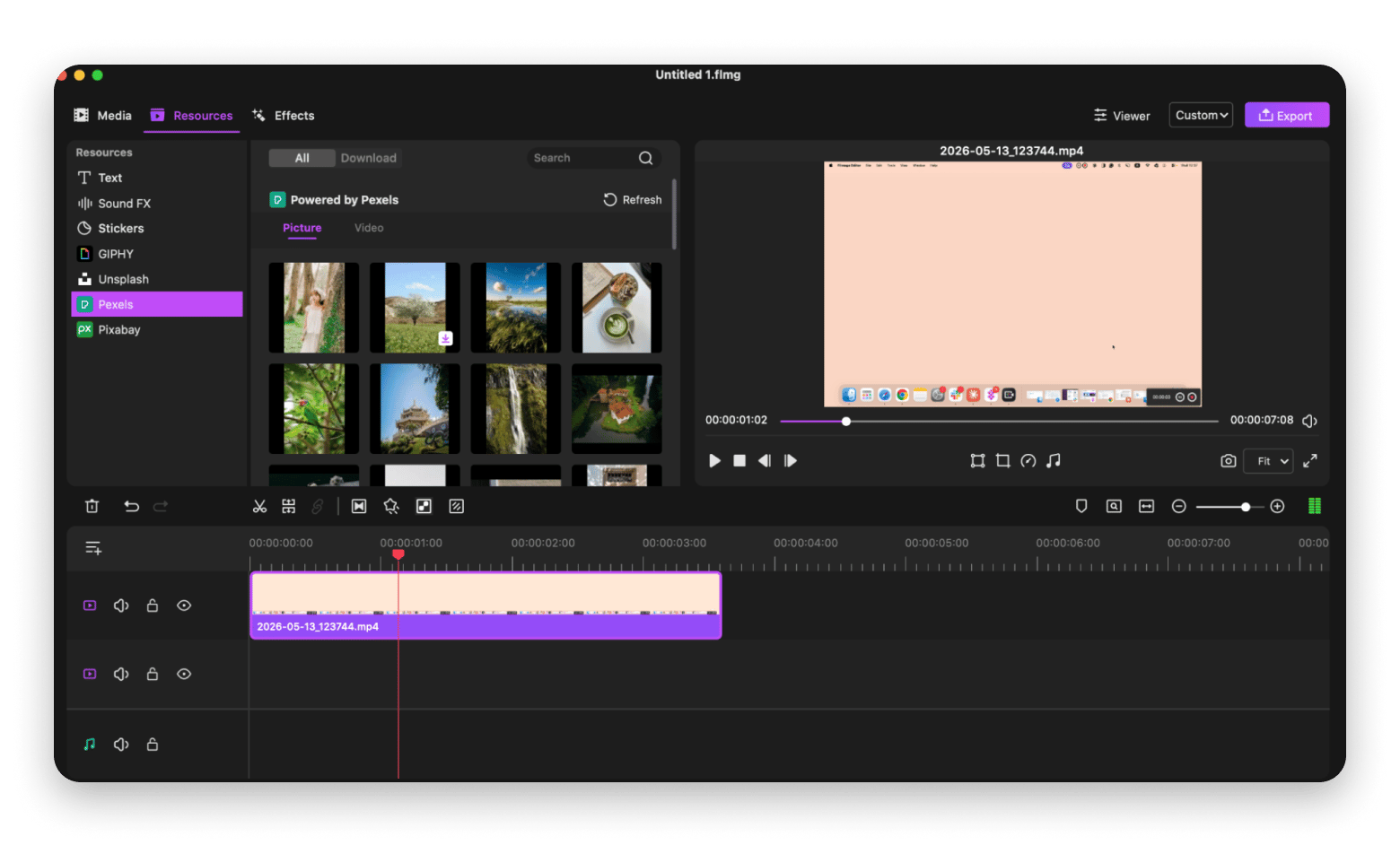
Filmage Editor is a solid pick if you want more editing power without the complexity of a pro tool. It records your screen with system audio or microphone input and lets you jump straight into editing when you're done. There’s no learning curve, so when you first launch the tool and point out the features, it gives hints on how they work.
You can set the output resolution, frame rate, and file format upfront, so the export is ready to use the moment you stop recording. And if you're in a flow and skipped those settings, the editing timeline gives you room to adjust.
When you launch Filmage Editor, you can either start with a clean project or pick one of the preset resolutions ( 9:16 or 4:3) that also show where you can use the record (social media, etc.).
Worth calling out: Apart from the screen and front camera, you can also record and edit your iPhone screen video right in the tool. Simply connect your iPhone to your Mac and click iOS in the project window.
Differences with OBS Studio:
Filmage Editor doesn't support live streaming or broadcasting, which is where OBS has a clear edge.
There's no scene management, plug-in ecosystem, or advanced source layering for complex setups.
Finishing in OBS means opening a second app to edit. That's two tools, two setups, two things that can break. Filmage Editor keeps recording and editing in one place. Try it free for 7 days on Setapp.
Camtasia: Great choice for polished tutorials with built-in editing
Best for users who need:
Course creation
Tutorial production
Polished video editing
Script-based recording workflows
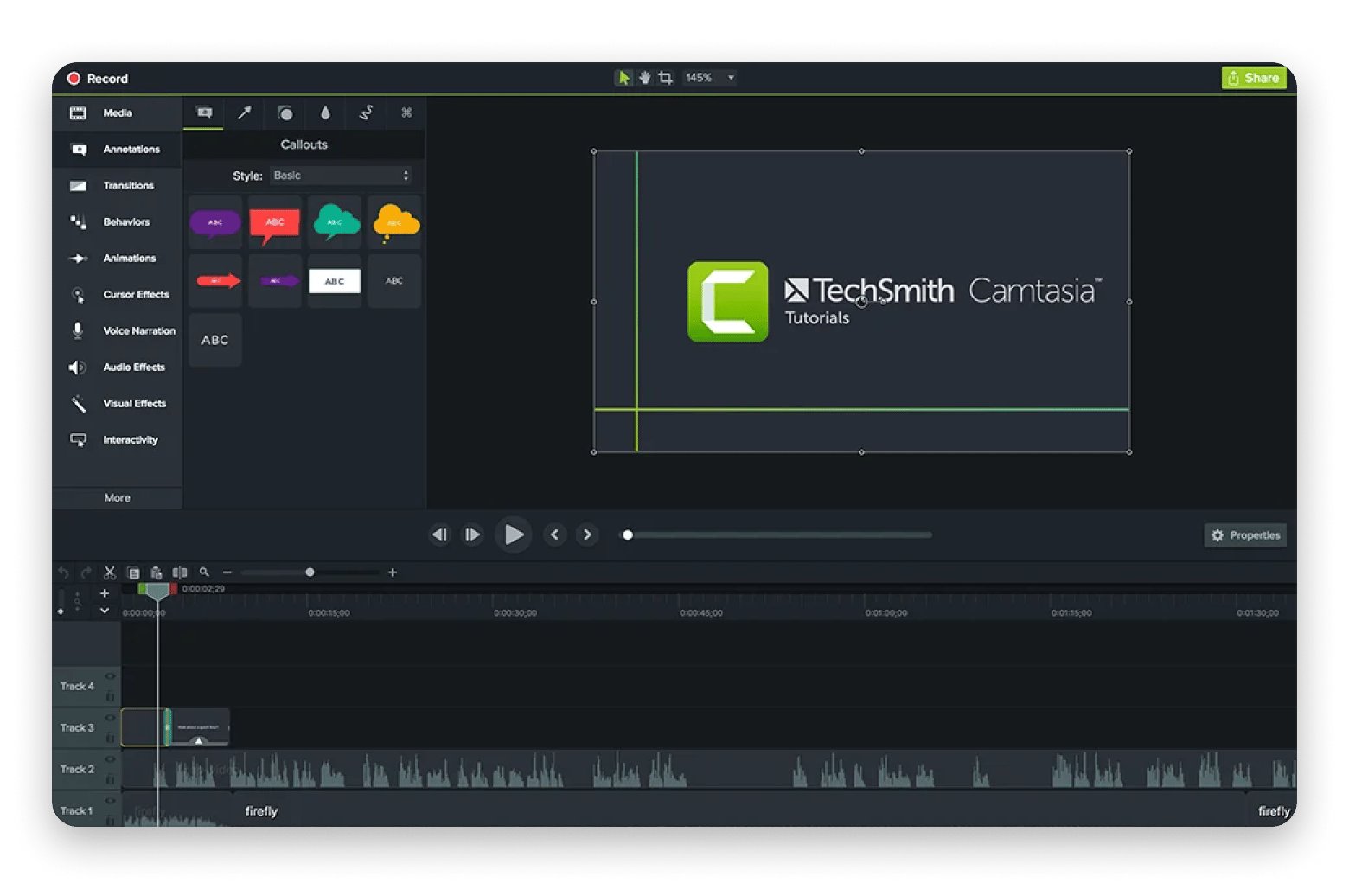
Camtasia is the alternative I reach for when I want to record and immediately edit without juggling a second editor. It supports multi-track, non-linear editing (meaning you can cut and rearrange clips without destroying the original) on Windows and Mac, and it has a flexible recording feature. While in the app, you can select what to record simultaneously and as separate tracks: screen, camera, system audio, or microphone.
The tool is perfect for long tutorial editing via the script. When you record a video, Camtasia automatically transcribes your audio so that you can find it and cut that part of the video. Plus, this is how you can remove any rambling, ahs, ums, etc.
Source: ltu.edu
Differences with OBS Studio:
Camtasia is built for post-production editing (no live streaming or broadcasting).
There's no scene switching or plug-in ecosystem.
Wirecast: Ideal for professional live event production on Mac
Best for users who need:
Live event production
Multi-camera streaming
Corporate or broadcast-grade streams
Multi-platform simultaneous broadcasting
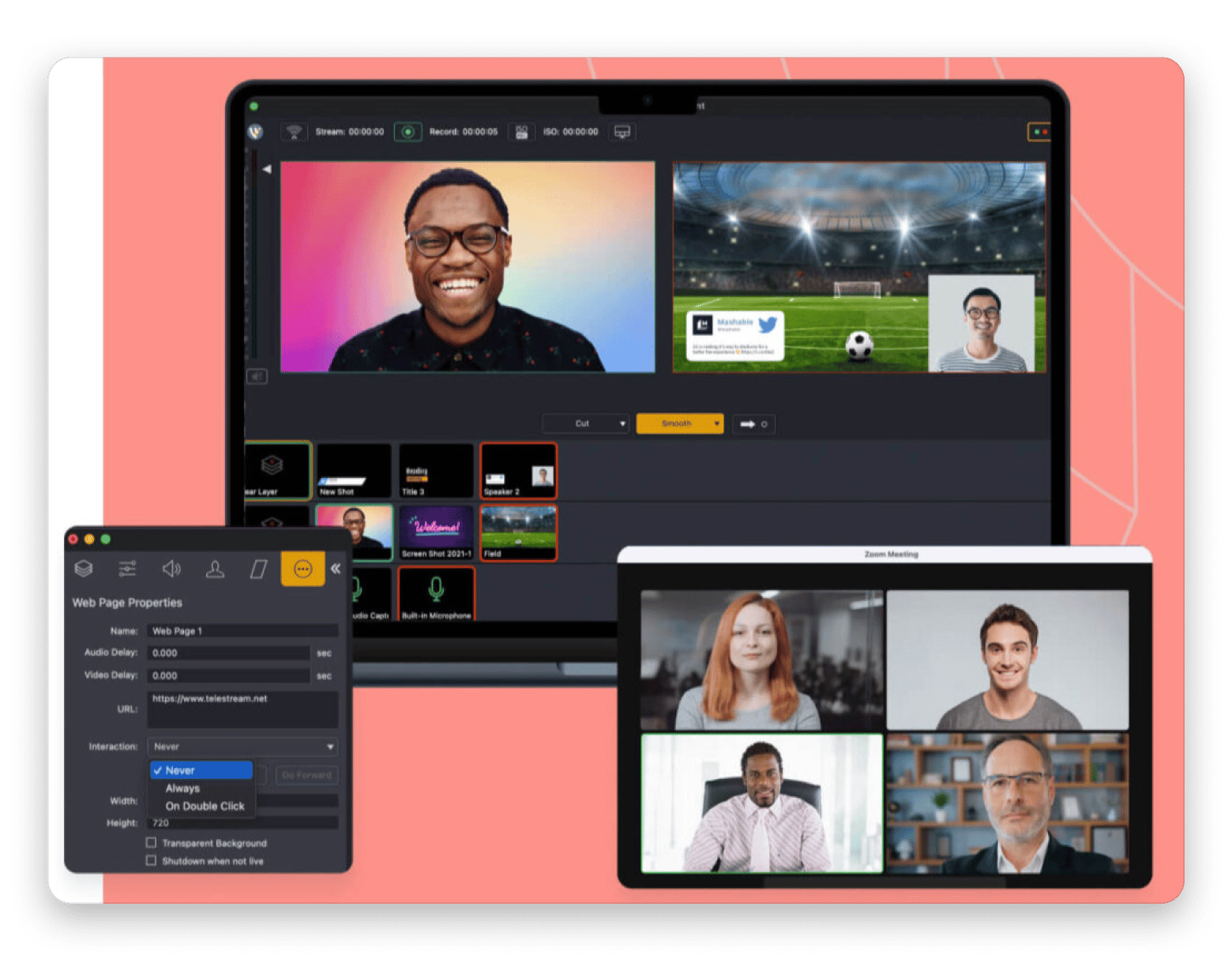
Wirecast is exactly the alternative built for structured live switching and production. It supports multi-camera events, corporate streams, and higher-stakes productions where you want a commercial toolchain. Plus, the app encodes and broadcasts video up to 4K resolution, so you’re sure to have high-quality videos.
I also like that Wirecast lets you broadcast to several platforms simultaneously and has a huge media library with over 500, 000 royalty-free visual assets and backing music tracks.
Source: .wirecast.io
Differences with OBS Studio:
Wirecast is for professional broadcast setups, which can feel like overkill if you just need a straightforward streaming tool.
The interface is more complex and has a steeper learning curve than OBS.
StreamYard: Best option if you want browser-based streaming with remote guests
Best for users who need:
Interview and panel streams
Remote guest management
Browser-based setup with no installs
Team or co-hosted live shows
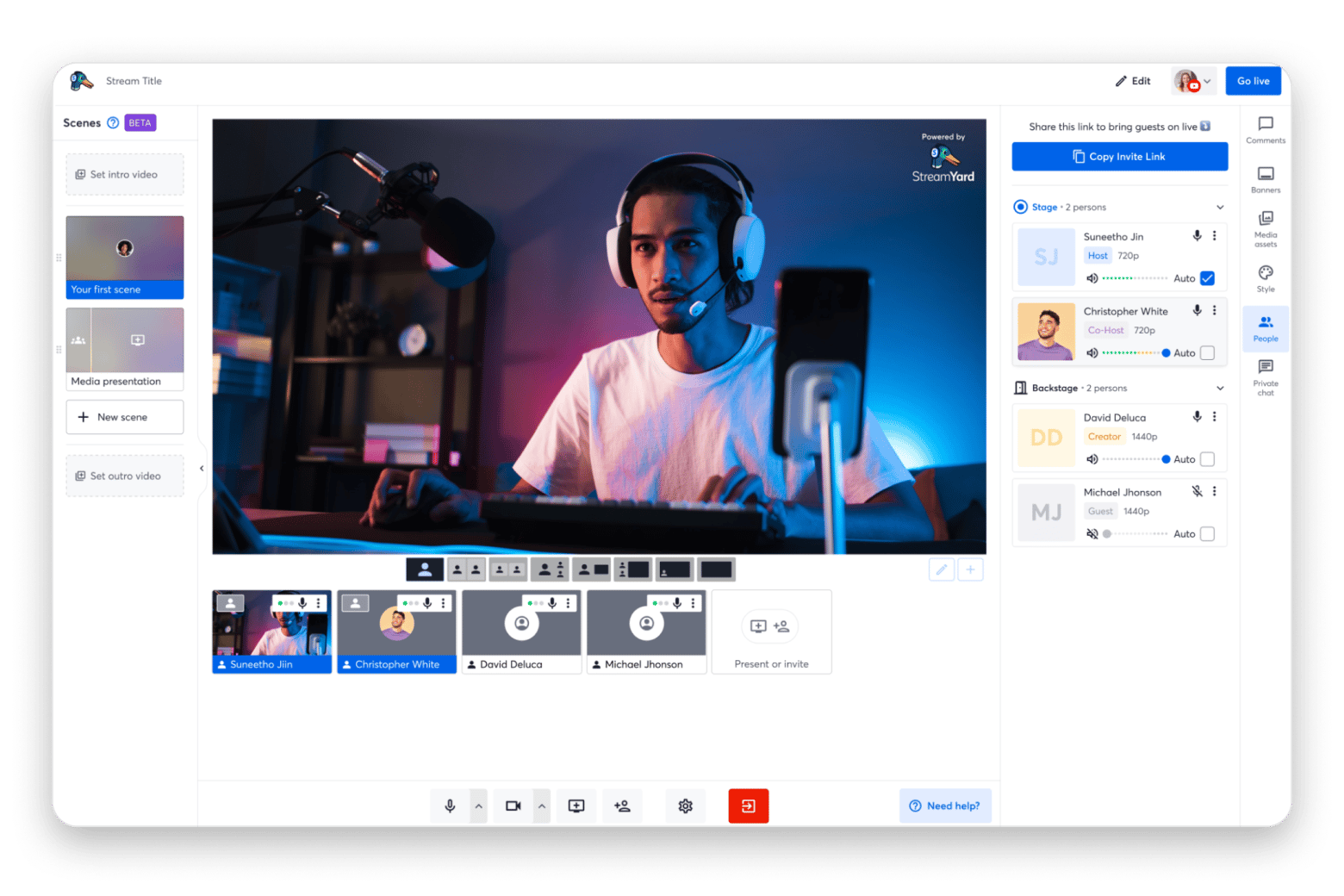
StreamYard is the one I'd reach for when the guests on a stream aren't technical. There's nothing to install as everyone joins via a browser link, which removes the usual back-and-forth of getting OBS configured on someone else's machine. It handles multi-guest layouts and branded overlays without touching any settings file.
It's not built for complex productions, but for interviews, panels, and community streams; it covers everything you actually need.
Source: streamyard.com
Differences with OBS Studio:
StreamYard is browser-based, so you lose the local control and customization that OBS gives you.
There's no advanced scene system or plug-in support. What you see in the interface is what you get.
ScreenPal: Best choice for easy recording + built-in hosting/sharing
Best for users who need:
Screen recording with instant sharing
Education or internal training content
Hosted video libraries without a separate platform
Simple annotation and markup tools
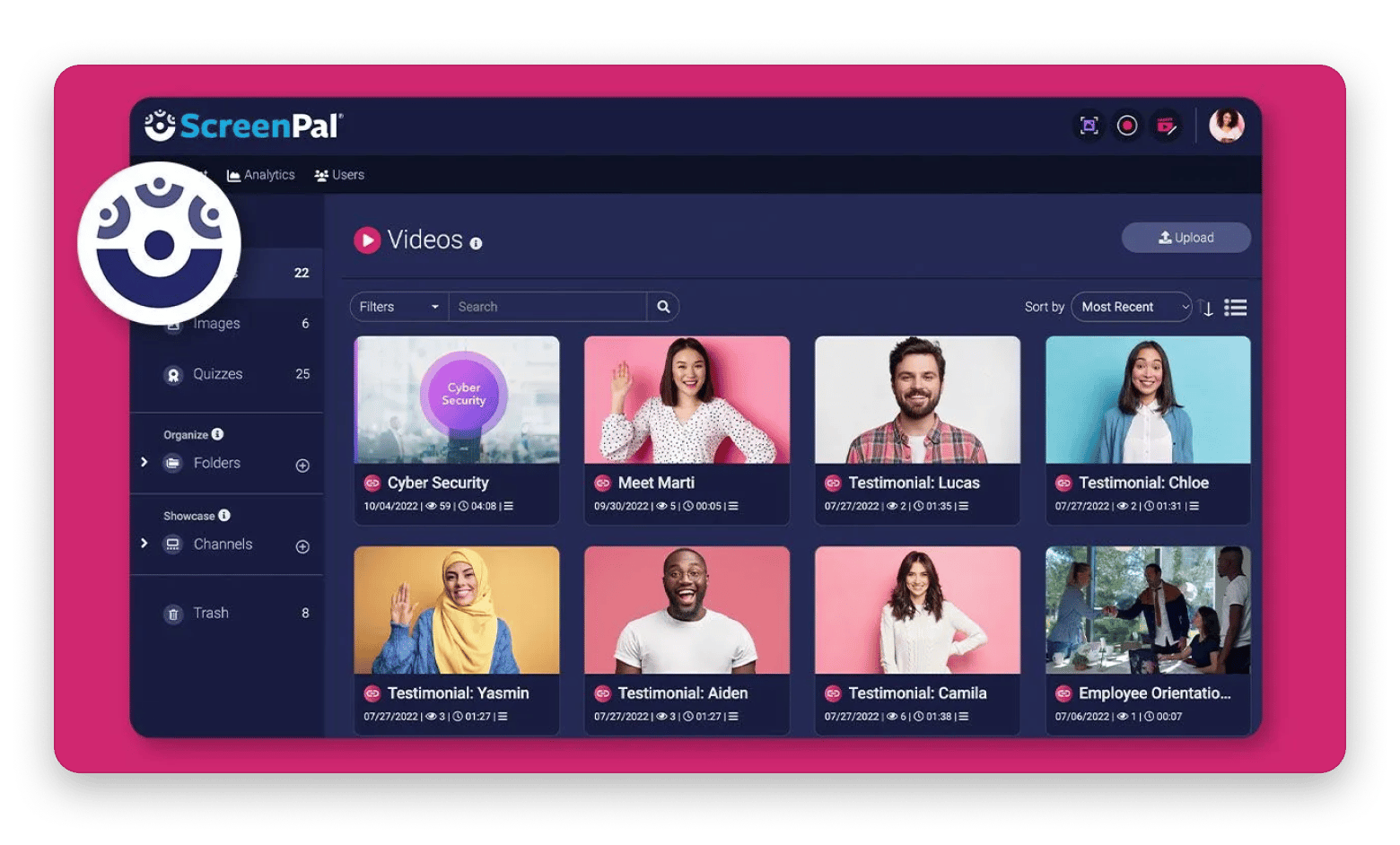
ScreenPal clicked for me when I needed to record a quick walkthrough and send it without uploading to a third-party host. Unlike OBS Studio, you record, trim, and publish inside the same tool. It's a natural fit for teachers or training teams who want recordings stored and shareable in one place rather than stitched together across tools.
Source: screenpal.com
Differences with OBS Studio:
ScreenPal is built for short-form recording and sharing (no live streaming or broadcast-grade production).
There's no scene management or plug-in ecosystem.
PRISM Live Studio: Ideal for creators who want a guided streaming app on Apple silicon Macs
Best for users who need:
Guided streaming setup without manual configuration
Major platform streaming (YouTube, Twitch, etc.)
Apple silicon Mac compatibility
A creator-focused UI over a broadcast tool feels
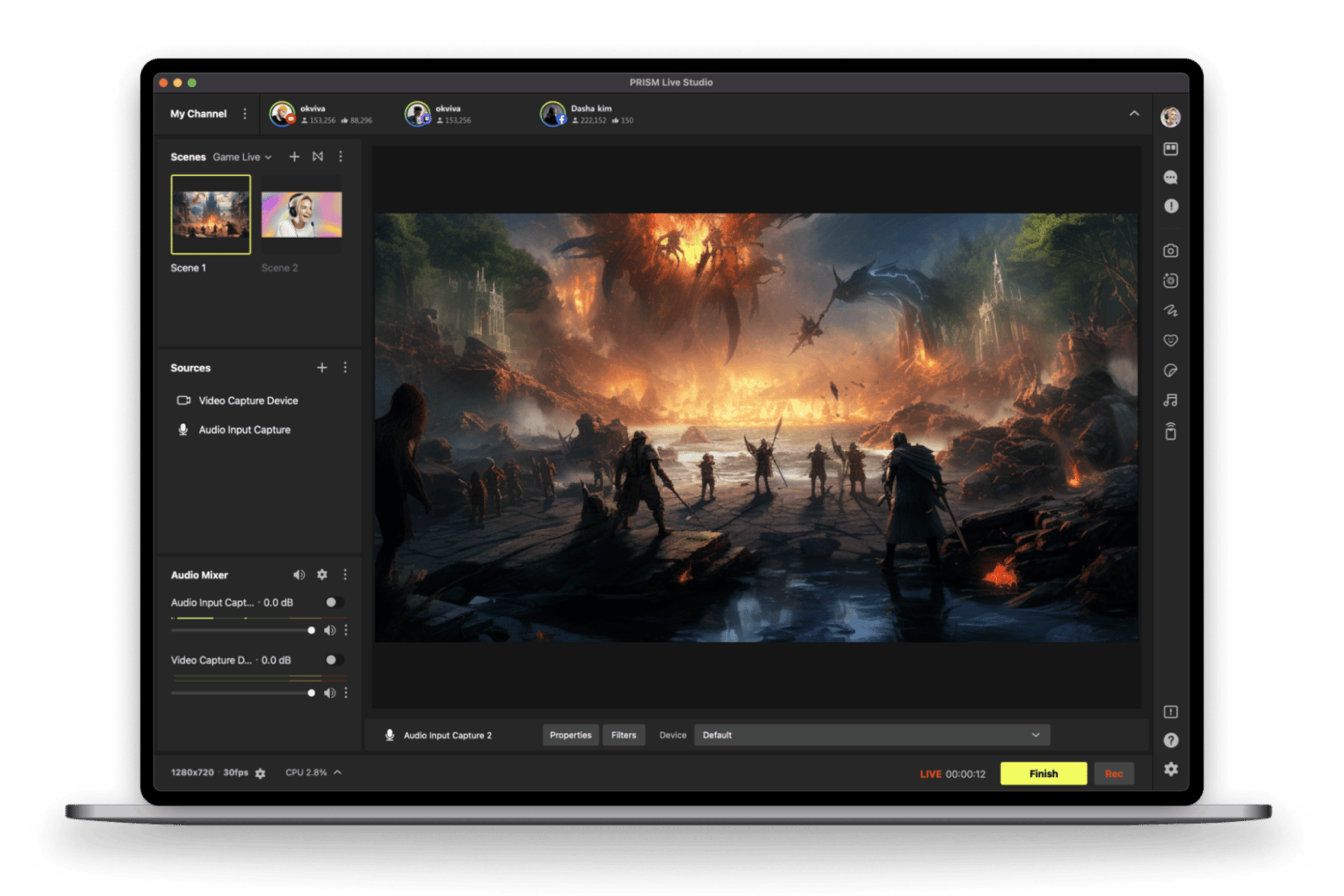
PRISM Live Studio is worth trying if OBS configuration is the reason you keep putting off going live. The interface walks you through setup, which makes a real difference when you just want to stream without troubleshooting. In testing, it feels closer to a polished creator app than a technical broadcast tool. It’s less powerful, but much easier to get running.
One hard requirement to know upfront: PRISM Desktop requires macOS Monterey 12.3 or higher on Apple silicon. It won't run on Intel-based Macs.
Source: resource-prismlive.pstatic.net
Differences with OBS Studio:
PRISM is Apple silicon-only, so it's not an option if you're on an Intel-based Mac.
You get less scene control and no plug-in ecosystem.
Bandicam: Best option if you want a straightforward recorder with a Mac App Store version
Best for users who need:
Simple screen and gameplay recording
Mac App Store install and subscription management
A lighter alternative to OBS without the setup overhead
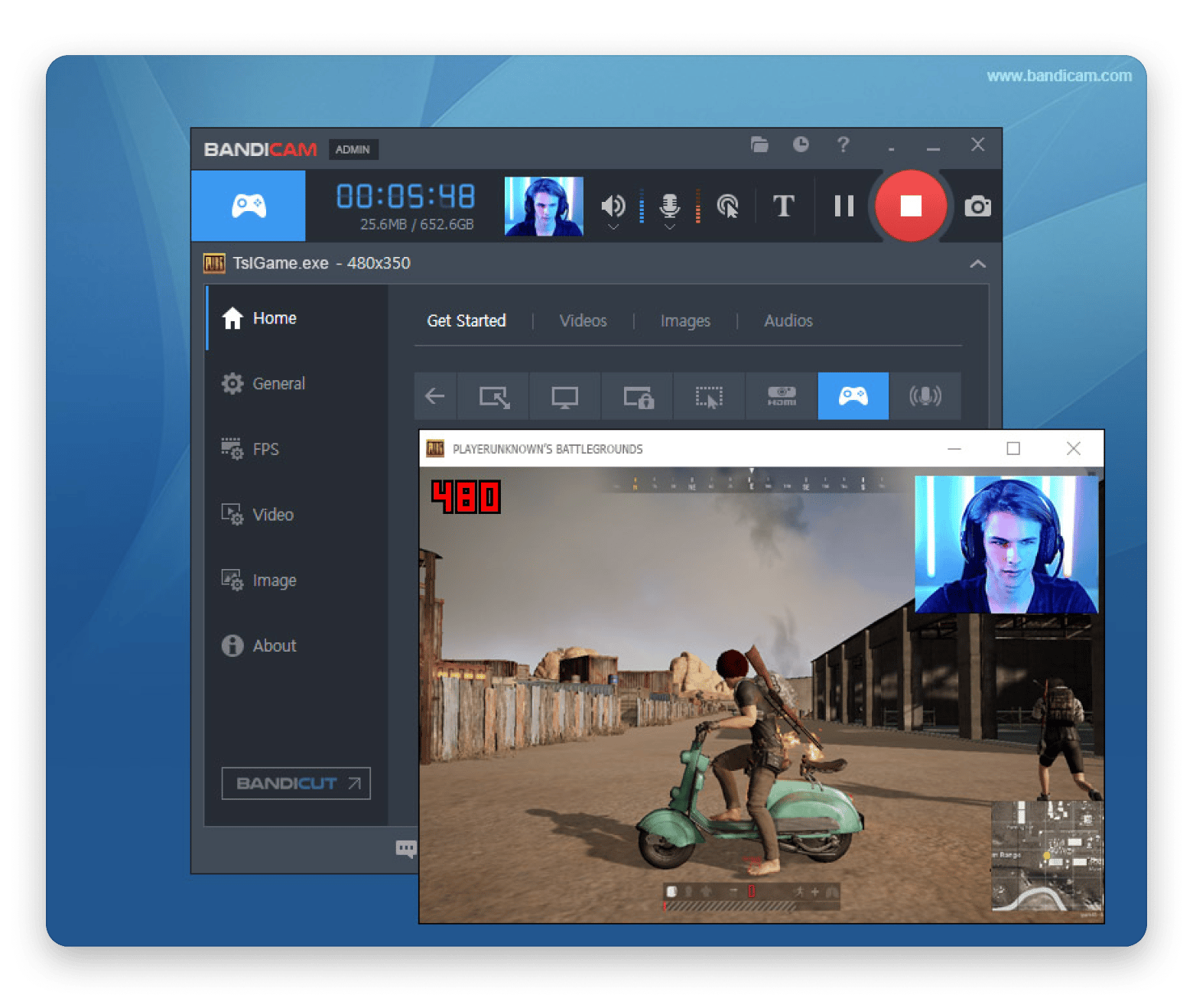
Bandicam is mostly known as a Windows recorder, but there's a macOS version available through the Mac App Store. It covers basic recording use cases cleanly. Just note that your subscription is managed through the App Store, not Bandicam directly.
Source:.bandicam.com
Differences with OBS Studio:
Bandicam doesn't support live streaming or scene-based production.
There's no plug-in ecosystem or advanced customization.
Icecream Screen Recorder: Best for basic capture — but double-check modern macOS fit
Best for users who need:
Basic screen capture on Mac
A simple, low-friction recorder
Light use cases without editing or streaming
Icecream Screen Recorder covers the basics, but there's one thing worth checking before you commit: the system requirements listed on the product page reference OS X Mavericks and Yosemite, which are very old relative to current macOS versions. If you're on a modern Mac or Apple silicon, verify compatibility with your exact setup before installing.
Differences with OBS Studio:
No live streaming, scene management, or plugin support.
Compatibility with modern macOS versions isn't clearly documented, which adds uncertainty.
vMix: Best avoided on Mac (officially Windows-only)
Best for users who need:
Professional live production and switching
Multi-camera event streaming
Windows-based broadcast workflows
vMix is a powerful production tool, but it's not a practical OBS alternative for Mac users. The official system requirements cover Windows 10/11 only, with no macOS support listed. If you're on a Mac, this one isn't worth pursuing.
Differences with OBS Studio:
vMix is Windows-only, so it's not an option for Mac users at all.
The feature set is geared toward high-end live production, which goes well beyond what most OBS users need.
How to pick the right OBS Studio alternative on Mac
I tested each of these apps against real recording and streaming scenarios. The honest takeaway: OBS Studio isn't going anywhere, but it's only the right tool if you need its full feature set.
For most Mac users who want a clean recording without a broadcast setup, CleanShot X gets you there in under a minute. If you need to edit straight after recording, Filmage Editor removes the round-trip to a second app.
You've found your alternatives. Now try them without paying first. CleanShot X, Filmage Editor, and 250+ more Mac apps are all on Setapp. Free for 7 days — cancel before Day 7, and you're charged nothing. Start My 7-Day Trial. Or subscribe to just one app via Setapp Marketplace — no membership needed.
FAQ
Is there a Mac version of OBS?
Yes. OBS Studio is available as a free native app for Mac, Windows, and Linux. You can download it at obsproject.com. It runs on Intel and Apple silicon Macs. The Mac version has full parity with other platforms for recording and live streaming, though some third-party plug-ins may have limited macOS support.
Is there a free version of OBS?
Yes — OBS Studio is completely free and open source. There's no paid tier, no trial limit, and no feature restrictions. You can use it for screen recording, live streaming, or both, at no cost. The trade-off is the lack of official support. When something breaks, you rely on community forums and documentation.
What's the best free OBS Studio alternative for Mac?
On Mac, there's no free tool that matches OBS Studio's combination of recording, live streaming, and scene mixing. The closest free options are PRISM Basic (for guided streaming on Apple silicon Macs) and ScreenPal's free tier (for basic recording and sharing). If you're open to a paid option, CleanShot X on Setapp covers lightweight recording with a 7-day free trial.
What's the best OBS Studio alternative for Mac?
It depends on what you use OBS for:
Recording + editing tutorials:Filmage Editor or Camtasia — both handle recording and post-production in one app.
Professional live events: Wirecast — Mac-native, multi-camera, broadcast-grade.
Remote interviews and streaming: StreamYard — browser-based, no install, simplest guest setup.
Lightweight screen capture:CleanShot X — fast, clean, no setup overhead.
Can I use OBS Studio for creator platform livestreaming?
Yes. OBS Studio is compatible with most major streaming platforms, including YouTube and Twitch. If you're a creator using a platform that supports RTMP streaming, OBS works with it. Check your platform's help documentation for the specific stream key and server settings to use with OBS.
Best screen capturing app
Use CleanShot X for all your screen recording needs.






 Best solution
 Best solution