- MindNode Classic is the best Xmind alternative for Apple users. It syncs mind maps across Mac, iPhone, and iPad via iCloud and stays simple even with larger maps — available through Setapp.
- Miro and Mural are the best choices for team collaboration. Both add real-time whiteboarding and workshop tools that go beyond traditional mind mapping.
- SimpleMind and FreeMind suit budget-conscious or one-time-purchase users. SimpleMind charges once instead of monthly; FreeMind is completely free and open-source.
- MindManager and Lucidchart fit professional planning and technical diagrams. Both trade simplicity for project management and workflow-mapping power.
- Picture your mind maps following you from Mac to iPhone to iPad, automatically. That's MindNode Classic — try it free for 7 days.
If you want the closest experience to native Apple mind mapping, MindNode Classic is the strongest Xmind alternative for Mac — it syncs across Mac, iPhone, and iPad through iCloud and is available through Setapp.
Xmind is an awesome tool, I know, because I used it quite a lot with my remote team. It worked well for a while, but eventually my manager started looking for an alternative that would fit our workflow better. It worked well for a while, but my manager eventually wanted something that fit our workflow better, so I tested a handful of alternatives until we found the right one.
So I put together this list for everyone who’s in a similar boat and trying to figure out the best Xmind alternative for their own workflow.
Best Xmind alternatives for Mac, compared side by side
Below are the strongest Xmind alternatives for Mac I found, from simple native mind mapping apps to full-scale collaboration and diagramming platforms. Some stay close to Xmind's traditional mind mapping experience, while others add features like online whiteboards, project planning, team collaboration, AI assistance, and cross-device syncing.
Here's a brief overview of Xmind vs. its top alternatives before we dive into the details:
| App | Best for | Why choose it | Some downsides | Pricing |
| Xmind | Traditional mind mapping | Clean interface, polished maps, strong presentation features, cross-platform support | Subscription pricing, weaker collaboration tools | Free plan available, premium starts around $59.99/year |
| MindNode Classic | Apple-only mind mapping | Native Apple experience, iCloud sync, simple and intuitive design | Apple ecosystem only, limited collaboration features | Setapp Membership from $8.99 + tax/mo |
| SimpleMind | One-time purchase users | No subscription, lightweight, customizable layouts, works on many platforms | Outdated interface, limited collaboration tools | One-time payment from $29.99 |
| Mural | Workshops and remote collaboration | Excellent facilitation tools, templates, voting, team brainstorming | Can feel overwhelming, expensive for larger teams | Free plan available, paid starts at $9.99/user/month |
| Miro | Team collaboration + whiteboarding | Combines mind maps with whiteboards, templates, AI tools, and integrations | Large boards can lag, lots of tools to learn | Free plan available, paid starts at $8/user/month |
| Lucidchart | Technical diagrams and workflows | Great for flowcharts, org charts, engineering diagrams, and business processes | Not ideal for simple brainstorming | Free plan available, paid starts at $9/month |
| MindManager | Professional planning and task management | Combines mind maps with Gantt charts, Kanban boards, and project planning | Expensive and more complex to learn | From €121.77/year or €453.87 one-time |
| Microsoft Visio | Microsoft-focused businesses | Strong enterprise diagramming and Microsoft 365 integrations | Full desktop version not available on Mac | From $5/user/month |
| Edraw Mind | Cross-platform access + templates | Works everywhere, supports older macOS versions, AI features, presentation tools | Interface can feel busy, Wondershare upsells | From $59/year or $118 lifetime |
While I was comparing mind mapping apps for my team, I ran our must-haves through the Productivity Tools GPT tool first. It helped narrow the list down before I ever opened a single app.
MindNode Classic: Best choice for Apple-only mind mapping with iCloud sync
If you want a mind mapping app that’s more integrated into the Apple ecosystem, then MindNode Classic is a great pick. It’s built for Apple products, so using it feels very smooth and intuitive from the second you open it. This means all of your maps will be synced across your Mac, iPhone, and iPad through iCloud. The app is best known for its simplicity and doesn’t overwhelm you with advanced enterprise tools. All in all, you should check it out if you’re a student, a creative, or a solo professional.
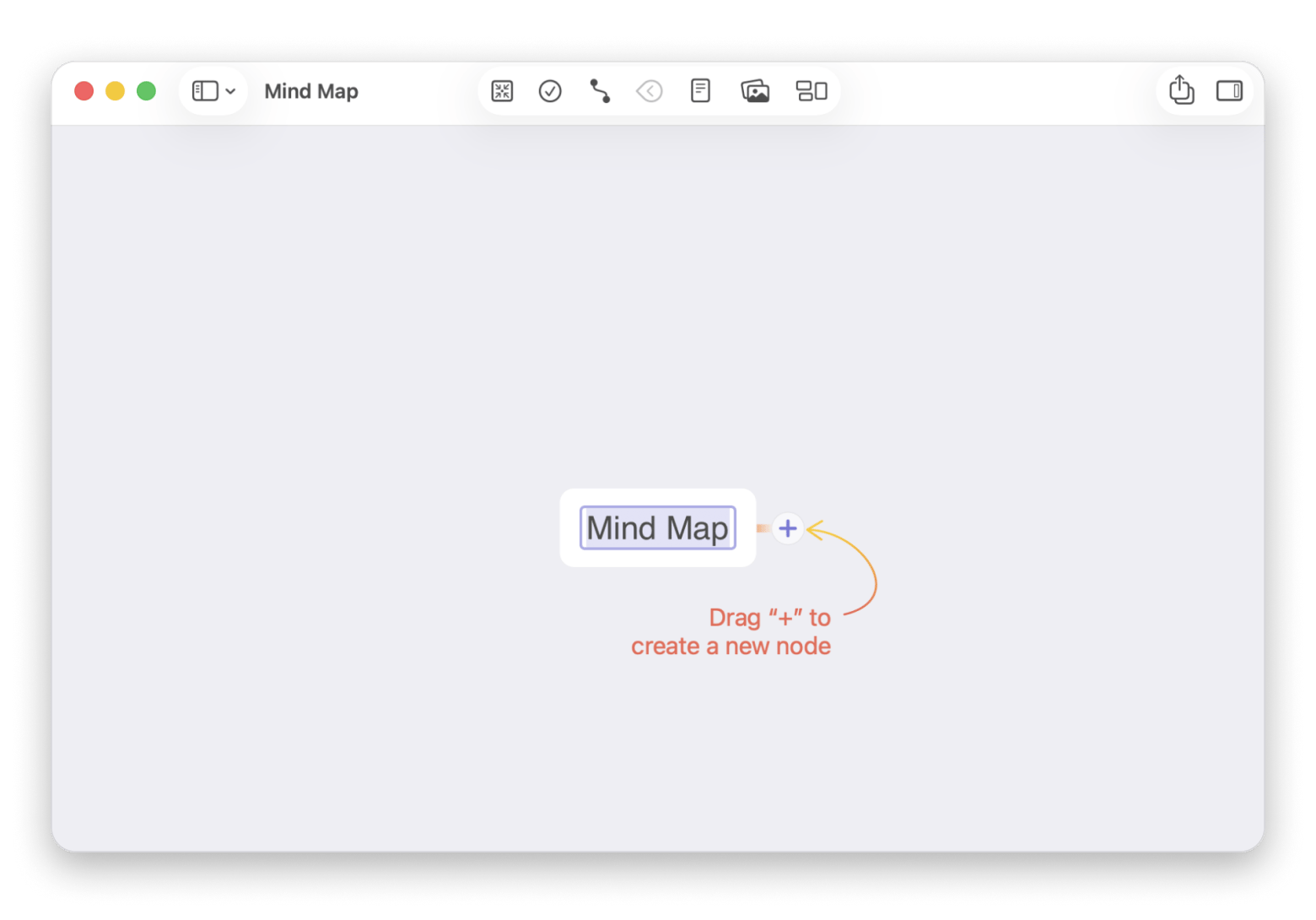
Reasons to get it:
- It’s simple and intuitive, so it’s great for beginners
- Doesn’t slow down even with larger maps
- Offers great export options
- Made for Apple users who want their maps to sync across devices
Some downsides:
- Made only for the Apple ecosystem
- Comes with fewer collaboration options than apps like Miro or Mural
- Doesn’t have many advanced templates or automation tools
Price: Available with Setapp Membership starting at $8.99 + tax/month.
If you want the full landscape before narrowing down, this guide to the best mind mapping software covers even more options.
SimpleMind: Best option if you want a one-time purchase (no subscription)
Here's a great option for those of you who want a tool you only need to purchase once instead of committing to a monthly subscription. Xmind might have stronger presentation features, but SimpleMind offers great brainstorming capabilities and customization options. You can place topics anywhere on the canvas or use automatic layouts for more structured brainstorming. Even better, it works on Mac, Windows, iPhone, iPad, and Android, so it’s a much better choice if you need something cross-platform.

Source: simplemind.eu
Reasons to get it:
- Pay a one-time license instead of a monthly subscription
- Easy to learn, so it’s great for beginners
- Works smoothly across multiple platforms
- Offers plenty of customization for brainstorming and planning
- Includes a free version for iPad and iPhone
Some downsides:
- The interface looks a bit outdated
- Collaboration tools are limited compared to other apps
- You need the Pro version for more advanced features
- Desktop and mobile licenses are sold separately
Price:
One-time payment of $29.99 for the Mac version.
Mural: Ideal for facilitated workshops and structured team collaboration
Mural is the strongest pick if you need team collaboration more than traditional mind mapping — it feels like an interactive online whiteboard for remote teams.
What if you need an app that focuses more on team collaboration than on traditional mind mapping? It comes with all the features you would need for real-time collaboration and visual teamwork, like sticky notes, diagrams, templates, voting tools, timers, and facilitation features. So if you're part of a remote team that solves problems and runs discussions visually, Mural is a strong fit.

Source: mural.co
Reasons to get it:
- Great for workshops, agile planning, strategy sessions, and collaborative problem-solving
- Makes workshops and presentations more interactive
- Great for agile workflows, strategy planning, and UX teams
Some downsides:
- It's a bit pricier than many competitors
- It's not worth it if you're a solo user
- It's not a traditional mind mapping tool like Xmind
Price:
There's a free plan. Paid plans start at $9.99 per member/month, billed annually.
Miro: Best choice for teams that still need “real” mind maps (plus a whiteboard)
Miro is very similar to Xmind if you want proper mind mapping features, but also need a collaborative whiteboard for teamwork. It combines mind mapping, diagrams, presentations, sticky notes, workshops, and project planning into one platform. It’s especially useful for remote teams, designers, marketers, product managers, and agencies because it lets multiple people brainstorm and edit boards together in real time. There are thousands of templates to choose from, and you’ll find integrations with popular tools like Jira, Slack, Notion, Google Drive, Figma, and Zoom.
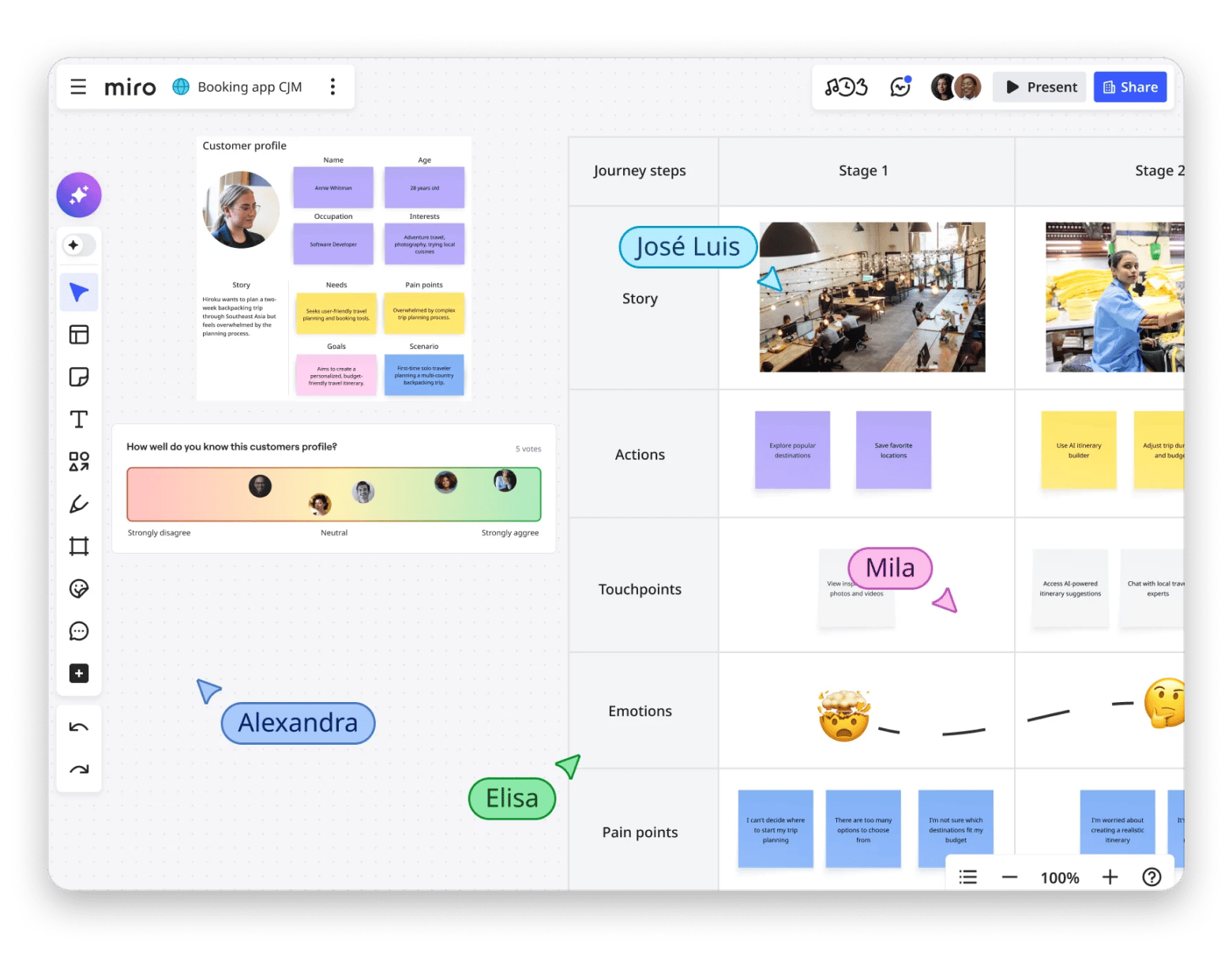
Source: miro.com
Reasons to get it:
- Offers features for both mind mapping and team collaboration
- Excellent for remote teams and workshops
- More flexible than traditional mind mapping apps
- Includes a generous free plan for smaller teams
Some downsides:
- The large number of tools can feel a bit overwhelming
- Large boards may become slow or laggy
- It’s not as focused or minimalistic as dedicated mind mapping tools like Xmind
Price:
There’s a solid free plan. Paid plans start at $8 per user/month, billed annually.
Lucidchart: Best option if your “mind maps” are really diagrams and processes
Do you usually use your mind maps for technical diagrams or process documentation? Then Lucidchart can be a great Xmind alternative for you. The app is built for structured diagramming and business processes, so it’s a great fit for IT teams, engineers, project managers, consultants, and operations teams. What I love about the app is how intuitive the interface feels, even though it’s packed with features.
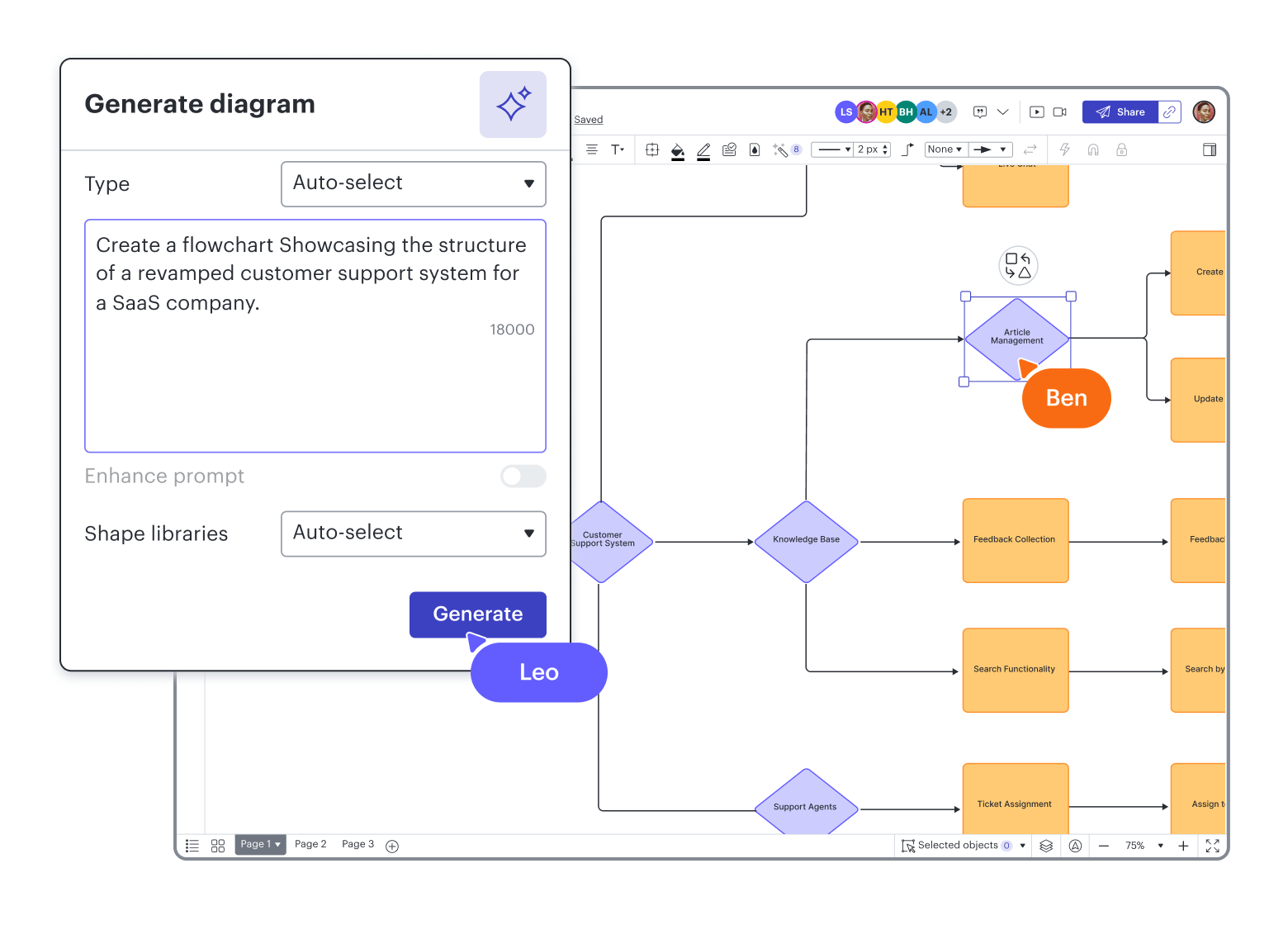
Source: lucid.co
Reasons to get it:
- Made for technical diagrams and structured workflows
- More intuitive than many enterprise diagramming tools
- Supports business workflows through its many integrations
- Affordable pricing that works even if you’re on a budget
Some downsides:
- Not ideal if you mainly want simple mind mapping
- Large projects can become resource-heavy in the browser
- Some advanced collaboration features require higher-tier plans
- No dedicated desktop app for Mac
Price:
There's a free plan. Paid plans start at $9/month.
MindManager: Best for professional planning with mind maps + task/project structure
MindManager is a mind mapping tool built for professional planning, combining mind maps with Gantt charts, Kanban boards, and task management.
From the moment you open the app, it’s clear how feature-rich it is. You can build mind maps, flowcharts, timelines, Kanban boards, org charts, and even Gantt charts (timeline-based project views) from the same workspace. It does have a steeper learning curve, but it also gives you much more control over large projects and complex workflows.
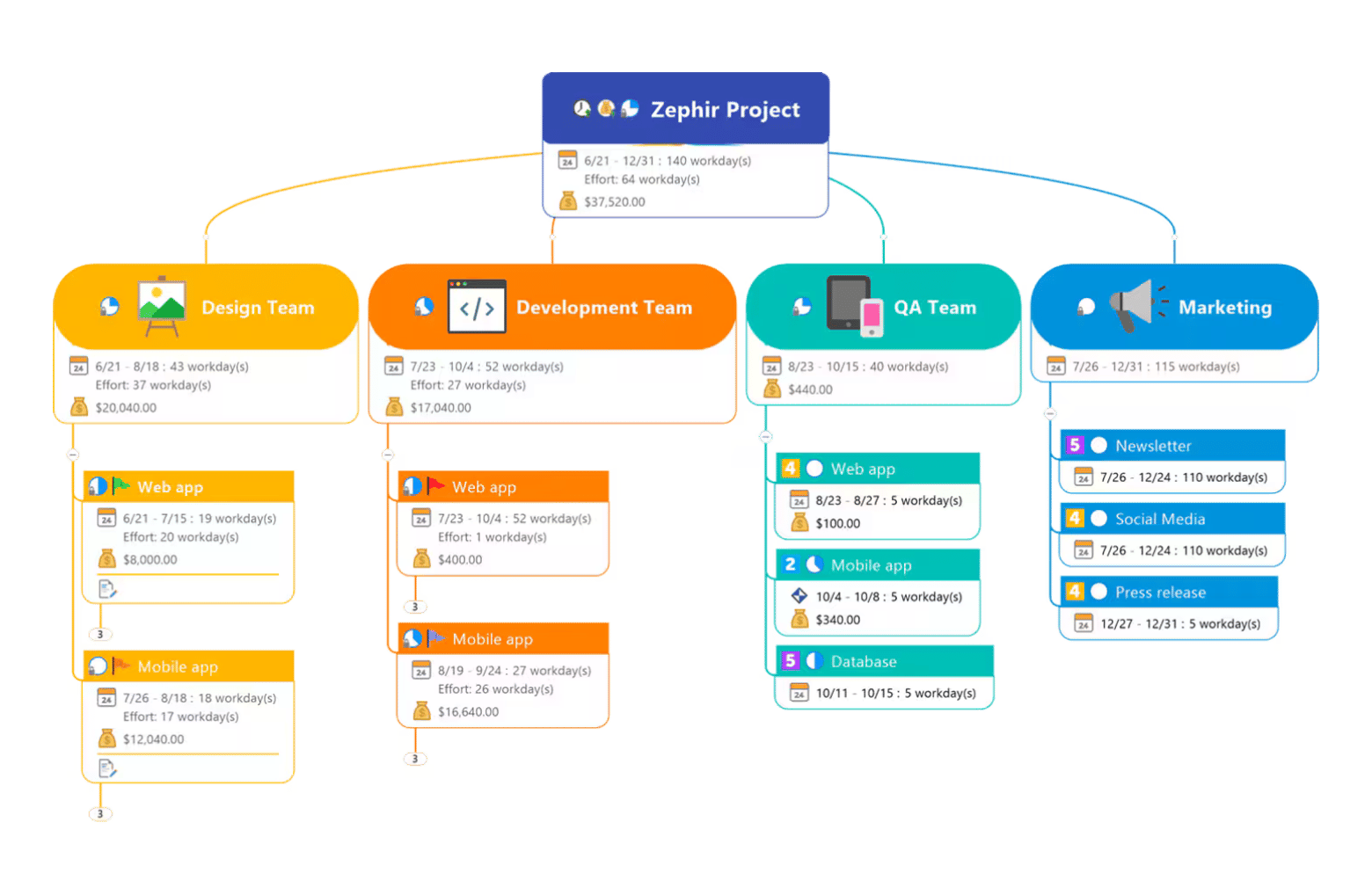
Source: mindmanager.com
Reasons to get it:
- Useful for professional planning and large projects
- Includes powerful tools for turning brainstorming into structured execution
- Packed with features and highly customizable
- Great choice for consultants and operations teams
Some downsides:
- More complex than traditional mind mapping apps
- Pricier than many competitors
- Some features work better on Windows than Mac
Price:
One-time purchase starts at €453.87, while subscription plans start at €121.77/year.
Microsoft Visio: Best option if you’re stuck in a Microsoft-only diagram world (but Mac is web-only)
Microsoft Visio is one of those tools that makes sense if you already work inside the Microsoft ecosystem. As a more professional solution, it focuses on technical diagrams, workflows, documentation, and business processes. It’s a popular choice among IT teams, engineers, consultants, and enterprise organizations that need to build advanced technical diagrams and enterprise workflows. So overall, you can say the tool feels more corporate and less creative. Just keep in mind that the full Mac version is only available through the web app.
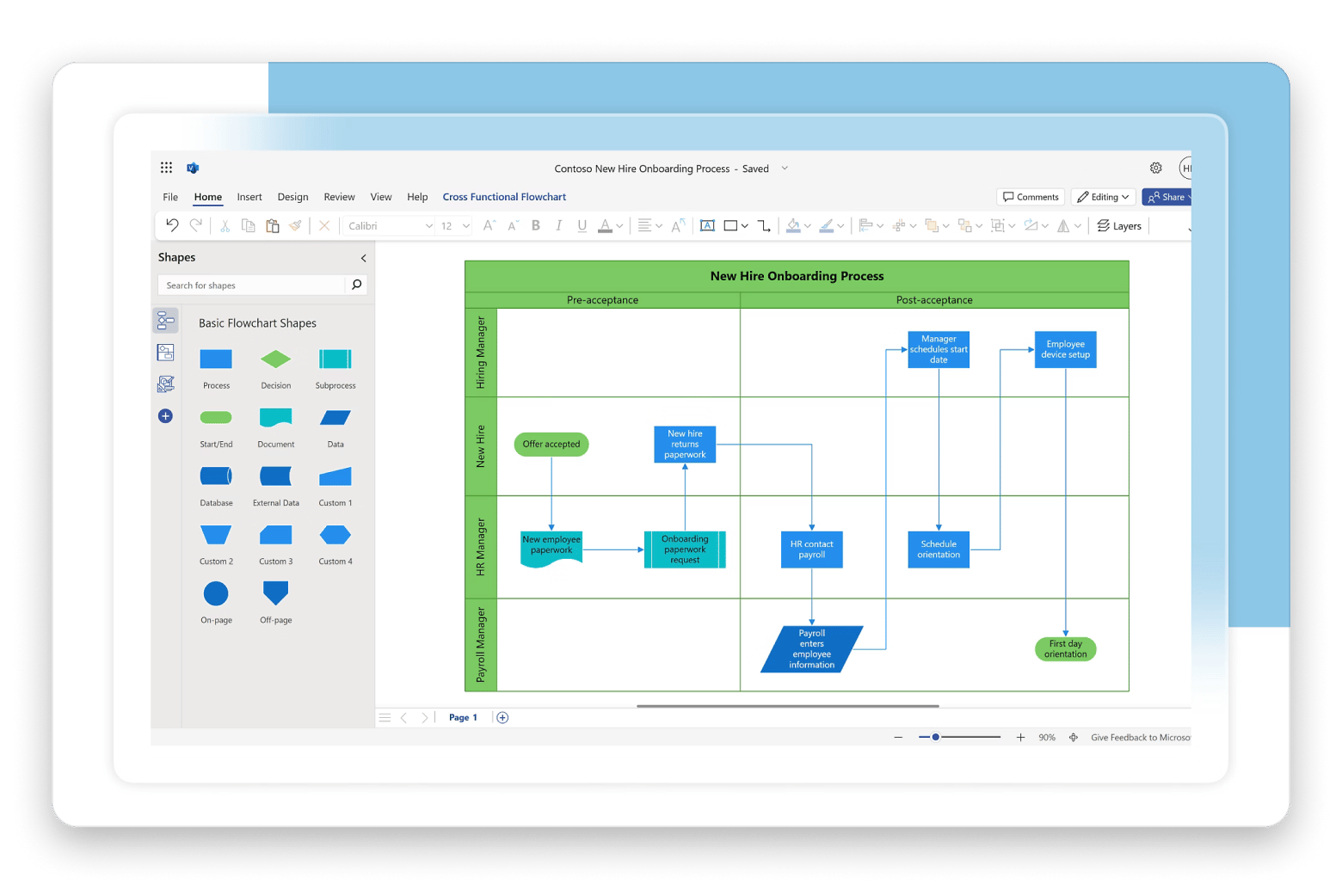
Source: microsoft.com
Reasons to get it:
- The obvious choice if your company already uses Microsoft 365
- Excellent for enterprise workflows and technical diagrams
- Microsoft users will probably feel comfortable with the familiar interface and workflow style
- Comes with useful collaboration and data visualization tools
Some downsides:
- The full desktop app is not available on Mac
- Can feel outdated compared to newer competitors
- Not ideal for casual brainstorming or creative mind mapping
Price:
Basic web plans start at $5/user/month. Full desktop functionality starts at $15/user/month.
For a closer look at Visio specifically, here’s the dedicated guide on Visio alternatives for Mac that goes deeper into that comparison.
EdrawMind: Best for cross-platform access + templates (with older macOS support)
Okay, so maybe you’re not a Mac-obsessed user and want a mind mapping tool that’s available on practically every device, including Mac, Windows, Linux, iPhone, and Android. Well, in that case, EdrawMind is definitely worth checking out. It simply works everywhere. And as an extra bonus, it supports older macOS versions, unlike many of the newer tools on the market. The app combines mind mapping with notes, Kanban boards, presentations, outlines, and Gantt-style planning. All in all, it’s a useful option for students, educators, content creators, and project managers who want something presentation-friendly.
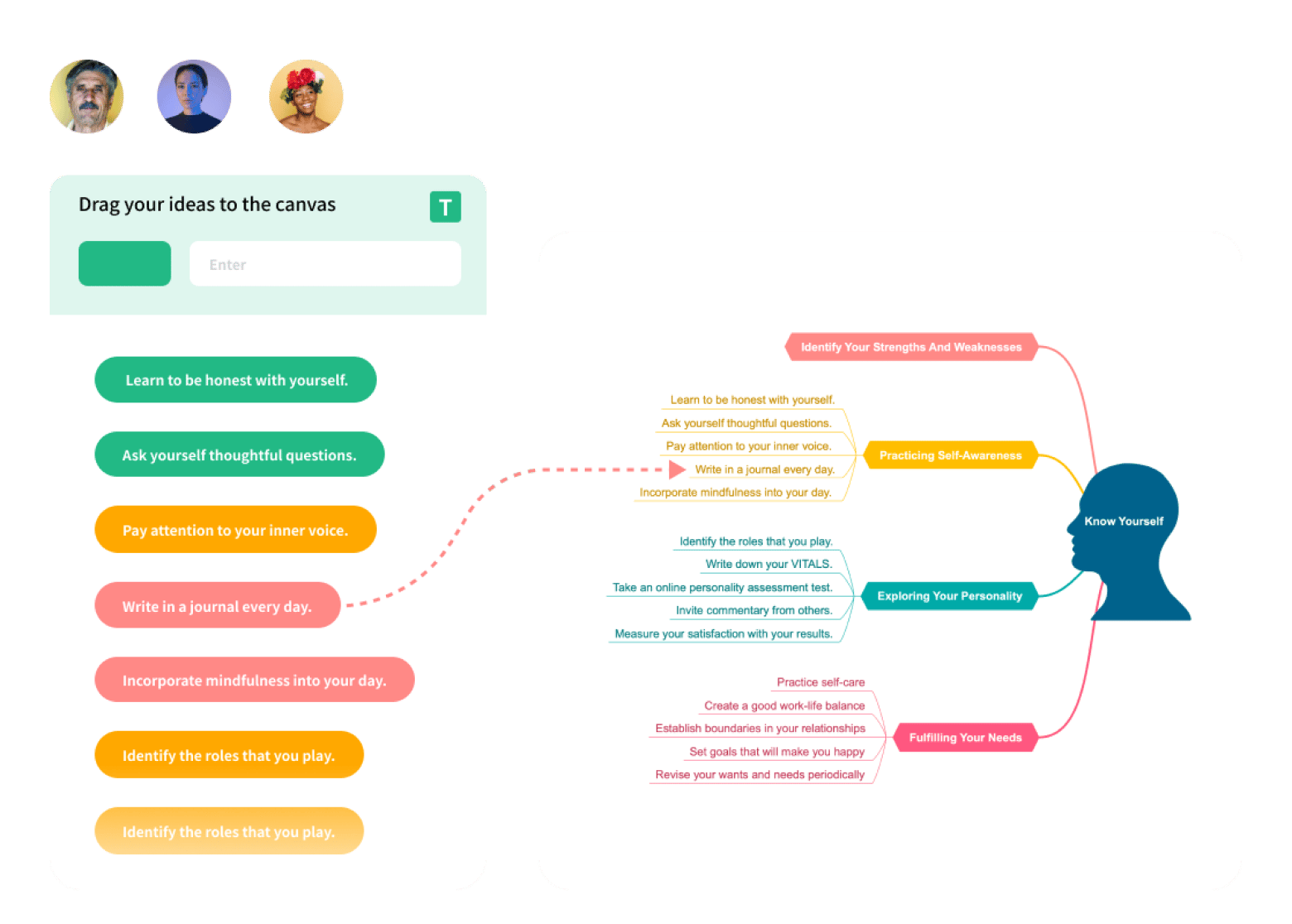
Source: edrawmind.com
Reasons to get it:
- Supports practically all major platforms, including Mac and Windows
- Comes with visually appealing templates and customization tools
- Offers AI features that save time during brainstorming and planning
- Flexible enough for students, educators, creators, and businesses
Some downsides:
- Some users dislike Wondershare’s subscription model and upsells
- Can feel heavier than lightweight apps like MindNode Classic
Price:
Annual plans start around $59/year, while the lifetime plan starts at $118.
How to choose the right Xmind alternative on Mac
Ultimately, the right Xmind alternative for you depends on your workflow and budget. MindNode Classic is a no-brainer for Apple users, Miro is excellent for team collaboration, and MindManager works great for professional project planning. Just make a list of your non-negotiables and see which alternative fits them best.
Found your Xmind replacement — now see what else comes with it. MindNode is included in membership, alongside 270+ other Mac and iOS apps. Start Your Free Trial. Or browse Setapp Membership plans for full pricing details.
FAQ (Mac-focused)
Who are Xmind competitors?
The biggest Xmind competitors include MindNode Classic, Miro, Mural, Lucidchart, SimpleMind, MindManager, and EdrawMind. Some are traditional mind mapping tools, while others combine mind maps with whiteboards, project management, diagrams, AI tools, and collaboration features.
Is Xmind a Chinese app?
Yes, Xmind is developed by Xmind Ltd., a company with roots in China. However, the app is used worldwide and has millions of users across different industries. Many people choose it for its strong mind mapping features and cross-platform availability.
Is FreeMind available for Mac?
Yes, FreeMind is available for Mac. Since it’s written in Java, it works on macOS, Windows, and Linux. Mac users may need to install or configure Java first, which can make setup slightly less straightforward compared to modern native Mac apps like MindNode or Xmind.
Best Mindmapping Software?
The best mind mapping software depends on your workflow. Xmind is excellent for traditional mind mapping, MindNode Classic is great for Apple users, Miro works well for team collaboration, and MindManager is ideal for professional project planning. If you want a free option, FreeMind is still one of the most popular choices.
Know any good Mind Mapping tools? - Other Software & Development
Some great mind mapping tools worth trying include Xmind, MindNode, SimpleMind, Miro, Mural, Lucidchart, MindManager, FreeMind, and EdrawMind. Some are better for brainstorming, others for technical diagrams and project planning. The right choice mostly depends on whether you care more about simplicity, teamwork, AI tools, or pricing.
What's the best free mindmap tool?
FreeMind is still one of the best free mind mapping tools, especially if you want something lightweight and open-source. Miro and Lucidchart also offer solid free plans with modern collaboration tools.






 Best solution
 Best solution