After a year and a half of developing a Homebrew GUI, I know this category better than any neutral reviewer ever could. I’ve read the GitHub issues for all the competitors, observed what stops working when Homebrew changes its JSON output, and heard from hundreds of users about what they actually tried before landing on my app, and why some of them left it. I’ll tell you honestly where each app excels, including the areas where the others outperform my app.
First, the thirty-second version of why you'd want any of these. Homebrew is the de facto package manager for the Mac — the fastest way to install everything from ffmpeg to Chrome. But it lives in the Terminal, and it grows quietly: after a year of casual use, a typical Mac has 100+ packages installed, most of them dependencies you've never heard of, some outdated, a few abandoned upstream.
A good GUI fulfils three tasks: It shows you what’s actually on your computer, turns updates into a habit that can be done with a single click rather than a tedious chore that’s easy to forget, and uncovers problems (broken packages, orphaned dependencies, applications with known security vulnerabilities) that the command line would never reveal on its own.
Available on Setapp Marketplace from $11.99 one-time
Formulae + casks + services + more
Cork
Minimalists who want fast and native
€25 one-time, or compile from source (open source)
Packages only, deliberately lean
Applite
Non-technical users who only want GUI apps
Free, open source
Casks only — no formulae or services
Tappie
Visual dependency exploration, backups
Free (donations), closed source
Also has a Linux edition
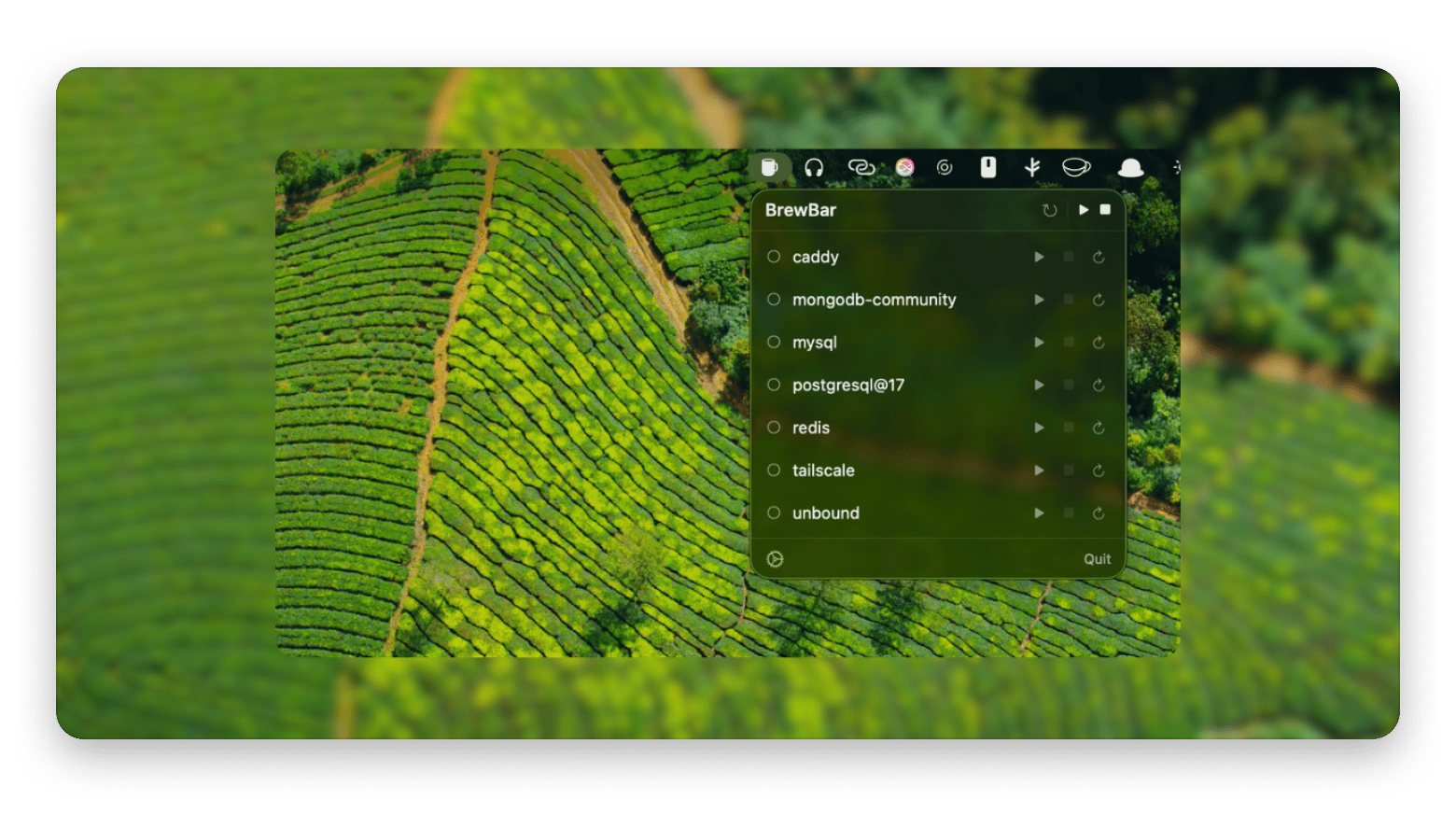
BrewBar
Managing brew services from the menu bar
Free, open source
Services only, not a full GUI
Plain Terminal
People who genuinely don't need a GUI
Free
Still fine!
Taphouse: Best all-in-one Homebrew manager
Best for: anyone who wants their entire Homebrew setup in one native window.
Yes, this is mine, so apply whatever discount you like to the next few paragraphs. But I'll tell you what I set out to do and let you judge whether it's the right fit.
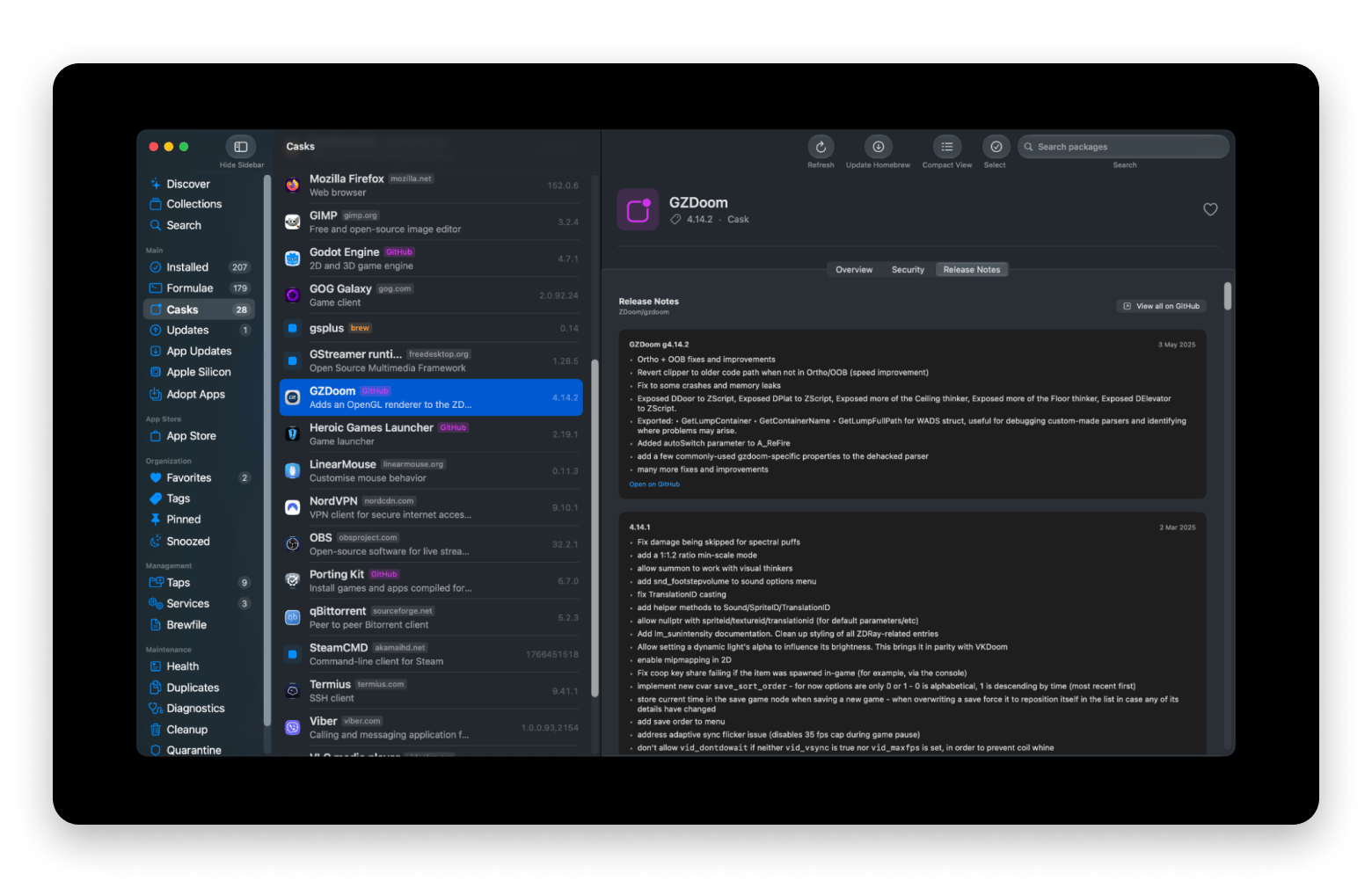
When I started Taphouse, every existing GUI treated Homebrew as a list of packages with install and uninstall buttons. What I wanted was closer to a dashboard for everything Homebrew touches on your Mac: the full catalog of 14,000+ formulae and casks, yes, but also the services quietly running in the background, the taps you added two years ago and forgot, the outdated apps, the orphaned dependencies left behind after uninstalls, and the security picture: which of your installed packages have known CVEs (with severity tiers), and which of your cask apps are properly signed and notarized.
Best features:
Full management of formulae and casks
A health dashboard that scores your setup and flags outdated packages, known vulnerabilities, and orphaned dependencies in one view
A “Time Machine for Homebrew” — automatic restore points before every upgrade, so if an update breaks a tool, you can roll it straight back to the exact previous version instead of hunting down old downloads.
The only Homebrew GUI that performs CVE vulnerability scanning and signing/notarization checks for installed apps
The system also detects updates not only for Homebrew, but also for third-party apps that use Sparkle or GitHub releases, as well as for apps from the Mac App Store
Quality-of-life depth: services and taps management, Brewfile import/export, dependency trees, disk usage and cache cleanup, leftover-file scanning after uninstalls, an "adopt" feature that brings manually-installed apps under Homebrew management, snoozing, tags, notes, a menu bar companion, and a desktop widget
Apple Silicon migration assistant that finds Intel packages still running under Rosetta and reinstalls them as native builds
Pros:
The most complete feature set in the category by a wide margin
Native SwiftUI app and universal binary (Apple Silicon and Intel), a 27 MB download, localized in six languages, and actively developed — we're past build 100, with releases shipping roughly weekly since launch
Security, health, and rollback features no other Homebrew GUI offers
Cons:
Requires macOS 14 Sonoma or later
If you only ever install GUI apps and never touch formulae or services, it's more app than you need — Applite may fit you better
Some advanced features (health dashboard, Apple Silicon migration, release notes, Time Machine rollback) are part of the paid Pro tier
Price: Included in Setapp Membership, or you can get Taphouse on Setapp Marketplace as a one-time purchase from $11.99.
Cork: Best minimal native option
Best for: experienced brew users who want a fast, no-frills native window onto their packages.
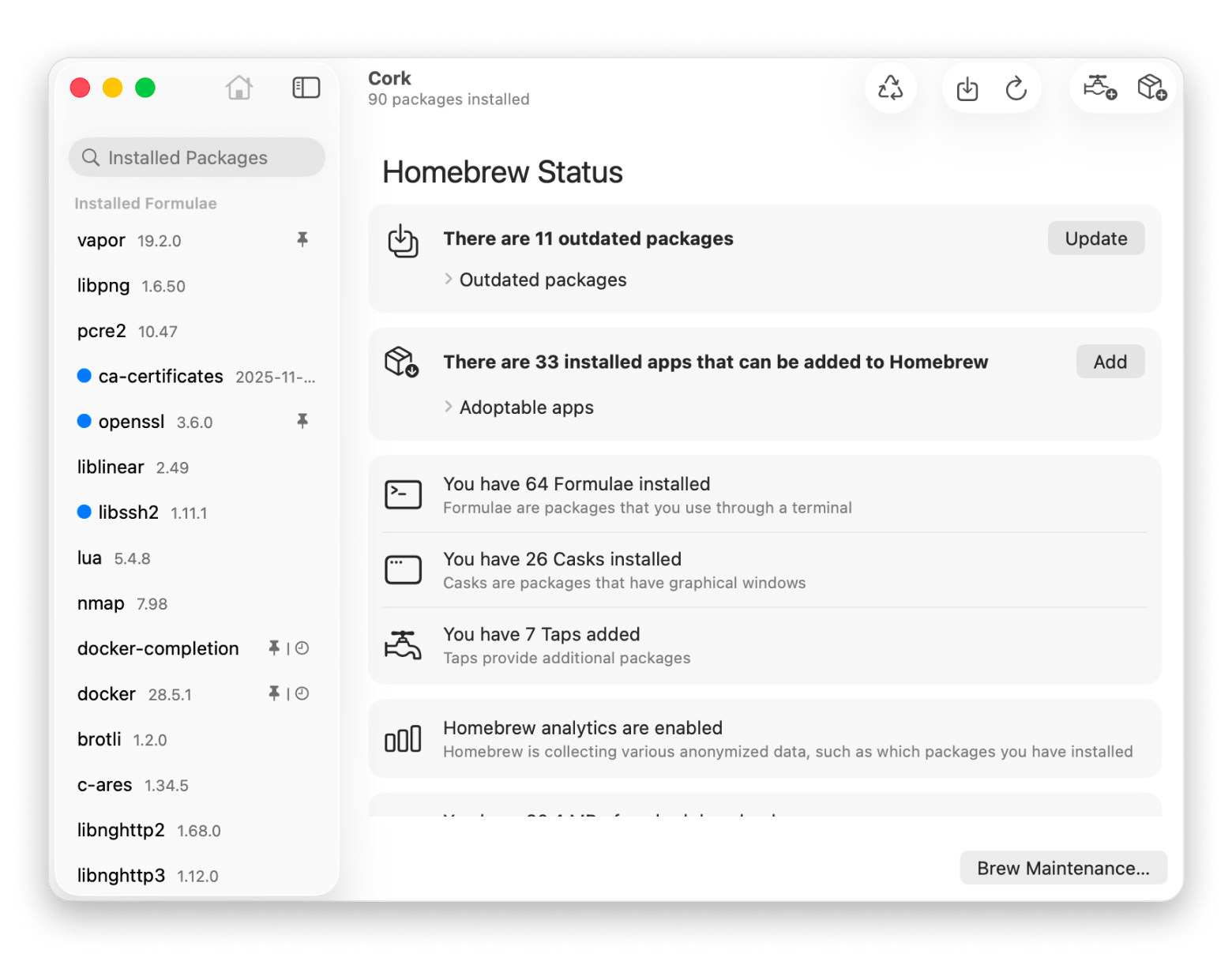
Cork is, in many ways, the philosophical opposite of Taphouse, and I mean that as a compliment. It's a deliberately lean SwiftUI app that shows your installed formulae and casks, distinguishes packages you installed intentionally from ones that arrived as dependencies. This is a truly useful feature that some GUI's overlook! It also makes it easy to install, uninstall, update, tap, and clear the cache.
The most interesting thing about it is its pricing model: the code is completely open-source, and you can compile it yourself for free, but the ready-to-use, signed binary costs 25 euros. As a fellow independent developer, I have great respect for this model; whether you’ll like it depends on how you feel about paying for convenience instead of open-source code.
Pros:
Genuinely fast and lightweight, with a clean native interface
Fully open source — auditable, and free if you're willing to build it yourself
Smart presentation of intentionally-installed packages vs. dependencies
Cons:
€25 for the pre-built app is the highest sticker price in the category, and compiling from source is a real barrier for the non-technical users a GUI is supposed to serve
Deliberately minimal: no security scanning, health overview, third-party update tracking, or Brewfile tooling
For less common operations you'll still find yourself back in the Terminal
Price: €25 one-time for the pre-built app, or free if you compile it from source.
Applite: Best free option for GUI apps only
Best for: non-technical users who want to install Mac apps through Homebrew without knowing they're using Homebrew.
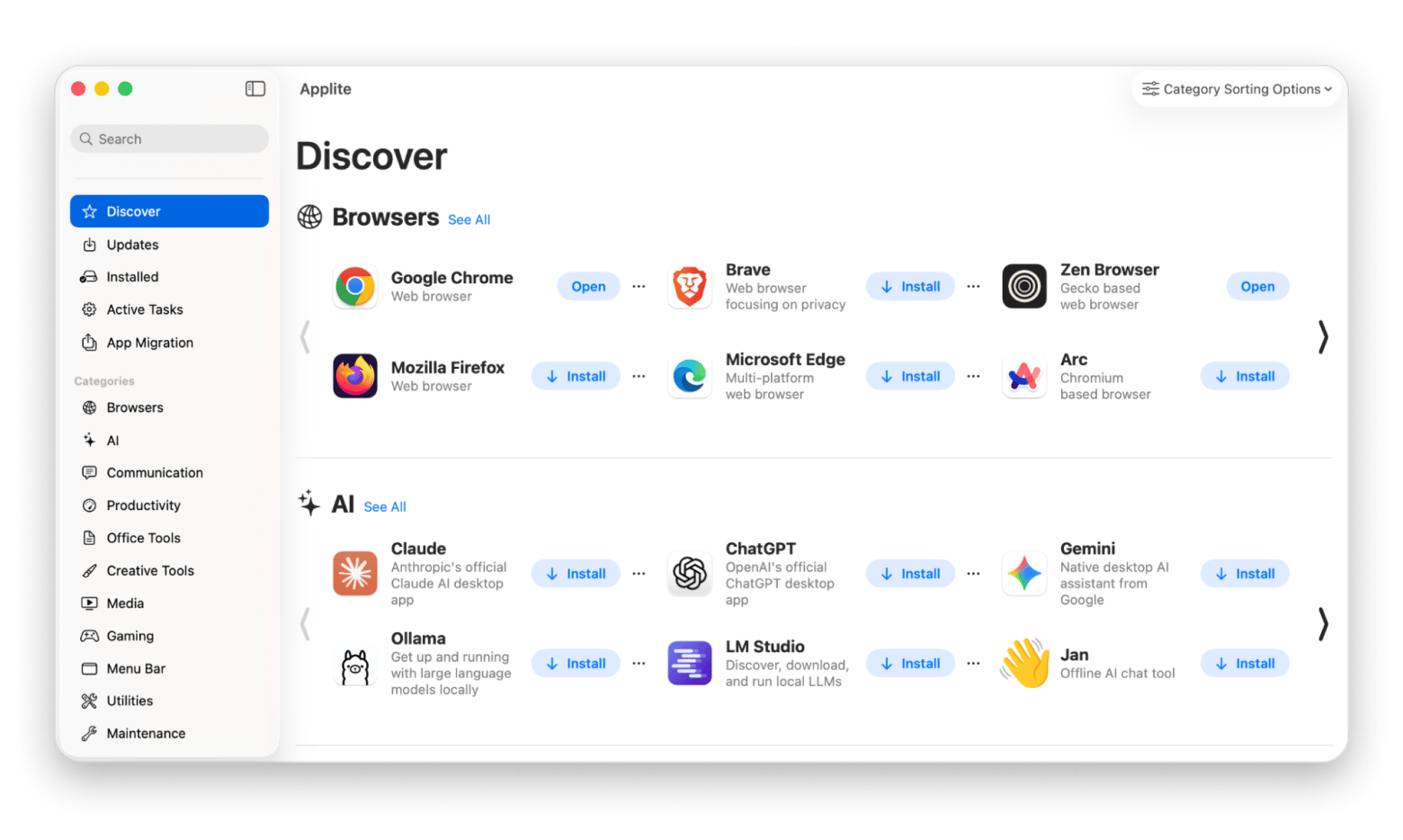
Applite made a smart scoping decision: it ignores formulae entirely and focuses purely on casks — that is, regular Mac applications. The result is something closer to a free, open-source app store than a package manager: browse categories, click install, click update. It even handles installing Homebrew itself if you don't have it, which makes it the gentlest possible on-ramp.
For a certain user — someone who's heard Homebrew is the best way to install and update Mac apps but has zero interest in command-line tools — Applite is honestly the right answer, and it costs nothing.
The flip side is that the scoping decision cuts both ways. The moment you need a formula (a CLI tool, a library, anything that isn't a GUI app), or want to manage services, taps, or a Brewfile, Applite simply has no opinion. It's a great app-installer; it is not a Homebrew manager.
Pros:
Free and open source, actively maintained
The friendliest interface in the category for non-technical users
Handles Homebrew installation itself — zero Terminal required, ever
Cons:
Casks only: no formulae, services, taps, or dependency management
No update scheduling, security insights, or system health features
Requires macOS 13+
Price: Free (open source).
Tappie: Best for dependency visualization
Best for: users who want to see their package ecosystem, and anyone needing a Linux option.
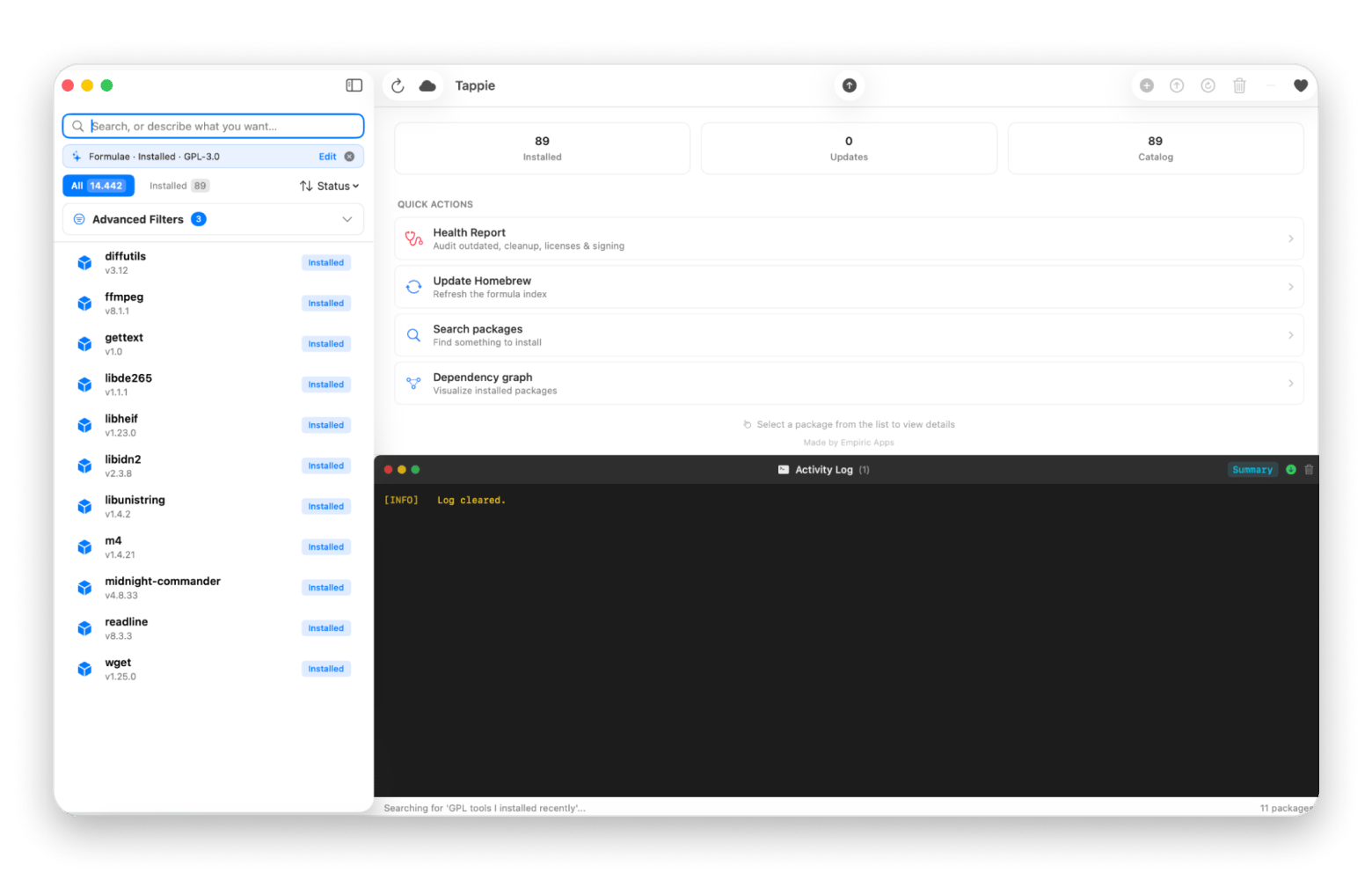
Tappie is the newest serious entrant, and its standout feature is an interactive dependency graph — instead of a tree or a list, you get a visual map of how your packages relate to each other. It also does backup and restore of your package list (handy for setting up a new Mac), scheduled updates, and batch operations. On macOS 26 with Apple Intelligence it adds a party trick: describe the packages you want to filter in plain language, and it builds the filter on-device.
Uniquely in this list, Tappie also ships a cross-platform Python edition for Linux — if you manage Homebrew on both platforms, it's the only GUI that follows you.
Caution: Unlike Cork and Applite, this is closed-source software, even though the program is free. It’s the newest project on this list with the least track record, and its AI-powered core feature requires the latest version of macOS.
Pros:
The best dependency visualization in the category
Free, with backup/restore and scheduled updates included
The only option with a Linux edition
Cons:
Closed source, and free — which always raises the "what's the long-term model?" question for an app you'll depend on
Young project with a short track record
The natural-language filtering requires macOS 26 with Apple Intelligence
Price: Free; donations accepted.
BrewBar: Best menu bar companion for services
Best for: developers who mainly need to start and stop brew services (databases, web servers) without a Terminal.
Not every Homebrew problem needs a full window. If your relationship with brew is mostly "start PostgreSQL, stop PostgreSQL, occasionally restart Redis," BrewBar is a tidy open-source menu bar app that does exactly that — view, start, stop, and restart services from the menu bar, entirely local, no telemetry.
Pros:
Does one thing well, free and open source
No daemons, no cloud, entirely local
Cons:
Services only — not a package manager at all
If you already run a full GUI with a menu bar component, it's redundant
Price: Free (open source).
Do you even need a GUI? (An honest aside)
The Terminal still works, it's free, and if your entire Homebrew life is installing, upgrading, and the occasional cleanup, you may not need any of these apps. I say that as someone whose income depends on you concluding otherwise.
Where the command line genuinely falls short is visibility: it will never tell you unprompted that a package has a published CVE, that six dependencies are orphaned, that an app you installed manually could be adopted into Homebrew, or that a service you forgot about has been running for eight months. GUIs earn their keep not by replacing commands but by surfacing what you'd never think to ask.
Verdict: which Homebrew GUI for Mac to choose
Want everything managed in one place, with security and health insight? Taphouse. It's on Setapp Marketplace as a one-time purchase from $11.99, and included in Setapp Membership.
Want minimal, fast, and open source? Cork — €25 pre-built, free if you compile it.
Only install regular Mac apps and never touch the CLI? Applite, free.
Want to visualize dependencies, or need Linux too? Tappie, free.






 Best solution
 Best solution