After the first version of CueClip didn’t work out, I set out to spend the next 4–6 months building an ideal app. Looking back, the right move would’ve been to launch bit by bit instead of all at once.
I started CueClip out of frustration with spending so much time editing my course videos. Building it taught me something I’d now tell anyone starting out building for Mac: ship fast, even with just one working feature, because your early users will eventually ask for all the features you need to have.
Start with a problem you experience yourself
My background is in computer science and product design. I got into the app world in 2011, buying my first Mac and developing dozens of iPhone games on the App Store.
Eventually, I went on to co-found a few software companies, one of them being ShiftRide, a car-sharing marketplace that was mentioned in Forbes for its ease of use. A few products I’ve worked on include puzzle games, social media platforms, a car-sharing app, a marketplace to find design mentors, a product that helps builders create brands, and a dozen more. I eventually started to package my learnings into online courses, which led me to start CueClip out of my own frustration with editing my course videos.
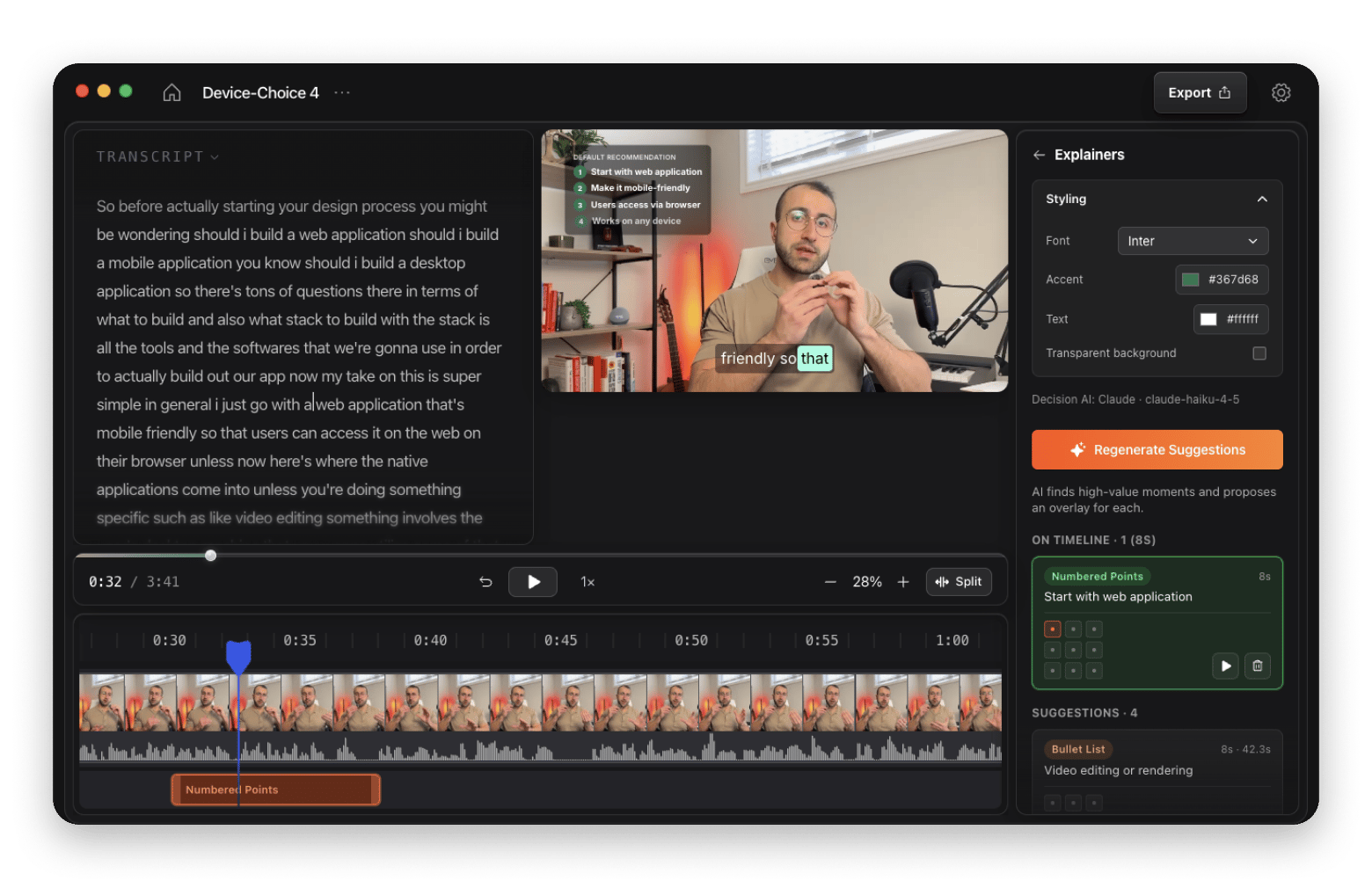
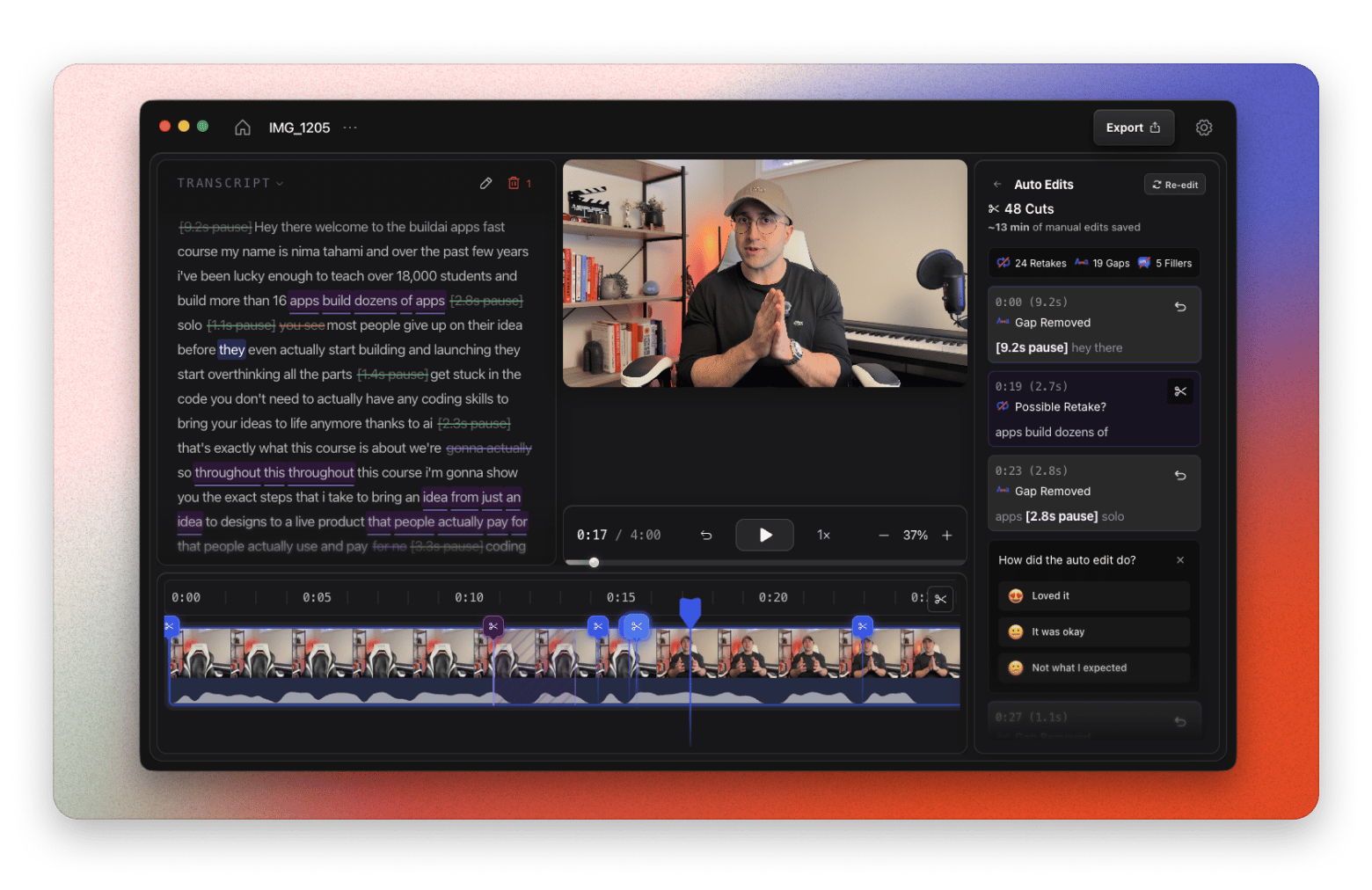
Originally, CueClip was going to solve the problem of creating short-form content from long-form, so I could feed it course lectures and have it make dozens of reels. Over the past year, the product has evolved into a full screen recorder and editor that helps educational creators, product builders, and tutorial makers create beautiful screen recordings they can edit and publish in minutes.
Let early users show you what needs fixing
Much of the early process was handing the product to early users, watching it break and fail, and fixing it over and over again.
After the first version didn’t work out, I spent the next 4–6 months building an ideal app. The mistake was not launching sooner. Looking back, the right move would’ve been to launch bit by bit instead of all at once.
Use AI to build beyond your own skill set
My main tools include Figma for design and Cursor and Claude Code for building.
AI has changed how I work a lot. Especially as someone who’s been working mostly with front-end and design, I’ve been able to get into backend and create full-stack apps solo and fast.
I’m using Claude Code, Cursor, and Codex on a daily basis. Claude Code and Cursor help me fix bugs and ship features faster, and Codex and ChatGPT help me run marketing, create outreach campaigns, and reply to emails.
Make the product easy to use from the start
CueClip has a few competitors, including Tella, Screen Studio, and Descript.
The main way we stand out is that we’re a local Mac app that doesn’t require you to upload your files online, which takes time. Editing is lightweight and easy to use: no learning curve necessary, and most things can be done in one or two clicks.
We also have a lifetime deal and allow users to connect their own AI providers without imposing AI credit limitations.
Find your users where they already gather
CueClip launched in April 2026 and has generated about 250 downloads so far. It’s still in the early stages of creating traction. My marketing strategy includes:
One-on-one conversations and outbound. A lot of one-on-one and outbound to the right customers, including online teaching communities. The channel that has worked the best is teaching communities, because a lot of them fit my customer profile.
Content produced and shared via CueClip. This is another part of how I market the product.
An affiliate program, cold email, and Meta ads. These are also part of the mix.
Ship one working feature and build from there
My advice to someone just starting out building for Mac is to ship fast, even with just one working feature.
Your early users will eventually ask for all the features you need to have.






 Best solution
 Best solution