The best free pick depends on the subject. ChatGPT explained the reasoning most clearly in my tests, Photomath is best for stepping through factoring, and Symbolab lets you choose the solving method. ChatGPT’s basic chat also works without an account in supported countries.
Free tiers stop at steps, subjects, and depth. Symbolab shows full steps only in its app, and multi-step chemistry and physics problems are where limits hit first. Pairing two free tools by strength covers most of a study day.
Eney can help with homework on your Mac.Eney is an AI assistant that explains problems step by step, gives actionable essay feedback, and summarizes long readings. It works with the PDF, screenshot, or page you already have open, so you don’t copy every question into a browser tab.
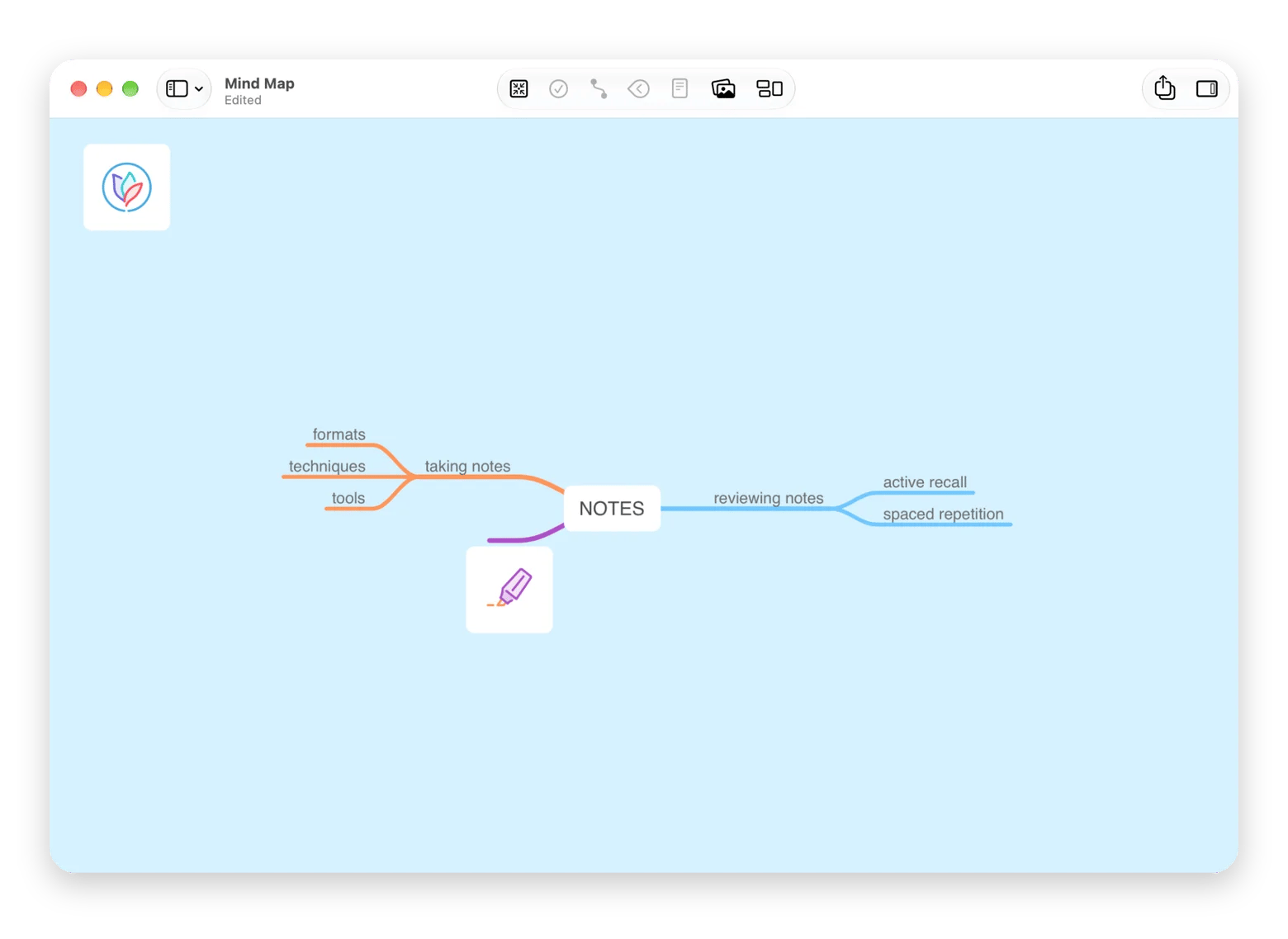
Attempt first, then check. Try the problem yourself, repeat the reasoning from memory, and rewrite the lesson in your own words. MindNode Classic can turn a long topic into a mind map that’s easier to remember.
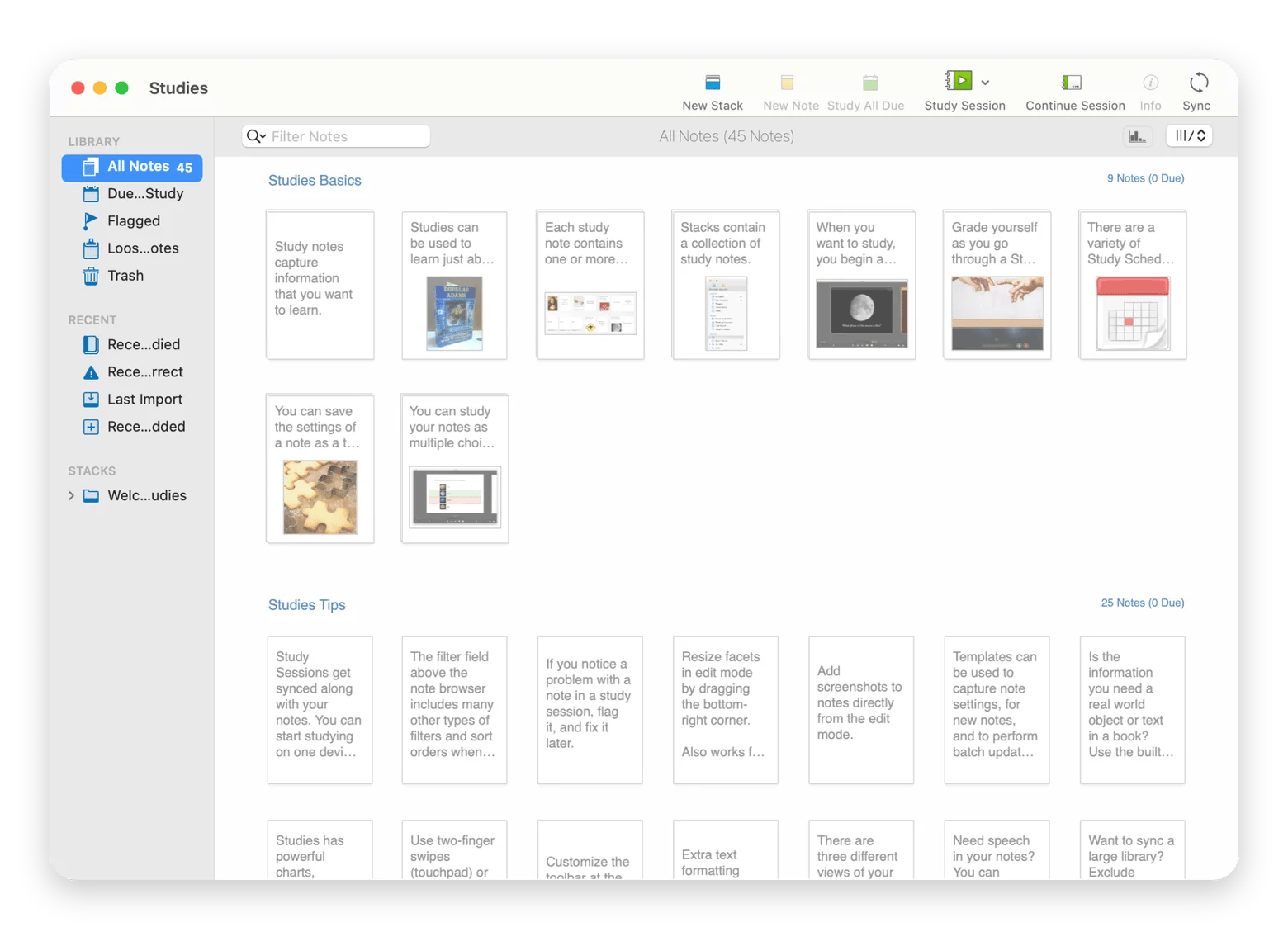
Build your study setup with Setapp. Try Eney free for 14 days. Studies turns explanations into flashcards, and MindNode Classic maps long topics. Both are included in Setapp Membership along with 300+ other apps, free for 7 days.
The best AI homework helper free of charge explains why an answer is right, not just what it is. I gave ChatGPT, Photomath, Symbolab, and Eney the same equation, x² − 5x + 6 = 0. All four solved it, but two never explained why it has two solutions. This guide compares their limits and shows a smarter study flow for your Mac.
How I tested these free AI homework helpers
I ran each tool through the same three tasks: the quadratic x² − 5x + 6 = 0, a chemistry stoichiometry problem, and feedback on a 150-word essay paragraph. Photomath and Symbolab are math-only tools, so they got the quadratic. Same prompts every time.
I judged each one on four things. First, does it explain the steps, or just give the result? Second, subject breadth, because subject-specific homework help is useful, but most students need math, science, and writing in one week. Third, whether you have to sign up before asking anything. Fourth, what the free tier really limits: daily questions, subjects, or depth of steps.
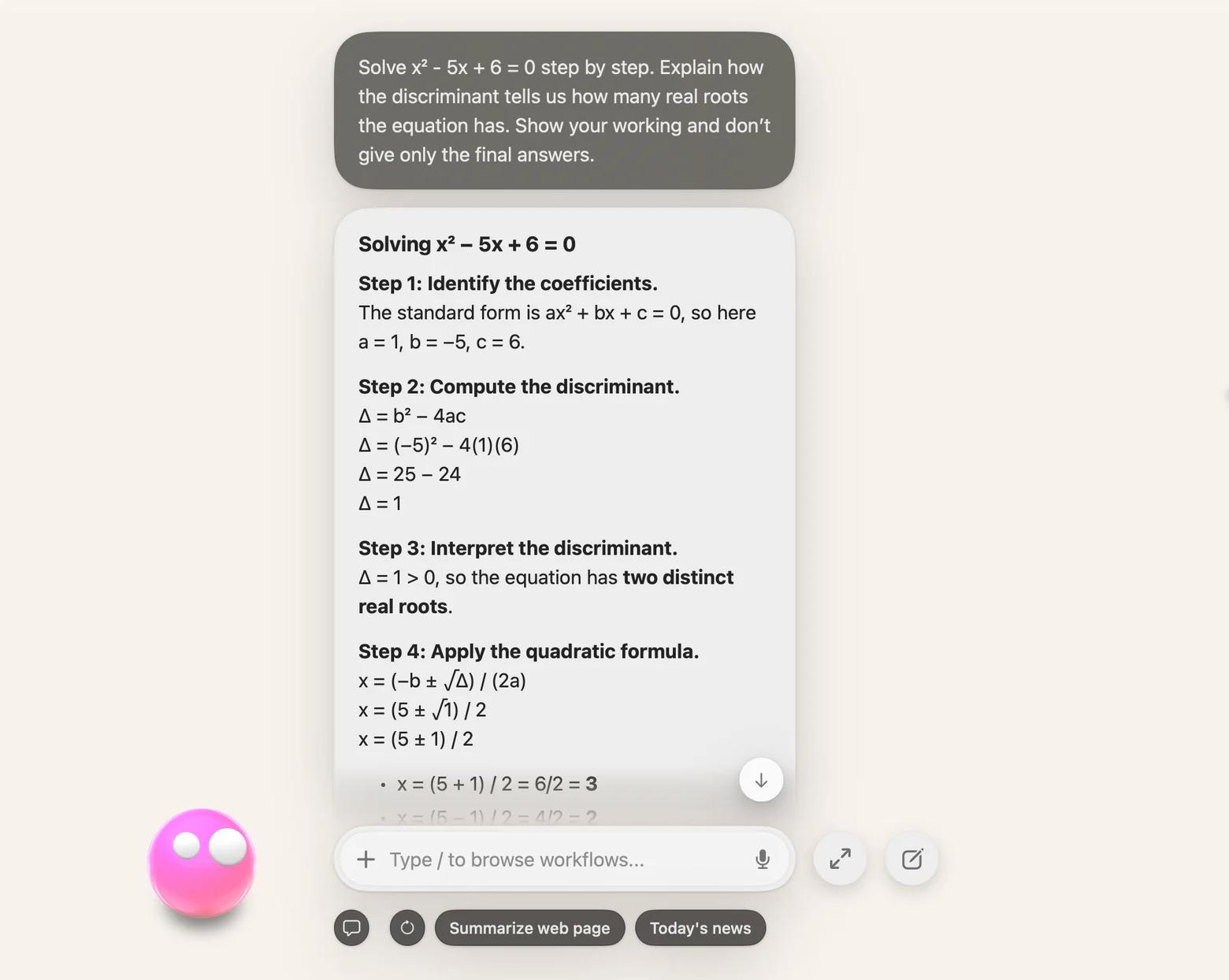
The quadratic showed the difference fast. ChatGPT explained why a discriminant of 1 means two distinct real roots. Photomath went straight to factoring and gave x = 2 and x = 3 without saying why there are two. Symbolab did the same with the quadratic formula. Both were right, but only one helped me with the next problem by explaining the reasoning behind the answer.
I also ran all three tasks on my Mac in Eney to see how a native assistant compares. You'll find the results in the comparison and the Mac section below.
Before choosing the right AI homework helper for you, run three of your own homework questions the same way and compare how each tool explains its answers.
Best free AI homework helpers compared
I tested ChatGPT study mode, Photomath, Symbolab, and Eney, and the table below compares what each does best, what its free tier includes, and whether you need to sign up:
Tool
Best for
Free tier
Sign-up
ChatGPT study mode
Clear explanations and writing feedback
Study mode on every plan, including Free; normal limits apply
Requires an account
Photomath
Factoring steps you can walk through one at a time
Step-by-step solutions are free; Plus adds animated tutorials and hints
App download needed
Symbolab
Equations and graphs, with a choice of solving method
Final answer is free; full steps are free in the Symbolab app
For math, ChatGPT gave the clearest explanation, from reminding me that b is negative to showing why a discriminant of 1 means two real roots. Eney was just as accurate and also checked by factoring. Both got 36 g of water on the chemistry problem, and ChatGPT kept it to 36.0 g, matching the significant figures in the question.
For writing feedback, Eney was the most actionable: it caught the awkward "useful context provided," offered two ready-made topic sentences, and flagged vague phrases like "fair chances." ChatGPT caught the same phrase, but its feedback was gentler in tone.
Photomath, a photo math solver, gave free step-by-step homework solutions and was best for stepping through factoring one move at a time, with a Why button on each step.
For a quick question, ChatGPT has the least friction: basic chat works in a browser without an account in supported countries. Eney is the one paid tool here, included because it works directly with the files already on your Mac and is free for 14 days, giving you time to test its features. Run your hardest current question through one of them and see which works best for your needs.
How to use Eney for homework help on Mac
Most online homework help tools require you to copy every question into a browser tab. Eney works the other way: it reads the PDF, screenshot, or web page you already have open. Think of it as a personalized learning assistant that lives on your Mac and iPhone.
Double-tap Option, drop in a photo of your worksheet, and ask Eney to explain the first problem step by step without giving the final answer.
Choose a paragraph you don't understand in your course PDF, shake the cursor or press Option+W to open Eney Wand, then choose Ask Eney for a plain-English explanation.
Drop a long reading or your lecture slides into the chat and ask for a section-by-section summary. With my 14-page PDF, it returned a clear summary by section.
Ask Eney for the key points of a YouTube explainer. For a live online lecture, it can transcribe the call with no bot joining.
Paste your assignment deadlines and ask Eney to build a study schedule for the week.
Eney needs an M-series Mac with macOS 15 or later, and a paid credits plan after the 14-day free trial. It runs in the cloud by default, with no local model yet, so check your school's rules before uploading coursework, and check its steps the way you'd check a classmate's.
How to use an AI homework helper without becoming dependent on it
The real worry isn't that AI gives you answers. It's handing in work you can't explain. Good AI tutoring for students should make your next attempt easier, not do every attempt for you.
Here are some tips to use AI homework helpers smartly:
Attempt the problem first. Note where you get stuck. For a quadratic, find a, b, and c and try the discriminant yourself. You'll ask a sharper question.
Close the tool and repeat the reasoning. Hide the explanation, solve the problem again from memory, then try a similar quadratic with no help. If you can't say why the discriminant decides the number of roots, go back to that step.
Rewrite the lesson in your own words. Turn the explanation into a short note: the rule, one example, and one common mistake. For a long topic like the water cycle in biology, MindNode Classic can turn it into a mind map that's easier to remember.
Schools and teachers set different AI rules, so check your course policy before using any tool on work you submit. Before your next assignment, write down one question you'll try on your own first.
When is a free AI homework helper not enough?
Free AI homework helpers stop being enough when you study several subjects a day, need detailed essay feedback, or work through multi-step STEM problems.
When you study several subjects every day
In exam season, a free allowance can run out by lunch if you're switching between math, chemistry, and essays. Free tools also cap different things, so one tool rarely covers a full day. The fix is to combine two free tools by strength.
Use a scan-and-solve homework app for equations and a chat tutor for explanations and writing. Keep each tool for what it does best.
When you need detailed essay feedback
Free tools often fix grammar but miss your argument, evidence, and structure. A free AI homework tutor can still help if you ask for feedback against your rubric, one priority at a time. When I asked for exactly two improvements, both ChatGPT and Eney kept to two and didn't rewrite my paragraph.
Save every useful explanation in one notes file, sorted by subject. Over a term, it becomes a personal knowledge base you can search instead of asking twice.
When your STEM problems take several steps
Multi-step chemistry and physics problems are where free tiers most often stop halfway. Even a free AI homework solver may cut the steps off or skip the units. Symbolab gave me the final answer for free but asked me to download its app before it showed the working. Once installed, the full steps were free, and I could choose the solving method.
If that keeps happening, move the workflow onto your Mac. Eney's paid plans keep your PDFs, screenshots, and questions in one place. Through Setapp Membership, you also get 300+ Mac, iOS, and web apps, which is good value if you'd use a few. I recommend checking out Studies. It lets you turn AI explanations into flashcards it schedules for review.
The best free AI homework helper is the one that explains why an answer is right. In my tests, ChatGPT explained the reasoning most clearly, Photomath was best for stepping through factoring, and Symbolab let me choose the solving method.
If you study on a Mac from PDFs and slides, Eney can work with those files directly. To review what you learn, Setapp Membership adds Studies and MindNode Classic, free for 7 days. Start your free trial to see if these tools match your studying routine.
FAQ
Can I use a free AI homework helper without creating an account?
Yes, with some tools. ChatGPT works without an account in supported countries, though your chats aren't saved. If you want a free AI homework helper with no sign-up, ChatGPT's logged-out chat is the easiest place to start. Symbolab shows final answers without an account, but its full steps need the Symbolab app. Signing up for any of these tools usually adds saved history and longer use.
Are AI homework helpers accurate enough to trust for exam prep?
They're good for understanding steps, but not reliable as an answer key. AI can miscalculate, drop units, or sound sure about a wrong method. Check answers against your textbook or class notes, and ask the tool to justify any step that looks off.
Which free AI homework helper is best for math problems?
ChatGPT is the best free AI homework helper for math if you want clear explanations. It shows each step and explains the reasoning, such as why a positive discriminant means a quadratic equation has two real roots. Photomath is better for stepping through factoring one move at a time, and Symbolab lets you choose the solving method, such as the quadratic formula.
Is it cheating to use an AI homework helper?
It depends on your school's policy and how you use it. Asking for an explanation or extra practice usually supports learning. Submitting AI-written work as your own usually breaks the rules. Check your course policy before using any tool on assessed work.
Do free AI homework helpers work on Mac, or only on mobile?
Most work in a browser, so they run fine on a Mac. Photomath is a phone app, and Symbolab needs its app for the full steps. Eney is the native option for M-series Macs and iPhone, free for 14 days with 10,000 AI credits.
Too much to keep track of?
Let Eney bring your work together and help you get it done






 Best solution
 Best solution