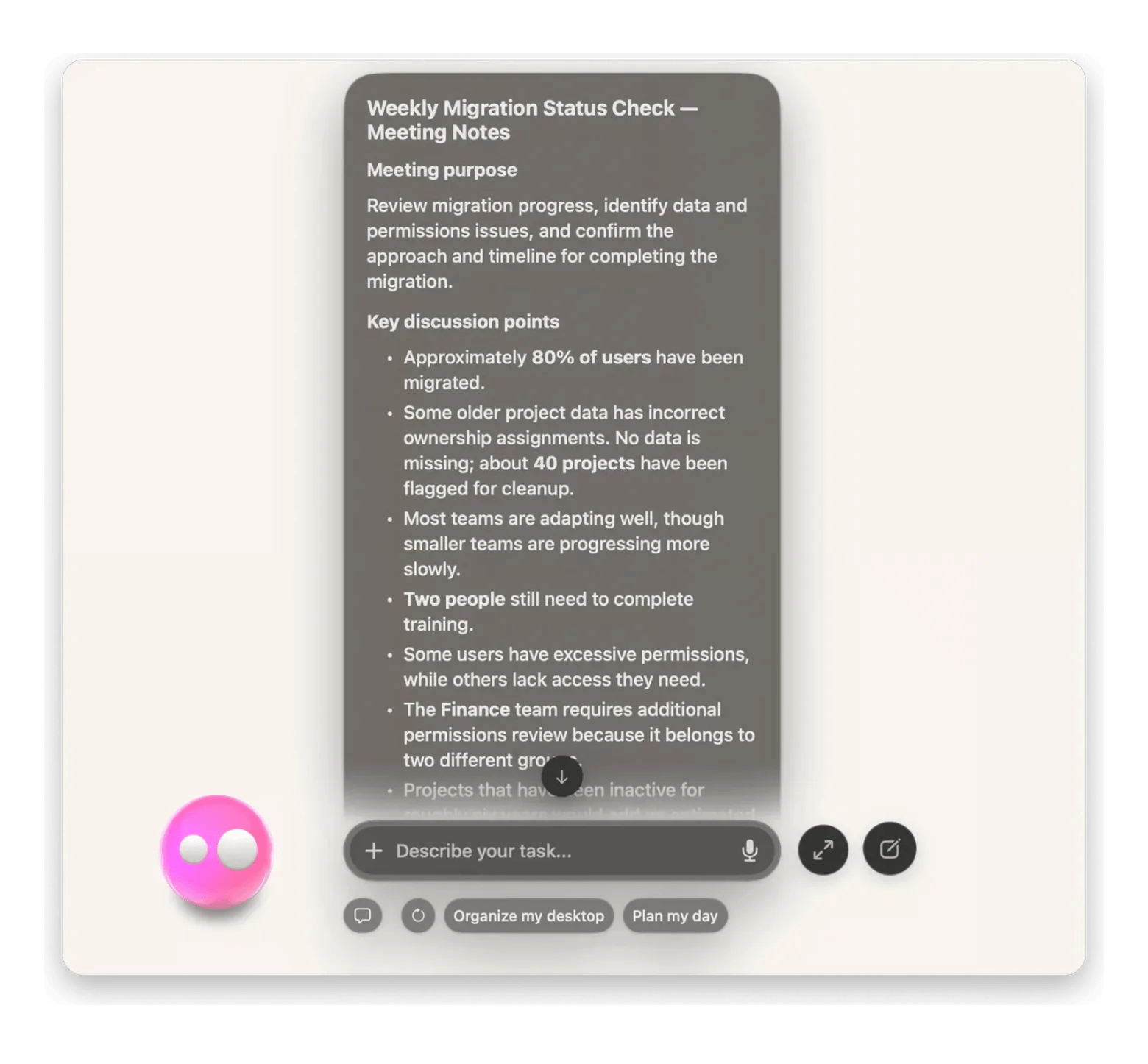
Best overall:Eney finds old files by topic, transcribes meetings, and captures text from your screen. It needs an Apple silicon Mac with macOS 15 or later.
Best for writing:Craft gives you templates, an AI assistant, and shareable pages across Mac, iPhone, and the web.
Best for owning your files: Notebooks keeps every note as a plain Markdown or text file in Finder.
Best for reading: Reeder collects articles and newsletters in one queue before you clip the key lines.
Setapp: Craft is included in Setapp Membership with 300+ other apps and a 7-day free trial. Eney is a separate standalone app with its own 14-day free trial and 10,000 AI credits.
The best Mac app depends on what you need. Eney is best overall for finding files by topic, transcribing meetings, and capturing screen text, while Craft is best for writing.
You had a good idea an hour ago, and it’s now completely gone. Or you're digging through folders for a file you saved months ago and can't remember what you called it. A good AI note-taking app should handle exactly that: catch a rough idea fast, shorten messy text, and find an old file when you’ve forgotten its name.
I tested four Mac apps and linked them into one workflow. Here's how they scored.
Why note-taking on Mac needs AI in 2026
You need AI for note-taking on Mac in 2026 because standard apps only store text. They do not help you capture messy inputs, summarize long files, or find notes once your folders pile up.
During a week on your Mac, you usually sit through video calls, save some PDF invoices, clip long articles to read later, and more. Nobody has time to transcribe those calls or condense three-thousand-word reports by hand. Worse, when you search Finder months later for a specific price, Spotlight fails because you actually saved it under “budget estimate.”
What makes a great AI note-taking app for Mac
A good note-taking app with AI opens fast, works offline, and saves quick thoughts without getting in the way. It also summarizes long files honestly and helps you find old notes when you forget their names.
I scored each app on five practical things::
It works without the internet. You can open the app from the Dock and edit your notes on a plane or train when Wi-Fi is off.
Quick capture takes one shortcut. You can record a voice note or grab text from an image on your screen in seconds.
Summaries stick to your words. The AI shortens a long PDF or meeting note using only what is actually on the page.
Search understands your topic. You type a normal question like “plumber quote from October” and find the right note, even if the file is named Scan_0412.pdf.
Clear file ownership. You need to know whether your notes sit as standard Markdown or plain-text files in Finder or inside a proprietary cloud database.
Best AI note-taking apps for Mac at a glance
That table sums up what stood out during my testing. Details on each app follow below.
Built-in AI Assistant for drafting, rewriting, translating, and summarizing (cloud or local Mac models)
Partial (edit cached docs & External Locations offline; cloud AI and sharing need internet)
Encrypted cloud, offline copy
7-day free trial with Setapp Membership, then from $14.99 USD/mo + tax
Reeder
RSS feeds, podcasts, and YouTube links
Queues articles to clip later
Partial (read cached feeds offline; fetching new posts needs internet)
iCloud sync across Mac, iPhone, iPad
Free up to 10 feeds; $1.99/mo or $14.99/yr (Classic Mac: $9.99 once)
Notebooks
Markdown, text, and PDFs on your drive
Stores files other apps read
Full (100% local files, works completely without internet)
Local Mac drive; optional iCloud, Dropbox, or WebDAV sync
14-day free trial; $43.99 one-time Mac license
Note that no single app in this test handles every part of a Mac workflow on its own, though they fit together easily into one routine. You might spot a great article or newsletter in Reeder and pull out the key lines, then drop those rough quotes into Craft to write out your own thoughts with clean blocks and structure. Once the text is ready, you can save the finished takeaways in Notebooks so they sit as reliable plain files right on your Mac’s drive, ready to open even without Wi-Fi. Weeks later, when you have completely forgotten where you put everything, you just ask Eney a plain question, and it pulls the exact figure straight out of your local folders.
Eney: best AI note-taking app for searching existing Mac files
Eney, MacPaw's AI assistant, works best when you want to search old local files, transcribe calls, and pull text from your screen right inside the folders already sitting on your Mac.
Previously, my Mac desktop was a right old mess. My Downloads folder filled up with PDF invoices, and my desktop was a graveyard of screenshots with generic names. No wonder I couldn't find the price a contractor quoted me back in August.
That changed once I started using Eney. Instead of moving documents into a new app, it indexes the regular Finder folders on my drive, so typing “kitchen quote from August” brings up the exact PDF paragraph in a couple of seconds. When a client shows a slide on a screen share, pressing Option+W lets me highlight the text right on the video call and drop it into a note. Zoom and Google Meet transcripts also happen quietly in the background on my Mac, so no awkward recording bot ever joins the meeting.
Verdict (4.5/5)
Eney scored full marks on four of the five criteria. It has instant shortcut capture, accurate summaries, semantic search across your Finder folders, and full file ownership with no cloud lock-in. The app lost half a mark on offline work. It lost half a mark on offline work: most tasks, including cross-app summaries, need an internet connection.
You can try Eney free for 14 days with 10,000 AI credits for your everyday tasks and see for yourself how much time it saves.
Craft: best for visual notes and ready-to-use templates
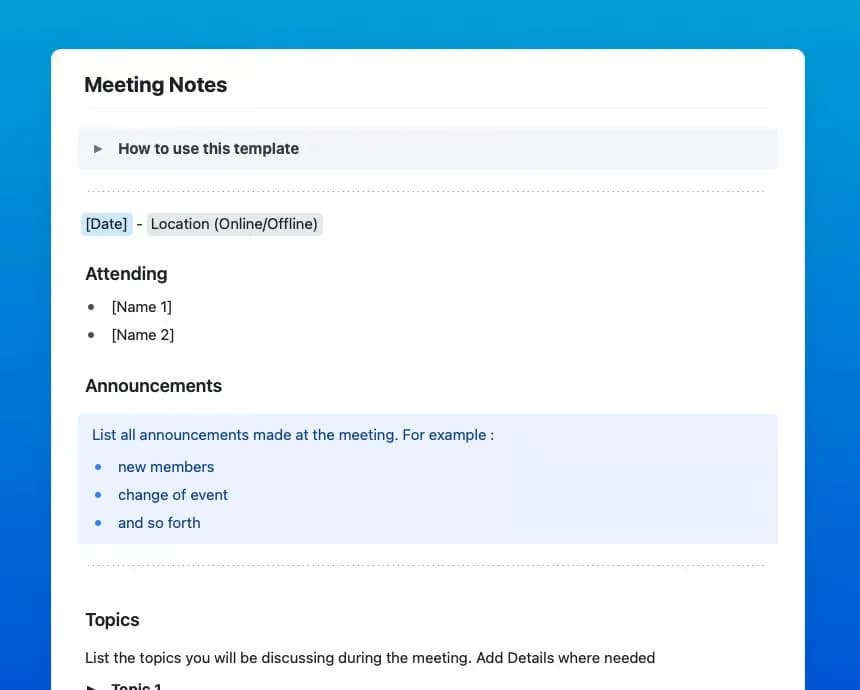
Craft works best when you want notes that look well-designed right away, whether you start from a built-in template or build a page from scratch across Mac, iPhone, and the web.
As a writer who’s always been concerned about the way a page looks, plain text editors have always seemed a bit barren to me. Setting up a meeting document or a personal journal there takes extra work: formatting headings, inserting links, and figuring out how to attach files.
Craft handles the visual aspect on its own. I can take a template for meeting notes and then nest all the extra detail into drop-down text so the page itself remains clean. If a section is getting too long, I’ll just click on that block, press Command+Return, and ask the assistant to either summarize it or translate a paragraph. If I want a second opinion on what I’ve written, I’ll simply send over a private link to my husband or colleague, and they can leave comments straight onto the page.
Verdict (3/5)
Full marks for smooth offline editing and very accurate inline summaries within your pages. Loses a bit on system-wide screen capture, semantic search (its search is keyword-based rather than question-based), and default file ownership, as the notes are stored in Craft’s encrypted cloud database by default rather than in local External Locations.
Notebooks: best for local Markdown files and Finder storage
Notebooks works best if you want your notes saved as regular Markdown or plain-text files inside Finder.
I used to worry about losing access to my notes if I ever stopped paying for a cloud app. Exporting files out of proprietary databases usually turns into a mess of broken links and weird formatting.
Notebooks treats regular folders on my Mac as my library. Every page sits right in Finder as a normal text file, so backing everything up to an external drive takes a simple drag and drop.
Verdict (2/5)
Aces offline reliability and total file ownership, keeping every note as a standard Markdown or plain-text file right inside Finder with zero subscription lock-in. Because it skips built-in AI altogether, it scores zero on shortcut voice/screen capture, automatic summaries, and semantic search, making it the ideal storage vault to pair with Eney rather than a standalone AI assistant.
Reeder: best for turning reading into notes
Reeder helps you take notes directly from the articles and newsletters you read on your Mac. Instead of losing good ideas inside dozens of open browser tabs, you save everything into one place and highlight the specific lines you want to keep. When an article is too long to read right away, you can share it or process it with external tools like Eney to get quick takeaways before saving your highlights. All your saved articles and highlights sync between your Mac and iPhone through iCloud.
Verdict (1.5/5)
Reeder gets 1.5/5 for offline feed reading, quick link clipping from the share menu, and OPML subscription exports. Everything else is well outside what it was designed for. Saved posts are in iCloud rather than as plain Finder files, and without the AI to summarize articles or search by topic, you only really use it to read before you move the quotes into Craft and Eney.
How to build a capture, summarize, and search workflow on Mac
I noticed that many note-taking guides treat every tool as an isolated choice. But on a Mac, the real advantage comes from linking a few specialized apps together so each handles what it does best. Let me show you how that works with a real example.
Suppose you’re preparing a quarterly product strategy doc.
Drop a couple of industry reports and newsletters into Reeder, so they sit in one reading queue instead of dozens of browser tabs.
Highlight the quotes worth keeping, or press Option+W to let Eney pull key market numbers off the screen.
Paste the highlights into a Craft page, add your own roadmap ideas, tighten the copy with Craft's AI assistant, and share the link for team comments.
Export the finished takeaways as a Markdown file in Finder and keep them in Notebooks, so your archive stays readable offline.
If someone asks you about a particular competitor metric in the course of a call a few weeks down the line, you simply pose the question to Eney, and it will pull that very figure straight out of your local folders for you. You don’t have to go hunting through all the old files.
What the Setapp Membership covers in this stack
Building a reliable setup for research and writing usually means paying for three or four separate subscriptions every month. A single Setapp Membership ($14.99 USD/mo + tax) includes Craft along with more than 300 Mac, iOS, and web apps — so you also get access to dozens of other markdown editors, outliners, PDF annotators, and task managers.
Your Setapp account works with Eney as well, but it is a standalone app with its own 14-day free trial with 10,000 AI credits. Reeder and Notebooks remain standalone purchases, yet the core writing and search tools sit in one place.
You can start with a 7-day free trial and explore Craft and 300+ other apps. Or, if you need an assistant, check out Eney as a standalone option with its own offer.
FAQ
What is the best AI note-taking app for Mac?
Eney is the strongest overall choice on Mac if you want an AI assistant that searches your existing Finder folders,transcribes calls, and captures screen text without forcing you to move files into a new database. It requires an Apple silicon Mac with macOS 15 or later.
Can AI search through my old notes?
Yes. As long as your notes live in standard folders that a semantic search tool can index. Eney lets you ask plain-language questions (like "kitchen quote from August") to pull specific facts out of PDFs, transcripts, and local Markdown files.
Is there a note-taking app that summarizes automatically?
Most Mac apps still wait for a manual prompt. Eney transcribes Zoom and Google Meet calls automatically in the background on your Mac and condenses long PDFs or highlighted screen text on demand. Inside Craft, pressing Command+Return on any block lets the built-in AI assistant summarize long sections inline.
Are AI note-taking apps private — where are my notes stored?
Storage and privacy depend on which layer of the workflow you use:
Notebooks keeps plain Markdown and text files directly on your Mac’s drive in Finder unless you turn on iCloud, Dropbox, or WebDAV sync yourself.
Eney reads your local folders through scoped macOS permissions and keeps its memory index encrypted on your Mac, sending only the specific context needed for a prompt to its AI models.
Craft stores pages in an encrypted cloud database (with offline caching and optional local External Locations) and processes text with AI only when you trigger the assistant.
Reeder syncs your reading queue and saves links through your private iCloud account.
What is the best free AI note-taking app for Mac?
No app here gives you unlimited free AI search and call transcription, but you can test the setup at no cost. Eney is free for 14 days with 10,000 AI credits, giving you plenty of room to index your local folders and run real searches on your Mac. Meanwhile, a Setapp Membership starts with a 7-day free trial that gives you access to Craft alongside 300+ other Mac apps in one place.
Unlock AI apps
Access 260+ Mac/iOS apps, including AI tools, with one Setapp subscription.






 Best solution
 Best solution