Best overall:BoltAI summarizes PDFs, Word docs, and web pages with any AI model you choose.
Best for selected text and privacy:Elephas summarizes highlighted text in any app and can use offline models.
Best for PDFs:PDF Pals lets you chat with one or more PDFs and keeps the files on your Mac.
Best for files and follow-up tasks:Eney summarizes documents and completes related tasks, and it’s free to try for 14 days.
Try them together:Setapp Membership includes BoltAI, Elephas, and PDF Pals with a 7-day free trial, and Eney works with your Setapp account.
The best AI summarizer for Mac depends on the job: BoltAI is the best all-rounder, Elephas is best for selected text and offline privacy, PDF Pals is best for chatting with PDFs, and Eney is best when you also want an assistant that completes tasks.
I often have a 60-page report and no time to read every line. An AI summarizer pulls out the main points and helps me decide whether a document or web page is worth my time. After trying several online and local tools, here are the best AI summarizer apps for Mac, and a quick overview if you’re short on time:
In case you are short on time, here’s a quick overview:
If you want to…
Use
Summarize PDFs, web pages, and text with different AI models
Use BoltAI. It will let you create custom summarization prompts and choose AI models
Summarize files and gather information across folders
Use Elephas. It has a floating AI tool that works with selected text in any app
Ask questions across research papers and other PDFs
Use PDF Pals. You can chat with your PDF and compare info across multiple PDFs.
Why summarize on your Mac instead of a website?
Summarizing on your Mac will save you time when you are working with long PDFs or a folder full of documents. It matters most for sensitive documents like client contracts or internal docs. Only tools that run local models, or that keep files on your Mac, keep that text off the cloud, so check how each app processes your files. Instead of copying all the text and pasting it into a web tool, an AI summarizer works directly from the file.
This type of workflow in itself will also give you several other benefits. For one, you avoid the upload size limits of online services. PDF Pals has no file size limit, and the other apps are limited only by the AI model’s context window, so long reports and multiple files are still manageable.
Some tools even let you use offline AI models for the summary. This offers an even higher level of privacy because all the processing happens right on your Mac.
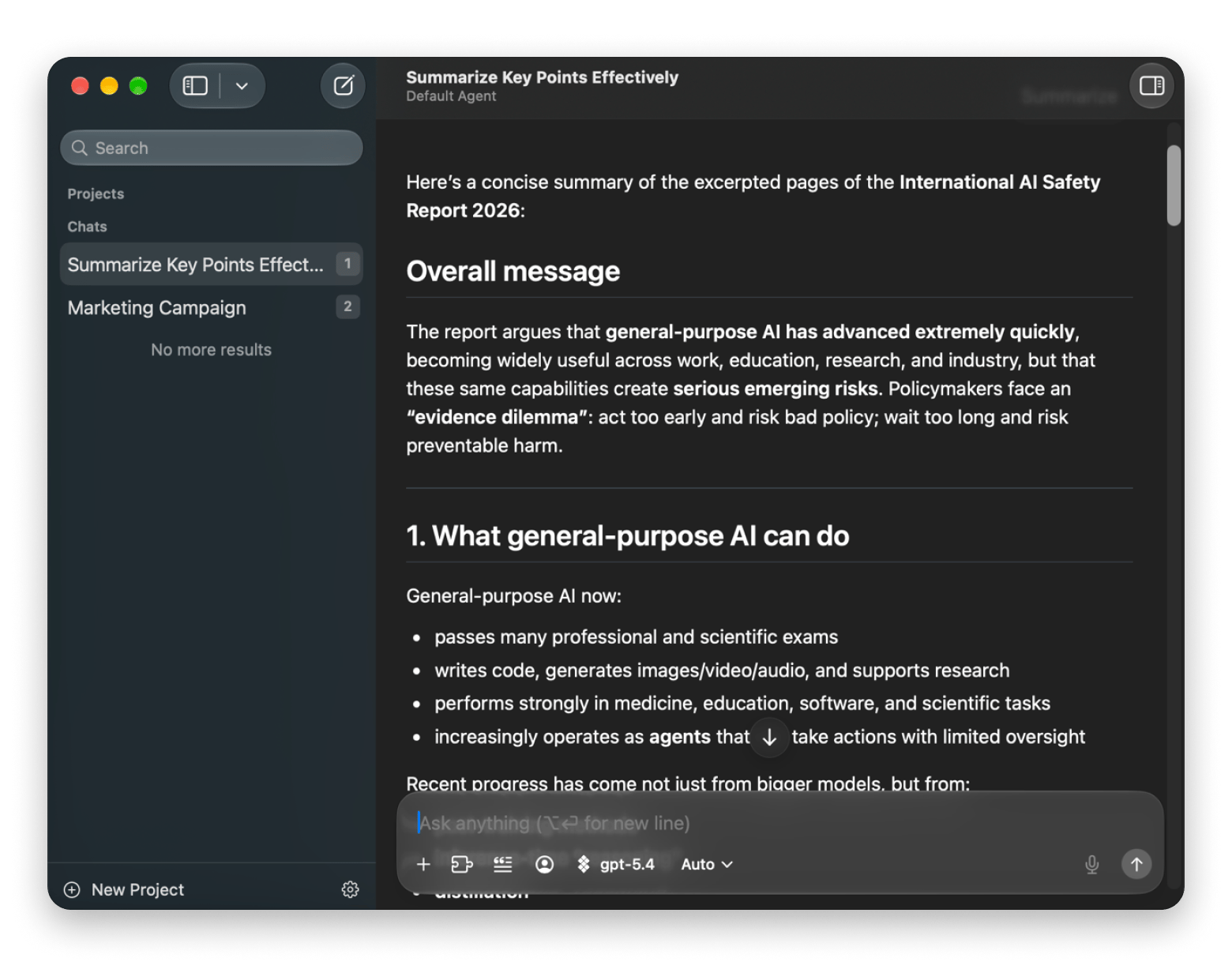
Best overall AI summarizer for Mac: BoltAI
BoltAI is the first tool I turn to when I want to summarize a document, text, or web page because it simplifies the process and does the job effectively.
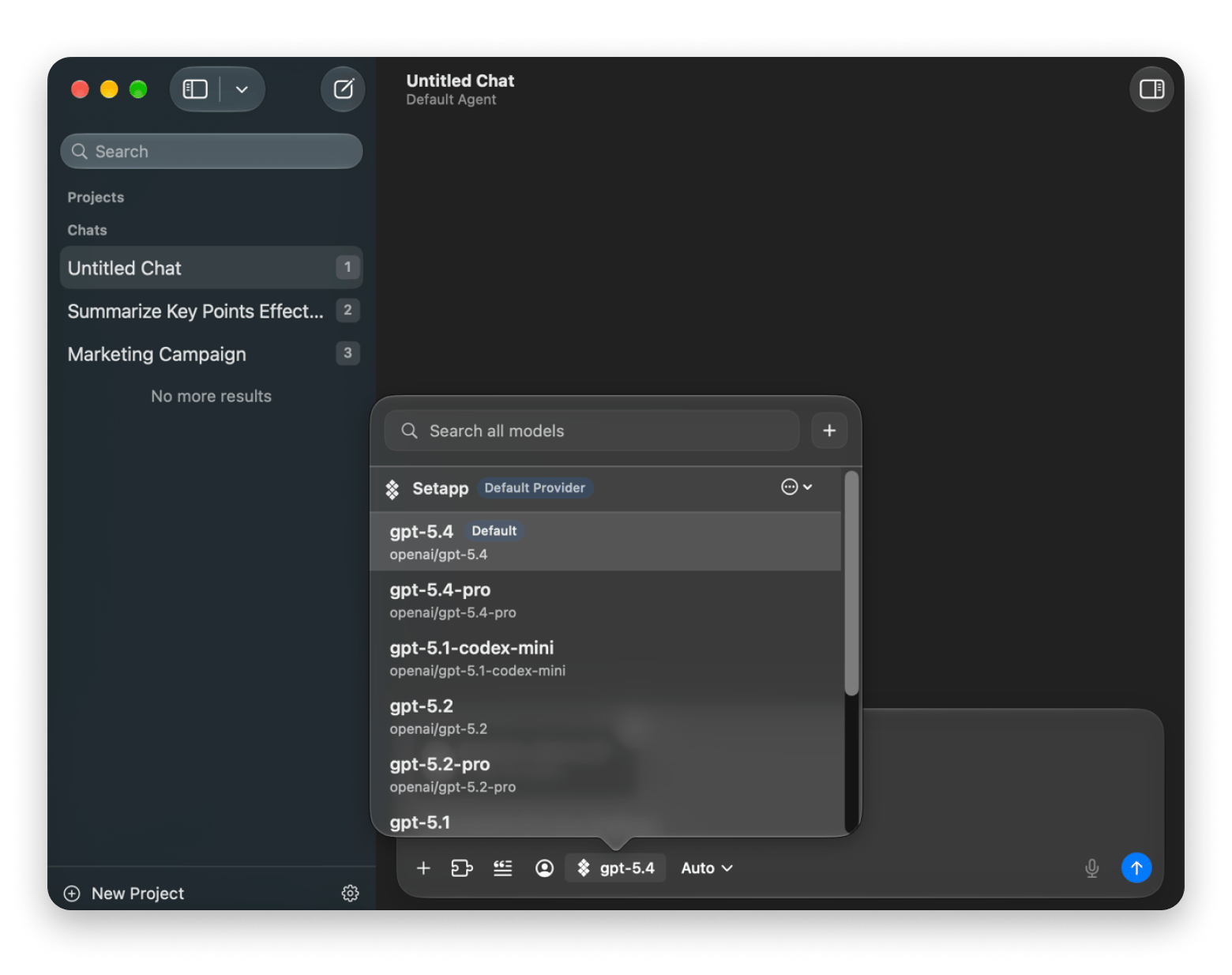
You can launch the app from anywhere on your Mac via a hotkey (⌥Space by default) and use the Instant Chat Bar to make a quick summary request. You can also create custom summary prompts, change the model, and expand to the window view to get more space when working with files.
Best for: Summarizing PDFs, Word docs, spreadsheets, and web pages with any AI model.
Platforms: Mac.
Cost: Included with Setapp Membership.
Catch: Long PDFs need a model with a large context window, and it uses Setapp AI credits or your own API keys.
Best AI summarizer for local files and folders: Eney
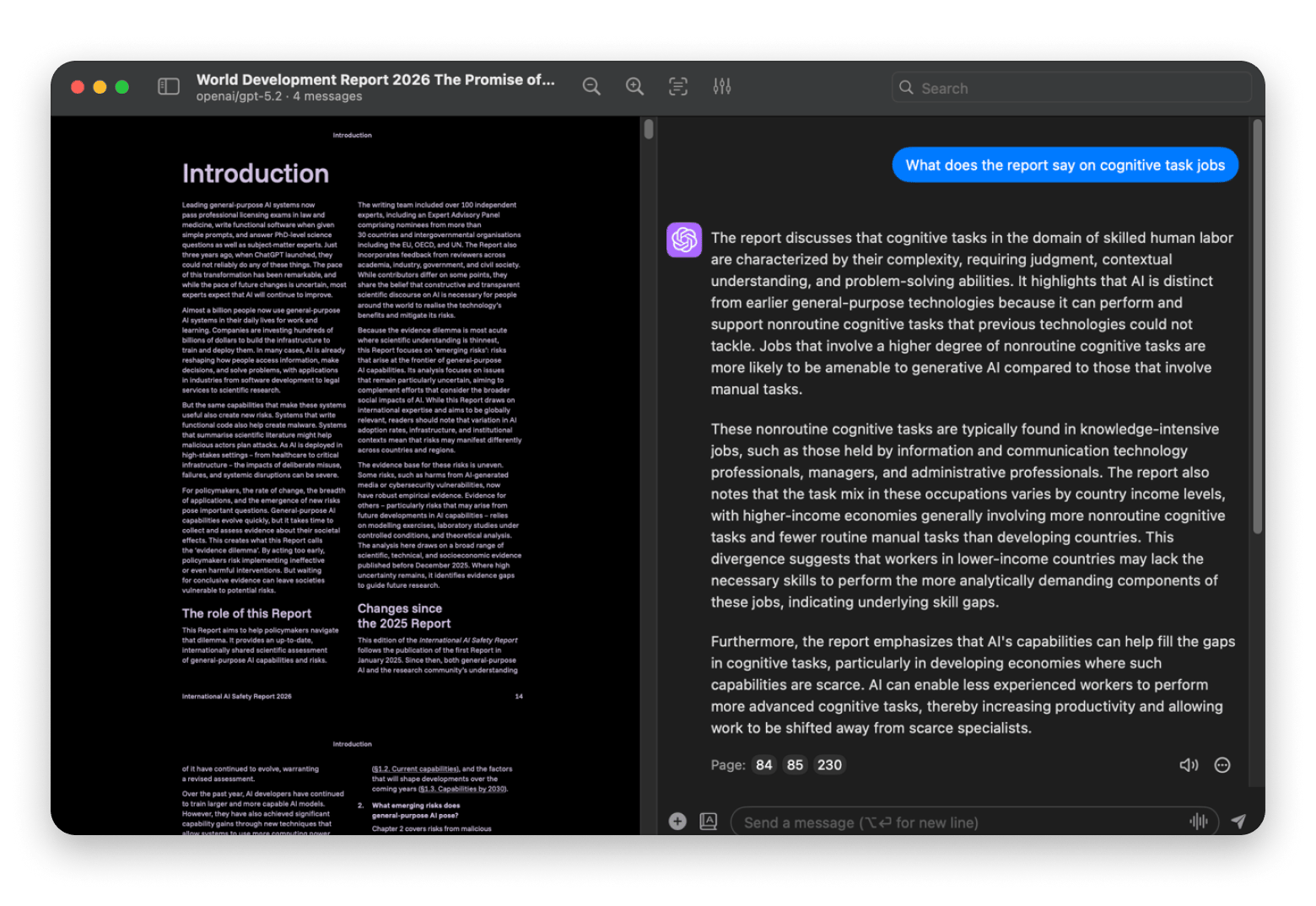
Eney, an AI assistant for Mac, is the best AI summarizer for Mac if you’d like a tool that also does many other tasks on your device. It’s quite useful for processing local files because it can understand them even before using a cloud service to generate the answer.
The Mac AI assistant has a built-in AI Summarizer skill that organizes summaries into an executive summary, key findings, key discussions, and conclusion, among others. It does all this with a simple plain-language request and can process multiple files at once.
Best for: Summarizing files and completing follow-up tasks.
Platforms: Mac (Apple Silicon, macOS 15+) and iPhone.
Cost: Free for 14 days with 10,000 AI credits, then plans from $14.99 USD/mo.
Catch: Credit-based, with no published per-task rate.
Best AI summarizer for selected text and privacy: Elephas
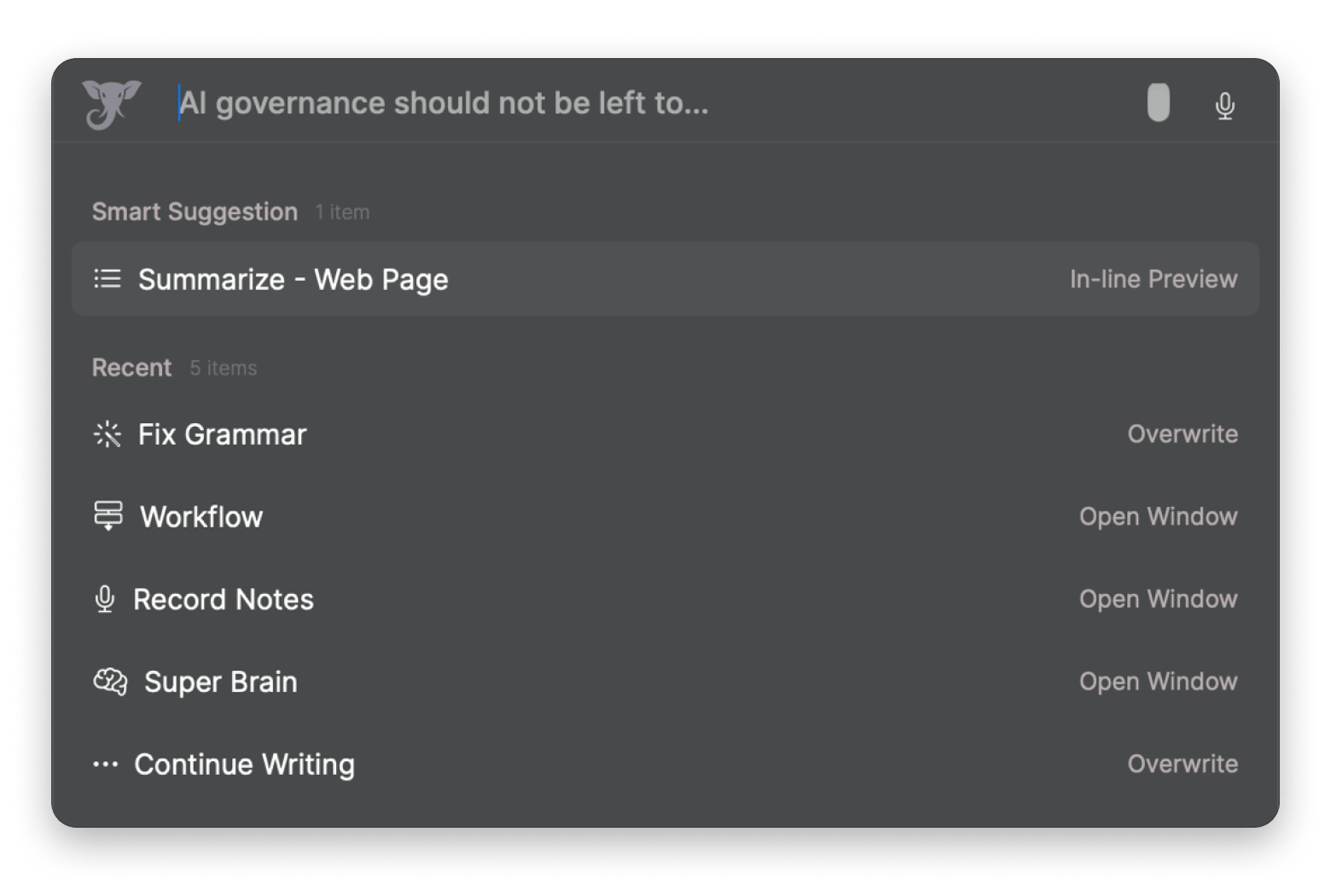
Elephas is the best AI summarizer for Mac if you want your sensitive documents to remain completely private because you can set up an offline AI model. Its Super Command also brings up the Elephas AI shortcuts with highlighted text, so you can use it to summarize text anywhere with just a few clicks.
Best for: Summarizing selected text in any app.
Platforms: Mac and iPhone.
Cost: Included with Setapp Membership.
Catch: Offline models need an Apple silicon Mac.
Stop copying text into a chat window to summarize it. Select text, open Super Command, and choose Summarize. Cancel anytime. Uses AI credits, 1,000 included with your Setapp plan. Start My 7-Day Trial.
Best AI summarizer for research PDFs: PDF Pals
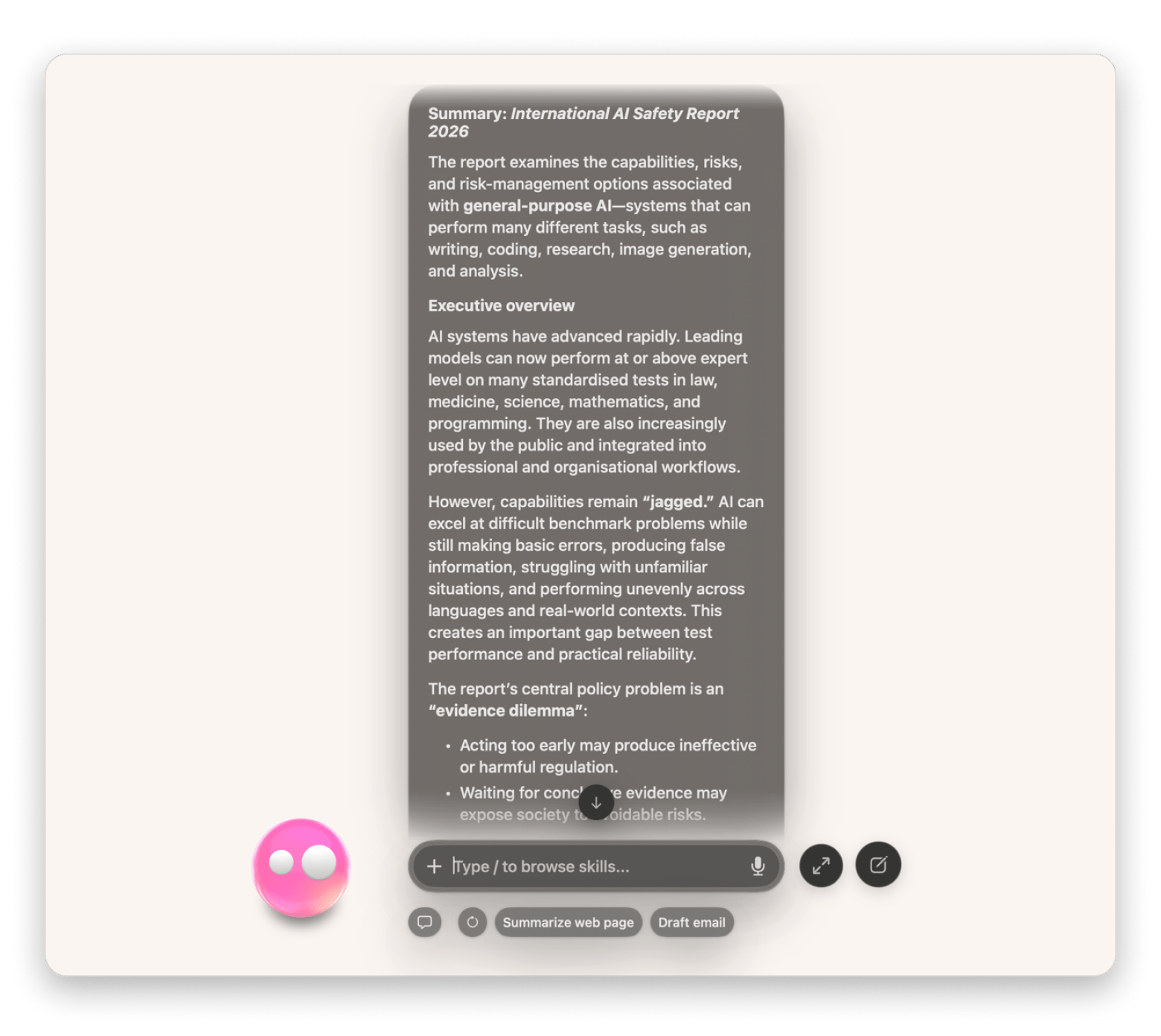
PDF Pals is also worth considering, especially if you want to understand documents on a deeper level than just the summary. It essentially lets you chat with your PDF, so you can ask questions about the document or specific points mentioned. You can even go ahead and ask the AI text summarizer for a comparison with external research, and the tool will still maintain a heavy focus on your document.
Best for: Asking questions across one or more PDFs, with cited answers.
Platforms: Mac (macOS 13+).
Cost: Included with Setapp Membership.
Catch: PDFs only, and it needs AI credits or your own API key unless you use a local model.
Chat with your PDFs, and keep the files on your Mac. PDF Pals gives cited answers across multiple PDFs. Free for 7 days. Uses AI credits, 1,000 included with your Setapp plan. Try PDF Pals Free.
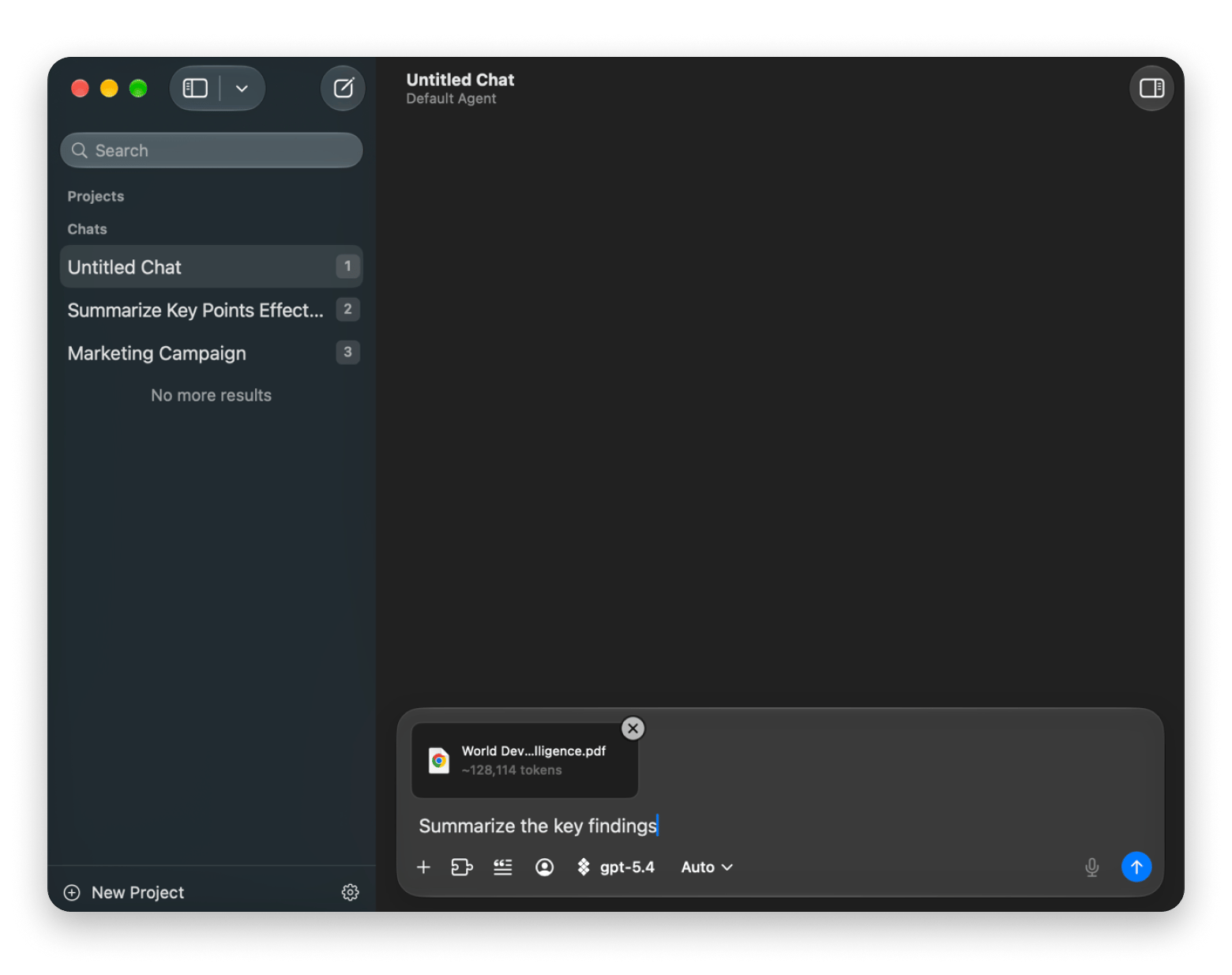
Specific prompts get better summaries. When you only ask for "a summary" of a long report, the AI tends to gloss over the details you need, so I tell it what the summary should cover.
To prevent this, I tell the AI what I want in the summary, whether it’s the overall summary or something specific.
Choose an AI model depending on the level of quality and credits you want to consume.
Write your prompt asking for something specific in the summary.
Narrow the result if you need more detail.
Check important details like figures and claims against the PDF.
From there, ask BoltAI follow-up questions to find the sections you need to read in full.
Which AI summarizer for Mac fits your workflow?
While BoltAI is my pick as the best AI summarizer for Mac, that doesn’t mean it’s the best for everyone. The best fit usually depends on your workflow and the types of documents or text you handle often.
I’ve drafted a quick table that can help you select a suitable AI summary tool:
To simplify the choice, consider where or what you mostly read and how sensitive your files are. BoltAI, Elephas, and PDF Pals use your Setapp AI credits, and consumption depends on the model you use. If you’d rather not use credits, you can connect your own API keys in those three apps. Eney uses its own credit plans.
Can you try every AI summarizer here with one subscription?
Even if you want to try different apps to find the one that fits your workflow, you don’t have to deal with the headache of subscribing to multiple apps or setting up API keys. Setapp offers BoltAI, Elephas, and PDF Pals under a single subscription with monthly credits. Eney, an AI assistant for Mac, is also available on the alternative macOS marketplace and offers 10,000 credits for a 14-day free trial you can use to summarize documents and do other tasks on your Mac.
Stop pasting documents into websites. Summarize them on your Mac. Setapp Membership includes BoltAI, Elephas, and PDF Pals. Eney works with your Setapp account. Free for 7 days. AI apps use credits; 1,000 included. Start My 7-Day Trial.
FAQs
What is the best AI summarizer for Mac?
BoltAI from Setapp is the best AI summarizer for Mac for most people because it summarizes PDFs, Word docs, spreadsheets, and web pages with the AI model you choose. It opens over any app with the Instant Chat Bar, and you can keep asking follow-up questions after the first summary. For selected text, use Elephas from Setapp. For chatting with PDFs, use PDF Pals from Setapp.
Can AI summarize a PDF without uploading it?
Yes. PDF Pals keeps your PDF files on your Mac with no uploads, and Elephas can summarize with built-in offline models on Apple Silicon Macs. BoltAI can connect to local models through Ollama or LM Studio. Eney uses a mix of local and cloud models, so check which one runs before sensitive files.
How do I summarize a long PDF on Mac for free?
You can summarize a long PDF on Mac for free with a free tier or trial. Setapp offers a 7-day free trial that gives you access to apps like BoltAI, Elephas, and PDF Pals, which are some of the best tools to summarize PDFs with AI. Eney, also available on Setapp, comes with its own free credits you can use to summarize PDF files, among other tasks.
Is there an AI that can summarize multiple documents at once?
Yes, PDF Pals also lets you add multiple documents at once and summarize or chat with them within the same conversation. It can help you gather information from multiple files using plain-language requests, and you can also use it when you want to compare different reports or research papers.
Are AI summarizers accurate enough for work documents?
They’re accurate enough for a first pass, but not for decisions you can’t verify. AI summarizers can misread context or drop a detail that changes a finding. Check figures and quotes against the original, ask follow-up questions, and summarize long documents section by section.
AI tools for Mac, iPhone, and iPad
Generate and improve text, create summaries, and tackle your tasks faster.






 Best solution
 Best solution