Short answer: Claude is better for coding and natural-sounding writing, ChatGPT is better for structure and ready-to-use plans, and research is a near tie.
Coding: Claude passed all three coding tests with more edge-case coverage (19 tests vs 8 in the Swift test, 31 vs 15 in debugging).
Writing: Claude won the human-sounding rewrite 20 to 17, while ChatGPT won the long article 19 to 16 because it followed the brief.
Pricing: Claude Pro and ChatGPT Plus both cost $20 USD per month, and neither includes API access.
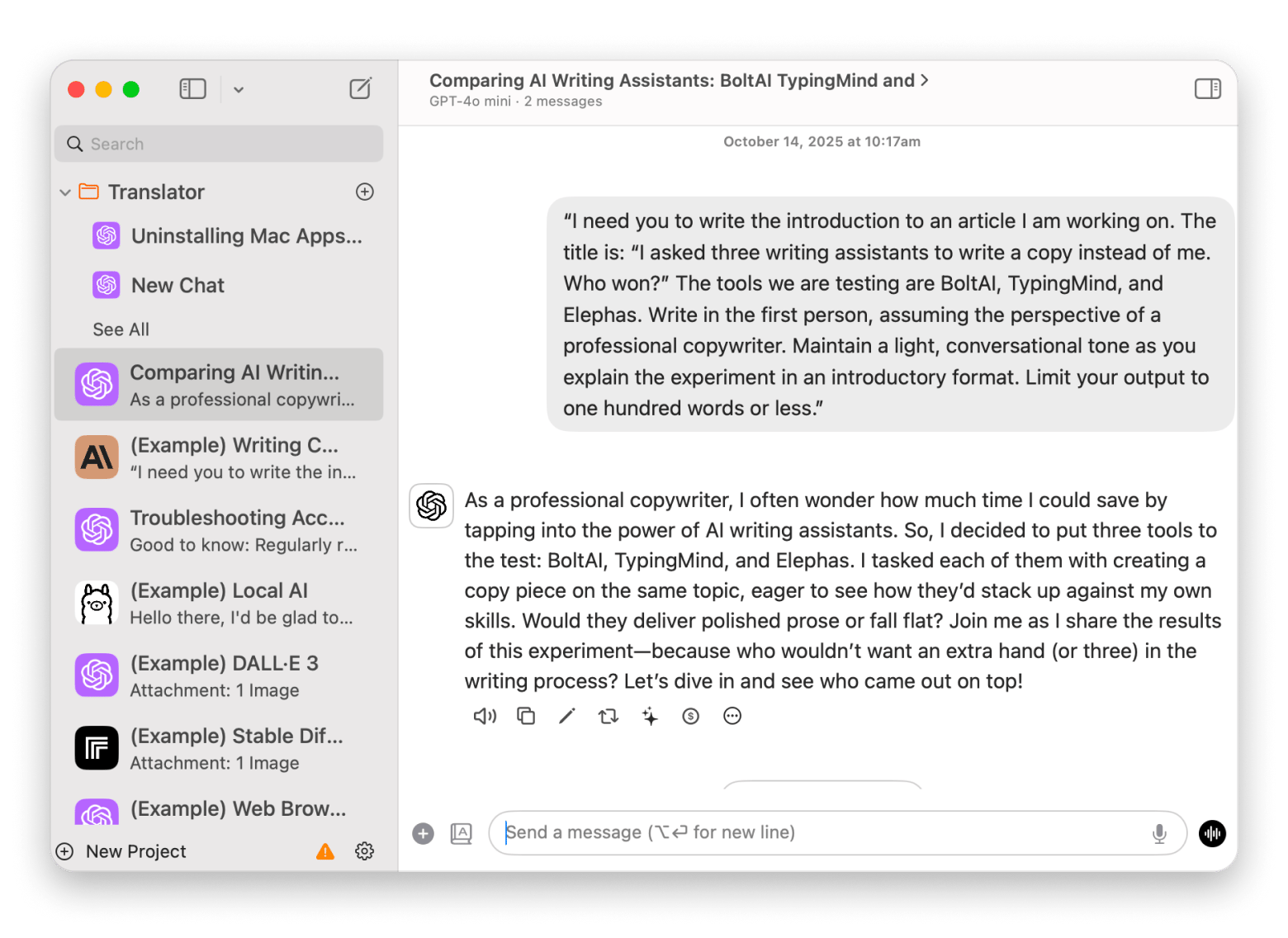
Beyond chat:BoltAI and TypingMind switch between models in one Mac app; Elephas brings AI into any text field. All three come with Setapp Membership and a 7-day free trial. And Eney runs tasks on your Mac, and you can try it with free credits.
Claude is the better pick for Mac users who code or want natural-sounding prose, while ChatGPT is better for structured plans and all-in-one tools. In 10 real tasks, Claude won seven, ChatGPT won two, and one ended in a tie, though several margins were a single point. Both cost $20 USD per month for the main paid plan.
I’m always watching the AI race, but my favorite changes with every update. So I ran a Claude v. ChatGPT test on the same 10 real Mac tasks, from emails to code, and scored every result.
Here’s who wins each one, plus how to use both in a single app without paying for separate API keys.
Claude vs ChatGPT: What are the main differences?
Claude and ChatGPT aren’t easy to separate, but each still has its stronger points. Claude currently shines in long-form writing and complex coding tasks, while ChatGPT offers broader built-in tools for everyday work. Both tools offer free plans with usage limits, and their subscription prices are nearly identical.
Here's a quick preview of how they compare.
Compare the features
Claude
ChatGPT
Top model
Claude Fable 5.1, Opus 5.5, Sonnet 5.5, Haiku 5.5
GPT-6 Astra, GPT-6.1 Sol, and GPT-6 Luna (plus GPT-5.6 Sol, Terra, and Luna)
On paper, there’s no runaway winner. I’d recommend reading this roundup of ChatGPT alternatives for Mac if you want to see how Claude compares with other options.
However, as you can see, Claude is ahead in terms of computer use because it can edit local files and use your coding apps to work on your projects. On the other hand, ChatGPT has a stronger combination of text, voice, image generation, and data analysis, making it suitable for general tasks.
Do subscriptions include API keys?
There’s one pricing detail to note, though: The subscription fee doesn’t include API keys.
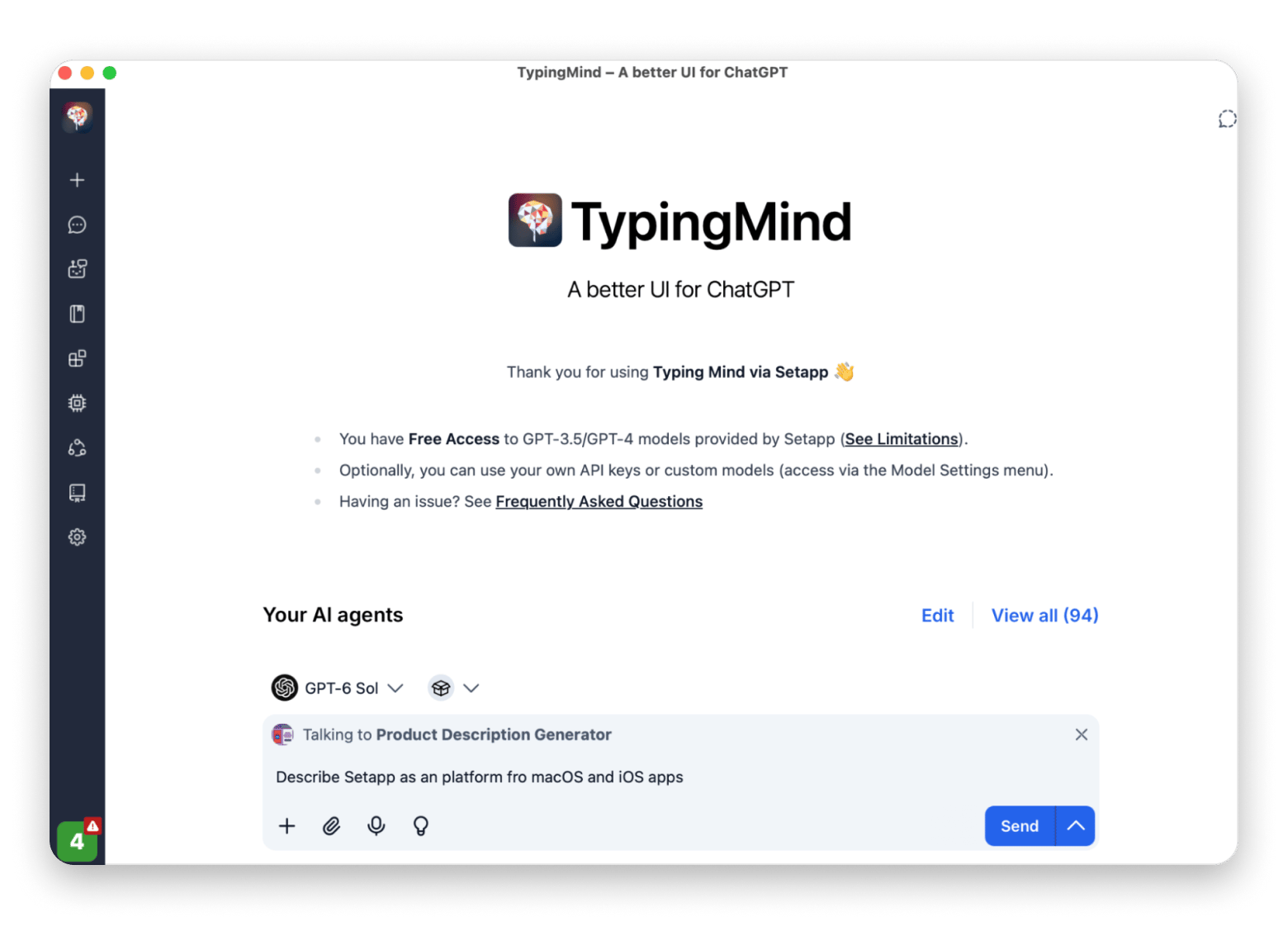
If you want to use your own keys, or skip them entirely, a client like BoltAI with Setapp Membership lets you switch between OpenAI and Anthropic models in one native Mac chat. On Setapp, it runs on your monthly AI credits.
The app provides access to pretty much any AI model available, and you’ll only need a Setapp subscription with monthly credits. The subscription starts at $14.99 USD/mo + tax with a 7-day free trial.
How did I test Claude and ChatGPT on a Mac?
To compare Claude and ChatGPT, we ran the same 10 tests on both assistants, focusing on tasks most Mac users run into. These included drafting and editing emails, summarizing PDFs, researching a topic, writing Swift snippets, and debugging code.
I scored each response on instruction-following, quality, and how much work it took to get the draft ready. This helped us see where each has an edge, since both tools are powerful and industry leaders.
I ran every test in October 2026 on Claude and ChatGPT with default settings, one attempt per prompt.
Writing and editing: which AI sounds more human?
Claude came out slightly ahead in writing tests because it had better prose and preserved personality better, but ChatGPT was better at structuring and following a detailed article brief.
In total, we ran three writing tests in Temporary Chat (ChatGPT) and Incognito Chat (Claude) to avoid memory or personality references.
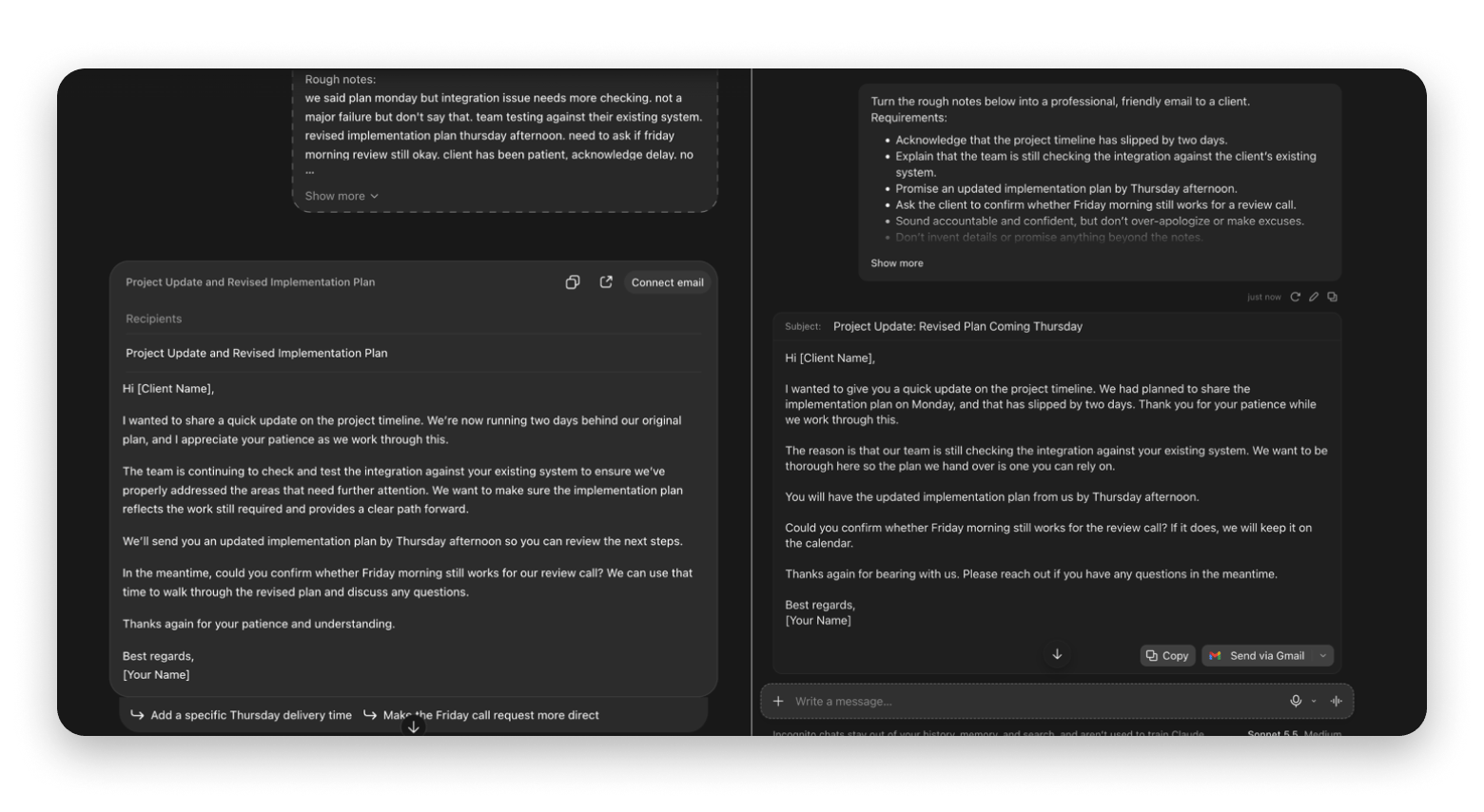
Test 1: Writing a client email (Claude 20, ChatGPT 19)
Claude wrote the better client email, 20 to 19, though both drafts were usable. The prompt included the requirements and context a real client email needs.
Across four judgment areas (accuracy, tone, ready to send, and no invented details), ChatGPT and Claude scored 19 and 20, respectively. Not much difference.
Test 2: Turning AI text into a more human version (Claude 20, ChatGPT 17)
Claude won the humanizing test 20 to 17 with more varied phrasing and a more natural rhythm. I gave both an AI-written paragraph and asked for a human-like version.
Test 3: Writing a long article from scratch (ChatGPT 19, Claude 16)
ChatGPT won the long-article test 19 to 16 because it followed every instruction. The brief was a 450-word article on using AI to turn a vague task into a manageable first step.
ChatGPT showed a stronger summary and followed all the instructions well. I also liked the flow of ideas better because they were more connected. Claude also did well, but it dropped a few balls along the way. For example, it didn’t have a requested conclusion, and the flow sounded a bit repetitive from the intro to the first H2.
The overall score was 19-16 for ChatGPT, but with a huge caveat. While ChatGPT was better at following instructions and in the structure, Claude sounded much better. The sentences were more varied, and it was more creative, but this was already graded in the second test.
Verdict: Which AI is better for writing?
So, Claude or ChatGPT?
The three tests proved what I’ve also been experiencing in my writing since I started using both. When I have long-form writing tasks, I brainstorm and create the structure with ChatGPT. I then head to Claude for the actual writing. It’s easy to do because I use them with BoltAI, so I can just switch the model after getting a proper structure.
If you’d rather have AI inside every text field than in a separate chat window, Elephas does that on Mac and iPhone.
Which is better for coding on a Mac: Claude or ChatGPT?
Claude had the edge in coding-related tasks, honestly. However, ChatGPT wasn’t poor either and actually passed all our coding tests. The difference between Claude and ChatGPT came down to approach and attention to detail.
The tests involved creating a small Swift utility, a Mac file organizer, and a debugging task involving a CSV processor.
Test 4: Writing a Swift utility (Both pass)
Both models passed the Swift test, but Claude wrote 19 tests to ChatGPT’s eight. I asked each to write a Swift function that filters filenames by extension, ignores hidden files, and sorts the results.
Overall, Claude’s implementation was more comprehensive. For example, its code determined extra sorting procedures when file names were similar. This means that both handle small cases well, but Claude would be better for complex projects.
Test 5: Automating file organization on a Mac (Both pass, Claude safer)
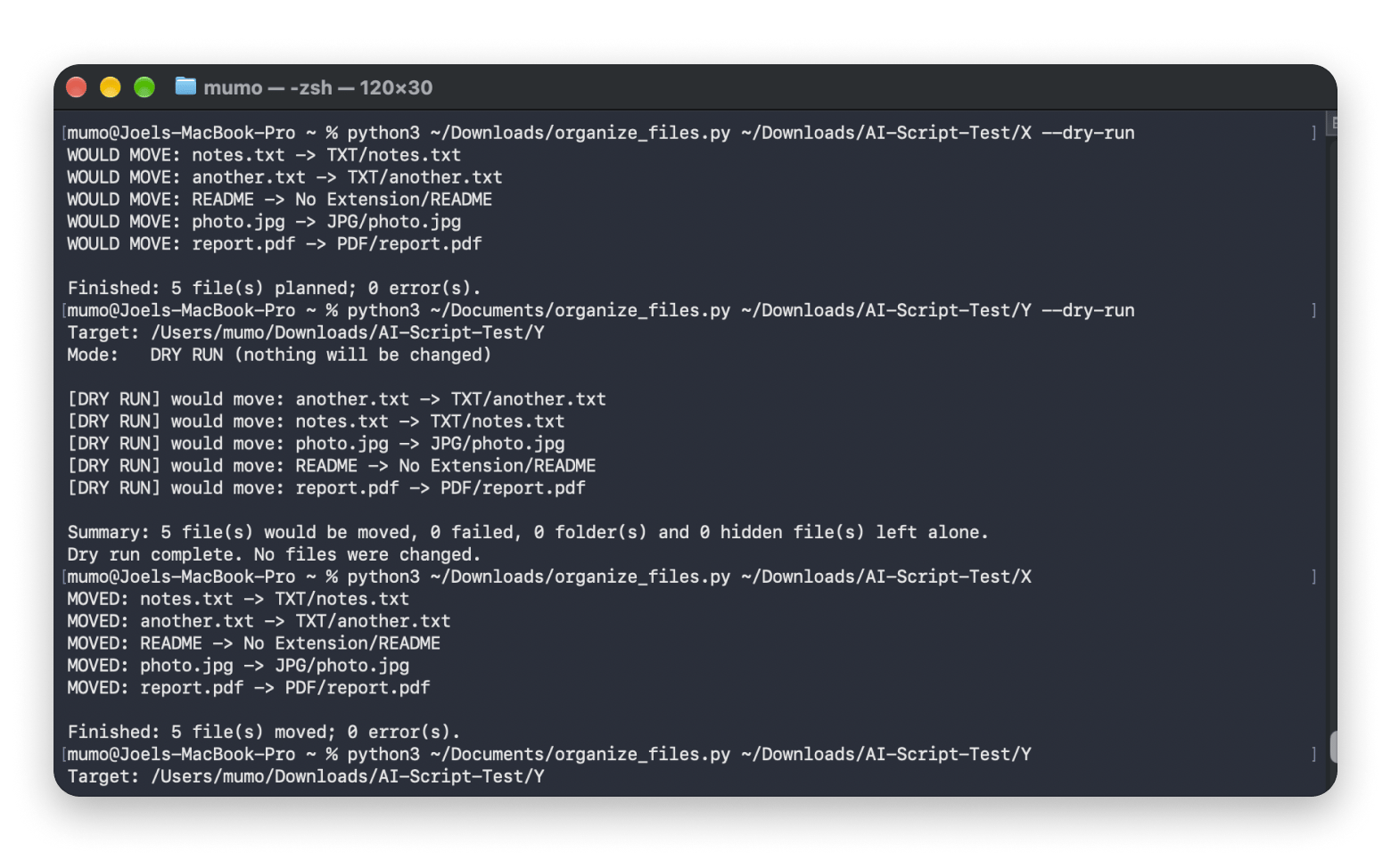
Both scripts moved every file correctly, but Claude’s had stronger safeguards against dangerous target directories. I asked each model for a Python script that organizes folders by file extension.
In the tests, both scripts moved all the files as expected and without any errors. But then, there was a big difference in the safeguards. While both handled common file types and potential file collisions without issues, Claude’s version had more explicit protection against dangerous target directories. It accounted better for unexpected scenarios.
Test 6: Debugging broken code
Both models fixed the broken CSV function, but Claude handled invalid rows and decimal math better. The function reads transactions from a CSV file and totals amounts per customer.
ChatGPT ran 15 tests, while Claude ran 31. All passed, but Claude’s version covered more edge cases and showed more ways the original code could fail.
But that wasn’t the biggest difference between Claude and ChatGPT. ChatGPT, while keeping its solution compact, simply discarded invalid rows instead of handling them or stopping the script. It also used float to calculate totals, which doesn’t always work for decimals such as 0.1 and 0.2.
Claude handled these much better by using Decimal to offer more accuracy and logging a warning when it rejected a row. That made its solution more useful when working with real-world calculations. Not all 16 extra tests were as useful, but it still showed much more precision.
Verdict: Claude has the edge in coding (Both pass, Claude more thorough)
All models produced working code across all tests, but Claude consistently went further with the edge cases, safeguards, and test coverage. ChatGPT’s solutions were all direct and easier to scan, which is valuable when working with tasks that don’t really need complications.
Claude is clearly ahead in coding tasks, but ChatGPT remains a solid option when you are working with smaller utilities and scripts.
Which is better for research and long documents?
Claude and ChatGPT are much closer here than in other areas and are virtually tied, but they vary in their execution. In most of the tests, we used a 456-page AI Index Report and judged multiple aspects in each test.
The tests were four in total, covering long-document summarization, finding specific answers in a long report, synthesizing information across multiple documents, and researching a topic using external sources.
Test 7: Summarizing a long PDF (Tie, 11/12 each)
Claude and ChatGPT tied on the long-PDF summary, with 11 of 12 points each. The test used the 456-page report and checked whether each model could identify the main findings without overstating specific results.
ChatGPT did well at broader synthesis and presented the summary in a more user-friendly way. Claude was more analytical in the summary, stating the various caveats and limitations. Both noted a discrepancy in the report where the same test was reported as 50.1% in one section and 50.6% in another.
Neither model had a clear edge, with both scoring 11/12 in the tests.
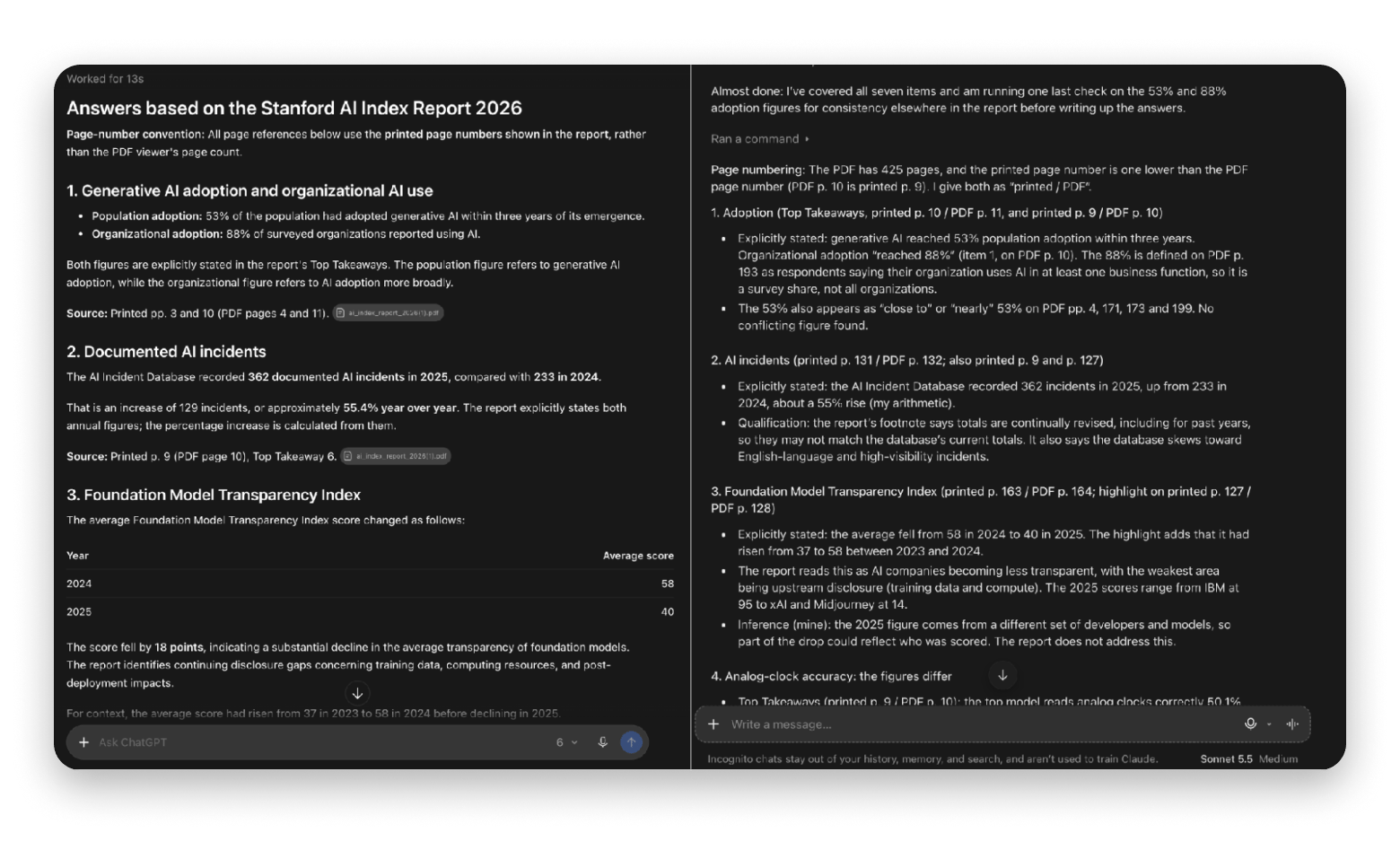
Test 8: Finding specific answers in a long document (Claude 24/25, ChatGPT 23/25)
Claude edged ChatGPT 24 to 23 out of 25, because its references were more precise. I used the same Stanford AI Index Report and asked seven specific questions.
Claude’s references were more precise, which made it easy to check the evidence. It even noted that “the report didn’t explain the discrepancy in the ClockBench figures” instead of just saying that the issue exists. ChatGPT did its job well, but its citations weren’t as detailed.
Test 9: Answering questions across multiple documents (ChatGPT 25/25, Claude 24/25)
ChatGPT edged Claude 25 to 24 out of 25, mainly by collating information across all three files better. The documents were fictional company files with conflicting priorities, unverified estimates, and open decisions.
ChatGPT was minimally better, with a score of 25/25, while Claude scored 24/25. Both models correctly advised against committing immediately to an MVP or custom app and recommended a limited proof of concept. The other details were also similar, with ChatGPT’s edge being in a test that required collating information across all documents.
Test 10: Researching a topic and verifying sources
Claude won the research test 23 to 22 out of 25 because its sources were easier to trace. I asked both models to research AI-generated content disclosure rules as of a fixed date.
Beyond linking official documents, it clearly distinguished primary from secondary sources and identified details it couldn’t verify against the original guidelines. The report was therefore easier to audit.
ChatGPT, on the other hand, actually produced a more polished and practical report. It has a clearer separation of details like legal requirements and platform rules, with a more straightforward action plan. Some of its sources weren’t directly linked, though.
Verdict: Which AI is better for research? (Claude 23/25, ChatGPT 22/25)
Neither model was consistently better. ChatGPT was ahead in the overall document creation and also did the technical jobs well. Claude performed slightly better when a task required explicit verification and a clear account of facts.
If I were to recommend, I’d say choose ChatGPT when you need a clear brief that’s easier to act on, and Claude when you need to retrieve precise details.
The Mac app experience: Desktop clients compared
Both Claude Desktop and ChatGPT for Mac have global keyboard shortcuts, quick entry interfaces, and ways to share files or screen content. However, they vary in how the features work, so the comparison comes down to your own workflow.
Capture a screen region or share an application window
File attachments
Upload files and photos from the Chat Bar
Upload files by selecting or dragging them into chat
Voice input
Voice features available through supported app interfaces
Optional Caps Lock shortcut for live dictation
Work beyond chat
Chat, Work, and Codex in the new app
Chat, Cowork, and Claude Code, depending on plan
Offline AI conversations
No offline inference mode
No offline inference mode
Access to local resources
Supported app integrations and permissions; capabilities depend on the feature
Connected local folders and desktop extensions
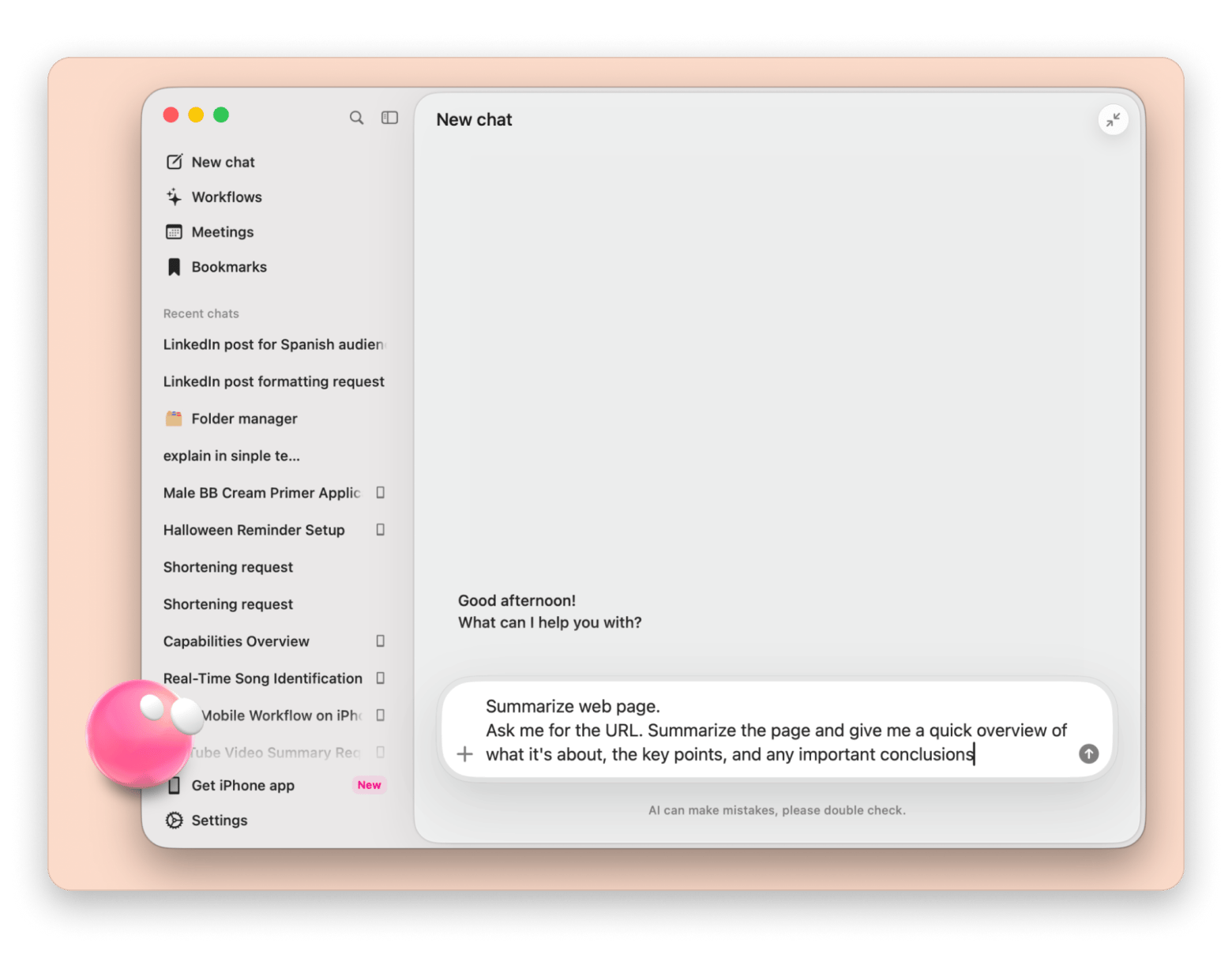
Eney from Setapp takes a different route: instead of chatting, it runs tasks on your Mac, such as converting files or transcribing meetings, mostly on-device:
Claude Desktop vs ChatGPT for Mac: How do the apps compare?
ChatGPT and Claude charge similarly for their main individual subscriptions, with the main subscription plan costing $20 USD on both providers. If you want to use the models through third-party services, you can also use your API keys and connect to ChatGPT or Claude and let them charge you per usage.
Pay per token, separate from ChatGPT subscriptions
Pay per token, separate from Claude subscriptions
*Prices in USD and correct as of October 2026.
API prices are USD per 1 million input/output tokens, for prompts up to 100K tokens (Claude Haiku 5.5) or 272K tokens (GPT-6). Claude Opus 5.5 sits between flagship and balanced at $4 / $20 USD. Prices checked October 2026.
ChatGPT Plus maps to Claude’s Pro, while ChatGPT’s Pro is similar to Claude’s Max. ChatGPT Plus maps to Claude Pro, and ChatGPT Pro (from $100 USD per month, up to $500 USD) maps roughly to Claude Max ($100 or $200 USD per month). ChatGPT also has a Go plan at $8 USD per month, which may show ads.
However, the API pricing varies significantly from one model to another. If you plan to use the models in a third-party app, you can use BoltAI or TypingMind. Both support your own API keys from either provider. On Setapp, you can skip the keys and use monthly AI credits instead. On Setapp, you can skip the keys and use your monthly AI credits instead. If you use AI heavily, the AI Enthusiast and AI Expert plans add more monthly credits (6,000 and 9,000).
Claude or ChatGPT: Which should you choose?
Even after 10 tasks across writing, coding, and research, I wouldn't call either a universal winner.
What I can say is: ChatGPT is my pick when I need to create structures, ready-to-action plans, and all-in-one productivity. Claude gets the edge in prose and coding, and research is close to a tie.
If you still aren’t sure which to pick, I suggest you start with the free plans and run them through your actual workflows. You’ll soon be able to tell which one does what better than the other.
Can you use Claude and ChatGPT in one Mac app?
You can try both models without subscribing to each or buying API keys. BoltAI and TypingMind connect to OpenAI and Anthropic models through Setapp AI credits, so you can switch between Claude and ChatGPT in one chat.
Setapp Membership gives you 300+ curated Mac, iOS, and web apps for $14.99 USD/mo + tax. That includes 20+ AI apps that run on Setapp AI credits, so you don’t need API keys. You get monthly AI credits, and you can always add more through higher tiers.
Stop choosing between Claude and ChatGPT. Use whichever fits the task. Setapp Membership includes BoltAI, TypingMind, and Elephas on one plan. Free for 7 days. Most AI apps use credits; 1,000 included. Start My 7-Day Trial.
FAQ
Is Claude better than ChatGPT for writing?
Claude is better for natural-sounding prose with varied sentence rhythm, while ChatGPT is better at organizing ideas and following a detailed brief. Use ChatGPT to build the outline and Claude to write the draft. You can switch between both in BoltAI from Setapp, a native Mac app that lets you change models mid-chat.
Can I use Claude and ChatGPT on Mac without a browser?
Yes, you can use Claude and ChatGPT on Mac with their Claude Desktop and ChatGPT for Mac apps. Both offer quick access and file attachments. But if you want a more Mac-native experience, you can use BoltAI or TypingMind from Setapp. The two tools allow access to both providers and more, and you can even use them without API purchases or multiple subscriptions via Setapp.
Is Claude or ChatGPT better for coding?
Claude is better for coding, especially on complex projects. It covers more edge cases, handles invalid data and decimal math more carefully, and adds more safeguards. Claude Code works directly in your codebase and makes file changes on your Mac. ChatGPT is still a solid choice for small scripts through OpenAI’s Codex. You can try both in BoltAI from Setapp.
Which is cheaper in 2026: Claude Pro or ChatGPT Plus?
Both Claude Pro and ChatGPT cost $20 USD/month. Claude Pro also offers annual billing at $200, which brings the cost down to $16.67 USD/month for long-term users.
Can I use both Claude and ChatGPT with one subscription?
Yes, you can use both Claude and ChatGPT with Setapp’s all-in-one subscription. It will give you access to 300+ apps, including BoltAI and TypingMind, and you can switch between models from OpenAI, Anthropic, Google, SpaceXAI, and more at will. The subscription comes with monthly AI credits that you can increase with the platform’s AI plans.
Is Claude or ChatGPT better for research?
Claude and ChatGPT are nearly tied for research. Claude gives sources that are easier to trace and verify, while ChatGPT produces more polished, actionable reports. Choose Claude when you need to check facts and ChatGPT when you need a clear action plan.
Does ChatGPT show ads?
ChatGPT’s Free and Go plans can show ads, while Plus and Pro don’t. That makes the $20 USD Plus plan the cheapest ad-free ChatGPT option. Both Claude and ChatGPT offer free plans with usage limits, so you can try each before paying.
AI tools for Mac, iPhone, and iPad
Generate and improve text, create summaries, and tackle your tasks faster.






 Best solution
 Best solution