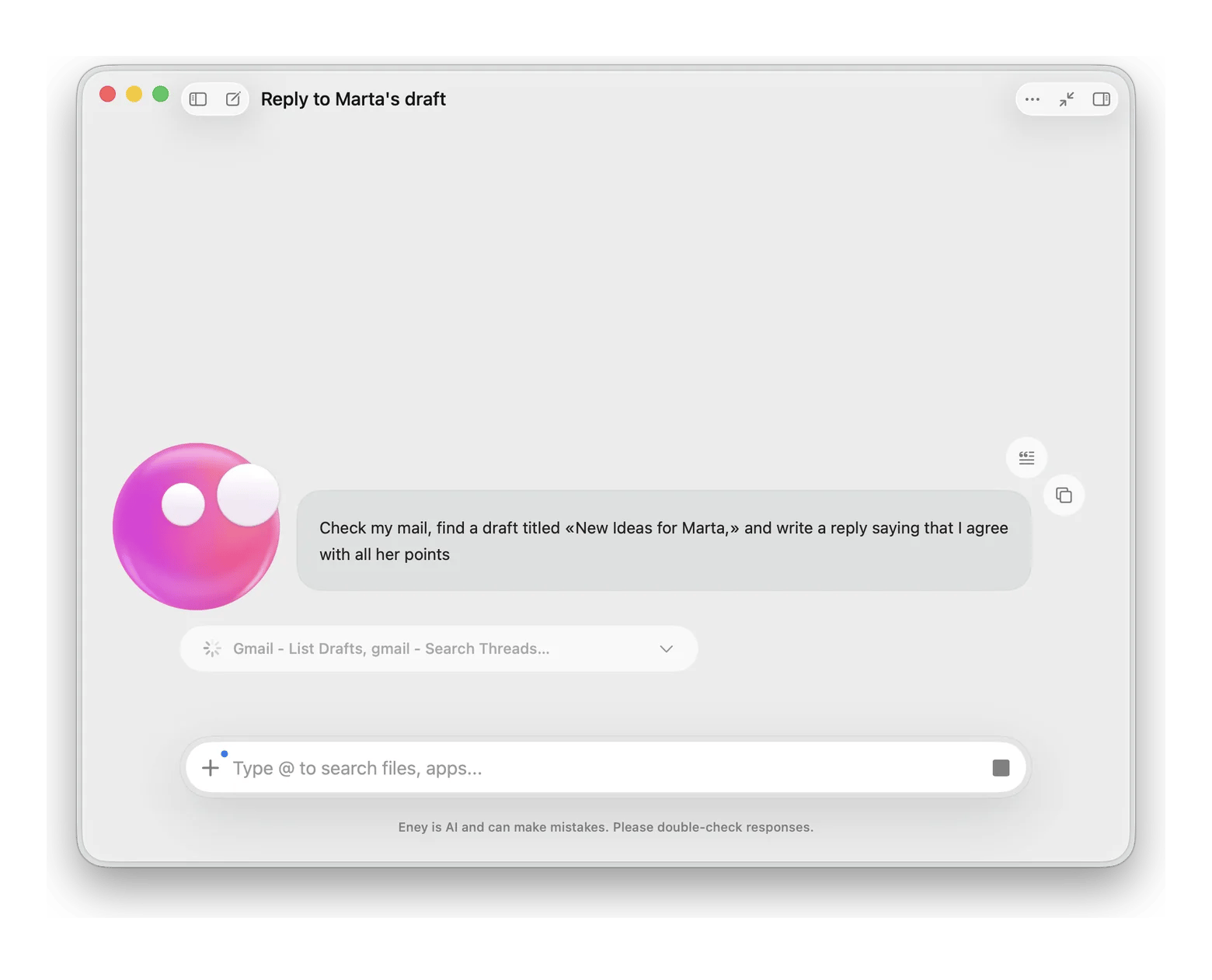
Best pick for most people:Eney turns a spoken request into an email or note, and it works with Gmail, Slack, Notion, and other tools.
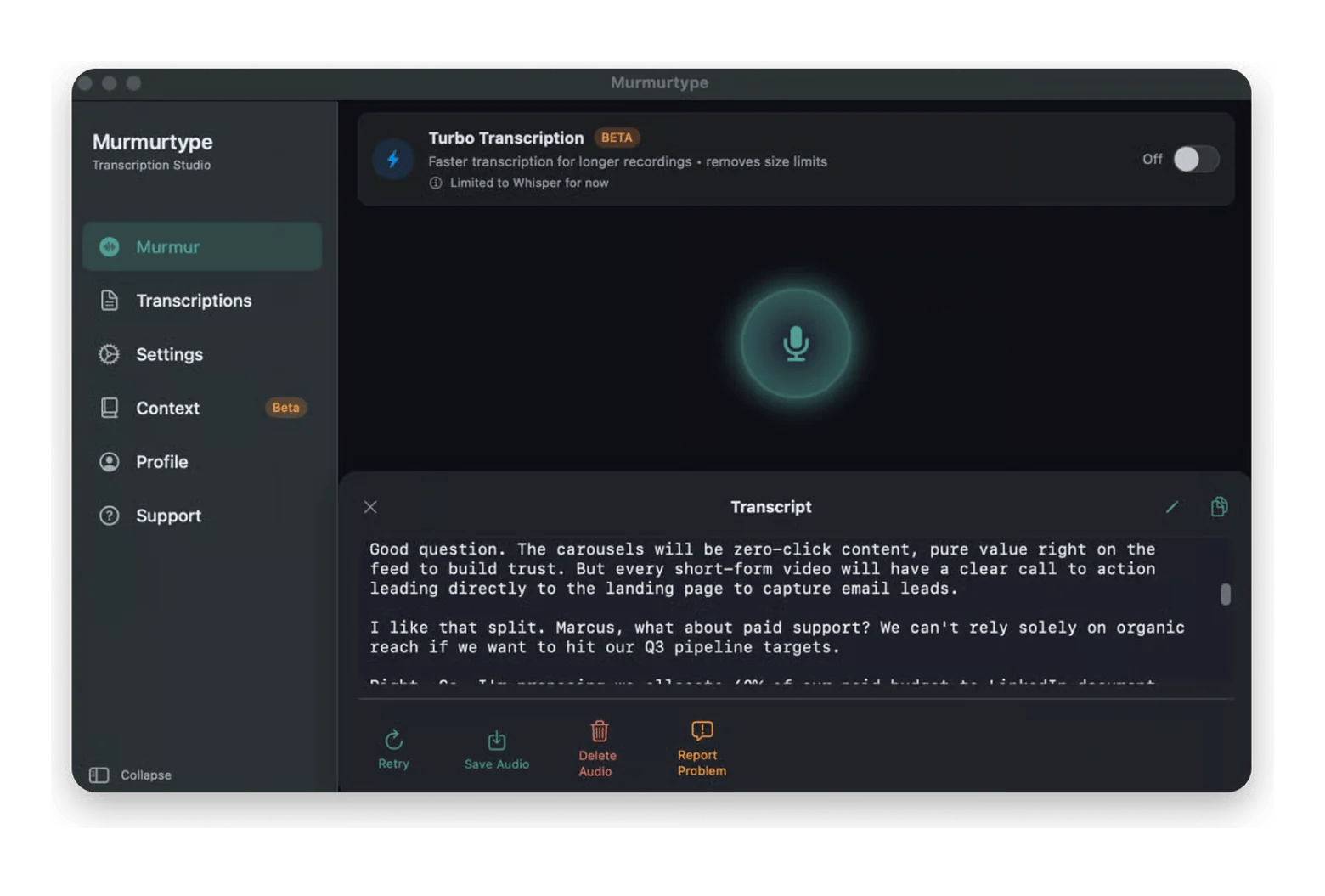
Best for quick voice notes:MurmurType records, transcribes, and copies your text with one shortcut, so you paste it anywhere.
Best free baseline: Apple Dictation is built into your Mac and types at the cursor, but it stops after 30 seconds without speech.
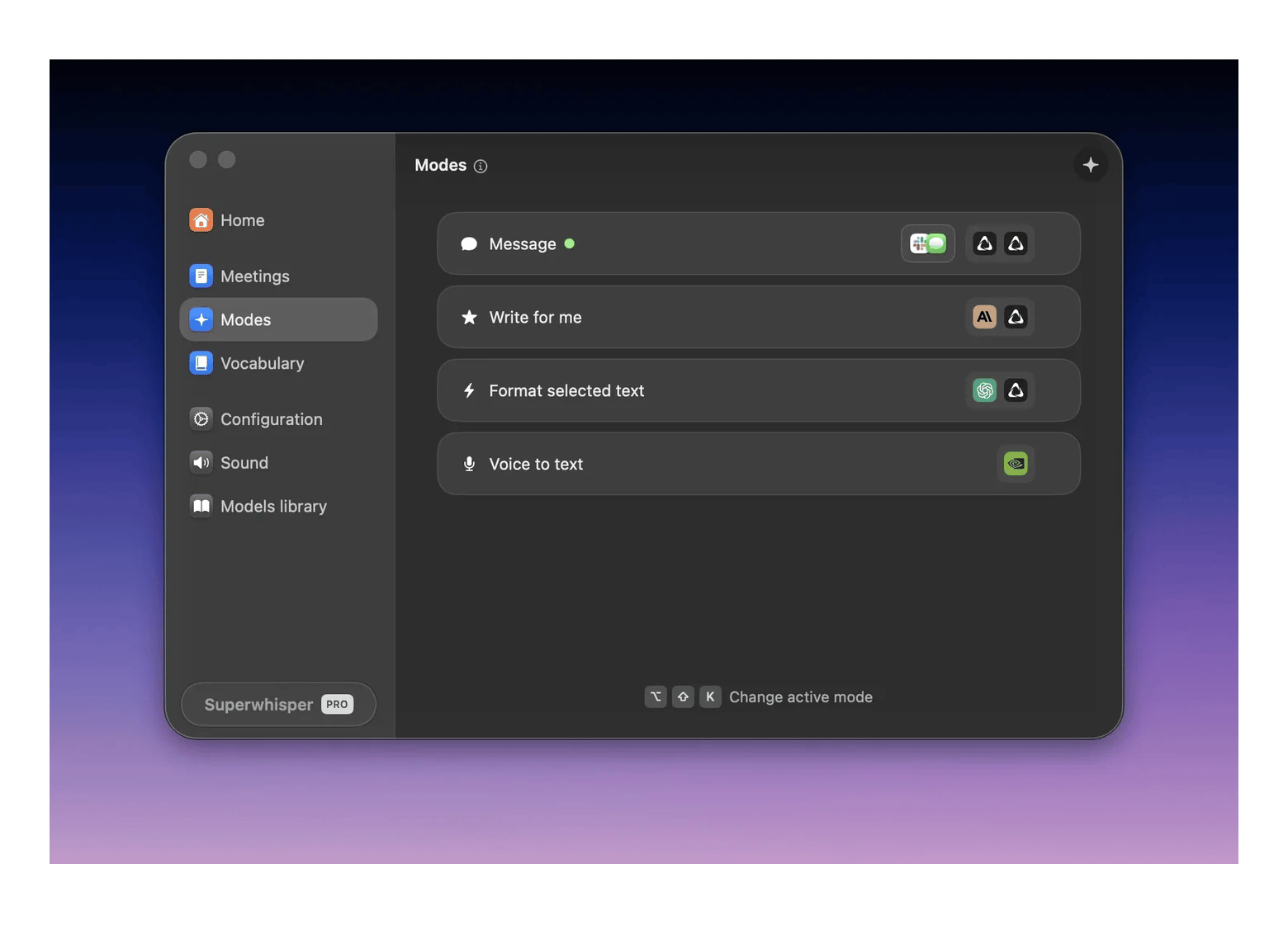
Best for offline or pay-once use: Superwhisper, MacWhisper, and VoiceInk run speech recognition on your Mac.
Try the Setapp apps: MurmurType and 300+ other apps come with a Setapp Membership, free for 7 days. Eney has its own 14-day trial.
The best speech-to-text apps for Mac depend on how you dictate: Eney turns spoken requests into emails and notes, MurmurType is ideal for quick voice notes, while Superwhisper, MacWhisper, and VoiceInk offer offline transcription. You can try MurmurType with a 7-day Setapp Membership trial or get Eney with its own 14-day free trial.
I think faster than I type. My writing usually comes from me talking to myself while on a walk. Previously, putting them into a document meant rewriting everything, so I decided to find apps that would do it for me. That's why I dictated the same short email in every app on this list, in Mail, Slack, and Google Docs, and counted the mistakes.
The best speech to text software for Mac at a glance
Eney and MurmurType are the two Setapp apps I'd try first. Apple Dictation is the free baseline to measure them against. The last four apps are not on Setapp but each of them wins in one specific use-case.
Look at the Works in any app column first. Apple Dictation, Superwhisper, Wispr Flow, and VoiceInk type at your cursor.
MurmurType gives you text to paste, and Eney takes your spoken request and does the writing for you. You can try MurmurType and Eney for free and cancel anytime.
How to use built-in dictation on Mac
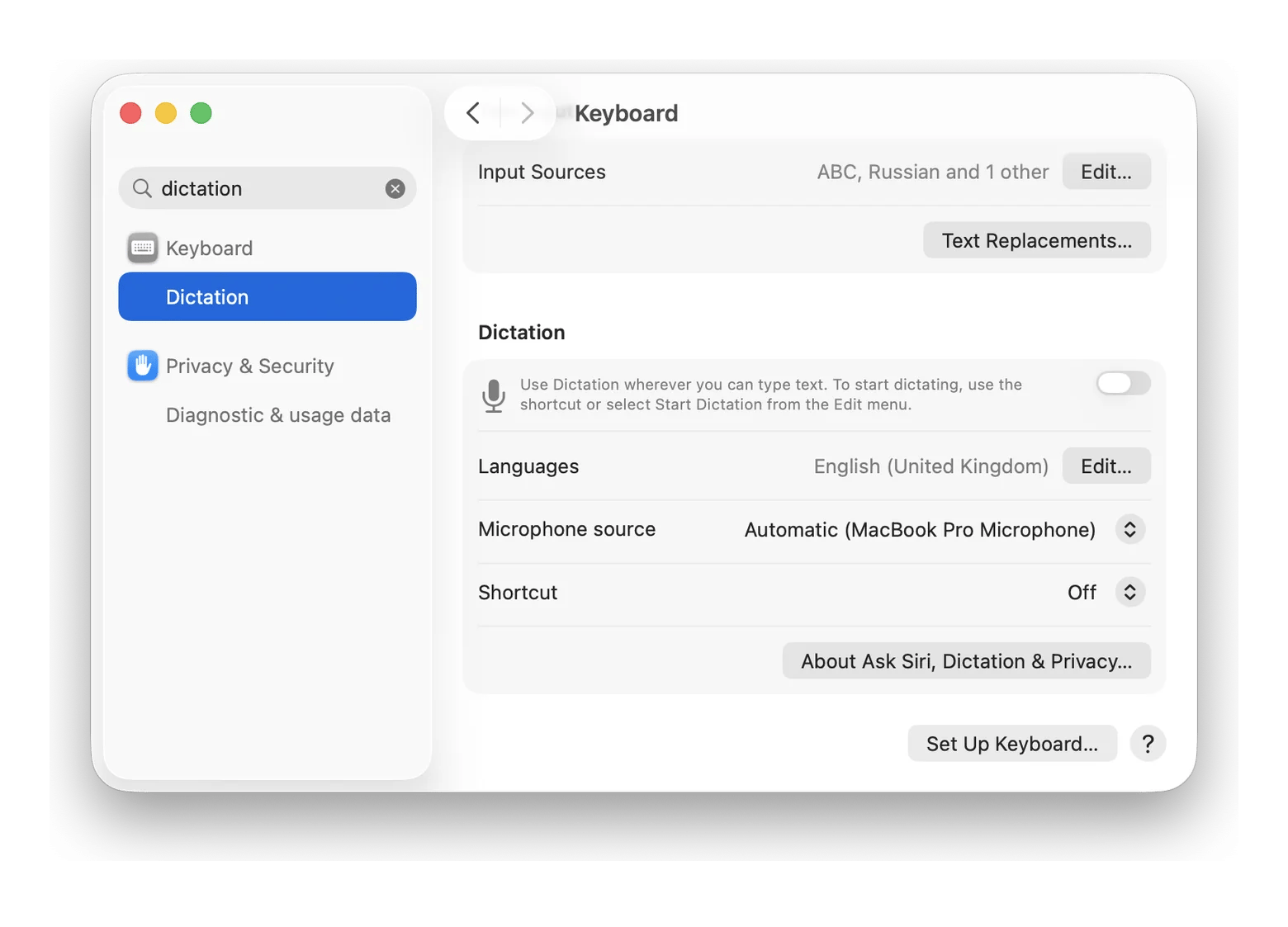
To use Apple Dictation, turn it on in System Settings > Keyboard, click where you want the text, and press the Microphone key (F5 on many MacBooks).
Click the Apple icon, then choose System Settings.
Choose Keyboard in the sidebar, find Dictation, and turn it on. Click Enable if it asks you again.
Go to Shortcut and set it by clicking the pop-up menu next to it.
Next to Languages, click Edit and select your dictation languages.
Press the Microphone key or your shortcut to start dictating, and press it again to stop.
That is all the dictation setup you need on a Mac, and it functions the same way in Mail, Notes, Slack, and browsers.
Apple Dictation does three things well. It works offline on Apple silicon Macs in supported languages, it adds punctuation automatically, and it lets you keep typing while it listens.
macOS 27 adds a more efficient on-device model that along with spelling, punctuation, and capitalization, also gives a better performance. This new feature is available to use in English only, on Macs with an M3 chip or the later generation, and at least 12 GB of unified memory.
My test revealed that Apple Dictation only made one mistake in the 45-word email. It wrote "Martha" instead of "Marta." The date, the time, and both dollar amounts were correctly typed, and the punctuation didn't require any corrections.
If those restrictions prevent you from using the program, a dedicated speech to text app is likely the second best option:
It stops after 30 seconds without speech, so a long pause ends the session.
It types what you say. It won't turn rough speech into an email or a summary.
The macOS 27 model doesn't run on M1 and M2 Macs or in languages other than English.
On Intel-based Macs and in unsupported languages, your audio goes to Apple's servers.
Standard Dictation isn't available while Voice Control is on.
Eney: Best speech to text app for Mac
If you want a polished email or note with little effort, Eney by MacPaw is the app I'd try first. It isn't classic dictation. Eney is an AI assistant for Mac and iPhone that can transform your voice commands into writing: you simply tell it what you need, and it drafts the email, captures the note, or catches you up on unread messages.
How does voice input in Eney work?
Dictation in the Eney app is done by Apple's speech recognition, so it hears you about as well as built-in dictation does. Then, the difference is that if you say, for example, "Draft a reply to Marta and move the review to Thursday," you get an email draft, while Apple Dictation would only type that sentence out.
Which apps Eney work with?
Eney works with Gmail, Google Drive, Slack, Notion, Jira, Linear, and other apps, so you can get your request to turn into a draft in the right place.
Eney will not send a Slack message until you approve it.
My Eney testing experience
My first attempt was too vague. For instance, when I just told Eney to reply to Marta about the review and didn't mention anything else, Eney asked what the reply should say.
Once I added the date and budget to its prompt, the drafted message was correct on the first try.
Now I give Eney the facts and let it handle the wording.
Rating on Setapp: 97%
Pros
Turns speech into a ready draft, so you edit less.
Works with tools you already use, like Gmail, Slack, and Notion.
Has an iPhone app for when you're away from your Mac.
Cons
It will only be running on Macs with Apple silicon and macOS 15 or later.
Needs an AI credits, so heavy daily use needs a paid plan.
Isn't built for word-for-word dictation of long documents.
Best for: people who dictate to get a task done, like a reply, a follow-up, or a meeting note.
Say it once and get a draft back. You can try Eney free for 14 days with 10,000 AI credits. After that, plans start at $14.99 USD/mo + tax.
MurmurType: Best for fast dictation with a hotkey
MurmurType is the app I'd use for quick dictation with a hotkey: press a shortcut, talk, and get text you can paste into any app.
How to set up MurmurType
Install MurmurType from Setapp and open it.
Allow microphone access when macOS asks.
Press Command + R to start recording, then say your text.
Stop talking. The silence tracker ends the recording and starts the transcription.
Click to copy the text, then press Command + V in the app where you need it.
You can change the shortcut and the silence duration in Settings.
Accuracy notes
The transcript was clearer than Apple Dictation's, and the punctuation, even though it was something that I did not say, was there without a problem. The extra step was the paste. After a few tries Command + R, talk, Command + V became one single action.
MurmurType can also translate what you say. Turn on Translate, choose from one of 19 languages, and translated text will be presented to you.
By default, MurmurType sends your recording to OpenAI for transcription through its own server, and the app page says nothing is logged or stored there.
Rating on Setapp: 81%
Pros
Takes seconds to learn: one shortcut, one window.
Stops recording by itself when you finish talking.
Translates speech into 19 languages.
Cons
Doesn't type at your cursor. You paste the text yourself.
Has no voice commands for editing or formatting.
Needs macOS 14.6 or later.
Best for: short messages, quick notes, and replies in a second language.
Other speech to text apps worth considering
Four apps outside Setapp are worth a look if you need typing at the cursor, offline use, or a free start.
MacWhisper: The best if you also want to transcribe a file
MacWhisper dictates and transcribes recordings in one app. The free version of the app offers transcription of files and basic dictation, while the Pro variant is €64 one time payment.
Pros: Processes audio on your Mac, one-time price, and strong file transcription.
Cons: Dictation is a side feature, and only the website version has it.
Superwhisper: Test for personalized modes
Superwhisper is the most flexible; the features are adjustable to your needs by defining a different speech formatting for each app. The free plan includes unlimited dictation with local Whisper models, so it works offline. Pro costs $8.49 a month or $84.99 a year, or $249.99 once.
Pros: offline dictation on Mac is free; 100+ support of languages; it offers various modes depending upon what app you are working with.
Cons: Cloud models and AI modes need Pro.
Wispr Flow: Text polished and no editing needed
Wispr Flow comes on top when you wish to have clean text with minimum efforts. It types into any available text area while you are speaking, and tidies what you said as you go. The free plan includes 2,000 words a week on Mac. Pro costs $15 a month or $144 a year.
Pros: compatible in any application; more than 100 languages.
Cons: it requires an Internet connection; the free word quota quickly depletes if you are on dictation every day.
VoiceInk: Best for paying once
For a one-time cost of $25 for one Mac, VoiceInk allows you a complete transcription of your recordings right at your desktop, without needing Internet. It is open-source, no subscription, and you may even scrutinize the code if you wish. The only disadvantage is that it only runs on a Mac with Apple Silicon, and is developed by a solitary developer.
Pros: processing locally; no subscriptions; inspectable code.
Cons: the software will not work on Mac computers without Apple silicon, and it gets its source from one single developer.
VoiceInk surprised me for $25. It typed out my test email at the cursor without a hitch, except for one error, and my audio was never sent anywhere. It did take a bit longer to set up compared to the rest since I had to download a model first.
Dragon, the famous dictation software, was pulled off the market for Mac in 2018, hence it does not find its way to this list.
Dictation or file transcription: Which do you need?
If you want to write an email, a message, or a draft by voice, go for dictation (Eney, MurmurType, or Apple Dictation). If you have a recorded interview, lecture, or voice memo, go for file transcription. For that, see the guide to transcribing audio to text on a Mac.
Most people who write for work need both writing and dictation, but dictation is the one you'll use every day.
Tips for more accurate dictation
The microphone matters most. The rest is how you speak and what you check afterward.
Use a closer microphone. A headset or AirPods pick up less room noise than the built-in mic of a Mac across the desk.
Speak in full sentences in a steady rhythm. Speech models look at the neighboring words to guess each word, so "their" and "there" are often predicted more accurately.
Say the punctuation for better control. In Apple Dictation, say "comma," "question mark," "new line," or "new paragraph."
Proofread names and numbers first. You are more likely to get a wrong name, a wrong number, or the wrong date through speech recognition.
One thing I noticed in my tests: every app misspelled "Marta" at least once. If your app has custom vocabulary, add the names you use most. If it doesn't, I still say the name and fix it afterward with find and replace.
Spellcheckers will not identify those as typos unlike a keyboard typist who might make a typo mistake. Dictation errors often take correct words and use them incorrectly. So you should at least do a quick reading of the final text before submitting.
Best Voice Recognition Mac App: My Choice and What Others Are Doing
Most of what I type into dictation is a command: an email, a reply, a reminder. That’s why Eney is my favourite pick. In case I need to dictate for other purposes, the way I would decide is:
A quick voice note on your clipboard:MurmurType copies a voice to text note with one shortcut.
Free and already on your Mac: Apple Dictation handles short messages in every app.
Long documents without internet: Superwhisper or VoiceInk.
Yes. Apple Dictation is built-in for a Mac. Go to Apple menu > System Settings > Keyboard, turn on Dictation, then press the Microphone key or your shortcut in any text field.
What's the best dictation software for a MacBook?
For dictation purposes, Eney is our recommendation for the speech-to-text application in Apple OS systems if the spoken request you make is to compose an email or notes. If you are looking for a quick voice note, MurmurType is much quicker. For people who only get into speaking maybe 1 or a few sentences a day, built-in Apple Dictation should suffice.
Can I dictate on a Mac into any app?
Yes. You can dictate anywhere that you can type on a mac with Apple voice input. Superwhisper, Wispr Flow, and VoiceInk will also allow you to dictate at the cursor in any application. The text captured by MurmurType is copied so you can paste it wherever you like.
Is there free text-to-speech software on a MacBook?
Yes. Apple voice input is free and built in the MacBook. Superwhisper has a free plan with local models, and MacWhisper has a limited free version. Besides, Wispr Flow provides 2,000 free words a week. You may also be able to get to MurmurType for free for 7 days by buying Setapp.
Does dictation run on the off-line MacBook?
You can use it without an internet if you have the right software. Apple Dictation works offline on Macs with Apple silicon in supported languages. In addition, Superwhisper, MacWhisper, and VoiceInk run speech recognition directly from the MacBook's processor. Unlike them, Wispr Flow requires a live internet connection.
Transcribe with AI
Use Murmur Type for perfect speech-to-text in almost any language.






 Best solution
 Best solution