iStat Menus from Setapp, 7 days free — best overall: real-time CPU, GPU, memory, temps, fans, and network in a fully customizable menu bar display.
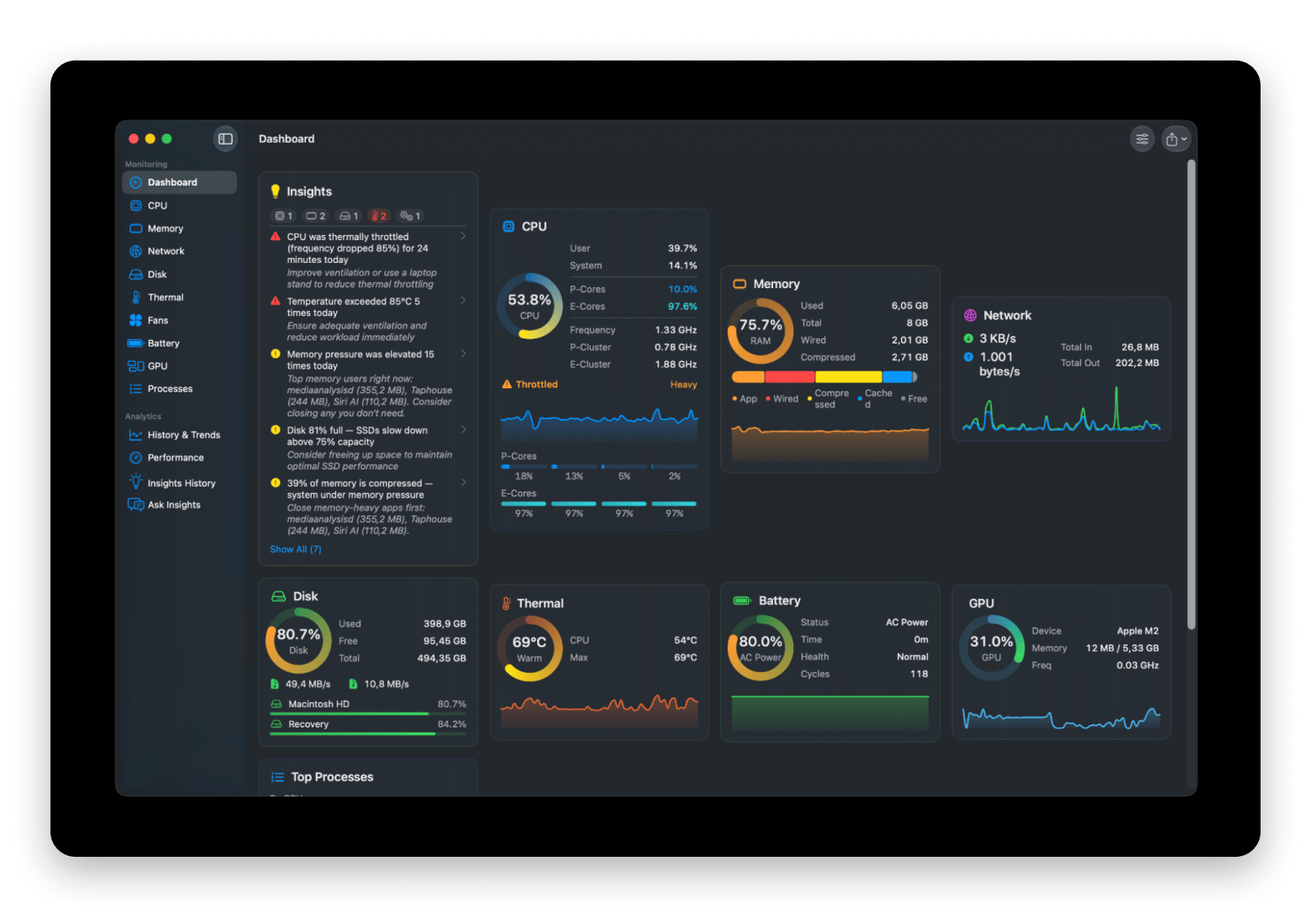
MacPulse from Setapp focuses on plain-English insights, reading 30 days of on-device history to explain performance spikes, throttling, and battery drain.
TG Pro — best for overheating; free or $20 one-time.
Sensei — best all-in-one; free or $29/year.
iStatistica Pro — best for remote monitoring; $9.99 one-time.
Even the latest Mac model is not immune to slowing down over time. As a content creator, I often work with heavy files, and I noticed that my laptop started to lag and overheat. My co-worker, a developer, faced the same issue and advised me to install Mac monitoring software.
Indeed, using monitoring software for Mac brings many benefits to the routine of those who constantly have a dozen tabs open. It helps terminate unresponsive and unwanted tasks and applications, provides a smooth user experience, and helps figure out what exactly is eating up your storage.
So, I have compiled a list of the 6 best Mac monitoring software so you can find the right solution for you and extend your laptop's service life.
Mac monitoring software comparison: which one to choose
Different monitoring software for Mac focus on various aspects of system performance. Some focus purely on data collection, others add fan control, and several bundle optimization tools alongside monitoring.
Available on Setapp Marketplace from $17.99, one-time
TG Pro
Thermal management
Fan control and cooling
Free or $20/one-time
XRG
Budget users
Basic monitoring
Free
Sensei
All-in-one solution
Monitoring + optimization
Free or $29/year
iStatistica Pro
Widget-focused users
Notification Center integration
$9.99/one-time
The right choice depends on whether you need pure monitoring, active cooling control, or combined optimization features.
iStat Menus: Most complete monitoring software for Mac
iStat Menus from Setapp (a free 7-day trial is available with Setapp Membership) remains the gold standard for Mac system monitoring. The app lives in your menu bar and provides real-time data on virtually every measurable aspect of your Mac's performance — CPU load, memory usage, disk activity, network traffic, temperatures, fan speeds, battery status, and even weather.
What distinguishes iStat Menus is the depth and customization. You're not limited to pre-configured widgets; you can design exactly which metrics appear in your menu bar and how they're displayed.
“Video editing pushes my Mac to the limit, so I always keep iStat Menus in my menu bar. When I see the CPU going wild, I know it’s time to shut down some apps before a render crashes. It’s saved me from losing hours of work more times than I can count,” says Javier, creator of the MinimalisTech Channel.
Best features:
Real-time CPU and GPU monitoring
Network activity graphs with bandwidth breakdown for top 5 apps
Disk usage and activity monitoring for both local and network drives
S.M.A.R.T. status monitoring for drive health
Temperature sensors for CPU, GPU, drives, and other components
Fan speed monitoring and control
Battery health tracking
Pros:
Highly customizable menu bar displays
Detailed process-level information
Clean, native macOS interface
Can prevent thermal throttling through early warnings
Cons:
Can feel overwhelming with the number of available metrics
Price: Available on Setapp, a subscription platform with 250+ apps. You can try it free for 7 days.
MacPulse: Mac monitoring software that explains itself
Most system monitors hand you a wall of numbers and leave the interpretation to you. MacPulse from Setapp takes a different approach — it reads your Mac's history and tells you what it found in plain English: CPU throttling episodes with their duration, an SSD creeping past the 75% mark where performance starts to degrade, a battery draining faster than its weekly baseline, or unexpected CPU activity overnight. Everything is analyzed locally from 30 days of on-device history, with no cloud and no telemetry.
Its second standout is Performance Sessions. Hit record before a game, an export, or a build, and MacPulse captures everything at one-second resolution — average and 1%-low FPS, frame times, CPU, GPU, and temperatures. When you're done, you can turn the session into a shareable report card or export the raw data as CSV.
The monitoring itself is comprehensive: CPU with per-core P/E breakdown on Apple Silicon, memory pressure, network, disk I/O and SMART health, temperatures and fans (including custom fan curves with a thermal watchdog), battery health, and GPU. It all lives in a native SwiftUI dashboard with a configurable menu bar companion and desktop widgets — and it's engineered to stay invisible, using under 1% CPU and under 50 MB of memory while monitoring everything.
Best features:
Plain-English insights that explain performance patterns, not just raw numbers
Performance Sessions with FPS, frame times, and CSV export
Per-core P/E CPU breakdown on Apple Silicon
Custom fan curves with a thermal watchdog
30-day on-device history with no telemetry
Configurable menu bar and desktop widgets
Pros:
Interprets your Mac's behavior in plain English
Extremely light on system resources
All data stays on your Mac
Clean, native SwiftUI interface
Cons:
Requires macOS 14 Sonoma or later
Newer app, so a smaller public review history than iStat Menus
Price: From $17.99, one-time — available as a standalone app on Setapp Marketplace.
TG Pro: Mac system monitor app focusing on temperature monitoring
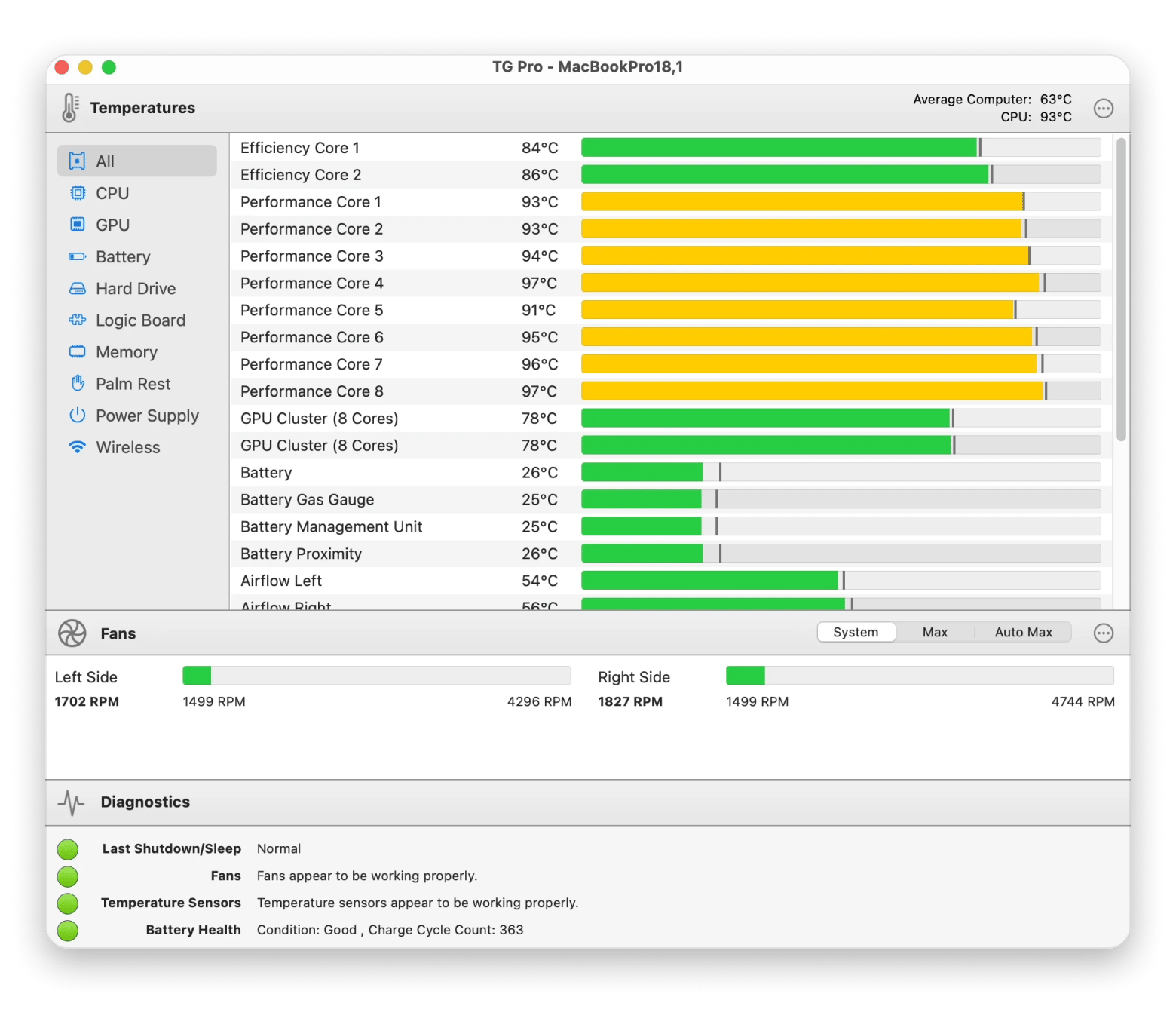
For users who constantly face MacBook overheating, TG Pro is the optimal solution. The main feature of this monitoring software for Mac is thermal management. TG Pro excels at comprehensive temperature monitoring, offering both automated and manual cooling solutions.
The app monitors temperatures across CPU, GPU, WiFi modules, drives, and batteries (on MacBooks), while giving you control over cooling through customizable fan speed rules.
“I use TG Pro for monitoring temperatures (usually CPU, GPU and battery), fan speeds, and also battery health. It works really well”, says a Reddit community member.
Best features:
Temperature monitoring
Individual CPU core temperature tracking on Apple Silicon Macs
Auto Boost rules for automated fan control based on temperature thresholds
Real-time alerts and notifications for temperature events
Email alerts for critical temperature thresholds
Low CPU resource consumption
Pros:
Prevents overheating
Automated fan control
Works across wide range of Mac models and macOS versions
Free version available with core functionality
Can extend hardware lifespan by preventing thermal stress
Cons:
Fan control options vary by Mac model
Price: Free or $20/one-time.
XRG: Best free system monitor for basic needs
If you are looking for free monitoring software for Mac and don't mind investing some time to learn the interface, give XRG a try. It will provide you with basic system visibility without advanced features.
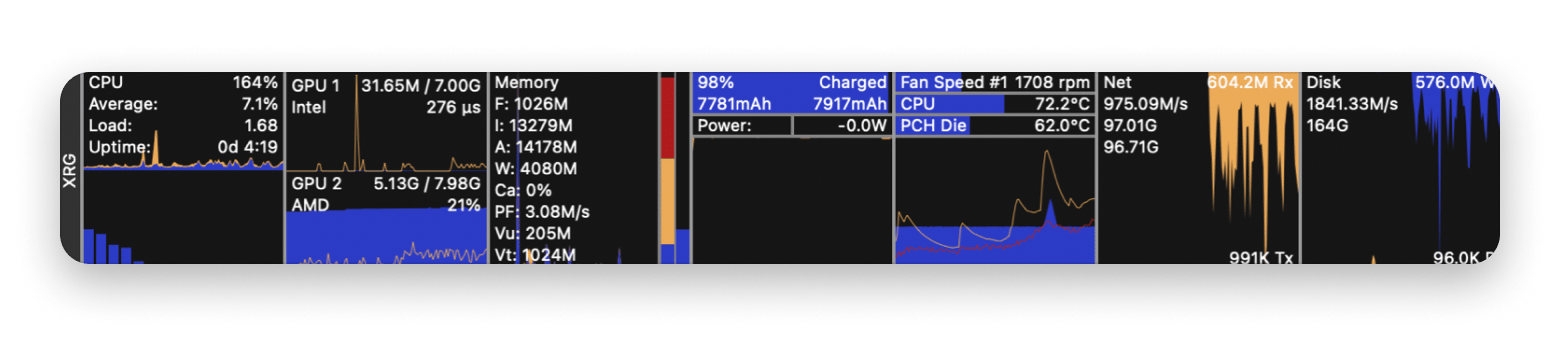
XRG monitors CPU and GPU activity, memory usage, battery status, machine temperature, network activity, disk I/O, and even includes current weather and stock market data.
Best features:
CPU and GPU activity monitoring
Memory usage tracking
Machine temperature sensors
Battery status information
Network activity visualization
Disk I/O monitoring
Pros:
Completely free
Covers essential monitoring needs
Customizable display options
Lightweight resource usage
Cons:
The data display can appear cluttered
Advanced features such as fan control are not available
It takes time to understand the interface layout
Price: Free.
Sensei: Best Mac monitoring software with cleanup
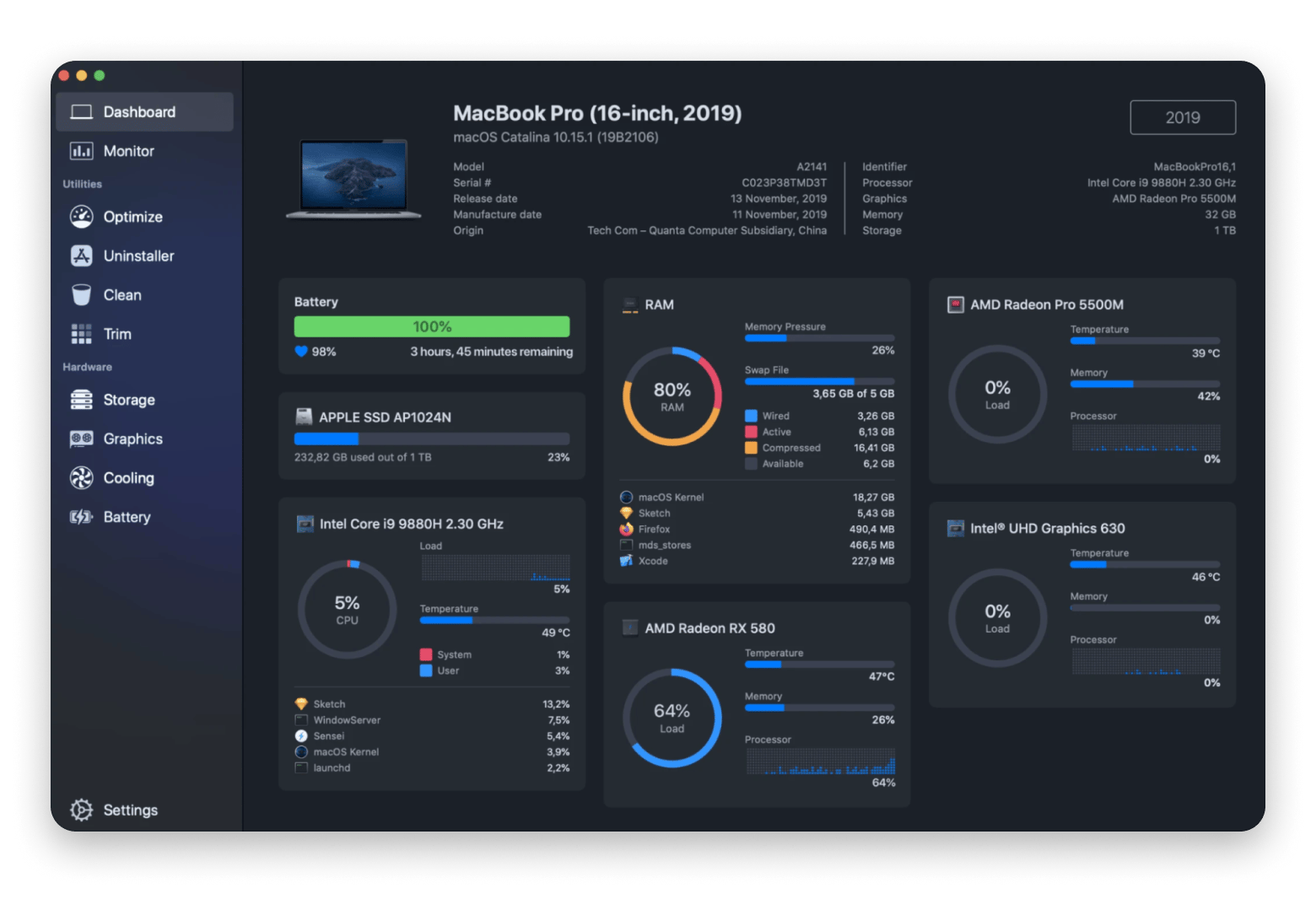
Sensei combines two tools in one — monitoring and optimization. Beyond tracking performance metrics, it includes disk cleanup, application uninstaller, battery health diagnostics, and thermal management.
Best features:
Real-time CPU, memory, network, and disk monitoring
GPU utilization and VRAM usage tracking
40+ temperature sensors supported
Fan speed monitoring
Battery cycles, health, and capacity tracking
Bluetooth device battery levels (AirPods, Magic Mouse, etc.)
Pros:
Monitoring with optimization in one app
Battery and drive health diagnostics
Customizable interface with themes
Fast disk scanning optimized for macOS
Cons:
May be excessive for users only wanting monitoring
Price: Free or $29/year.
iStatistica Pro: Best for Notification Center and remote access
For users who prefer widget-based monitoring or need to check Mac status remotely, iStatistica Pro offers unique functionality.
This app focuses on the integration of widgets and remote monitoring features. The app provides comprehensive system monitoring with emphasis on macOS Notification Center widgets and web-based remote access.
Best features:
Real-time CPU, memory, network, disk cards
System uptime tracking
CPU, RAM, disk usage visualization
Battery cycles, health, and capacity
Incoming and outgoing traffic speed
Pros:
Great widget integration
Remote web access unique feature
Comprehensive monitoring capabilities
Can trigger actions based on alerts
Cons:
Requires purchase (no free tier)
Some features overlap with built-in macOS monitoring
Price: $9.99/one-time
To sum up: Choosing the right Mac monitoring software
Based on how intensively you use your Mac and what your maintenance preferences are, you can choose your monitoring software option.
Currently, iStat Menus is the best Mac monitoring software. It offers detailed visibility into every system metric and features highly configurable menu bar displays.
If overheating is your main challenge, choose TG Pro, and if you are looking for a free solution with basic monitoring features, try XRG. Sensei combines monitoring and optimization in one software, and iStatistica is a good choice for those looking for remote monitoring.
If you want your Mac to explain its own behavior in plain English, MacPulse is the standout newcomer, available as a standalone app on Setapp Marketplace.
With Setapp, you get access to iStat Menus and 250 other apps for efficient work on Mac for the price of a single subscription. Try it now and build a toolkit for your work routine.
Powerful apps live on Setapp
Ditch defaults and discover new gems on one app platform.






 Top-rated on Setapp
 Top-rated on Setapp