- Google Docs has limits that most writers eventually hit. Formatting distractions, weak offline performance on Mac, and limited AI support push serious writers toward dedicated tools.
- Ulysses is the strongest Google Docs alternative for Mac writers. It's distraction-free, Markdown-based, and publishes directly to WordPress — ideal for bloggers and long-form writers.
- Elephas fills the AI gap Google Docs is still struggling to close. It works system-wide across any Mac app, learns your tone of voice, and handles drafting, summarizing, and editing without leaving your workflow.
- Craft and MonsterWriter cover research and academic writing, while Paper offers a clean, distraction-free environment for focused drafting sessions.
- Five of the eight tools in this article — Ulysses, Craft, Paper, Elephas, and MonsterWriter — are available through Setapp. Try them all free for 7 days, cancel anytime.
I’ve been writing professionally for years, and for most of that time, Google Docs was just the default. It’s free, it’s everywhere, and it does the basics well enough that switching felt like unnecessary effort.
Then the AI gap became impossible to ignore. My writing process involves a lot of steps beyond just putting words on a page. I was writing in one app, then copying text into a separate AI tool, making edits, pasting it back, realizing the formatting had broken, and starting over. That workflow added 30 to 45 minutes to every piece.
So I started looking for something more advanced. What I found wasn’t one perfect replacement, but a set of tools that each do something Google Docs can’t. Here are the eight that I think are worth your time in 2026.
Best Google Docs alternatives: quick comparison
App | Best for | Platform | Price |
Ulysses | Long-form writing and blogging | Mac, iPhone, iPad | Included in Setapp subscription |
Craft | Structured notes and team docs | Mac, iPhone, iPad, Web | Included in Setapp subscription |
Paper | Distraction-free drafting | Mac, iPhone | Included in Setapp subscription |
Elephas | AI-powered writing on Mac | Mac, iPhone | Included in Setapp subscription |
MonsterWriter | Academic and technical writing | Mac | Included in Setapp subscription or standalone on Setapp Marketplace — $4.99/month |
Notion | Docs + databases + team wikis | Mac, Windows, Web, Mobile | Free, or from $10/month |
Dropbox Paper | Collaborative team writing | Web, Mac, Mobile | Free |
Microsoft Word | Enterprise and M365 workflows | Mac, Windows, Web, Mobile | From $9.99/month |
Ulysses: best Google Docs alternative for long-form writing
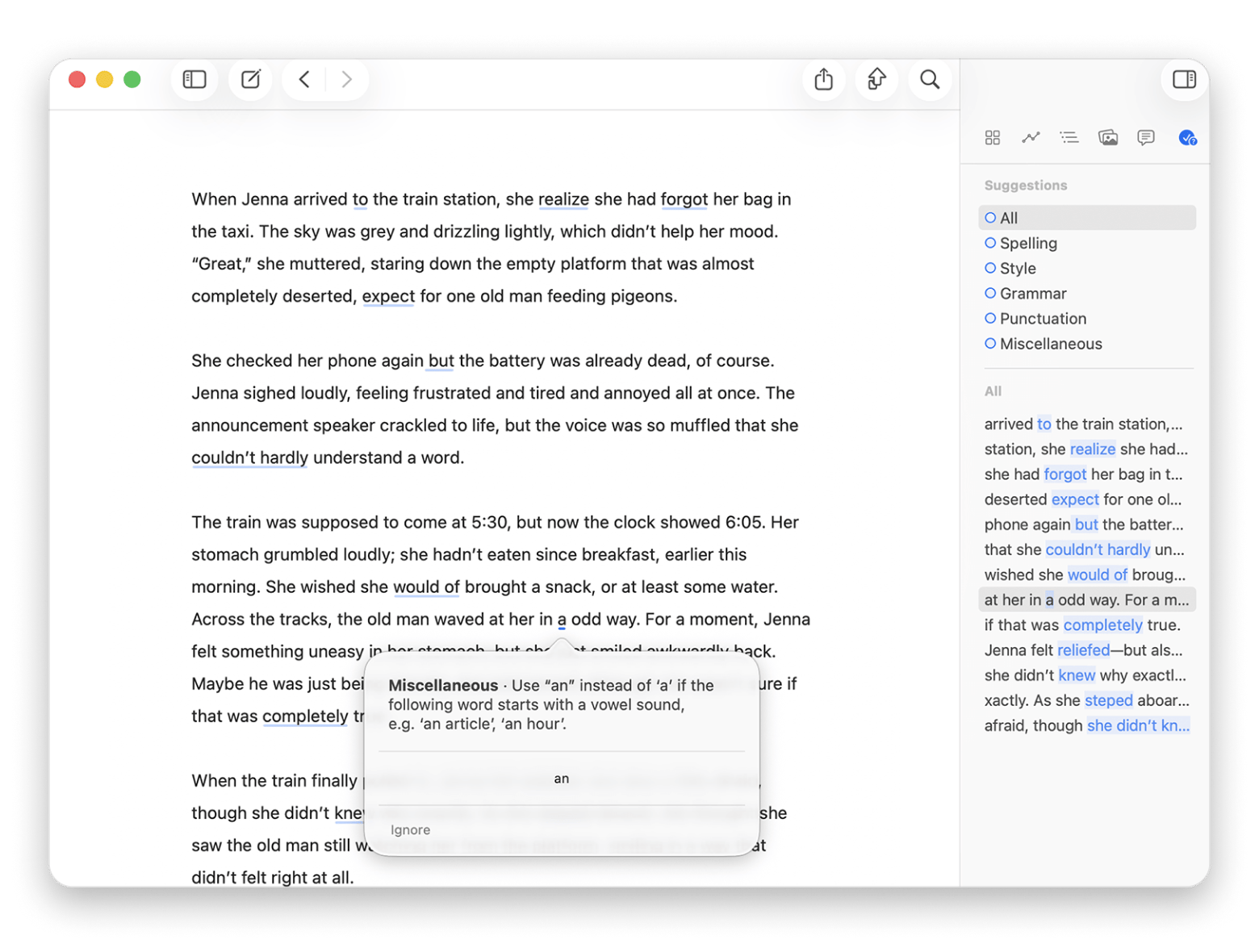
If you write blog posts, guides, or articles on a Mac, Ulysses is the clearest upgrade from Google Docs. It strips away the formatting toolbars and gives you a clean, Markdown-based editor where the only thing on screen is your text.
Lokesh Kapoor, digital content creator and founder of the DroidCrunch blog, says:
“Ulysses is my favorite app for longreads. Writing long-form content felt overwhelming because I had multiple documents scattered across different folders — Ulysses solved that for me”.
What Ulysses does better than Google Docs is help you think in structure. Your drafts live in a sidebar library organized into groups and sheets. You can set word count goals, track writing statistics, and when you’re done, export in whatever format you need — PDF, ePub, Word, or HTML — in one click.
Best features:
- Distraction-free Markdown editor with focus mode
- Sidebar library for organizing all drafts and projects
- Writing goals and statistics for managing content length
- Direct publishing to WordPress and Medium
- Export to PDF, ePub, DOCX, and HTML
- iCloud sync across Mac, iPhone, and iPad
Pros:
- Clean interface that keeps you writing; strong export flexibility
- Built-in publishing to WordPress and Medium
- Well-designed iPhone and iPad apps
Cons:
Price: Available in Setapp.
Craft: best Google Docs alternative for structured notes and team documents
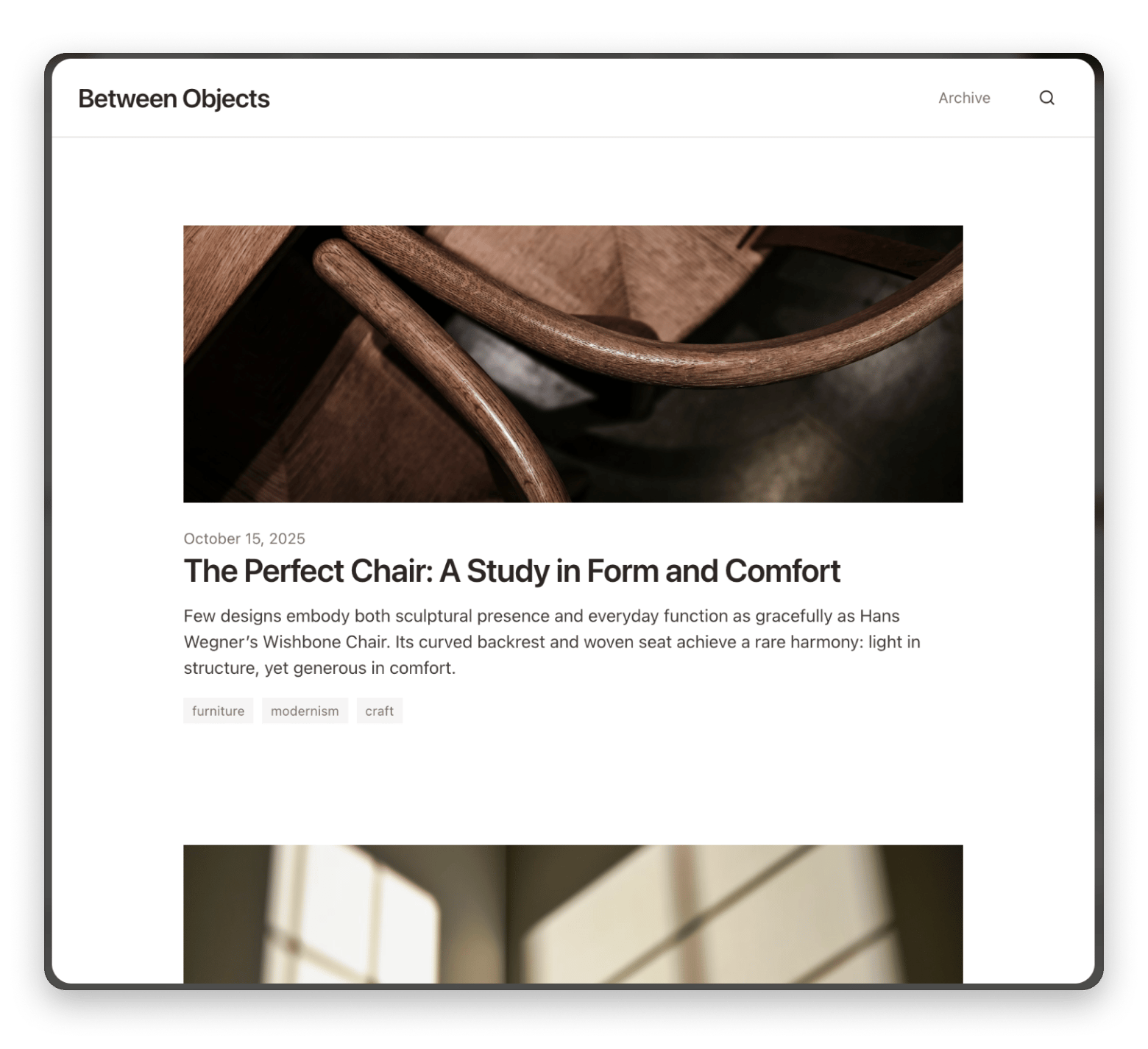
Craft is the most Google Docs-like experience in this list, but built with a Mac-native sensibility. It uses a block-based structure similar to Notion, but the design is cleaner and the performance on Mac is noticeably better.
Where Craft earns its place as a Google Docs alternative is in how it handles research and idea organization. You can embed links between documents, create knowledge bases, add drop-down text and calendar events inline, and move between rough notes and polished drafts inside the same workspace.
“Whenever I work on content for DroidCrunch, I start by creating an outline for a future text. I like Craft's simple interface and that it syncs across all devices — I might come up with an idea on the road and quickly write it down on my phone, and it immediately feeds into an already written text on the topic”, shares Lokesh Kapoor, digital content creator and founder of the DroidCrunch blog.
Best features:
- Block-based editor with nested pages and linked documents
- Real-time collaboration with shared workspaces
- One-click export to PDF, Word, and Markdown
- Syncs across Mac, iPhone, iPad, and web
- Offline access with full functionality
Pros:
- Beautiful native Mac design
- Strong for research and interconnected notes
- Good free tier
- Real-time collaboration available
Cons:
Price: Available in Setapp.
Paper: best distraction-free Google Docs alternative
Paper is what you reach for when you need to write, and everything else keeps getting in the way. No sidebars, no formatting ribbons, no notifications — just a blank page and a cursor.
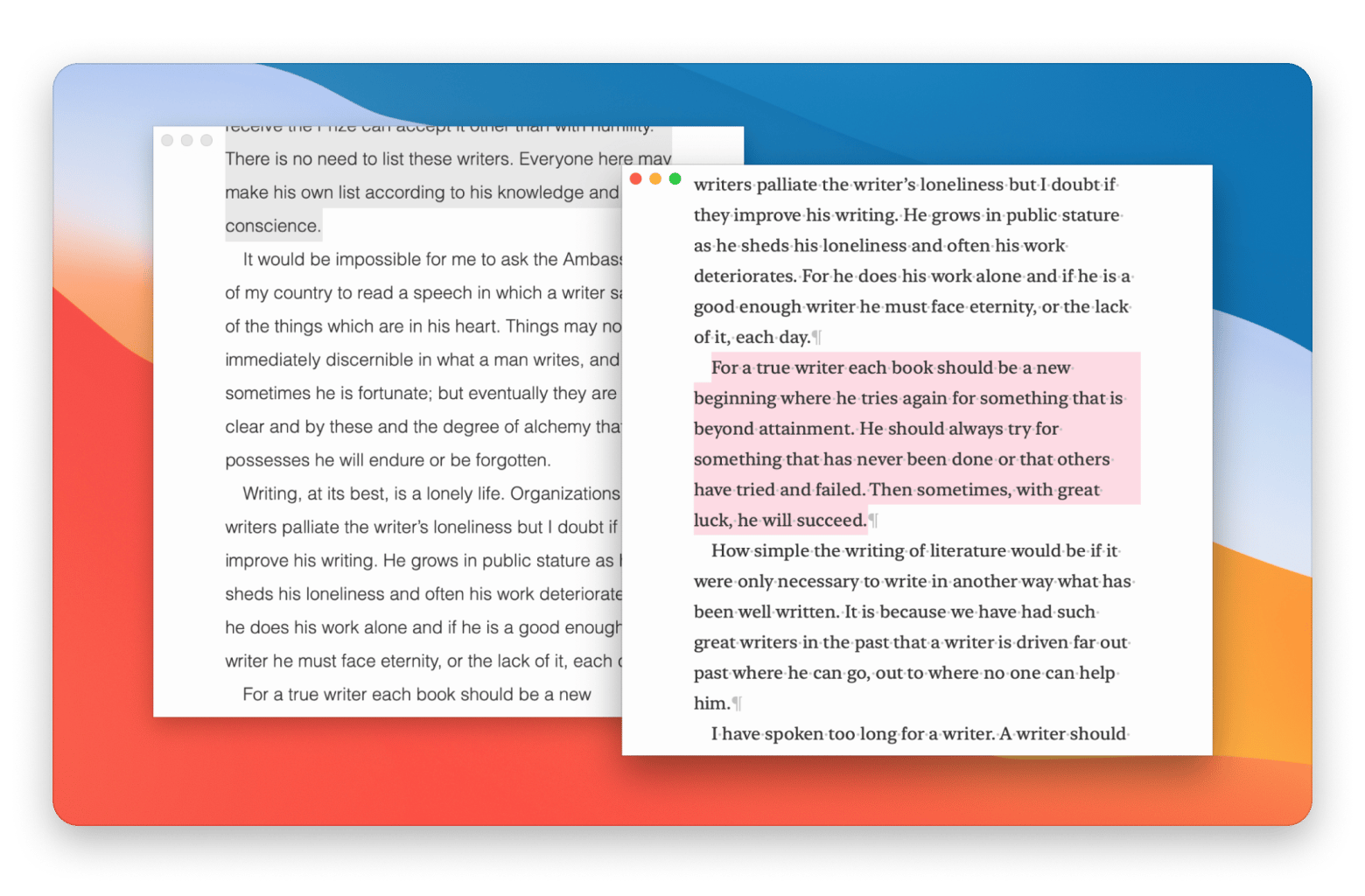
When you’re done, Paper exports to PDF, HTML, or copies directly to your clipboard — which is all most writers need for moving a draft into their next tool.
“Paper makes my writing experience much more focused! When I need to concentrate solely on drafting content, it's the best Mac writing app for me”, Lokesh Kapoor, digital content creator and founder of the DroidCrunch blog.
Best features:
- Full-screen Focus Mode with no interface distractions
- Markdown support for basic structure
- Writing statistics: word count, character count, and estimated reading time
- Export to PDF and HTML, or copy to clipboard
- Clean dark mode support
Pros:
- Extremely fast to launch and get writing
- Great for first drafts
- No setup required
Cons:
- No collaboration features
- Limited formatting options beyond Markdown basics
Price: Available in Setapp.
Elephas: best AI-powered Google Docs alternative for Mac
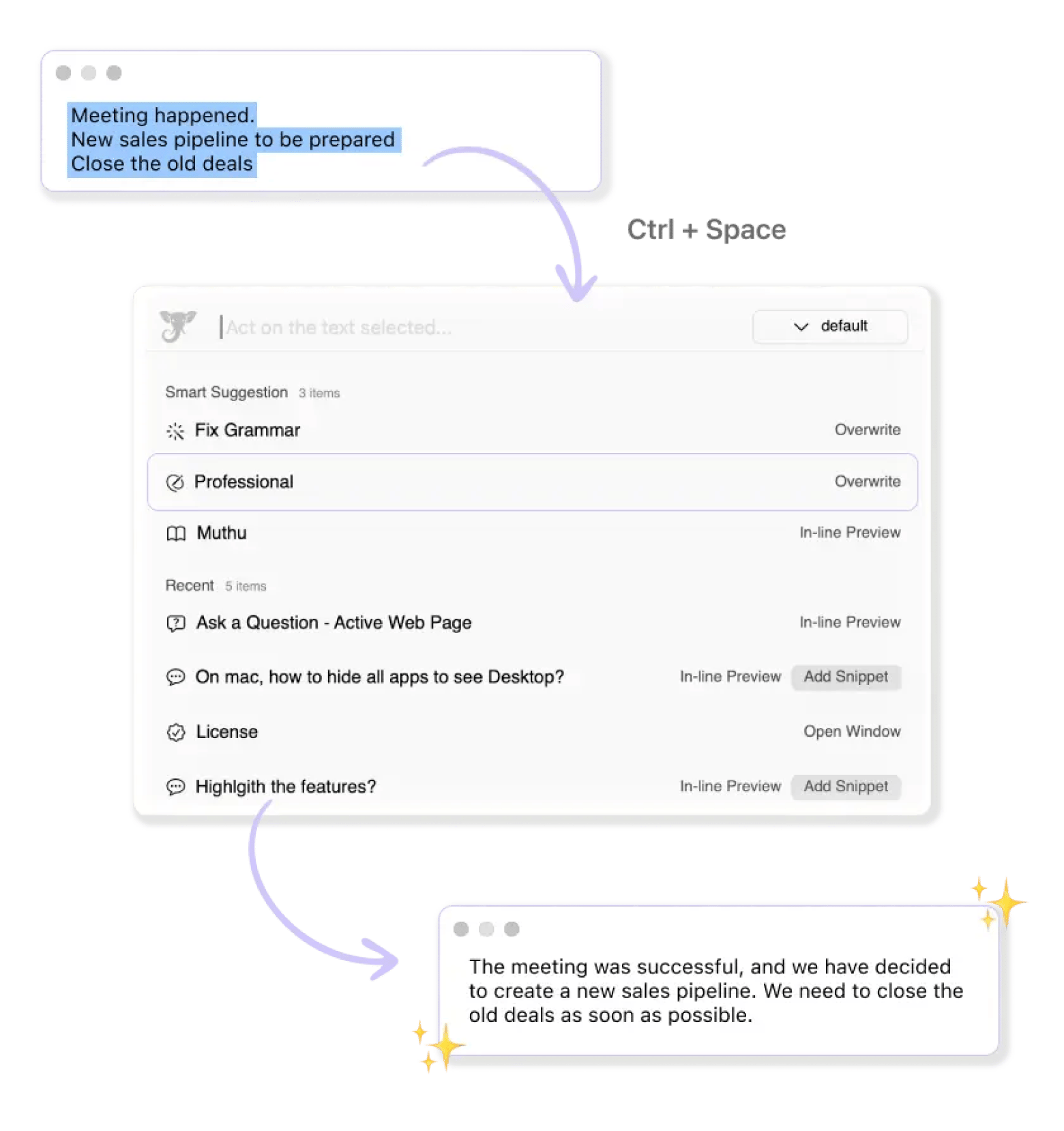
Elephas is the tool that fills the gap that Google Docs’ AI features still haven’t closed. It works system-wide, so you’re not locked into a single writing environment to get AI assistance.
The most useful feature for writers is the personal tone-of-voice training. You upload a few samples of your writing, and Elephas learns your style. From that point, anything it drafts, edits, or completes sounds like you rather than a generic AI output.
Elephas also handles knowledge bases: point it at your documents and folders, and you can ask it questions and get answers drawn directly from your own content — useful for researchers, journalists, and content teams working with large volumes of source material.
Best features:
- System-wide AI access from any Mac app via a keyboard shortcut
- Personal tone of voice training on your own writing samples
- Knowledge base creation from your existing documents and folders
- Drafting, summarizing, rewriting, proofreading, and translating
- Email, presentation slide, and formula generation
Pros:
- Works everywhere on Mac, not just inside one app
- Learns your writing style
- Genuinely reduces editing time for regular writers
Cons:
Price: Available in Setapp.
MonsterWriter: best Google Docs alternative for academic and technical writing
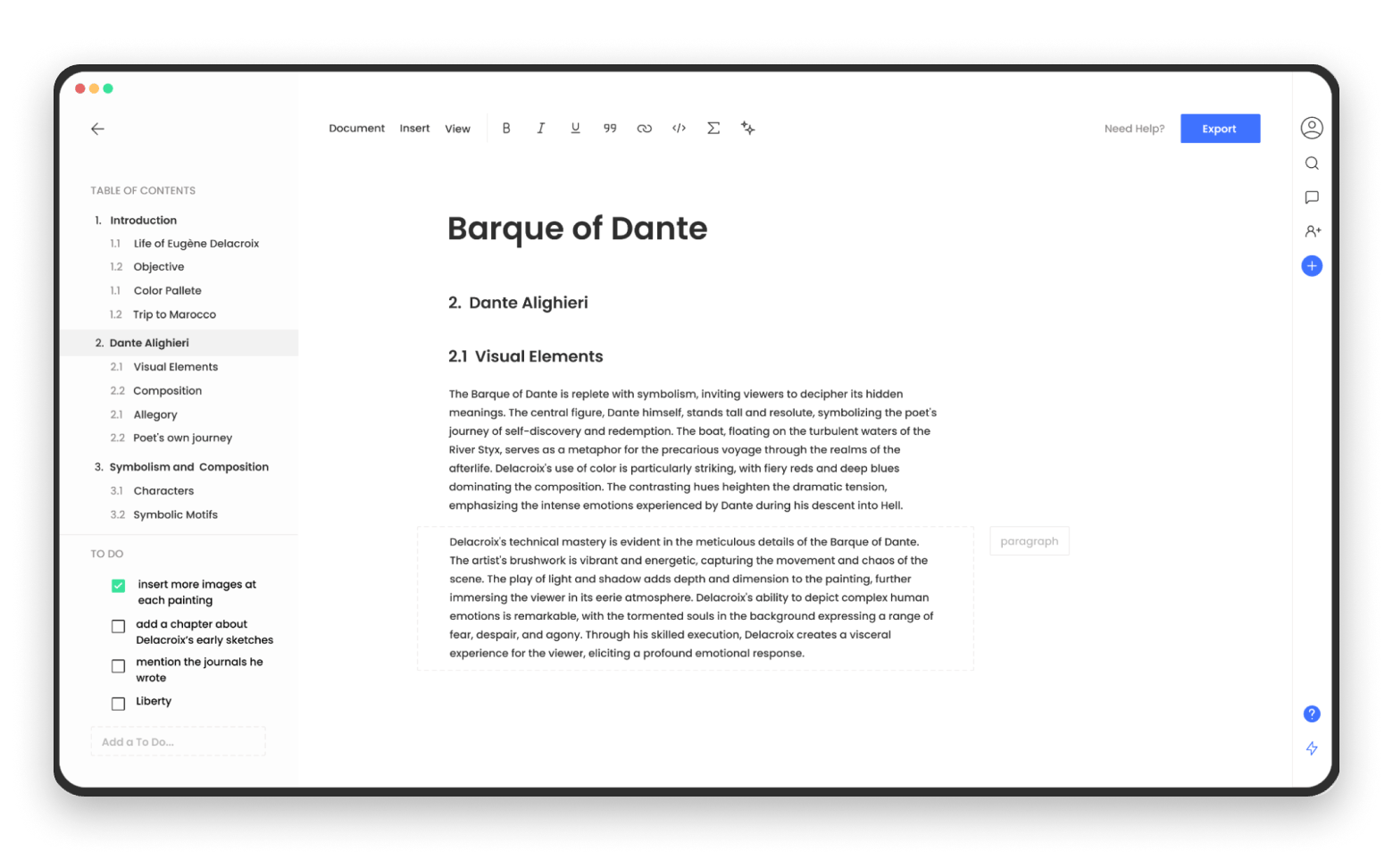
MonsterWriter is built for the specific case where Google Docs consistently frustrates — academic papers, technical documentation, and research-heavy writing that requires proper formatting, references, and structure.
“I rely on MonsterWriter for my classes to streamline the writing process. One of my favorite features is the citation tool, which simplifies the often tedious task of formatting references”, says Stefan-Radu Gogolan, video editor, digital marketing specialist.
It combines Markdown shortcuts with formatting support for academic conventions: heading hierarchies, citations, and organized long-form documents. For students and researchers who have been making do with Google Docs for academic writing, MonsterWriter is the cleaner, less distracting alternative.
Best features:
- Markdown shortcuts for fast, formatting-free writing
- Reference and citation support for academic documents
- Clean, structured hierarchy for long-form documents
- Distraction-free interface optimized for deep writing sessions
Pros:
- Purpose-built for academic and technical content
- Faster than wrestling Google Docs into proper formatting
- Clean interface
Cons:
- Not a collaboration tool
- Limited export options compared to full-featured editors.
Price: Available in Setapp.
Tip: Stop fighting Google Docs formatting for academic writing. MonsterWriter keeps citations, structure, and Markdown shortcuts in one clean workspace. Subscribe to MonsterWriter on Setapp Marketplace for $4.99/month.
Notion: best for teams who need docs and project management together
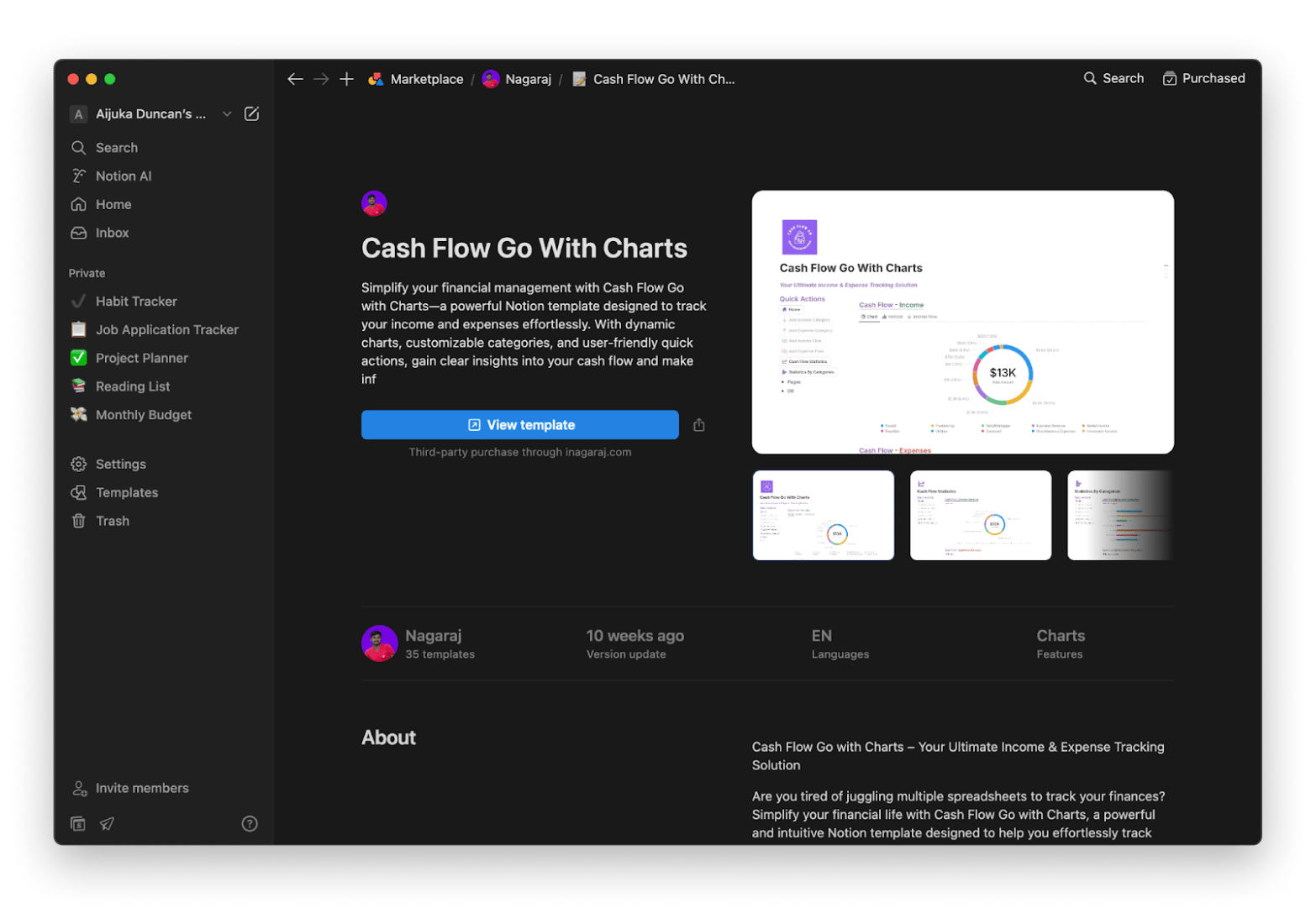
Notion is the most powerful Google Docs alternative for teams that need more than just a text editor. It combines docs, databases, kanban boards, wikis, and task management inside a single workspace.
The honest trade-off: Notion is not primarily a writing tool. For bloggers or individual writers, the database and block overhead can feel like more complexity than the work demands. If you spend most of your time actually writing rather than organizing, one of the Mac-native tools above will feel noticeably cleaner.
Best features:
- Docs, databases, wikis, and task boards in one platform
- Real-time collaboration with comments and mentions
- AI writing assistant built into the editor
- Strong template library for teams and personal workflows
- Available on Mac, Windows, web, iOS, and Android
Pros:
- Excellent for team knowledge management
- Generous free tier; cross-platform
- Constantly improving AI features
Cons:
Price: Free or from $10/month.
Dropbox Paper: best free alternative for collaborative team writing
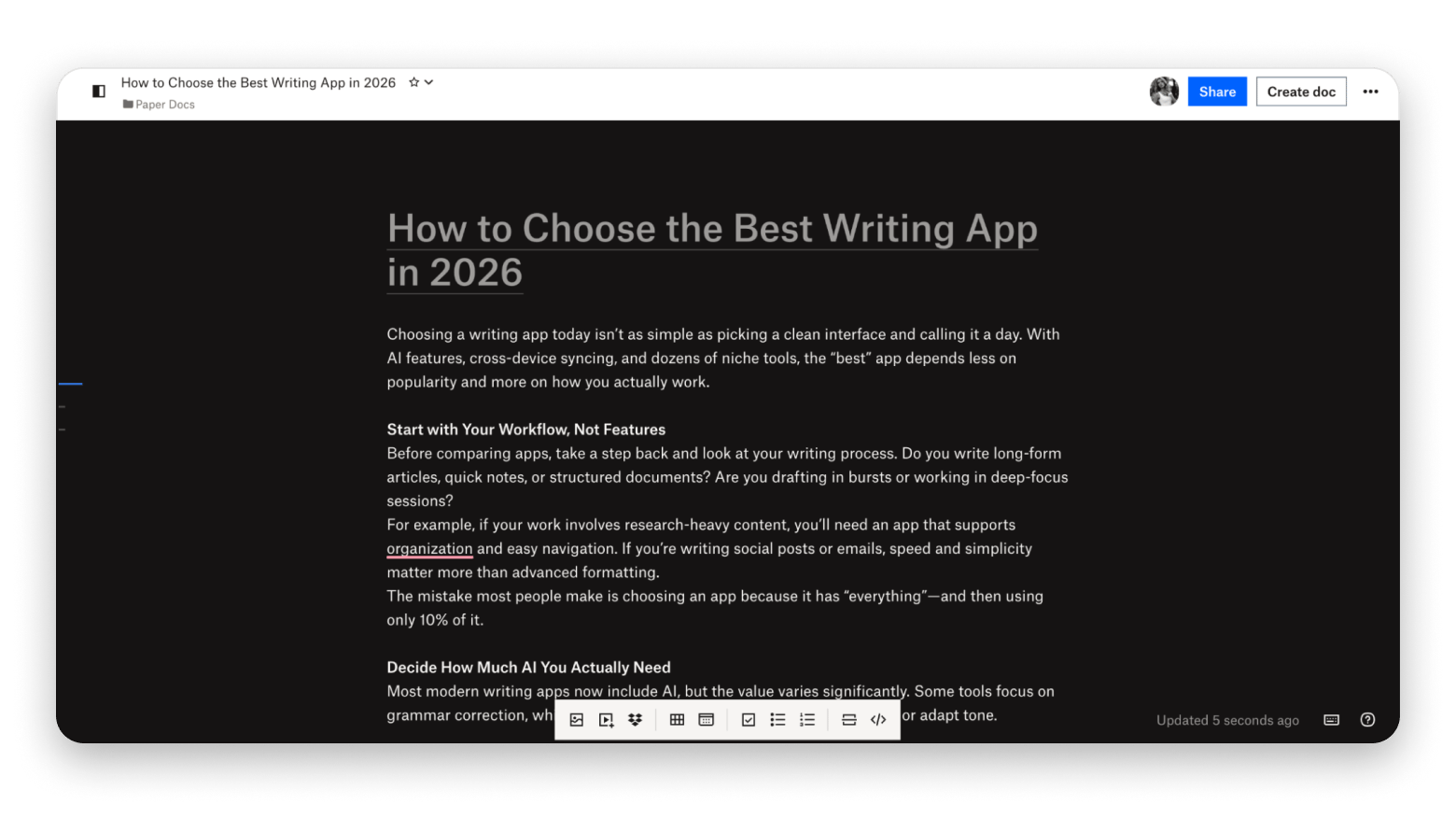
Dropbox Paper is a cleaner, lighter alternative to Google Docs for teams that primarily need collaborative writing rather than heavy database or project management features. The editor is minimal and fast. Documents support inline comments, mentions, and simple media embeds.
It’s completely free, which makes it a reasonable choice for small teams or freelancers working with clients who want a shared document space without committing to a Notion or Google Workspace subscription.
The main limitation is the Dropbox dependency. You need a Dropbox account, and the app works best when your files are already in Dropbox’s ecosystem. For writers who aren’t already invested there, the integration friction can outweigh the simplicity benefit.
Best features:
- Clean collaborative editor with inline comments and mentions
- Timeline view for planning content schedules
- Embeds from YouTube, Spotify, and other media sources
- Real-time co-editing with version history
Pros:
- Completely free
- Clean and fast
- Good for small teams who just need shared docs
Cons:
- More limited formatting than Google Docs
- No offline desktop app for Mac
Price: Free.
Microsoft Word: best for enterprise and M365 environments
If your organization runs on Microsoft 365, Word is the honest answer.
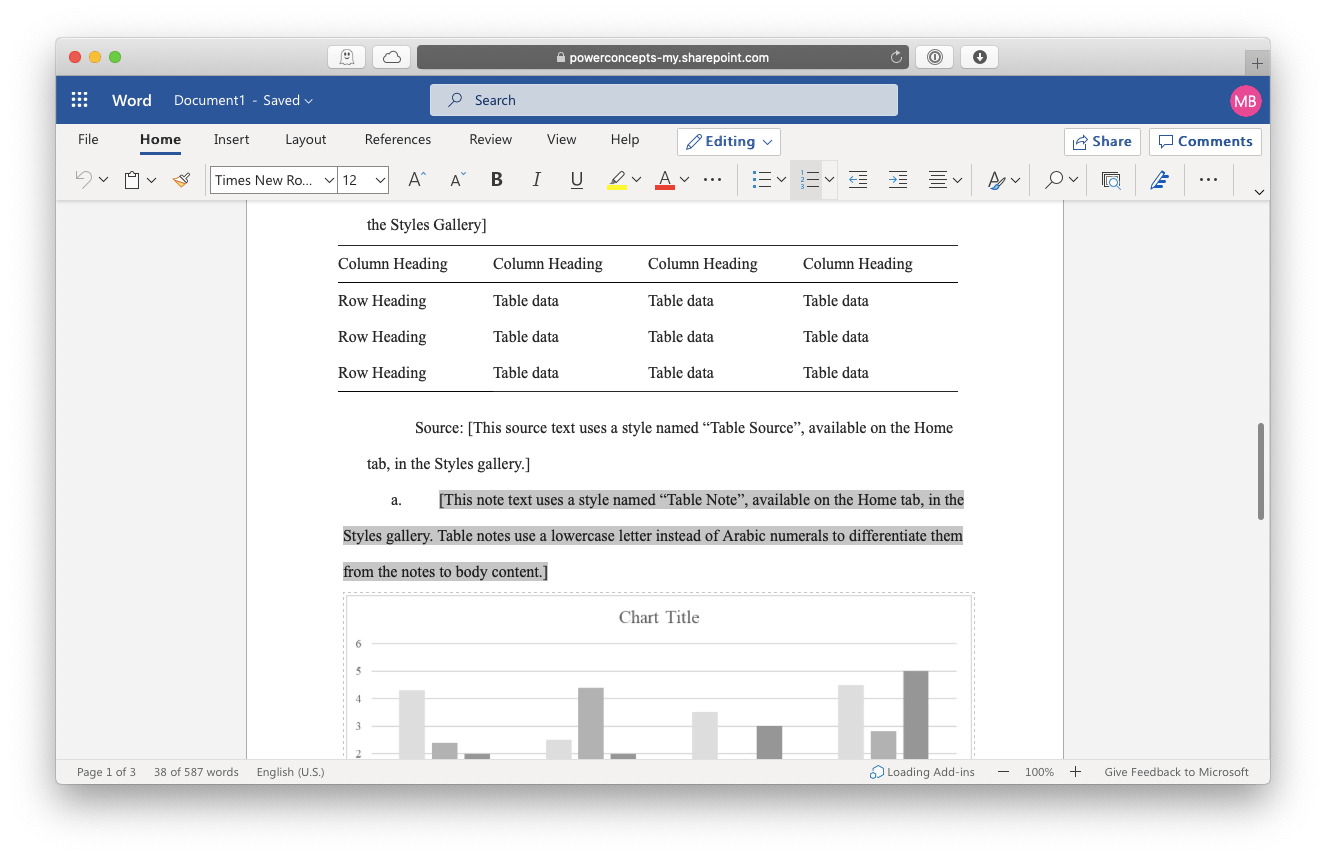
Word Online (the browser version) is a genuine Google Docs competitor and it’s free with a Microsoft account. It covers real-time collaboration, comments, and track changes at a level that matches or exceeds Google Docs for document-heavy work.
For individual Mac users without a specific need for M365 integration, Word is more tool than most writing tasks require. The subscription cost and interface complexity make the Mac-native alternatives in this list a better starting point.
Best features:
- Industry-standard .docx format compatibility
- Advanced track changes and commenting for document review
- Word Online available free with a Microsoft account
- Deep integration with Excel, PowerPoint, and Teams
- AI Copilot features in M365 Business plans
Pros:
- Universal compatibility
- Strong for document review workflows
- Free online version available
Cons:
- Subscription cost adds up
- Heavier interface than most writers need
- AI features require a M365 plan
Price: Word Online is free. Microsoft 365 Personal from $9.99/month.
To sum up: finding your Google Docs replacement
Google Docs works fine until writing becomes your main job. Then the limits show — no AI, no focus mode, constant tab-switching just to improve a draft. The tools in this list each fix a specific part of that problem. Ulysses, Craft, Paper, Elephas, and MonsterWriter are all included in Setapp — try them free for 7 days and keep what works.
FAQ
What is the best Google Docs alternative for Mac?
For writers who work primarily on Mac, Ulysses is the strongest Google Docs alternative. Craft is the better choice if you need team collaboration or a structured knowledge base alongside your writing. Both are available through Setapp.
Is there a free Google Docs alternative?
Dropbox Paper is completely free and supports real-time collaboration. Notion has a generous free tier that covers individual users and small teams. Microsoft Word Online is free with a Microsoft account. If you want the best Mac-native experience without paying for each app individually, Setapp includes Ulysses, Craft, Paper, Elephas, and MonsterWriter for one subscription price, with a free 7-day trial.
What is the best Google Docs alternative for students?
Students writing academic papers will get the most from MonsterWriter, which supports proper formatting, references, and structured long-form documents without the distraction of Google Docs’ interface. For note-taking and research organization, Craft offers a well-designed knowledge base. Both are available through Setapp.
What is the best Google Docs alternative for teams?
For teams that primarily need collaborative writing, Dropbox Paper is simple and free. Notion is the better choice for teams that need project management and knowledge management alongside docs. For Mac-centric teams who want a better native writing experience, Craft supports shared workspaces with real-time collaboration.






 Best solution
 Best solution