Paper
Write without distractions
Mac, iOS
Version 115
macOS 12 or later
34.7 MB
1 languages
Paper is a great choice for anyone who likes focused writing. It features a simple and clean layout that helps you concentrate on your words without distractions. You can style your text easily using Markdown formatting — just a few simple characters let you add headers, bold text, or lists. Plus, by using intuitive gestures, like scrolling to zoom in or rotating to undo mistakes, you can control your workflow effortlessly, making your writing sessions even more productive.
Get minimalistic UI for writing
Format text with Markdown
Use gestures to enhance writing flow
Sync across all your devices
Paper features
Create a distraction-free environment
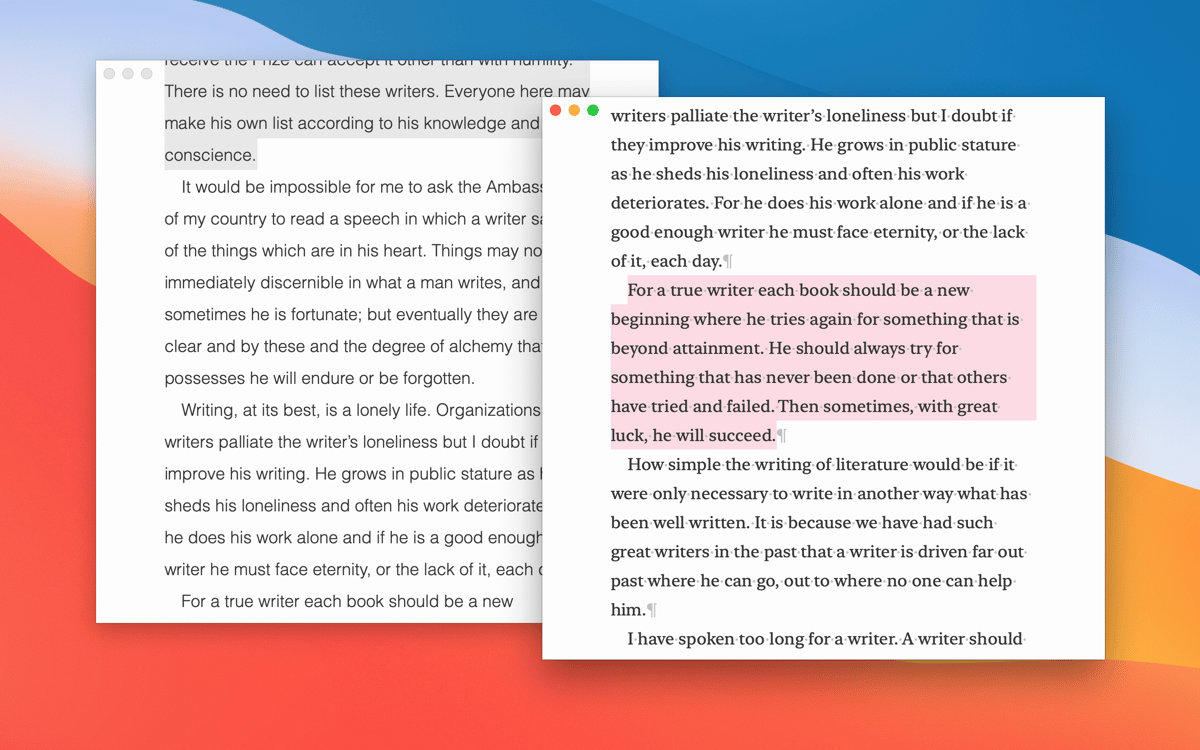
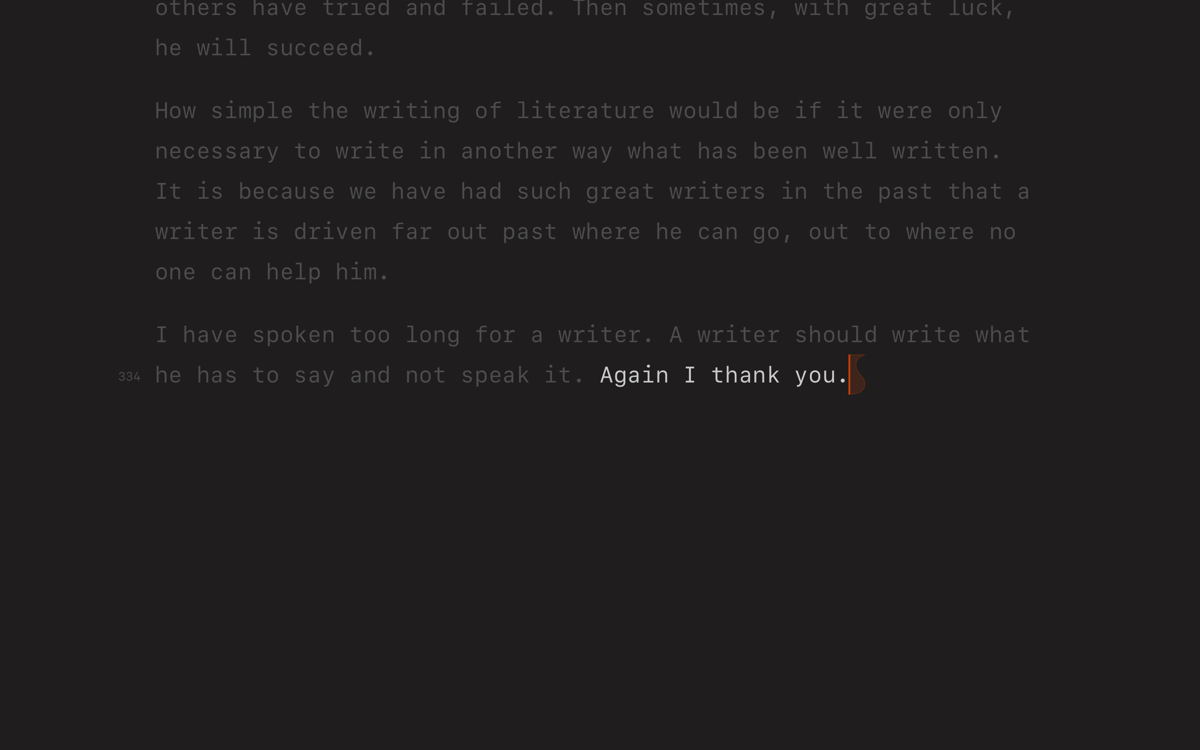
With Paper’s sleek, paper-like design, your workspace can become a calm writing area. Activate Focus Mode to dim unused parts of the document, allowing you to concentrate solely on your writing. This feature is especially handy when you make edits.
Format with Markdown easily
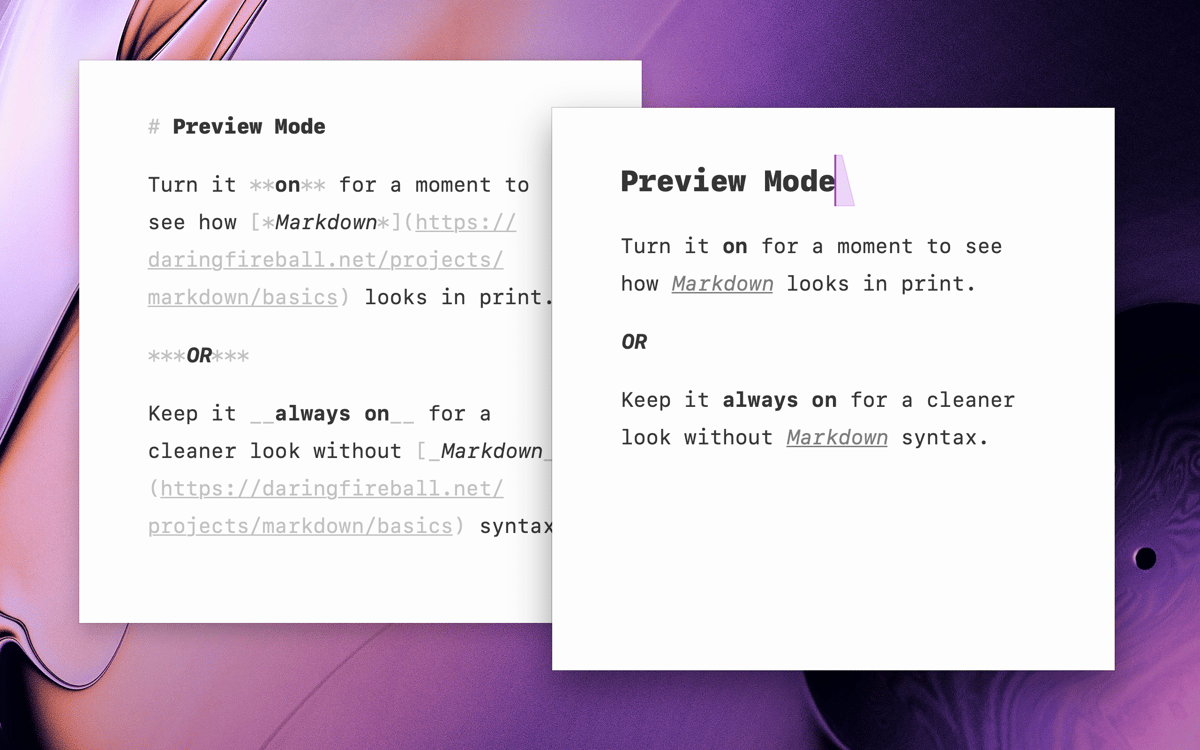
You can easily add some style to your notes with Markdown using just a few simple symbols. For instance, put a hash symbol (#) in front of your headings, and use asterisks (*) for bullet points. The Paper app highlights your formatting right away, so you get instant feedback on what you’re doing, making it super easy to catch any mistakes in your notes.
Control your writing with intuitive gestures
With just a scroll, you can zoom in on your text; a quick rotate with your forefinger and thumb clockwise and anticlockwise helps you undo mistakes; and a simple pinch lets you resize your document. These handy gestures make it super easy to move around your work and keep your ideas flowing smoothly.
Track your progress with the counter
Finding it hard to stay focused on your writing goals? The built-in counter in the Paper app tracks your characters, words, and reading time. It helps you monitor your progress and stay productive during your writing sessions.
Easily export your work
Export your writing to PDF, HTML, RTF, or copy it to your clipboard to share your documents effortlessly or use them in other applications. This flexibility ensures you can present your work exactly how you need it.
Ratings and reviews
Paper
•
173 ratings
André le Roux
Oct 17, 2026
App version: 115
The best and most beautiful use for md files.
Response from Developer
Oct 17, 2026
❤️
Andy
Sep 28, 2026
They had one job…And they fluffed it. My cursor juts about. Bulleted/Numbered lists start randomly - The app is basically unusable. It actually angers me how bad this app is for what it does. Poor show. I will never download this again
David
Aug 7, 2026
App version: 111
It had potential, but bulleted lists display double bullets when exported to PDF.
Response from Developer
Aug 7, 2026
Are you getting them on iOS? This has been fixed in the latest version of the app.
Get hundreds of apps with Membership
Become Setapp member and use hundreds of stellar apps with one subscription.
Try 7 days free, then pay one simple fee.
Install Setapp on Mac
Explore apps for Mac, iOS, and web. Find easy ways to solve daily tasks.

Get the app you came for
That one shiny app is waiting inside Setapp. Install with a click.

Paper
Choose your subscription
One app or more with a Setapp membership. Get apps the way you want.

Get hundreds of apps with Membership
Become Setapp member and use hundreds of stellar apps with one subscription.
Try 7 days free, then pay one simple fee.
1
Install Setapp on Mac
Explore apps for Mac, iOS, and web. Find easy ways to solve daily tasks.
2
Get the app you came for
That one shiny app is waiting inside Setapp. Install with a click.
Paper
3
Choose your subscription
One app or more with a Setapp membership. Get apps the way you want.
Home to the top apps
From planning and routine tasks to creative pursuits and coding, tackle tasks with apps on Setapp.


Paper
Write without distractions