- Setapp and Adobe Creative Cloud solve different problems. Setapp prioritizes speed and accessibility, while Adobe is built for high-end production workflows demanding deep precision.
- Filmage Editor handles most everyday video editing needs at a fraction of Premiere Pro's cost, but Premiere Pro remains essential for complex multi-cam, VFX, and professional client work.
- CameraBag Pro delivers professional color grading without the complexity of Lightroom — for most content creators, it covers 90% of what they need.
- Riveo is a strong motion graphics tool for the majority of creators; After Effects is still the industry standard for full compositing and animation work.
- Setapp Membership gives you Filmage Editor, CameraBag Pro, Riveo, Capto, and 250+ other Mac apps for a flat monthly fee. Try Setapp free for 7 days and cancel anytime.
I've been editing video professionally for years, and I've used both Adobe Creative Cloud and Setapp extensively. Here's my honest take: these aren't direct competitors — they solve different problems for different people.
Adobe Creative Cloud is the industry standard. Premiere Pro, After Effects, Photoshop, Lightroom — these tools exist because professional production demands precision, deep feature sets, and ecosystem interoperability that nothing else fully replicates. When I'm delivering for a client or working on a complex multi-cam edit, Adobe is where I go.
Setapp is a subscription that gives you access to 250+ quality Mac apps, including video editors, color grading tools, and screen recorders. Apps like Filmage Editor, CameraBag Pro, and Riveo aren't trying to be Adobe — they're built for speed and accessibility, and they handle the bulk of everyday creative work without the overhead.
Who should consider Adobe Creative Cloud alternatives?
I switched part of my workflow away from Adobe when I realized I was paying for tools I used maybe once a month. For everyday content I didn't need Premiere Pro. I needed something fast that got out of my way.
If you're a solo creator or work in a small team, the Adobe bill genuinely doesn't make sense unless client briefs specifically require it. Most content I produce daily doesn't need broadcast-grade software. It needs a clean timeline, decent color tools, and a fast export.
That's where Setapp became part of my setup. One subscription, several tools that cover the bulk of what I need — and I still open Premiere Pro when the project calls for it. No ideology, just whatever fits the job.
Below, I break down each category as a direct app-to-app comparison, so you can see exactly where each tool wins.
Video editing: Filmage Editor vs Premiere Pro
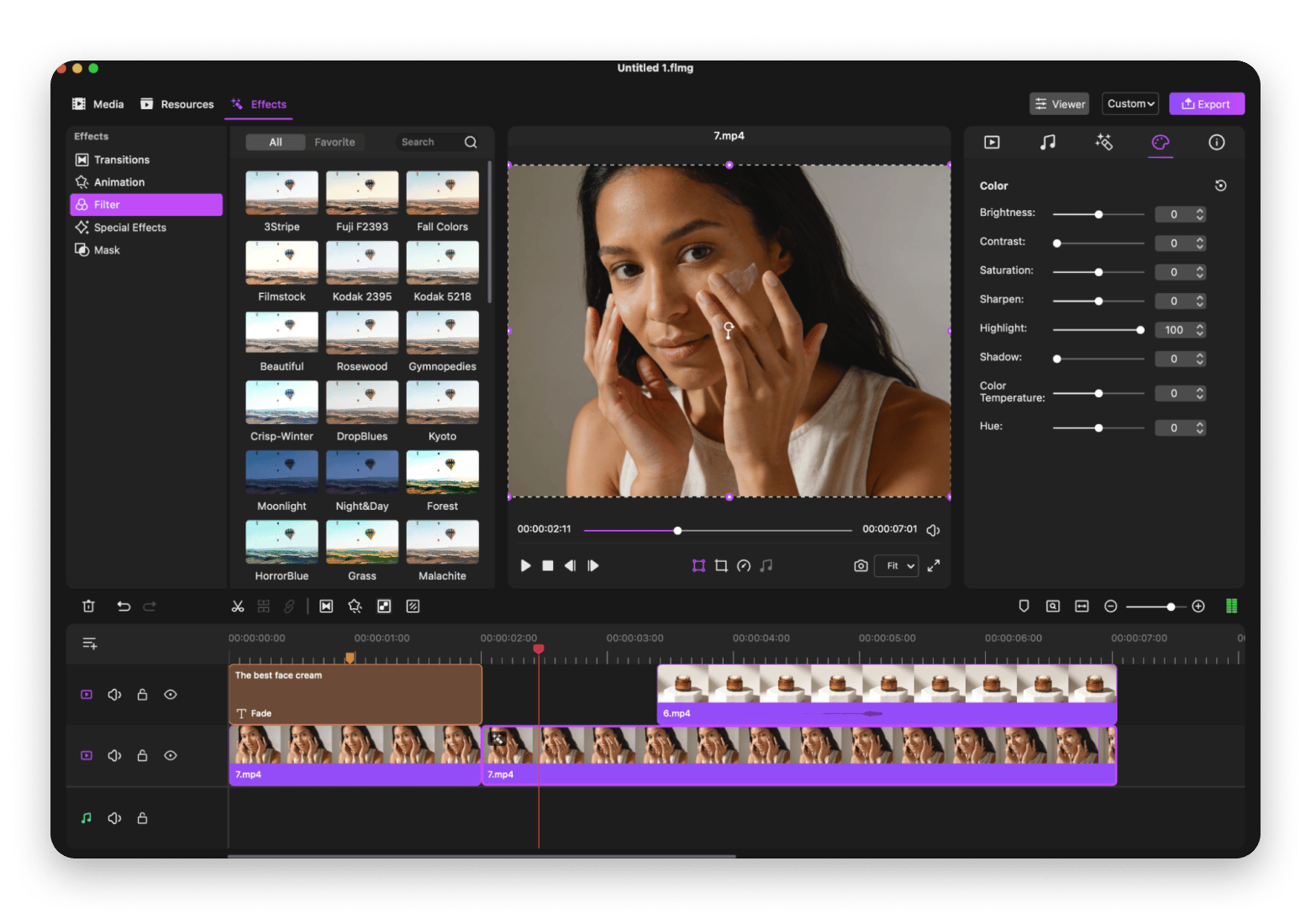
When I need to produce tutorial content, a YouTube video, or internal team footage on a fast turnaround, Filmage Editor is my first stop. It has a familiar timeline interface, built-in screen recording, multi-layer support, and a clean export workflow. I can record my screen, add a webcam overlay, and be in the edit within minutes, all without leaving the app.
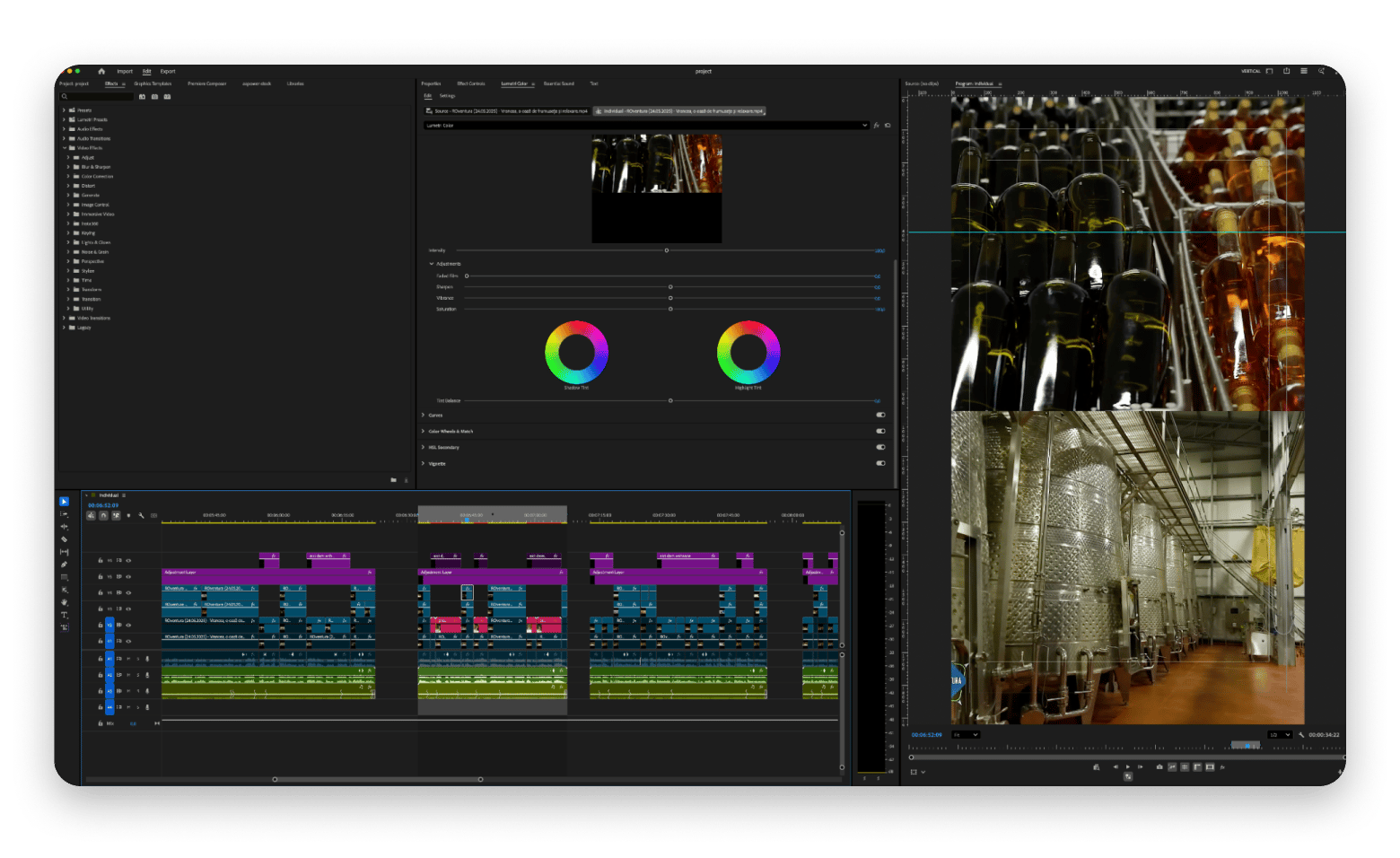
Premiere Pro is a completely different tool built for a different scope of work. It's where I go for long-form client projects, multi-cam edits, advanced audio mixing, and anything requiring plugin support.
|
| Filmage Editor | Premiere Pro |
Best for | Tutorials, YouTube, everyday content | Client work, broadcast, multi-cam |
Learning curve | Easy | Steep |
Screen recording | Built in, no extra app needed | No native screen recording |
Platform | Mac only | Mac and Windows |
Price | Included in Setapp | $20.99/month |
Verdict: Filmage Editor wins on speed and simplicity for everyday content creators. Premiere Pro wins for professional production where precision and ecosystem depth matter.
Color grading: CameraBag Pro vs Adobe Lightroom
Color grading used to be my least favorite part of post-production. Not because it's unimportant, but because traditional tools made it feel like advanced mathematics. CameraBag Pro changed that.
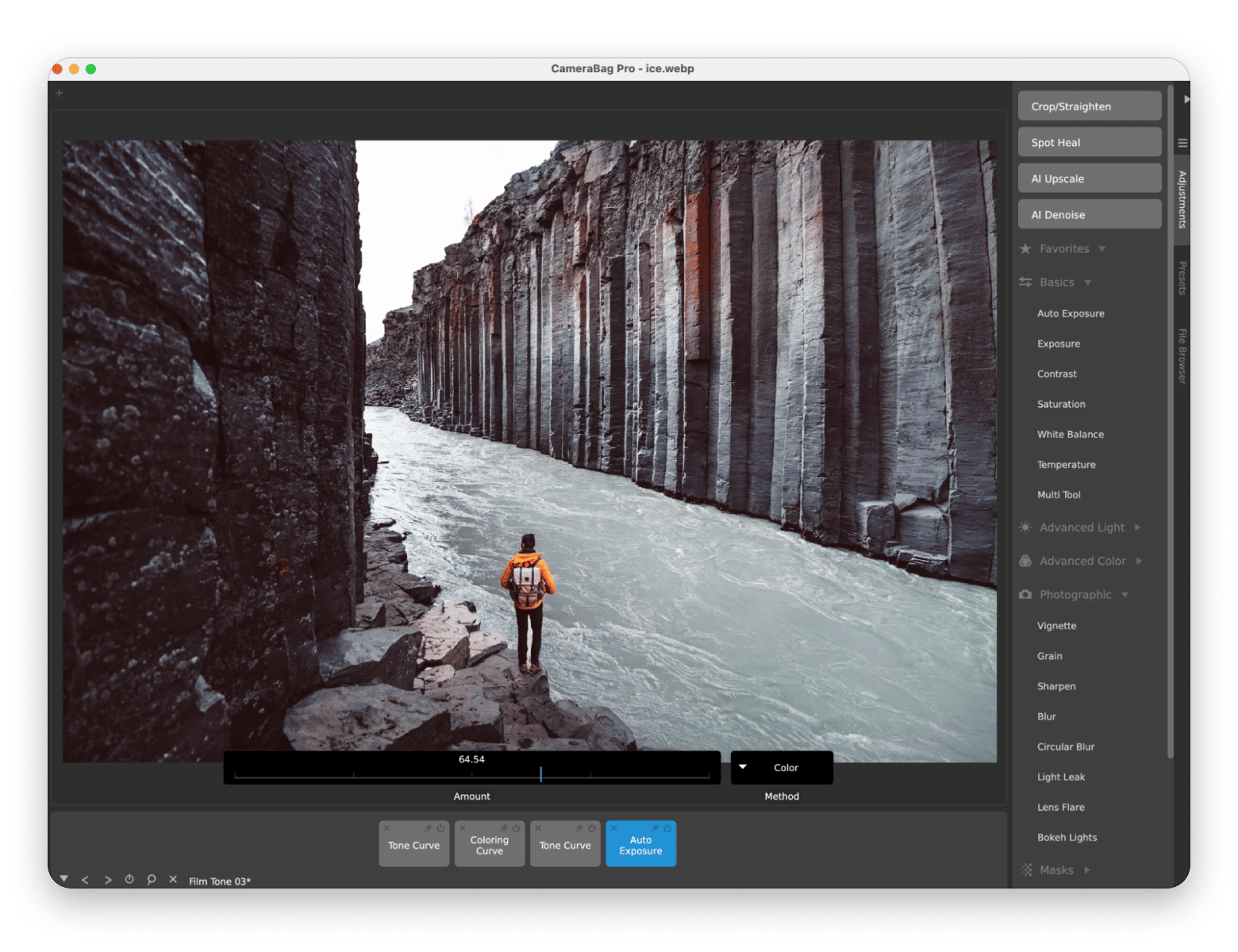
I use CameraBag Pro as a finishing step after timeline edits. It gives me cinematic filters, custom LUTs, and real-time color adjustments in an intuitive interface that doesn't require a course to master. With batch processing, I can apply a consistent look across an entire project instantly. For matching footage from different cameras or adding a specific mood to a scene, it handles 90% of what I need in a fraction of the time.
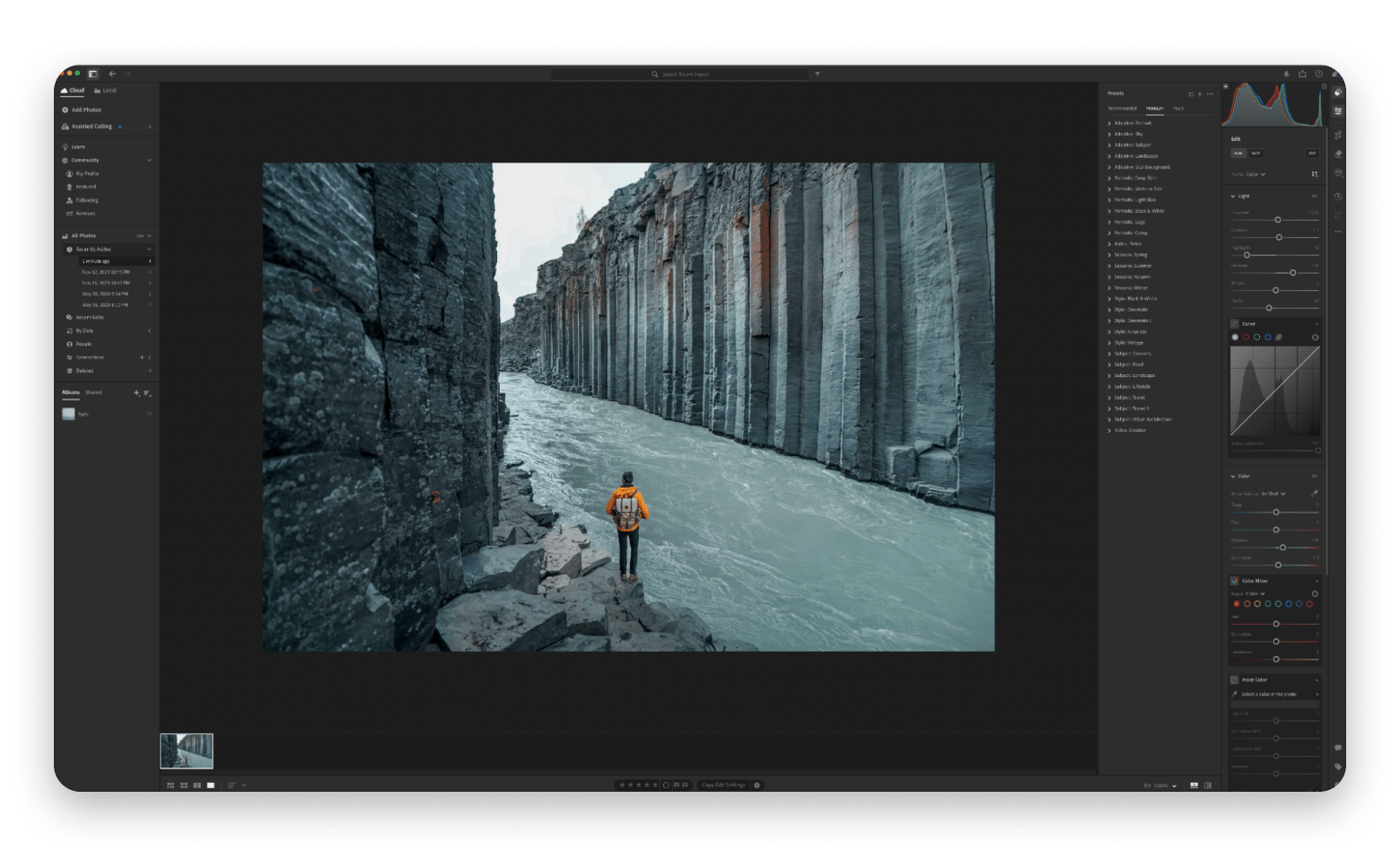
Lightroom is in a completely different league for professional photographers and designers who need RAW processing, advanced masking, detailed retouching, and deep library management across thousands of images. It's also tightly integrated with Photoshop, which makes it essential for professional print and digital campaigns.
|
| CameraBag Pro | Adobe Lightroom |
Best for | Fast color passes, content creators | Professional photography, RAW workflows |
Learning curve | Easy | Moderate |
Presets and LUTs | 200+ professional filters and LUTs | Extensive preset ecosystem + community |
Batch processing | Yes — apply looks instantly | Yes — advanced sync and batch tools |
Price | Included in Setapp Membership / Standalone from $4.99/mo. | $20.99/month |
Verdict: CameraBag Pro is the faster, more accessible choice for video creators and marketers. Lightroom is essential for photographers and professionals who need full RAW control and library management.
Motion graphics: Riveo vs Adobe After Effects
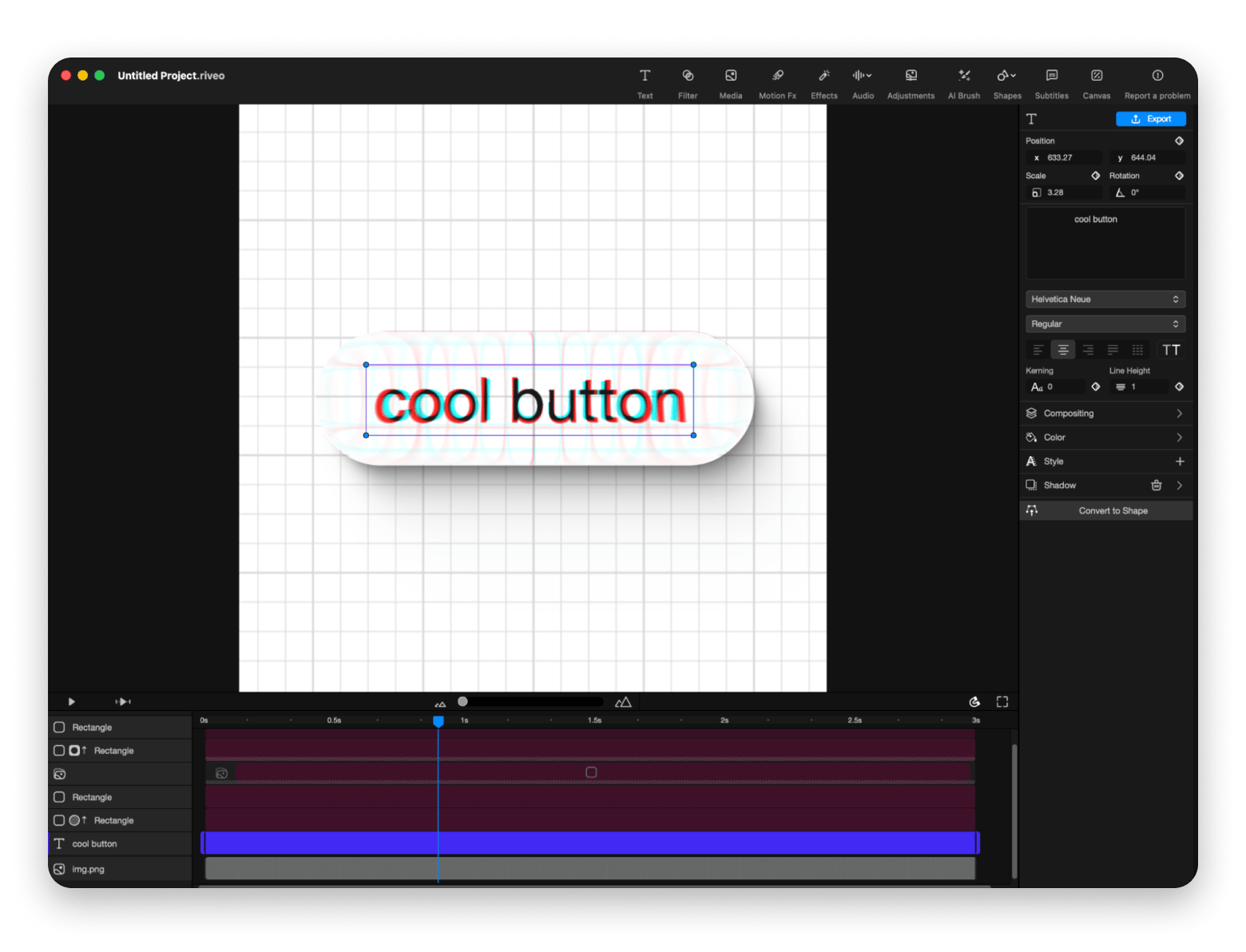
When I want a video to look polished and dynamic but don't want to spend hours in Adobe's ecosystem, I start with Riveo. It gives you motion graphics like animated titles, smooth transitions, 3D effects, AI masking, and 4K export without the overwhelming complexity of After Effects.
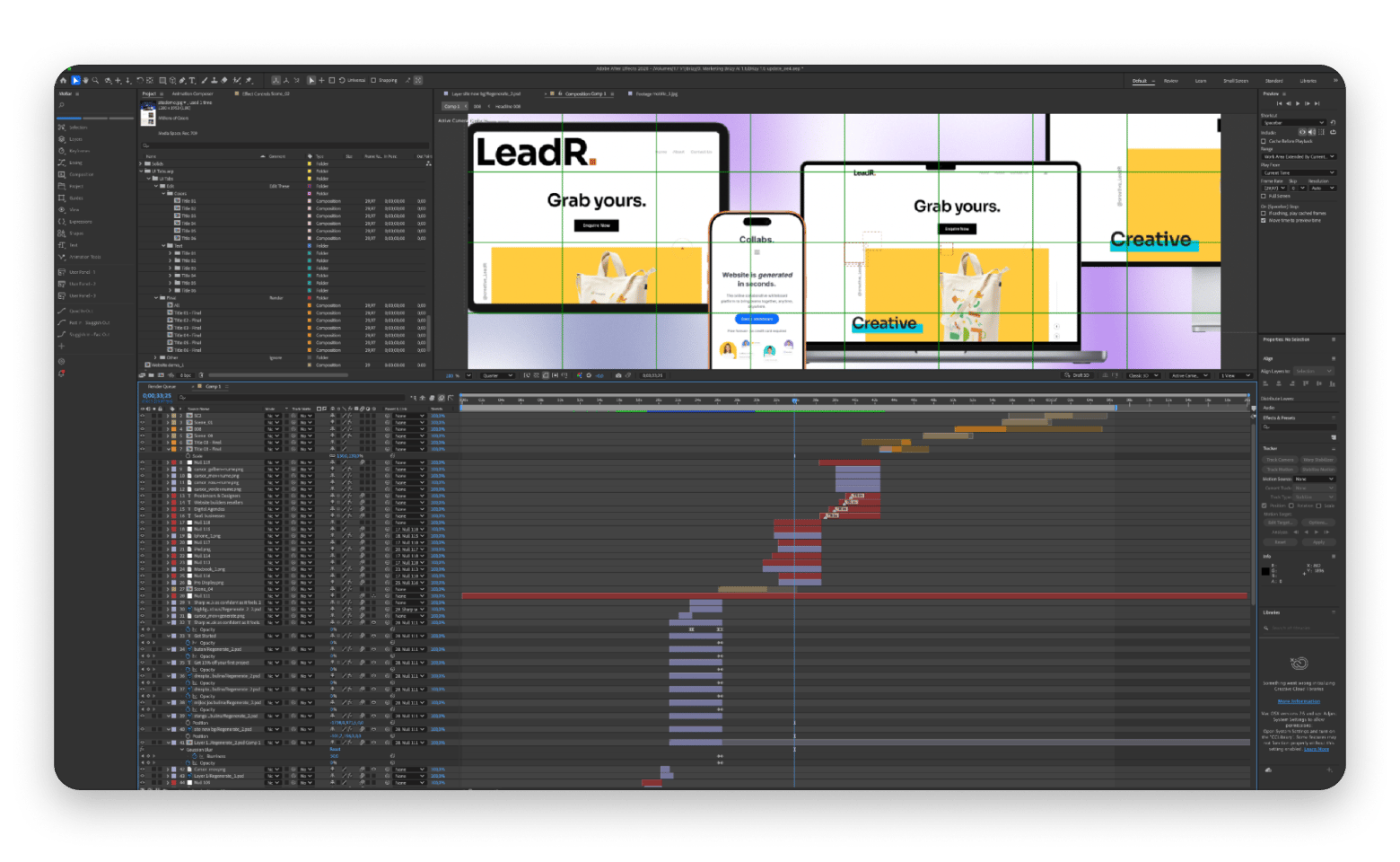
After Effects is the gold standard for anything requiring custom animation, complex compositing, 3D camera tracking, or character animation. For agencies, broadcast work, or any project where motion design is a core deliverable, there's still no real substitute.
|
| Riveo | Adobe After Effects |
Best for | Social content, YouTube, fast motion edits | VFX, broadcast, custom animation |
Learning curve | Easy | Very steep |
3D effects | Built-in 3D transitions and overlays | Full 3D compositing and camera tools |
AI tools | AI masking and green screen removal | Roto Brush 2, motion tracking, auto-rig |
Template-based | Yes | No |
Price | Included in Setapp | $20.99/month |
Verdict: Riveo covers 80% of creator motion needs without the learning curve. After Effects is for the 20% who need full compositing control and custom animation at a professional level.
Screen recording: Capto vs no direct Adobe equivalent
This is a category where Setapp wins by default, since Adobe has no dedicated screen-recording tool.
Capto is my go-to for tutorial content, software walkthroughs, and educational videos. It combines screen recording with a built-in editing timeline, annotation tools, zoom effects, and voice narration. I particularly like the ability to hide desktop clutter during recording so the footage looks clean without any extra setup.
Adobe's closest offering is a combination of Premiere Pro for editing and a third-party recorder, which adds friction to a workflow that should be simple. For anyone creating instructional content, demos, or explainer videos, Capto is a straight win with no Adobe competition in the same space.
Verdict: Capto wins this category outright — Adobe has no screen recording tool, making Setapp the obvious choice for tutorial creators and educators.
Tip: Build your complete Mac video workflow Filmage Editor, CameraBag Pro, Riveo, Capto, and 250+ other apps are all included in Setapp Membership. Try free for 7 days. Cancel anytime.
To sum up: The best Adobe Creative Cloud alternatives for your Mac workflow
If you're looking for Adobe Creative Cloud alternatives that don't come with a steep learning curve or a per-app subscription bill, Setapp is the most practical starting point.
Filmage Editor handles everyday video editing, CameraBag Pro covers color grading, Riveo takes care of motion graphics, and Capto fills the screen recording gap that Adobe doesn't even address. All of it for one subscription.
Personally, I use both. Setapp covers 80% of my daily creative output faster and cheaper than Adobe. Adobe handles the 20% where clients demand industry-standard tools and the brief specifically calls for Premiere Pro or After Effects.
The smartest move for most Mac creators is knowing which tool to reach for and when. Try Setapp free for 7 days and see how Filmage Editor, CameraBag Pro, Riveo, and Capto hold up in your own workflow.
FAQ
Is Setapp a good alternative to Adobe Creative Cloud?
Yes, for most everyday content creators. Setapp includes Filmage Editor (video editing), CameraBag Pro (color grading), Riveo (motion graphics), and Capto (screen recording). For professional broadcast, agency production, or complex VFX, Adobe's depth is still unmatched. Many creators use both depending on the project.
What are the best alternatives to Adobe Creative Cloud for Mac?
The best alternatives to Adobe Creative Cloud for Mac depend on your workflow. Filmage Editor covers most video editing needs; CameraBag Pro handles color grading without Lightroom's complexity; Riveo replaces After Effects for typical motion graphics. DaVinci Resolve is also a strong free alternative for professional color work. Filmage Editor, CameraBag Pro, and Riveo are all available through Setapp Membership.
Can Filmage Editor replace Premiere Pro?
Filmage Editor handles tutorials, YouTube content, social media videos, and everyday editing well. For complex multi-cam editing, VFX integration, or advanced audio workflows, Premiere Pro still has the edge. Filmage Editor is included in Setapp Membership at no extra cost.
Does Setapp include alternatives to After Effects?
Riveo, available through Setapp, handles motion graphics, animated titles, 3D transitions, and AI effects for most creator use cases. It's not a full After Effects replacement for complex compositing or character animation, but it covers the motion needs of the majority of content creators without the steep learning curve.





 Best solution
 Best solution