Strongbox and Secrets 4 are the best Mac-native 1Password alternatives. Both integrate with Face ID, Touch ID, and AutoFill, and both are available on Setapp.
Bitwarden is the best free option, but its free tier shrank in 2026. Unlimited passwords and devices are still free, but TOTP and file attachments now require the $1.65/month Premium plan.
Proton Pass is the pick for privacy-focused users. End-to-end encryption on all fields plus email aliasing make it the most privacy-forward option in this list.
Apple Passwords works for basic needs but can't replace a full manager. No breach monitoring, limited cross-platform support, and no file storage.
While 1Password has long been a trusted solution, it's not the only option. Honestly? I just didn't want to pay $5/month for a subscription. So I analyzed 8 1Password alternatives for Mac and compiled the main features of each option in this article.
Compare alternatives to 1Password: Features and pricing
Not every 1Password alternative for Mac has the same priorities when it comes to security and user-friendliness. Some focus on compliance with corporate policies, others emphasize data protection through open-source transparency, and some integrate additional security tools that go beyond simple password storage.
$24.99 USD/year as a standalone purchase on Marketplace, or included with a Setapp Membership (270+ apps, $14.99 USD/mo + tax). Both options include a 7-day free trial.
If you're still weighing Strongbox vs Secrets 4 vs Bitwarden and others, the Productivity Tools GPT assistant can help you match features to your workflow. I ran it before finalizing this roundup, and it surfaced a couple of angles I hadn't considered.
Strongbox: Best 1Password alternative with KeePass compatibility
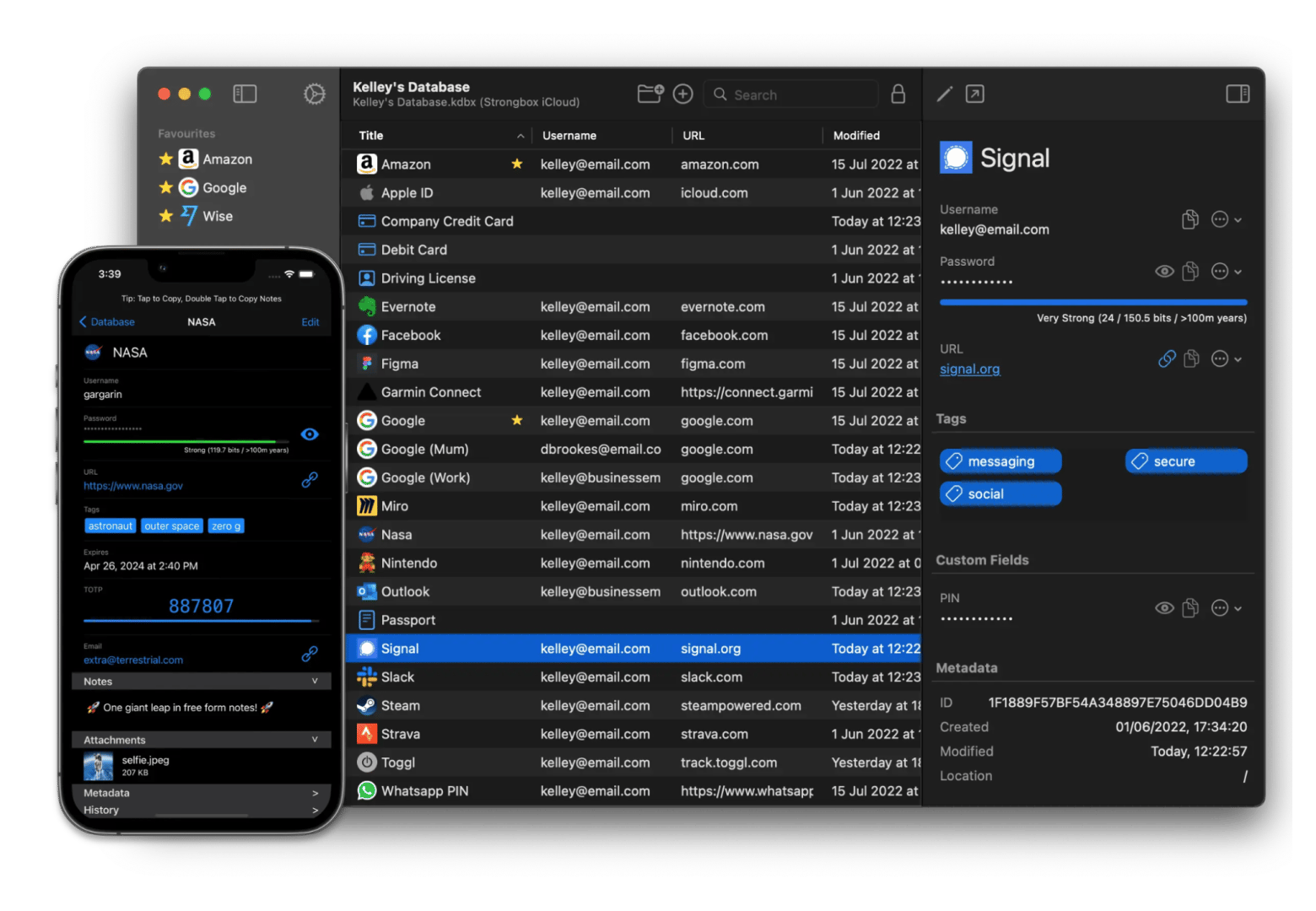
Strongbox is a strong 1Password alternative for Mac that brings KeePass database compatibility to macOS with deep Apple ecosystem integration. The app stores passwords, bank details, recovery keys, and private notes in fully encrypted KeePass-format databases, making it interoperable with other KeePass applications across platforms.
For users prioritizing transparency and local control, Strongbox's open-source codebase and one-time purchase model offer an alternative to subscription-based services.
“I’ve been using StrongBox on macOS after finally getting tired of 1Password, and honestly I wish that I’d switched sooner. StrongBox is great. The fact that it just uses a normal KeePass file means I’m not stuck with any company’s cloud or subscription. I dropped the .kdbx in iCloud Drive and it syncs perfectly to my iPhone without any hassle.
The app itself feels really polished. Face ID unlock is instant, AutoFill actually works every time in Safari, and I love that I can keep TOTP codes right in the same database. The Have I Been Pwned check is built in and super handy. Everything is fast, no weird bugs that I’ve noticed. Everything works nicely so far.
It’s exactly what I wanted: simple, private, and does the job better than the big names. Very happy with it so far”, says Dylan, a Setapp user.
Requires understanding of KeePass database structure
Price: Available on Setapp, a subscription platform with 270+ apps. You can try it free for 7 days.
Secrets 4: Best alternative to 1Password for users prioritizing Mac-native design
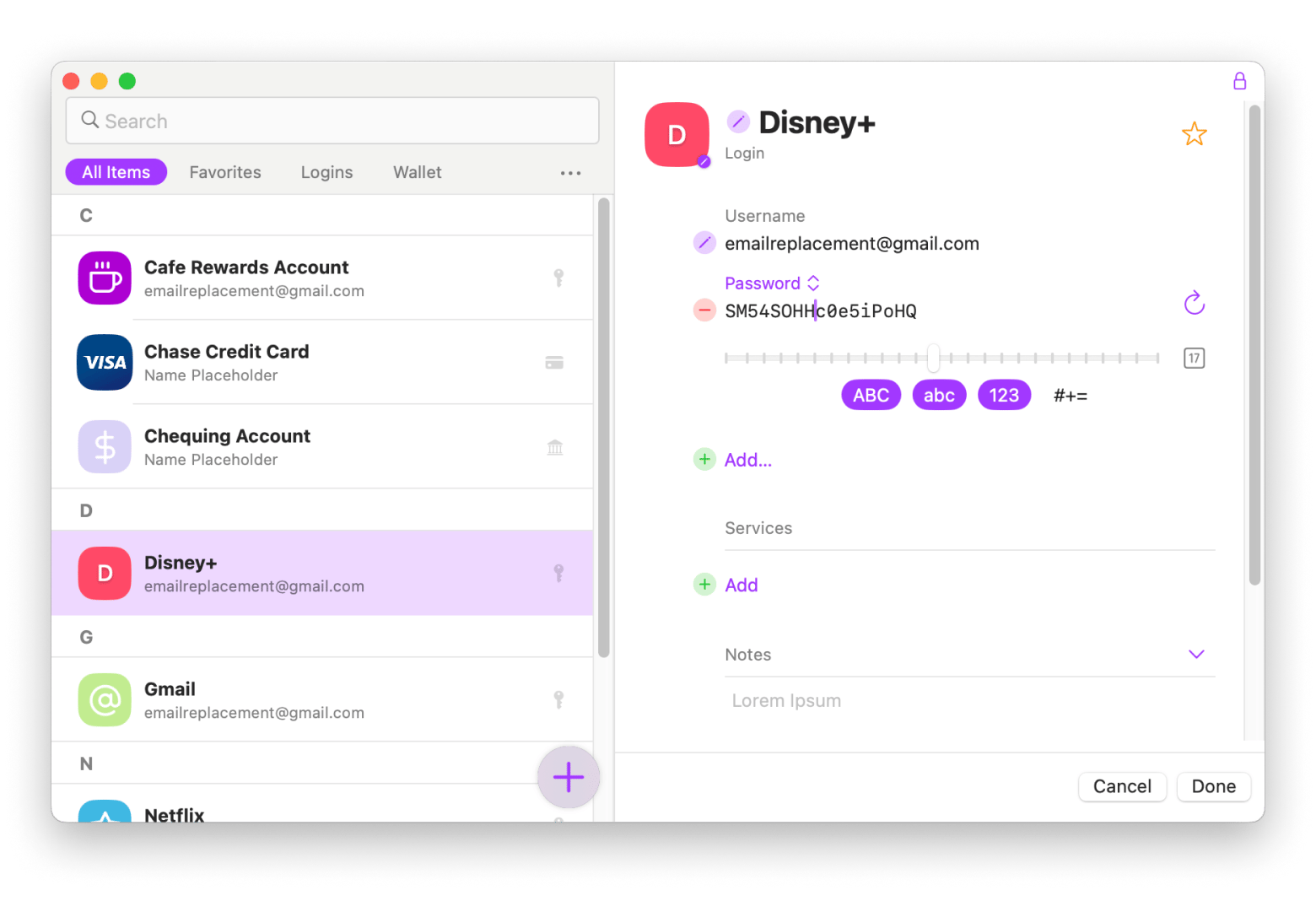
Secrets 4 is a polished 1Password alternative for Mac that delivers password management with an interface designed specifically for macOS. This 1Password alternative supports local vaults and iCloud sync, storing logins, credit cards, bank accounts, software licenses, and secure notes with attached images and documents.
“This application is a good replacement of 1password and a good complement to Apple password. it is pleasant and easy to use”, says Didier Varlot, a Setapp user.
Best features:
Local and iCloud vault creation
Storage for multiple data types: logins, credit cards, bank accounts, licenses, notes
Image and document attachment support
Touch ID and Face ID integration
Pros:
Beautiful, intuitive interface
Fast performance optimized for macOS
Seamless iCloud sync across Apple devices
Cons:
Apple ecosystem only (no Windows, Linux, or Android)
Price: Available on Setapp, a subscription platform with 270+ apps. You can try it free for 7 days.
Apple Passwords: Best for basic password management
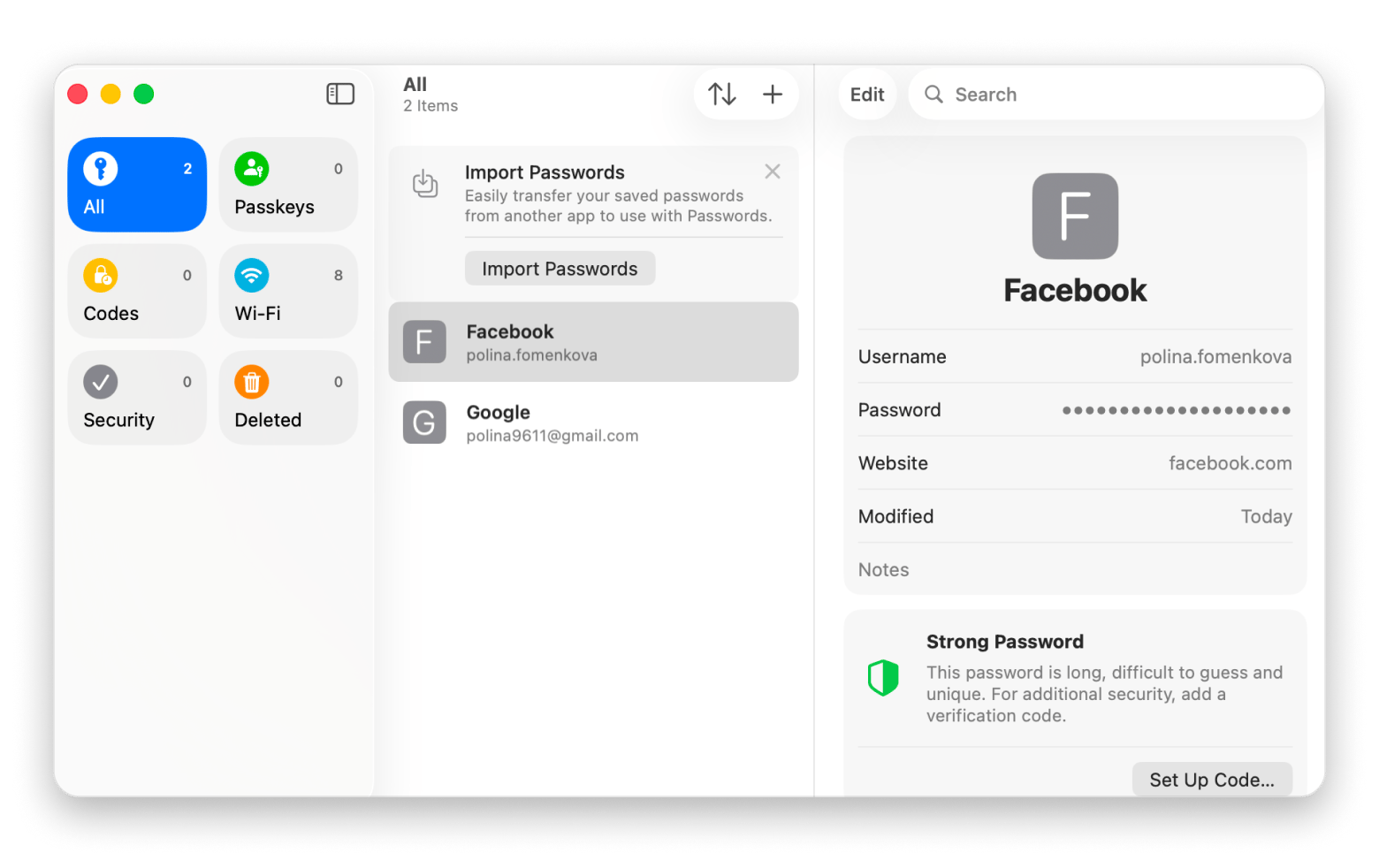
Apple Passwords (formerly iCloud Keychain) provides password management built directly into macOS Sequoia, iOS 18, and iPadOS 18. The app handles password storage, strong password generation, two-factor authentication codes, and synchronization across Apple devices.
For users with simple password requirements who don't need advanced features, Apple Passwords offers a free, built-in solution without third-party software.
“I absolutely love Apple's passwords app for the reasons of 1) I trust Apple over any third party, 2) filling in passwords on websites works so seamlessly, 3) filling in 2fA codes now for apps/sites works great, 4) syncing across all my devices works perfectly, 5) manually looking up passwords or 2fa auth codes is now very simple (vs when you had to look it up through Safari), and lastly 6) passwords now can be autopopulated in Chrome”, shares a Reddit user.
Best features:
Pre-installed on Apple devices
Automatic sync across iPhone, iPad, and Mac
Two-factor authentication code generation
Strong password generation
AutoFill integration with Safari and system-wide
Pros:
Completely free
Zero additional software installation required
Seamless Apple ecosystem integration
Face ID and Touch ID authentication
Regular security updates
Cons:
Limited credit card and bank account storage
No breach monitoring or password health reports
Basic feature set compared to dedicated password managers
Price: Free
Bitwarden: Best alternative to 1Password (free and open-source)
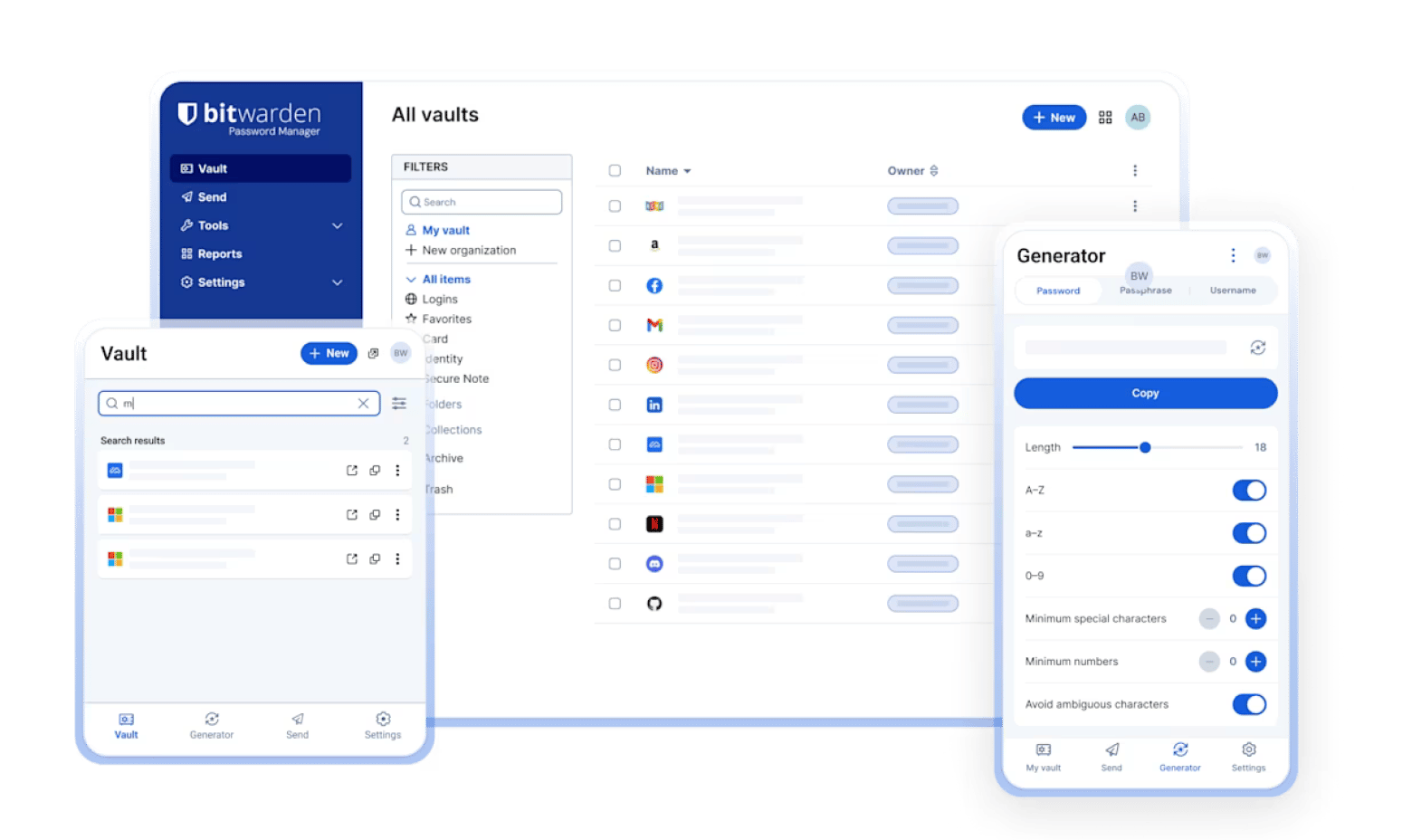
Bitwarden is a leading open-source password manager providing transparency through publicly available code while offering the same functionality as commercial alternatives.
The free version includes unlimited password storage on unlimited devices — still the most generous free tier in the market. However, as of January 2026, Bitwarden moved the built-in TOTP authenticator, file attachments, and emergency access behind the paywall. Premium pricing also jumped from $9.99/year to $19.80/year ($1.65/month). Still cheap, but nearly double what it used to be.
”1password has a great ui and a great product but cost $36 a year. Bitwarden in my opinion has a less refined up but is functionally the same as 1password”, says a Reddit community member.
Proton Pass: Free password manager with email protection
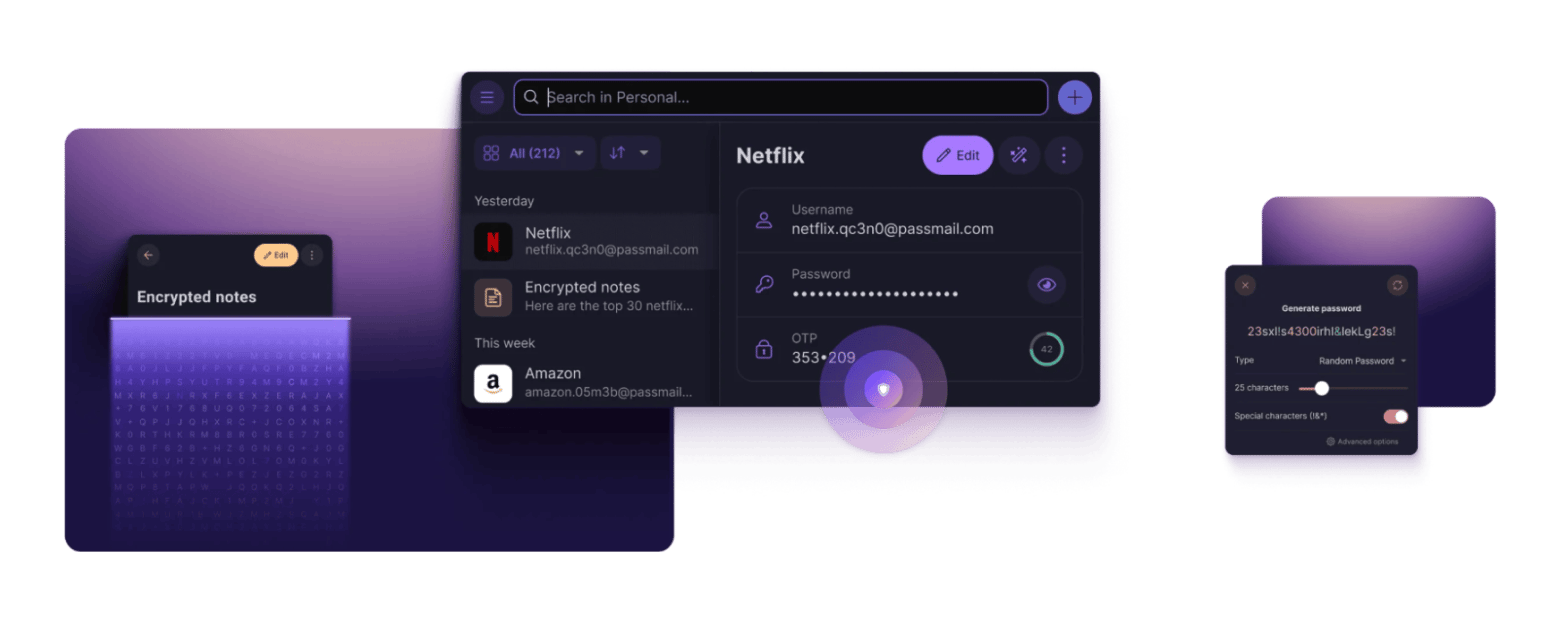
Unlike other 1Password alternatives, Proton Pass integrates email aliasing through “Hide-my-email” functionality. What does this mean for you as a user? If your account is hacked on one of the websites, hackers won’t get your real email address. And if your email is sold or leaked to third parties, you immediately know about it and can stop the spam.
What's more, Proton Pass doesn't just encrypt the password field but applies end-to-end encryption to all fields, including usernames, web addresses, and all data contained in your encrypted notes.
The main feature that sets Dashlane apart from other alternatives to 1Password is the built-in VPN. So you don't have to search for and pay for two separate solutions — it's convenient and reliable.
In addition, the platform includes comprehensive security features, including dark web monitoring, phishing alerts, and password health scoring alongside traditional password management.
Best features:
VPN included
AI-powered phishing alerts and credential risk detection
Password Health score with hygiene insights
Passkey creation, storage, and sync across devices
Zero-knowledge encryption architecture
Pros:
VPN combined with a password manager
Affordable family plans ($7.49 for 10 users)
Includes dark web monitoring
Phishing alert system
Available on multiple platforms
Cons:
No free option
Individual plan more expensive than alternatives ($4.99/month)
Price: From $4.99/month.
Keeper: Best 1Password alternative for enterprise compliance and auditing
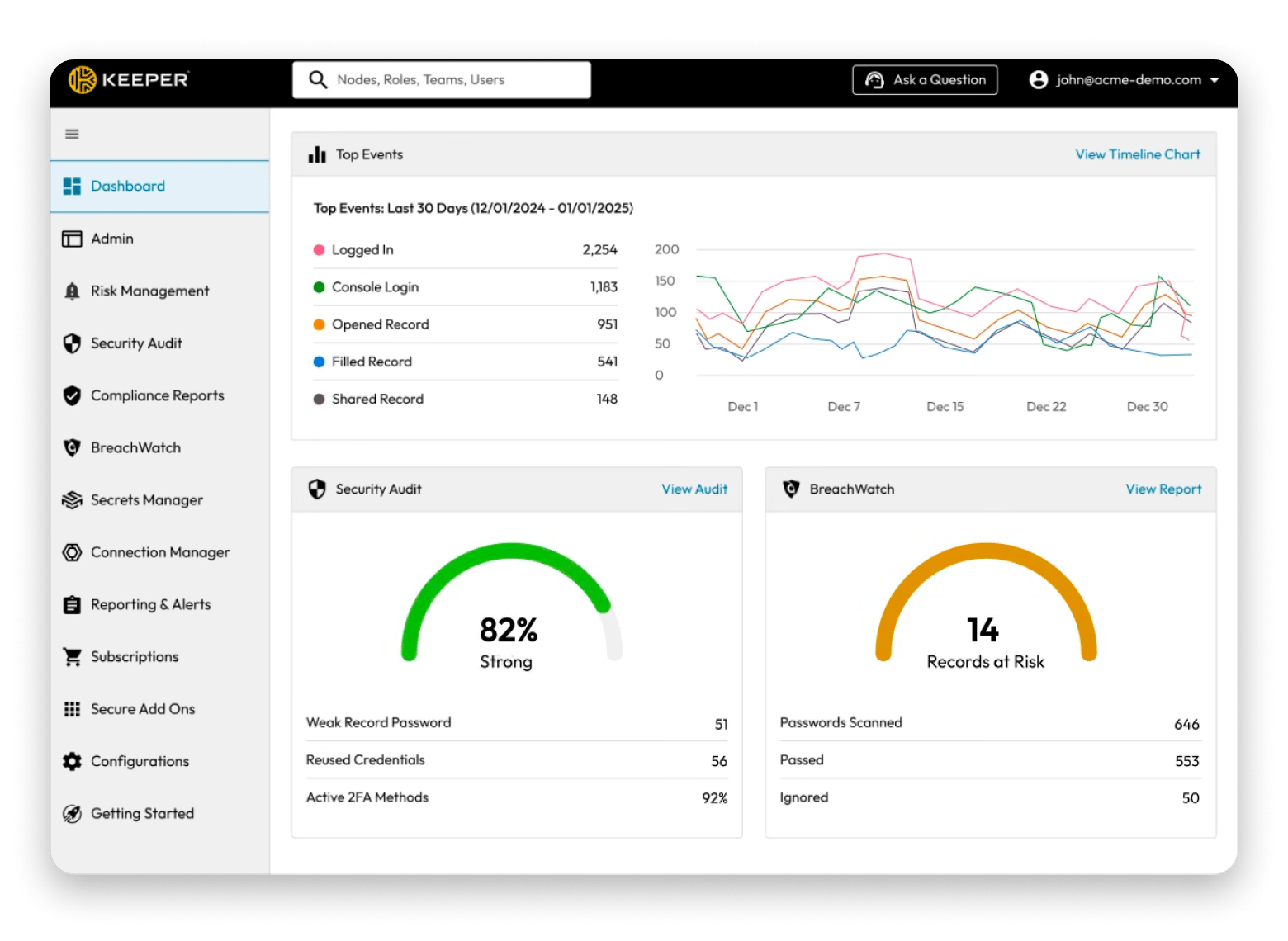
For businesses requiring detailed access control reporting, audit trails, and compliance documentation, Keeper is the best alternative to 1Password. It provides infrastructure beyond basic password management including SIEM integrations, SSO (Single Sign-On) support, role-based access controls, detailed audit logs, and team vault sharing with granular permissions.
Best features:
Zero-knowledge encryption model
BreachWatch dark web monitoring
Compliance certifications: SOC 2, ISO 27001, FedRAMP
Access control reports and audits
Administrative console for team management
Autofill and password generator
Pros:
Strong reputation
Comprehensive administrative controls
Detailed reporting
Suitable for regulated industries
Cons:
Overkill for personal or small team use
From $2.95/month
NordPass: Best for clean user experience with breach scanning
If you are looking for a password manager with a clean user interface and basic features, take a look at NordPass. It is not overloaded with features — instead, you get straightforward vault organization, built-in authenticator functionality, and proactive breach monitoring.5
Source: NordPass
Best features:
Data Breach Scanner Built-in TOTP authenticator
Passkey storage
XChaCha20 encryption
Password Health monitoring
Pros:
Clean, intuitive user interface
Breach monitoring included
Credit card monitoring in breach databases
Passkey support
Cons:
Less feature-rich than comprehensive alternatives
Price: Free or from $2/month.
To sum up: What is the best alternative to 1Password
Once you've decided you need a 1Password alternative for Mac, the right pick depends on the features that matter most to you.
If you're interested in KeePass compatibility and deep Apple ecosystem integration, try Strongbox.
Secrets 4 is also a good choice for the Apple ecosystem and lacks cross-platform complexity, plus it has a user-friendly interface (just like NordSecurity, by the way!).
For basic things like storing and generating passwords, Apple Passwords is a good choice.
A special feature of Dashlane is its VPN add-on, while Proton Pass offers email aliasing. Keeper is best suited for regulated industries and organizations with strict security requirements, while Bitwarden is ideal if you want open-source transparency with unlimited passwords on a free tier.
1Password just got more expensive. Your next password manager doesn't have to be. Strongbox, Secrets 4, Step Two, and 270+ other apps — all included with Setapp. Try Setapp Free.
FAQ
What is the best free 1Password alternative for Mac?
Bitwarden is the strongest fully free option — unlimited passwords on unlimited devices, open-source, and cross-platform. Apple Passwords is also free if you're all-in on Apple devices.
If you're open to a short trial before committing, Strongbox and Secrets 4 are both available to try free for 7 days on Setapp — they offer deeper Mac integration (KeePass compatibility, local vaults, iCloud sync) than either free option, and you get access to 270+ other apps during the trial.
Why is 1Password so expensive compared to alternatives?
1Password raised prices in March 2026 for the first time in nearly a decade — the Individual plan went from $2.99/month to $3.99/month (annual billing). It's a premium subscription with strong encryption, Travel Mode, and cross-platform polish, but many alternatives like Bitwarden and Proton Pass now compete at a fraction of the price.
Can I import my 1Password vault to another password manager?
Usually yes. Export your vault from 1Password (CSV or .1pux format), then use the import tool in your new manager. Strongbox, Secrets 4, Bitwarden, and most others in this guide support 1Password imports. Delete the exported file after migrating — it contains your passwords in plain text.
Powerful apps live on Setapp
Ditch defaults and discover new gems on one app platform.






 Best solution
 Best solution