The short answer:Eney, TypingMind, BoltAI, and Elephas are the AI productivity apps worth installing on a Mac, because each works inside the apps you already use.
Best for getting tasks done:Eney summarizes your inbox, drafts replies, and manages events and files, and it asks before it sends or changes anything.
Best for prompts and models:TypingMind keeps your reusable prompts organized, and BoltAI puts every major AI model in one native client.
Best for writing:Elephas rewrites, proofreads, and summarizes text in almost any app, with built-in offline AI for sensitive text.
The best AI productivity apps for Mac are Eney, TypingMind, BoltAI, and Elephas. Eney completes tasks across Mail, Calendar, and Reminders. TypingMind organizes your prompts, BoltAI puts every major AI model in one native client, and Elephas rewrites text in any app.
Count your trips between Mail, a ChatGPT tab, and back again on a busy day, and the number climbs fast. That's the hidden cost of using AI productivity tools in a browser: the AI is fast, but getting text in and out of it isn't. Below, I share four Mac-native apps that remove that loop, one for each daily workflow, plus the setups that work best together.
Why browser AI is costing you time on Mac
Browser AI costs time because it lives outside the apps where your work happens. As a result, every task means switching tabs, copying text, writing a prompt, and pasting the answer back.
3 things that always get in my way:
Repetitive copy-pasting wastes nearly 30 minutes a day.
Browser AI can't access my files, calendar, or email context.
Constant app switching and re-explaining context slow me down.
Mac-native apps fix all three problems: they run from the menu bar or a shortcut, read the files you allow, and put their output where you need it. That's the real promise of Mac productivity AI, and it's why the picks below are all native apps.
Best AI productivity apps for Mac at a glance
I’ve compared the four apps based on the workflows they speed up, their key AI capabilities, offline options, and how to access them on Setapp.
The biggest difference is how each app reaches your work. Eney acts across apps and files, and Elephas works inside any text field. BoltAI and TypingMind give you a focused chat window with more control over models and prompts.
You can try TypingMind, BoltAI, and Elephas free for 7 days with Setapp Membership. Eney has its own 14-day free trial with 10,000 AI credits.
Eney: Best overall AI that completes the task instead of describing it
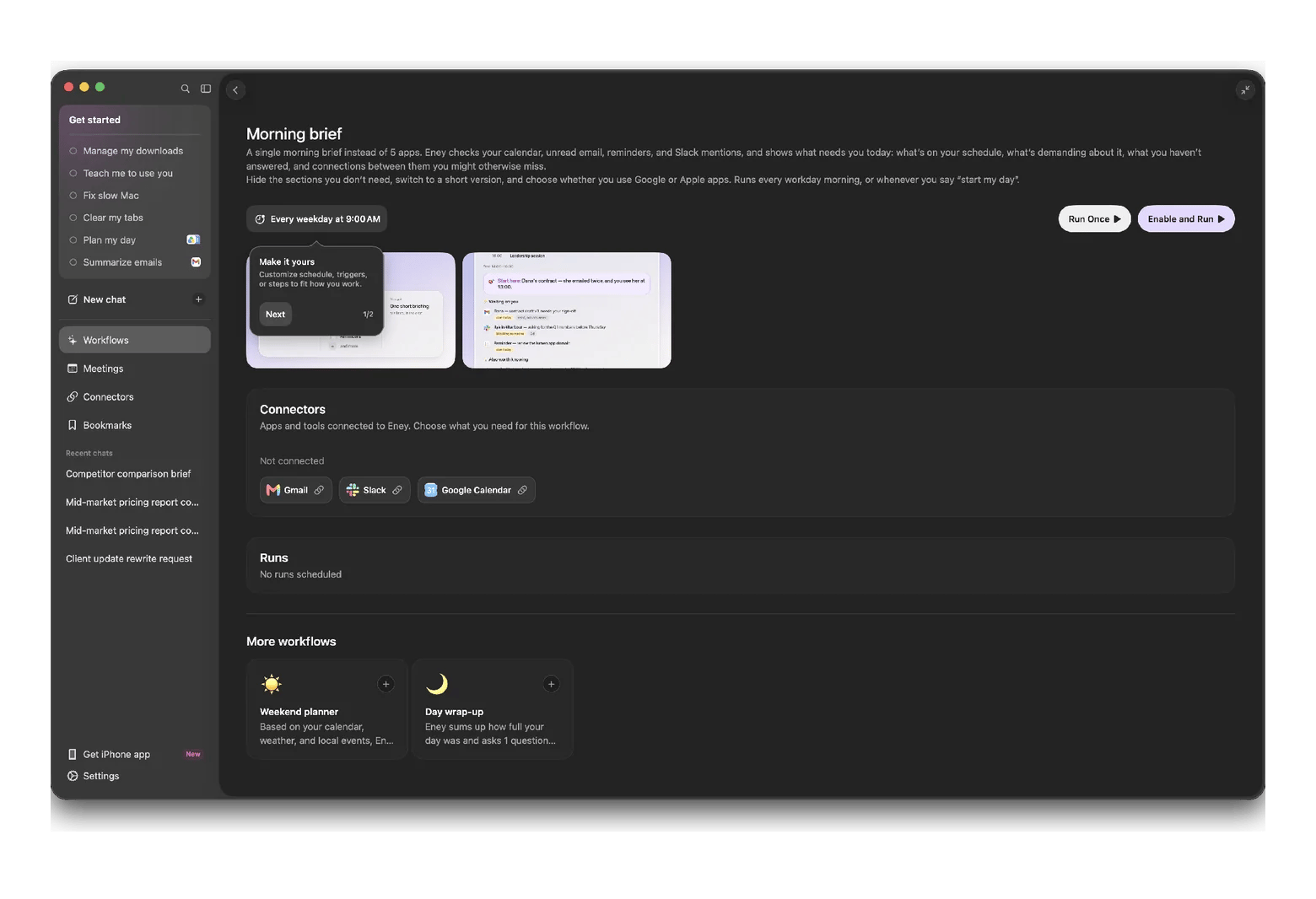
Eney is a proactive AI assistant from MacPaw that does the work instead of explaining how to do it. You can ask it to summarize your inbox, draft a reply, schedule a meeting, or manage files. It handles multi-step tasks across Apple Mail, Calendar, and Reminders, plus connected apps like Gmail, Slack, Notion, and Jira. Ready-made workflows like Morning brief and Plan my day run on demand or on a schedule.
By default, Eney asks before it sends a message, changes an event, or moves a file, so you stay in control.
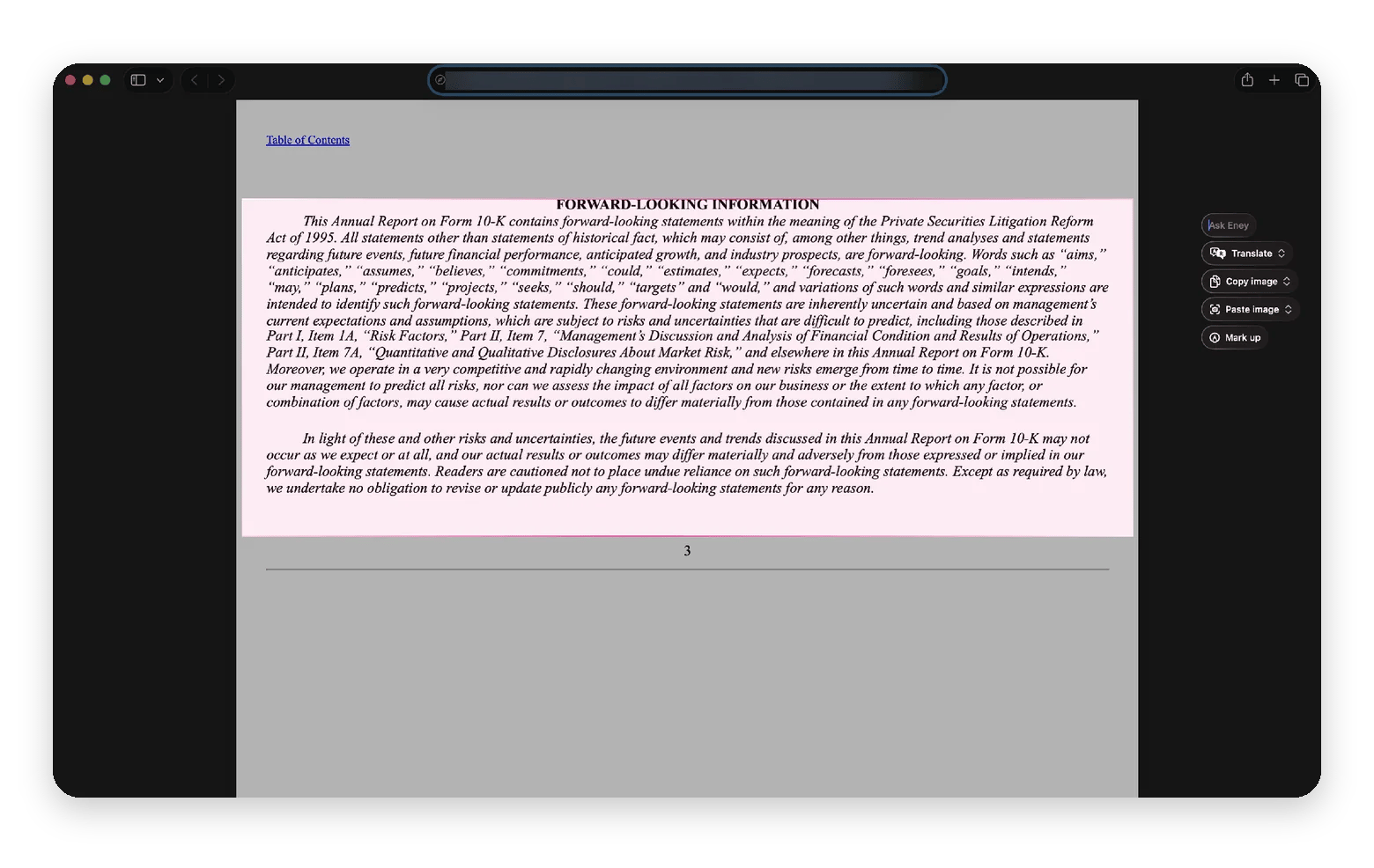
In my test, I opened a long annual report in Safari, and pressed Option + W to start Eney Wand. Then I dragged over the section I needed. A small menu appeared right next to the text with Ask Eney, Translate, Copy image, Paste image, and Mark up, so I could act on that section without switching apps. Morning brief can pull your calendar, unread email, reminders, and Slack mentions into one brief, so decide which accounts you're comfortable connecting first.
Eney needs an Apple silicon Mac with macOS 15 or later, and every request uses AI credits. The trial gives you 10,000 credits for 14 days. After that, Eney needs an AI credits subscription, starting at $14.99 USD/mo + tax for 10,000 credits.
TypingMind: For people who live in prompts
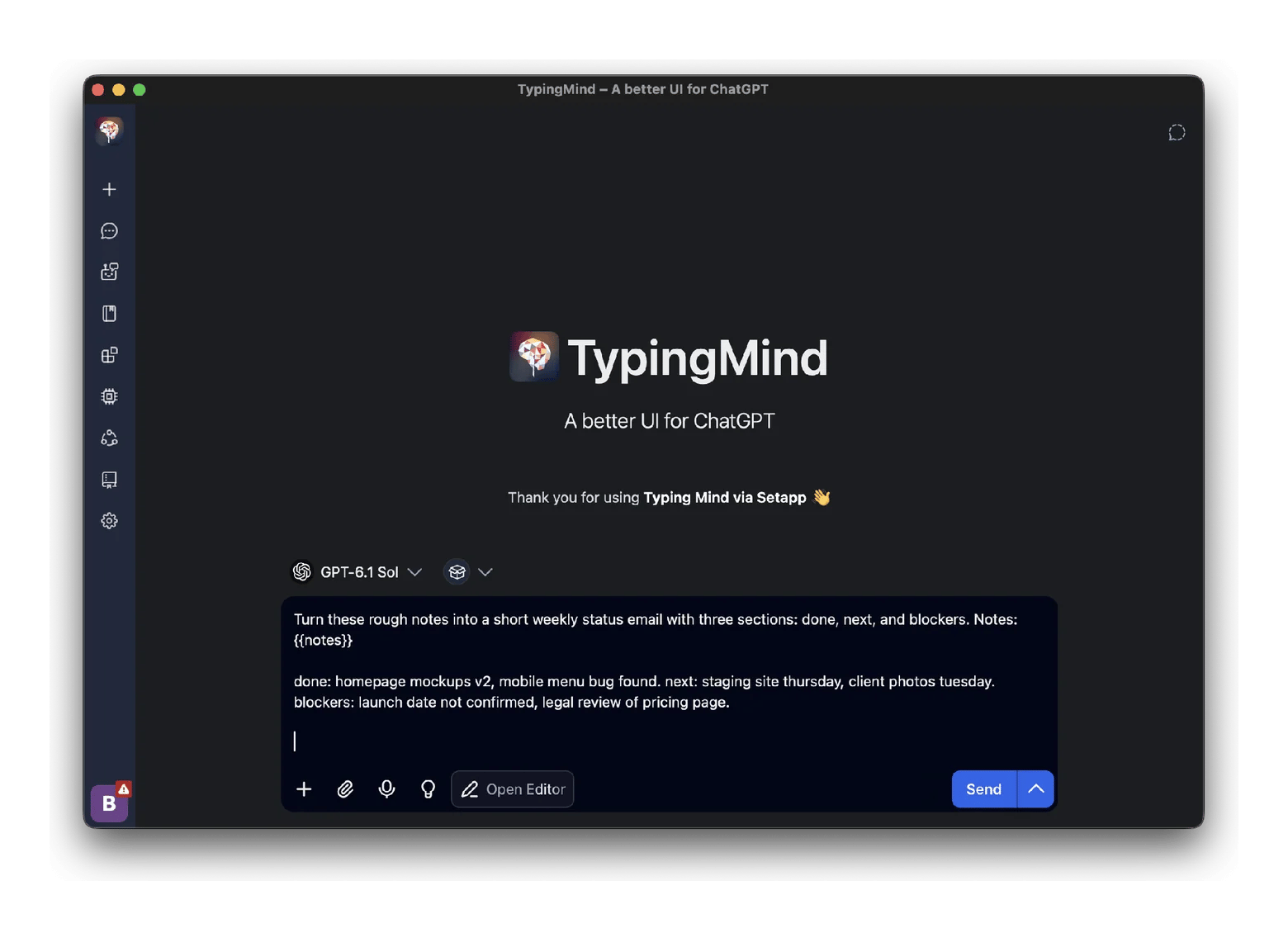
TypingMind is for people who reuse the same prompts every day and want them organized. You can build a personal prompt library with tags, and chat with built-in AI characters. With your own API keys, you can also switch between models like ChatGPT, Claude, and Gemini mid-chat. In my test, I opened a saved weekly status prompt, pasted in my rough notes, and had a ready-to-send request on the GPT-6.1 Sol model in a few clicks. Choose it over BoltAI if your work revolves around repeatable prompts, and choose BoltAI if you want a more native feel and deeper Mac integration.
BoltAI: Every major AI model in one native client
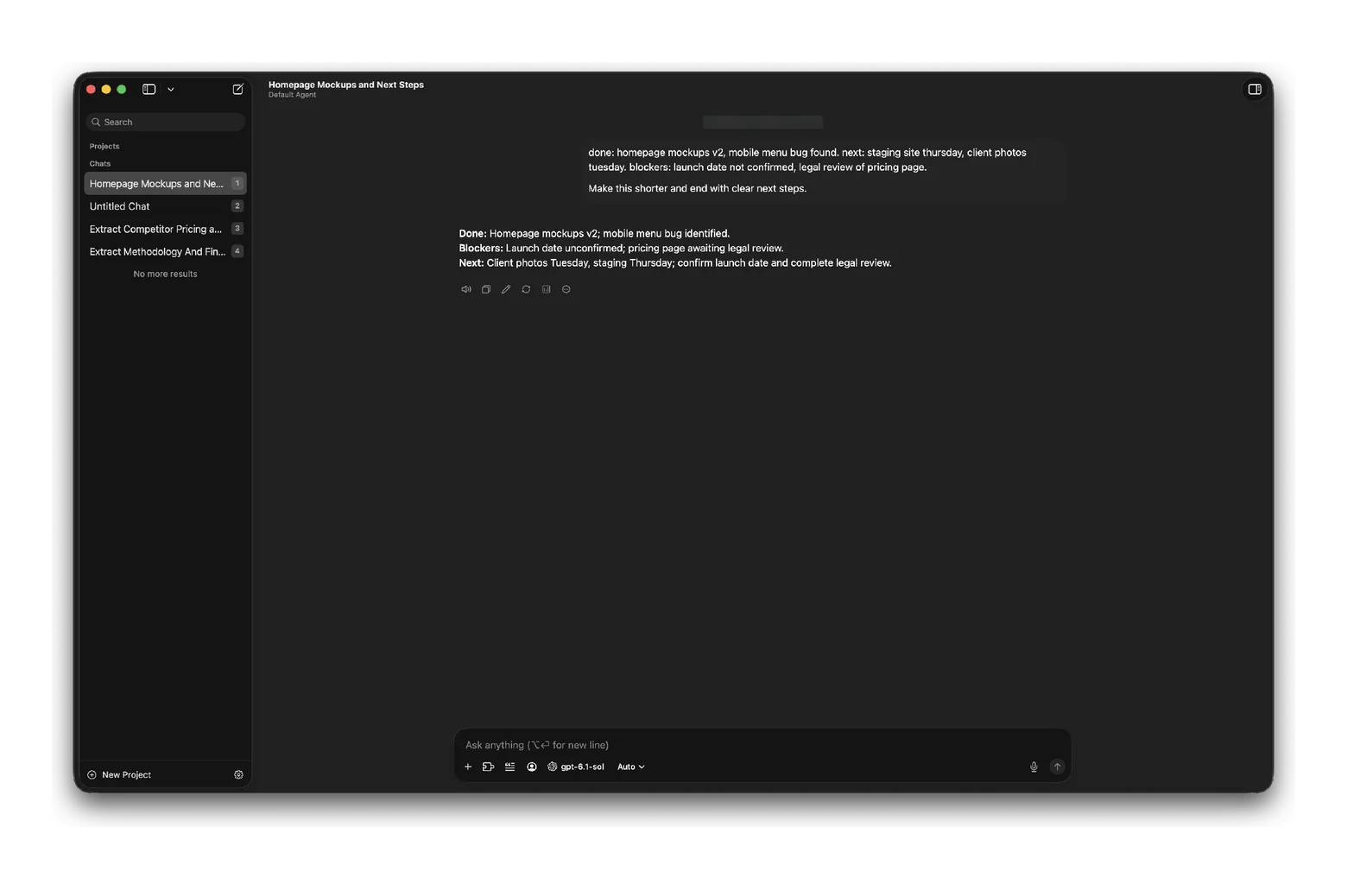
BoltAI is a native Mac app that puts models from OpenAI, Anthropic, Google, and others in one place. It also supports local models through Ollama. You can run AI tasks with keyboard shortcuts inside other apps, attach documents, and use ShotSolve to capture your screen and get an instant explanation. In my test, I pasted rough status notes into BoltAI and asked for a shorter version with clear next steps, and it returned three tidy lines: Done, Blockers, and Next. The trade-off is setup: with so many models and settings, it takes an afternoon to tune.
Elephas: AI writing inside every text field
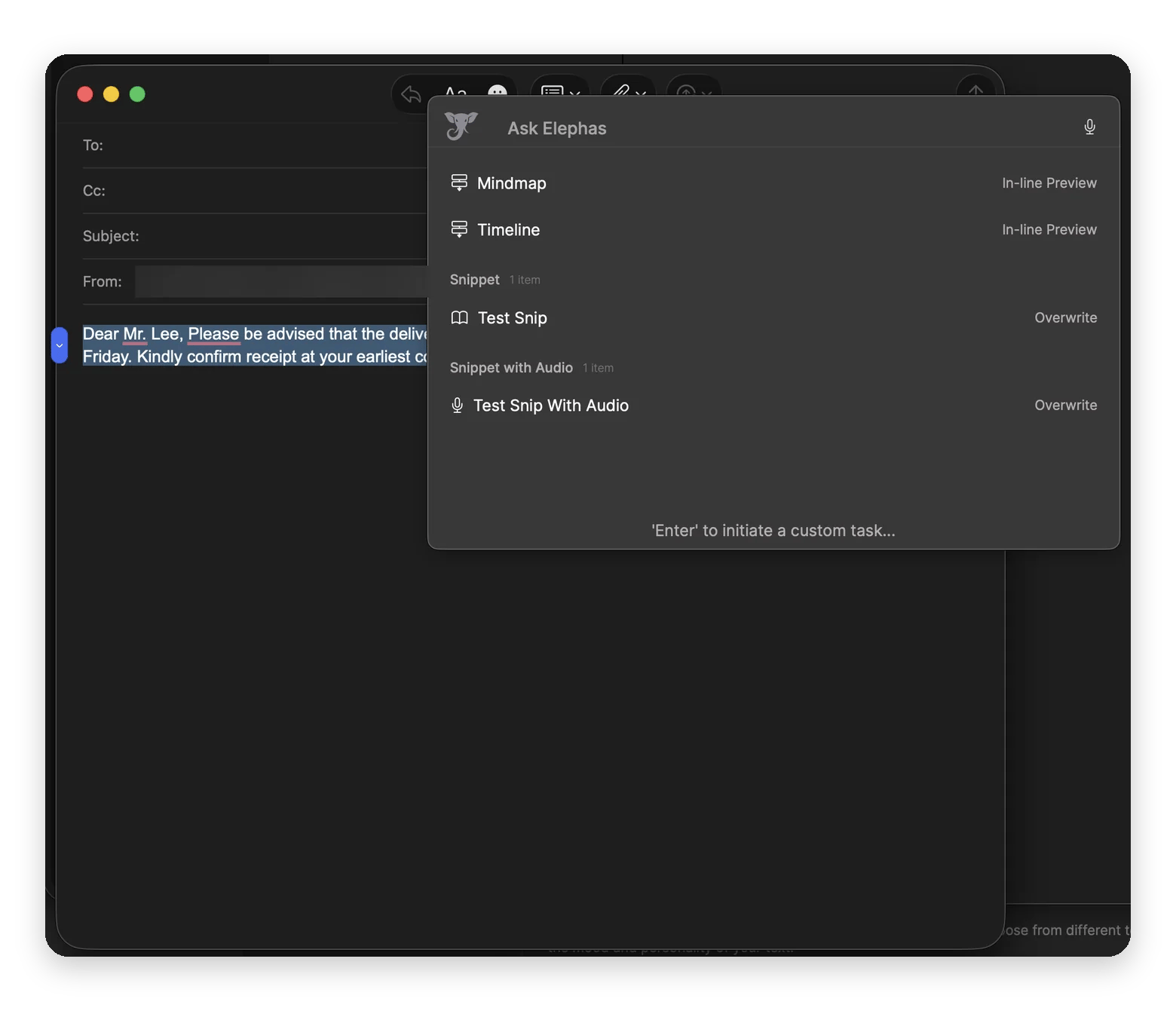
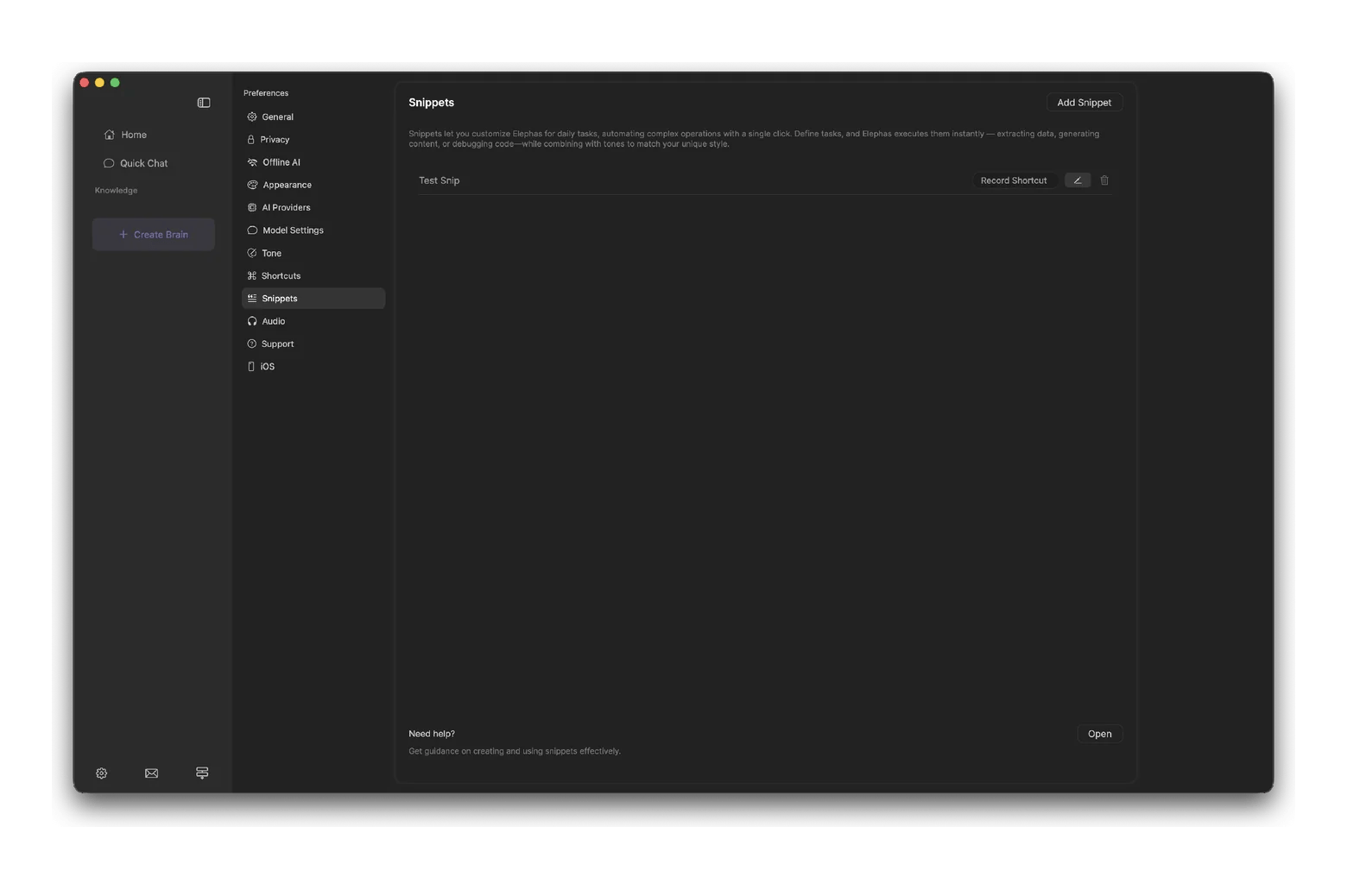
Elephas brings rewrites, tone changes, proofreading, and summaries to almost any app through its Super Command shortcut. It suits writing-heavy professionals. In my test, I highlighted a stiff client email in Mail and pressed Control + Space. Elephas opened right over the message with my saved snippets ready to run. It can also run offline with local AI for sensitive text, but the Setapp version includes only the Standard plan, without Pro plan integrations.
Four workflows, four setups: Which combination fits your day
The best results come from pairing two apps that cover different jobs, so neither one duplicates the other. Here's what I'd suggest for four common roles:
The writer: Pair Elephas for polishing text in any app with TypingMind for saved prompts that produce first drafts in your usual formats. Draft in TypingMind, then refine in place with Elephas.
The manager drowning in email: Use Eney to summarize your inbox and draft replies, then Elephas to fine-tune the tone of anything sensitive. Let Eney's Morning brief set the day's priorities before you open Mail.
The analyst: Use BoltAI to question reports and spreadsheets with the right model, and Eney to find files and turn findings into calendar tasks. Switch BoltAI to a local model when the data is confidential.
The "I want automation" person: Start with Eney's scheduled workflows, like Morning brief and Plan my day, then add BoltAI for custom assistants. Build one routine at a time, and keep approvals on until you trust the results.
Start with one pairing for a week before adding more. The time savings come from habit, not from the number of apps installed.
A browser AI tool is fine if you only use AI a few times a week. The setup time for native apps won't pay off at that pace.
Browser tools also make sense when your team shares one AI workspace with common projects or when you switch between a Mac, a Windows laptop, and a work tablet. In those cases, consistency across devices matters more than shaving seconds off each task. On the other hand, native apps win when AI is part of your daily routine on one Mac.
Setapp Membership starts at $14.99 USD/mo + tax for the Mac plan and includes TypingMind, BoltAI, and Elephas, plus 300+ apps for Mac, iOS, and web. The monthly Mac plan comes with 1,000 AI credits a month.
If you use AI all day, the AI Enthusiast plan gives you 6,000 credits for $22.99 USD/mo + tax. AI Expert offers 9,000 credits across four Macs and four iOS devices for $35.99 USD/mo + tax. Eney is a standalone app, so it sits outside Membership. It has its own 14-day free trial with 10,000 AI credits, and after that it needs an AI credits subscription.
The real value of AI productivity apps is making AI a natural part of the way you work. To compare Membership with buying single apps, read Setapp pricing explained. You can try TypingMind, BoltAI, and Elephas free for 7 days with Setapp Membership. Or get Eney as a standalone app with its own 14-day free trial.
FAQ
What are the best AI productivity tools for Mac?
The best AI productivity apps for Mac are the ones that work inside your existing apps. Eney handles tasks across email, calendar, and files, and BoltAI gives you every major model in one native client. TypingMind organizes your prompts, and Elephas rewrites text in any app. All four are available on Setapp.
Is a native Mac AI app better than using ChatGPT in a browser?
For daily use, usually yes. Native apps open with a keyboard shortcut, can read files you allow, and put results directly into the app you're using, which removes the copy-and-paste loop. Apps like BoltAI and TypingMind also let you choose between several AI models.
Can AI tools automate repetitive tasks on Mac?
Yes. Eney runs ready-made workflows like Morning brief, Plan my day, and Weekly review on demand or on a schedule, and it asks before sending, moving, or changing anything. Elephas also lets you build custom workflows for repeated writing tasks, such as turning meeting notes into a summary email. For deeper system automation, Apple's Shortcuts app is still worth learning, and it's free on every Mac.
How much do AI productivity apps cost per month?
ChatGPT Plus costs $20 USD per month, and Grammarly Pro costs $12 to $30 USD, depending on billing. Setapp Membership starts at $14.99 USD/mo + tax for 300+ apps, including BoltAI, TypingMind, and Elephas, with AI credits included. Eney is a standalone app with a 14-day free trial, then an AI credits subscription.
Which AI productivity apps work offline on Mac?
Elephas has built-in offline AI, and BoltAI works with local models through Ollama, so both can run without an internet connection once set up. TypingMind also supports offline models. Eney keeps its memory on your Mac by default, but most of its AI requests go through Setapp's AI service, so it needs a connection for most tasks.
Unlock AI apps
Access 260+ Mac/iOS apps, including AI tools, with one Setapp subscription.






 Best solution
 Best solution