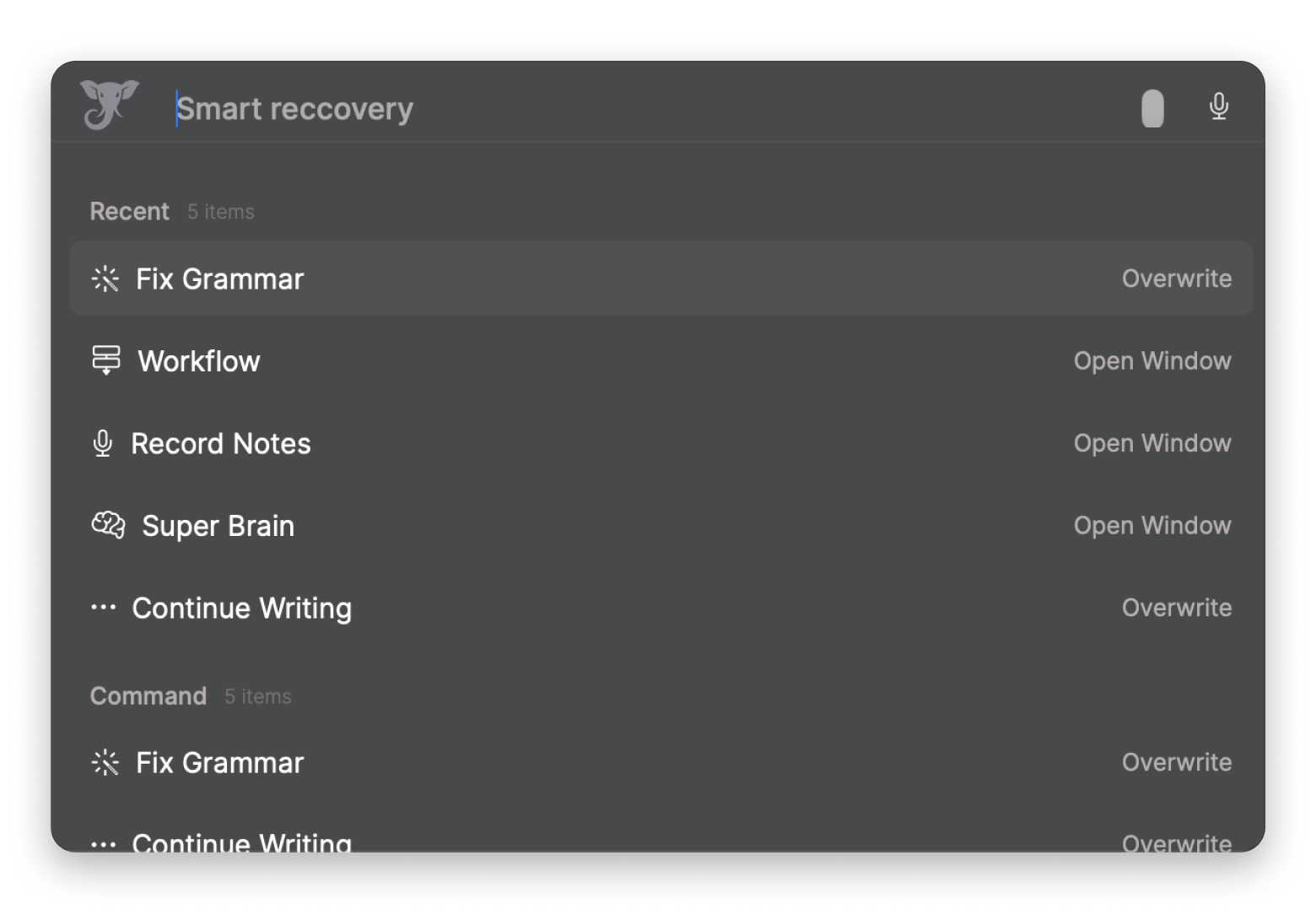
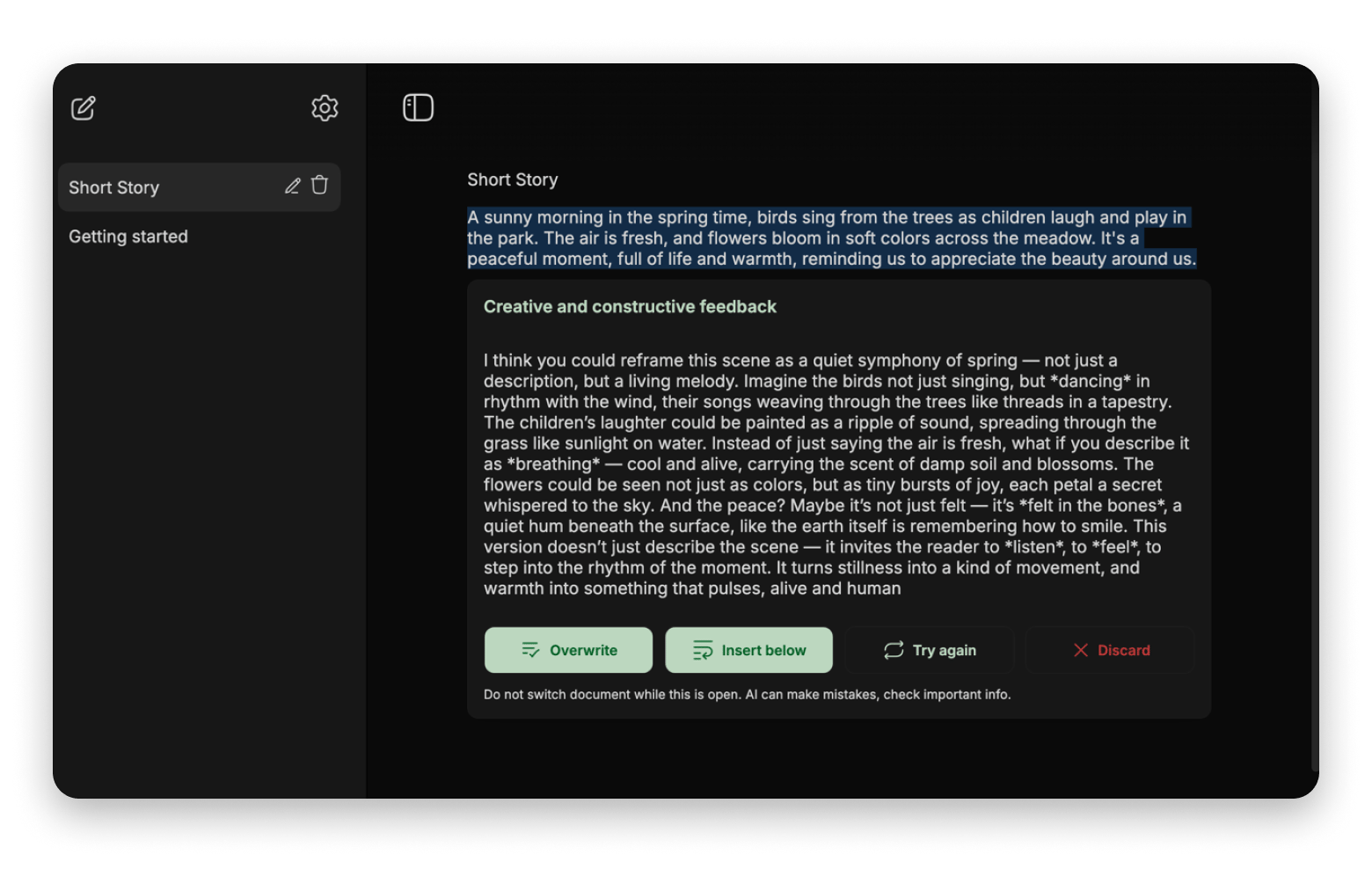
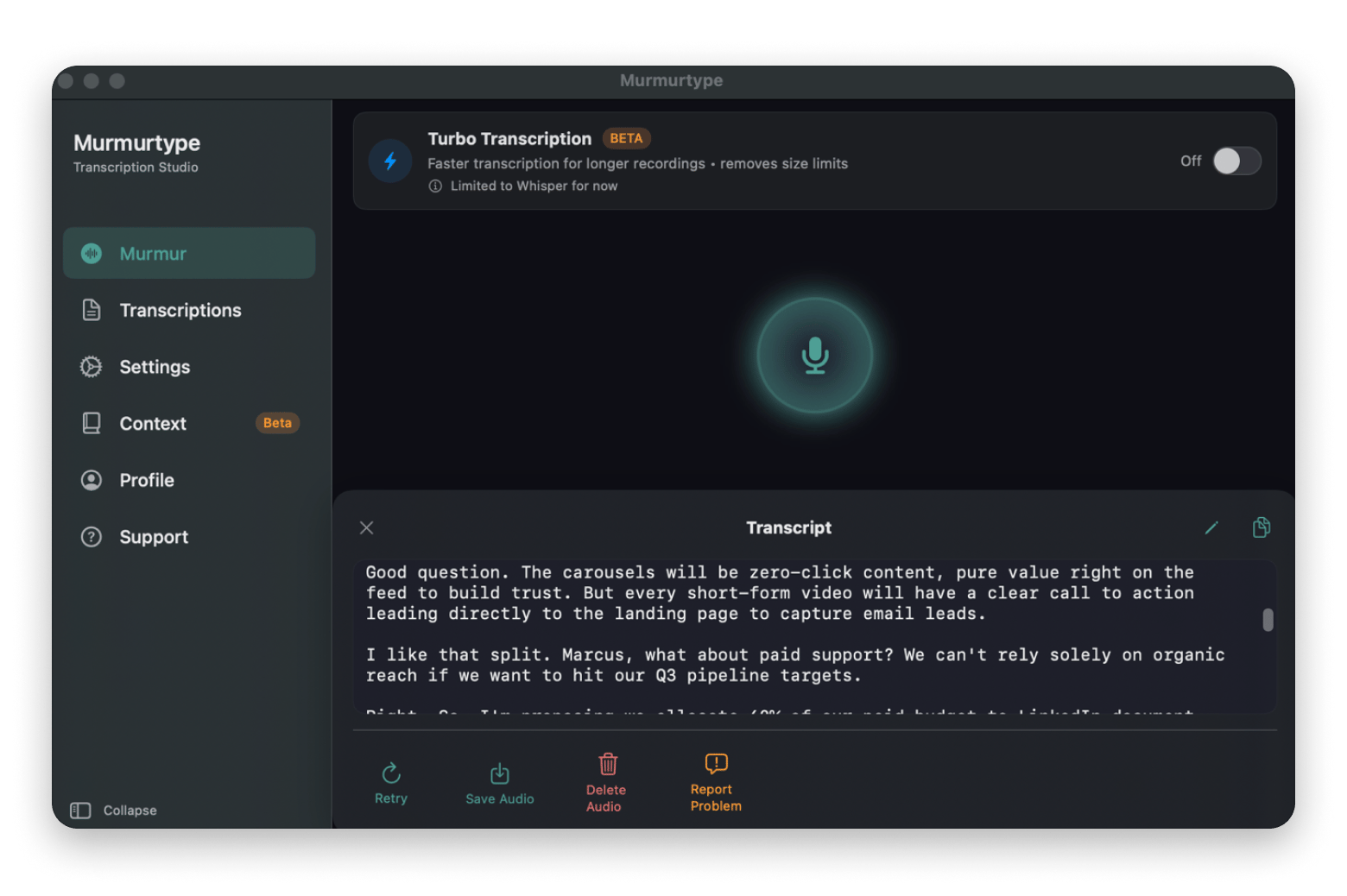
Elephas — best for writing in any app; highlight text, press Option + Space, and AI runs system-wide with online or offline models.
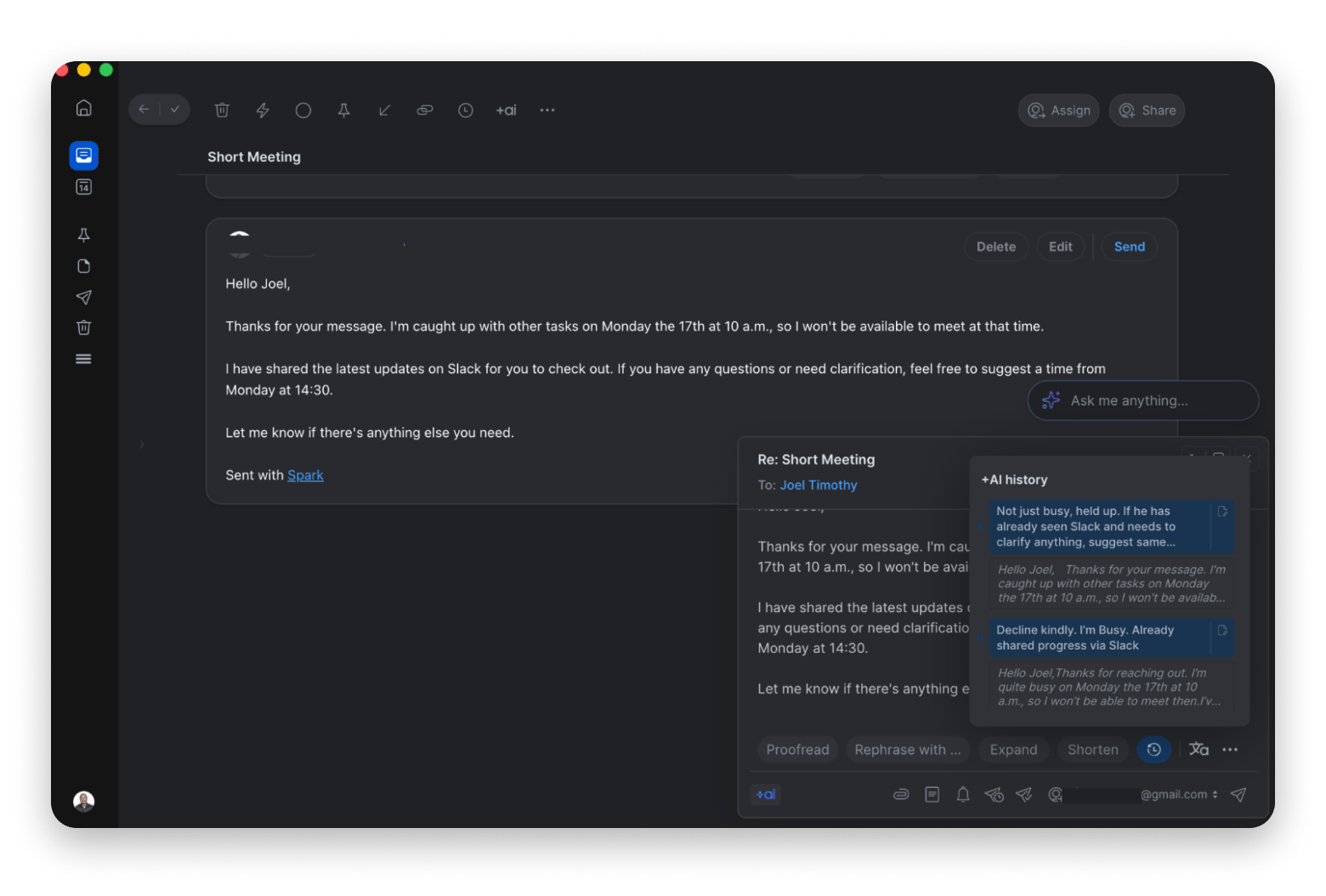
Amie — best for meetings and scheduling; records calls automatically, then writes summaries and action items.
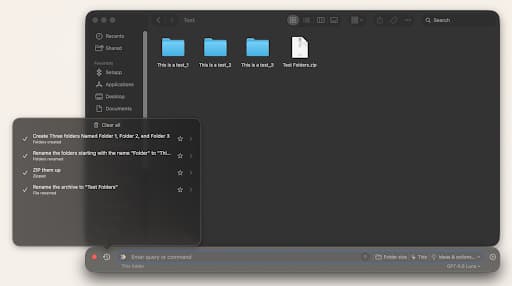
Substage — best for file automation; tell it "Convert the images to jpg" and it acts in Finder, with a Safety Simulator that warns before risky actions.
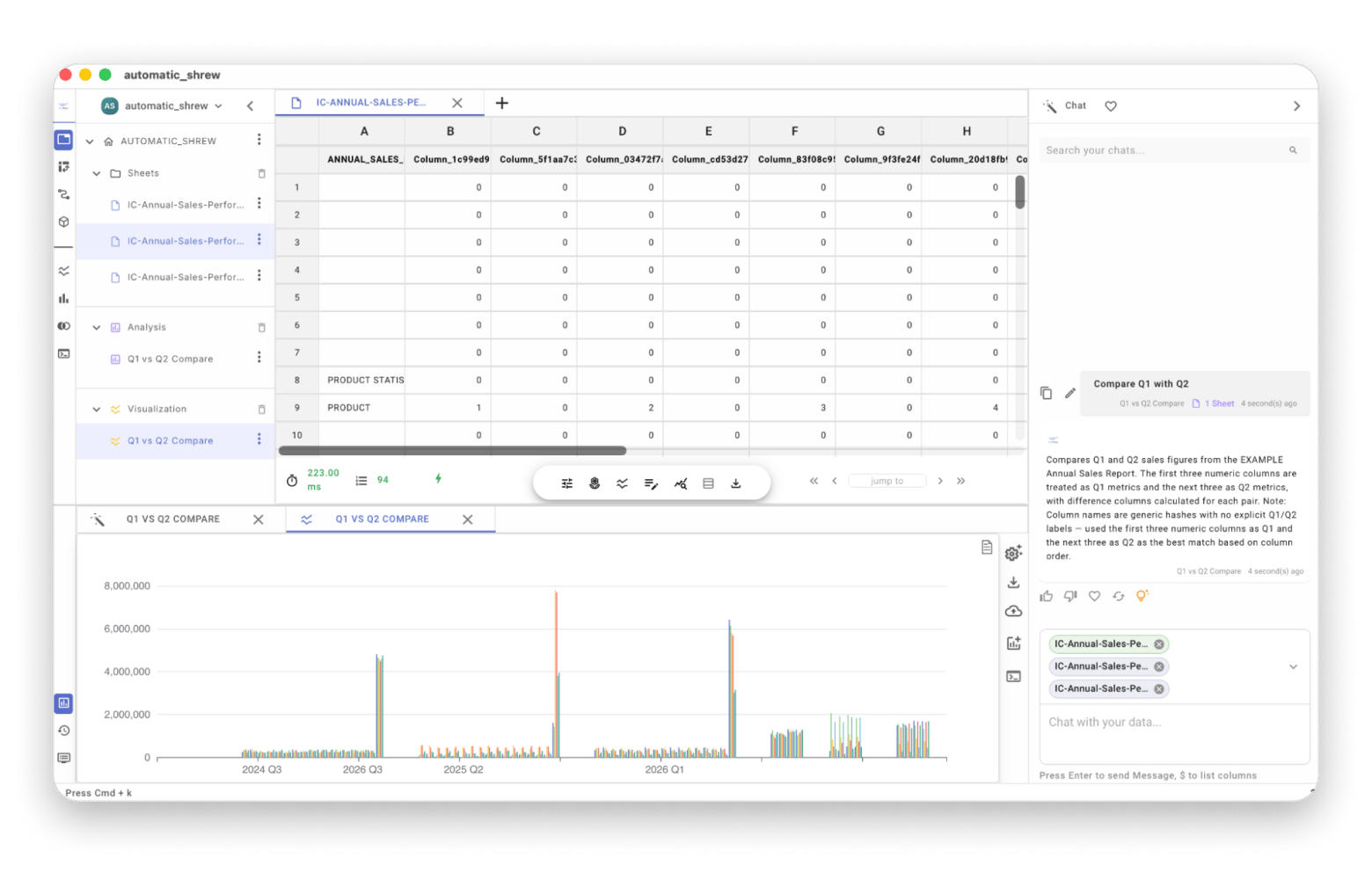
OrcaSheets — best for data analysis; ask questions about your data in plain English, with no file size limit and 100% local processing.
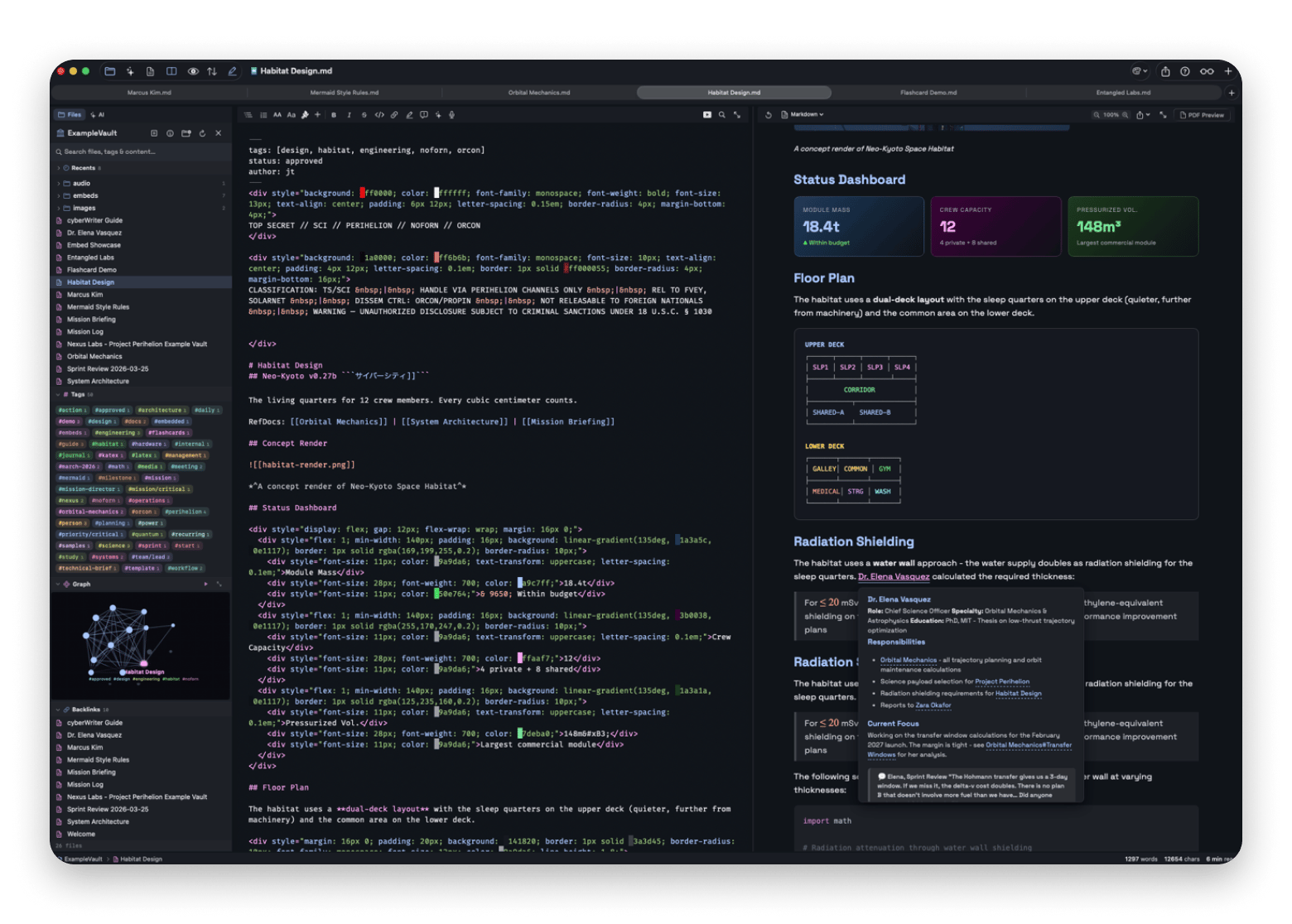
Luminar Neo — best for photo editing; one-click AI tools for sky replacement and object removal, and your photos never leave your Mac.
All apps are included in Setapp Membership — try them FREE for 7 days. Cancel before day 7 = $0.
Over the last two years, Mac AI apps have moved from better ChatGPT interfaces to more hands-on tools. Lately, I’ve tested over 50 Mac AI apps, and I’ve only kept the best AI apps that fit directly into most everyday Mac workflows.
I’ll show you the top AI apps for Mac 2026 that can simplify a specific part of your everyday Mac life.
Best AI apps across 5 categories
We’ll get into the apps and details in a moment, but I’ve picked one from each of the 5 categories we’ll cover to give you a quick overview.
A good Mac AI app in 2026 removes a step from your workflow, feels native to macOS, and is upfront about whether it processes data locally or in the cloud.
Mentioning AI has become the modern selling point for apps, but I’ve learned that it shouldn’t influence my choice of apps. Some apps add AI to bring in intelligence but instead just add extra steps to otherwise simple tasks.
So, rather than letting myself get overwhelmed by the explosion of AI apps, I consider how AI changes the way I complete tasks.
The first thing I check for is whether the AI app removes a step from my workflow. If I still have to copy and paste between three apps or explain the same context over and over, I drop it because it creates another job for me.
I also look at how well the app fits into macOS. It should at least have a Mac-native design. If I can use its functionalities without opening the full app, even better.
Lastly, I consider whether the app uses local, cloud, or hybrid processing. I actually need an app for each category, but it’s good to establish this up front so I know what data I can share with the app.
Elephas — Best system-wide AI writing assistant
Elephas is an AI writing assistant and knowledge base tool from Setapp. It lets you create a reference base using your own documents and also invoke AI writing assistance from anywhere on your screen.
Why Elephas beats standard web chatbots
When you open a browser tab to an AI tool, there’s a lot of back and forth to provide the necessary context. Elephas streamlines this process by creating an invisible AI layer across your Mac.
When I need to rewrite or refine text, I just highlight it and hit Option + Space. And when I need to know what we discussed in a creative meeting 2 months ago, I can ask my meetings brain.
Elephas key capabilities
The Super Command hotkey significantly reduces app switching.
Personal Brains knowledge base lets you quickly reference information related to your work.
You have access to multiple online and offline AI models.
Things about Elephas to keep in mind
The full offline mode requires downloading an offline model (within the app).
Local AI works best on Apple Silicon Macs.
Elephas macOS integration & privacy
The app’s system-wide integration and overall design give the AI productivity tool a Mac-native feel. The local AI mode also offers greater privacy than cloud processing.
Pinchbar — Best inline text action & clipboard AI tool
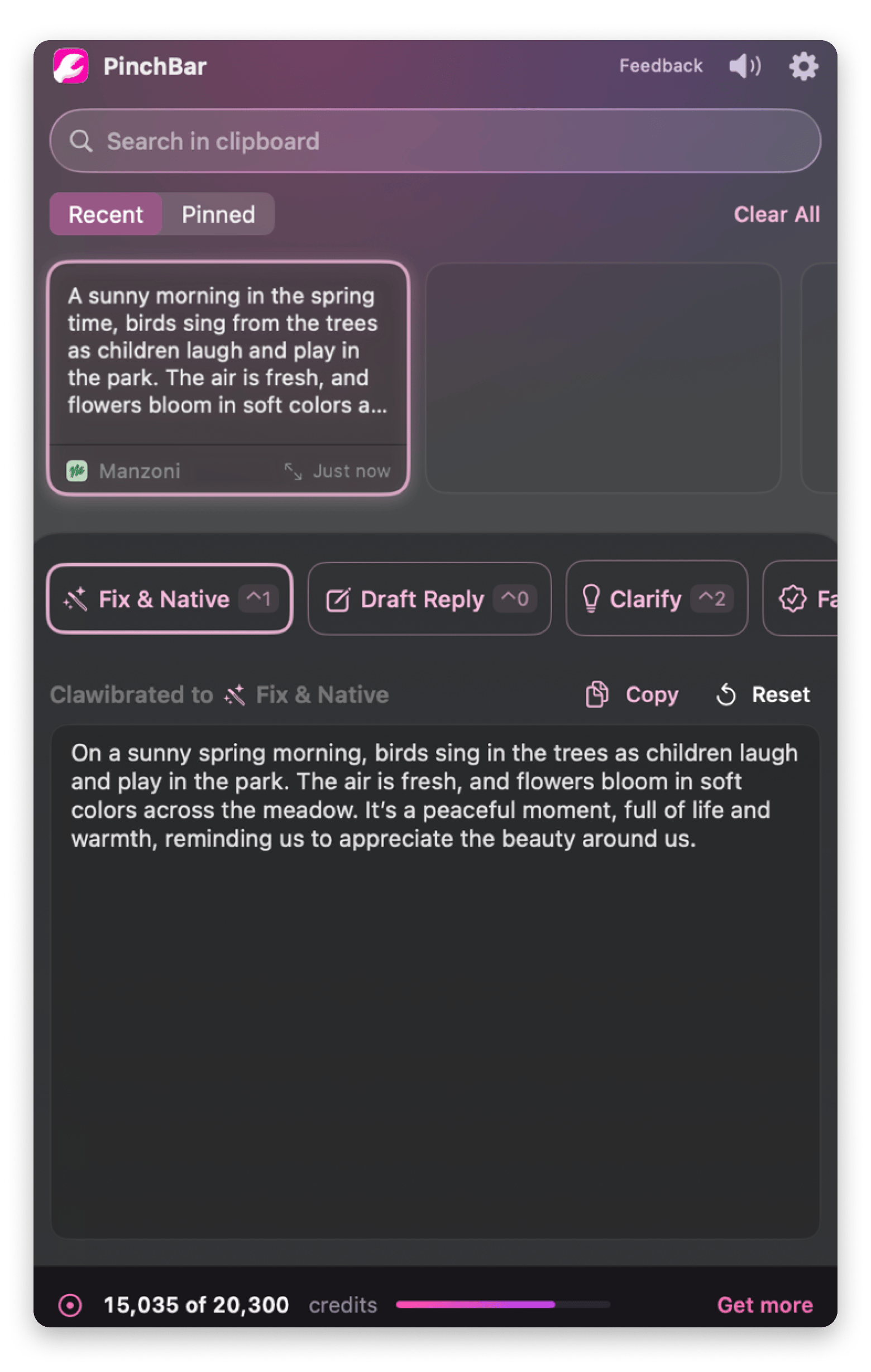
Pinchbar from Setapp is a pop-up AI tool built for those little bits of text that keep interrupting your workflow. It pops up when you highlight text and tracks copied pieces to allow AI manipulation immediately or later.
pinchbar-menu-bar-interface
The menu bar interface of Pinchbar, a Mac AI app for inline text & clipboard actions available on Setapp.
Why Pinchbar beats standard web chatbots
What I like most about Pinchbar is the speed. When I’ve written a rough email or paragraph, I can just highlight it, click the Pinchbar pop-up icon, and select an action. This avoids the familiar copy > browser > copy routine and saves me precious focus time.
Pinchbar key capabilities
The ⌃C shortcut and pop-up offer smart actions to manipulate text: summarize, fact-check, fix, clarify, translate, structure, shorten, expand, draft reply, or create action items.
Each action can be called up with a separate hotkey. For example, Control+4 to summarize, or Control+3 to fact-check.
Sensitive data lock prevents copying of sensitive data like passwords and tokens.
Clipboard history search allows you to revisit text you copied earlier.
Things about Pinchbar to keep in mind
Requires macOS 15+ for on-device Apple Intelligence. Older macOS versions fall back to cloud.
Works best with short-to-medium text
Pinchbar macOS integration & privacy
Pinchbar pops up automatically, works with keyboard cuts, and even appears on the top side of the screen when you long-press Control. It heavily relies on local Apple Intelligence and doesn’t save copied passwords.
cyberWriter — Best private Markdown editor with visual graph
cyberWriter from Setapp is a Markdown writing environment that lets you render complex data, such as graphs and charts, without installing third-party add-ons. It keeps a visual map of your notes and documents to connect your projects and uses zero-config local AI models for privacy.
Why cyberWriter beats standard web chatbots
Standard web chatbots are isolated in a chat box. cyberWriter is deeply integrated into macOS and is a Markdown-first workspace. There’s no need to copy-paste, and you can connect to all your Markdown projects.
cyberWriter key capabilities
Vault Map gives you a zoomable and clickable visualization of every page
Its AI-powered writing assistant runs entirely on your Mac and can generate information using your local documents.
Things about cyberWriter to keep in mind
cyberWriter is more of a writing and thinking environment than a project management tool.
cyberWriter macOS integration & privacy
cyberWriter is deeply integrated into macOS and takes advantage of Apple Intelligence and local AI tools to offer privacy for sensitive projects.
cyberWriter pricing
Available on Setapp for $17.99 as a standalone app.
BoltAI — Best all-in-one multi-LLM workspace
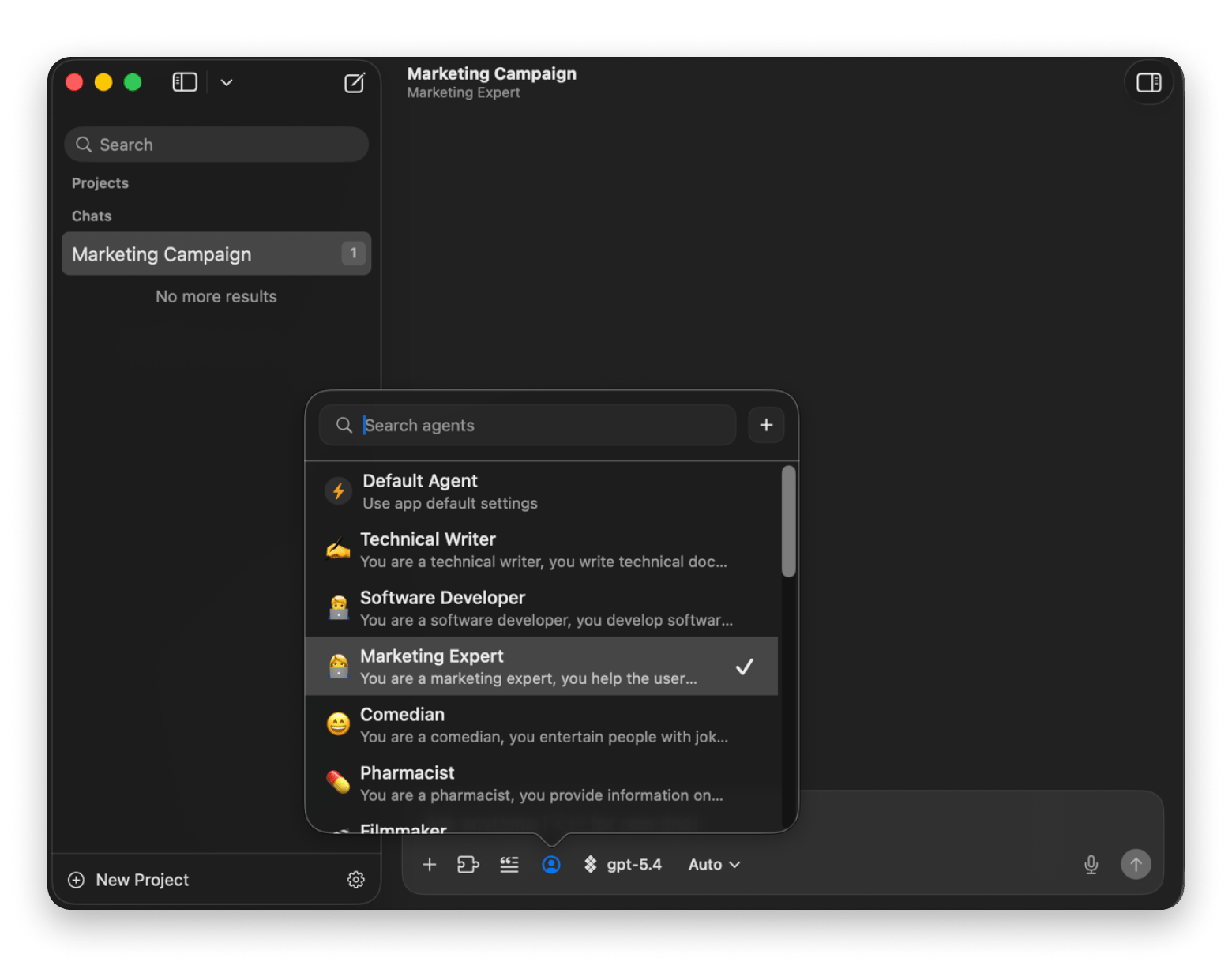
BoltAI from Setapp is an AI chat tool that combines multiple AI models (such as ChatGPT, Claude, and Gemini) into a single interface. It comes with 30+ dedicated assistants, and you can also build reusable workflows.
Why BoltAI beats standard web chatbots
Instead of switching between browser tabs to compare AI results, you can just use BoltAI. You can then create custom workflows and invoke a chat window anywhere on Mac instead of switching to the app.
BoltAI key capabilities
You can choose between 300+ AI models.
You can create specialized assistants to simplify your work.
Things about BoltAI to keep in mind
BoltAI is more of a multi-LLM workspace than a system-wide writing overlay like Elephas.
The range of models can feel overwhelming to new AI tool users.
BoltAI macOS integration & privacy
BoltAI has a Mac-native interface and integrates well with macOS through shortcuts. It stores your API keys on iCloud, but the overall privacy depends on the AI provider you choose.
Spark Mail is a smart email client from Setapp built around helping users get through a busy inbox. It uses AI to organize your emails and reduce the time and effort you spend on email triage and drafting.
Why Spark Mail beats standard email clients
Spark Mail pulls all the information you need from your attachments and calendar events to make it useful in the middle of larger work. Instead of going through 50 emails, I just ask the AI assistant, “What needs my attention?” I then use it to quickly draft a response.
Spark Mail key capabilities
AI thread summarizer provides all necessary context without long reads.
Smart replies give you one-tap replies and generate ready-to-use responses with a single click.
Things about Spark Mail to keep in mind
While the AI assistant reduces the inbox volume, you still need to configure folder rules manually for the best results.
Spark Mail macOS integration & privacy
Spark Mail has a sleek design and reduces email friction by integrating email and calendar into a single platform.
Manzoni is a privacy-first, distraction-free macOS word processor that relies on local AI to help draft text. It’s the best AI writing assistant when you want to polish sensitive documents without sending them to a cloud service.
Why Manzoni beats standard AI editors
You can install Qwen, Mistral, Llama, or GPT-oss models and use them within the app to rework your text offline. It's a great alternative to BoltAI and Elephas for journalists, authors, and legal professionals who can't rely on cloud uploads.
Manzoni key capabilities
100% offline AI models you can download within the app.
35+ prompt templates to quickly rework your text.
Things about Manzoni to keep in mind
Local AI may be less capable than cloud services for complex reasoning.
Manzoni macOS integration & privacy
Manzoni is deliberately lightweight and uses Markdown to simplify writing. The fully offline processing also means that you’ll get the highest level of AI privacy.
The lifetime license on Setapp for $59.00 for 3 Macs.
Finally, the noise from my fan is gone, and I can attend meetings without getting hot, hahaha.Naufalwibi, Jan 15, 2026
What are the best AI apps for meetings, audio, and voice dictation
A while back, meetings meant I had to take notes during the conversation and then figure out what to do with everything that came out of it.
Now, I leave much of this to Mac-native AI productivity tools because they can create a transcript, pull out action items, and send them directly to my notes app. I find that these work better than browser-based options as they process in the background, have no Electron overhead, and still integrate with my calendar.
Here are the top AI apps for Mac 2026 in this category.
Best Mac AI assistant apps for writing, text transformation, and communication: Quick overview
Amie — Best AI productivity calendar & meeting note-taker
Amie is one of the best productivity tools from Setapp because it combines a calendar, task manager, and meeting note-taker into one workflow. It records meetings automatically in the background, then handles the boring post-meeting tasks like creating action items and sending them to your main task manager.
Why Amie beats standard note-takers
Instead of getting a wall of text after the meeting, I’ve connected Amie to my email, calendar, and Notion so it can handle everything. It gives me the transcript, notes, and action items to let me jump straight into other tasks.
Amie key capabilities
Amie works in the background (no bot) and supports Zoom, Google Meet, Teams, and other apps.
When you have back-to-back calls, it automatically splits them to keep each separate.
Things about Amie to keep in mind
While Amie records in the background, some jurisdictions still require consent from participants.
Amie macOS integration & privacy
Amie’s calendar and task integration make it feel like a complete macOS tool. Notes and task processing are handled via the cloud by the selected AI provider.
Just tried this for the first time on a Teams meeting - Love it! I need to find a manual / tutorial to learn how to get the most from this but it is brilliant.Jon Burton, Jun 5, 2026
JoyCast — Best AI audio & microphone enhancement tool
JoyCast is a Setapp meeting companion that uses AI to enhance your audio before and during a meeting. It removes background noise and echo, then subtly stabilizes your voice. It also has a video preview option you can use to prepare for a meeting.
Why JoyCast beats standard audio tools
A standard audio tool helps you ensure you are audible, but I like JoyCast because it makes me sound more professional. No echoes, cats meowing, or not-so-expensive microphone artifacts that make it harder for people to follow me.
JoyCast key capabilities
The studio voice enhancement improves voice in real time.
AI noise and echo removal ensures that I don’t have to keep apologizing for background noise.
Things about JoyCast to keep in mind
For first use, you need to select JoyCast as your default microphone in macOS Sound settings.
JoyCast macOS integration & privacy
JoyCast uses local AI to enhance audio at the input level, so you won’t have to change how you use your apps.
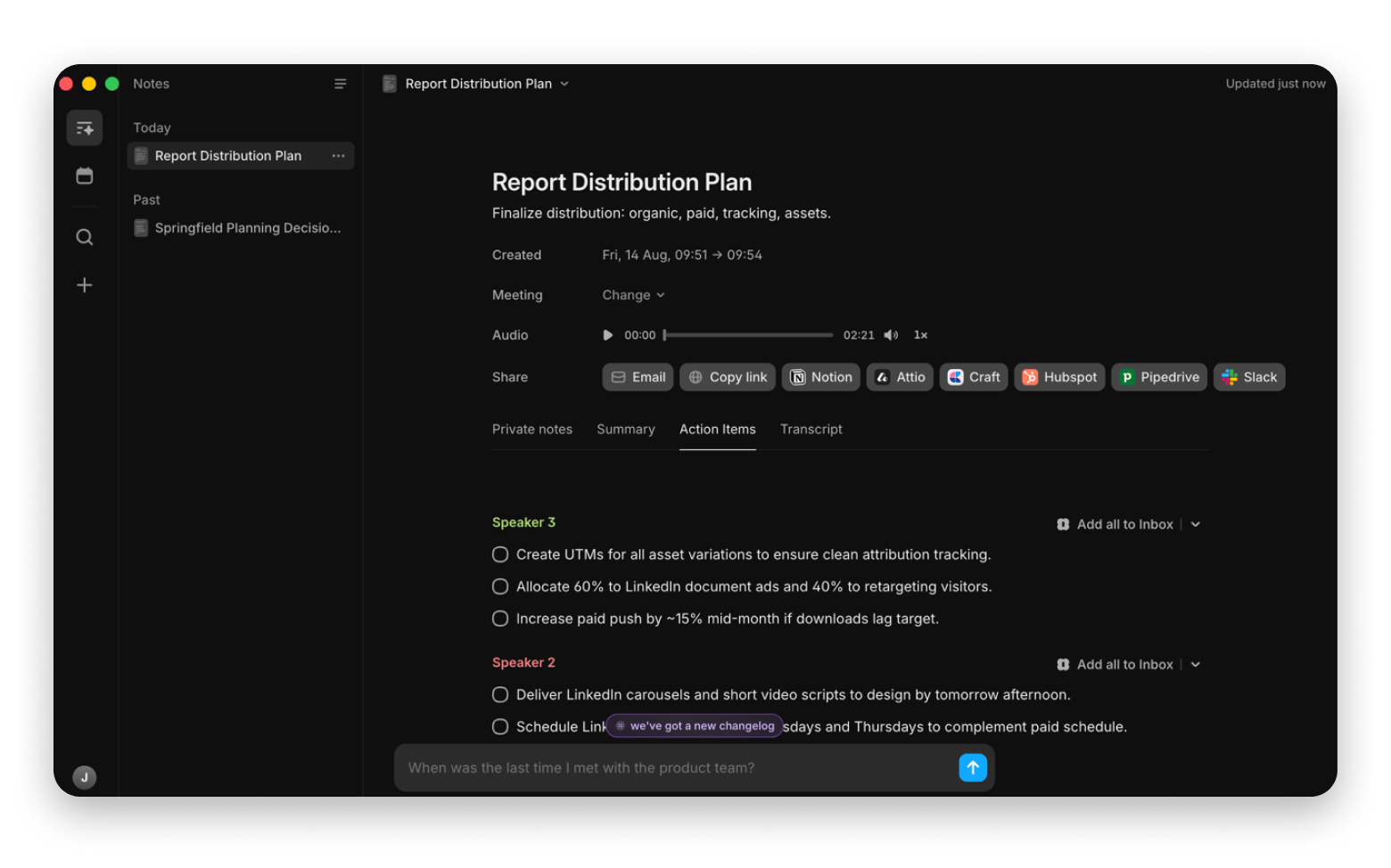
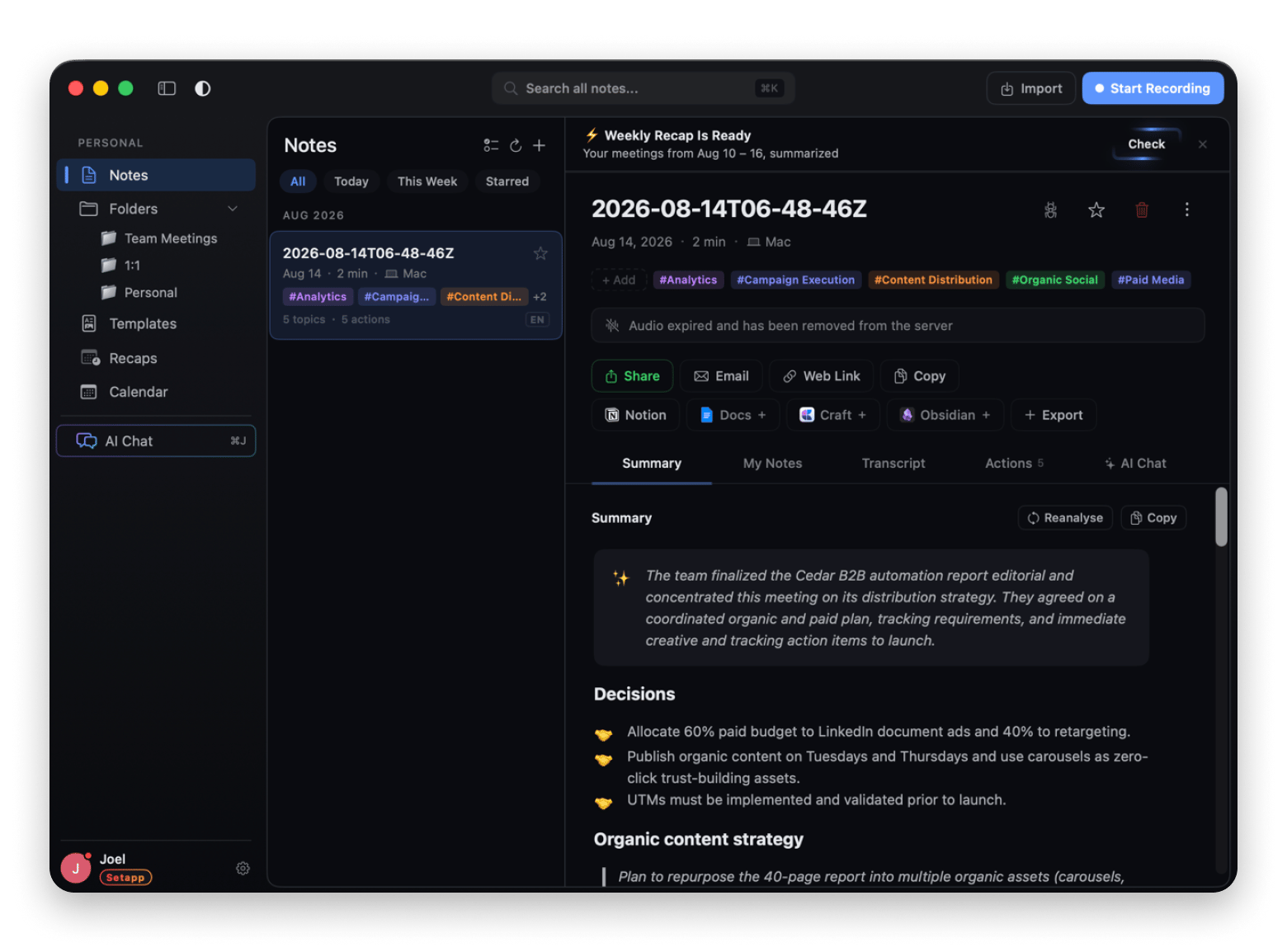
Spellar AI from Setapp is a meeting assistant that largely focuses on recording and post-processing rather than management. It integrates with your calendar and summarizes conversations, creates action items, and lets you send them to your workspace.
Why Spellar AI beats standard meeting tools
SpellarAI beats standard meeting apps in its post-processing details. Besides notes and calendar integration, you get weekly recaps, tags, and an AI chat app. The latter helps me when I’m stuck during a meeting or when I want to confirm specific details without reading through summaries.
Spellar AI key capabilities
It creates a transcript, summaries, and action items, then lets you export them to Craft, Notion, Docs, and other platforms.
The AI chat assistant can give you voice analytics and suggestions to improve your speech.
Things about Spellar AI to keep in mind
The interface can look a bit too detailed for beginners, but it’s easy to use.
Spellar AI macOS integration & privacy
Spellar AI works in the background with a menu bar icon you can use to check upcoming meetings and start recordings. It offers multiple AI providers to choose from, including local options for lighter tasks.
MurmurType — Best system-wide voice dictation utility
MurmurType from Setapp is a dictation app that turns your speech into text from wherever you are on your Mac. When you don’t want to type a long note or message, you can use MurmurType to speak naturally, and it will send the text to your clipboard.
Why MurmurType beats standard transcription tools
You can invoke MurmurType any time you want to jot down some quick thoughts. It also allows you to download local AI models for privacy and edit the transcribed text automatically based on a preset prompt.
MurmurType key capabilities
Whenever you hold Command + Y (or a custom hotkey), MurmurType will start listening and copy the text after you finish.
Its local AI models allow 100% local processing.
The app supports 50+ languages with a translation option.
Things about MurmurType to keep in mind
Accuracy of local models drops in noisy environments or fast/unclear speech.
MurmurType macOS integration & privacy
MurmurType’s system-wide design means it doesn’t interrupt your workflow. It also works with local AI models for maximum privacy.
Transcrybe — Best on-device real-time audio translator
Transcrybe is a real-time AI transcription and translation app that processes speech locally on your device. It renders live captions, so you can use it for multilingual meetings and interviews.
Why Transcrybe beats standard transcription tools
The best part of Transcrybe is that it renders captions in real time, making it easy to follow a conversation. It also lets you add translated captions.
Transcrybe key capabilities
You can turn spoken conversations into text as you talk.
It uses a combination of Apple Intelligence and Whisper to process audio and text offline.
Things about Transcrybe to keep in mind
Whisper models often struggle with heavy accents and technical jargon.
Transcrybe macOS integration & privacy
Transcrybe integrates with Apple Intelligence to make processing faster and more private. It also floats translucently on top of other apps to allow multitasking.
What are the best AI apps for macOS automation, system, and file management
Since Mac AI assistant apps are much more capable than they were two years ago, we’re slowly moving from asking AI “How do I do this?” to “Can you just do it?”
You can now tell AI to organize your Desktop folder, find a file, or perform other actions that would normally take tons of clicks. It’s a great way to remove the small bits of friction that add up throughout the day.
Here’s a quick overview of the apps we’ll look at.
Best AI apps for macOS automation, system, and file management: Quick overview
Substage — Best natural language command bar for Finder
Substage from Setapp is a natural-language command bar that lets you perform actions on Finder by simply telling it what to do. You can use it to organize files, perform quick conversions, or control system settings.
Why Substage beats standard file management tools
Instead of replacing Finder, Substage hangs just below it and acts from natural language. I don’t need to cram and write complex Terminal commands, as I can just tell it “Convert the images to jpg.”
Substage key capabilities
The Safety Simulator assesses action risk levels and warns you before sensitive actions.
Its Instant Actions feature suggests relevant 1-click actions depending on your selected file or the open folder.
You can choose between multiple models like GPT, Claude, Mistral (local), and Gemini.
Things about Substage to keep in mind
The default models send file names and task descriptions to the cloud. Set up a local model for sensitive files.
Not a replacement for Automator or Shell scripting if you work on advanced workflows.
Amazing. Didn't know I needed this. Works great.Kenneth, Jul 21, 2025
Substage macOS integration & privacy
Substage works directly with Finder, which makes using Mac much easier. Processing happens locally, but the instructions are interpreted in the cloud. You can configure a local model to keep everything on your Mac.
To get the best value, use Substage as part of the Setapp AI toolkit.
Refolder — Best automated background file organizer
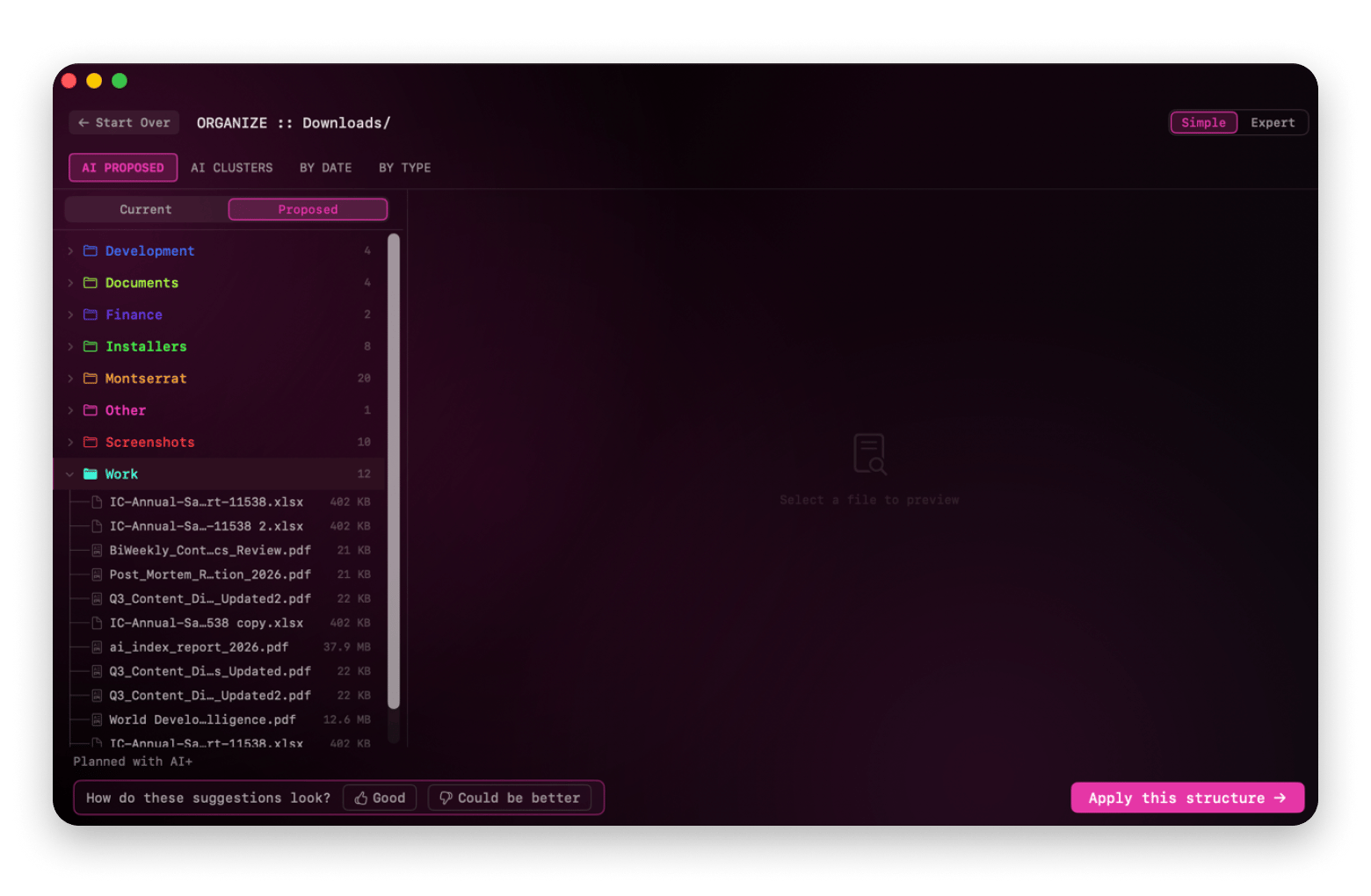
Refolder is an AI-powered file organizer from Setapp that watches your files, analyzes them, and automatically sorts them in the background. If you have a specific messy folder, you can also sort it with Refolder. It uses AI to suggest file structures and learns how you like to organize your files over time.
Why Refolder beats standard file management tools
Unlike standard file management tools, Refolder watches your files. I’ve pointed it to my Downloads and Desktop folders, and it does a cleanup once every day.
Refolder key capabilities
Automatic folder watching means that your Mac never gets messy.
Batch smart renaming lets you apply a file pattern such as Invoice_{Company}_{Date} across multiple files.
Before giving it access to your entire home directory, start with a less-sensitive folder like Downloads.
Things about Refolder to keep in mind
Automatic folder watching means that new files are moved without your knowledge.
Refolder macOS integration & privacy
Refolder fits directly into the macOS ecosystem by watching your files and organizing them in the background. Only the file names are uploaded, but you can also select Apple Intelligence to process everything locally.
Soulver is a smart notepad calculator from Setapp that lets you do math with everyday language. Instead of switching between a notes app and a calculator, you can just write “3 weeks at $120/day + 20% VAT in EUR” and get the result immediately.
Why Soulver beats standard notes apps
Standard calculators and notes apps specialize in only one area. Soulver covers both. I use it to plan small budgets and calculate taxes while taking notes in natural language.
Soulver key capabilities
Natural language support allows you to write calculations the way you would describe them.
Live currency and unit conversion do conversions to eliminate web searches.
You can assign variables like rate = $150, days = 12, and expenses = $340, then use them throughout the note.
Things about Soulver to keep in mind
Soulver doesn’t replace spreadsheets. It works better for individual calculations.
Soulver macOS integration & privacy
Soulver integrates with Automator and Spotlight. Data processing is done locally.
What are the best AI apps for data analytics, research, and knowledge management
A financial analyst working with a 500,000-row CSV doesn’t need to keep writing queries and formulas given the capabilities of current AI tools. And neither does a researcher need to read through a 72-page PDF before a deadline just to understand what it’s all about or find specific information.
Apple Intelligence is significantly helping with this through its Apple Foundation Models (AFM), but there are still more dedicated tools that make the process much easier.
Here are the best AI tools for Mac in this category.
Best AI apps for data analytics, research, and knowledge management: Quick overview
On-device summarization and automatic Mermaid diagrams
Local
Included
OrcaSheets — Best AI data & spreadsheet analytics tool
OrcaSheets from Setapp is a natural language AI tool meant to simplify querying complex spreadsheets. Instead of building formulas or learning SQL, you can ask questions about your data and even build graphs in plain English.
Why OrcaSheets beats standard spreadsheet tools
While ChatGPT and other AI tools can process Excel files, you can’t paste a 1GB file.
OrcaSheets doesn’t limit the file size or number of rows. It also keeps data local, which allows you to process sensitive financial or employee files. You can connect 20+ databases, warehouses, and file formats, then query them in seconds.
OrcaSheets key capabilities
Natural language processing means that you don’t need to know formulas and SQL.
Local data processing means that there’s no file size limit (unlike cloud apps).
Things about OrcaSheets to keep in mind
It’s not a replacement for Excel or Google Sheets if you want extensive data editing or collaborative workbooks.
OrcaSheets macOS integration & privacy
The app is Mac-native, and its local data processing avoids the privacy risk of cloud services.
BeeMind — Best AI "second brain" & research memory
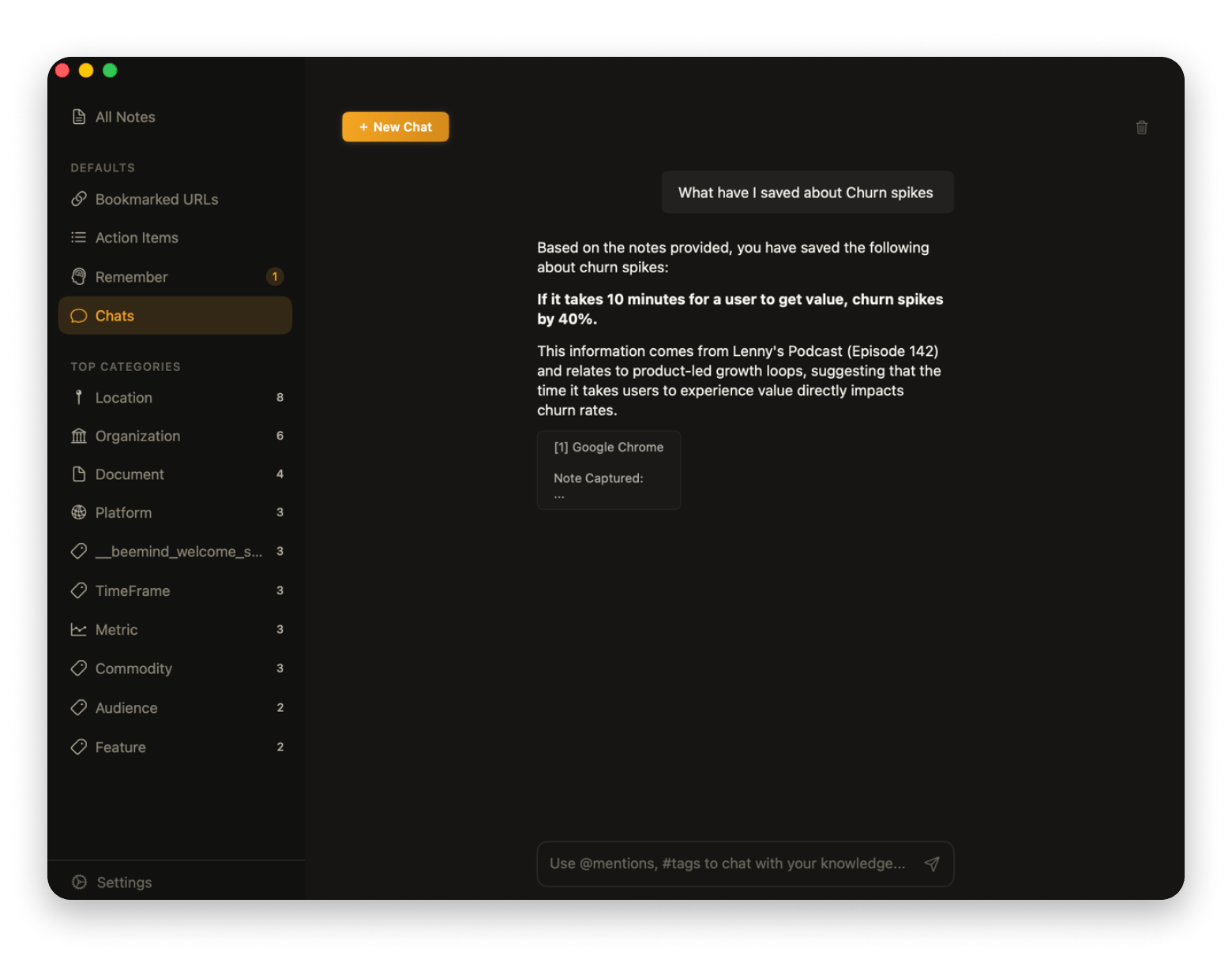
BeeMind is an AI knowledge management tool from Setapp that helps users build a personal library of information they want to remember later. Instead of keeping useful material scattered across apps and note-takers, you can capture it in BeeMind and use AI to find connections or query the database.
Why BeeMind beats standard note-taking tools
BeeMind connects information much better than standard note-takers, and it also makes capturing information much easier. When I see something interesting, I just highlight the text > Services > Save to BeeMind. Even months later, I can just ask BeeMind to retrieve all information I’ve saved about a particular topic.
BeeMind key capabilities
Instant capture is available via hotkey (Control + Command + B) or Services. It avoids switching apps.
Its semantic Q&A allows users to ask questions about their saved information in natural language.
The app uses SM-2 spaced repetition to help you schedule and review notes and snippets before you forget about them.
Things about BeeMind to keep in mind
The app’s value increases as you build up a useful library of information.
BeeMind macOS integration & privacy
BeeMind is integrated into macOS services and also captures with a hotkey. The processing is done by OpenAI by default, but you can still configure a local LLM.
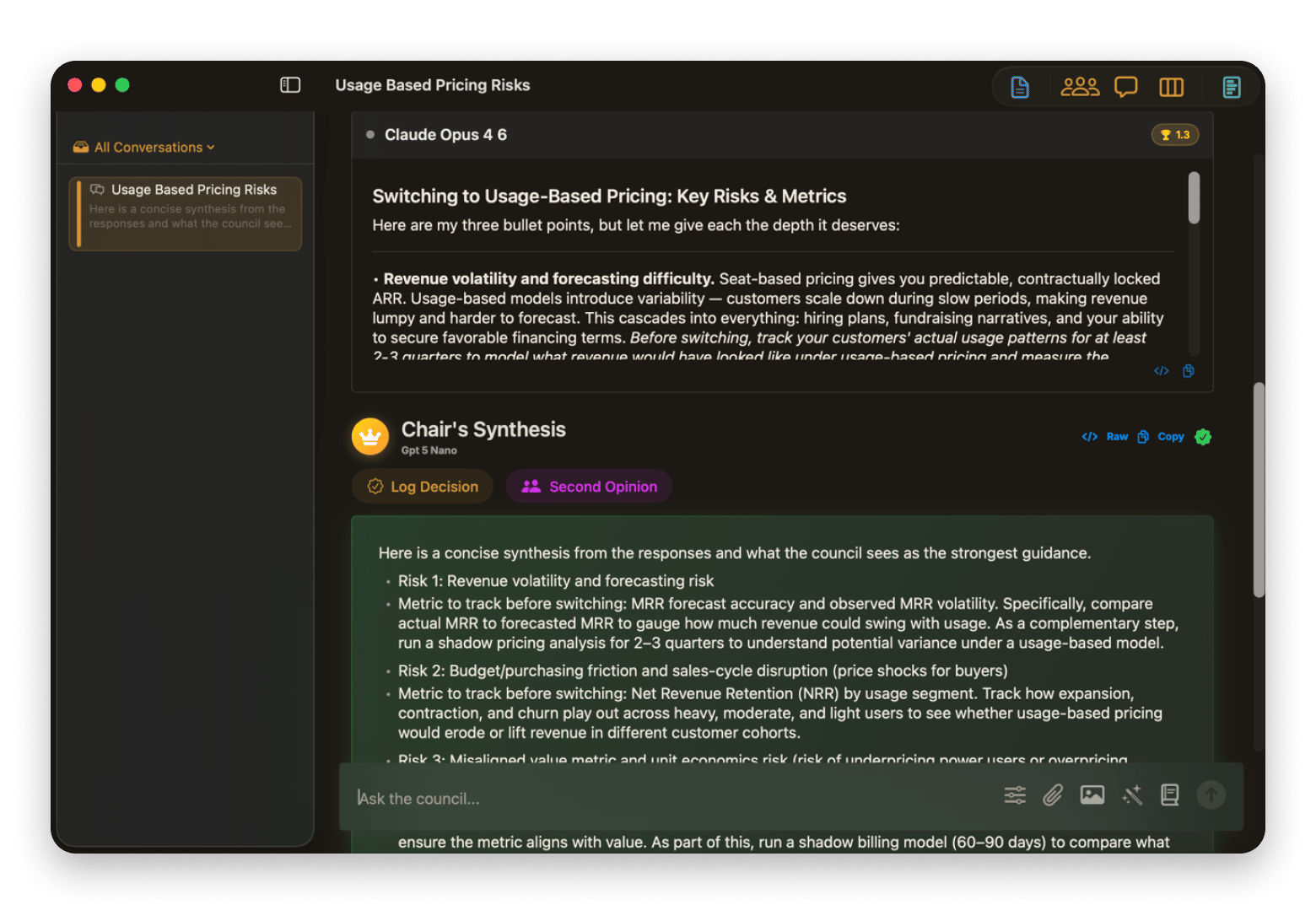
AI Council from Setapp is built to help you compare responses from different AI models and pick the best points from all three. You only need to send a single prompt, and your selected models will provide their answers. The council chair will then give you its final weighted answer.
Why AI Council beats standard chatbots
Each web chatbot has its strengths and weaknesses. Instead of switching between tabs and then trying to pick something from each, AI Council handles all that on my behalf. I find it particularly useful for decision-making and analysis.
AI Council key capabilities
Its parallel multi-model support allows you to send the same prompt to multiple AI models simultaneously.
The models analyze the responses without knowing the model that produced them.
Things about AI Council to keep in mind
Using several models for one question consumes more AI credits than a single query.
AI Council macOS integration & privacy
AI Council is well-designed and works seamlessly on Mac, but all selected models process data in their own cloud.
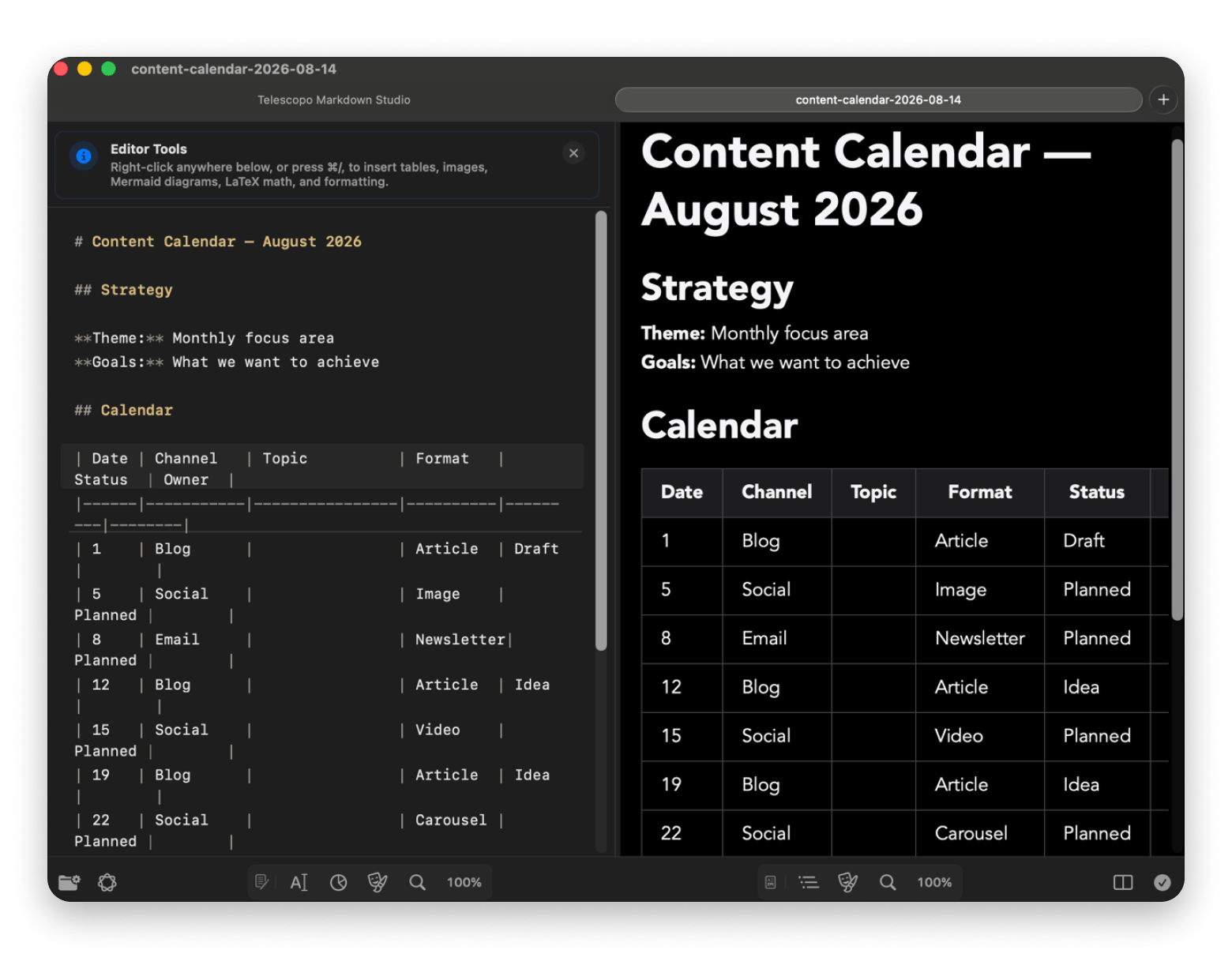
Telescopo from Setapp is a powerful Markdown workspace that lets you create, view, analyze, and export Markdown documents. It makes it easy to use advanced Markdown tools without memorizing syntax and gives you a live preview of the changes you make.
Why Telescopo beats standard Markdown tools
Standard editors require internet access, third-party browser extensions, or heavy command-line tools to convert Mermaid text into a visual diagram. Telescopo doesn’t. And it still gives me an AI live chat tool I can use to ask about my document or edit it.
Telescopo key capabilities
Telescopo’s on-device AI processing lets you summarize documents without leaving the workspace.
Auto Mermaid diagrams let you turn structured information into visual diagrams with AI assistance.
Things about Telescopo to keep in mind
Mermaid diagram accuracy depends on how clearly structured the source prose is.
macOS 15+ required for Apple Intelligence features.
Telescopo macOS integration & privacy
Telescopo is Mac-native and works with Apple’s on-device AI processing.
LazyReel — Best for editing short-form videos fast
LazyReel is an AI video editor from Setapp that simplifies editing raw footage into polished videos. It still gives you advanced features and layers all types of audio and video in timelines, but it offers many Auto-edit options that speed up the editing process.
Why LazyReel beats standard video editors
The part I like about editing with LazyReel is that it feels more like editing a document. If I need to remove a sentence from the audio, I can just delete the words from the transcript. It will then auto-sync the captions, B-roll, and everything else.
LazyReel key capabilities
The Auto Edit feature gives you the first cut by removing fillers and adding effects, music, and B-roll.
AI voice repair and transcript-based editing mean that you don’t have to re-record.
Things about LazyReel to keep in mind
Most of the auto-edit features are aimed at short-form social media videos.
LazyReel macOS integration & privacy
LazyReel has a Mac-native feel. Regeneration requires advanced cloud models like Veo 3, but you can render locally on your Mac and export in up to 4K.
Luminar Neo — Best AI-powered photo editor for Mac
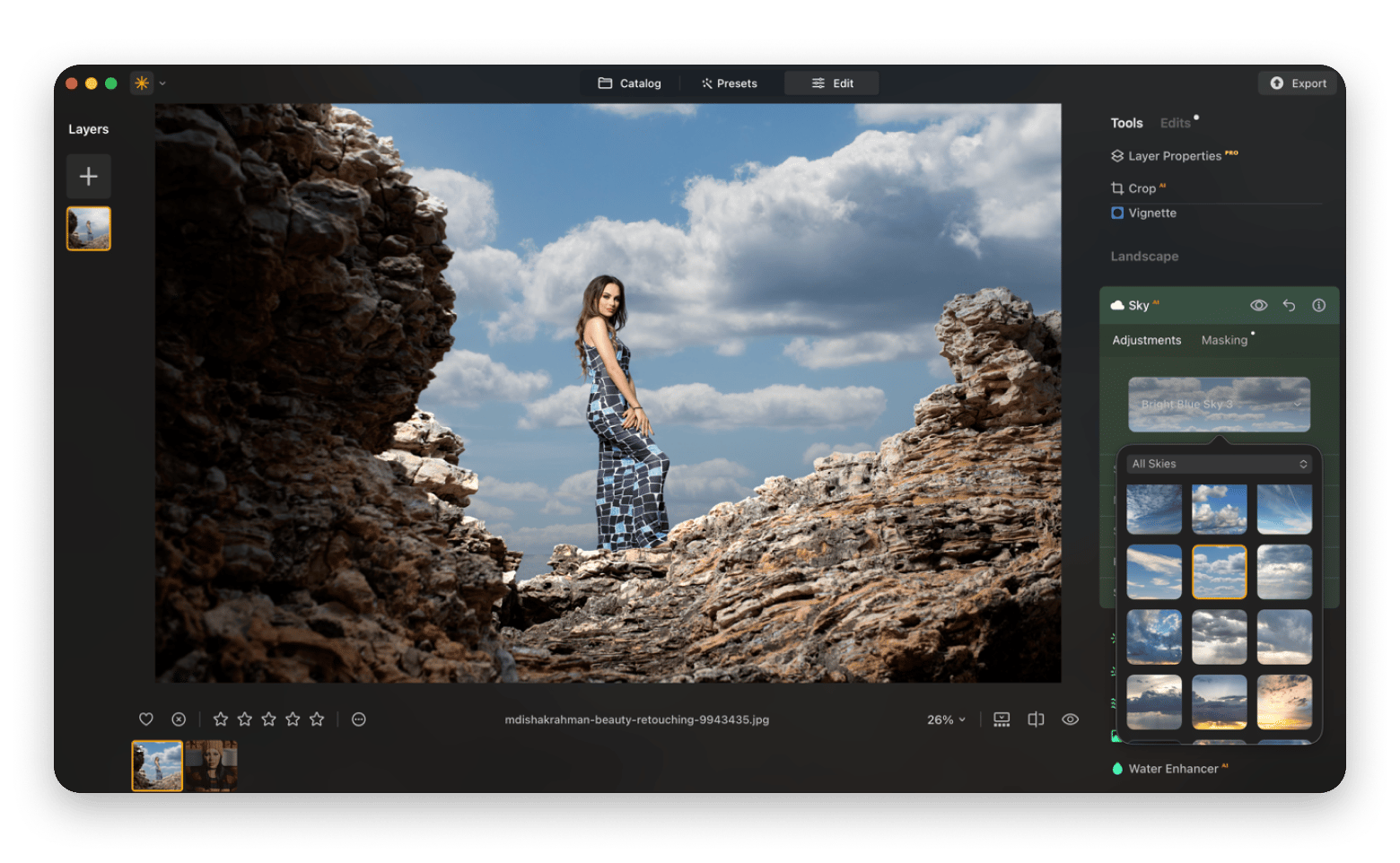
Luminar Neo is an AI-powered photo editor from Setapp that offers advanced video editing features but simplifies them through AI. You can use it to improve lighting and color, remove unwanted objects, and even replace the sky.
Why Luminar Neo beats standard photo editors
While there are many editors that offer advanced editing features, Luminar Neo shines in its simplicity. For example, if I want to adjust the eyes, all I need to do is click the eye tool, then drag a slider. Same goes for most other facial, color, and lighting adjustments.
Luminar Neo key capabilities
It comes with many presets you can batch apply across your photos.
AI-powered tools are available for all major photo enhancements.
Things about Luminar Neo to keep in mind
While it’s designed to make complex editing faster, you still have manual controls over the levels of adjustment.
Luminar works great, I’ve been using it since day one. It is quite easy to use and learn and you can get nice results very easily. It runs stable and fast on my Mac mini M2 so your M2 MacBook will be fine too.ipeewest, https://www.reddit.com/r/photo...
Luminar Neo macOS integration & privacy
Luminar Neo’s AI is built into the app, meaning none of your photos are sent to the cloud.
Airbrush is a lightweight AI image generator from Setapp that you can use to create visuals with the complexity of a full photo-editing suite. You can create images and videos from prompts or other images using the best image AI models on the market, including Midjourney, Stable Diffusion, and Flux.
Why Airbrush beats standard image generators
The best part about Airbrush is the simplicity and speed. While it uses the most advanced image and video generators on the market, the creation process is quite straightforward. Just type a prompt, select a model, and generate.
Airbrush key capabilities
It lets users choose from the best and latest image and video generators on the market.
You can improve existing images or create variations with AI.
Things about Airbrush to keep in mind
The image editing feature is aimed at quick visual adjustments, not detailed pro editing.
Airbrush macOS integration & privacy
Airbrush works on the web for simplicity and relies on cloud models.
How to access these Mac AI apps without subscription fatigue
Most users need several of the best AI tools for Mac, but subscriptions can pile up quickly. One app to handle your email, another to help with meetings, and then you come across a separate tool that’s useful for writing, research, or transcription. This can easily take you past $100 a month, without even counting AI credits.
To help users avoid subscription fatigue, Setapp offers AI plans that come with built-in monthly credits. This way, you can install any of its 30+ AI apps (plus, use other tools from a catalog of 300+ apps) and only pay a flat monthly fee. The curated Mac and iOS app platform lets you try the apps free for 7 days. Evaluate as many apps as you’d like to identify the ones that can power up your workflow.
FAQ
What is the best AI app for Mac in 2026?
The best AI app for Mac depends on what you want help with. Spark Mailis excellent for email assistance, Amietakes over the manual tasks around your meetings, OrcaSheets simplifies querying spreadsheets, while BoltAI lets you use online AI across your Mac.
Can I run AI apps on Mac without an internet connection?
Yes, you can run AI apps locally on your Mac to process documents offline. Apps like Transcrybe and Manzoni process all information using built-in AI and Apple Intelligence, while others like Manzoni let you download an offline AI model.
What is the difference between using ChatGPT in a browser versus a dedicated Mac AI app?
Using ChatGPT requires copying and pasting text between apps and constantly switching between them. A Mac AI app like BoltAI gives you access to the same models, but lets you manipulate text across your Mac without opening the main app or a browser chat. Other Mac AI apps are built as a special-purpose app, unlike ChatGPT.
Are AI apps on Mac safe to use with confidential work files?
Apps that process your data offline are safe for private files and text because they don’t upload them to the cloud. Confirm whether it’s a cloud app, a hybrid, or a fully offline app before processing sensitive information.
Which AI app for Mac is best for replacing a human assistant for scheduling and email?
Amie is the best Mac app to replace a human assistant for scheduling and email because it connects with email, work messaging apps, and meeting apps. It adds them from your email to your calendar, automatically starts recording, then provides summaries and creates action items at the end.






 Best solution
 Best solution