Telescopo Markdown Studio
Your Mac Markdown studio



Mac
Version 7.1.3
macOS 15.0 or later
34.6 MB
1 languages
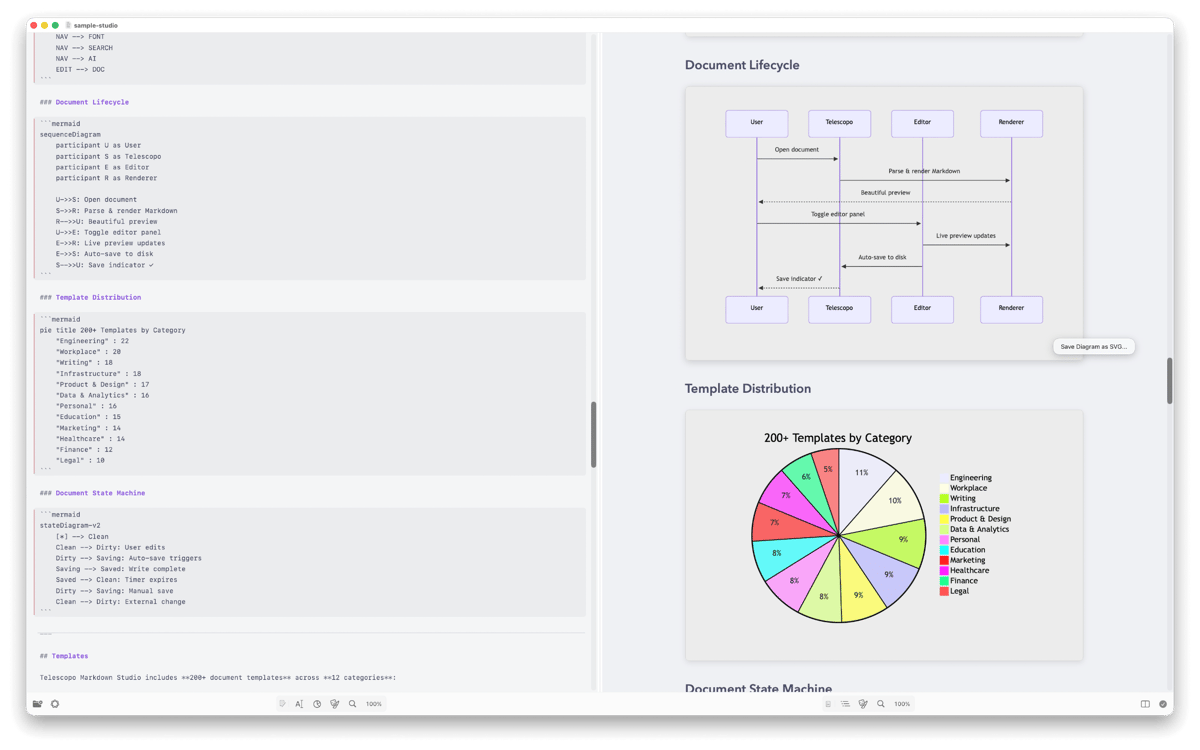
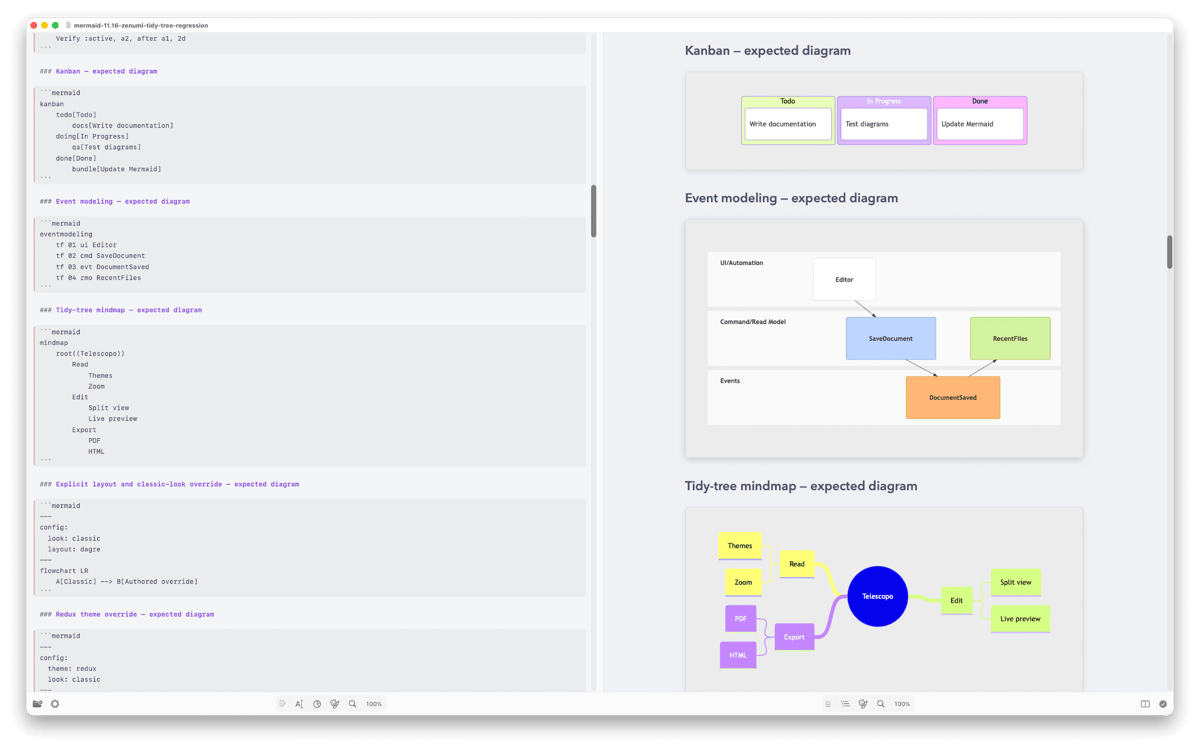
Telescopo Markdown Studio — Markdown workspace for Mac. Create, view, export, and analyze Markdown documents in a beautiful native app built for serious writing without the heavy-app drama. Use Live Monitoring to keep documents updated as they change, while Telescopo holds your place like a very polite bookmark. Work faster with 200 Markdown templates, Mermaid diagrams, LaTeX math, 30 dynamic themes, and a powerful context menu for advanced formatting. Export clean PDFs, preview long docs comfortably, and use private on-device AI to summarize or inspect your text without sending document data off your Mac.
View changing docs live
Export polished PDFs
Build diagrams fast
Write with 200 templates
Telescopo Markdown Studio features
Watch Markdown update live
Open a Markdown file and let Telescopo keep an eye on it. Live Monitoring refreshes documents as they change and keeps your position, which is especially handy when another app — or a local AI workflow — is updating the file.
Write advanced Markdown faster
Use Telescopo's robust editor and context menu to add structure without memorizing every bit of syntax. Tables, blocks, formatting, links, and other Markdown helpers are close by when your brain has better things to do.
Start with ready-made templates
Pick from 200 Markdown templates for docs, notes, reports, specs, and more. Start with a useful structure, then make it yours instead of staring at a blank page with mild suspicion.
Add diagrams and math with ease
Create Mermaid diagrams and LaTeX math right inside your Markdown. Telescopo renders them beautifully, so technical docs stay clear, readable, and much less "what am I looking at?"
Export polished PDFs
Turn Markdown into clean PDFs with themes, diagrams, math, and formatting intact. Choose the look, check the preview, and send out a document that doesn't need a follow-up apology.
Analyze documents privately
Use fully local, on-device AI to summarize, inspect, or ask questions about your documents. Your files stay on your Mac, where they belong.
Ratings and reviews
Telescopo Markdown Studio
•
88 ratings
Vira Tkachenko
Oct 1, 2026
App version: 7.1.3
Easy to use and capable markdown editor! Thanks! AI Assistant could be improved to make real edit operations, not just answering in the chat. Prompt I’ve tried “could you add a funny joke about sabbatical at the end of the document”
Response from Developer
Oct 9, 2026
Hi Vira! As we use Apple's on-device AI to power these features, we've been a bit limited in capabilities. The good news is that we're working on making this AI Assistant far more capable in our editing workflows. We hope to share more soon about this major update that's coming.
Vado Zago
Sep 12, 2026
App version: 7.1.2
Getting better and better! Thanks!
Neil
Aug 31, 2026
App version: 7.1.2
This is exactly the Markdown viewing I've been looking for!
Get hundreds of apps with Membership
Become Setapp member and use hundreds of stellar apps with one subscription.
Try 7 days free, then pay one simple fee.
Install Setapp on Mac
Explore apps for Mac, iOS, and web. Find easy ways to solve daily tasks.

Get the app you came for
That one shiny app is waiting inside Setapp. Install with a click.

Telescopo Markdown Studio
Choose your subscription
One app or more with a Setapp membership. Get apps the way you want.

Get hundreds of apps with Membership
Become Setapp member and use hundreds of stellar apps with one subscription.
Try 7 days free, then pay one simple fee.
1
Install Setapp on Mac
Explore apps for Mac, iOS, and web. Find easy ways to solve daily tasks.
2
Get the app you came for
That one shiny app is waiting inside Setapp. Install with a click.
Telescopo Markdown Studio
3
Choose your subscription
One app or more with a Setapp membership. Get apps the way you want.
Home to the top apps
From planning and routine tasks to creative pursuits and coding, tackle tasks with apps on Setapp.


Telescopo Markdown Studio
Your Mac Markdown studio