
Pinchbar
Transform text in a pinch

Mac
Version 1.0.18
macOS 15.6 or later
20.3 MB
1 languages
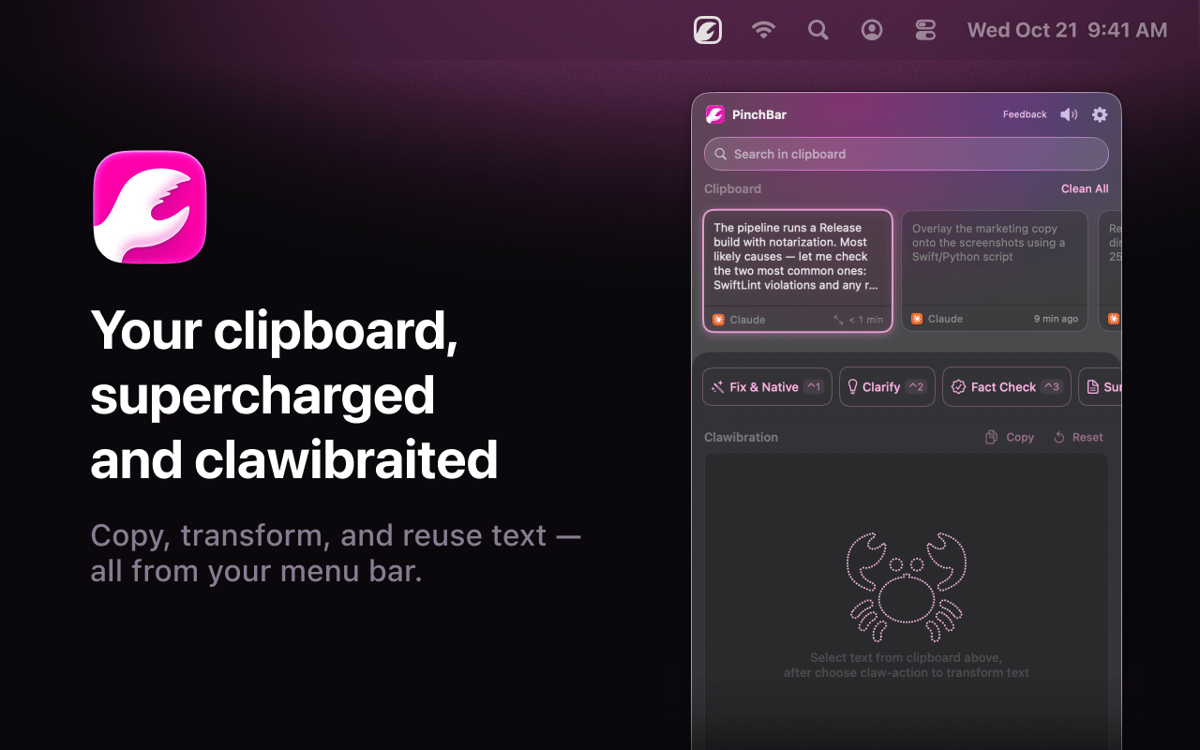
Pinchbar is an AI-powered clipboard tool for Mac. Copy anything, press ⌥V, and your menu bar surfaces smart actions — rewrite, summarize, translate, fact-check, or structure your text in seconds. Works with Apple Intelligence (on-device and private), Setapp AI. Sensitive data like passwords and tokens gets detected and locked automatically. No app switching. No extra tabs. Just copy, click, paste.
Transform text without switching apps
Search your full clipboard history
Rewrite or summarize in one shortcut
Keep sensitive data private, always
Pinchbar features
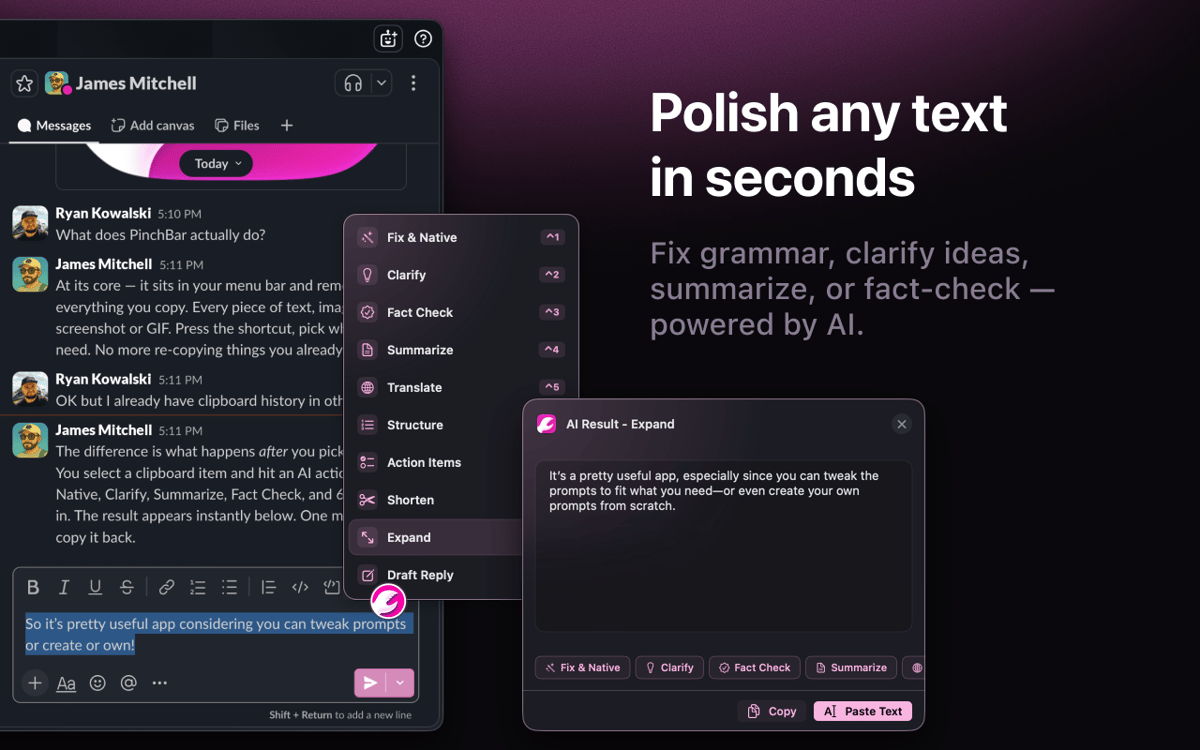
Transform text without the context switch
Copy anything, hit ⌥V, and pick an action. Rewrite, summarize, translate, fact-check — Pinchbar runs your text through AI and drops the result straight onto your clipboard. No browser tabs, no extra apps, no detours.
Rewrite right where you're working
Select text in any app, press a shortcut, and Pinchbar replaces it in place. No window juggling, no extra paste step. This is what Inline Mode is for — your writing flow stays exactly where you left it.
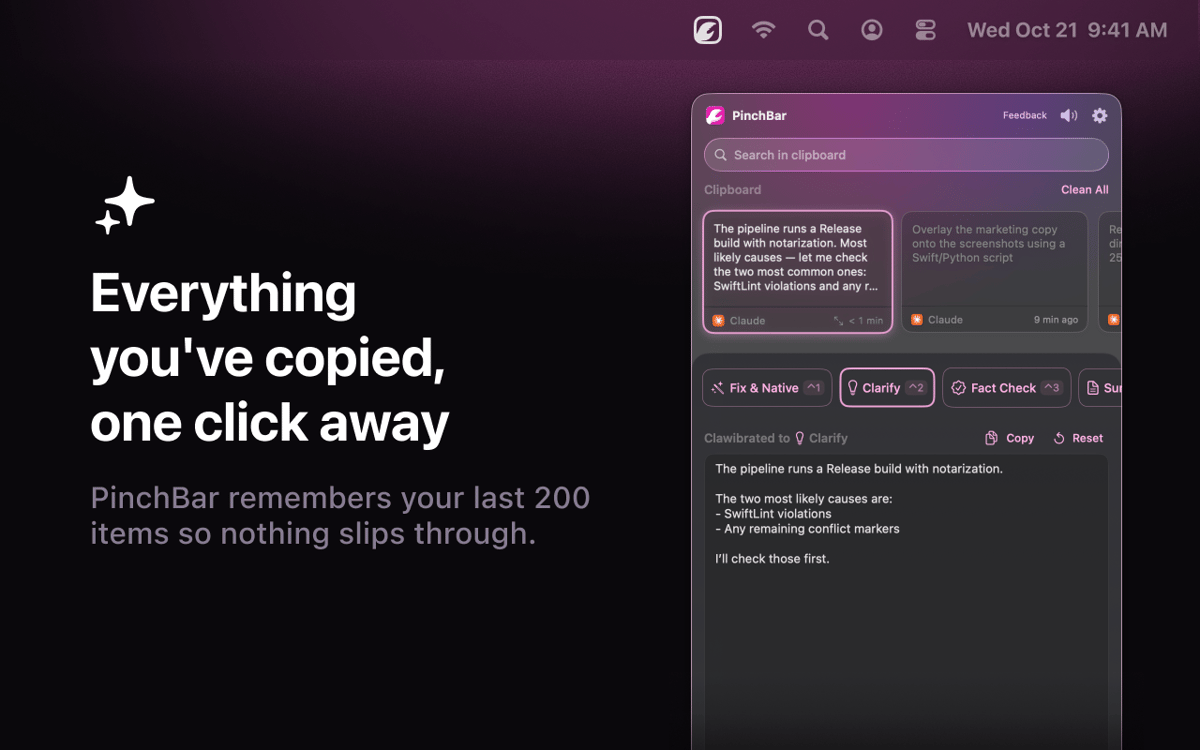
Your clipboard history, actually useful
Every item you copy is saved, searchable, and ready to act on — even things you copied hours ago. Pin what you need, drop the rest, and apply any AI action to any clip in your history with one click.
Privacy that doesn't make you choose
Apple Intelligence runs everything on-device by default — nothing leaves your Mac. Setapp AI is included for subscribers with no extra setup. Passwords, API keys, and tokens are detected and locked automatically.
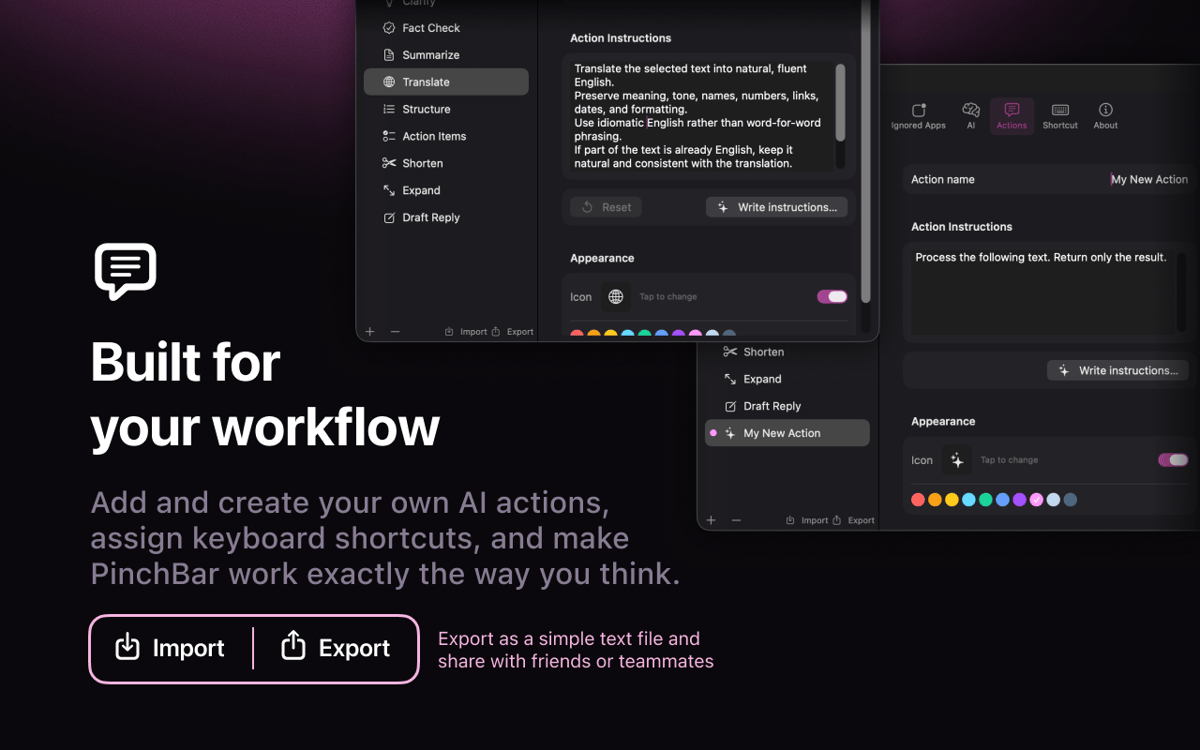
AI prompts built around your work
Six ready-made actions ship out of the box: fix grammar, clarify, fact-check, summarize, translate, and structure. Edit the system prompt, swap the icon, create your own, and drag to reorder. It's yours to shape.
Ratings and reviews
Pinchbar
•
32 ratings
Jacob Kotzee
Aug 14, 2026
App version: 1.0.15
It’s like it was created just for me! Brilliant!
Jay Chen
Jul 28, 2026
App version: 1.0.15
It looks like this does not support the Books app on Mac, but I’m not sure if that is expected behavior or if there may be something wrong with my settings.
Response from Developer
Jul 28, 2026
Thanks for flagging this, and sorry PinchBar's button doesn't show up in Apple Books! The reason is a technical one: Books uses a special text view (the same kind Apple's iPad-style apps use) that doesn't report text selections to other apps the way most Mac apps do — so PinchBar's button doesn't detect when you've selected something there. It's on our radar to support it. In the meantime there's a simple workaround: just copy the text (Cmd+C) — it'll land in PinchBar's clipboard, and you can run any action on it from there. Really appreciate you taking the time to report it!
Hideaki Akama
Jul 23, 2026
App version: 1.0.15
webやドキュメントのちょっとした、テキストの検索や翻訳に使っています。
Get hundreds of apps with Membership
Become Setapp member and use hundreds of stellar apps with one subscription.
Try 7 days free, then pay one simple fee.
Install Setapp on Mac
Explore apps for Mac, iOS, and web. Find easy ways to solve daily tasks.

Get the app you came for
That one shiny app is waiting inside Setapp. Install with a click.

Pinchbar
Choose your subscription
One app or more with a Setapp membership. Get apps the way you want.

Get hundreds of apps with Membership
Become Setapp member and use hundreds of stellar apps with one subscription.
Try 7 days free, then pay one simple fee.
1
Install Setapp on Mac
Explore apps for Mac, iOS, and web. Find easy ways to solve daily tasks.
2
Get the app you came for
That one shiny app is waiting inside Setapp. Install with a click.
Pinchbar
3
Choose your subscription
One app or more with a Setapp membership. Get apps the way you want.
Home to the top apps
From planning and routine tasks to creative pursuits and coding, tackle tasks with apps on Setapp.


Pinchbar
Transform text in a pinch