Match the tool to your team. The best Monday.com alternative depends on your team: ClickUp for one all-in-one tool, Linear for engineering, Trello for simple boards, and Basecamp for flat pricing.
Compare limits, not sticker prices. Monday’s paid plans need three seats, and most rivals meter automations or cap free plans, so check run limits and record caps first.
Plan for a slower first month. Expect two to three weeks of reduced velocity, and keep Monday available for 90 days so old links still work.
Skip Height and think twice about Focalboard. Height shut down in September 2025, and Mattermost no longer maintains standalone Focalboard.
Monday.com looks great until the invoice arrives. The best Monday.com alternative depends on your team. ClickUp suits teams that want one all-in-one tool, Linear fits engineering teams, Trello handles simple kanban boards, and Basecamp offers flat-rate pricing once you pass about 20 people. ClickUp, Trello, Asana, and Linear all have free plans.
Next, I’ll show you each alternative in detail: what it does, its key features, its pros and cons, and which team it suits. Here's the comparison at a glance:
Tool
Best for
Mac app
Free tier
Price from (paid)
ClickUp
All-in-one workspace
Desktop app
Free forever
$7/user/mo
Notion Projects
Docs plus tasks
Desktop app
Free plan
$10/user/mo
Linear
Engineering teams
Desktop app
Free, 250 issues
$10/user/mo
Asana
Cross-team projects
Desktop app
Free Personal plan
$10.99/user/mo
Trello
Lightweight kanban
Desktop app
Free plan
$5/user/mo
Basecamp
Flat-rate teams
Desktop app
Free, 1 project
$29/user or $199/mo
Airtable
Structured data
Desktop app
Free plan
$20/user/mo
Wrike
Marketing, creative
Desktop app
Free plan
$10/user/mo
Focalboard
Open-source boards
Personal app only
Free, self-hosted
Free
Motion
AI-native planning
Desktop app
7-day trial
$19/seat/mo
Note: All figures are list prices at the time of writing, based on annual billing where offered. Since SaaS pricing shifts constantly, it’s best to check before you budget.
What to know before you switch from Monday.com
Here are the five things I’d want to know before leaving Monday:
Monday’s paid plans have a three-seat minimum, and Gantt charts arrive on Standard while time tracking needs Pro.
ClickUp, Trello, Asana, Linear, Notion, Airtable, and Wrike all have free plans, but each caps something different.
Almost every tool meters automations, so check run limits before you rebuild workflows.
Height, which the usual lists recommend, shut down on September 24, 2025.
Budget two to three weeks of reduced velocity while the team learns new patterns.
When I priced a three-person team on Monday Standard, the total came to $36 a month on annual billing, and that plan still caps automations at 250 actions a month. That’s when I stopped comparing sticker prices and started comparing limits.
ClickUp: Best all-in-one workspace
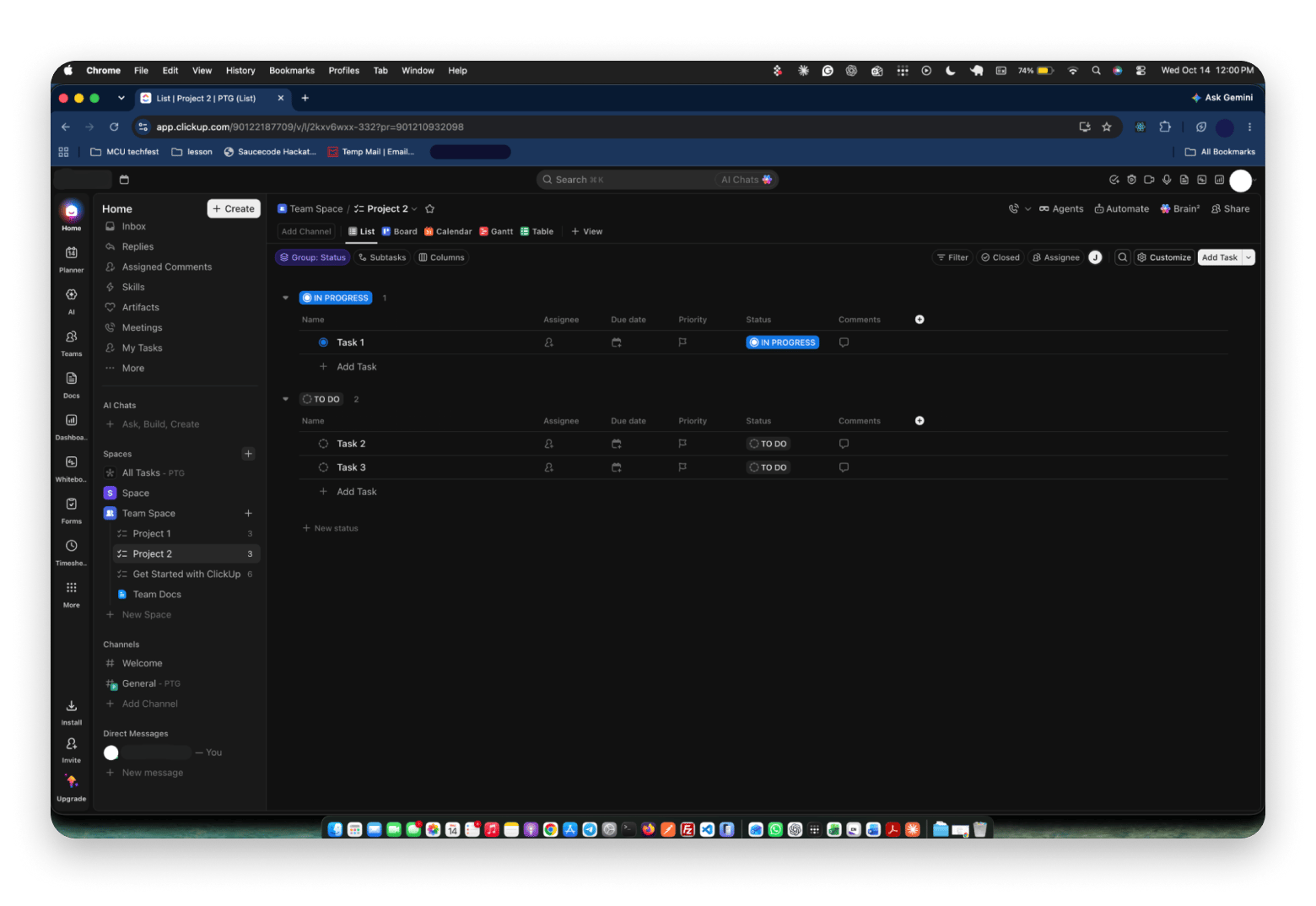
ClickUp is feature-dense: tasks, docs, whiteboards, chat, goals, time tracking, forms, and mind maps live in one workspace. The free plan has unlimited users, which makes it a free Monday alternative worth testing. It suits team task management when you want one tool for many workflows.
ClickUp organizes work in a hierarchy of Spaces, Folders, Lists, and tasks, so one workspace can hold every team’s projects. Custom fields, statuses, subtasks, and dependencies let you shape the tool around your process.
I built a small sprint in ClickUp in one sitting. The free plan did everything I needed, though the number of menus took a while to learn.
Key features:
Tasks, docs, whiteboards, and chat in one app
Goals, time tracking, and forms
Desktop app for Mac
Pros:
Free Forever plan with unlimited users
Unlimited plan costs just $7 per user
Covers many workflows in one tool
Cons:
Complexity comes with the breadth
Free plan limits storage and automation runs
ClickUp Brain AI costs extra per member
Price: Free Forever is $0. Unlimited is $7, and Business is $12 per user per month on annual billing.
Best for: A SaaS engineering team or agency that wants a single tool and doesn’t mind the learning curve.
Notion Projects: Best for docs plus tasks
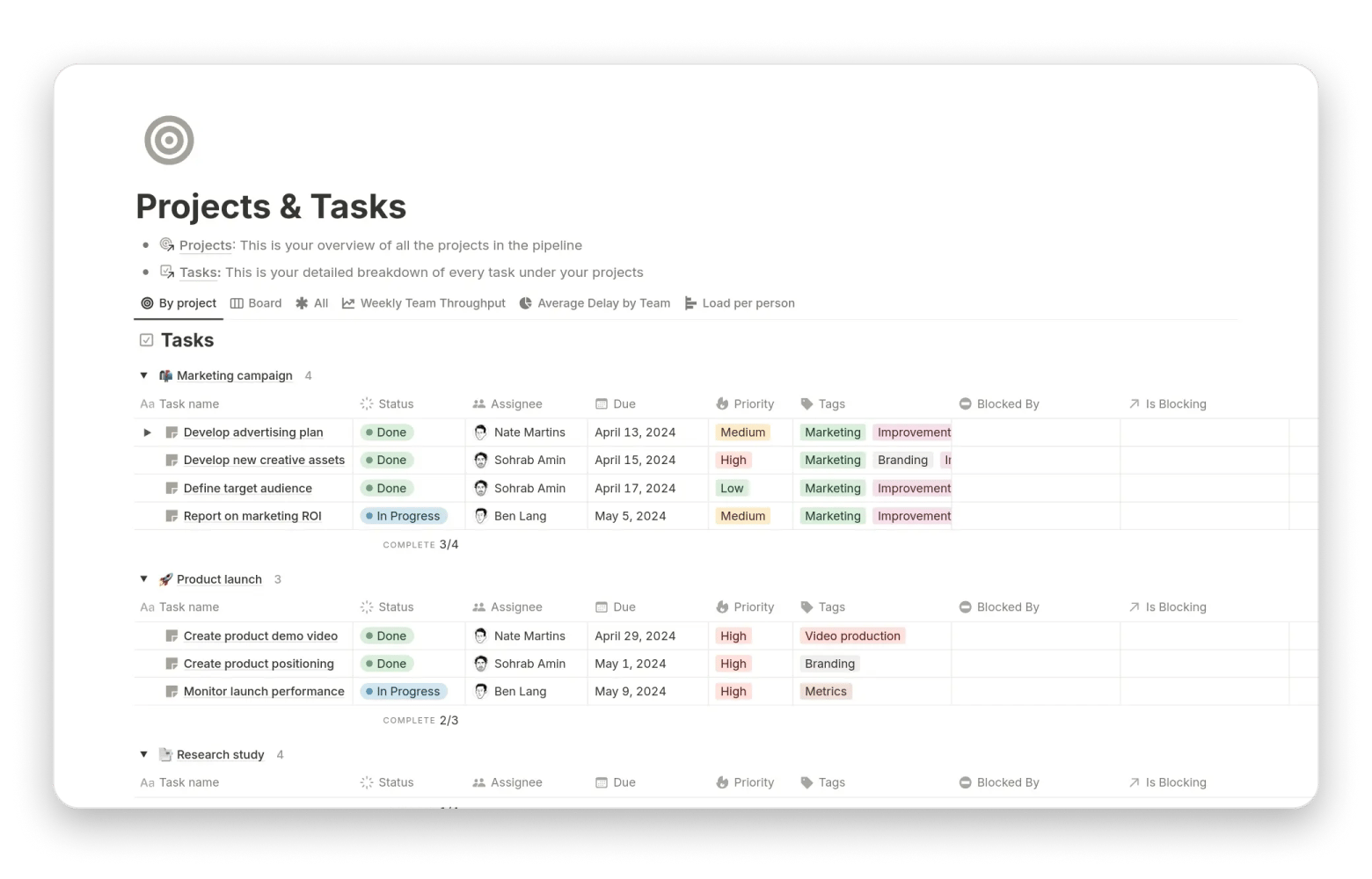
Notion’s Projects and Sprints templates give you lightweight project management inside the docs environment. You get real-time collaboration and custom database views: kanban, calendar, timeline, and gallery. It works as a team collaboration tool when your wiki already lives there.
In Notion, every page can hold text, embeds, or a database. Projects sets up linked databases for projects and tasks, with owners, due dates, sub-tasks, and dependencies. Because tasks are database entries, you can link them straight to specs, meeting notes, and wiki pages.
I turned a meeting-notes page into a task database in a few clicks. It felt natural, though it’s lighter than a dedicated tracker.
Key features:
Projects and Sprints templates
Kanban, calendar, timeline, and gallery views
Docs and tasks in one place
Pros:
Free plan for small teams
Great if your wiki is already in Notion
Flexible database views
Cons:
Lighter project tools than dedicated trackers
Full AI features sit on Business
Price: Free for small teams. Plus is $10 per user per month on annual billing, and Business is $20.
Best for: A consultancy or startup that already uses Notion for wikis and wants tasks there too.
Linear: Best for engineering teams
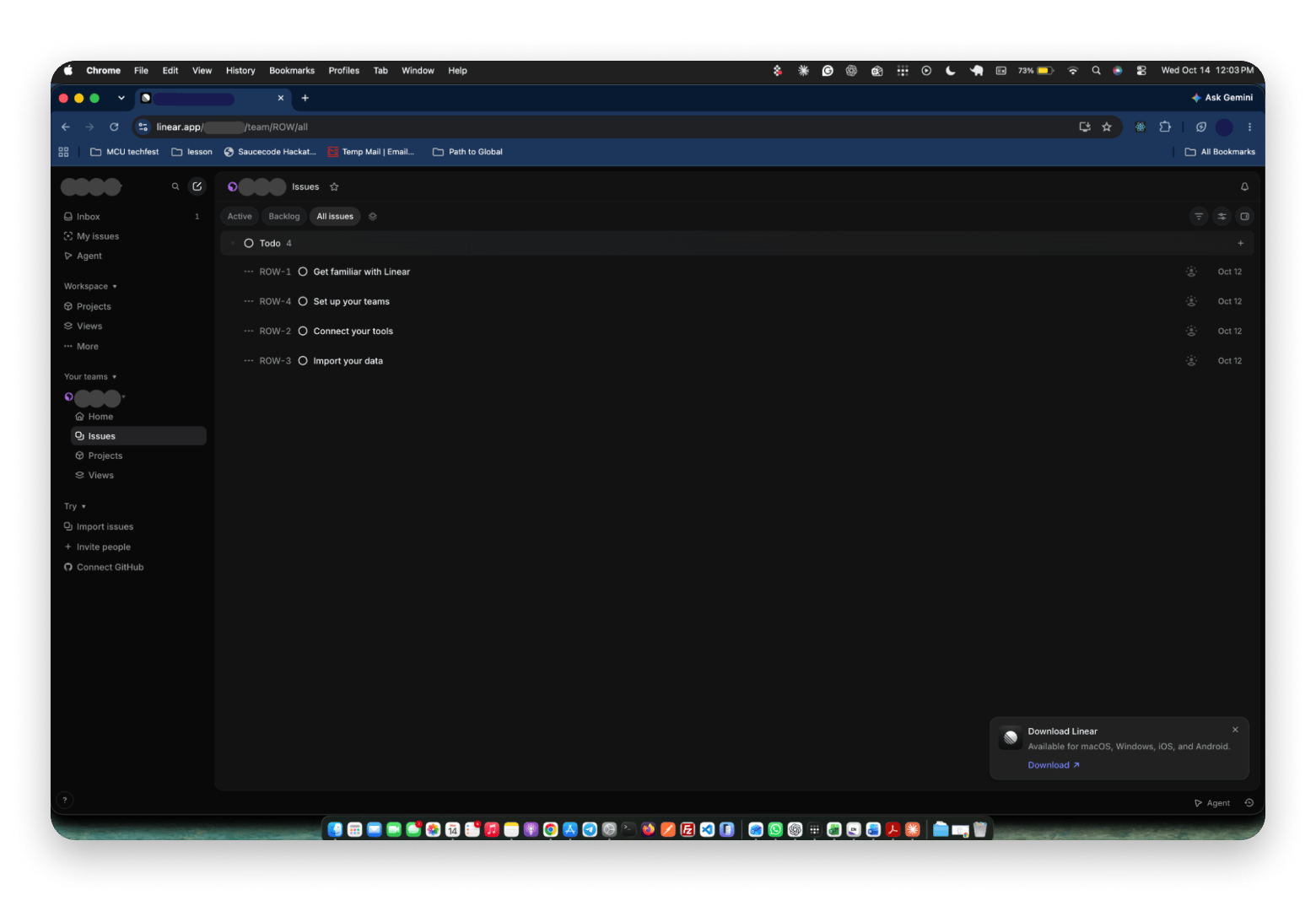
Linear is purpose-built for software development. It’s fast, keyboard-driven, and opinionated, with issues, projects, cycles, roadmaps, and initiatives. It has a Mac app and excellent GitHub and GitLab integration.
Every piece of work is an issue that belongs to a team. Cycles are time-boxed sprints that can roll unfinished issues into the next cycle automatically. Linking a pull request can move its issue through statuses as code ships, so the board stays current without manual updates.
I created and triaged a few issues using only the keyboard. The speed is the whole point.
Key features:
Issues, cycles, and roadmaps
GitHub and GitLab integration
Desktop app for Mac
Pros:
Very fast, keyboard-first interface
Free plan for small teams
Built around engineering workflows
Cons:
The free plan stops at 250 issues
Less useful for non-engineering teams
Price: Free for up to 250 issues. Basic is $10, and Business is $16 per user per month on annual billing.
Best for: A modern SaaS engineering team that values speed and an opinionated workflow.
Asana: Best for cross-functional projects
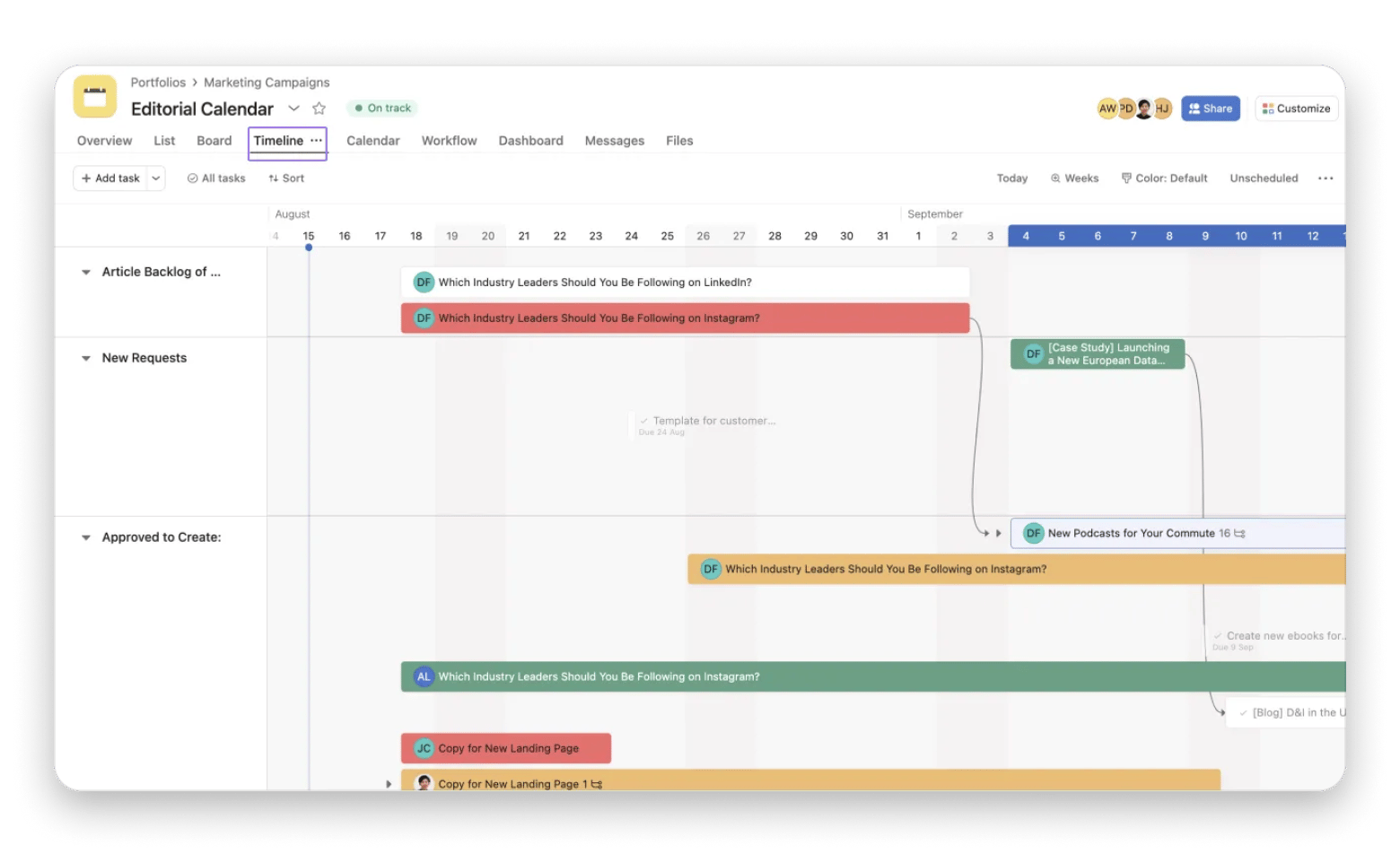
Asana has a clean interface and works as well for marketing and operations as for engineering. It offers timeline, boards, calendars, and workflows, and a Mac desktop app. It’s solid project management software and a Monday alternative for teams that span departments.
Asana is built around tasks that each have one assignee and a due date, grouped into shared projects. Sections, custom fields, and dependencies add structure, and rules can assign or move work automatically. Higher tiers add portfolios and goals for tracking several projects at once.
I set up a launch plan with a timeline and a board. The Timeline view made dependencies easy to see.
Key features:
Timeline, board, and calendar views
Workflows and automation
Desktop app for Mac and Windows
Pros:
Clean, approachable interface
Works across marketing, design, and engineering
Free Personal plan
Cons:
Timeline and automation need Starter
Paid plans have a two-seat minimum
Price: Free Personal plan. Starter is $10.99, and Advanced is $24.99 per user per month on annual billing.
Best for: A marketing agency or cross-functional team where design, marketing, and engineering share projects.
Trello: Best lightweight kanban
Trello, owned by Atlassian, is a simple kanban board tool built from lists and cards. You drag and drop, and Power-Ups add integrations. A desktop app for Mac is available from the Mac App Store.
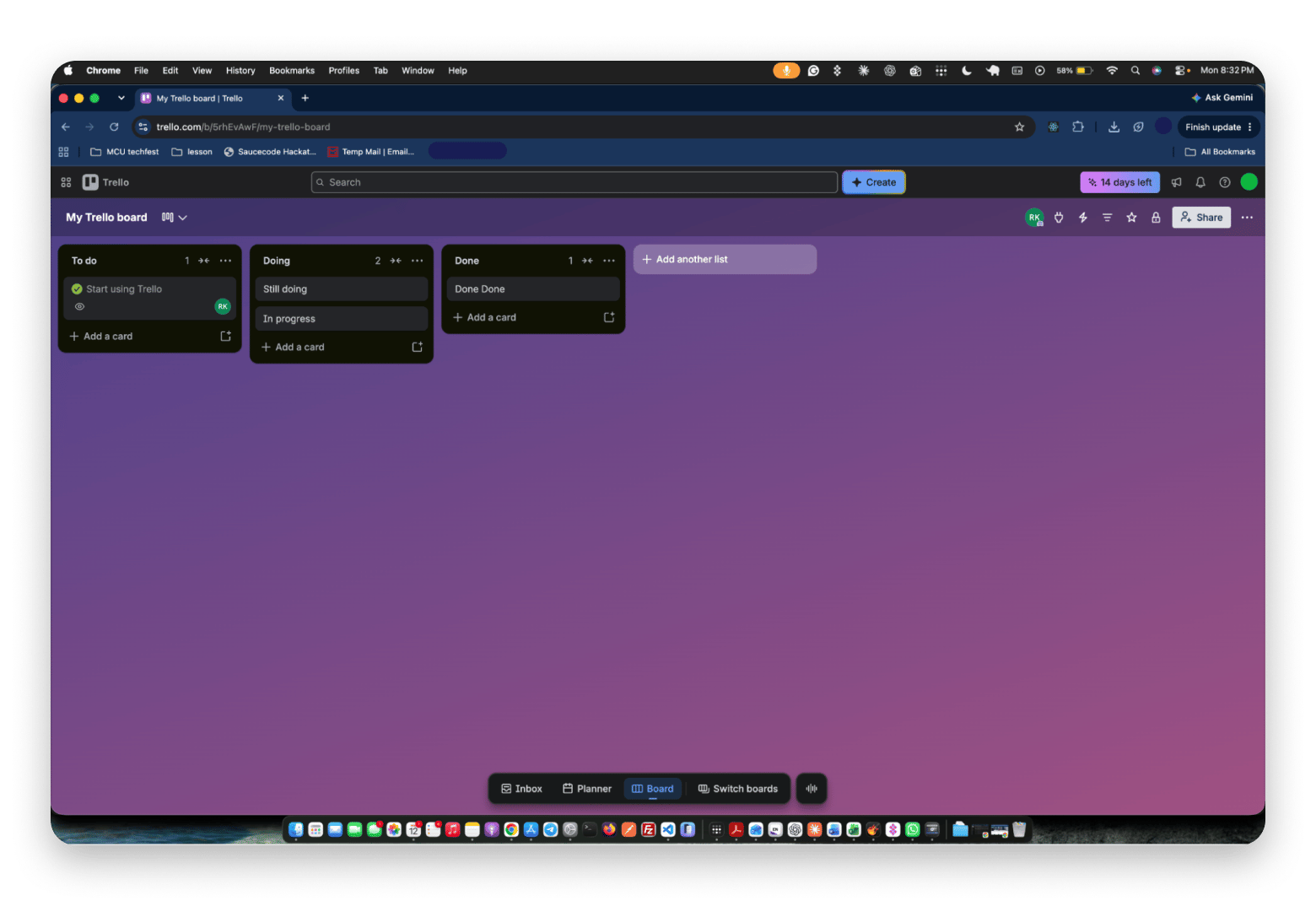
Each board is a project, each list is a stage such as To do, Doing, or Done, and each card is a task. Cards hold checklists, due dates, labels, attachments, and comments. Built-in automation handles repetitive steps, like moving a card once its checklist is complete.
I had a working board in two minutes. When I needed a timeline, I had to move up to Premium.
Key features:
Lists and cards with drag and drop
Power-Ups for integrations
Desktop app for Mac
Pros:
Easiest tool here to learn
Free plan covers 10 boards
Standard costs only $5
Cons:
Board is the only view on Free and Standard
Free plan caps collaborators at 10
Price: Free for up to 10 collaborators. Standard is $5, and Premium is $10 per user per month.
Best for: A small consultancy, side project, or team with a simple workflow.
Basecamp: Best flat-rate pricing
Basecamp’s Pro Unlimited plan is a flat $199 a month, billed annually, for unlimited users. It’s an opinionated all-in-one tool with chat, to-dos, schedules, docs, and files. As a team collaboration tool, it breaks in your favor once you pass roughly 20 people.
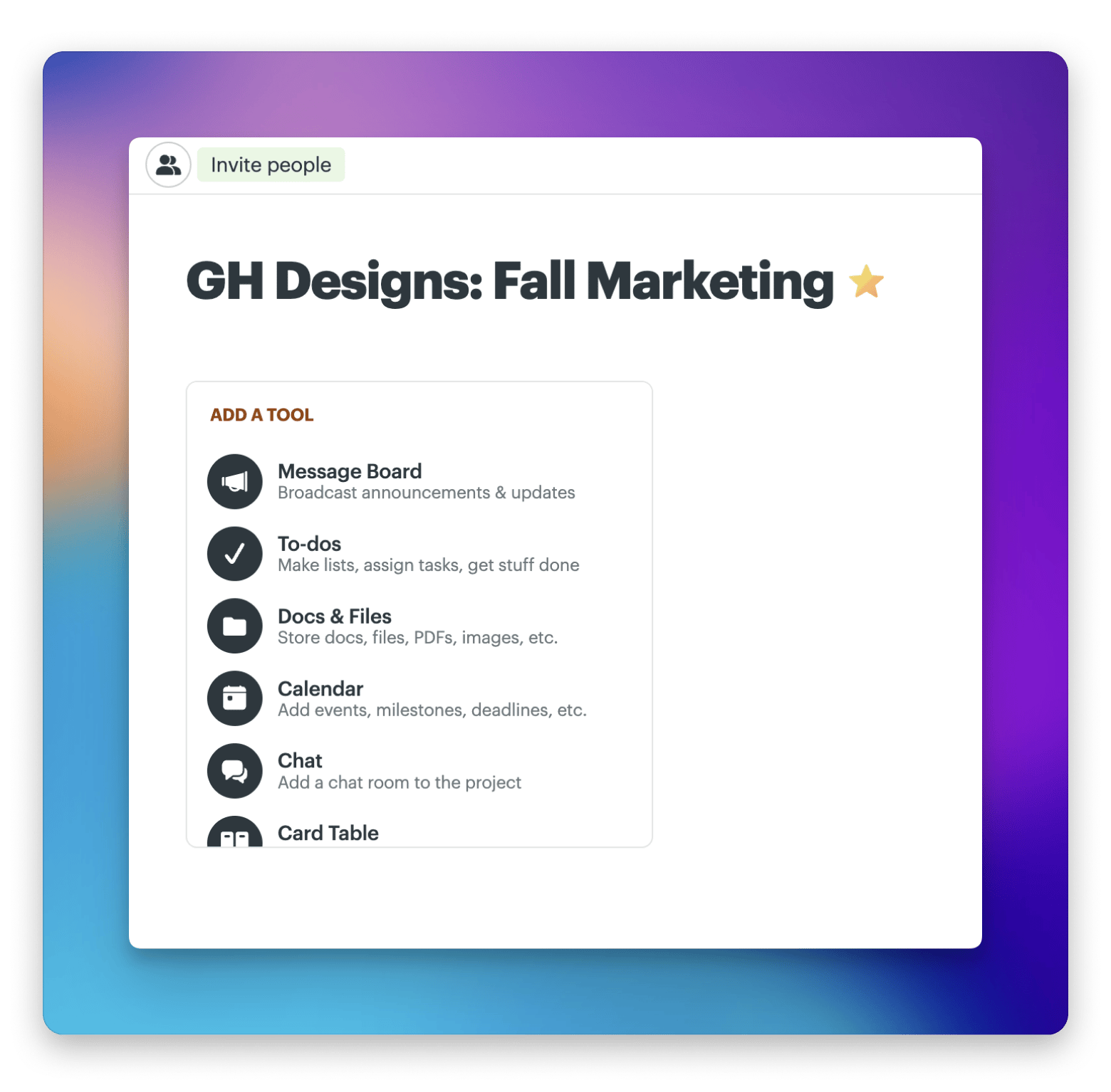
Every project gets the same toolkit: a message board, to-do lists, a schedule, docs and files, and a group chat called Campfire. Card Tables add a Kanban view. Hill Charts show whether work is still being figured out or is close to done.
I liked how little there was to configure. The trade-off is fewer features than Asana or Monday.
Key features:
Chat, to-dos, schedules, docs, and files
Unlimited users on Pro Unlimited
Mac, Windows, iOS, and Android apps
Pros:
Predictable flat pricing
Simple, opinionated design
Free personal plan
Cons:
Fewer features than per-seat competitors
Not suited to engineering workflows
Price: Freelancer is $29 per month (up to 5 users). Pro is $79 a month (up to 10 users). Pro Plus is $99 a month (up to 15 users). Pro Unlimited is $199 a month (unlimited users). The free plan covers one project and up to 3 people.
Best for: A consultancy, agency, or small team that wants predictable flat pricing.
Airtable: Best for structured data and workflows
Airtable is a spreadsheet and database hybrid. You get structured fields, multiple views, real-time collaboration, and workflow automation on top. It suits content calendars, trackers, and light CRMs.
Each base is a set of tables whose fields can hold attachments, dropdowns, formulas, or links to records in other tables. That makes it closer to a light relational database than a spreadsheet. Interfaces let you build simple dashboards and forms on top.
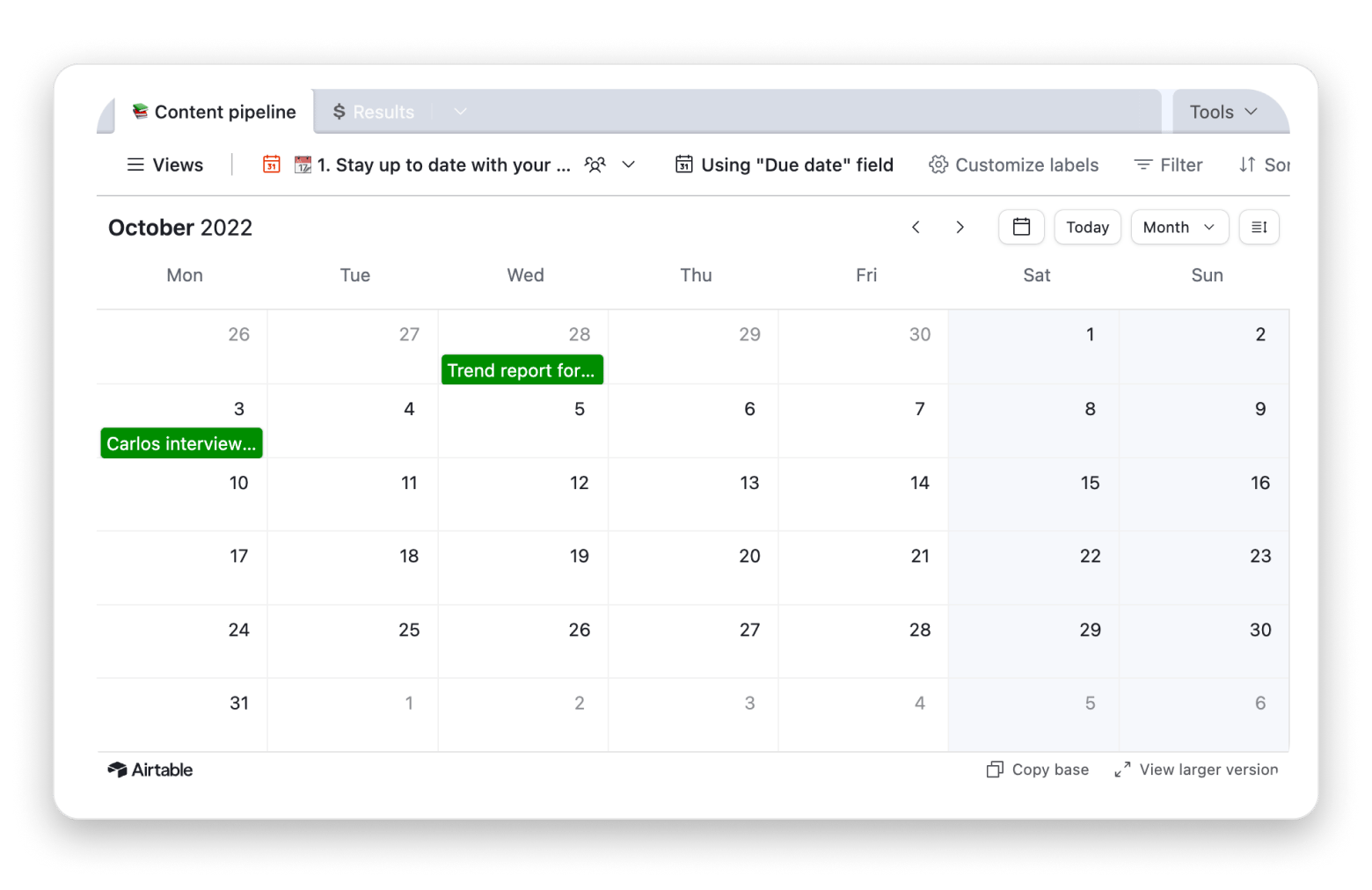
I built a content calendar with a grid and a kanban view of the same records. That switch is its best trick.
Key features:
Structured fields and linked records
Grid, kanban, and calendar views
Automations on paid plans
Pros:
Great for structured data
Real-time collaboration
Free plan available
Cons:
Team costs $20 per user, double most rivals
The free plan caps records at 1,000 per base
Price: Free plan available. Team is $20, and Business is $45 per user per month on annual billing.
Best for: A marketing team or consultancy organizing content calendars and trackers.
Wrike: Best for marketing and creative teams
Wrike is an established work management software with a marketing and creative focus. It offers proofing tools, request forms, and resource management, and it has a free plan for unlimited users.
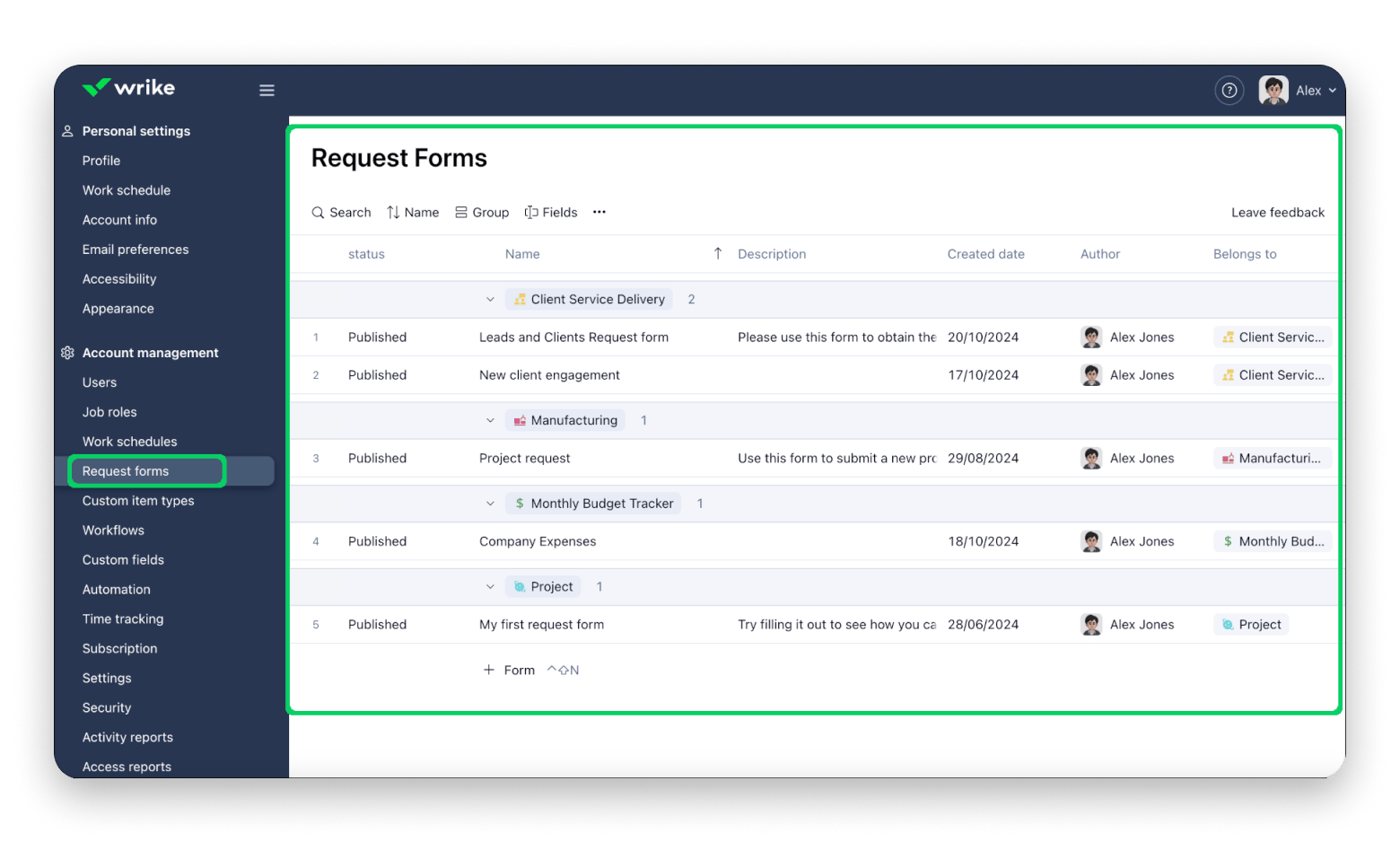
Work lives in spaces, folders, and projects, and one task can sit in several folders at once without being duplicated. Request forms turn incoming briefs into tracked tasks automatically. Proofing lets reviewers comment directly on images, videos, and PDFs.
I tried the request form to log a design job. It’s the feature that makes Wrike feel built for agencies.
Key features:
Proofing and approvals
Request forms
Resource management
Pros:
Built for creative workflows
Free plan for unlimited users
Team plan costs $10 per user
Cons:
Team is limited to 2 to 15 users
Add-ons raise the real price
Price: Free plan. Team is $10, and Business is $25 per user per month on annual billing, with Business needing 5 users.
Best for: A marketing agency or internal creative team that needs proofing and approvals.
Focalboard: Best open-source option, with caveats
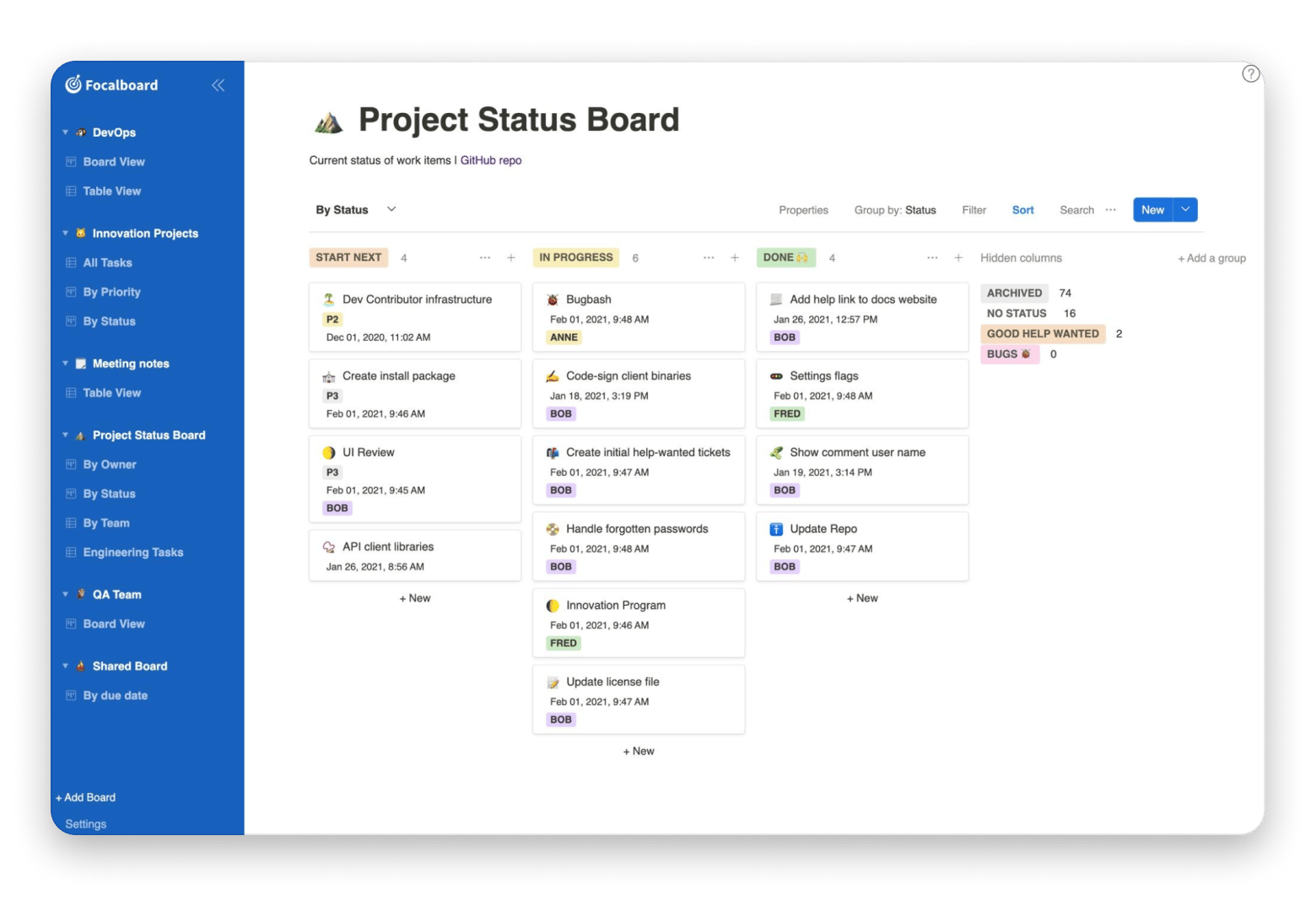
Focalboard is a free open-source project tool with kanban, table, and gallery views like Monday’s. It's the open-source Monday alternative for purists, and a single-user Mac app is available.
Mattermost was built as a self-hosted alternative to tools like Trello, Notion, and Asana. Each board is a set of cards with custom properties, such as status, owner, or date. Because you host it yourself, your data stays on infrastructure you control.
One caution: Mattermost stopped maintaining the standalone project, so it suits tinkerers more than teams. The plugin version, Mattermost Boards, is still maintained but needs a Mattermost server.
I tried its board and table views. They work, but I wouldn’t trust a team’s data to an unmaintained project.
Key features:
Kanban, table, and gallery views
Self-hostable
Personal Desktop app for Mac
Pros:
Completely free
Full data control
Familiar board layout
Cons:
The standalone project is not actively maintained
The Mac app is single-user
Price: Free.
Best for: Open-source purists and teams with data sovereignty requirements who accept the maintenance risk.
Honestly, I’d only recommend Focalboard for a personal board on your Mac. For a team, I’d look at a maintained self-hosted option such as Planka or Vikunja, or run Mattermost Boards if you already use Mattermost.
Motion: Best AI-native planner
Motion is an AI-native planner that combines projects, tasks, a calendar, docs, and meeting notes. It schedules work around your calendar, and it has desktop, web, and mobile apps. A current AI-powered project management option to consider in place of Height, which shut down on September 24, 2025. Motion focuses on automated scheduling, prioritization, and keeping projects moving.
You give each task a duration, a priority, and a deadline, and Motion fits it into open slots between your meetings. When a meeting runs over or an urgent task lands, it reschedules the rest of your day automatically.
I let it schedule a week of tasks around my calendar. It’s more of a planner than a shared board.
Key features:
AI task scheduling and projects
Meeting notes and docs
Gantt charts and dashboards
Pros:
AI built into planning
Desktop app for Mac
Teams plan from $19 per seat
Cons:
No free plan, only a 7-day trial
AI usage is metered by credits
Price: Pro AI for teams is $19 per seat per month on annual billing. The 7-day trial needs a card.
Best for: A small team or founder who wants AI doing scheduling work alongside them.
Which Mac apps improve any work management workflow?
None of these 10 trackers are on Setapp, a curated platform for 300+ Mac, iOS, and web apps,
so I won’t pretend otherwise. Setapp does have Mac apps for the workaround for your tracker: planning before you spec, capturing bugs, and protecting focus. Here are three I’d use with any tool above:
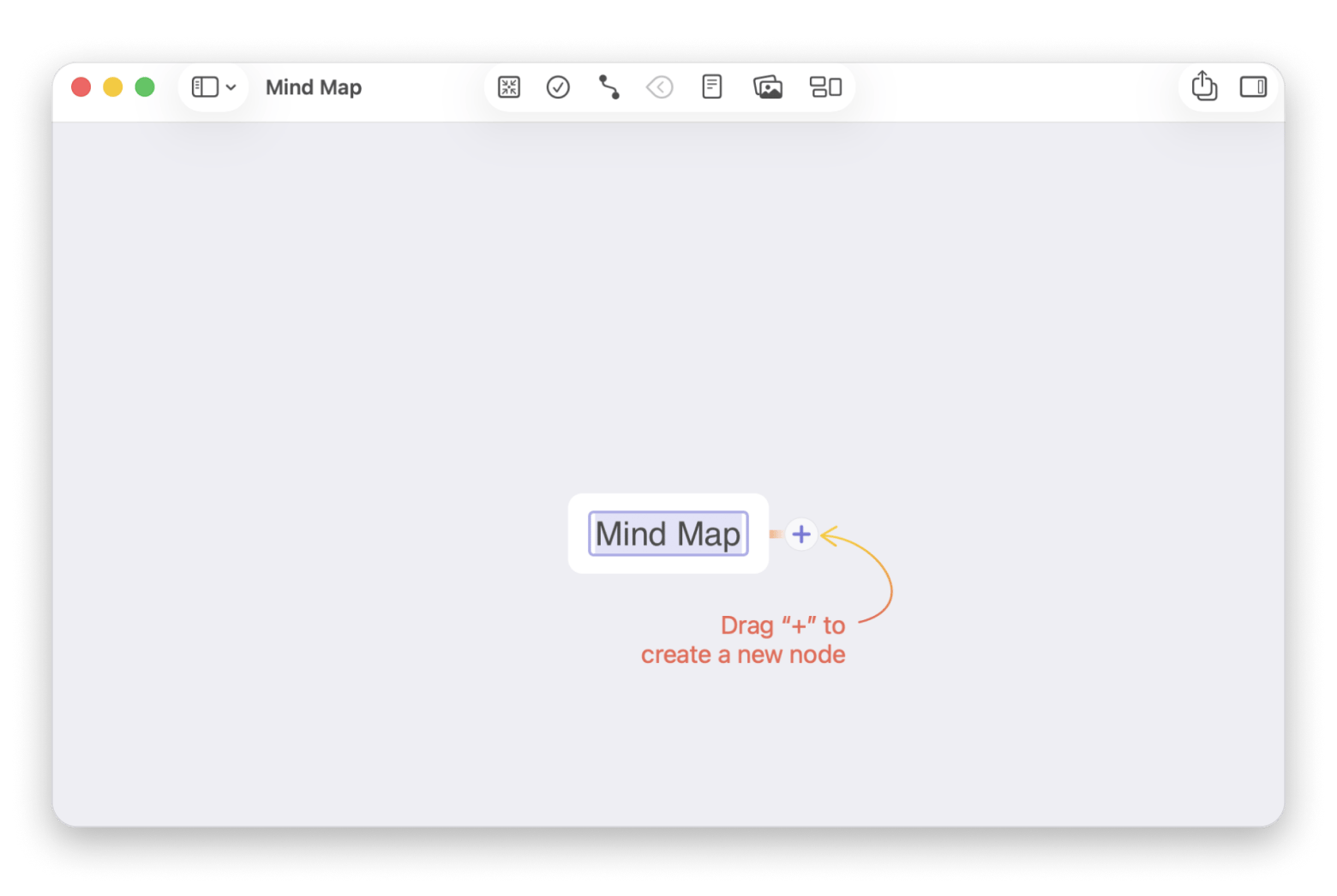
MindNode is a mind mapping and brainstorming app for Mac and iOS. Branch out a project idea, then send tasks to Apple Reminders, Things, or OmniFocus, or export to PDF, Markdown, or OPML (an outline file format) for your tracker. It works as a visual project tracker for the planning stage. See also our guide to the best note-taking apps for Mac.
You start with one central idea and add branches for each goal, task, or open question, then drag them into a better order as the plan takes shape. The same map also works as a plain outline, so you can switch between visual and list thinking.
Key features:
Mind maps and outlines
Send tasks to Reminders, Things, or OmniFocus
Export to PDF, Markdown, and OPML
CleanShot X: Capture bugs and repro steps
CleanShot X is a screenshot and screen recording app for Mac. Capture a UI bug, annotate it, and drop it into a ticket, or record the steps to reproduce it. See our comparison of the best screenshot apps for Mac.
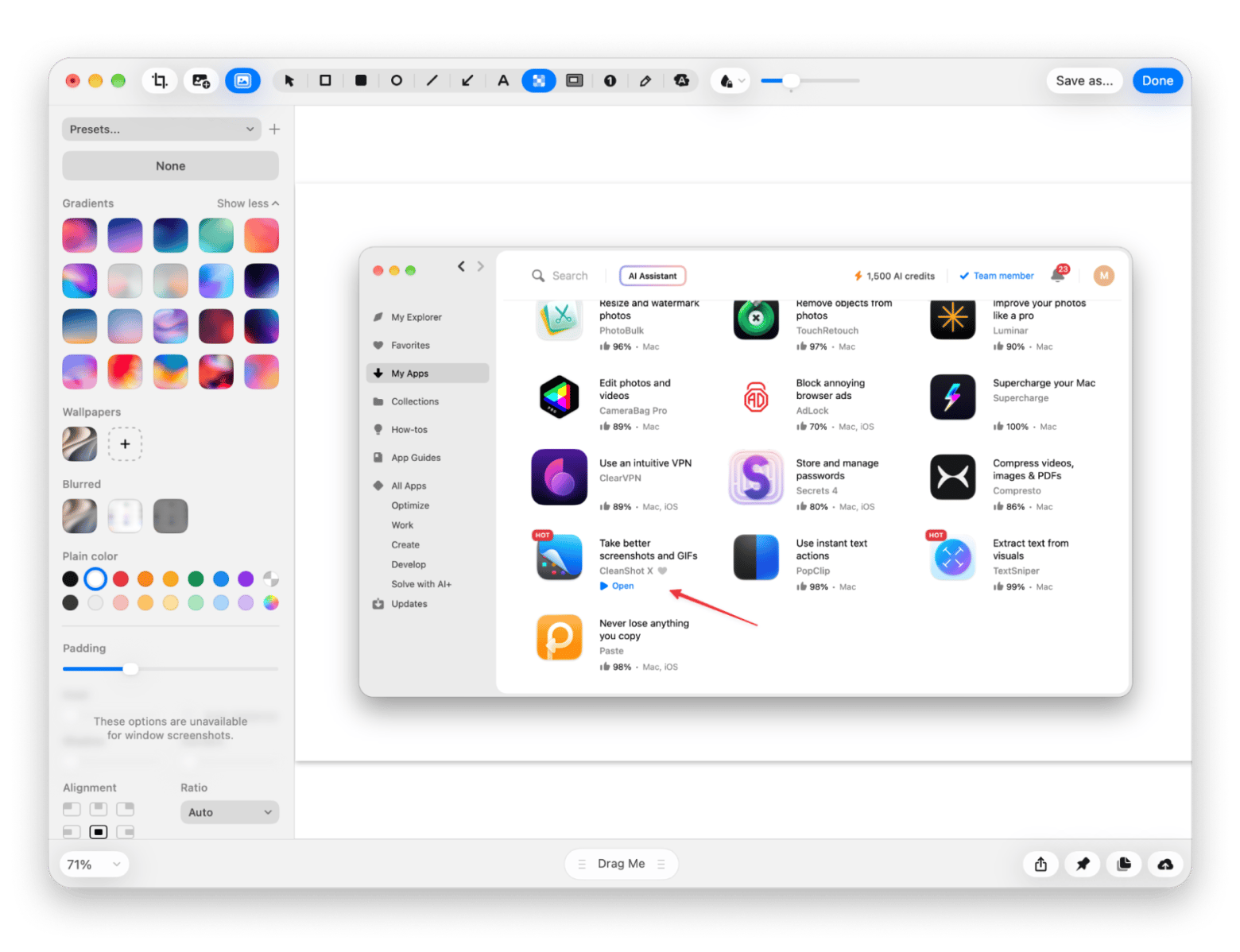
It replaces the built-in macOS screenshot tool with one that does more. It can capture scrolling pages, record your screen as a video or GIF, and copy text out of any image.
I used CleanShot X while writing this article. I captured the Setapp window, drew an arrow to point at the app, and pixelated a block of text I did not want to show, all in the same editor before saving.
Key features:
Scrolling and window captures
Annotations and blur
Screen recording
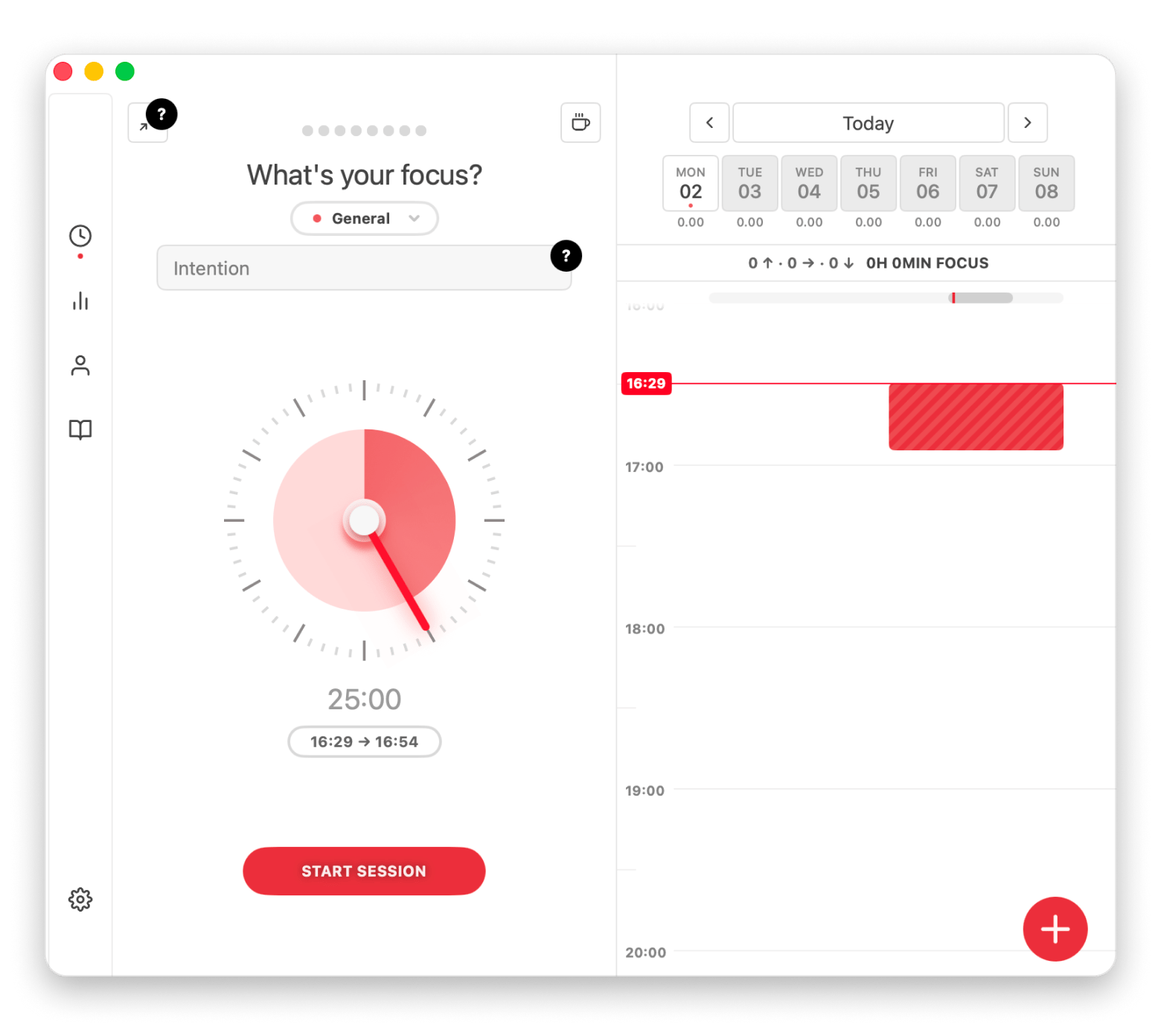
Session: Protect focus between tracker check-ins
Session is a focus app for Mac and iOS that works in timed bursts with regular breaks. It lets you block distracting websites and apps while you work, and it tracks your focus over time. It pairs well with any tracker, since you check tickets between sessions.
It follows the Pomodoro method (25-minute work bursts with short breaks). You set an intention, such as the ticket you are working on, start the timer, and take a short break when it ends. Each session is logged by category, so you can see where your focused time actually goes.
I blocked social sites for three 25-minute sessions and checked my tracker only between them.
Key features:
Timed focus sessions with breaks
Blocks distracting websites and apps
Focus analytics
Why do teams leave Monday.com?
Teams leave Monday.com mainly over pricing complexity, three-seat minimums, thin engineering workflows, and automation limits.
Here is a detailed review:
Pricing complexity. Monday Work Management offers Free, Basic, Standard, Pro, and Enterprise plans, with different feature and usage limits. Timeline and Gantt views start at Standard, time tracking at Pro, and automation allowances vary by tier. Teams may need to upgrade as their workflows become more demanding.
Seat minimums. Paid plans start at three seats, so solopreneurs and pairs who need paid features pay for phantom seats.
Polish over depth. Monday looks great, but sprint planning and GitHub workflows feel less native than in Jira or Linear.
Automation limits. Monday meters automations per tier, so heavy users hit ceilings and upgrade.
To be fair, Monday is still better at a few things: visual polish, a template marketplace, workflow templates for common use cases, dashboard building, and appeal to non-technical business teams. As a work management platform, it remains excellent for cross-functional teams. This guide is for teams whose fit is different.
How do you migrate from Monday.com to another tool?
You can migrate from Monday.com in five steps: separate active boards, export to CSV, rebuild automations, retrain the team, and keep Monday available for 90 days. Here are the steps I’d take, in order:
Separate active boards from archived ones, and leave archived boards in Monday.
Export boards to Excel or CSV, and check each tool’s import options. Test on one small pilot board first.
Rebuild your automations, because Monday automations rarely transfer cleanly.
Retrain the team and expect two to three weeks of reduced velocity while everyone learns new patterns.
Keep Monday available for at least 90 days, so links from Slack, email, and docs still resolve.
Check what your Monday plan allows after you stop paying, so you don’t lose access to old boards.
Picking a Monday alternative you won’t regret
The right answer depends on your team’s shape. Choose ClickUp for one tool, Linear for engineering, Trello for simple boards, and Basecamp for flat pricing. For the best Monday.com alternative for small business budgets, start with ClickUp’s free plan.
Whichever you choose, the work around the tracker matters too. MindNode maps projects before you spec them, CleanShot X captures bugs for tickets, and Session protects deep-work time.
All three come with Setapp Membership, one subscription to 300+ Mac, iOS, and web apps from $14.99 USD/mo + tax. Try them free for 7 days.
FAQ
What is the best free Monday.com alternative?
ClickUp’s Free Forever plan allows unlimited users, which is the most generous. Trello Free covers 10 boards, Asana has a free Personal plan, and Linear is free for up to 250 issues. Wrike’s free plan also supports unlimited users.
Which Monday alternative works best for small teams?
Trello suits small teams with simple workflows, and ClickUp suits those who want more in one tool. Basecamp works for small teams that want flat pricing, though Pro Unlimited pays off above roughly 20 people.
Is ClickUp cheaper than Monday.com?
Yes. ClickUp Unlimited is $7 per user per month against Monday Standard at $12, and ClickUp Business is $12 against Monday Pro at $19, both on annual billing. ClickUp also has no seat minimum, while Monday requires three seats. ClickUp’s AI costs extra.
What is the best open-source Monday alternative?
Focalboard is the closest open-source Monday-style tool, with kanban, table, and gallery views. Its standalone project is no longer actively maintained, so treat it as a tinkerer’s choice and test it before trusting a team’s data to it.
Can I migrate my Monday boards to another tool?
Yes, mostly. Export boards to Excel or CSV, then check the new tool’s import options. Automations won’t transfer, so rebuild them. Map the new structure first with MindNode, then test on one pilot board.






 Best solution
 Best solution