Every time I try a new task manager, I end up comparing it with Todoist. I still think it’s one of the best task managers for people who work across platforms, but I’ve always had a problem using it long-term on Mac.
After spending time with other popular task managers, I found several that match and even outperform Todoist on a Mac. I’ll take you through my top ten Todoist alternatives for both individuals and teams.
Why Mac users look for a Todoist alternative
Mac users look for Todoist alternatives for three main reasons: performance feels less native than Mac-first apps, there's no Apple Calendar sync, and the $5/month subscription adds up when one-time purchase alternatives exist.
Todoist has earned its reputation and strikes a good balance between simplicity and powerful features. It also works on every platform.
But not everyone keeps switching between Mac, Windows, and Android. If your work revolves around just Mac and iOS, you might want a tool that offers a more native performance and deeper Apple integration. Even the fact that it doesn’t sync with Apple Calendars alone might be enough for some users to look for alternatives.
Apart from that, the $5/month or $48/year pricing adds up over time. If you are trying to reduce your subscriptions or are more of a one-time purchase user, there are some great Todoist alternatives that even offer advanced features such as visual project planning, time blocking, and complex task dependencies.
Best Todoist alternatives for Mac at a glance
Here’s a quick overview of the best Todoist alternatives for Mac.
If you're not sure which task manager fits your workflow, the Productivity Tools GPT assistant can help you figure it out before you download anything. Tell it how you manage tasks today and what's not working — it'll suggest the right fit from the options available on Mac.
Detailed reviews of the best Todoist alternatives
The best Todoist alternatives for Mac range from one-time purchase apps like Things 3 to Setapp-native tools like GoodTask and 2Do — each suited to a different workflow.
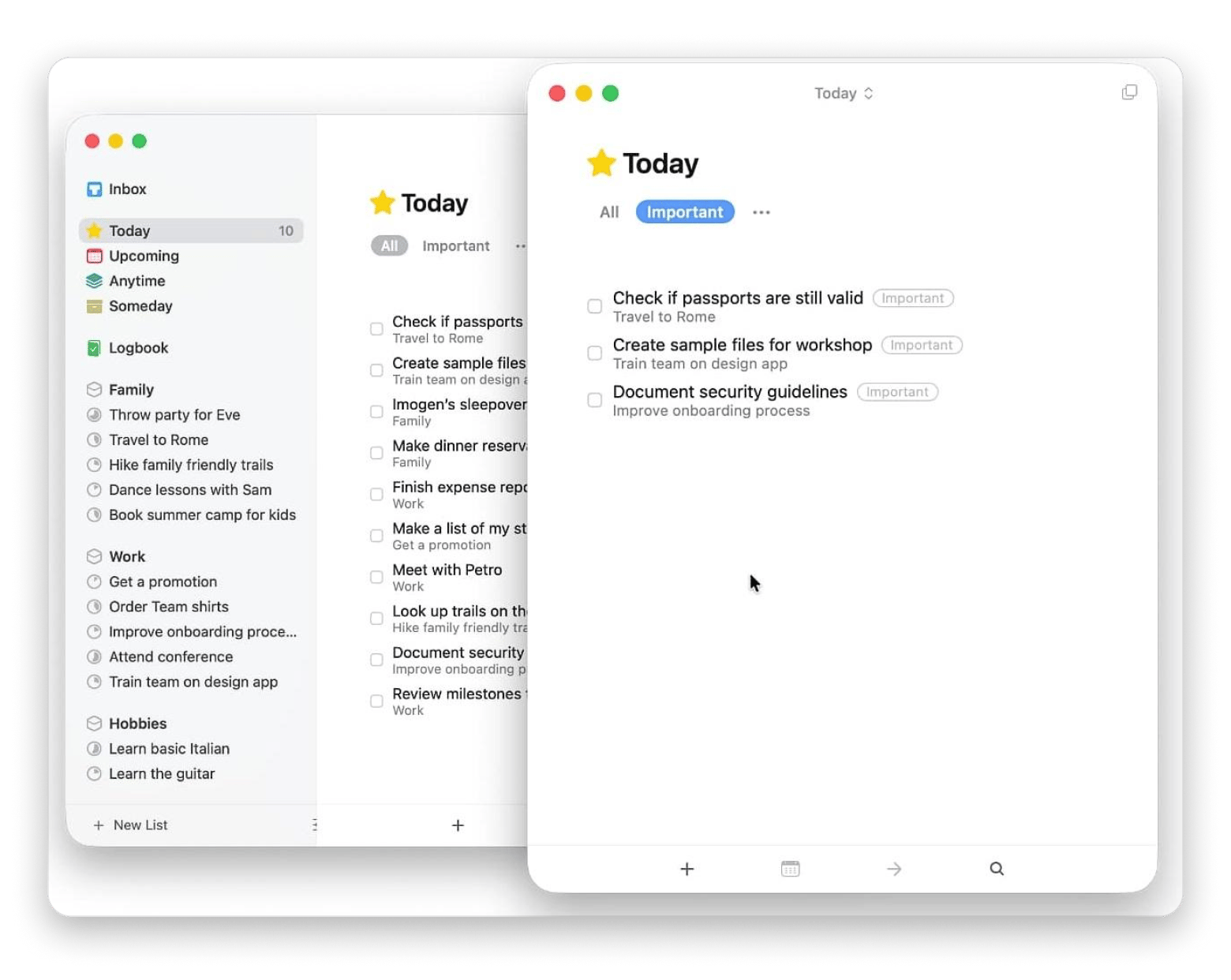
Things 3: Best-designed Apple-only task app
Source: culturedcode.com
Best for: Solo Apple users who want a beautiful task manager and don't mind paying once per platform
Things 3 comes first as my best Todoist alternative for the Apple ecosystem because it’s the most polished task manager I’ve used on a Mac.
Instead of competing with Todoist on collaboration, it focuses on personal task management. It first offers users a beautiful interface that also feels fast, intuitive, and Mac-native. You can then use keyboard shortcuts, Apple Shortcuts, and the Magic Plus button to capture and organize tasks quickly.
There’s no Windows or Android support, and the lack of shared project support means it’s best suited to personal productivity.
Platforms: macOS (native), iPhone, iPad.
Pricing:
$49.99 one-time for the Mac app
$9.99 one-time for the iPhone app
$19.99 one-time for the iPad app
If you're managing team projects rather than personal tasks, our guide to the best Microsoft Project alternatives for Mac covers tools with Gantt charts, dependencies, and collaboration.
TickTick: Best Todoist-like cross-platform alternative
Source: ticktick.com
Best for: People who like Todoist but wish it came with a few more productivity tools built in
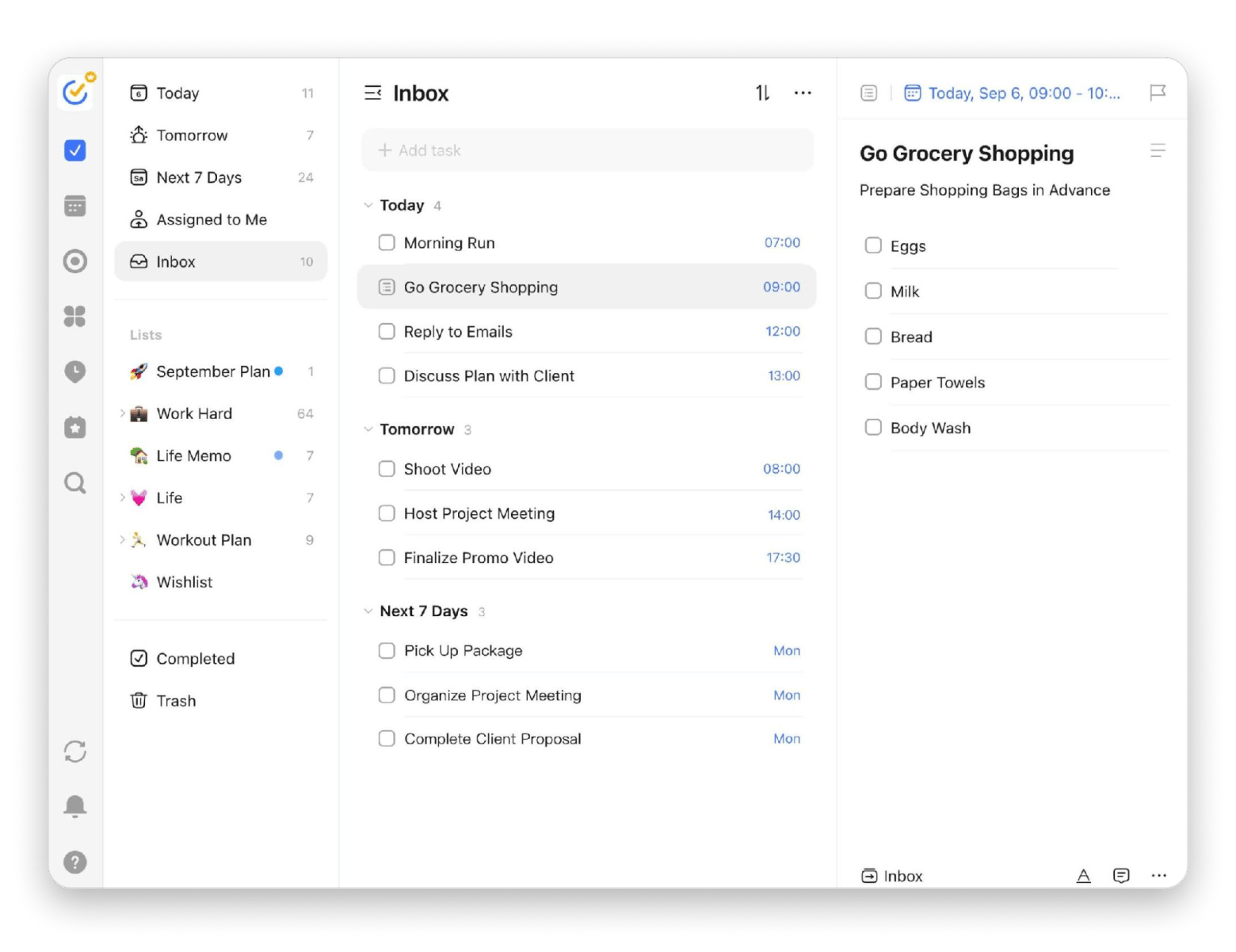
TickTick is the best Todoist alternative if you are looking for a like-for-like replacement.
The main experience is actually quite similar. You still get projects, subtasks and dependencies, recurring task scheduling, natural language task entry, and clean organization. TickTick then adds a few extra features, such as a Pomodoro and time-blocking, a habit tracker, and an Eisenhower Matrix for prioritizing tasks. This way, you don’t need to install specific productivity apps.
The extra features make the interface feel busier, and it doesn't match the Mac-native experience of Things 3.
Best for: Apple users who want a capable task manager without installing another app
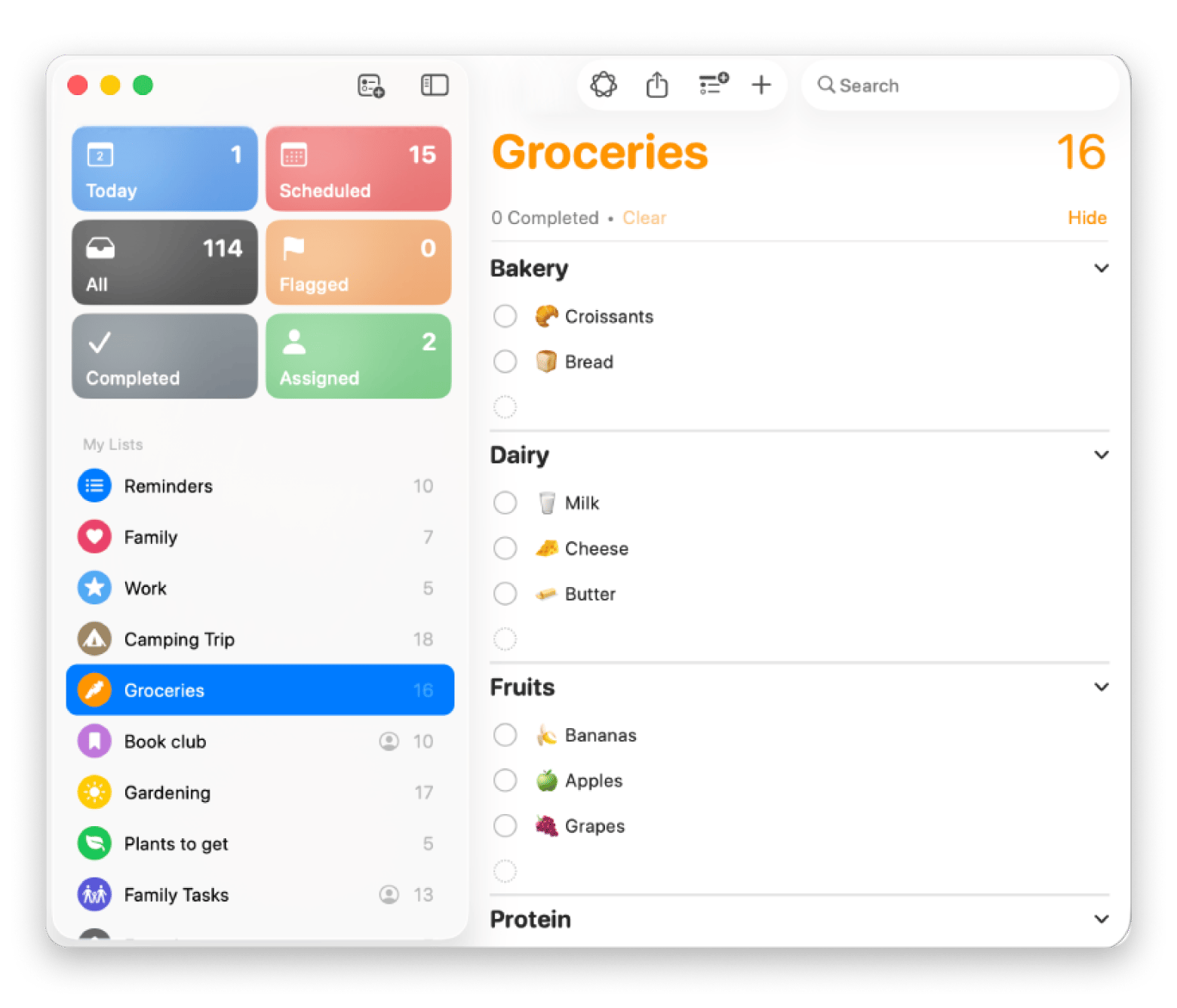
Apple Reminders has, over time, become a reason not to use Todoist or its alternatives.
Apple has improved it massively over the last three macOS releases. It now supports tags, smart lists, columns view (Kanban-style), location-based reminders, and natural language task entries. It’s built into iCloud and automatically syncs across all Apple devices.
You won’t find GTD task management workflows and project templates, but it’s the best free Todoist alternative if your task management needs aren’t complex.
Platforms: macOS (native), iPhone, iPad, Apple Watch, web via iCloud.
Pricing: Free
GoodTask: Best Reminders power user app on Setapp
Best for: Apple users who like Reminders but keep wishing it could do just a little more.
GoodTask is a personal favorite because it builds on Apple Reminders instead of asking me to switch.
It also feels much more at home on Mac compared to Todoist and TickTick as it’s a Mac-native to-do app. Even when I create tasks in Apple Reminders via Siri, I still find them in GoodTask. It acts like a more capable interface for managing them. You get smart lists, quick actions, board views, focused list views, and more flexible recurring task scheduling.
GoodTask works well for both simple and complex tasks and is a natural upgrade for anyone who has outgrown Apple Reminders.
Platforms: macOS (native), iPhone, iPad.
Pricing: Available on Setapp from $14.99 USD/mo + tax (alongside 270+ other apps)
2Do: Best for tag-driven GTD power users on Setapp
Best for: GTD enthusiasts who organize work with tags, contexts, and custom workflows instead of simple project lists.
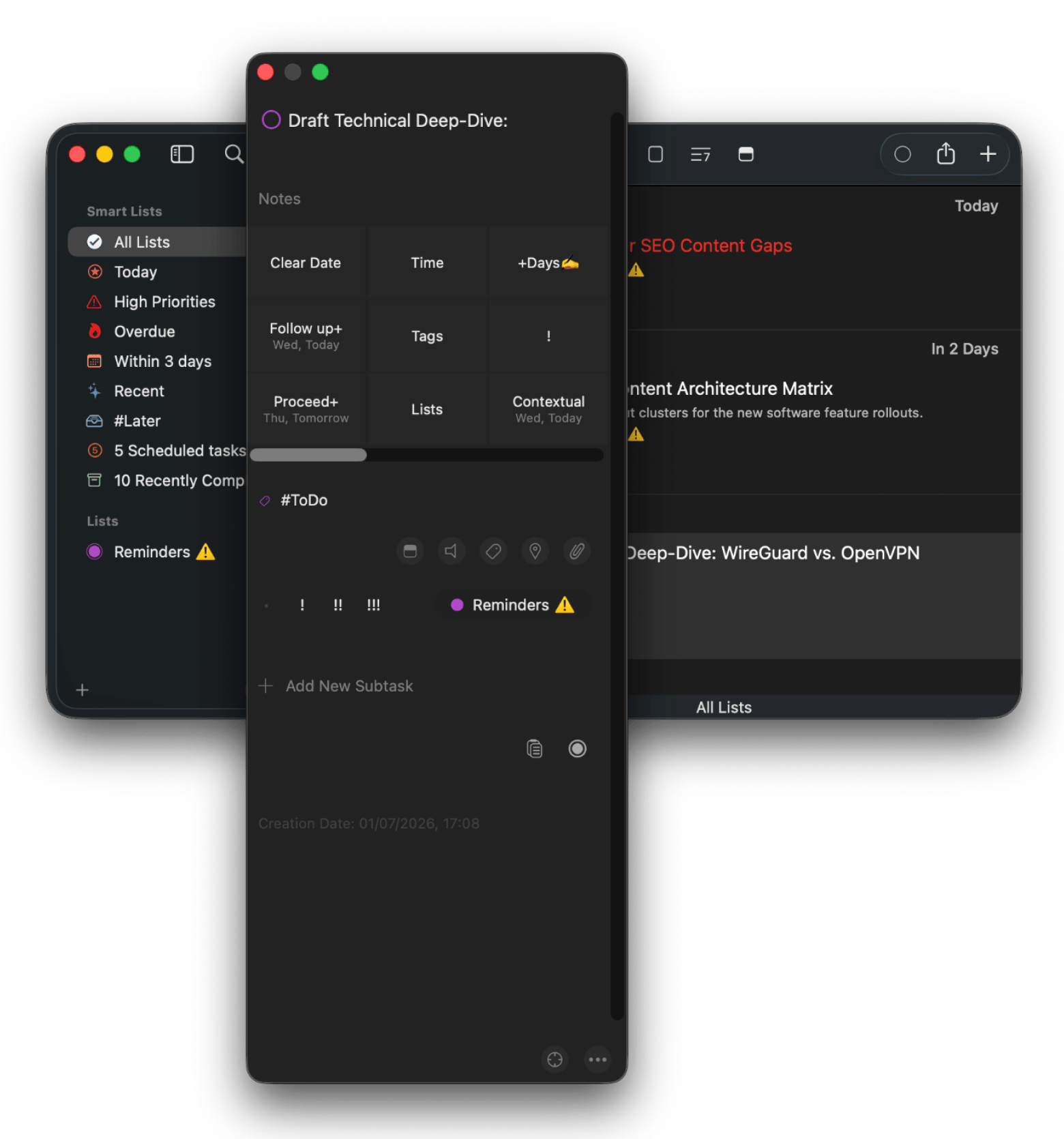
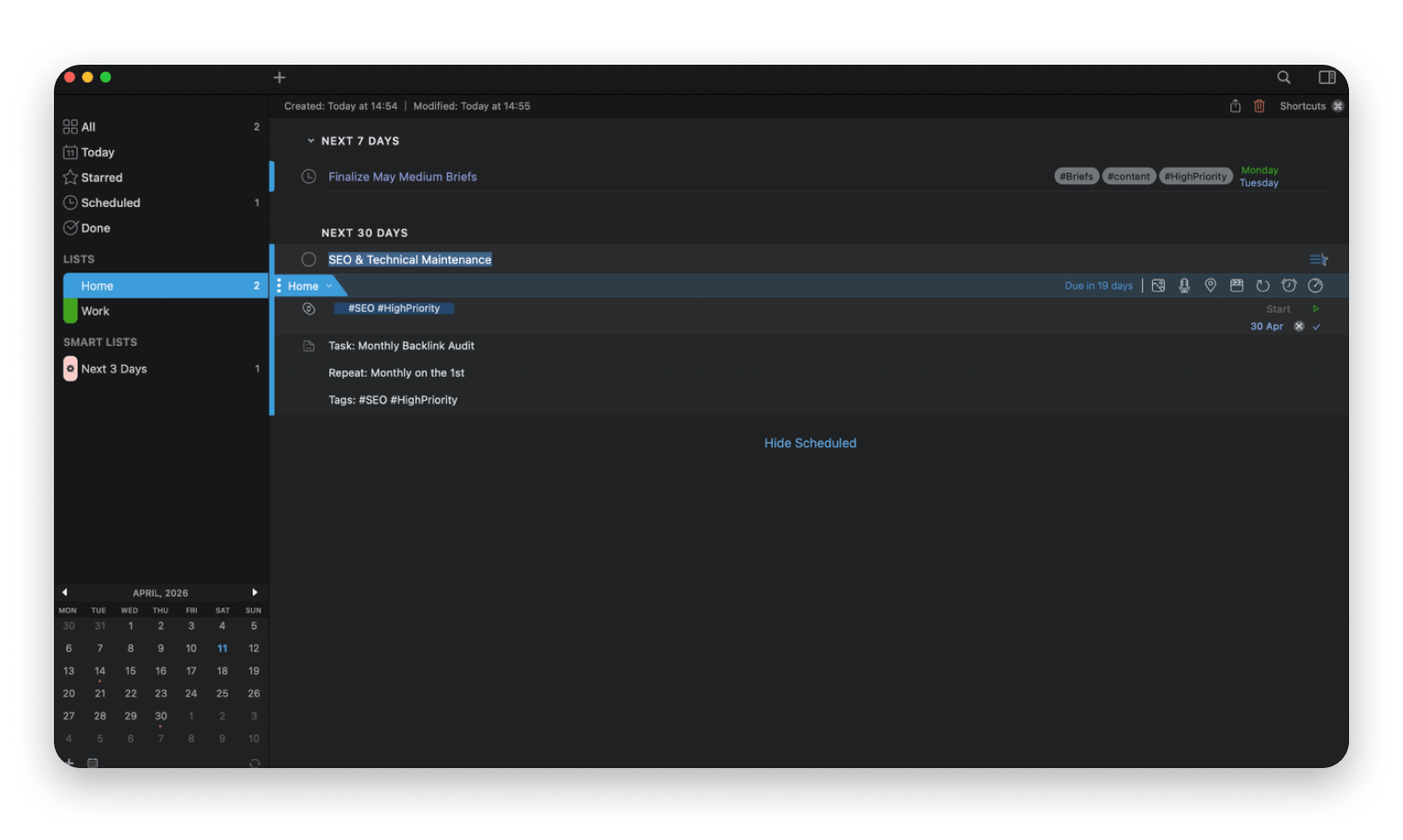
2Do uses more of a tag-and-list structure to give power users the flexibility and control they need to map tasks into a clean GTD task management methodology. Instead of pushing you to a specific workflow, it gives you the freedom to build your own.
The interface doesn’t try to be simple, but you’ll get context, focus lists, location triggers, audio notes, and subtasks with progress bars.
The flip side is complexity. When you need a clean place to write down a few tasks, 2Do can feel more like writing a grocery list on a spreadsheet.
Platforms: macOS (native), iPhone, iPad, Android, Windows
Pricing: Available on Setapp from $14.99 USD/mo + tax (alongside 270+ other apps)
Taskheat: Best flowchart-based task manager on Setapp
Best for: Visual thinkers who want to see how tasks connect instead of scrolling through another long list.
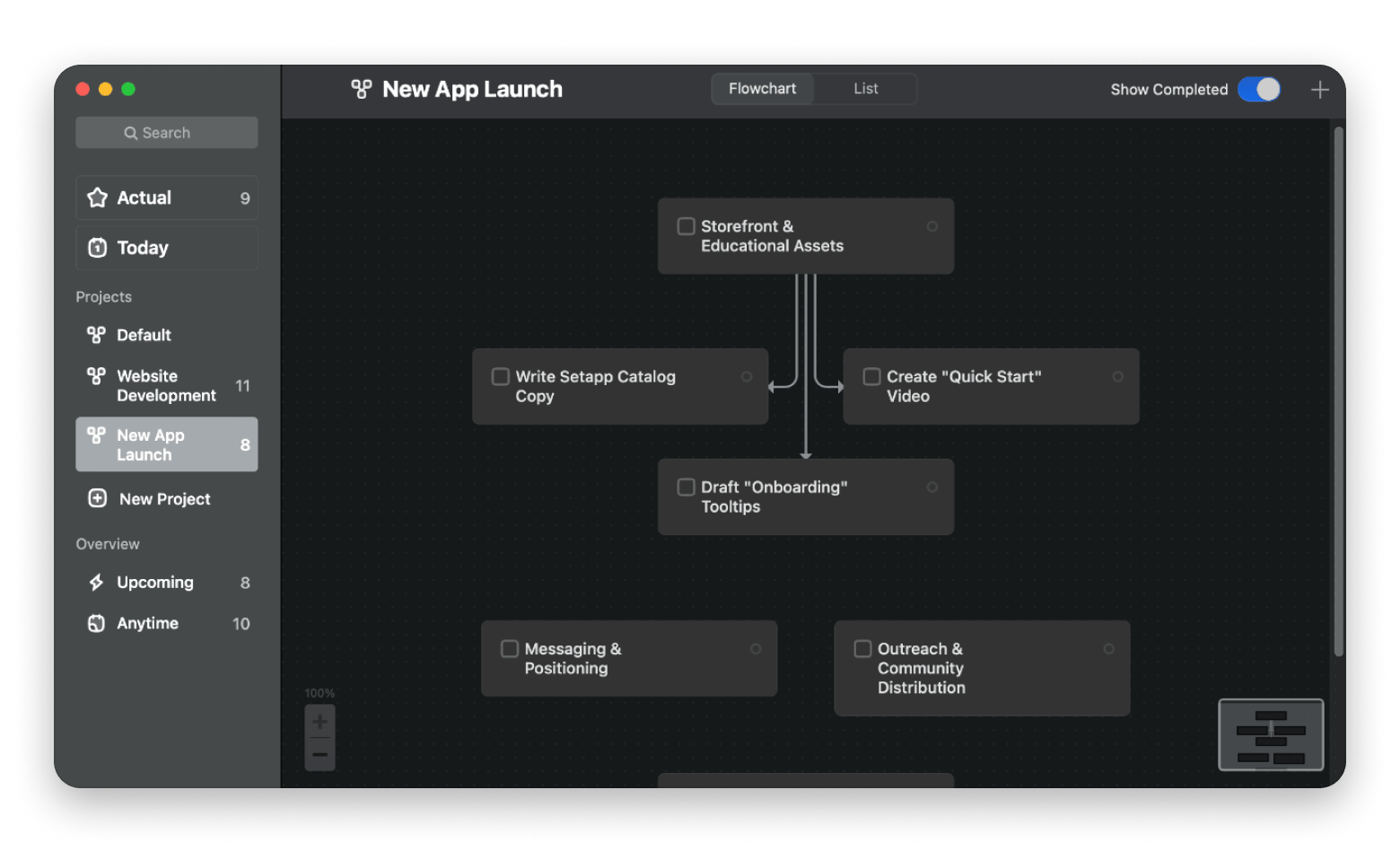
Taskheat is a great Todoist alternative if you work on projects with many dependencies. When you have tasks that can’t begin until others are finished, you need more than just a list of things to do.
Taskheat lets you visualize your project and task list in a flowchart. The tasks are represented as nodes connected by arrows, each with its own details. As you complete them, the map updates to show you what should happen next.
The only issue is that you can’t really use the app for everyday task management.
Platforms: macOS (native), iPhone, iPad
Pricing: Available on Setapp from $14.99 USD/mo + tax (alongside 270+ other apps)
If your projects have dependencies, a list won't cut it. A flowchart will. Taskheat visualizes your tasks as connected nodes — so you always know what to do next. Available on Setapp. Try Taskheat Free.
OmniFocus: Best for serious GTD practitioners
Source: omnigroup.com
Best for: GTD enthusiasts and those who want complete control over how they organize their work
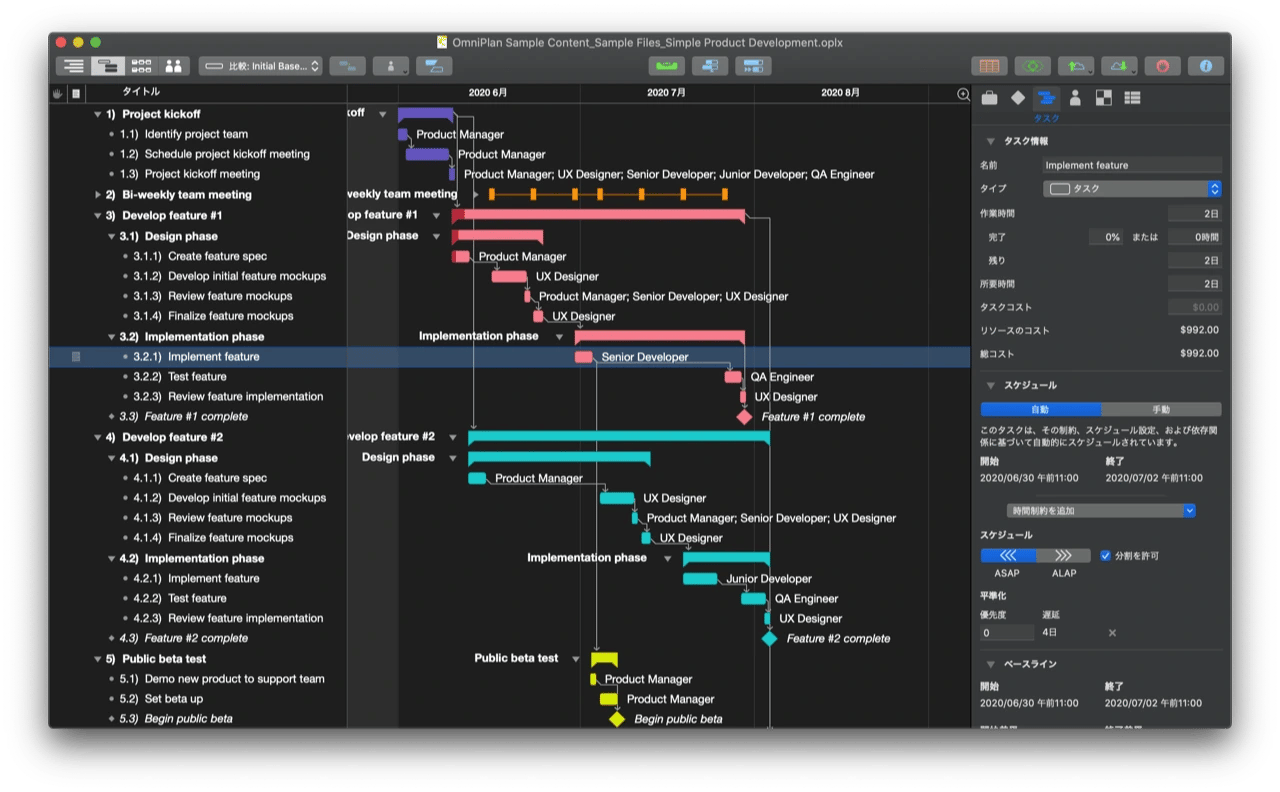
OmniFocus has been the benchmark for GTD task management on Mac for years, and after spending time with it, it’s easy to see why.
The app gives you the freedom to build your own workflow based on the way you like to organize your thoughts. You can do this with perspectives, custom views, Apple Shortcuts, AppleScript automation, and review modes.
That flexibility comes with a learning curve though. Before it starts paying off, you’ll need to organize more than you would on Todoist. It’s most suited to people who genuinely enjoy refining their productivity system and don’t mind investing time to get there.
Platforms: macOS (native), iPhone, iPad, web.
Pricing (August 2026):
Standard one-time purchase at $74.99
Pro one-time purchase at $149.99
Web add-on at $49.99 USD per year
Microsoft To Do: Best free cross-platform option
source: microsoft.com
Best for: Microsoft 365 users who want a simple task manager that works across all their devices
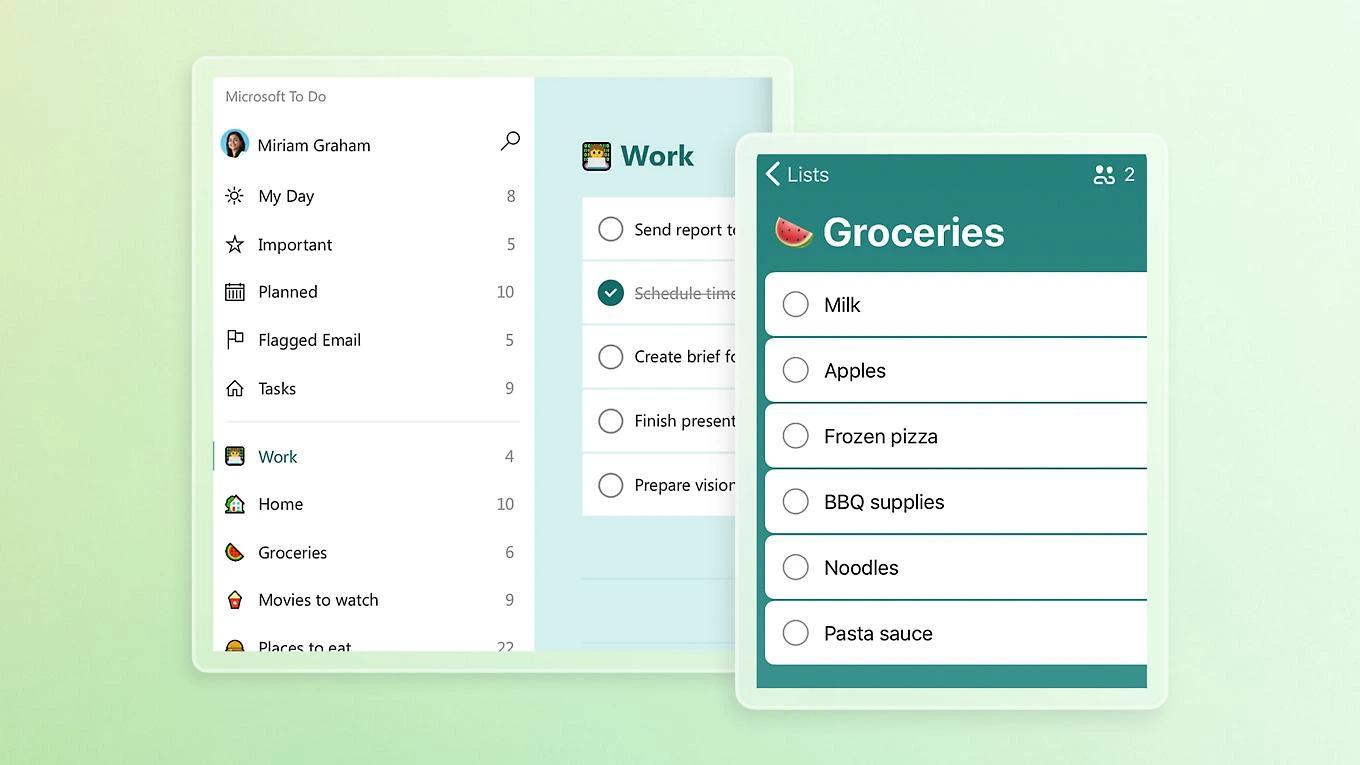
Microsoft To Do is a good Todoist alternative if your work already revolves around Outlook, Teams, and Microsoft 365. It’s quite straightforward and fits naturally without asking you to change the way you work. Emails that are flagged in Outlook automatically become tasks and sync across your devices.
However, compared to Todoist, it feels much more basic. There’s natural language entry, but you don’t get advanced filters, Kanban boards, or the kind of flexible organization power users like. It works best for simple tasks in the Microsoft ecosystem.
Notion: Best for users who want tasks alongside notes
Source: notion.com
Best for: People who want to manage tasks, notes, meeting minutes, and projects from one workspace.
Notion isn’t what I’d call a direct Todoist replacement, but it still has a powerful task manager that many people use. Otherwise, it’s more of an all-in-one workspace that jumps between meeting notes, project planning, task tracking, and more.
Its database orientation is the main difference. You can view tasks as a list, a Kanban board, or a calendar, and link them to project documents, meeting notes, or a company wiki. Collaboration is also much stronger than personal task managers.
The downside is that while it does many things well, it’s not a benchmark in any of them. The Mac app also still feels more like a web app than a native Mac app.
Sunsama: Best for daily planning around your calendar
Source: sunsama.com
Best for: People who want to plan their day more intentionally instead of piling on tasks
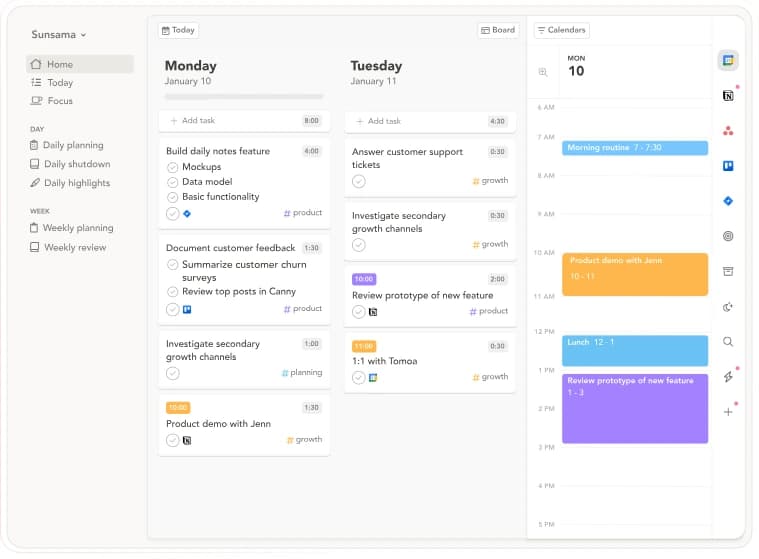
Sunsama is more of a friendly Todoist alternative. It encourages you to keep adding more tasks, then helps you decide what you’ll realistically finish today.
Every morning, it walks you through a planning ritual where you pull tasks from your calendar and other apps, estimate how long they’ll take, and block out time to work on them. It also integrates with most of the apps professionals use, such as Asana, Trello, and Linear, to sit on top of your existing system.
The only major issue is that it goes for around $20 a month, making it one of the most expensive Todosit alternatives in this list.
Other Mac tools that complete a productivity workflow
Even with the best task manager, you’ll still need a few supporting tools. Here are a few that help me complete the task management workflow.
Focused Work makes it easier to stay with the task in front of you
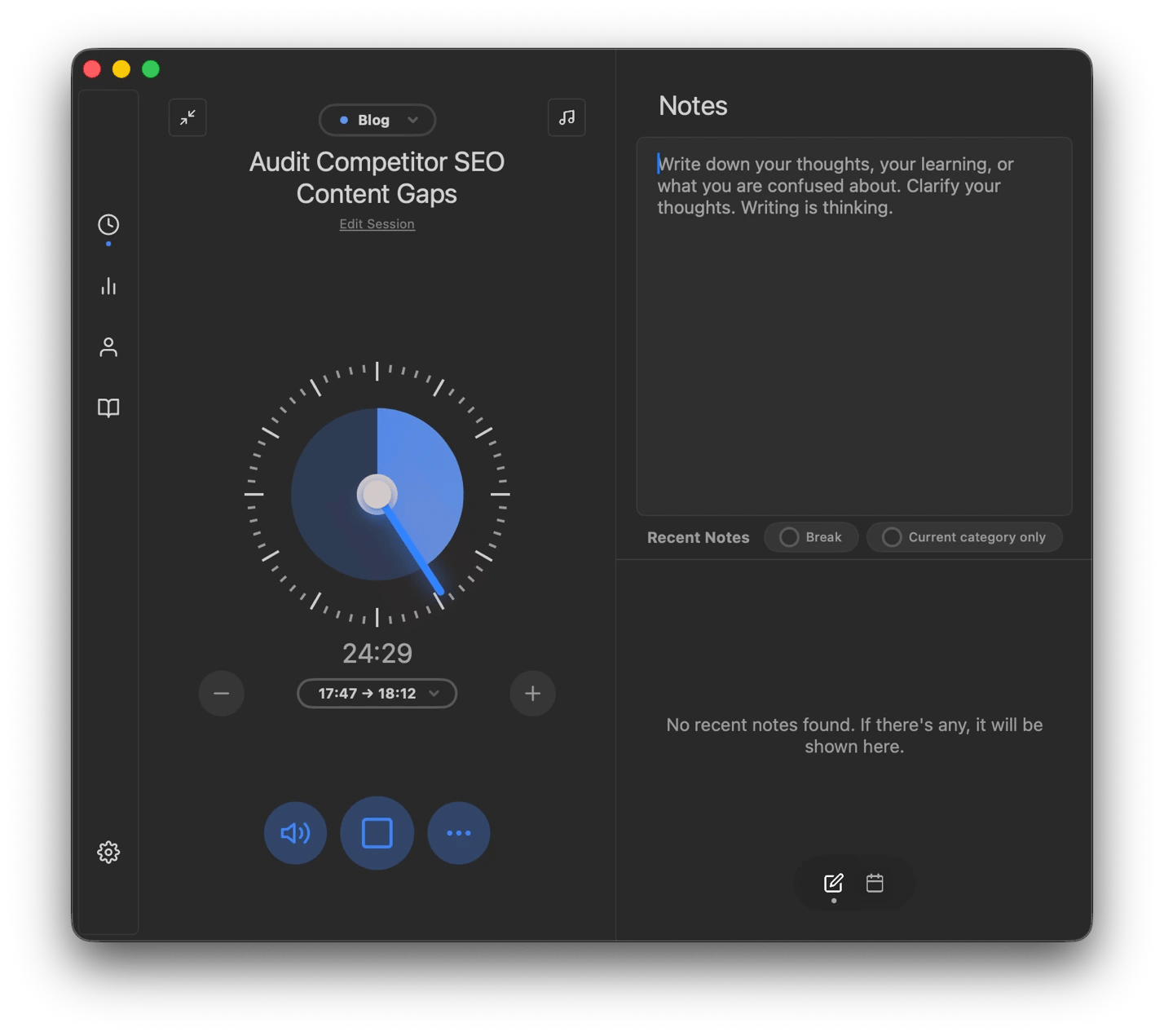
After a task manager tells you what to do, you still need to find a way to ensure you actually do it. Focused Work is my tool for this because it helps me stop procrastinating and resist social media distractions. I use it to start a Pomodoro timer that gets me into a focused session with timed breaks.
A great task manager doesn't help if you still avoid starting. Focused Work fixes the starting problem. Pomodoro sessions, timed breaks, distraction blocking — all from one Mac app. Try Focused Work Free.
PopClip turns highlighted text into actionable tasks
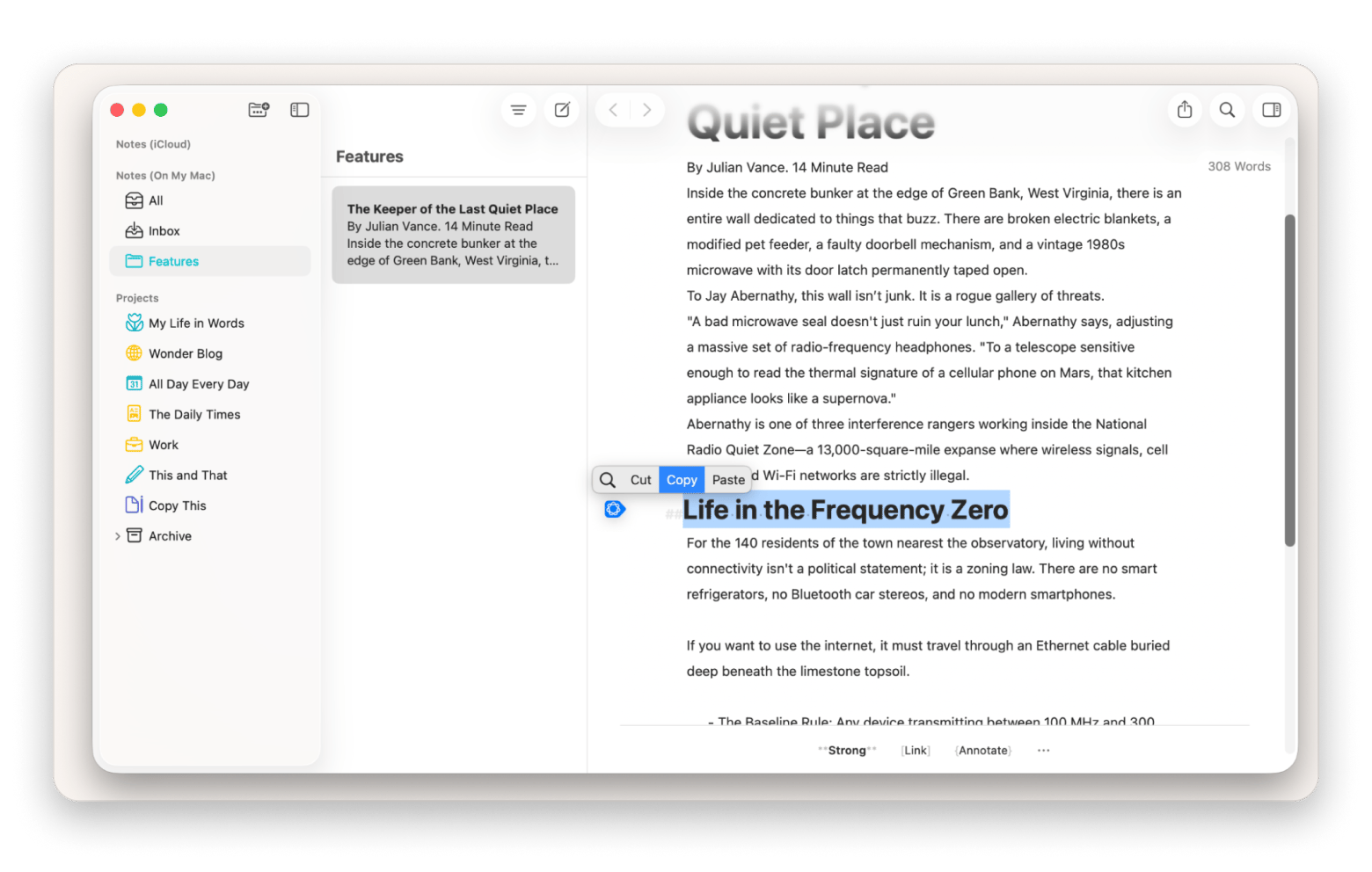
Instead of right-clicking every now and then, I use PopClip for quick text actions. When you select text in any app, PopClip appears with options like copy, paste, and Google search.
It also has hundreds of extensions you can add, including the ability to create a reminder directly in any of the apps on this list.
SparkMail keeps your inbox from becoming your task list
Instead of spending 20 minutes in the morning doing email triage, I let SparkMail handle it automatically. It’s an AI-powered email client that smartly identifies clutter and categorizes different emails. This makes it easier to see emails that include tasks instead of hunting through everything or missing important emails.
Also, its AI triage prioritizes emails that contain action items, so your task-relevant messages surface at the top.
How to migrate from Todoist without losing your tasks
You can just import your Todoist data to another app, but there are still ways to make the migration seamless.
Export your Todoist data from Settings > Backups as CSV files for a local backup.
Recreate your projects manually as most Mac task managers don’t import Todoist’s CSV files directly.
Rebuild your workflows beyond the tasks. Things like smart lists and tags will determine how smooth the switch is.
Set up your recurring tasks one by one as each app handles these differently
Keep Todoist around for another month to catch anything you may have missed.
You can then familiarize yourself with the strengths of your new task management tool.
Choosing the right Todoist alternative for your use case
Not yet decided? You can use this approach to decide on the best Todoist alternative for your workflow.
I want the most polished task manager for my Mac and iPhone > Things 3.
I like Todoist but want more built-in productivity tools for less money > TickTick.
I already use Apple Reminders and just want it to be more powerful > GoodTask.
I think in workflows rather than lists of tasks > Taskheat.
I follow GTD and want complete control over tags, contexts, and workflows > 2Do.
I just need a reliable free task manager on Apple devices > Apple Reminders.
The best Todoist alternative for your Mac workflow is already waiting on Setapp. GoodTask, 2Do, Taskheat, Focused Work, PopClip, SparkMail, and 270+ more — one subscription, free for 7 days. Cancel before Day 7, and you won't be charged. Start My 7-Day Free Trial.
FAQ
What is the best free Todoist alternative for Mac?
The best free Todoist alternative for Mac is Apple Reminders. It’s built into macOS and supports tags, Smart Lists, shared lists, and automatic sync via iCloud.
Is Things 3 worth switching to from Todoist?
Yes, Things 3 is worth switching to from Todoist if you want a Mac-native to-do app. It offers a more polished interface and Mac experience. However, Todoist is still better for teams and cross-platform use.
Which Todoist alternative syncs with Apple Reminders?
GoodTask is the best Todoist alternative that syncs with Apple Reminders. You can create tasks in Apple Reminders or GoodTask, and they’ll sync to both. You can then manage them better with GoodTask.
Can I use a Todoist alternative offline on Mac?
Yes. GoodTask, Things 3, 2Do, Apple Reminders, and Taskheat are all offline task managers that sync once you are back online.
What is the best Todoist alternative for teams?
TickTick is the best Todoist alternatives for team collaboration.
Let’s solve your to-dos
Get 2Do, a handy task manager that fits any schedule.






 Best solution
 Best solution