Focused Work
Work with timers
Mac, iOS
Version 5.2.0
macOS 13.0 or later
209.3 MB
1 languages
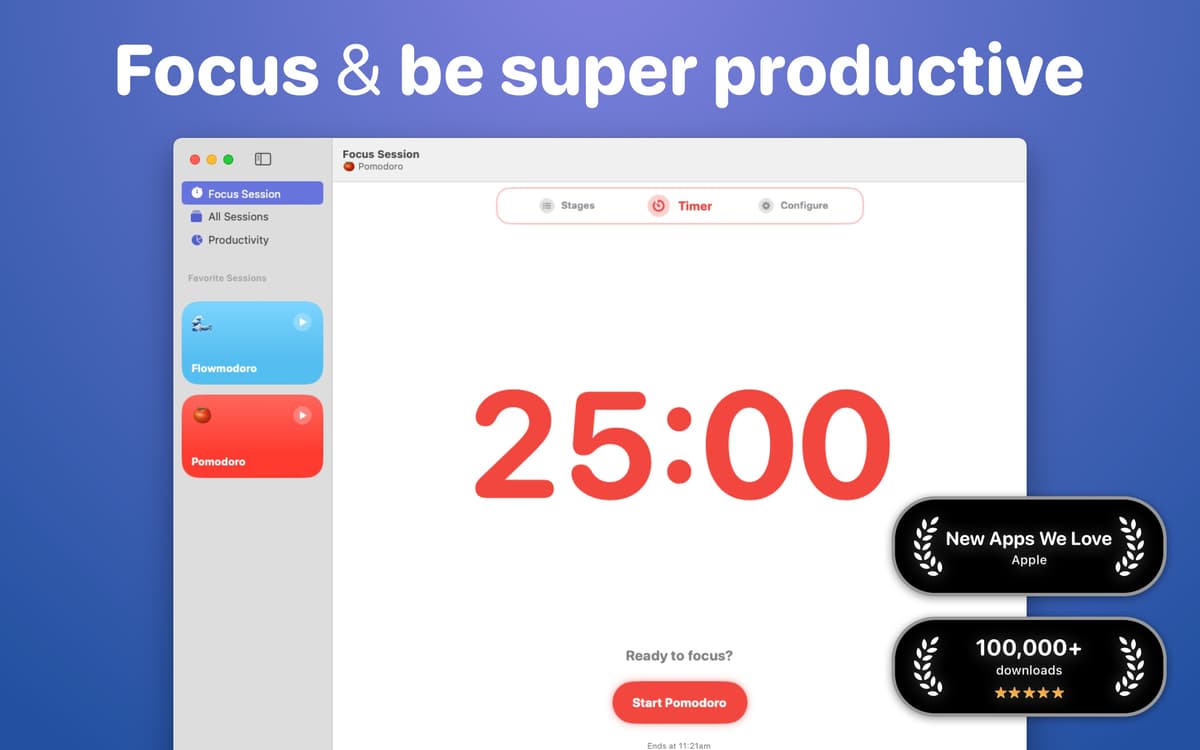
Be more productive with Focused Work, an app that gets inspiration from popular focusing techniques to help you stay on track. Set a timer in the app to work on your project in focused, dedicated time slots. Use Scratch Pad to jot down distracting thoughts or ideas and block distracting apps or websites.
Use timers for focused work
Set reminders to focus
Analyze your sessions
Block apps and websites during sessions
Focused Work features
Focus on your work
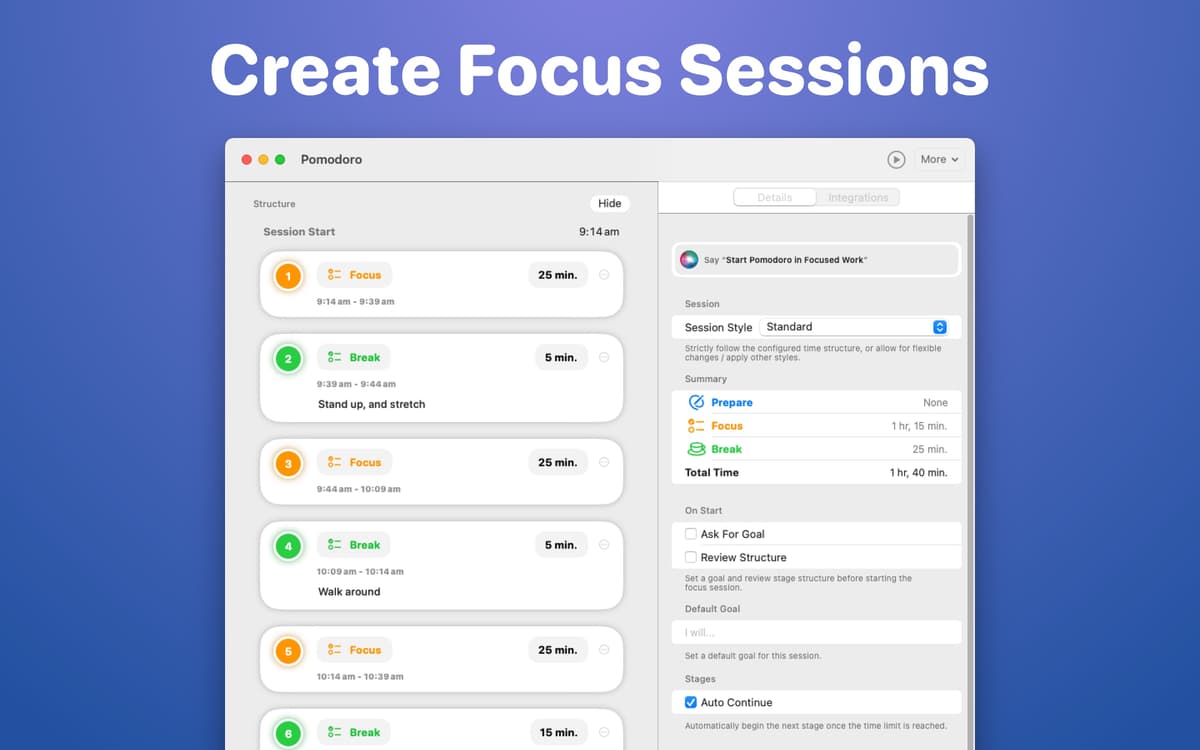
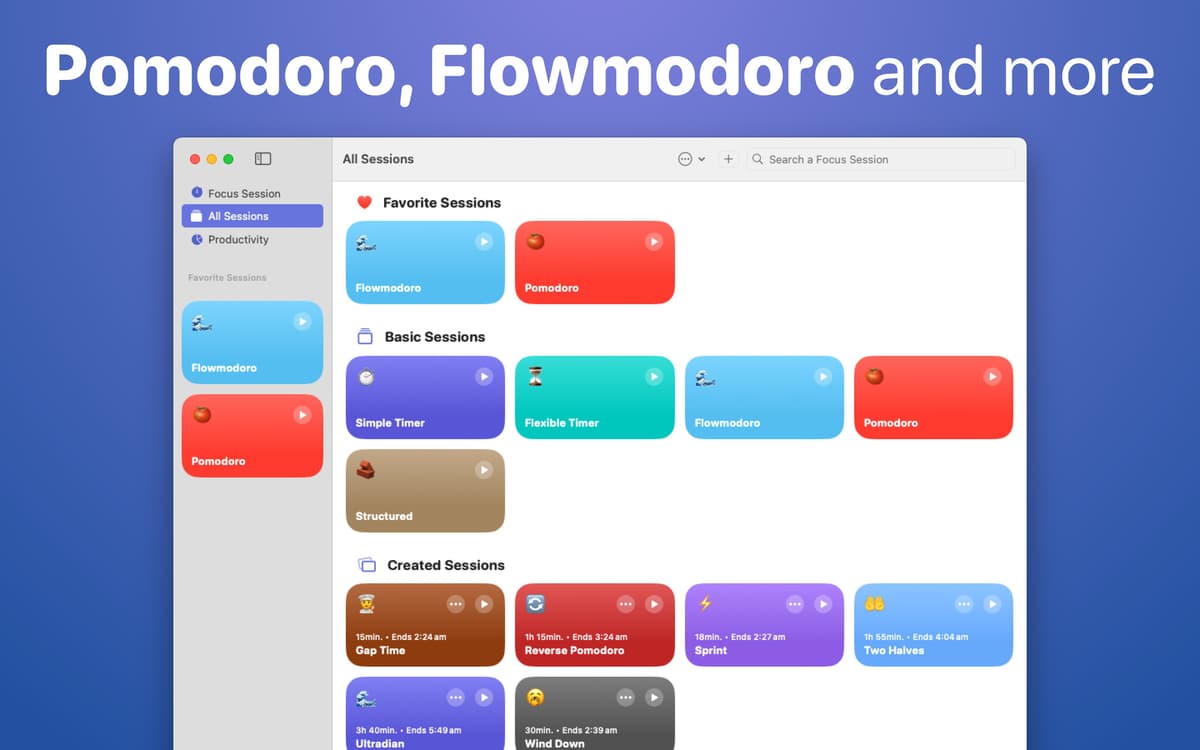
Turn on a timer to focus solely on your task at hand. Choose between multiple various timer types to fit your work style perfectly. Browse timers inspired by Pomodoro®, Flowmodoro techniques, and more to pick a focusing style that matches your needs. Pomodoro® is a registered trademark of Francesco Cirillo’s company Cirillo Consulting GmbH.
Jot down ideas
Whenever we try to focus, random thoughts, ideas, or unrelated to-dos tend to pop up in our heads. Use the app’s Scratch Pad to jot down thoughts you want to come back to after your focus session and let your mind refocus back to what you are doing without worrying about the distracting thoughts.
Reflect on your sessions
Use the Reflection block of your session to write down what went well and not so well during your focus session. Improve your future focus sessions by listing the distractions you encountered, things you want to continue doing, things to start doing, as well as what you’d like to stop from happening during your focus sessions.
Set focus reminders
Set a reminder to start your focused work session for each day of the week. Curate your work down to the minute and make sure you stay on top of your goals with dedicated work time.
Block distractions
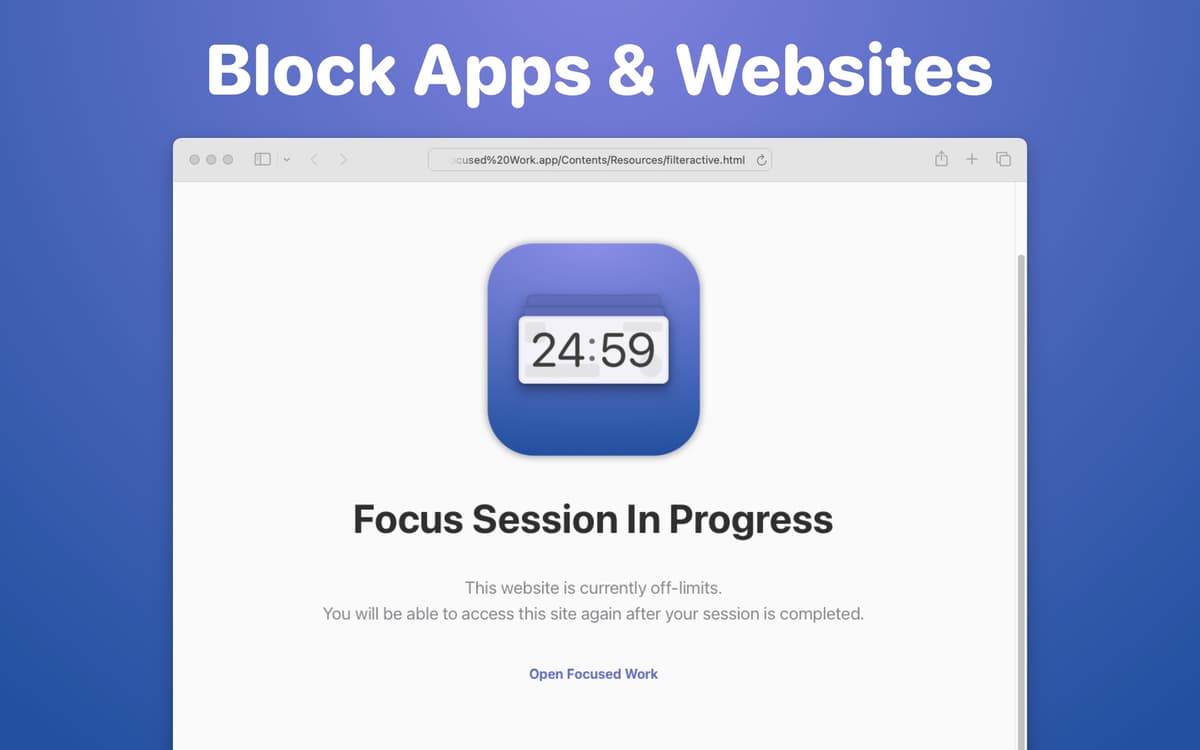
It only takes a moment of weakness to go from unwavering focus to mindless scrolling, so Focused Work enables you to block websites and apps. Create your custom Blocklist and keep your eyes on the prize with distractions tuned out for the duration of your focus sessions.
Review your progress
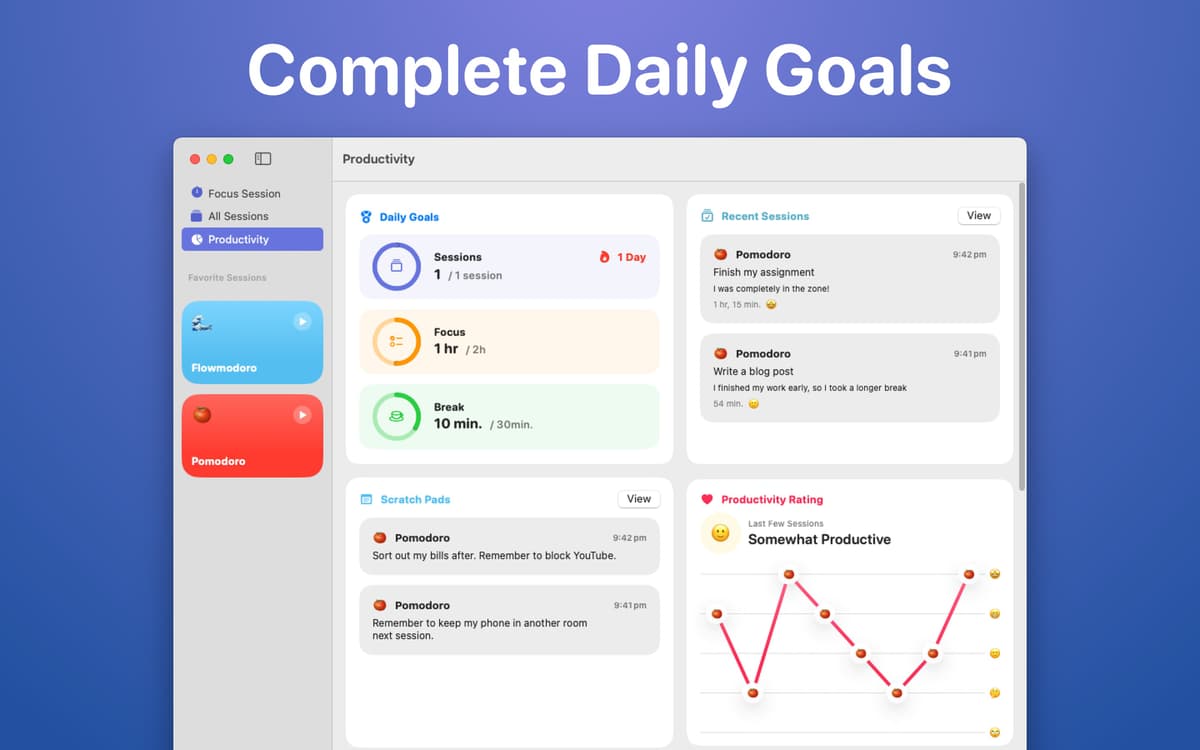
Analyze your focus session productivity sessions in the app's Productivity tab. Find the detailed breakdown of your session time, breaks, types of focused sessions, and more.
Ratings and reviews
Focused Work
•
95 ratings
Matthew Bogart
Sep 18, 2026
App version: 5.2.0
If minimized to the dock the app will often stop tracking time. If I try to edit a timer the buttons for “cancel” and “set” do nothing when clicked, making the only way to exit the timer editing window to hit escape and back out of edit mode without having successfully edited anything.
Ian T
Jun 2, 2026
App version: 5.1.4
Nice idea but unuseable. I have a late 2020 high-spec iMac. Focused Work crashes withing seconds of opening it. Very disappointing as I need what this app offers.
Andrew Cranna
Mar 22, 2026
App version: 5.1.4
Keeps exiting when I close the window and the notifications aren’t visible enough show when the session has ended. It also takes up a lot of space in the menu bar because the option to hide the intention doesn’t seem to work sometimes.
Get hundreds of apps with Membership
Become Setapp member and use hundreds of stellar apps with one subscription.
Try 7 days free, then pay one simple fee.
Install Setapp on Mac
Explore apps for Mac, iOS, and web. Find easy ways to solve daily tasks.

Get the app you came for
That one shiny app is waiting inside Setapp. Install with a click.

Focused Work
Choose your subscription
One app or more with a Setapp membership. Get apps the way you want.

Get hundreds of apps with Membership
Become Setapp member and use hundreds of stellar apps with one subscription.
Try 7 days free, then pay one simple fee.
1
Install Setapp on Mac
Explore apps for Mac, iOS, and web. Find easy ways to solve daily tasks.
2
Get the app you came for
That one shiny app is waiting inside Setapp. Install with a click.
Focused Work
3
Choose your subscription
One app or more with a Setapp membership. Get apps the way you want.
Home to the top apps
From planning and routine tasks to creative pursuits and coding, tackle tasks with apps on Setapp.


Focused Work
Work with timers