Best overall Scrivener alternatives for Mac in 2026: Atticus, Ulysses, Dabble, Campfire, iA Writer, NovelPad, Manuskript, and bibisco each cover a different writing need — from formatting and publishing to distraction-free drafting and character-driven planning.
For draft-to-publish in one place:Atticus handles both writing and professional formatting (EPUB, PDF, DOCX) without a separate layout step — ideal if Scrivener's "compile" step frustrates you.
For Apple-ecosystem writers:Ulysses syncs across Mac, iPad, and iPhone via iCloud and integrates directly with WordPress, Medium, and Ghost for publishing.
For free alternatives: Manuskript and bibisco's Community Edition both cost $0 — Manuskript for Scrivener-style outlining, bibisco for character-first story planning.
Scrivener too much? Get Ulysses and 250+ Mac writing and productivity apps in one plan. Try Setapp free for 7 days — cancel anytime.
Scrivener has been a popular choice for writers since 2007, but over time, more and more people have been looking for tools that are simple yet effective, as many users say, “Scrivener is too complicated.” I’ve used Scrivener myself, but since I’m exploring newer and easier-to-navigate options, I wanted to share some of the best alternatives for Mac users. I’ve tried out a few, and some have really stood out to me.
Below are the Mac-friendly alternatives I’ve personally tested that map best to those pain points — whether you want simpler drafting, better formatting/export, or stronger planning tools.
Best Scrivener Alternatives for Mac: Detailed comparisons
After the thorough research, I found out that most Scrivener alternatives fall into three categories:
Authoring + formatting apps: You can write and produce publish-ready output in one place.
Mac-first writing apps: You can make drafting more efficient in a style native to Mac.
Planning/worldbuildingapps: You can map out story structure, characters, and fictional worlds before or alongside writing.
iCloud sync + direct publishing to WordPress, Ghost, Medium
Dabble
Fiction writers who plan and draft in one tool
Web-based, any Mac browser
From $9/mo; lifetime $699
Plot Grid + goals and progress stats
Campfire
Worldbuilding-heavy fiction (fantasy, sci-fi)
macOS 10.11+
Free plan; modules $2–$12/mo
Modular story bible with visual customization
iA Writer
Distraction-free drafting, no extras needed
macOS 10.15+
$49.99 one-time (Mac)
Minimal editor, one-time purchase per platform
NovelPad
Browser-based drafting with built-in writing checks
Mac via browser
$15/mo or $120/yr
ProWritingAid checks + real-time collaboration
Manuskript
Free Scrivener-style drafting and outlining
Mac OS X and later
Free (open source)
Index cards, outliner, worldbuilding tools
bibisco
Character-driven story planning
macOS (Intel + Apple silicon)
Free (Community); $59 Supporters
Guided character development tools
Not sure which writing app fits your workflow? I ran a few comparisons through the Productivity Tools GPT assistant — it's a handy way to talk through your specific needs and get a clearer shortlist before committing to anything.
Atticus: Writing and professional formatting in one place
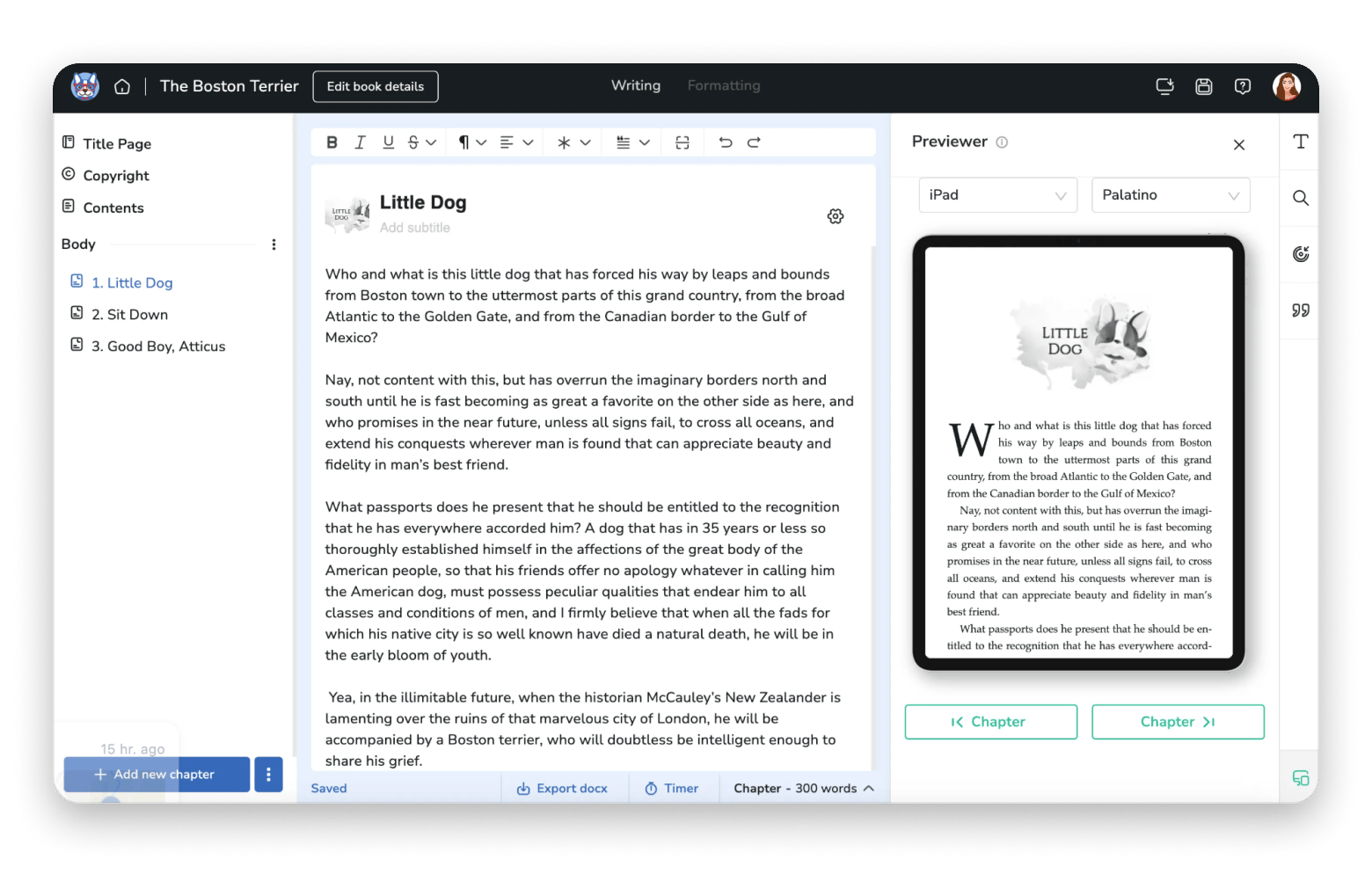
If you’re looking for a Scrivener replacement that lets you export and format text easily, then Atticus is worth trying. The platform can easily draft your writing and turn it into a nice-looking ebook. It’s simple, it’s easy to navigate, and you can do formatting and drafting in one place.
I like that the tool keeps your content list aligned to the left and automatically includes Front and Back matter sections, all while offering a feature-rich editing bar at the top. And once you finish the page, you can see its preview on the right.
If you like visualizing the ready-made book while writing, Atticus might be your choice.
Source: atticus.io
When I’d pick it over Scrivener:
You want one tool for drafting + formatting instead of a Scrivener draft and a separate layout step.
You need straightforward exports (EPUB/PDF/DOCX) for sharing with editors or self-publishing.
You dislike complexity.
Pros:
Strong format coverage: EPUB, PDF, DOCX export
Offline mode exists, but with clear limitations
Cons (especially on Mac)
Browser choice matters on macOS: Atticus support explicitly recommends Chrome, and advises avoiding Safari and Edge because certain browser features can interfere.
“Offline” isn’t fully offline: You must be online for certain actions (such as import/export).
Ulysses: Mac/iPhone/iPad writing workflow with iCloud sync
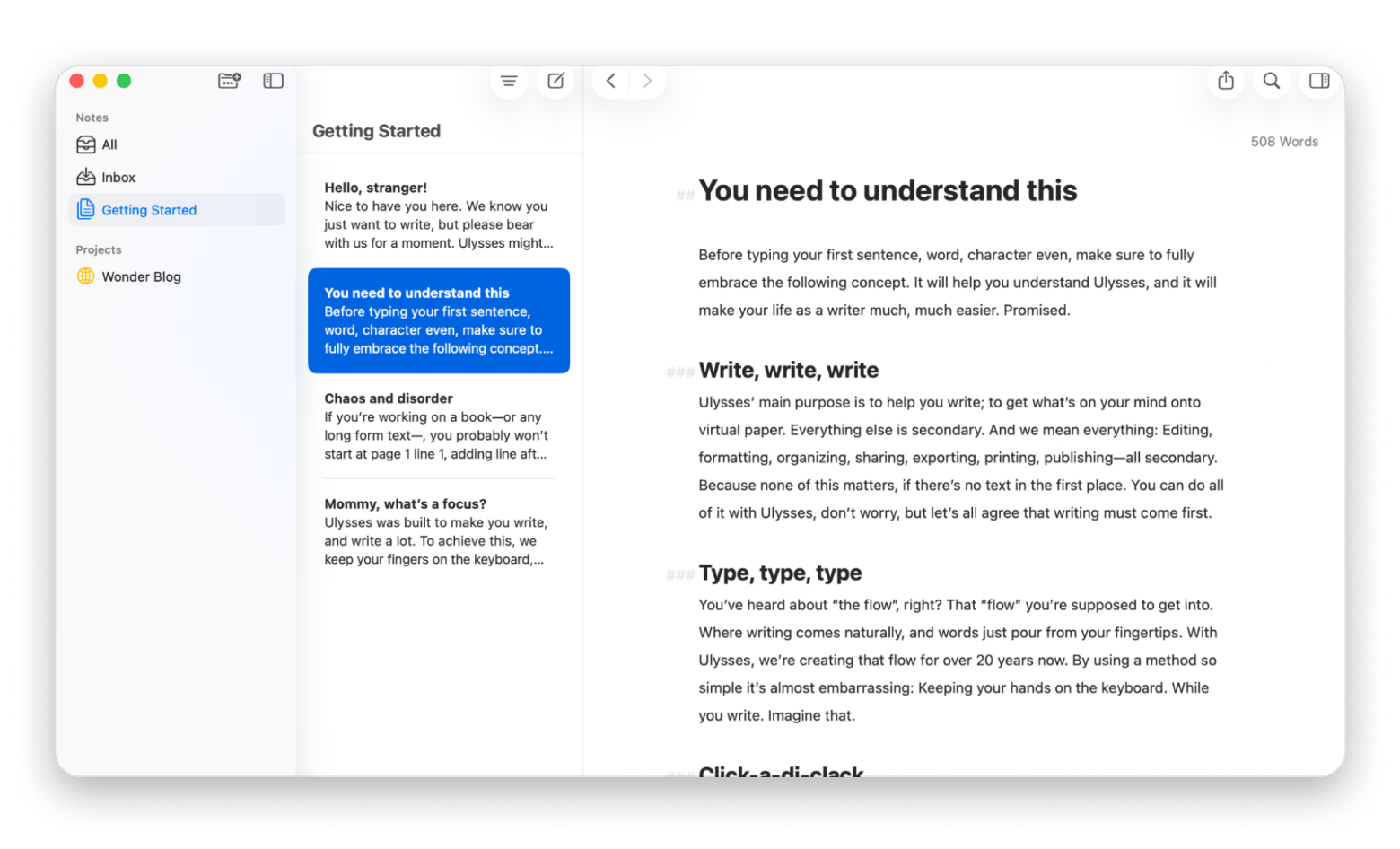
Ulysses is the most “Apple ecosystem” alternative here. It’s simple-looking and gives you the feeling of writing on a blank page, with zero distractions and focused work. The markdown editor is placed below, so you can always write and edit the text just like you do in Scrivener.
I like that the app lets you sync with iCloud. So, if I have an iOS version installed on my phone, I can easily get back to writing when I feel inspired or remember the thing I wanted to include in my writing — quite a useful feature for me.
The best part is that Ulysses is integrated with Medium and WordPress, so you don't have to leave the app to publish your content. And if you plan to export it, just pick a format after clicking the share icon, and you’ll see a preview of how your writing will look.
When I’d pick it over Scrivener:
You write across Mac + iPad/iPhone and want iCloud sync built in.
You want an Apple-style app for writing, but with advanced features.
You publish drafts to the web and need exports to PDF/DOCX/ePub or publishing to WordPress, Ghost, Medium, Micro.blog.
You can use the Night Mode feature to write during late hours.
Pros:
Apple-first + iCloud sync
Strong export/publishing pipeline: PDF/DOCX/ePub + blog integrations
Supports Family Sharing (Source: Ulysses Pricing)
Cons (Mac-specific considerations):
macOS 13.0+ requirement for the current version
Theme and syntax highlighting options might feel basic
Dabble Writer: Fiction plotting tools in a browser-first app
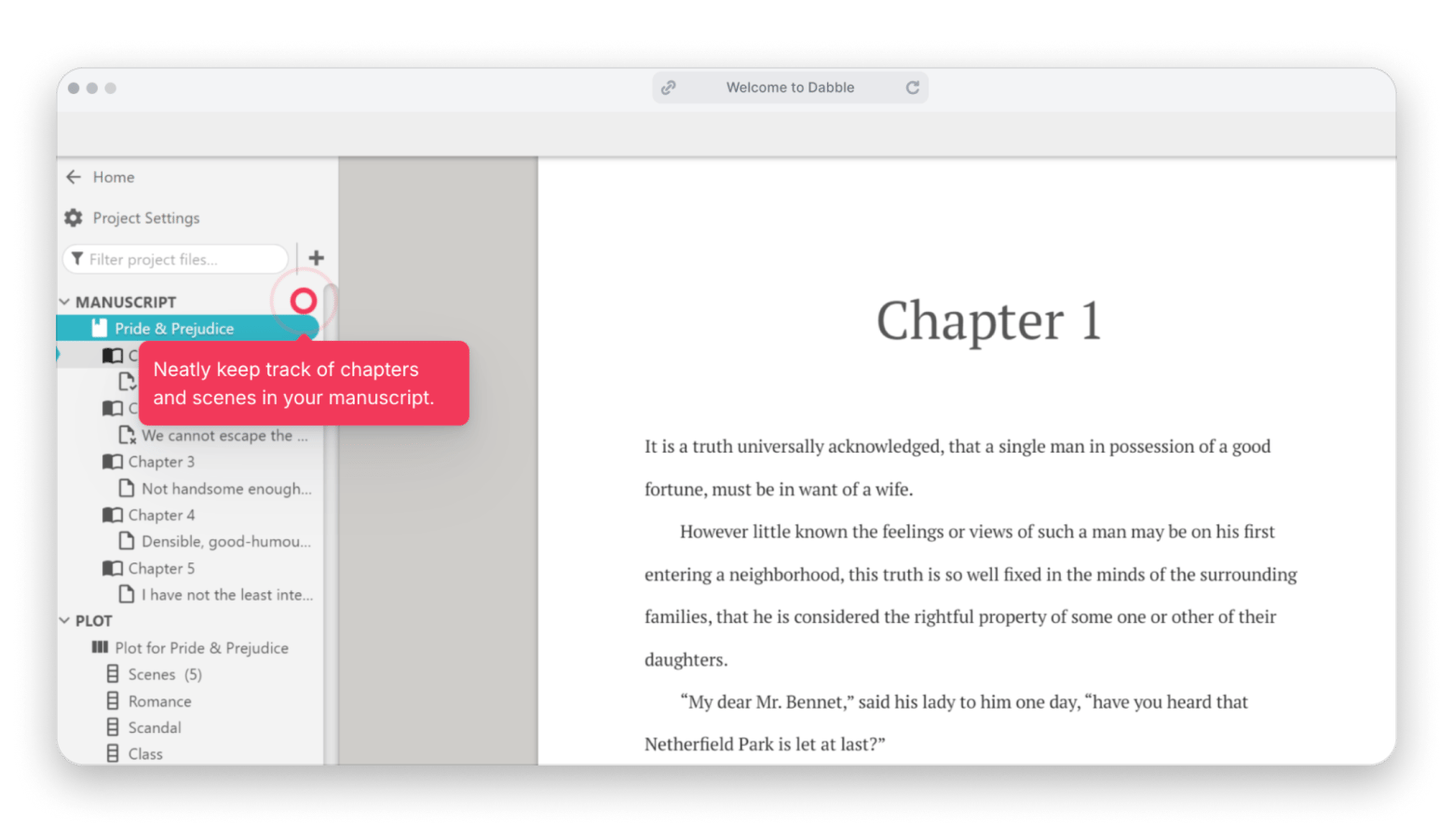
If you’re a fiction writer, you should try Dabble. The app feels like a guided writing system, especially for planning, without asking you to learn a big “compile” pipeline on day one.
The manuscript view on the left is great. It breaks your book into chapters for easy navigation, and you can create sections for plot, story notes, characters, and world descriptions separately, which are also shown in the left pane. I tested the tool for a week, and it's really easy to jump between stories and characters when you need to check on something — and everything is right on your left panel.
Source: dabblewriter.com
When I’d pick it over Scrivener:
You want built-in planning tools (like plotting grids) plus drafting in the same place.
You want a cloud-first tool you can access on multiple devices.
Pros:
Designed for fiction workflows; includes planning features like Plot Grid, plus focus mode and goals/stats
Offline workflow supported (with a “sync when back online” approach)
Cons:
Because it’s positioned as “any device” access, it may not satisfy people who want a deeply Mac-native app feel.
Not ideal for final publishing — lacks advanced formatting and can’t export to formats like PDF/EPUB.
Campfire: Best choice for worldbuilding-heavy fiction and modular planning
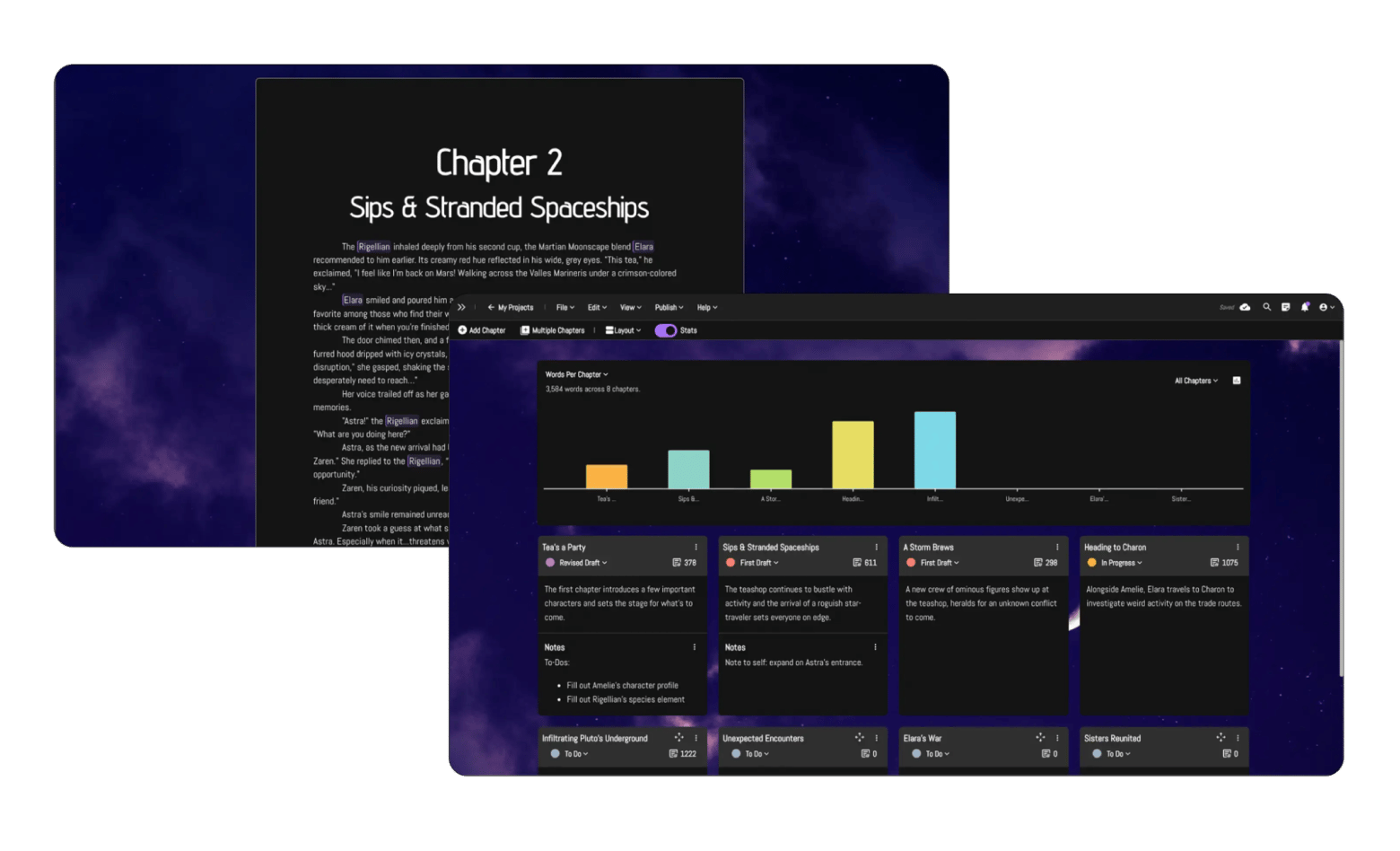
Campfire is the “story bible” style alternative. It’s especially helpful for creative writers, who write a lot and use the writing tools to offer various features for brainstorming and planning their stories.
Creativity goes beyond just writing, as Campfire lets you customize your writing with visual details of your choice. Let’s say you write about a new world and want to fully immerse yourself for a burst of creativity — you can add your personal visuals or upload stock photos to add a “vibe” to your story. Sounds cool to me.
However, after starting to play with visuals, I realized that writing had taken a back seat, and I was spending more time and energy on the wrong thing. But if you’re okay with combining the two, you’ll like it. Plus, the Characters module (where you write about your character in detail) allows you to add their appearance, which is only beneficial for writing, especially when it comes to editing, so that the editor can have a better idea of your story.
When I’d pick it over Scrivener:
You’re writing fantasy/sci‑fi (or anything with lots of lore, characters, and structured planning).
You want modular tools — choose what you need instead of an all-or-nothing suite.
Pros:
Mac desktop app (macOS 10.11+)
Export support includes PDF/EPUB
Cons:
Modular pricing can create decision fatigue (which modules do you actually need?)
Mobile app supports only “select modules,” so cross-device expectations need checking.
iA Writer: Minimalist Mac writing app for focused drafting
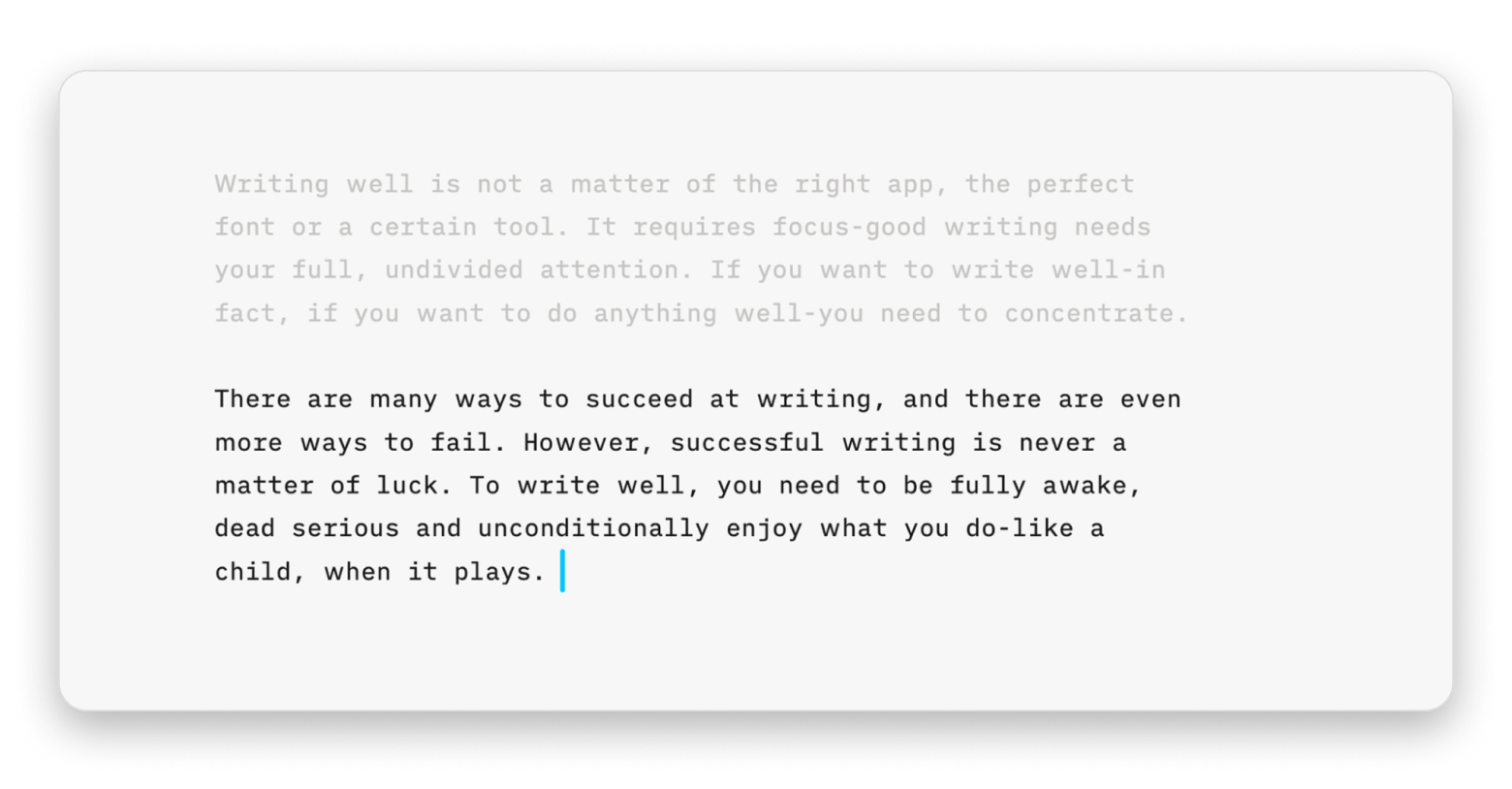
iA Writer is the pick when you want the fewest possible features between you and the words. You get a pen-on-paper view where you can simply focus on your writing, especially during those inspirational moments.
However, I initially had trouble finding the Markdown feature because it's a pop-up toolbar. I would say it is the complete opposite of Scrivener, if you see what I mean.
Source: ia.net
When I’d pick it over Scrivener:
Scrivener’s panels and modes feel like “too much,” and you want a clean slate editor.
You already have a separate outlining/planning system and just need a drafting tool.
Pros:
Mac app supports macOS 10.15+
Cons:
License is per platform — buying Mac doesn’t include iOS/Windows
If you rely on Scrivener’s binder/corkboard/project database, you’ll need other tools for structure.
NovelPad: Best choice if you want browser-based drafting with built-in ProWritingAid-style checking
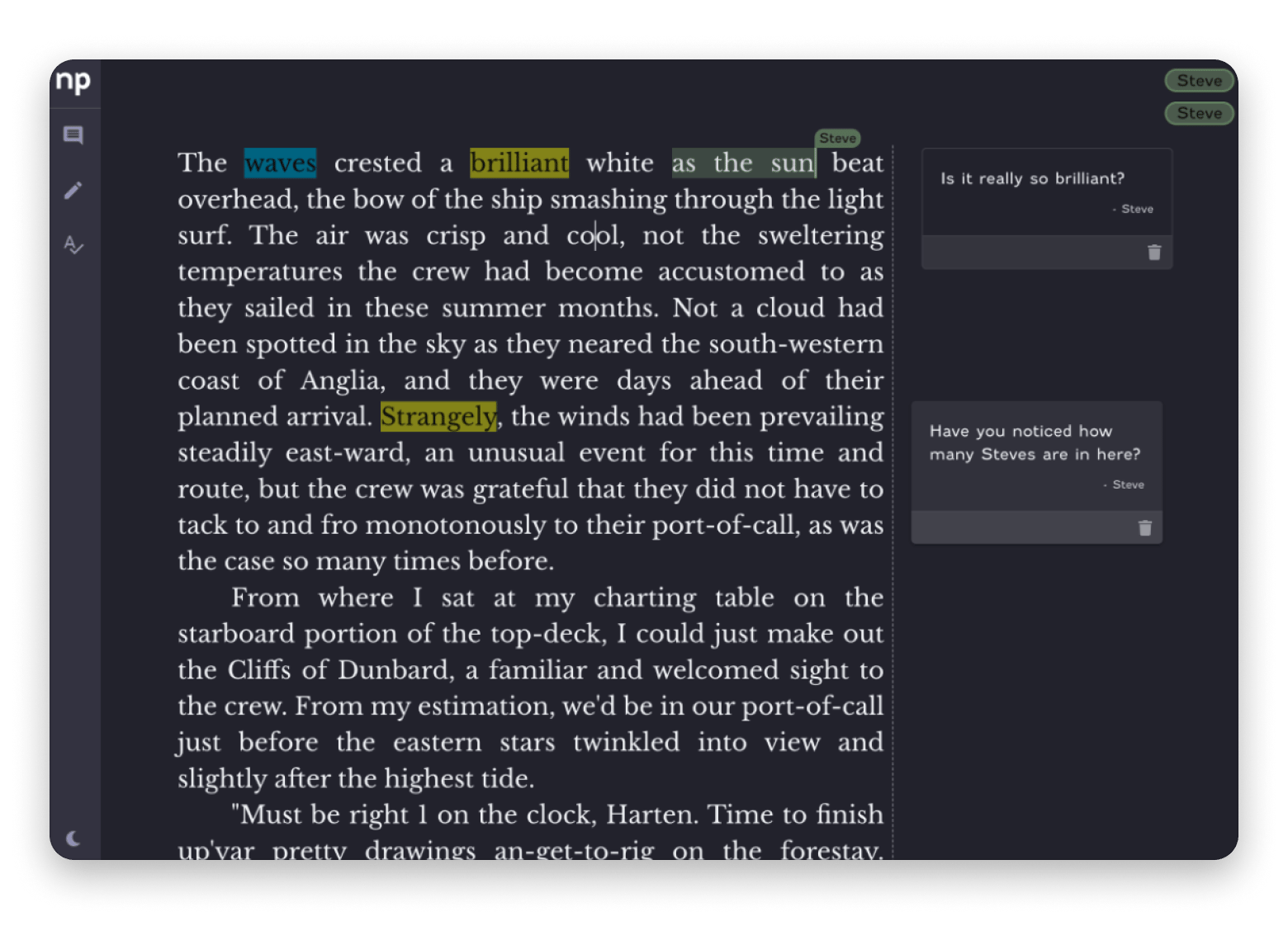
NovelPad is a web-first tool designed to work across operating systems. You can use NovelPad's plot board to build and organize scene cards across multiple plots and subplots, then arrange everything on the chapter board to get a clear picture of the story's structure.
For those who prefer to write first and plan as they go, new scenes can also be added directly from the editor tab. For me, that’s quite a useful feature.
Source: novelpad.co
When I’d pick it over Scrivener:
You want ProWritingAid-powered grammar/spelling/style checks inside the writing app.
You collaborate with an editor; NovelPad claims real-time collaboration.
Pros:
ProWritingAid-powered checks
“Backup & Rewind” positioning + frequent autosave
Works via browser
Cons:
Browser-based only, so browser behavior matters
Not as strong for deep formatting
Manuskript: Free open-source Scrivener alternative for Mac
Manuskript is the closest thing here to “free Scrivener energy.” It includes outlining/index cards, character and plot tools, worldbuilding, and distraction-free mode.
Even though it’s free, after I tested it, I can say it has a solid set of basic features. Plus, it has a Redaction tab that lets you view it in index card, outline, or text format.
For your convenience, Manuskript asks you what type of writing you’re planning to do (fiction or non-fiction) to create a project that best fits your needs.
When I’d pick it over Scrivener:
You want to spend $0 and still get a structured long-form writing environment.
You’re comfortable with open-source software and manual backups.
Pros:
Free/open-source (GPL-3.0) and cross-platform
Broad feature set + many import/export formats
Cons:
Official download page cautions it’s in “early development stages” and recommends frequent backups.
No clear macOS minimum version listed in the official sources captured here, so you’ll want to test on your exact Mac.
bibisco: Ideal for character-driven stories, with a free tier
bibisco is best when your writing process starts with character depth and structured story prep. Inside each project, your work is neatly broken into chapters and scenes, and rearranging them is as simple as dragging and dropping.
I like that the editor behaves just like the modern writing tools I already know, with all the usual formatting shortcuts and a tidy toolbar up top. When you write, you can keep aware of your progress thanks to a live word and character count. And if you're interested in monitoring how your writing develops, I found the optional revision history to be a helpful feature.
Overall, I’d recommend it most as a “character workshop” even if you draft elsewhere.
When I’d pick it over Scrivener:
You’re writing character-driven fiction and want guided character development tools.
You want a free starting point (Community Edition).
Pros:
Community Edition: $0.00 free tier available
macOS support: separate Intel/Apple silicon builds provided
Cons:
Install/purchase paths can be confusing, depending on when/how you bought it.
No macOS minimum version stated in the sources captured here — test on your Mac.
What is Scrivener: Key features and benefits
Scrivener is a word-processing tool for long-form writing. It’s built to help you draft, organize, and manage big projects like novels and nonfiction books, and it’s officially available on macOS, iOS, and Windows (with separate licensing), plus a 30‑day free trial.
Here’s the key information about Scrivener:
Platform availability: macOS, iOS, and Windows
Key feature: It employs a "binder" system that divides manuscripts into small, separate documents, unlike linear word processors such as MS Word.
Draft format: EPUB, PDF, Word, and more.
Pricing: $59.99 standard, $50.99 educational, and $23.99 iOS version with a 30-day free trial.
Summary: Choosing the right Scrivener alternative on Mac
Now that you have all the information you need, just pick a tool and start writing that story you’ve been keeping in your mind. For me, each Scrivener alternative is a good choice, but each tool has its own set of features that will be useful for your writing.
Want a powerful, all-in-one writing tool? Then go with Atticus, Dabble, or Campfire. Looking for distraction-free writing? Choose Ulysses or Novelpad.
Still searching for the right Scrivener replacement? They're all waiting on Setapp. Ulysses, MindNode Classic, Craft, and 250+ other Mac apps — one membership, free for 7 days. Start My Free Trial. Or browse the full Setapp catalog before committing.
FAQ
What is similar to Scrivener?
If you're after the same long-form writing structure Scrivener offers, there's no single clone — most alternatives specialize in one area. Here are similar options to Scrivener:
Atticus: If you want drafting and formatting in one place, with a clean EPUB/PDF/DOCX export.
Ulysses: If you want an author-focused workflow that's explicitly less overwhelming than Scrivener.
Manuskript: If you want a Scrivener-style setup for free, just go in knowing it's in early development and back up your work regularly.
bibisco: If your writing starts with character building, and you'd like a free tier to test the waters.
Do real writers use Scrivener?
Yes, Scrivener is genuinely useful when you're juggling multiple characters, subplots, and research notes across a long manuscript. The challenge is that those same features can feel like a lot to take on if you're just getting started. If the complexity works for you, stick with it. If it doesn't, tools like Ulysses or Dabble offer a much gentler learning curve without sacrificing the structure.
Is Scrivener better than Word?
Scrivener excels at managing the moving parts of a long project — scenes, research, character notes — in a way Word was never designed to do.
Word, on the other hand, is hard to beat for compatibility, track changes workflows, and clean final document formatting.
How much does the Scrivener app cost?
Scrivener is sold separately for macOS, Windows, and iOS, with a 30-day free trial available. For exact up-to-date pricing, check the official Literature & Latte store directly, as figures can shift.






 Best solution
 Best solution