Microsoft OneNote has been a go-to productivity tool for a long time. But these days, a lot of Mac users are looking for something that stores notes locally, works well offline, and feels as smooth as any native Apple app.
In this guide, I'll help you find the best OneNote alternative for Mac that fits the way you work and your creative style. From all-in-one workspaces to focused writing tools, I’ll cover it all so you can find the perfect OneNote replacement for Mac you’ll enjoy using.
Want to get more tools that align with your goals? Try the Productivity tool finder. This GPT assistant can recommend tools based on your individual needs.
OneNote alternative
Best for
Notion
Ideal for teams and people requiring an all-in-one workspace.
Obsidian
Local-first note-takers and knowledge management enthusiasts.
Apple Notes
Mac and iOS users seeking seamless ecosystem integration.
Bear
Creatives and writers seeking elegantly designed, markdown-based notes.
Joplin
Open-source lovers prioritizing data ownership and privacy.
Zoho Notebook
Its card-based interface, zero-cost premium access, and cloud backup improvements in 2026.
UPDF
Users needing a hybrid note-taking and PDF editing solution.
Let's get into the heart of our guide now: the top OneNote alternatives for Mac users in 2026. I've spent many hours testing these apps, and I’m excited to share what I found.
Notion: All-in-one workspace for teams and individuals
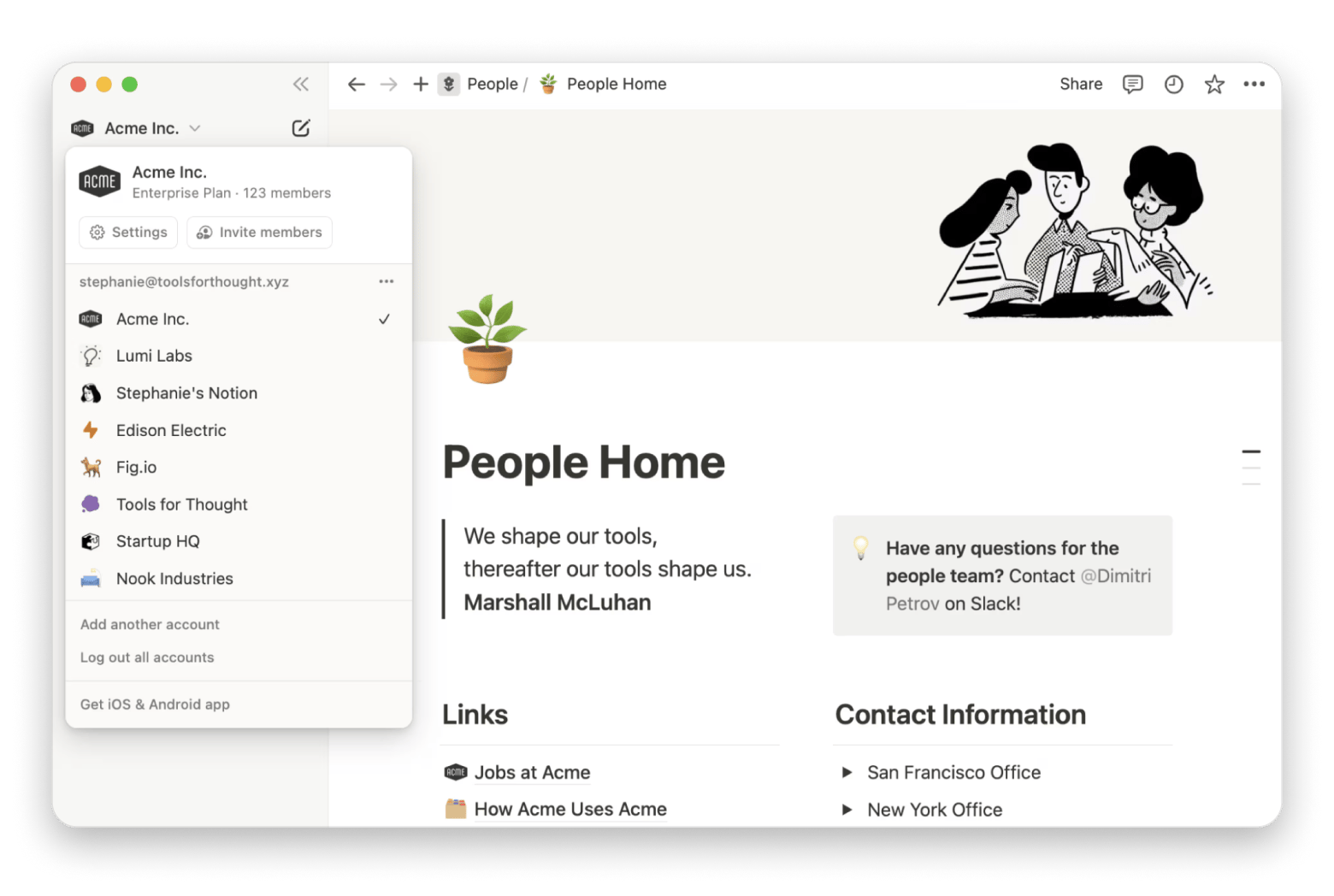
Notion is the main star in the productivity world. This powerful OneNote alternative for Mac is a complete workplace where you can get organized, plan, and work together with others. I use it for everything from project management to maintaining a personal knowledge base.
One of the best things about it is how flexible it is with what you add. You can combine written notes, visuals, and other media in whatever format works for you. It also lets you build detailed databases with custom views, filters, and tags, collaborate in real time, and jumpstart projects with ready-made templates.
In 2025, Notion introduced an AI assistant for content creation, summaries, and automation, improved offline mode for more reliable mobile work, and dashboards you can customize.
Source: notion.com
Pros:
Highly adaptable for simple or complex workspaces
Great for teamwork with real-time collaboration tools
Powerful databases with multiple views and filters
New features and improvements come out frequently
Cons:
Needs internet for full functionality despite offline mode
Can feel slow with large databases
More difficult to use for beginners
Notion might be the leading note-taking app, but it has some serious competitors like Craft. If you’re curious about how they compare, read this Craft vs Notion guide to help you decide which one fits your needs best.
Obsidian: Best option for knowledge management enthusiasts
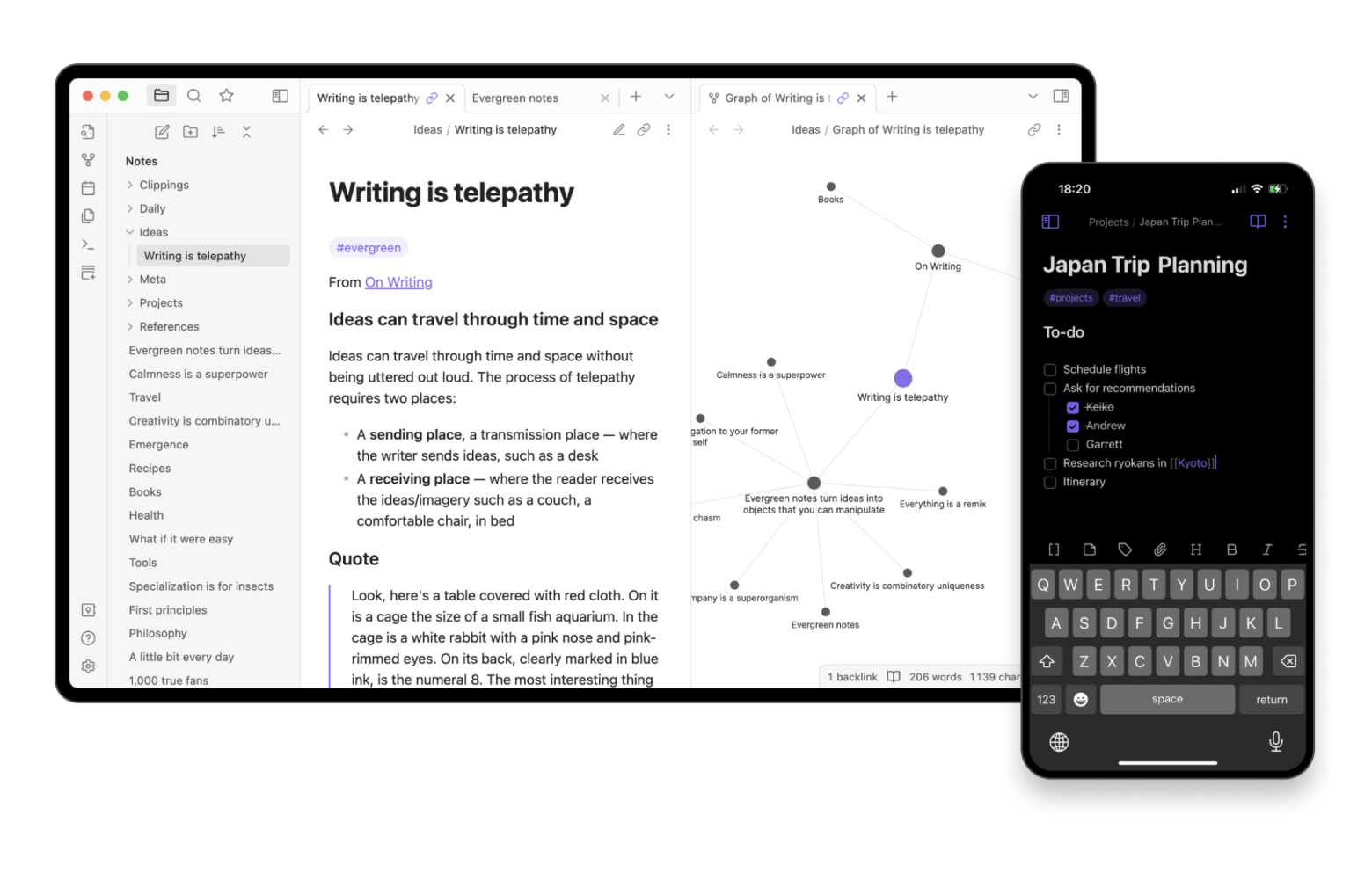
Obsidian is the best OneNote alternative for Mac if you want to create a personal knowledge base that you can rely on long-term. What draws me in most is its active community and its focus on connecting ideas.
You can link ideas together to create a connected web of notes, explore those connections through a visual graph view, and expand the app’s capabilities with a wide range of community-built plugins.
Your notes will be stored locally as Markdown files, so you'll always have full access to your data.
In 2025, Obsidian added some great updates with new plugins for AI writing, better task management tools, and iCloud sync that feels smoother than ever.
Source: obsidian.md
Pros:
Your notes are future-proof since they're saved as local, plain-text files
Great linking tools that make it easy to connect ideas
Tons of customization options with plugins
Friendly, active community that is always sharing tips
Cons:
Can take a bit of time to learn if you are just starting out
Not the best for real-time collaboration
A few of the more advanced features are behind a paid plan
Notes, tasks, and your calendar — in one Markdown-based Mac app. NotePlan links daily plans to your notes and calendar events. iCloud sync, local plain-text files, Apple-native. Try NotePlan Free.
Apple Notes: Best for seamless note-taking across Apple devices
Apple Notes is one of my go-to apps when I want something simple, reliable, and built right into my devices. I like using it for quick thoughts and ideas I want to jot down while I am out and about.
It works smoothly with both macOS and iOS, lets you format text nicely, and makes it easy to share notes or folders so you can work on them with others in real time. You can even scan documents straight into your notes using your iPhone or iPad.
In 2025, Apple Notes got better with upgraded collaboration features and smart folders that make staying organized a lot easier..
Source: icloud.com
Pros:
Super simple and easy to use
Free and already on every Apple device
Works perfectly with all your other Apple apps and services
Offers folders and tags to keep everything organized
Built-in search makes finding old notes fast and easy
Cons:
Formatting options are pretty basic
Doesn't come with advanced features like linking notes both ways or adding plugins
Bear: A top pick for writers and creatives
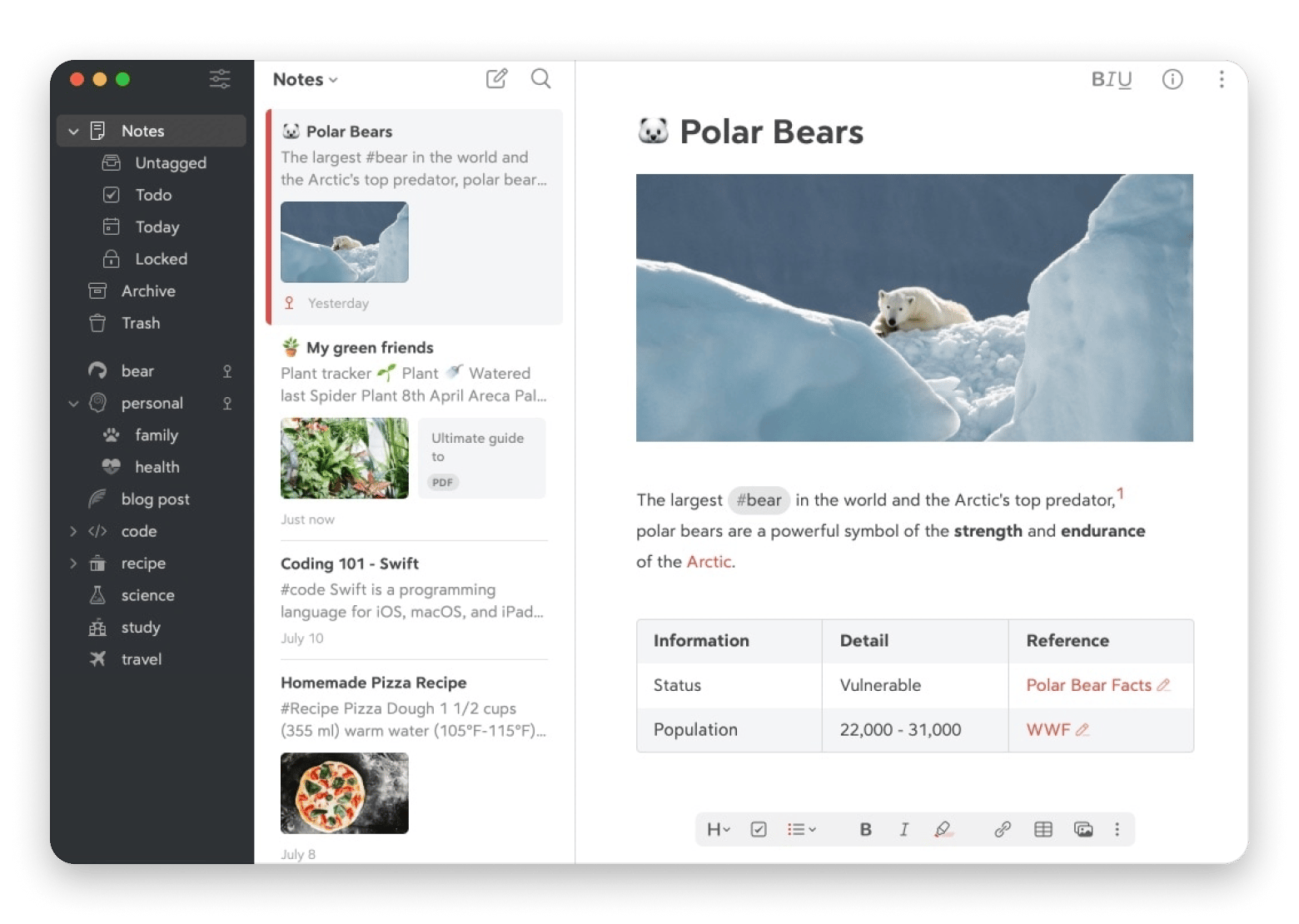
Bear is a OneNote alternative for Mac that’s loved by bloggers, writers, and anyone who enjoys a clean, clutter-free space to write. It’s easy to format with full Markdown support, and you can keep notes organized with tags and nested tags. It even supports sketching and drawing directly inside notes.
In 2025, Bear launched “Bear Pro,” which added more themes, robust iCloud sync, and smart linking to connect notes for a smoother writing experience/
Source: bear.app
Pros:
Clean design that's nice to look at
Great Markdown support for neat, organized writing
Easy tagging system, even with nested tags
Perfect for distraction-free writing when you want to focus
Cons:
Only works on Apple devices
Missing some of the advanced tools other apps have
You need a subscription for syncing and premium themes
Joplin: Best open-source option
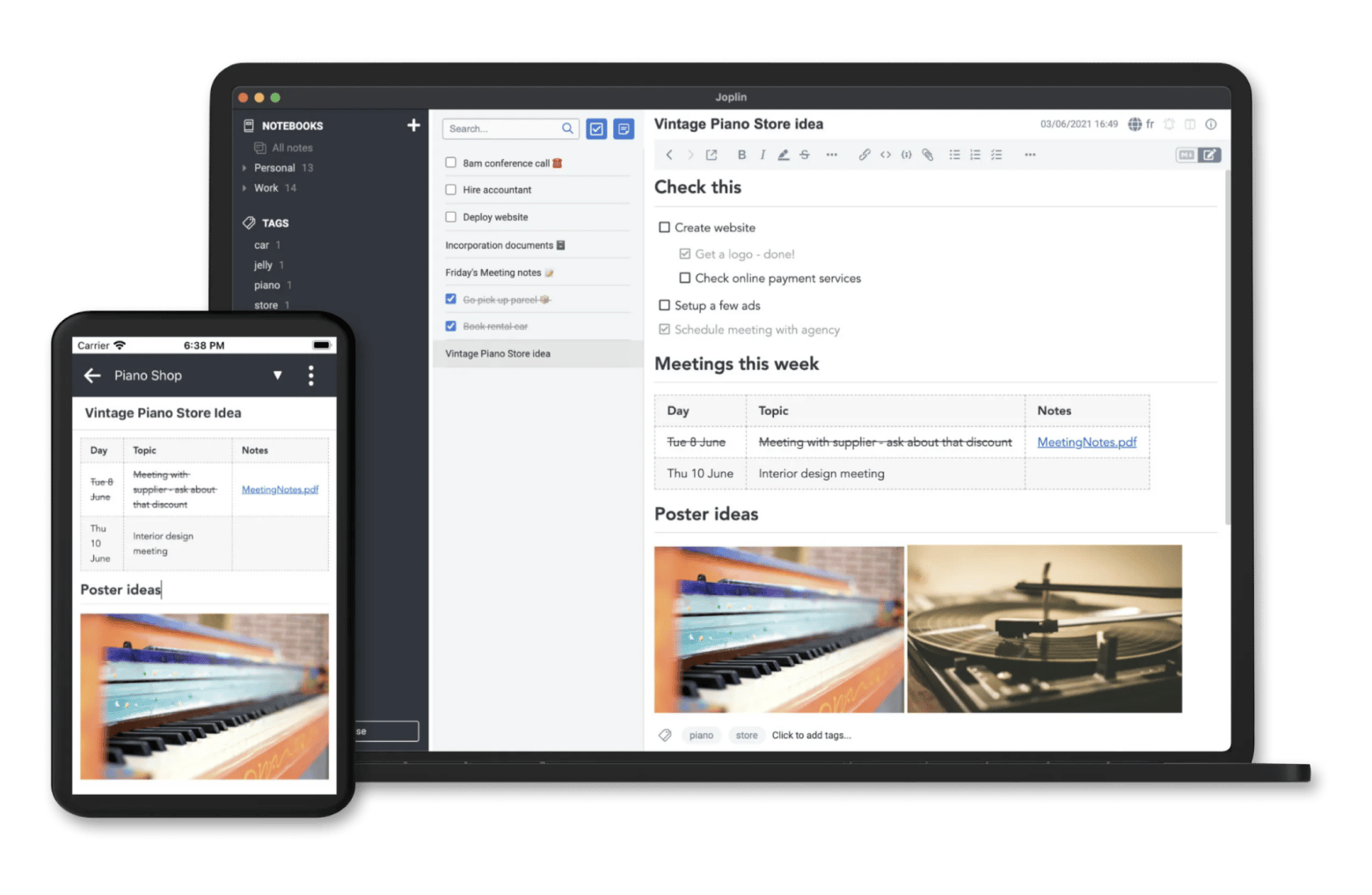
Joplin is one of my favorite OneNote alternative for Mac, especially if you like open-source software and want full control over your data. It's free to use and works on all major platforms, so you can keep your notes with you anywhere. I recommend it to anyone who wants a powerful, flexible tool that also puts privacy first.
You can sync your notes through Joplin Cloud, Dropbox, OneDrive, or even your own self-hosted server. There's a handy web clipper that lets you save web pages and articles straight into your notebooks.
In 2026, Joplin got a fresh, modern design, faster and simpler syncing, and more improvements to the Joplin Cloud service.
Source: joplinapp.org
Pros:
Free and open-source, so you have full control over your data
End-to-end encryption keeps your notes safe when syncing and storing
Works on Mac, Windows, Linux, iOS, and Android
Easy to customize with themes, plugins, and different layouts
Cons:
The look and feel are a bit old-school compared to some apps
Zoho Notebook: Best for card-style note-taking across devices
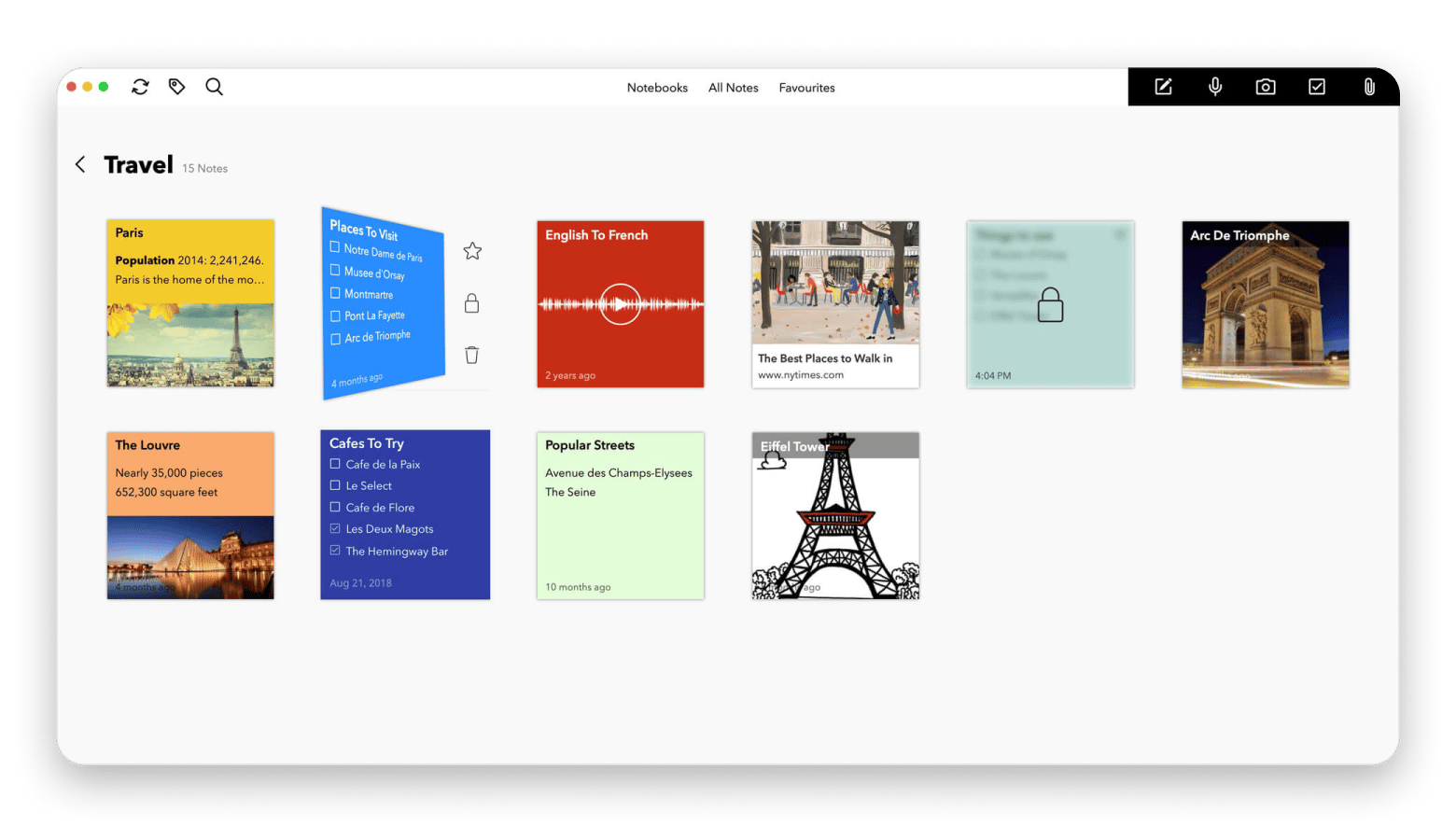
Zoho Notebook is an elegantly designed OneNote alternative for Mac. It boasts a clean, card-based layout that's easy on the eyes. I like how Zoho manages to give a premium experience without charging a cent. This is a solid pick for students, creatives, or anyone who wants a feature-packed note-taking app at no cost.
You can organize your notes into different card types like images, voice recordings, checklists, and text. Everything syncs across your devices, you can share notes for real-time collaboration, and even give your notebooks a personal touch with a range of beautiful covers.
Source: zohowebstatic.com
Pros:
Perfect for visual note-taking with its unique card-style layout
Free with no ads or paid upgrades
Clean, nice-looking, and simple to use
Works on multiple platforms, so you can get to your notes anywhere
Cons:
No advanced features like linking notes both ways or adding plugins
The card layout is not for everyone’s note-taking style
Want an app that helps you study smarter?Studies and MarginNote are built for research, flashcards, and remembering what matters.
UPDF for Mac: A hybrid note-taking and PDF editing solution
UPDF for Mac is a solid PDF editor that also works great for taking notes. You can edit text, highlight, add sticky notes, draw, and make all kinds of annotations. If you spend a lot of time working with PDFs, it's a great alternative to OneNote on Mac.
I like using it to mark up research papers, sign forms, and jot down notes right on the PDF itself. In early 2026, it got some nice updates, including more annotation options, a cleaner look, smoother document syncing, and a multitasking view so you can have your PDFs and notes open side by side.
Source: updf.com
Pros:
Lets you edit PDFs fully, including text, images, and links
Lots of annotation tools like highlights, sticky notes, and shapes
Perfect for PDF-heavy work like research or contracts
Works on Mac, Windows, iOS, and Android
Cons:
Note-taking tools are pretty basic compared to apps like Obsidian or Bear
The interface can feel crowded with so many tools showing
You need a paid license to unlock all the features
Comparison table of note-taking apps
With so many great options to choose from, it can be helpful to compare their features side-by-side. This table provides a quick overview to help you narrow down your choices and find the best OneNote alternative for Mac for your specific needs.
Selecting the best OneNote alternative for Mac is highly subjective. The best app for me may not be the best app for you.
Here are some of my recommendations to make it easier for you to choose:
Obsidian or Joplin are your best bets if data privacy is important for you.
Bear or Notion are superb options if you're a writer, designer, or creative professional.
Go with Notion or Zoho Notebook if you're working with a team.
If you're all-in on the Apple ecosystem, then Apple Notes or Bear are the best choices.
The choice is ultimately yours. Think of your workflow, and choose based on which app fits best with your workflow rhythm.
What's new in note-taking trends
The note-taking universe is always changing as new trends and technology pop up all the time. Here are some major trends influencing the future of the best note-taking apps for Mac in 2026:
AI is progressively being integrated into note-taking software.
The debate between cloud-based note-taking apps and local-first ones still continues. While cloud-based solutions provide more linkable and collaborative capabilities, local-first applications give more privacy and control over your data.
Many users are turning to open-source tools that provide more openness and data control in response to rising worries about data privacy.
With mobile and tablet usage on the rise, mobile-first design is also growing in importance.
Why Mac users are looking beyond OneNote
There are a range of reasons why Mac users are looking for alternatives to OneNote for Mac. One of the reasons for me was the app's user interface, which felt a bit out of place, with inconsistencies that didn’t match the polished feel of native Mac apps.
The syncing process was also less than reliable, and the lack of local storage made me feel like I didn’t have full control over my notes.
Modern OneNote alternatives for Mac come with better features like Markdown support, AI features, and integration with other Apple apps.
Best OneNote alternative for Mac: Which app should you choose?
The world of note-taking apps for Mac is rich and diverse, and the best OneNote alternative for Mac for you depends on your needs and budget. You might be a writer working on your next masterpiece, a student planning research, or a project manager checking in with a team. There’s a tool out there that’s a perfect fit for you.
You can choose an app from the best alternatives list, or go with the additional apps I mentioned, like SideNotes, Studies, NotePlan, Ulysses, and MarginNote, which are equally awesome. You can find all of these apps on Setapp, a platform that gives you access to 270+ Mac and iOS apps with a single subscription. It's a powerful tool-treasure for your Mac that can help you unlock the full potential of your device, and there's also a free seven-day trial. Get 270+ Apps.
FAQs
What is the best free OneNote alternative for Mac in 2026?
The best free OneNote alternative for Mac in 2026 is Joplin. It's open-source, packed with features, and prioritizes your privacy. Zoho Notebook is another fantastic option with its unique card-based interface.
Which note-taking app works offline on macOS?
There are a few note-taking apps that work offline on macOS. Obsidian and Joplin are both local-first apps, meaning your notes are stored on your device and are always accessible offline. Apple Notes and Bear also have robust offline capabilities.
Is there an open-source alternative to OneNote?
Yes, Joplin is an open-source alternative to OneNote. It offers a similar feature set, including note organization, web clipping, and cross-platform syncing, but with the added benefits of being free and open-source.
Which note app offers the best privacy for Mac users?
The note-taking app that offers the best privacy for Mac users is Obsidian or Joplin. Both apps store your notes locally on your device and give you complete control over your data. Joplin also offers end-to-end encryption for syncing.
Which OneNote alternative supports Apple Pencil or handwriting input on iPad?
Apple Notes has excellent support for Apple Pencil and handwriting input on iPad, which allows you to draw and write directly in your notes. Notion and UPDF for Mac also handle handwriting and drawing well, so they’re solid picks if you like taking notes by hand.
Is OneNote being discontinued?
Not entirely — Microsoft ended support for the OneNote for Windows 10 app (it went read-only), but OneNote continues on Mac, web, iOS, and the Windows desktop version. That said, the confusion around versions is one reason Mac users look for alternatives with clearer long-term commitments.
What is the best replacement for OneNote on Mac?
It depends on your priority. Notion for team workspaces, Obsidian for local-first knowledge management, Apple Notes for free simplicity, Bear for Markdown writing, and Joplin for open-source privacy. If you need a mix, Setapp lets you try NotePlan, SideNotes, Ulysses, and more under one subscription.
Which OneNote alternative is best for offline use on a Mac?
Obsidian and Joplin are the strongest offline-first options — both store notes as local files. Bear and Apple Notes also work well offline on Apple devices. Notion has improved its offline mode but still requires internet for full functionality.






 Best solution
 Best solution