Best overall:BoltAI is the best AI chatbot for Mac if you want to switch between ChatGPT, Claude, and Gemini in one app.
Best for power users:TypingMind adds ready-made AI agents and side-by-side answers from several models.
Best for tasks and writing:Eney completes tasks on your Mac, and Elephas helps you write with your own files, including offline models.
The official apps: Claude Desktop and ChatGPT for Mac are free to start, but each runs only its own models.
Try every pick on this list without juggling subscriptions. Get BoltAI, TypingMind, and Elephas with Setapp Membership. Free for 7 days. And Eney works with your Setapp account.
The best AI chatbot for Mac depends on your workflow: BoltAI is the best all-rounder for switching between models, TypingMind is best for custom agents, Eney is best for completing tasks on Mac, and Elephas is best for writing and privacy. ChatGPT and Claude’s official Mac apps are enough if you only use one model.
Every time I look up the best AI chatbot for Mac, I see a showdown of the same models I’ve used for over two years. But for most other people who work on Mac, we often need to know where you can actually run these models.
I’ve been using several of these apps over the last year, and I’ll show you the best AI chatbots for Mac and how to use them.
What is the difference between an AI model and a chatbot app?
An AI model, such as GPT, Claude, or Gemini, generates the answers. A chatbot app is the Mac software you use to reach it, and it decides how you switch models, reuse prompts, attach files, and open the chat from anywhere.
When you install a third-party chatbot for Mac, it determines how easily you can use an AI model, manage your conversations, add context, reuse prompts, and attach files. Most of these also let you switch models by changing settings or selecting a different model within the chat.
Best overall AI chatbot for Mac: BoltAI
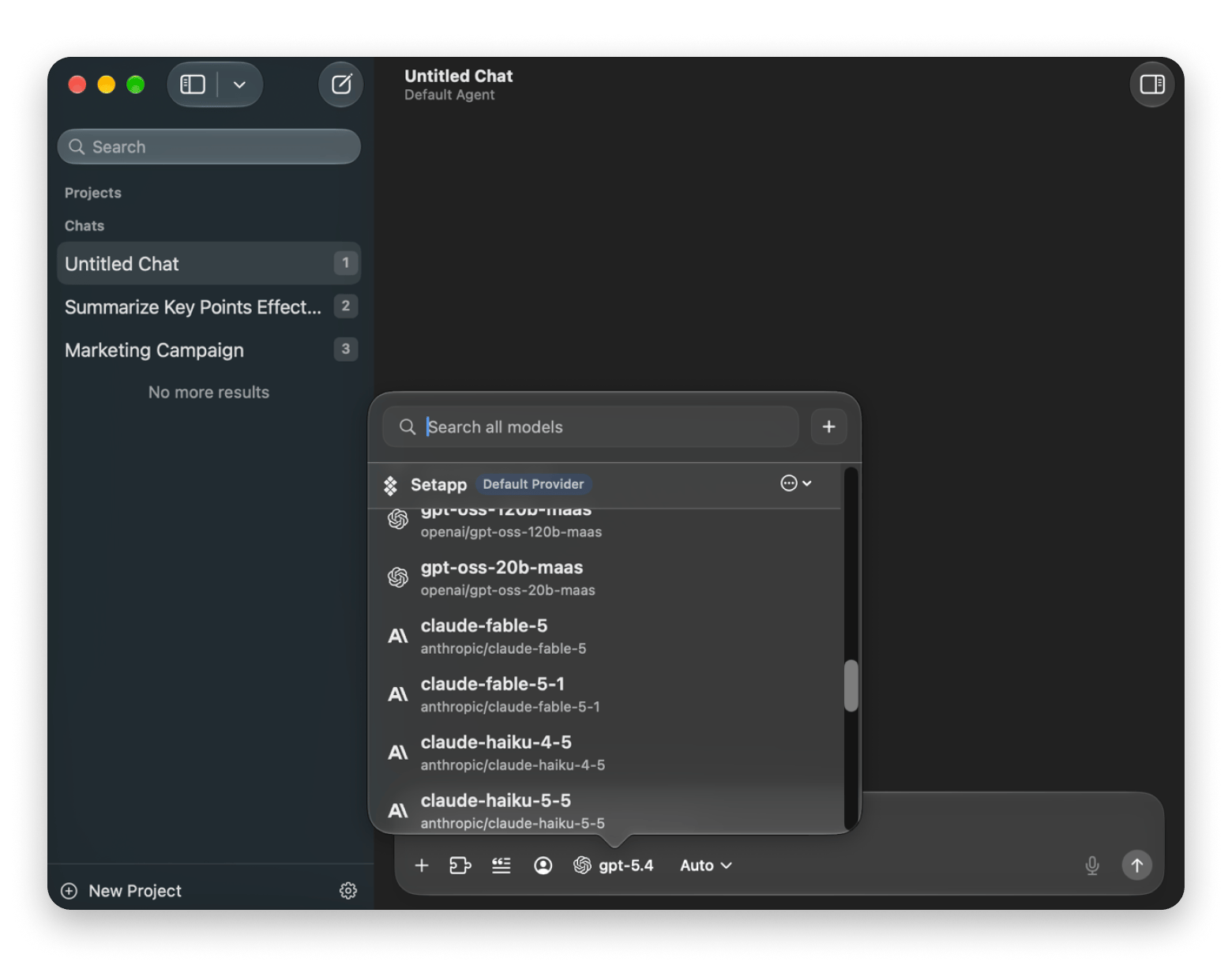
BoltAI from Setapp is my pick as the best overall AI chatbot for Mac, especially if you want to access several AI models within the same app. Instead of keeping tabs open for ChatGPT, Claude, and other services, you can just switch a model from the chat’s drop-down menu.
Best for: Switching between ChatGPT, Claude, Gemini, and other models in one Mac app.
Platforms: Mac.
Cost: Included with Setapp Membership.
Catch: Uses Setapp AI credits or your own API keys.
BoltAI also has an Instant Chat Bar I love because you can pull it up from anywhere on your Mac without switching apps. This feature also lets you select a model and even choose a specialized agent such as a Financial Advisor.
Best for power users: TypingMind
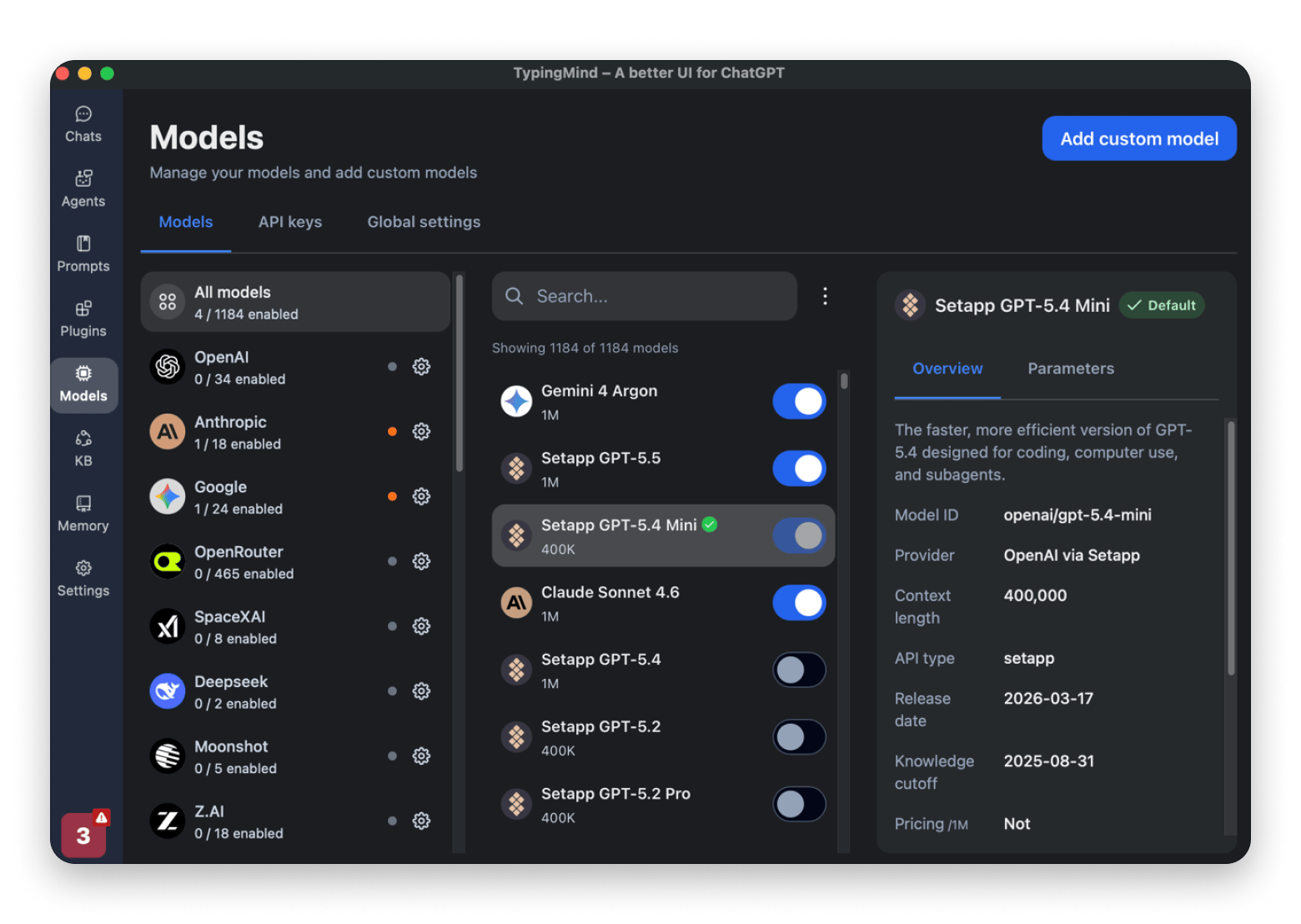
TypingMind from Setapp is one of the best AI chatbots for Mac, especially if you want to organize your workflow beyond just chatting. It lets you create your own specialist agents you can chat with, and it already comes with 50+ of them, from a market researcher and pro coder to a data analyst.
Best for: Custom AI agents and side-by-side model comparison.
Platforms: Mac and web.
Cost: Included with Setapp Membership.
Catch: Uses Setapp AI credits or your own API keys.
The chatbot supports all major AI models and lets you send one prompt to several of them and compare the answers side by side. You can also connect work apps through plugins and MCP connectors to add context.
Build your own AI specialists, and run them on any model. Create agents with your own instructions in TypingMind. Free for 7 days. Uses AI credits, 1,000 included with your Setapp plan. Try TypingMind Free.
Best AI assistant that acts for you on Mac: Eney
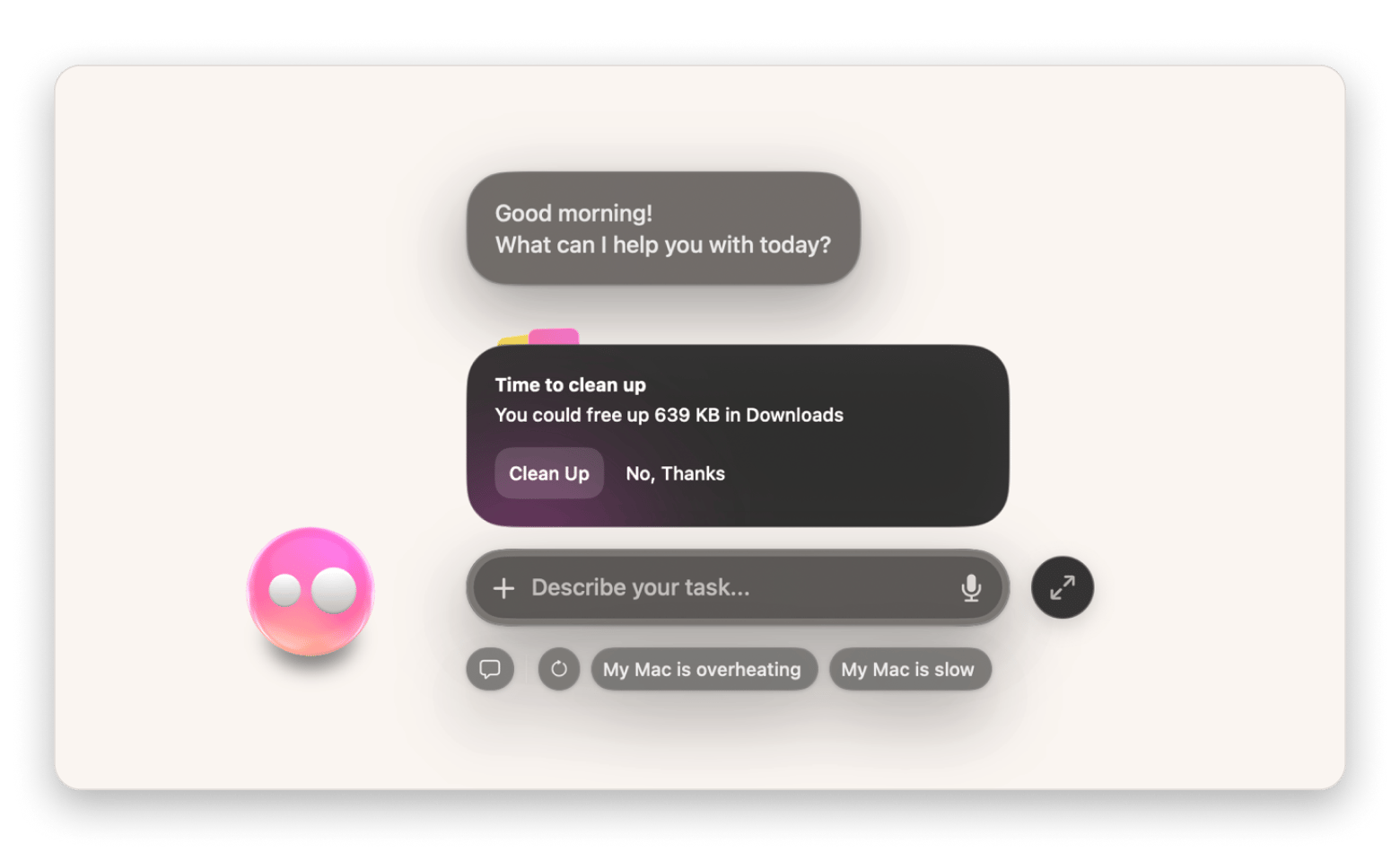
Eney from Setapp, a proactive AI assistant for Mac and iPhone, spots what needs your attention, like a disk running low on space or an upcoming call, and prepares the next step for your approval. It asks before it sends or moves anything by default.
Best for: Tasks across your files, calendar, and email.
Platforms: Mac (Apple silicon, macOS 15+) and iPhone.
Cost: Free for 14 days with 10,000 AI credits, then plans from $14.99 USD/mo.
Catch: Credit-based.
Beyond basic chat, its superpower is that it also executes tasks on your Mac or across your work apps. You can let it organize your files, transcribe your audio, or organize your day based on your emails, meetings, and tasks.
Best for writers: Elephas
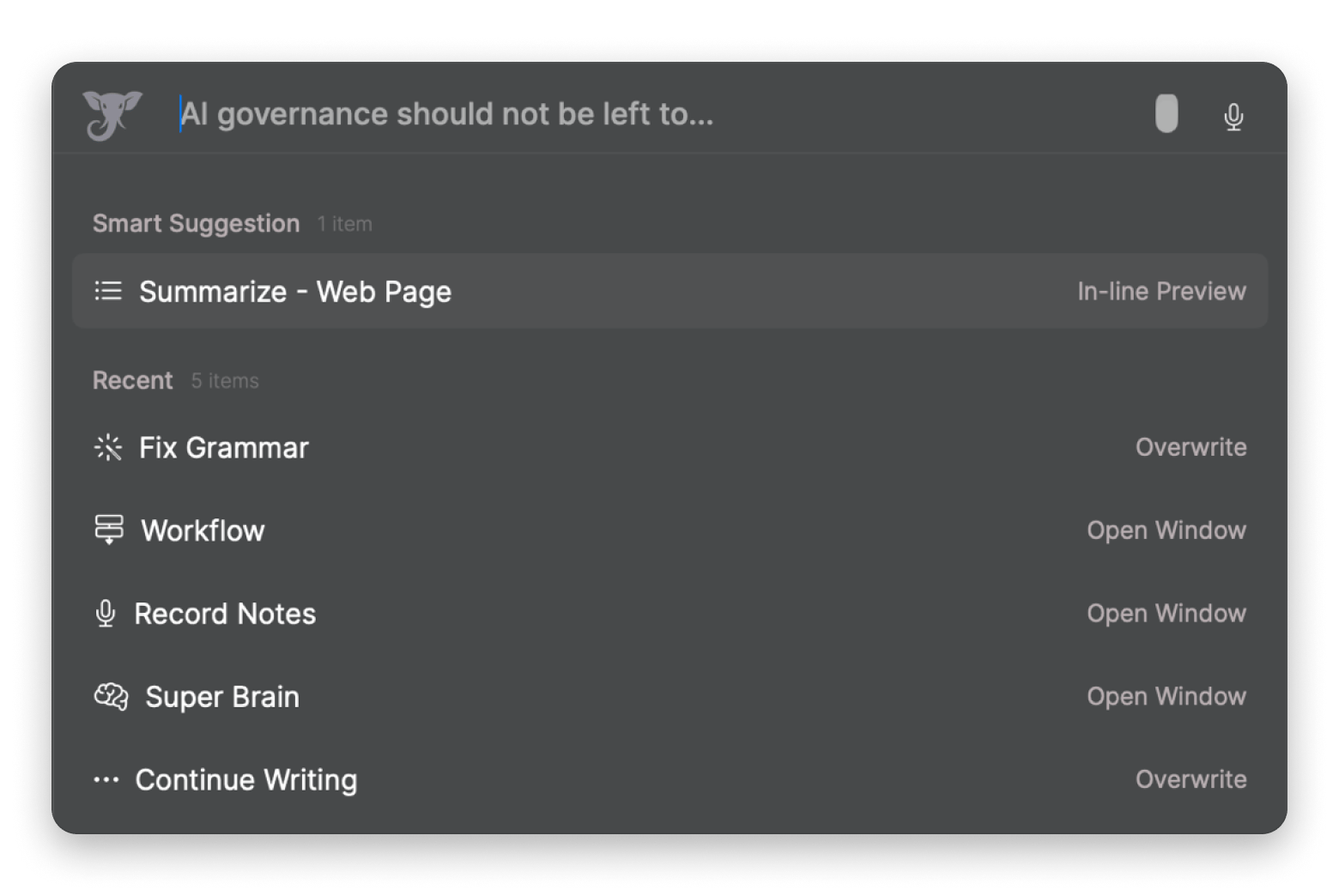
Elephas from Setapp combines creating your own knowledge base with a Super Chat that appears anywhere on your Mac, which makes it a good fit for writers. It can help you brainstorm, rewrite, and summarize content without constantly switching between apps. Elephas also includes built-in offline models, like Llama and Qwen, on Apple silicon Macs, so a knowledge base with sensitive work files can stay on your Mac.
Best for: Writing and chatting with your own files.
Platforms: Mac and iPhone.
Cost: Included with Setapp Membership.
Catch: Built-in offline models need an Apple silicon Mac.
Brainstorm, rewrite, and summarize without switching apps. Elephas opens anywhere on your Mac. Free for 7 days. Uses AI credits, 1,000 included with your Setapp plan. Try Elephas Free.
Are the official Claude and ChatGPT Mac apps enough?
Claude and ChatGPT also have their own apps you can use without having to open a browser tab. These also offer more features than the web app. For example, the Claude Mac app can use your computer to complete tasks in Cowork, while the ChatGPT Mac app now has ChatGPT Voice, which you can summon with a hotkey from any app on paid plans.
The problem is, these and other Mac apps from AI developers rely only on their own models and are optimized for them. This means that, unlike an app like BoltAI, you can’t switch from ChatGPT to Claude or Gemini without moving from one app to another or switching between tabs. These apps also aren't built specifically for the Mac environment, so the integration is shallower than with dedicated Mac apps.
I’d recommend reading this roundup of ChatGPT alternatives for Mac if you want to see how Claude compares with other options.
Which AI chatbots for Mac are free, and which are paid?
Free AI chatbots are often enough if you want a tool for occasional questions, brainstorming, and everyday writing, but they usually come with heavy usage limits or restricted access to the most capable features. Paid plans raise those limits and unlock the most capable models and features, which matters if you are a heavy user or want deeper Mac integration.
Free plans vs paid plans
Here’s how the free and paid options compare:
Option
Free access
Paid cost
Models available
ChatGPT for Mac
Free plan with usage limits
Free, then $8 to $500 USD/mo
OpenAI models
Claude Desktop
Free plan with usage limits
Free, then $20 to $200 USD/mo
Anthropic's Claude models
BoltAI
Free 7-day access via Setapp’s free trial
Available through Setapp
Unlimited models provided via API keys
TypingMind
Free 7-day access via Setapp’s free trial
Available through Setapp
1,100 integrated models from 20 providers. Plus unlimited offline models
*Prices checked October 2026. Setapp prices exclude tax.
How to try several apps with one subscription
While getting started is easy, the real pricing decision comes down to how you use AI. If you simply want an AI tool that you can use for general tasks, going for ChatGPT or Claude makes sense. Otherwise, the costs will add up quickly when you start combining the tools.
But sometimes, you may want access to multiple models or AI chatbots that specialize in different things. Say BoltAI for multiple models and Elephas to chat with your own files or configure offline models.
In that case, Setapp Membership at $14.99 USD/mo + tax makes more sense. It gives you 300+ curated apps, including 20+ AI apps like BoltAI, TypingMind, and Elephas. Setapp Membership includes 1,000 AI credits a month, so you don’t need separate API keys. For heavier use, the AI Enthusiast plan ($22.99 USD/mo + tax) adds 6,000 credits, and AI Expert ($35.99 USD/mo + tax) adds 9,000.
Which chatbot should you pick?
The best AI chatbot for Mac depends on how you want to use AI. BoltAI is an all-rounder with multiple AI model providers, TypingMind makes it easy to customize your workflow, Elephas lets you download offline models, and Eney handles your Mac tasks for you. And if you just need an AI assistant for questions and general writing, ChatGPT and Claude Mac apps may be enough.
But that’s just the general outlook. Here’s how I’d narrow it down based on how you work:
You want a native Mac app that lets you use AI from anywhere and compare results between ChatGPT, Claude, Gemini, and other models: BoltAI.
You are a writer who wants AI assistance across your writing: TypingMind.
You want maximum privacy to use AI with work documents: Elephas has offline models.
You want a tool that can handle files and regular Mac tasks besides chatting: Eney.
You just want to ask casual questions or get writing assistance: Free ChatGPT or Claude.
My advice: Start with the tool that best fits how you work or solves most of your workflow issues, rather than the most capable one. It will cause you the least issues and offer the most productivity.
Can you try these AI chatbots with one Setapp subscription?
If you are still setting up your productivity workflow, you don’t have to choose between apps or combine several subscriptions. Setapp brings 300+ apps together, including BoltAI, TypingMind, and Elephas. Eney also works with your Setapp account. Use the trial to test different AI workflows and see what fits your day.
The Solve with AI category in Setapp, which is covered in this guide to using AI tools on Mac, lists the full set of AI apps.
Stop choosing between AI apps. Try them side by side. Setapp Membership includes BoltAI, TypingMind, and Elephas. Eney works with your Setapp account. Free for 7 days. Most AI apps use credits, with 1,000 included. Start My 7-Day Trial.
FAQ
What is the best AI chatbot for Mac?
BoltAI from Setapp is the best AI chatbot for Mac for most people because it switches between ChatGPT, Claude, Gemini, and other models in one app and opens over any app with the Instant Chat Bar. TypingMind from Setapp suits power users, Elephas from Setapp suits writers and privacy, and Eney from Setapp suits people who want an assistant that completes tasks.
Is there a free AI chatbot app for Mac?
Yes. ChatGPT and Claude both have free Mac apps with usage limits, and ChatGPT’s free plan may show ads. Eney from Setapp is free to try for 14 days with 10,000 AI credits. BoltAI, TypingMind, and Elephas from Setapp are free to try for 7 days with a Setapp Membership trial.
Can I use Claude, ChatGPT, and Gemini in one Mac app?
Yes. BoltAI from Setapp connects to ChatGPT, Claude, and Gemini in one Mac app, and you switch models from the model picker. TypingMind from Setapp also supports all three and can show answers side by side. On Setapp, these apps use monthly AI credits instead of separate API keys.
Are native Mac AI apps better than using ChatGPT in a browser?
For most people, yes. Native Mac AI apps add keyboard shortcuts, floating chat windows, easier file access, and reusable prompts, and some let you switch between models. A browser tab is fine for occasional use and for features that only exist on the web.
Which AI chatbot is best for privacy on Mac?
Elephas from Setapp is the best AI chatbot for privacy on Mac because it runs built-in offline models, such as Llama and Qwen, on Apple silicon Macs. Offline models keep your chats and documents on your Mac. Check which model is selected before sensitive work, because cloud models still send data to the provider.
Which AI chatbot for Mac can complete tasks for me?
Eney from Setapp, a proactive Mac AI assistant, can organize files, convert formats, transcribe audio, and prepare next steps, and it asks before it acts. It needs an Apple silicon Mac with macOS 15 or later, and it’s free to try for 14 days with 10,000 AI credits.
AI tools for Mac, iPhone, and iPad
Generate and improve text, create summaries, and tackle your tasks faster.






 Best solution
 Best solution