Best setup: Keep your current email client and add an AI layer. Elephas works in any app, and Eney triages your inbox.
Best Gmail client:Mimestream is the best native Mac client for Gmail, but it has no built-in AI writing.
Best for replies: Ready to Send drafts Gmail replies before you open the email, and Eney drafts replies for your approval.
Best for privacy: Elephas can run built-in offline models on Apple Silicon Macs, so email drafts stay on your Mac.
One subscription:Setapp Membership includes Elephas with a 7-day free trial. Eney works with your Setapp account, and Mimestream is separate.
The best AI email setup on Mac is your current email client plus an AI layer. Elephas works in any app, and Eney summarizes your inbox and drafts replies for your approval. Mimestream is the best native Mac client if you only use Gmail, but it has no built-in AI writing.
Web AI tools mean copying an email, pasting it elsewhere, explaining the context, and pasting the reply back. That workflow gets old fast. Bringing AI into my Mac email setup fixed it, because the AI gets the context and sometimes drafts replies before I open the email.
Here are the best AI email tools for Mac.
Why do web AI email writers fall short on Mac?
Web-based AI writers can write as good an email as any other tool, but they lack the important context of email conversations. This means that you have to keep copying and pasting between the writer and your email client. That can be okay for single emails, but it becomes much harder when you are dealing with an email thread or replying to dozens of messages in a day.
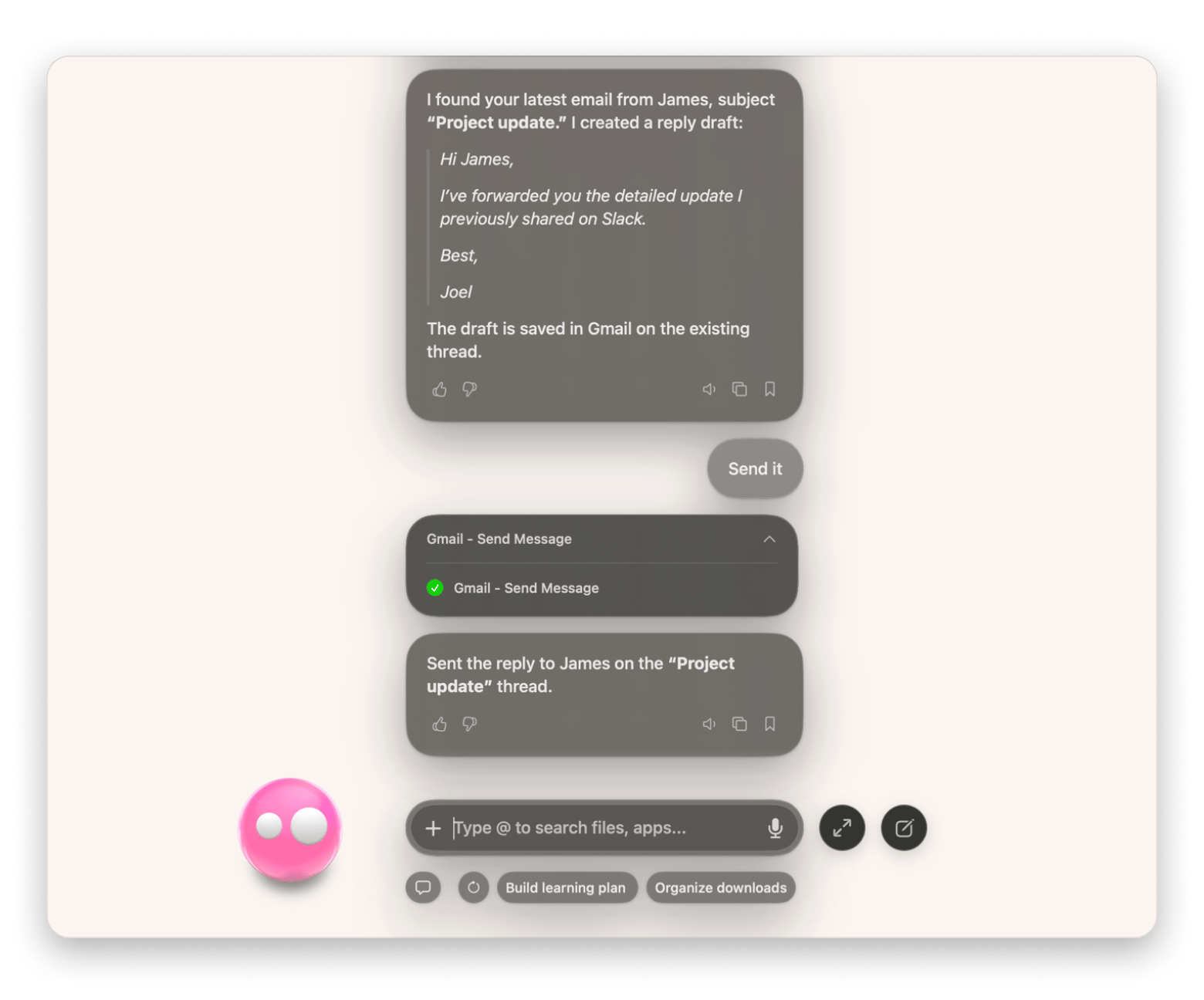
A Mac-based AI email writer reduces the friction by bringing email and AI writing closer together. You can read messages in a dedicated email client and ask AI to write a reply within the same interface. In some cases, as I’ll show you, you can even just ask the AI, “What important messages do I need to reply to?” It will retrieve the email, write a reply, allow you to refine it, and even send it with your permission.
What is the best AI email setup on Mac?
I’ve been experimenting with AI email writing for a while, and I’ve come to the conclusion that keeping them as separate but integrated jobs is the best approach.
That’s because we all have email clients we are used to and different ways of handling personal and work inboxes. Switching to a new email client is a lot of work because you need to learn new shortcuts, split your workflow, and give up things that already work.
If you keep your email client but integrate it with an AI email assistant, you won’t have to switch to a new platform or copy and paste between the email client and an AI writing tool.
There are still varied approaches here, and I’ll take you through them using different apps.
Best Mac email client for Gmail: Mimestream
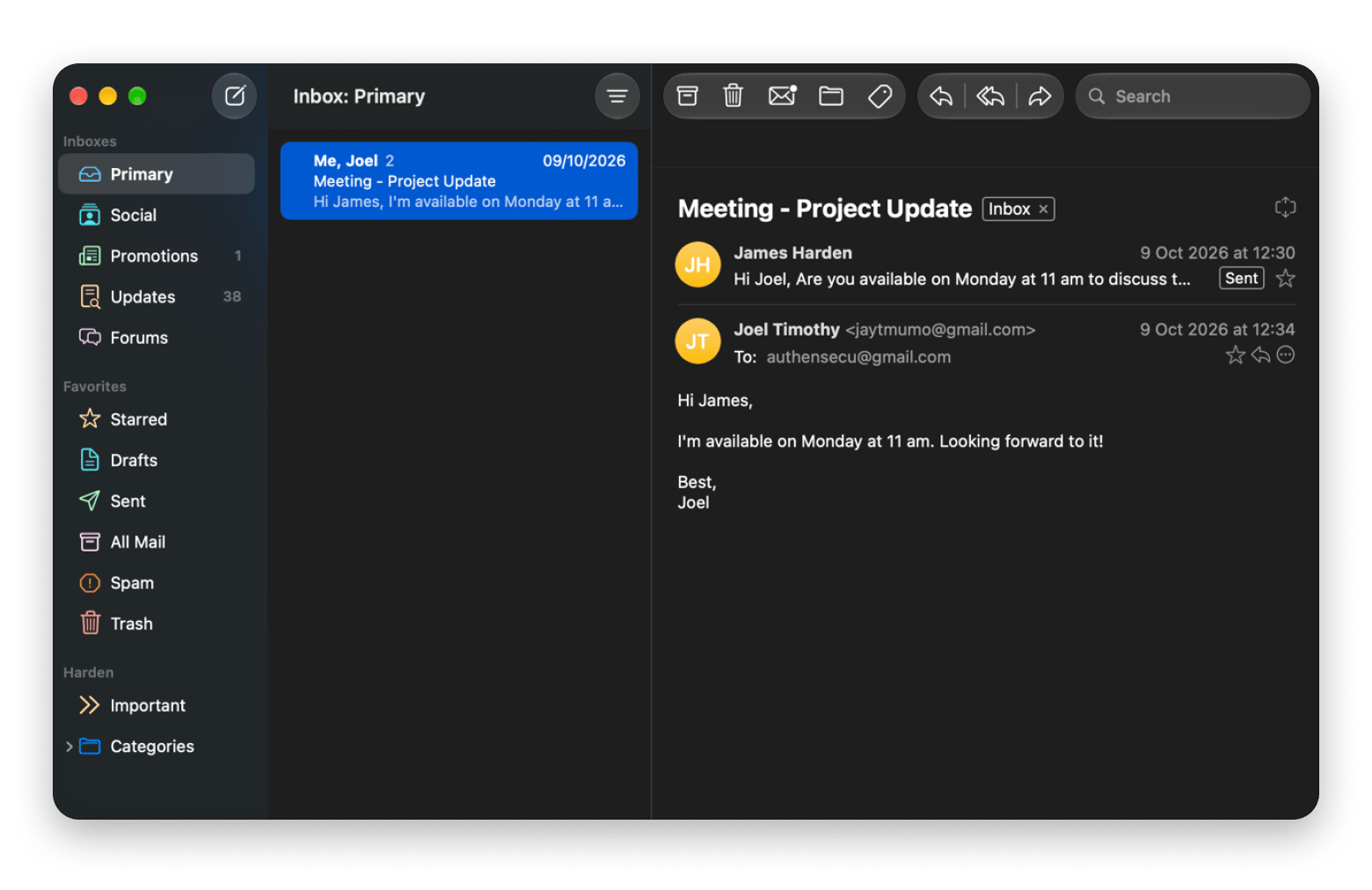
Mimestream is easily the best app for Gmail users who want a Mac-native tool without giving up on the features they rely on in Gmail. It’s built on the Gmail API instead of working through IMAP like most tools, and it integrates natively with macOS to give you system notifications, keyboard shortcuts, and keyboard shortcuts, and a clean interface.
Mimestream doesn’t offer built-in AI writing, but its macOS integration means that you can use Apple Intelligence built-in features to help draft your emails with ChatGPT (right-click > Show writing tools). However, Mimestream works only with Gmail and Google Workspace accounts.
Best for: Gmail and Google Workspace users.
Platforms: Mac.
Cost: $49.99 USD/year after a 14-day trial (not included in Setapp).
Catch: No built-in AI writing, and Gmail accounts only.
If you’d rather switch to a client with AI built in, Spark Mail from Setapp combines a smart inbox with an AI assistant for drafting replies.
Elephas from Setapp is the best AI email assistant for people who want to avoid switching between writing tools when working on other writing tasks.
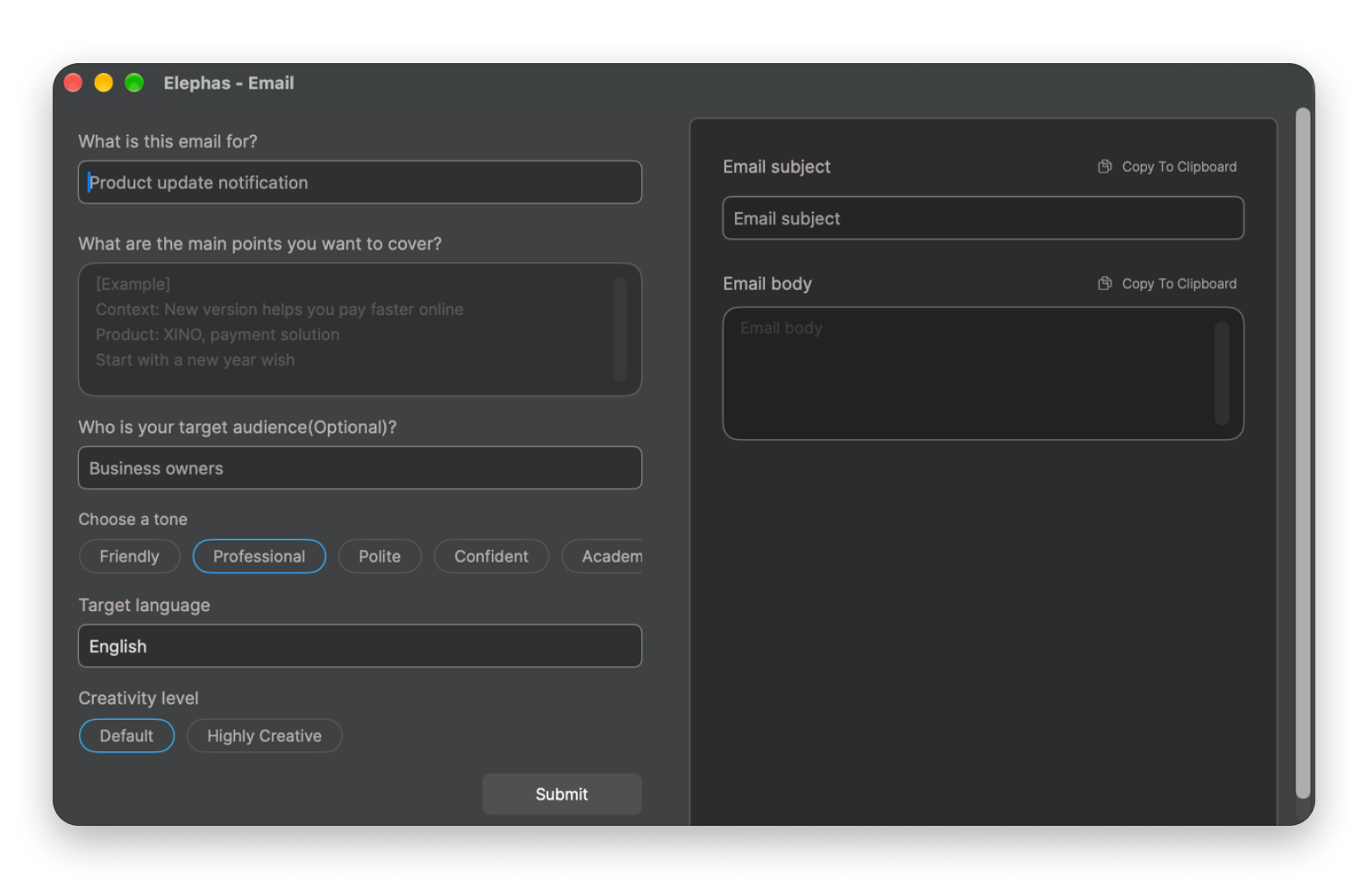
It has a system-wide Super Command you can use to rewrite a draft or trim a long message without leaving your current app. It has a system-wide Super Command (Ctrl + Space by default) that opens over Mail, Gmail, or Outlook. Select an email and ask for a reply draft, or use the Write email shortcut and give it the main points you want to cover.
Besides Super Command, the full app lets you build a knowledge base from your work documents and ask questions about them in Super Chat.
Best for: Drafting and rewriting email in any app.
Eney from Setapp is the best AI for email if you want to get an overview of your inbox without even opening your email client. It’s more of an AI assistant for Mac that does tasks on your behalf, but it also connects to work apps like Gmail and Apple Mail.
In the morning, you can just ask Eney to summarize or check your inbox and see if anything needs a reply. You can then draft a reply, refine it, and send it right from the app.
Best for: Inbox summaries and replies across Apple Mail and Gmail.
Platforms: Mac (Apple silicon, macOS 15+) and iPhone.
Cost: Аree for 14 days with 10,000 AI credits, then plans from $14.99 USD/mo.
Catch: Asks for your approval before it sends anything.
Which setup fits you?
The best AI email writer depends on how much email you handle each day, which email provider you use, and where you need the most help. For example, if you get two or three emails a day, you may not need an automatic AI email generator the way someone who receives 15 does.
You can ask Eney for a summary of the day's email and a list of messages that need a reply or follow-up.
Just start by considering the part of your email process that costs you the most time. You can then address specifics such as writing replies, managing emails, and context switching.
In my experience, you may need to combine more than one AI email assistant for the best results. For example, you can use Mimestream plus Elephas when manually doing your email triage. Then, when you don’t want to open your email client, ask Eney to check your inbox and draft replies from wherever you are.
Can you get the full AI email stack with one subscription?
Chances are you will need more than one AI email tool. You don’t have to pay separately for Elephas or buy API keys, because both come with Setapp Membership.
Setapp Membership is one subscription to 300+ curated Mac, iOS, and web apps for $14.99 USD/mo + tax. It includes 20+ AI apps, so you can also try email clients with built-in AI assistants and meeting tools. Eney works with your Setapp account, and Mimestream is a separate purchase.
If you are a heavy user, you can upgrade to the Setapp AI+ plans to get a more flexible credit plan. Stop copying emails between tools. Draft and reply where you work. Setapp Membership includes Elepha. Eney works with your Setapp account. Free for 7 days. AI apps use credits; 1,000 included. Start My 7-Day Trial.
FAQ
What is the best AI email writer for Mac?
Elephas is the best AI email writer for Mac if you write across email and other apps, because its Super Command opens over any app and drafts or rewrites email. Eney is best for summarizing your inbox and replying with approval.
Can AI write email replies in my own tone?
Yes. Elephas lets you choose a rewrite tone and save writing styles, and Eney drafts a reply for you to refine and approve before it sends. Review every draft, because each tool follows your instructions but can still miss context.
Is it safe to use AI tools with work email?
It can be, if you check how each tool handles your data first. For sensitive email, Elephas can run built-in offline models on Apple silicon Macs, which keeps chats and indexed documents on your Mac. Eney asks before sending anything. Review each tool’s permissions before connecting work accounts.
Does Apple Mail have built-in AI for writing emails?
Yes. Apple Mail supports Apple Intelligence Writing Tools on supported Macs, which can proofread, rewrite in a different tone, and summarize text. Composing from scratch needs the ChatGPT extension turned on. For auto-drafted replies or inbox triage, try Elephas or Eney.
Can AI summarize my entire inbox on Mac?
Yes. Eney from Setapp can summarize your inbox through Apple Mail or Gmail when you ask in plain language, such as “Summarize my unread emails,” and it can draft replies. It asks for your approval before it sends anything. Eney needs an Apple silicon Mac with macOS 15 or later and is free to try for 14 days.
Which email client is best for Gmail on Mac?
Mimestream is the best native Mac client if you only use Gmail or Google Workspace. It costs $49.99 USD per year after a 14-day trial, has no built-in AI writing, and works with Apple Intelligence Writing Tools. Pair it with Elephas for AI drafting.
Powerful apps live on Setapp
Ditch defaults and discover new gems on one app platform.






 Best solution
 Best solution