Free tools cover captions well, but most need a second tool for flyers. QuillBot, PlayPlay, and SocialBu generate captions without a sign-up. Canva, Adobe Express, and Sivi handle flyers on free plans, but each limits AI use. Eney is the exception: it does both in one chat.
My picks: PlayPlay for captions, Canva for layout, Eney for the full workflow. PlayPlay gave the most detailed post with hashtags, and Canva gives the most layout control on a free plan. When captions, flyers, and edits belong in one flow, Eney is my top choice.
Free plans are enough for under 10 posts a week. Sivi gives about a dozen credits a month, and Canva nudges you toward Pro after one or two flyers a week. Daily posting, teamwork, or scheduling is when paying makes sense.
Eney remembers your project and writing style. This AI assistant for Mac asks follow-up questions instead of inventing missing details, and Eney Wand rewrites weak lines in place. Try it free for 14 days with 10,000 AI credits on Setapp.
Rocket Typist saves your reusable snippets. Store hashtag sets, brand voice reminders, and calls to action, then insert them in any app. It's included in Setapp Membership, which gives you 300+ apps. Start your 7-day free trial.
The best free AI social media post generators are PlayPlay for captions, Canva for flyers, and Eney for a full workflow on Mac. I manage social media for several projects, so I tested eight free AI social media post generators on the same two tasks: a notes app update and a workshop flyer. Below, you'll see how each tool handled captions and visuals, where free plans stop, and how to build a weekly content flow.
Free AI social media post generators compared
Here's how the tools I tested compare on content type, best use, and free access:
Best free AI tools for writing social media captions
I tested each tool with the same two scenarios: a product update for a notes app, and a flyer announcement for a free Saturday workshop for freelancers. I asked for Instagram and LinkedIn copy where possible, then compared how much editing each result needed.
Here’s how I evaluated them:
Content types: Does it generate captions only, or can it also create flyers and visual posts?
Platform support: Can you adapt content for Instagram, LinkedIn, Facebook, TikTok, and X?
Output quality: Does the copy sound natural, and can you adjust it to match your brand voice?
Ease of use: Do you need to create an account, and can you generate several versions in one go?
Free-plan limits: How many posts or AI credits do you get before you hit a paywall?
Below, I break down how each tool performed.
Eney: Best for captions that keep your context
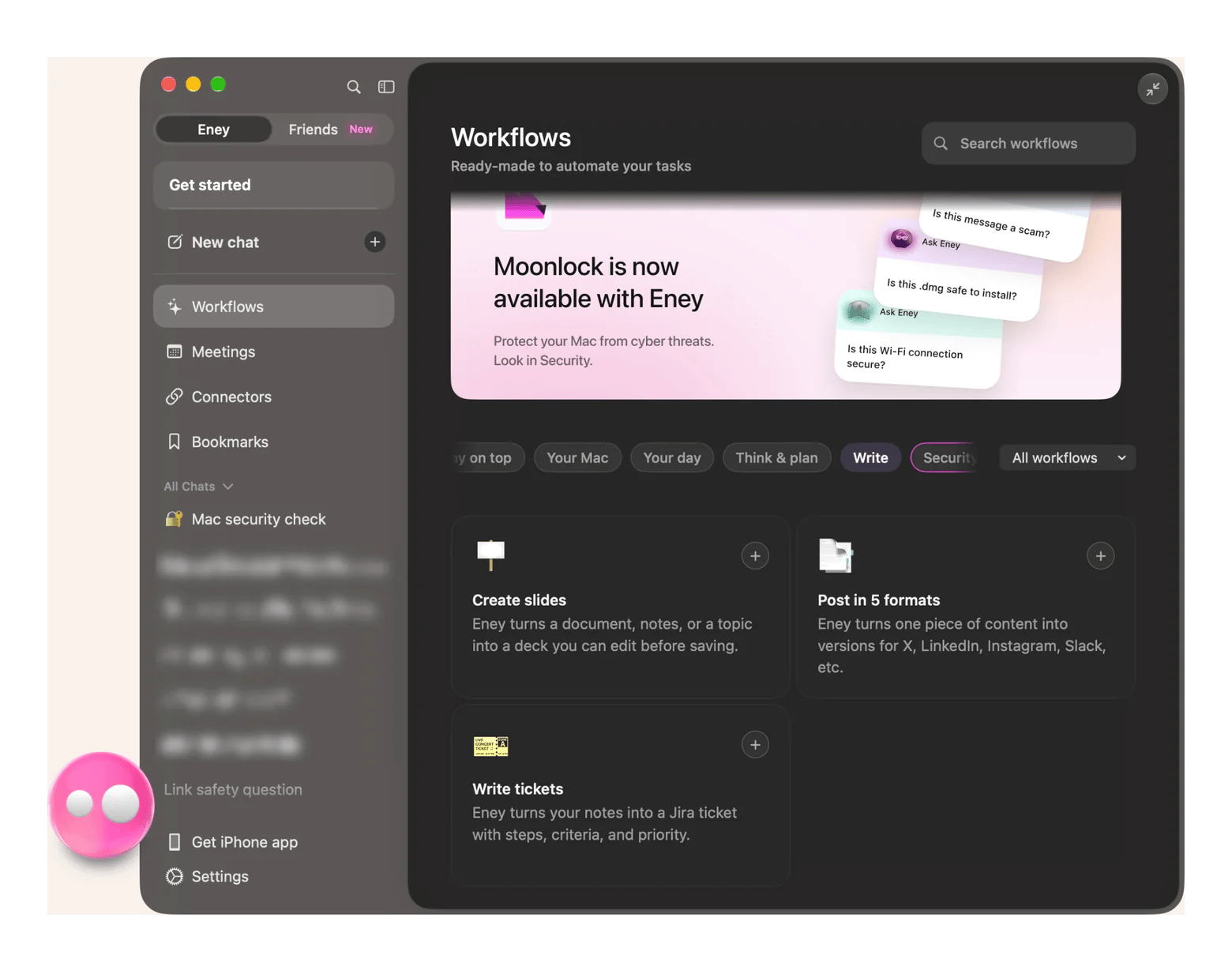
Eney is an AI assistant for Mac, and it is the only tool here that can analyze your files, notes, and connected apps instead of a blank prompt box.
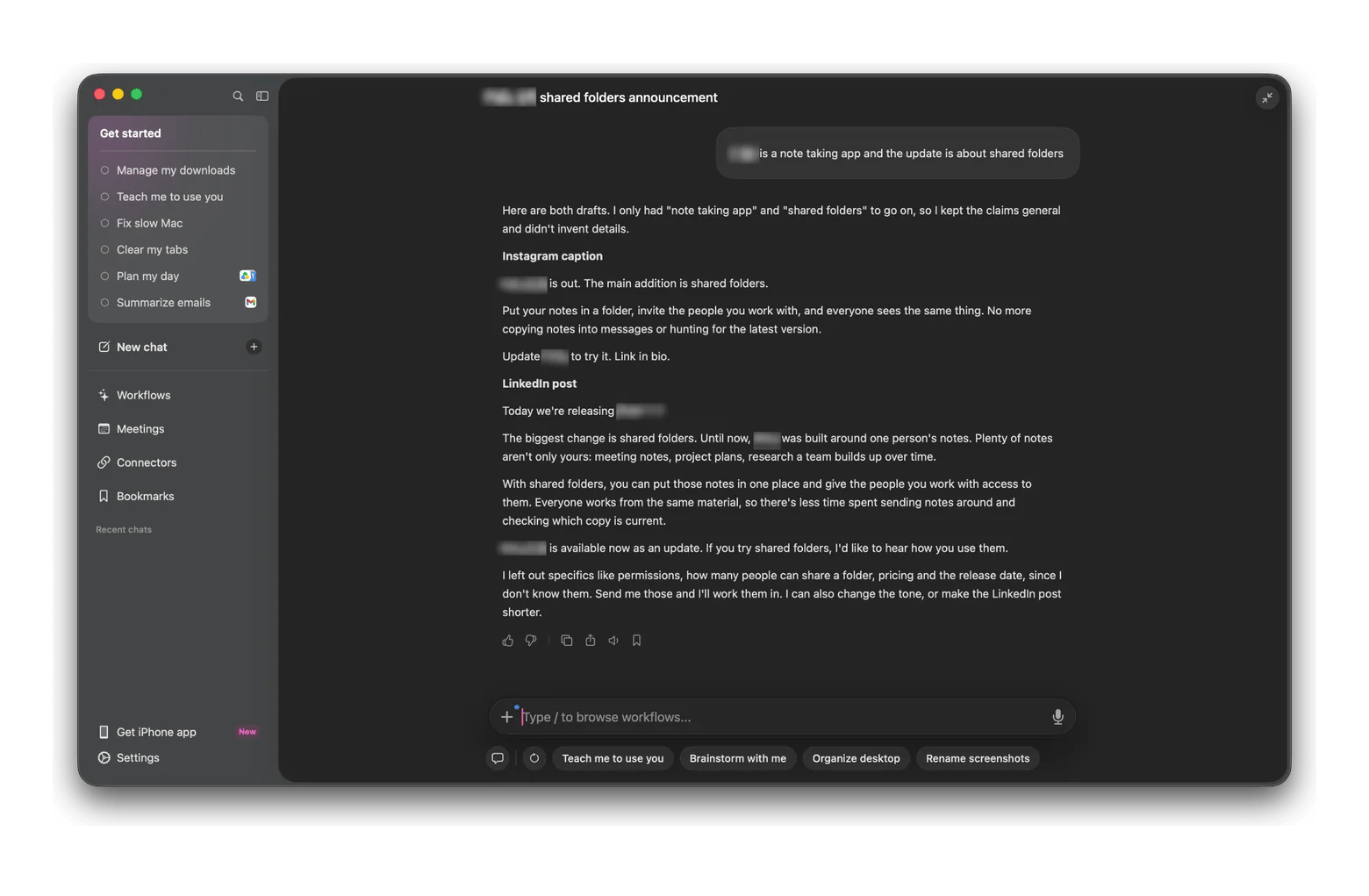
I ran its social post generator Workflow with one request for both Instagram and LinkedIn versions.
Then I selected the weakest line with Eney Wand (press Option-W, then drag over the text) and rewrote it in place, with no pasting into a chat window.
Eney didn't just fill in the blanks when my notes were missing details. It actually pointed out what was unclear and asked me a few follow-up questions instead of making things up.
There's another thing worth mentioning: I'd already been using Eney as my AI assistant for a few days, so it had picked up context about this project and my preferred writing style. I didn't have to explain my tone of voice or repeat all the background information from scratch, as I did with the other free AI post generators with no sign-up.
Keep in mind that Eney requires an M-series Mac running macOS 15 or later.
Quillbot: Best for quick captions without sign-up
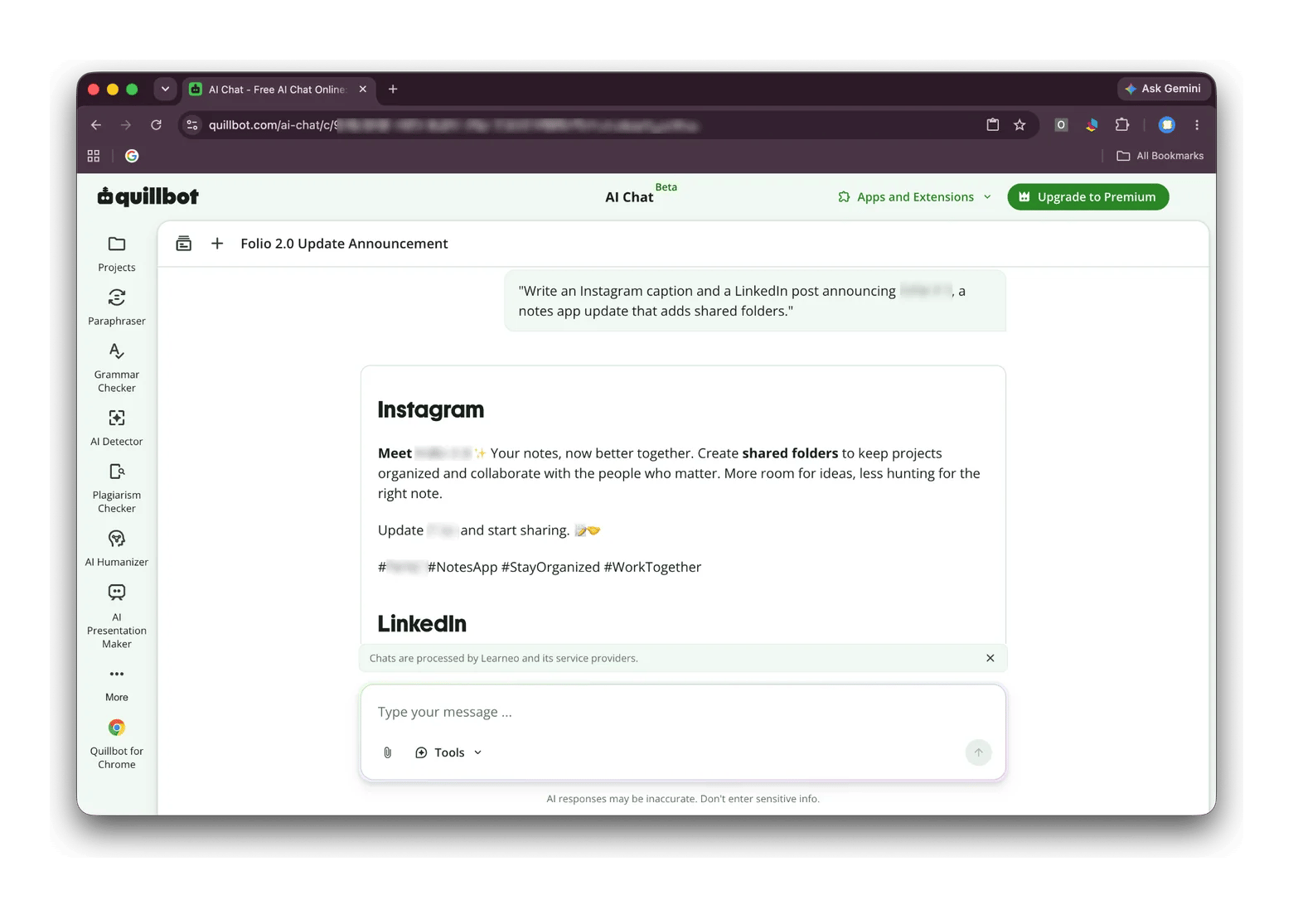
Quillbot’s AI social media post generator is free with no sign-up. It covers Instagram, X, LinkedIn, Facebook, and TikTok captions, and you refine them in the same chat. The catch is that it writes text only, so the flyer is another tool's job.
The Instagram response is great. It hits all the right information and has an appealing voice. I was, however, disappointed with the LinkedIn post. At almost the same length as the Instagram caption, I felt it was too short and needed more information to hook readers. What I took away is that, even though it was written for both platforms, Quillbot didn't quite understand the differences between them.
Quillbot has a limited free version that works well for occasional use or brainstorming. If you need more, you can choose from monthly or annual plans.
Buffer AI Assistant: Best for managing several channels
Buffer’s free plan includes the AI assistant and supports content creation for three channels with 10 scheduled posts per channel and 100 saved ideas.
Buffer offers easy-to-use tools for each platform. It took my simple prompt and generated the desired post. Buffer doesn’t work with images, so I'll need another tool for designs.
I have also asked the AI Assistant to rephrase and expand the text. It has replaced some words with the closest synonyms, which didn’t make the text sound better.
Buffer requires you to sign in to start a free trial. The paid plans start at $5 USD per month per channel. I wouldn’t use Buffer for social media post generation as a primary task. It makes more sense if you want content management for multiple platforms from a single tab.
PlayPlay: Best for B2B captions with hashtags
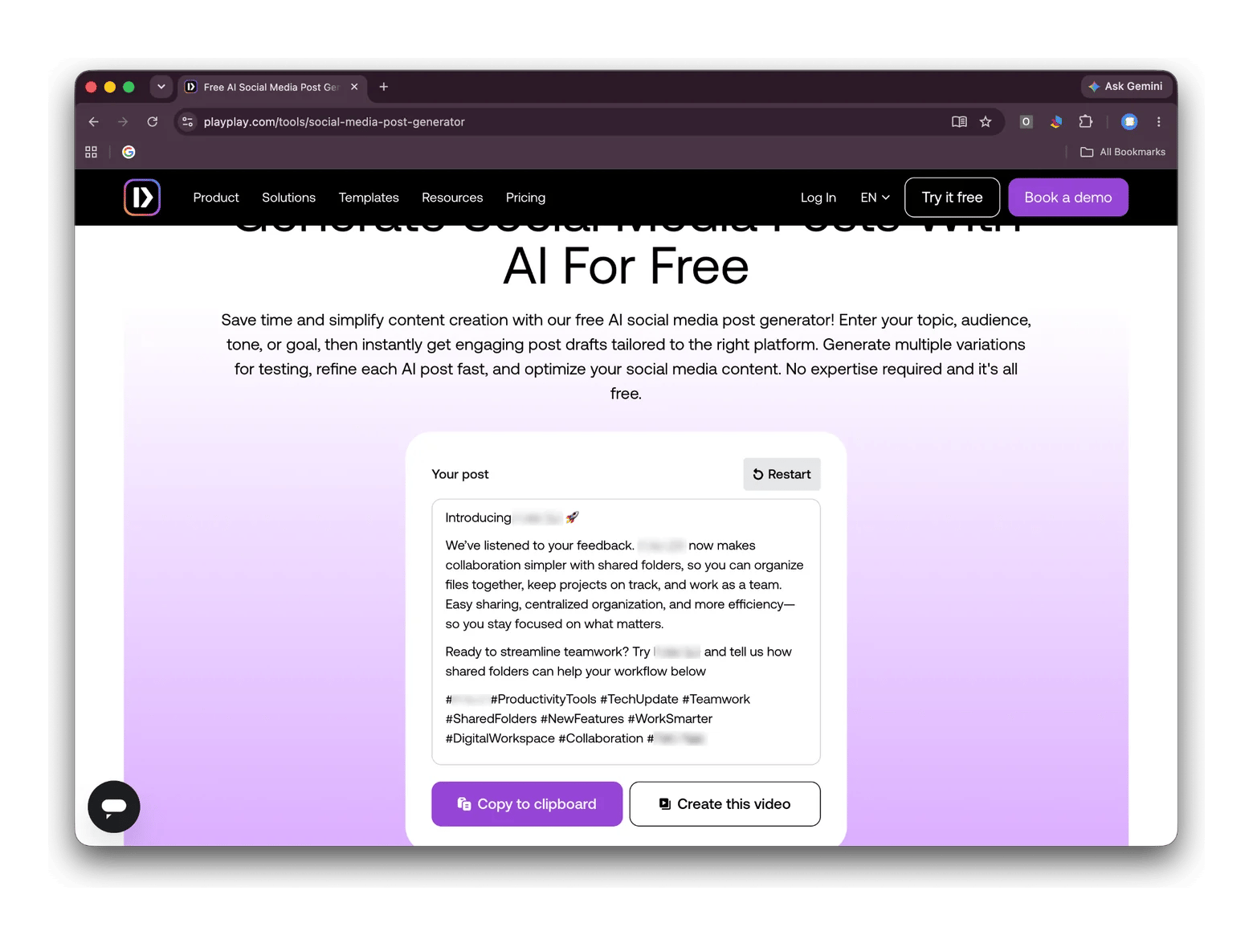
PlayPlay’s free generator writes posts for LinkedIn, Instagram, and Facebook in multiple languages. It is good for B2B copy and primarily designed for companies, not individuals.
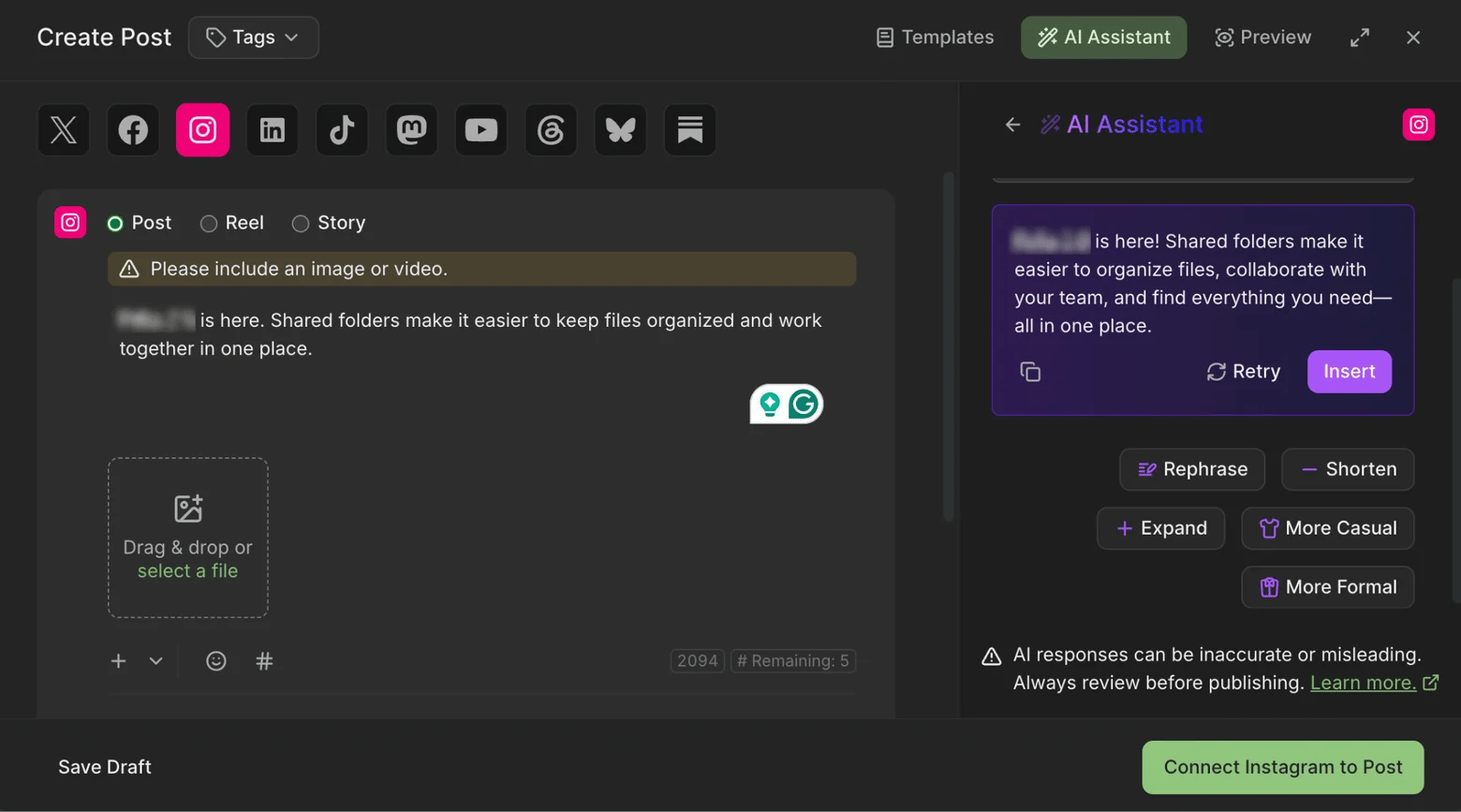
PlayPlay’s Social Media Generator is exactly that: an effective tool to produce quick posts. This post is slightly more detailed than previous generators in explaining what the app update is about. The post also includes numerous hashtags that should reach the intended audiences, a notable feature other free AI post generators don't offer.
You don’t have to sign in or pay anything to generate posts, but sign-in is required for more advanced features.
SocialBu: Best for tone options and multiple versions
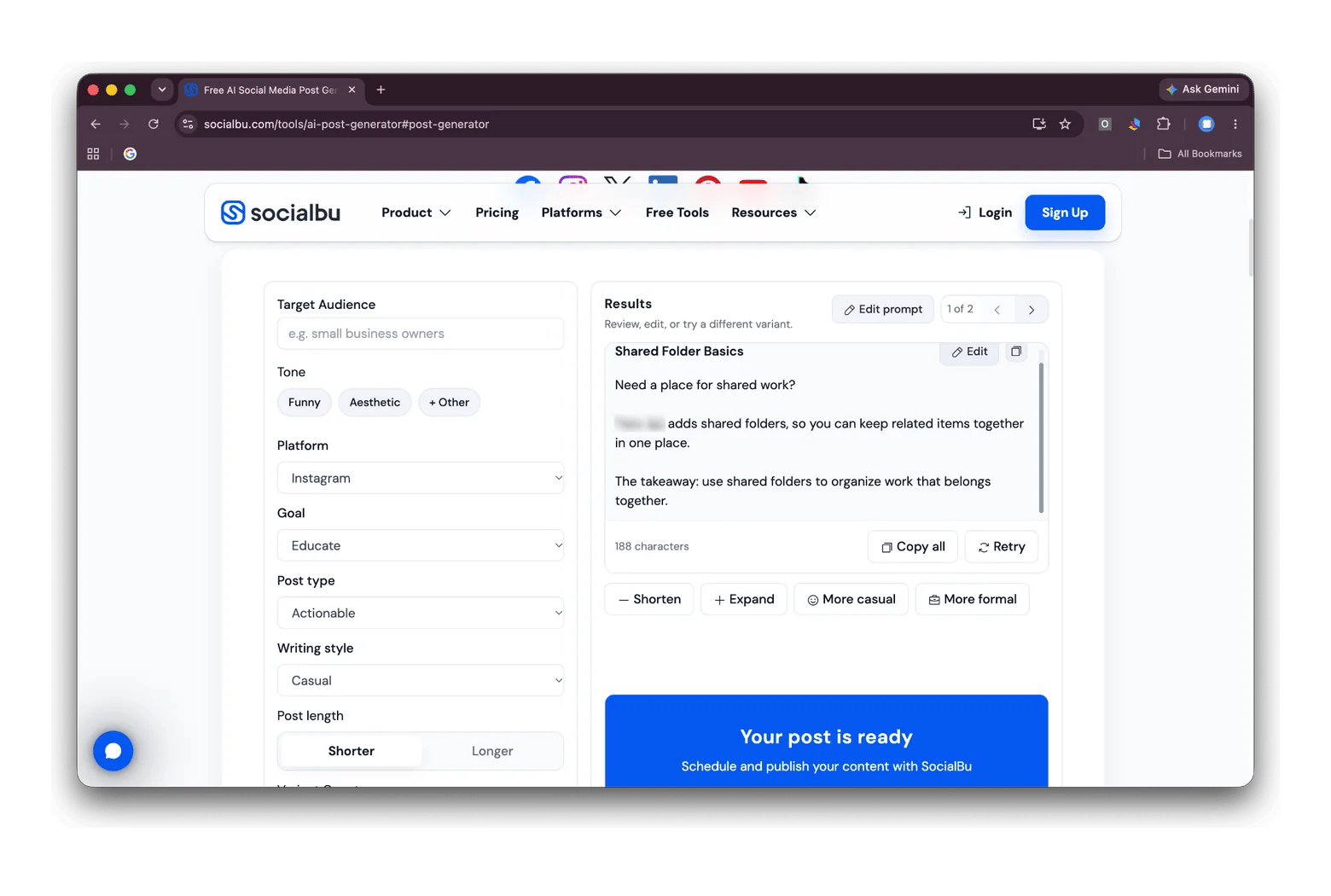
SocialBu’s post generator needs no sign-up and adds tone options and automatic hashtags. There are more tools designed to improve your posts.
SocialBu can only generate one post per platform at a time, so if you need posts for multiple platforms, then plan on generating multiple responses. This generator asks you more in-depth questions beforehand to refine the post’s tone and intended audience reach. It can also give you up to three versions to choose from.
One disadvantage is that you can’t refine a generated post with the built-in AI. Any instruction runs a post generation from scratch. No sign-in required; you can generate your posts for free.
Best free AI tools for generating flyers and visual posts
Since most free AI social media content generators provide only captions, I looked further for tools that would help with design. Here are my findings.
Eney: Best for flyers inside a larger workflow
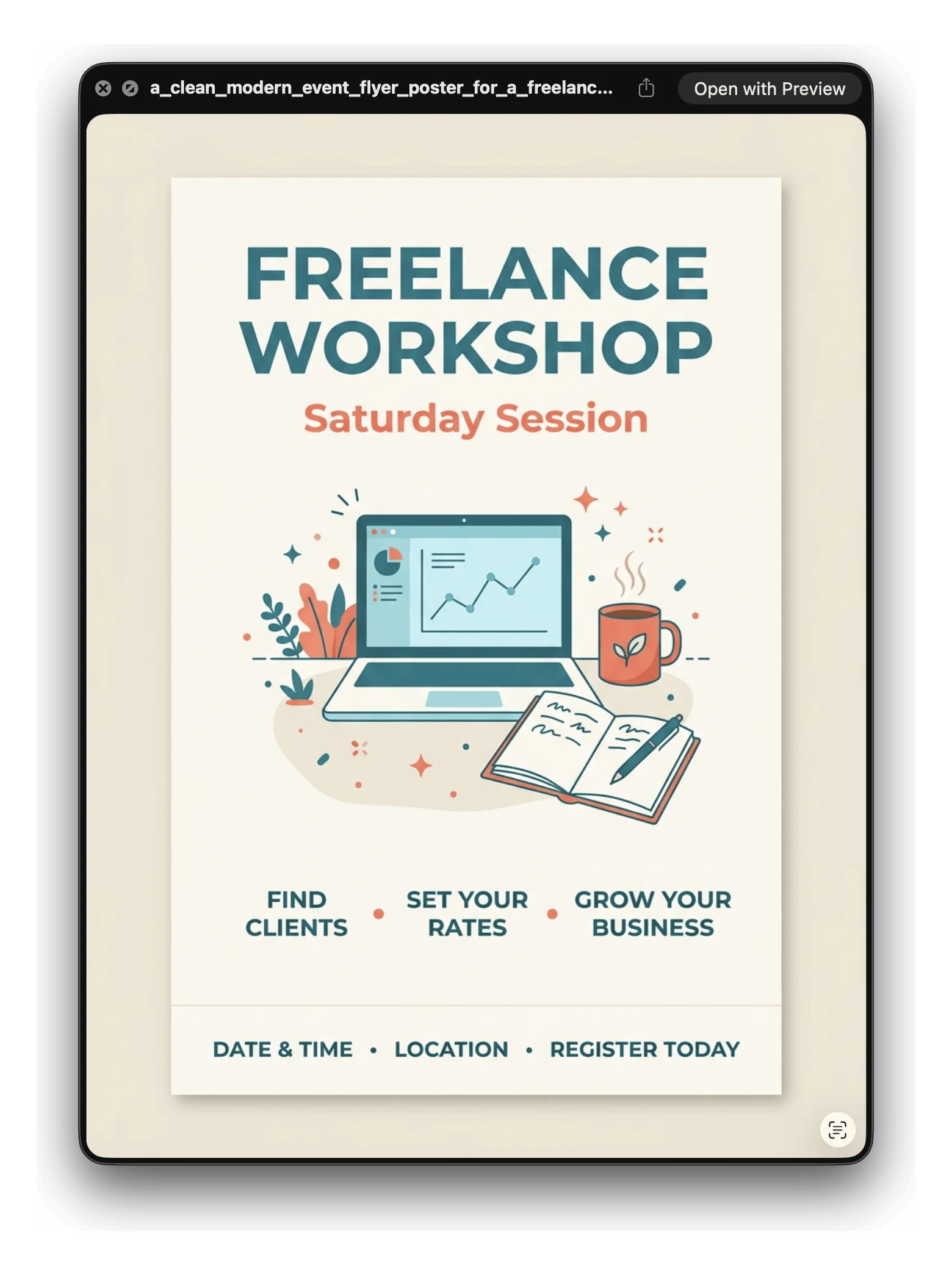
I asked Eney to generate the workshop flyer, then edited the result in the same chat: changed the headline, cropped, and annotated. The layout control is looser than in a template editor, because you steer by describing changes instead of dragging objects. It wins when the flyer is one step in a larger flow, since the caption, the image, and the edits all stay in one place.
It's handy when you're short on time and would rather describe the changes you want than edit every element yourself.
Eney's biggest advantage is context: once it gets familiar with your project and style, you can get good results with fewer instructions and fewer rounds of editing.
As I already used Eney for other tasks and have an active subscription, I can also use it as an AI social media flyer generator for free.
Canva AI: Best for layout control on a free plan
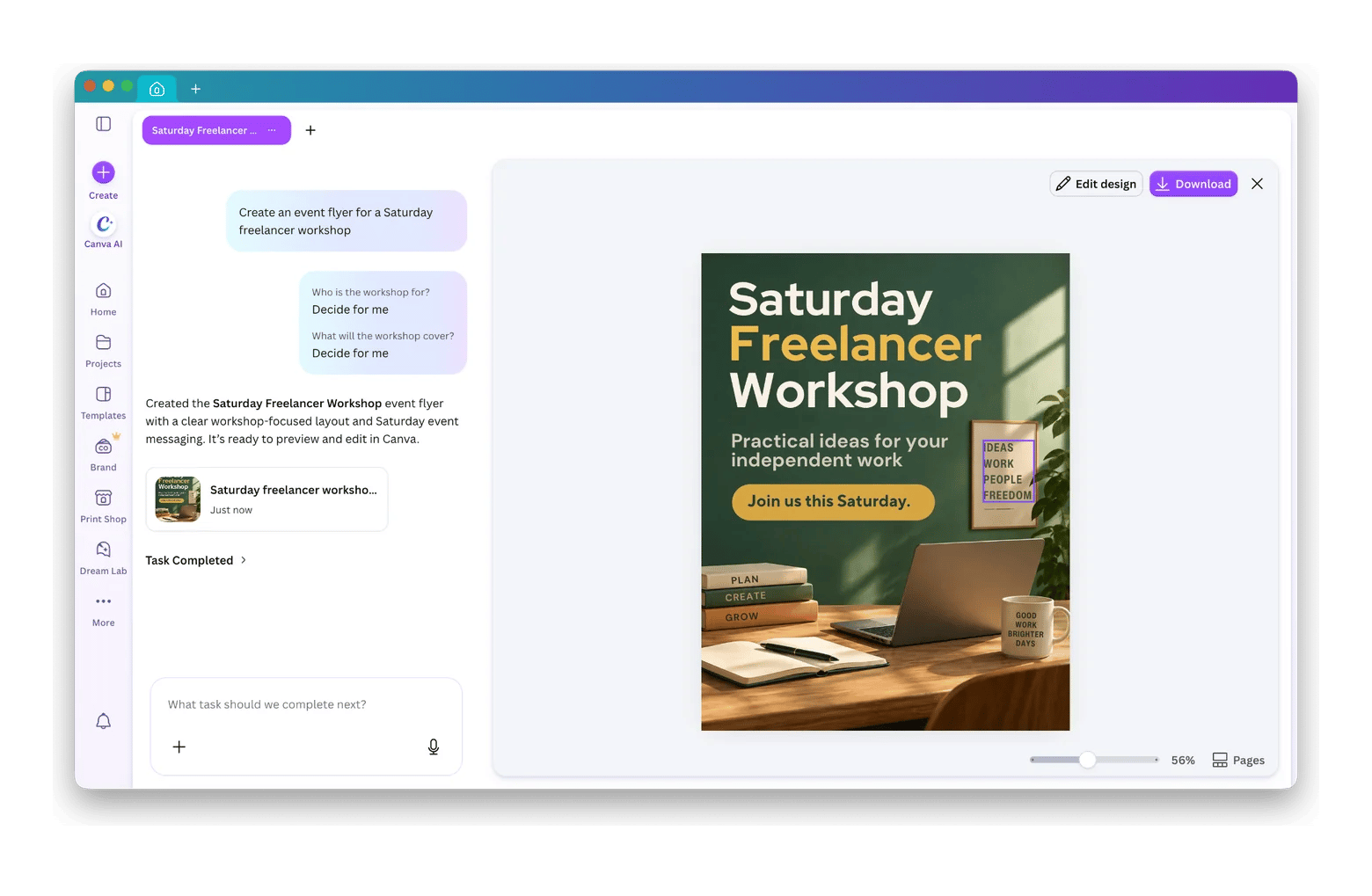
For many people, Canva is the go-to AI-assisted editor. The free plan includes a limited allowance of AI use. It’s useful for one or two flyers a week, then it nudges you toward Pro.
Canva’s AI generator gives a nice output. You can also edit it in the Canva editor, which you are likely already familiar with.
Adobe Express: Best for editable flyer templates
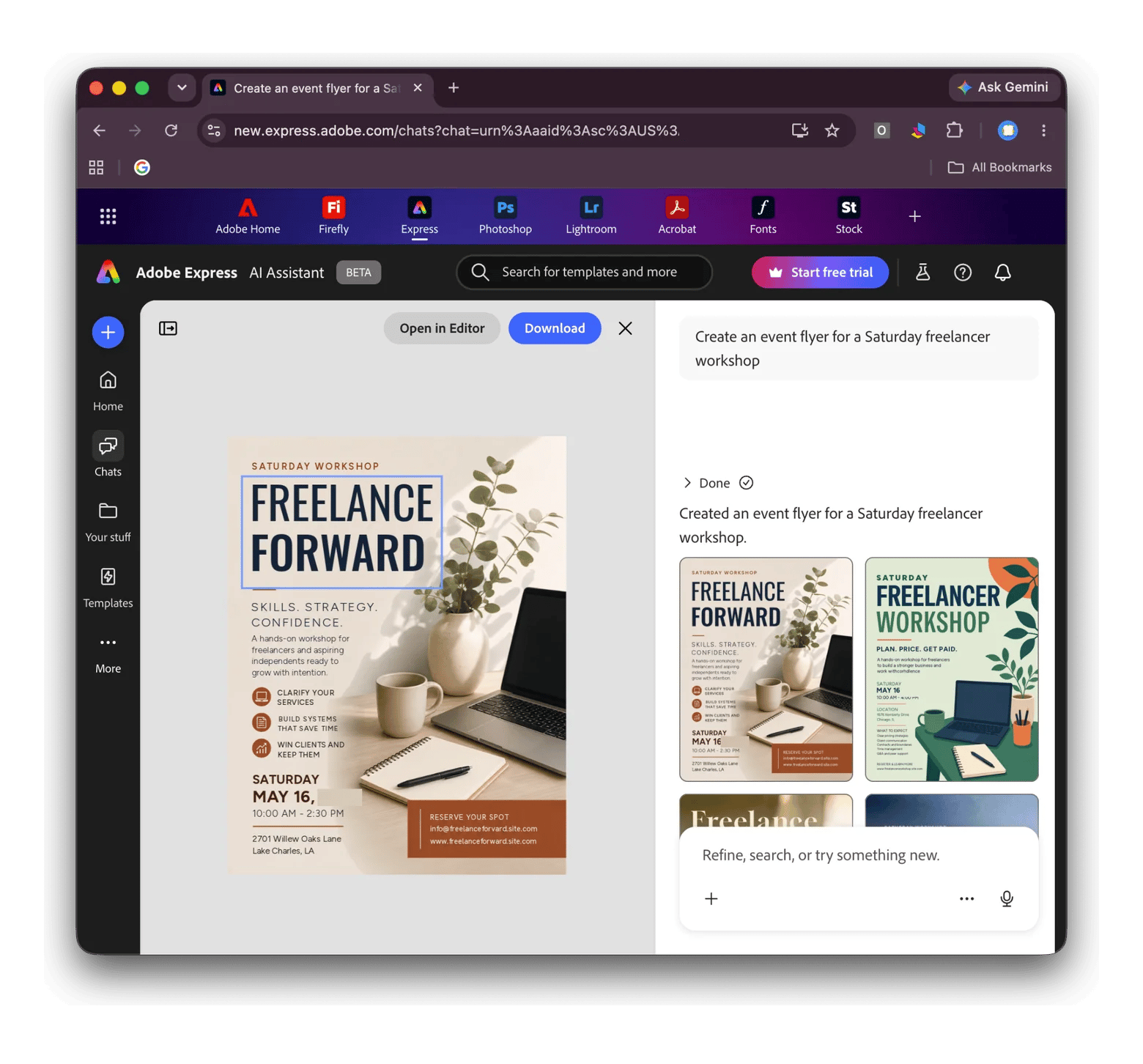
Adobe Express has a flyer generator that returns several editable templates from a text description. The free plan includes limited monthly generative credits, and Premium starts at $9.99 USD a month with 250 credits. A free plan is enough for occasional flyers.
As you can see, Adobe Express added many details to the flyer that will likely help attract the audience. Since the design is editable, you can add verified information or remove blocks you find excessive.
Sivi AI: Best for layered, editable flyer files
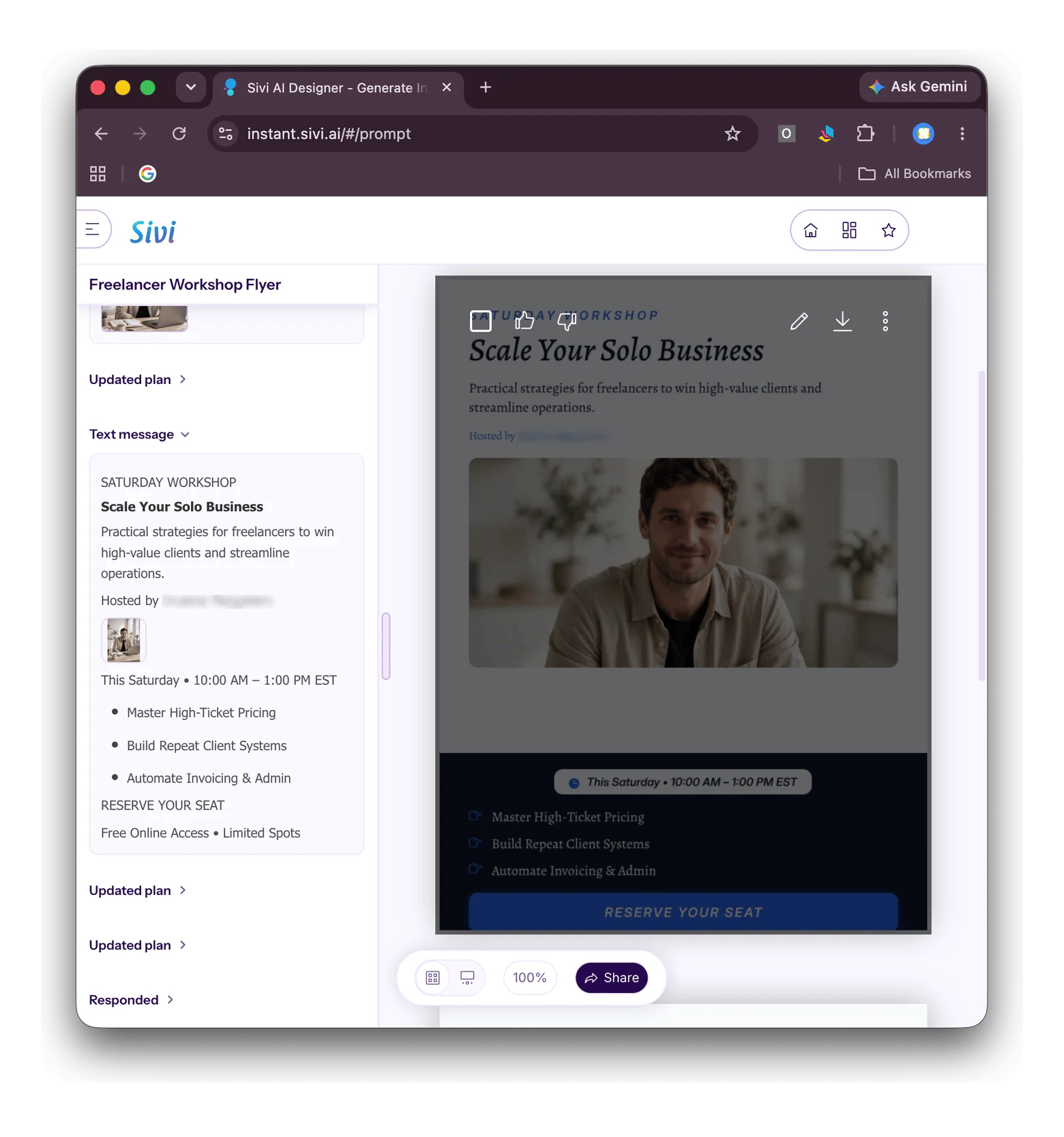
Sivi is a free AI social media content generator with a useful twist: it returns layered, editable files. The free plan gives about a dozen credits a month with no card, and paid plans start at $16 USD a month billed yearly. Those credits run out after a few flyer variations.
It generated several layouts based on my prompt, so I didn't have to start with a blank canvas. I could also edit individual elements afterward, which made it easier to tweak the design. It's a good option if you want something more custom-looking than a ready-made template.
In short, Canva and Adobe Express give the most layout control for free, Sivi gives editable output, but the smallest allowance, and Eney is the one to use when the flyer belongs to a bigger workflow.
How to build a repeatable AI social media workflow on Mac
For more involved content work, Eney is my top pick. It remembers context about your projects and writing style, works with different content types, and can help with everything from brainstorming and analysis to creating finished posts. You don't have to explain everything from scratch each time.
Here's how a solo content creator could use it to plan a week of content:
Review your past content. Share recent posts or export your social media analytics and ask Eney to identify top-performing topics, engagement patterns, and content gaps.
Plan your content strategy. Ask Eney to suggest content pillars and weekly topics based on your goals and previous results.
Find ideas in your existing material. Bring in blog posts, research, notes, customer questions, or voice recordings. Ask Eney to extract useful insights and suggest post angles.
Write platform-specific posts. Use Eney's social post generator to adapt your ideas for Instagram, LinkedIn, or other platforms. Generate several versions and polish them with Eney Wand.
Create visuals and prepare your schedule. Generate or edit images in the same chat, then ask Eney to organize your finished content into a publishing schedule with suggested dates and platforms.
You can follow the same workflow with free web tools, too. Just expect more copy-pasting between apps and more repetition when providing background information and brand voice instructions.
When is a free AI social media post generator enough?
A free AI social media post generator is enough if you publish fewer than 10 posts a week, test new formats, or edit drafts yourself. Free plans do have limits: Sivi gives about a dozen credits a month, and Canva works for one or two flyers a week before it nudges you toward Pro. Check the current limits before you commit, since free plans can change.
A paid plan makes more sense when you post daily, need a consistent brand voice, work with a team, or generate posts in bulk. Most free generators don't schedule posts, so scheduling usually means adding a separate tool such as Buffer.
Here's how free and paid plans compare by use case:
Free is enough for
Paid is better for
Occasional posting
Daily or bulk content creation
Testing new formats
Consistent brand voice
Editing drafts yourself
Team collaboration
A simple content calendar
Built-in scheduling
Start with free tools and upgrade when limits start to affect your workflow.
Which free AI social media post generator should you choose?
For a free AI caption generator, I would start with PlayPlay: it gave the most detailed post and added hashtags without a sign-up. For visuals, Canva gives the most layout control on a free plan.
If you want captions, flyers, and edits in one place, Eney is my top pick on Mac. It writes from your own material, keeps your voice, and fixes weak lines in place with Eney Wand, so you don't repeat background in every prompt. You can try Eney free for 14 days with 10,000 AI credits on Setapp.
Rocket Typist covers the small stuff: it keeps your hashtag sets, brand voice reminders, and calls to action ready in any app. It's part of Setapp Membership, and the 7-day free trial lets you test it first.
FAQ
Which free AI social media post generator works without a sign-up?
QuillBot, PlayPlay, and SocialBu allow access to their generators without an account. Sign-up mostly lets you save your work and, with SocialBu, schedule.
Can free AI tools generate Instagram, LinkedIn, and TikTok versions at the same time?
Some do. In my test, Eney returned Instagram and LinkedIn versions in one request, and I didn't test TikTok. QuillBot covers captions for all three platforms, though its LinkedIn post felt too short. Check the output each time, because tone rarely transfers cleanly.
Is there a free AI flyer generator that creates visuals, not just captions?
Yes. I tested Canva AI, Adobe Express, and Sivi AI. All three have free tiers, and all three meter AI use, so heavy use pushes you to paid plans. Eney also generates and edits flyers during its free trial.
How do I make AI-generated posts sound less generic and more on-brand?
Use the free AI social media post generator and give it as much context as you can. Feed it your own material, paste two or three past posts, and edit the output by hand. Eney keeps your context across the session, so you set the tone once instead of in every prompt.
What's the difference between an AI caption generator and an AI social media scheduler?
A generator writes the post. A scheduler publishes it at a set time. Most free generators do not schedule, so you pair one with a scheduler such as Buffer or SocialBu, or draft a calendar note in Eney.
Unlock AI apps
Access 260+ Mac/iOS apps, including AI tools, with one Setapp subscription.






 Best solution
 Best solution