Best free AI humanizers: Of the seven tools I tested, Grammarly produced the most natural rewrite, and SuperHumanizer was the easiest to use, with no sign-up and 1,200 words per run. Quillbot, NoteGPT, ZeroGPT, and Humaniser.com were held back by word caps, stiff output, or lost meaning.
Free limits matter: Caps run from 125 words (QuillBot) to 1,500 words (Grammarly). Work in 200 to 300 word chunks, run the text through a humanizer once, and read the result aloud before you publish.
Detector scores are a pointer, not proof: No humanizer can guarantee that text passes every AI detector. Add your own example or first-person detail, and verify every fact afterward.
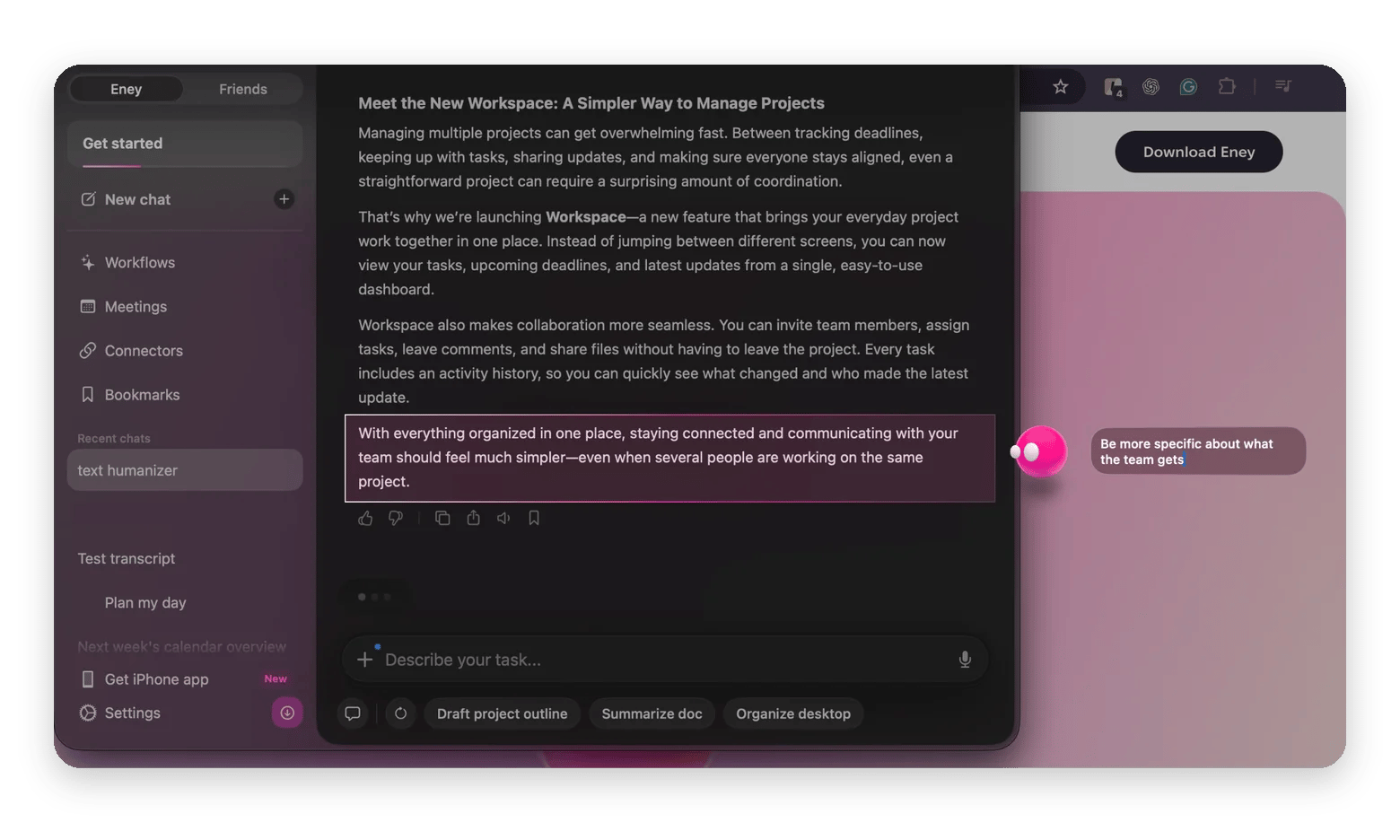
Less humanizing with more context:Eney rewrites selected text in place with Eney Wand and drafts from your notes and files, so there is less to fix. Try it with a 14-day free trial with 10,000 AI credits.
Polish and get more Mac apps: Give your draft a final read-through in Ulysses, and explore 300+ other apps with a 7-day free trial of Setapp Membership.
The best free AI humanizer tools in my test are SuperHumanizer for no-signup speed, Grammarly for natural rewrites, and Eney for drafting that needs less humanizing. I ran the same 300-word ChatGPT paragraph through seven tools and scored readability, meaning, free limits, and detector results. Here's how each performed and where free tiers stop.
A quick comparison of the seven tools I tested, from word caps to my verdict on each:
In-place rewriting and broader AI assistance on Mac
Good rewriting, with the added benefit of context-based drafting and cross-app assistance
Quillbot
125 words
Required after five attempts
Very short passages
The word cap and usage limits make it less practical for longer texts
NoteGPT
Not specified; 15 free monthly quotas
Yes
Quick humanization of short texts
Output was overly informal and harder to read; detector flagged it as 100% AI
ZeroGPT
Not specified
No
Basic text simplification
Output was unnatural and oversimplified; detector still showed 100% AI probability
Grammarly
1,500 words
Free trial / paid subscription
Natural-sounding rewrites and editing
A high-quality output; preserved readability without oversimplifying
SuperHumanizer
1,200 words
No
Quick, hassle-free humanization
Natural, pleasant output with almost instant processing
Humaniser.com
200 words
No
Short text experiments
Output resembled a summary more than a rewrite; meaning and structure weren't preserved
How I tested 7 free AI humanizers
I generated a 300-word generic product-update paragraph with ChatGPT and ran it through all seven tools. Free-tier limits and features can change, so this article reflects what was available at the time of testing: November 2026.
I scored each output on four criteria:
Readability: Does the output read smoothly to a human?
Meaning preservation: Are facts, names, and claims intact?
Availability: Are there free-tier limits?
Detector result: Does AI detect that the text is AI-written?
I weighted readability and meaning most, because text that passes a detector but misstates your point is worse than useless.
Which free AI humanizer is best? My picks by use case
For the best overall quality, Eney is my pick. It rewrote my test text clearly without changing the meaning or making the tone too casual. It can also draft from your notes, files, and connected apps, so the first version already sounds more like you and needs less humanizing. Eney is a trial rather than a free tier: 14 days with 10,000 AI credits.
For zero friction, I'd choose SuperHumanizer. It's completely free, handles up to 1,200 words per run, needs no account, and returned a natural-sounding result almost instantly. It suits occasional humanization tasks.
For best rewrite quality among standalone tools, I recommend Grammarly. The output stayed readable without oversimplifying, though the AI humanizer needs a free trial or paid plan.
Below, I break down each tool by output quality, free limit, and detector result.
Eney: Best overall for writing with less humanizing
Eney is a Mac app, not a browser-based humanizer, so it works differently from the other six tools. You download it and start a 14-day free trial with 10,000 AI credits. It requires a Mac with Apple silicon (M-series) running macOS 15 or later.
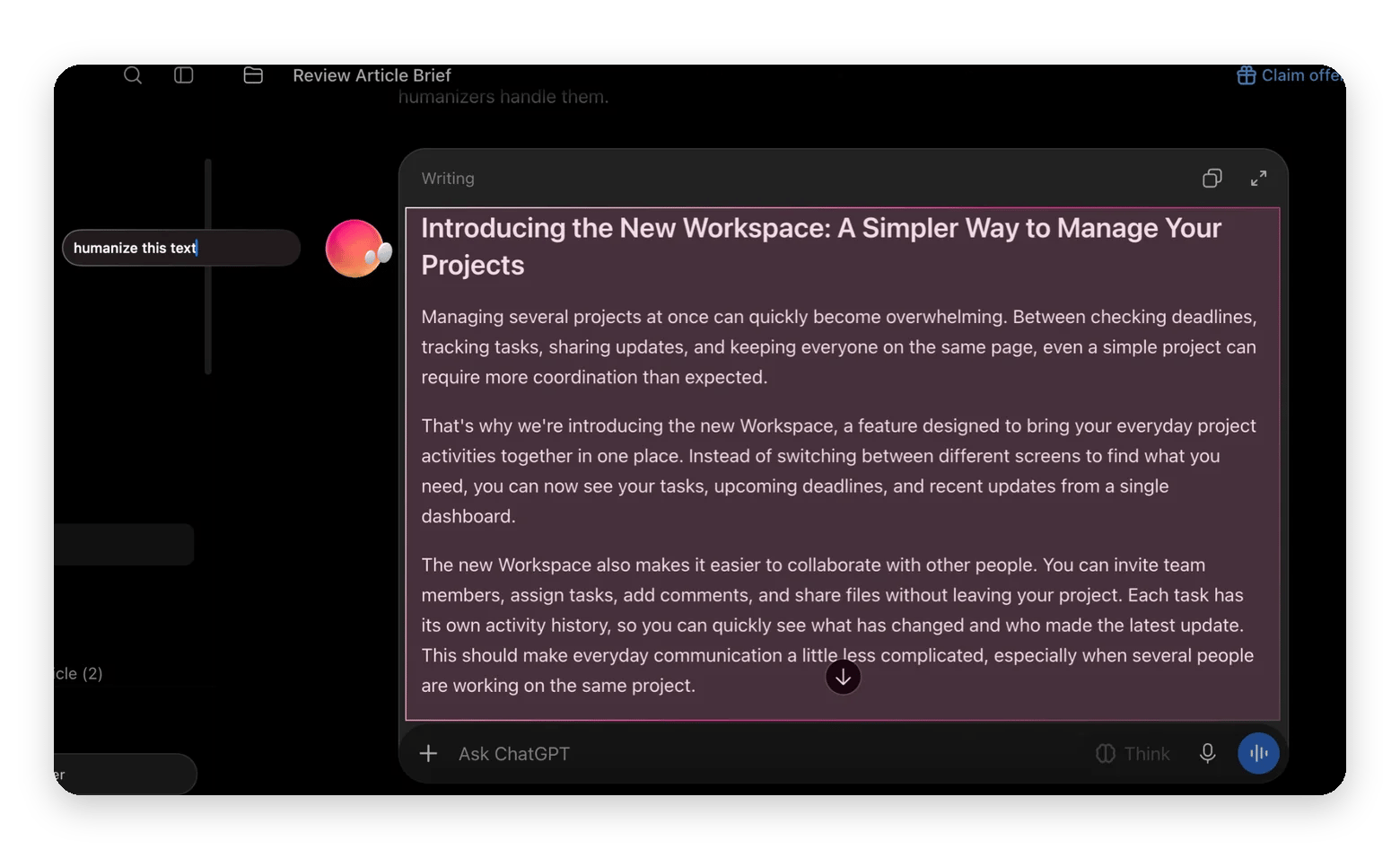
To humanize text, use Eney Wand in any app: press Option + W, select your text on the screen, and ask Eney to rewrite it. I tried this directly in the ChatGPT window.
The rewritten version was clear and natural, without changing the original meaning or making the tone unnecessarily casual. I also liked that Eney kept the important details intact while making the sentences flow better.
But humanizing is only one of its capabilities. Eney can research topics and return cited summaries, draft content using your notes and files, summarize information, answer questions, and help with everyday writing tasks. It can also connect to apps like Notion, Google Docs, and Mail to work with your existing information.
What I like most is that the more context you give Eney, the more relevant its responses become, and the more the output sounds like you. So the need for humanizing disappears.
Quillbot AI Humanizer: Best for very short passages
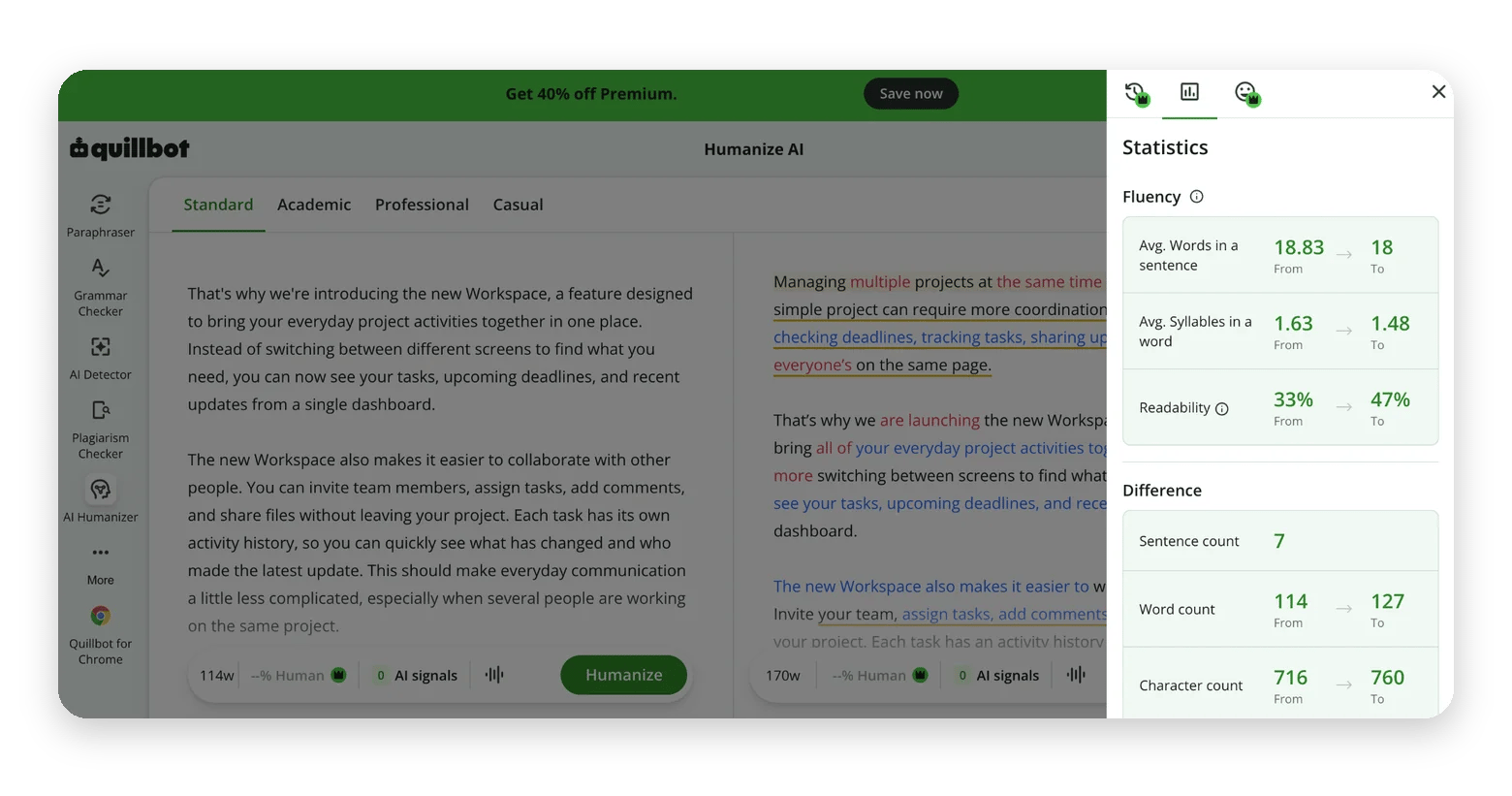
Quillbot AI Humanizer is easy to access, but its free version is limited. You can only process 125 words at a time, which means you have to split longer texts into chunks. This makes it difficult to preserve context and maintain a consistent tone throughout the text.
The tool also provides statistics after processing, but they don't tell you whether the rewritten version sounds more natural. On top of that, after just five attempts, it asked me to sign up to keep using the tool.
Overall, Quillbot AI Humanizer is best kept for very short passages. The 125-word limit and the lack of meaningful feedback make it less practical for longer content.
NoteGPT AI Humanizer: Best for quick, casual rewrites
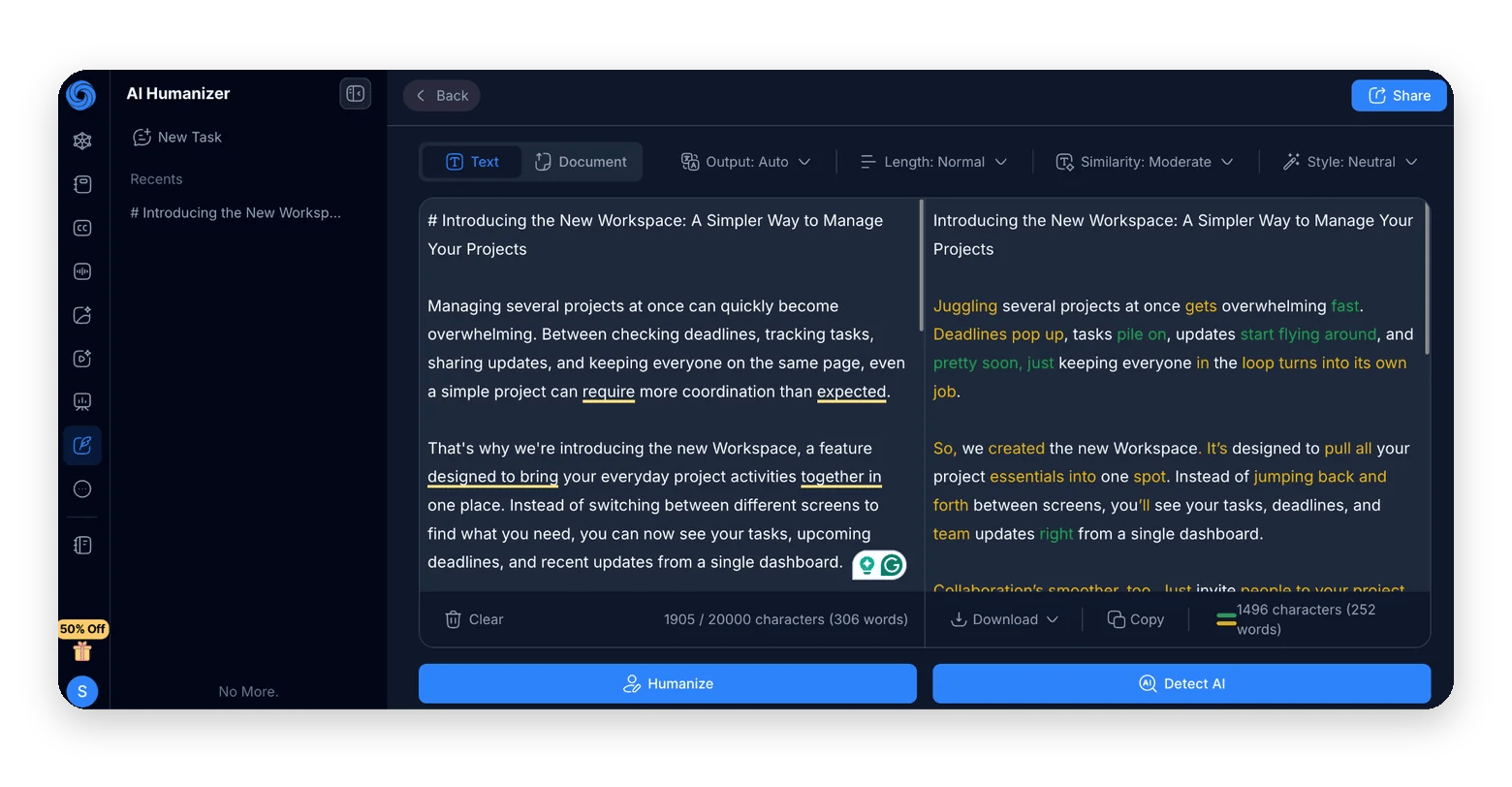
NoteGPT AI Humanizer is more generous with its free tier. After signing in, you get 15 free quotas per month, and I processed my entire 300-word sample without hitting any limits.
Unfortunately, the rewritten text sounded overly informal and, at least to me, was actually harder to read than the original.
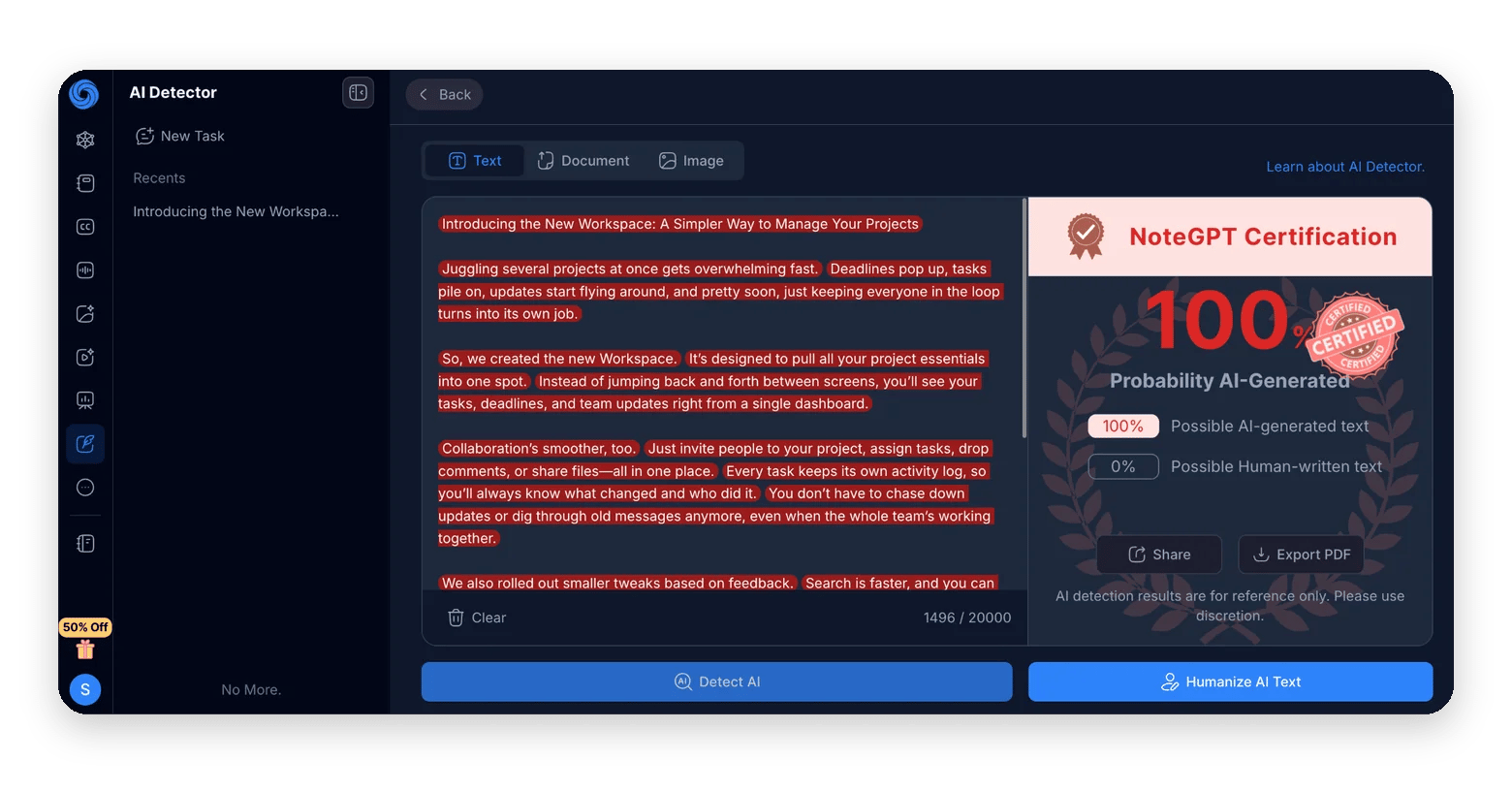
But the most surprising part came when I clicked the built-in AI detector. It flagged the rewritten text as 100% likely to be AI-generated. That's the opposite of what you'd expect from an AI text humanizer, even for free.
ZeroGPT: Best for basic text simplification
ZeroGPT is better known as an AI detector, but it also provides humanizer functionality.
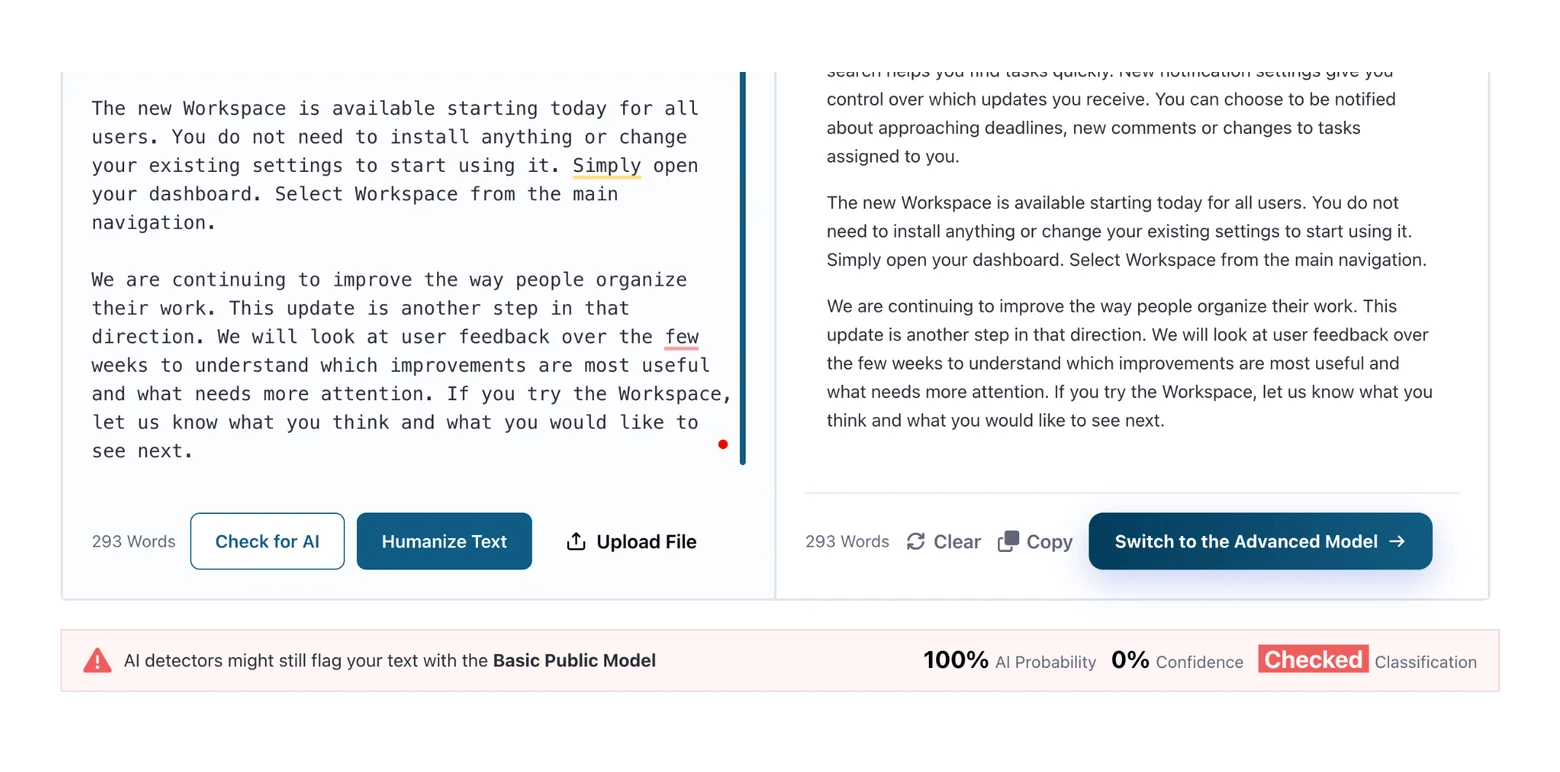
It delivered almost the same results as the previous tool. My original text was flagged as 100% AI-generated, which was expected. However, the rewritten version also received a 100% AI probability score. So, the humanizer didn't seem to make any difference.
Personally, I found the rewritten text simpler, but also unnatural to read. Almost every sentence became short and followed a very basic grammatical structure. However, they claim that for better humanization results, you should switch to ZeroGPT’s Advanced model. I didn't test it because I wanted to focus on free AI humanizer tools.
Grammarly: Most natural rewrites
Grammarly is a popular writing assistant that checks grammar, spelling, punctuation, and clarity. Its basic writing suggestions are available for free, while AI-powered features, including natural language rewriting, require a paid subscription. There’s a 14-day free trial, which I activated to test its AI humanizer.
You can process up to 1,500 words at a time directly in a browser tab. If you install the Chrome extension, you can also run the humanization process right inside Google Docs, without copying and pasting your text elsewhere.
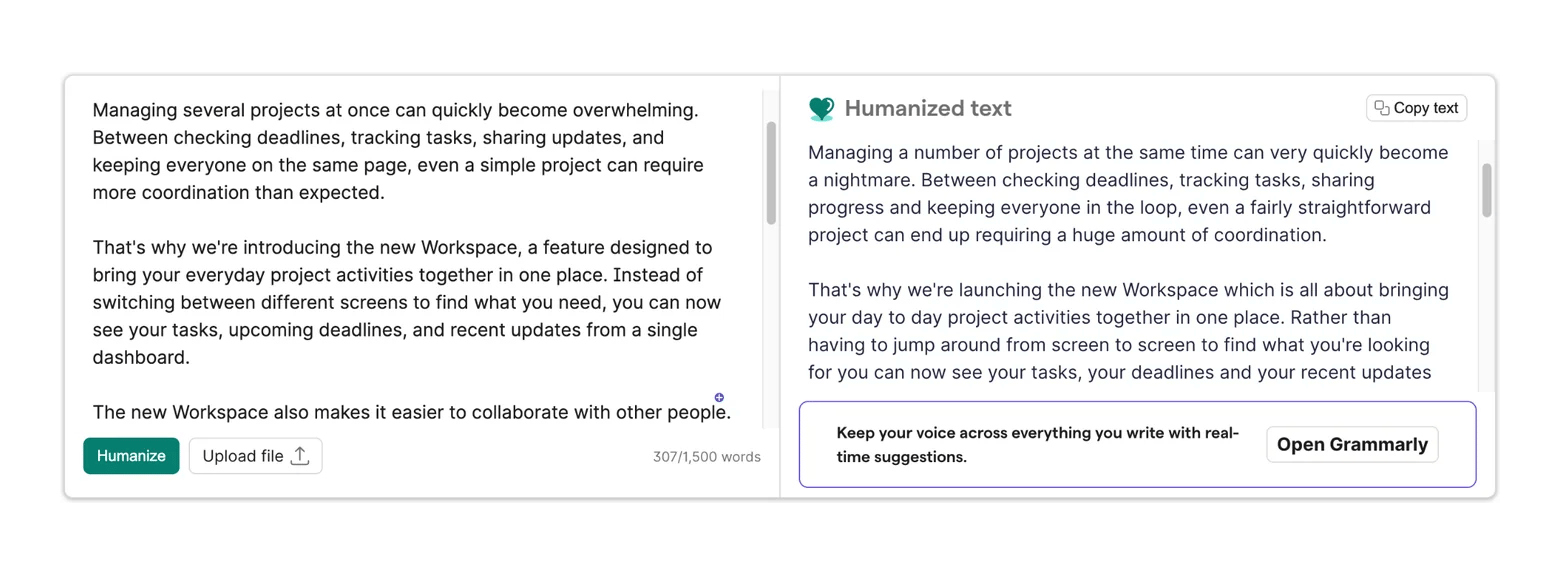
I was pleasantly surprised by the results. The rewritten text was good and, unlike some other tools I tested, pleasant and natural to read. Grammarly made the text sound more human without oversimplifying every sentence or making the tone unnecessarily informal.
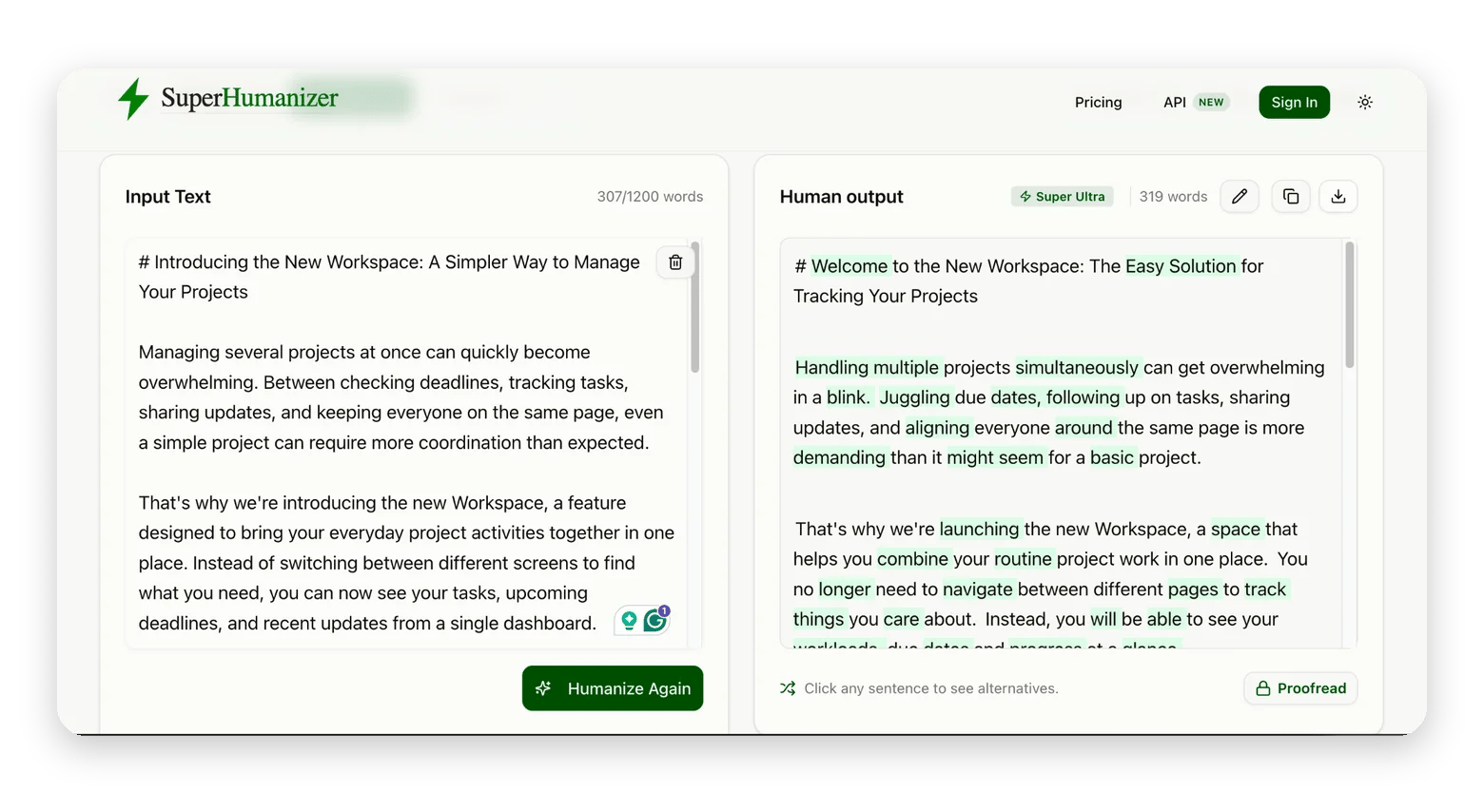
SuperHumanizer is one of the simplest tools I tested. It's completely free, allows you to humanize up to 1,200 words per run, and doesn't require registration.
The experience was good. The output sounded natural and pleasant to read, and the processing was almost instant. I also appreciated that I didn't have to start a free trial, create an account, or share my email address.
Overall, SuperHumanizer was one of the best free AI humanizers in this test. It delivers a good result without unnecessary friction or limitations.
Humaniser.com: Best for short text experiments
Humaniser.com is another tool for free AI detection and humanization.
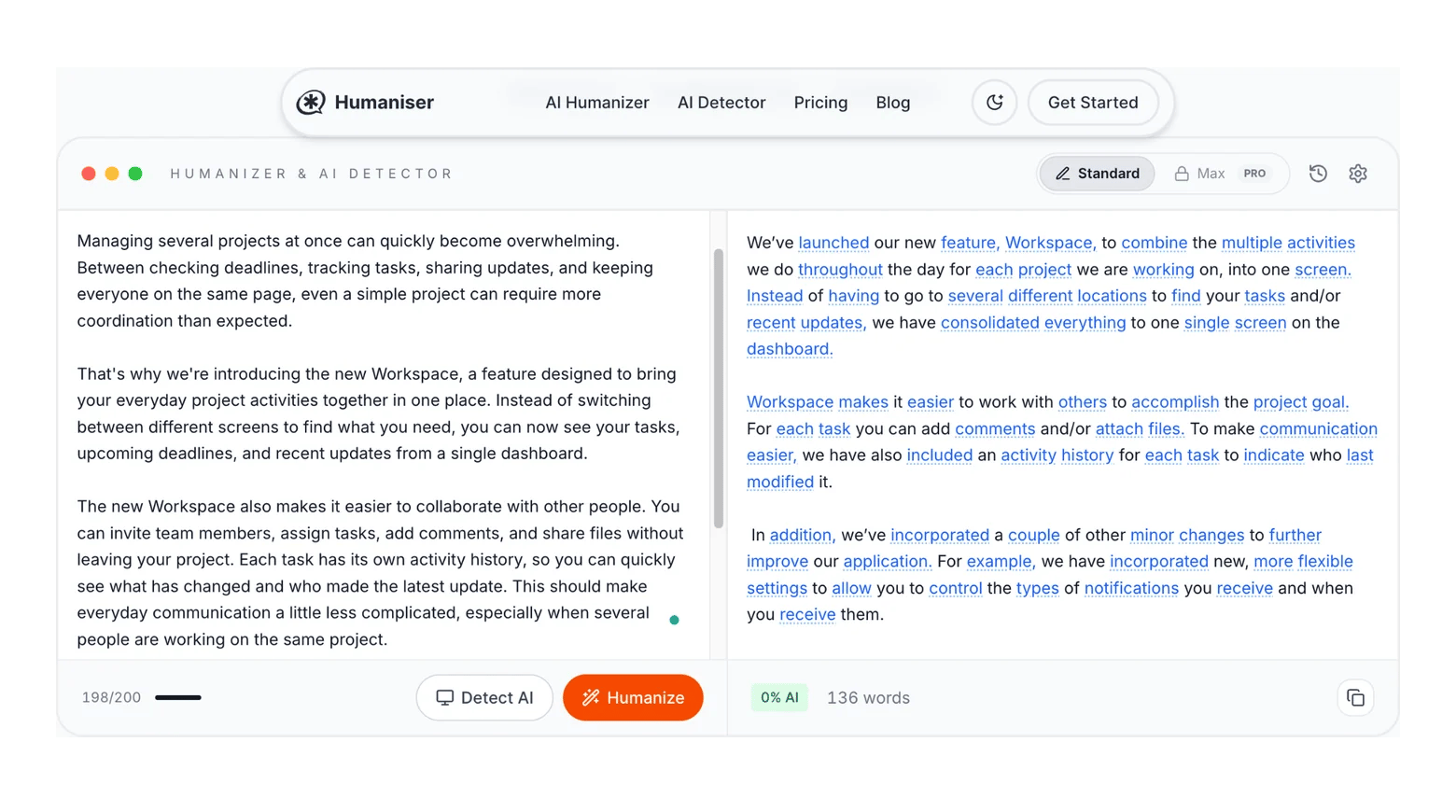
I first ran my original ChatGPT-generated text through the AI detector. It classified it as completely human-written, even though I knew it was 100% AI-generated. But AI detection wasn't my main evaluation criterion. I was more interested in how well the tool could humanize AI text online for free.
The biggest drawback was the 200-word limit in the free tier, which made testing longer content inconvenient. The output didn't fully meet my expectations: instead of paraphrasing the text while keeping its meaning and structure, the tool produced something closer to a summary.
Overall, I wouldn't recommend it if you need to humanize full-length articles or preserve the original content.
How to write with Eney so there's less to humanize
AI-generated text sounds robotic when the prompt gives the model nothing specific to work with: generic input produces generic output. Eney fixes this at the source. It drafts from your notes, files, and connected apps such as Notion, Google Docs, and Mail, so the first draft already includes your details. If a paragraph still sounds stiff, Eney Wand rewrites the selected text in place, in any app, from an instruction like "keep the facts, make it sound like me."
To write with less humanizing, follow this workflow:
Paste several paragraphs of your own past writing and ask Eney to use them as a voice reference.
Select your bullet-point notes in any app, or press Option + W and select the needed information, and ask Eney to draft the piece from those notes only. You can also speak your ideas using voice input.
Not happy with the output? Select the stiffest paragraph and use Eney Wand to rewrite it in your voice while keeping every fact.
Do your own final read-aloud pass and edit by hand if needed. Show Eney what you changed so it can learn from you.
You stay the author; Eney handles the drafting and rewriting steps.
How to get better results from any free AI humanizer
If you decide to use some of the best AI humanizers with no signup, here are a few tactics for better output:
Humanize in 200 to 300 word chunks. Short inputs stay close to your meaning and fit most free caps.
Check a public detector, then revise only the flagged sentences. Treat the score as a pointer to stiff spots, not a pass mark.
Read it aloud. Wherever you stumble or run out of breath, rewrite.
Swap AI-favored words by hand. “Utilize”, “delve”, and “leverage” usually lose to plain verbs.
Add one first-person observation or specific example the AI couldn't know. Nothing makes a draft yours faster.
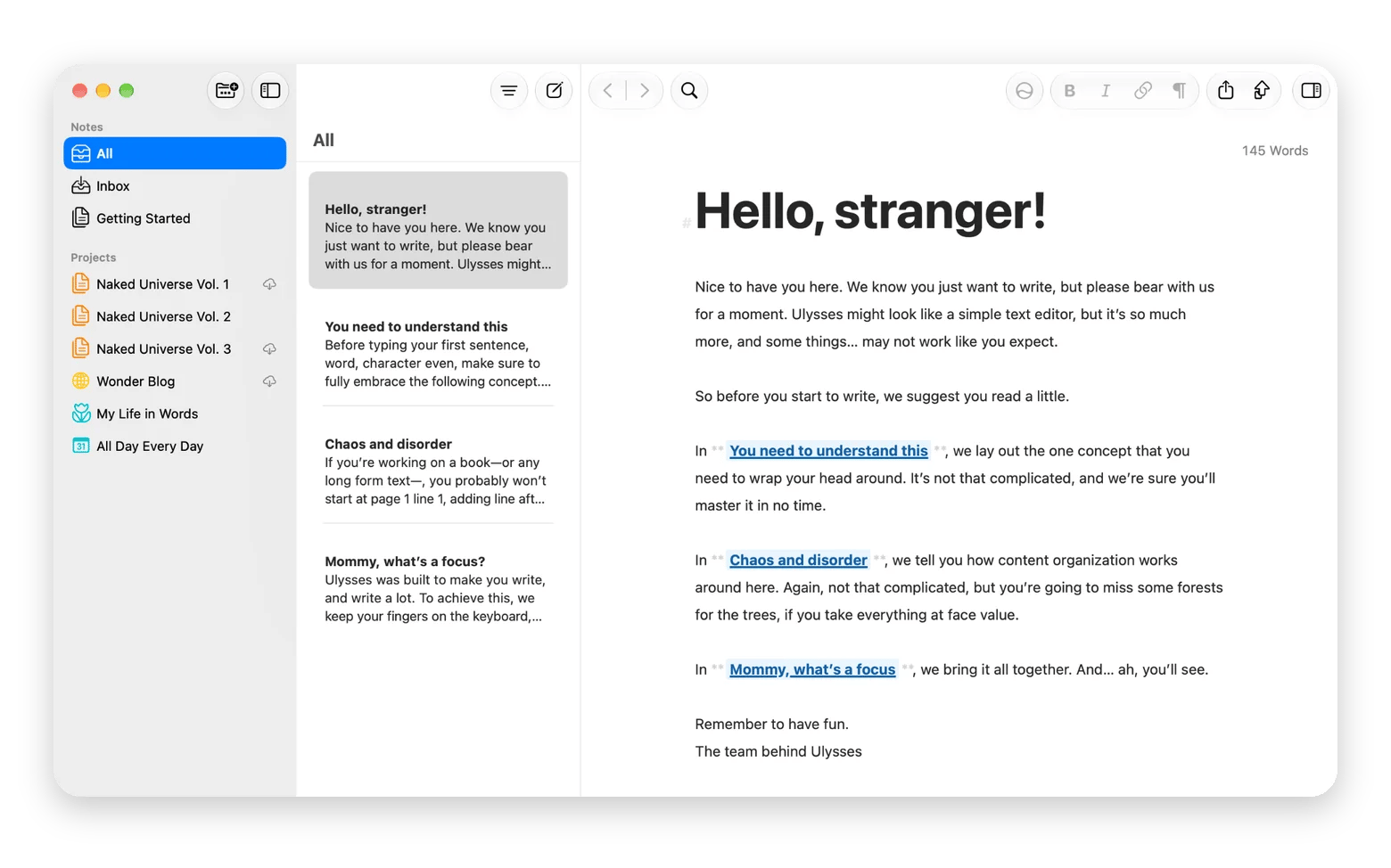
Humanizing is step two of the process, not the last step. After running my test text through each tool, I pasted the best result into Ulysses for the final editing pass. It’s a distraction-free Markdown writing app for Mac and iOS, where you can write, edit, organize, and export your texts.
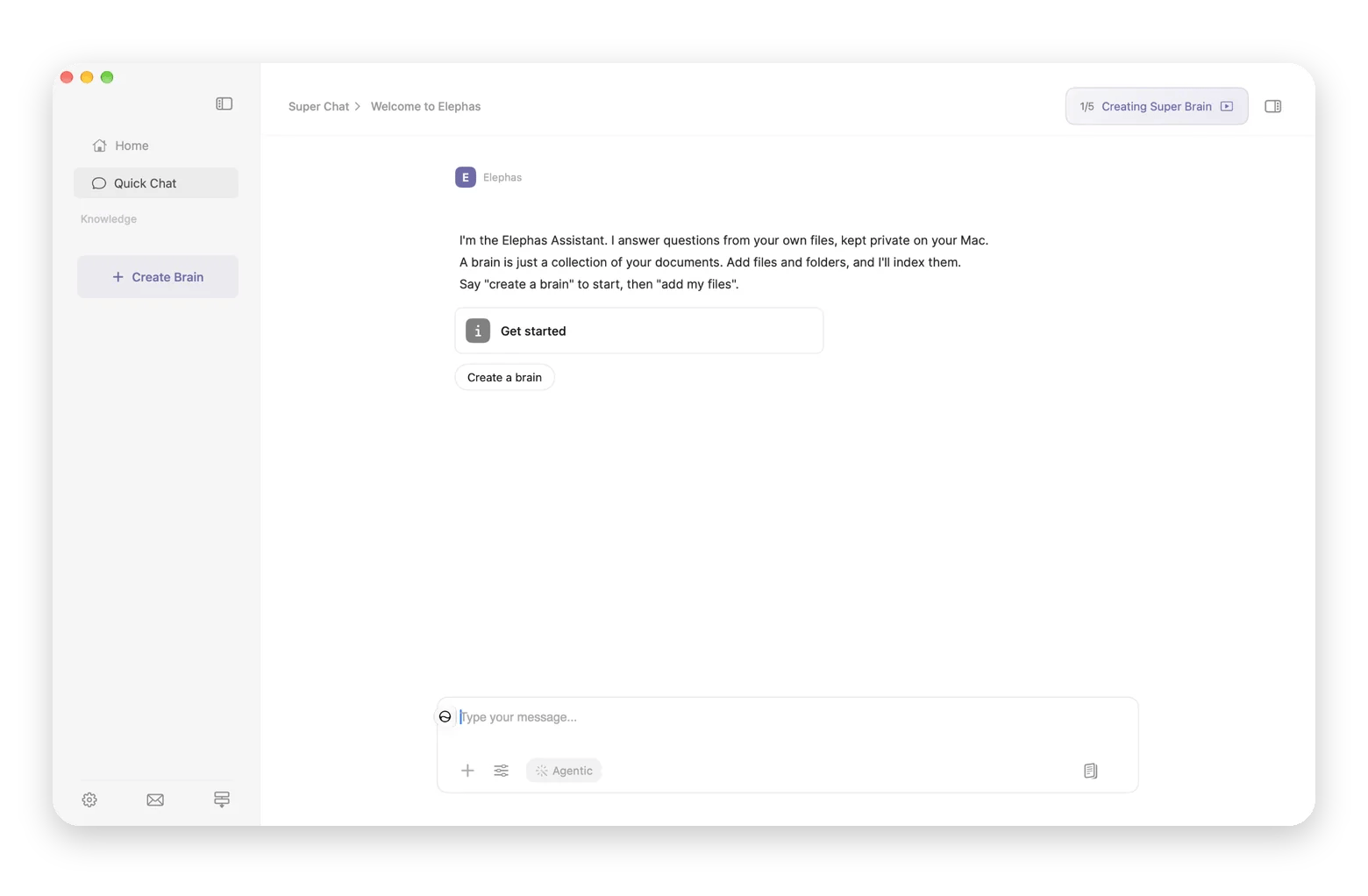
If you'd rather write against a knowledge base, Elephas is your Mac option. It’s an AI writing assistant for Mac that drafts and rewrites text using a knowledge base built from your own files. It's a good fit if you want your drafts to come from your own material rather than a generic prompt.
An AI humanizer rewrites generated text to break the predictable rhythm and stock phrasing that detectors score. Think evenly sized sentences, "it’s not just…it’s…" phrases, and tidy lists of three. Once you notice them, they take over your whole document.
Humanizing is not the same as paraphrasing. A paraphraser swaps wording to say the same thing differently. A humanizer targets rhythm and pattern so the text reads less machine-made. Both share limits, as neither checks facts or fixes logic. Only the writer can create the meaning they intend.
Detectors flag text mostly on two signals:
Perplexity score: Shows how predictable your word choices are to a language model. Low perplexity means each next word was easy to guess, which detectors read as machine-written.
Burstiness: Shows how much sentence length and structure vary.
No AI humanizer can guarantee that its output will pass every AI detector. The more useful goal is human-like writing: text that is clear, accurate, and natural. That’s what I aimed for in my test.
When is a free AI humanizer not enough?
Free AI writing humanizers fit most use cases. But there are several situations where you’d better opt for an advanced paid option:
Academic submissions. The honest answer is to write the assignment yourself using AI for research, not to humanize the generated text and hope it passes. Check your institution's AI policy and disclose any use it allows. You can still use AI to explore sources, organize ideas, and build an outline, then write the actual submission from your own notes and understanding.
Long-form content over 1,500 words. Free tools often have word limits that force you to split a long article into several passes. The problem is that each rewrite can shift your tone so that the final piece may feel inconsistent.
Technical content. Humanizers can simplify or replace precise terminology, which is risky when every detail matters. Don't run the whole piece through a rewrite. Leave technical terms, figures, product names, and claims untouched; humanize only the connecting sentences, then check every detail against your source.
For high-stakes writing, use AI to research and outline, then write from scratch in your own voice. Eney supports that workflow on Mac. It can work with your notes and voice reference, draft from your own context, and rewrite stiff paragraphs in place.
Which free AI humanizer should you choose?
The best free AI humanizer depends on what you need. In my test, SuperHumanizer was the easiest to use, with no sign-up and a 1,200-word limit per run, and Grammarly gave one of the most natural rewrites, though it needs a free trial or paid plan.
My overall pick is Eney. It drafts from your notes, files, and connected apps, and Eney Wand rewrites stiff paragraphs in place, so there's less to humanize in the first place. If you'd rather write against a knowledge base of your own documents, Elephas is another Mac option. Whichever tool you choose, run the text through it once, then read it aloud and edit by hand.
Try Eney on an M-series Mac with a 14-day free trial with 10,000 AI credits. For the final read-through, use Ulysses. Ulysses, Elephas, and 300+ other apps are available with a 7-day free trial of Setapp Membership.
FAQ
Can AI detectors still catch humanized text?
Often, yes. Detectors score statistical patterns, and light rewrites leave many of them in place. What actually lowers the risk is your own edit and your own specifics: a real example, a first-person detail, your phrasing.
What's the difference between an AI humanizer and a paraphrasing tool?
A paraphraser changes wording. A humanizer changes rhythm and pattern so text reads less machine-made. Both have the same limits on meaning: they can distort a claim, so check every fact afterward.
Does Google penalize humanized AI content in search?
Google's published guidance focuses on whether content is helpful and accurate, not how it was produced. It does warn against mass-producing pages that add no value. Thin content loses either way.
Is it safe to paste my content into a free AI humanizer?
It depends on the tool. Free web humanizers may store or reuse what you paste, so check the privacy policy for data retention and AI training before you submit anything. Don't paste unpublished, client, or confidential work into one. For sensitive drafts, use an app that processes text on your Mac.
How many times should I run text through an AI humanizer?
Once. Each extra pass erodes meaning and adds odd phrasing. Spend the second pass yourself, reading aloud and fixing what still sounds off.
Unlock AI apps
Access 260+ Mac/iOS apps, including AI tools, with one Setapp subscription.






 Best solution
 Best solution